



which scanner for volvo v60 — the iCarsoft VOL II is the best value for full-module Volvo diagnostics on 2010–2024 V60s around $150. For deeper bi-directional tests and service functions, step up to the Autel MaxiCOM MK808/MK808S.
Choosing a scanner for a Volvo V60 hinges on one thing: true Volvo module access, not just generic engine codes. The V60 hides critical faults in ABS, SRS, CEM, TCM and climate modules — invisible to cheap readers. For related context, you may also want to read which scanner icarsoft for Volvo S80 2002.
Below you’ll see exactly why generic tools miss Volvo-specific data, a side-by-side comparison of the best scanners, V60 model-year compatibility, what each tier can actually do, and where to buy safely without getting a clone.
- Main point: iCarsoft VOL II is the best-value V60 handheld for reading/clearing Volvo-specific modules; Autel MK808 adds advanced tests.
- Best first step: Match your V60’s year (2000–2018 P3 vs 2019+ SPA) to the scanner’s Volvo/UDS support list before buying.
- Cost or value: The sweet spot is $150–$500; below $80 reads engine-only, above $600 is pro-shop territory.
- Who it suits: DIY owners benefit most from VOL II or Foxwell NT530; pros should consider Autel/Launch.
- When to get help: For coding/programming or key work, use dealer-level VIDA/PTT tools or a Volvo specialist.
Why Generic OBD2 Scanners Fail on Volvos
Generic ELM327/Bluetooth readers only speak the federally mandated OBD-II engine protocol. They can read and clear Check Engine (ECM) codes, but nothing else.
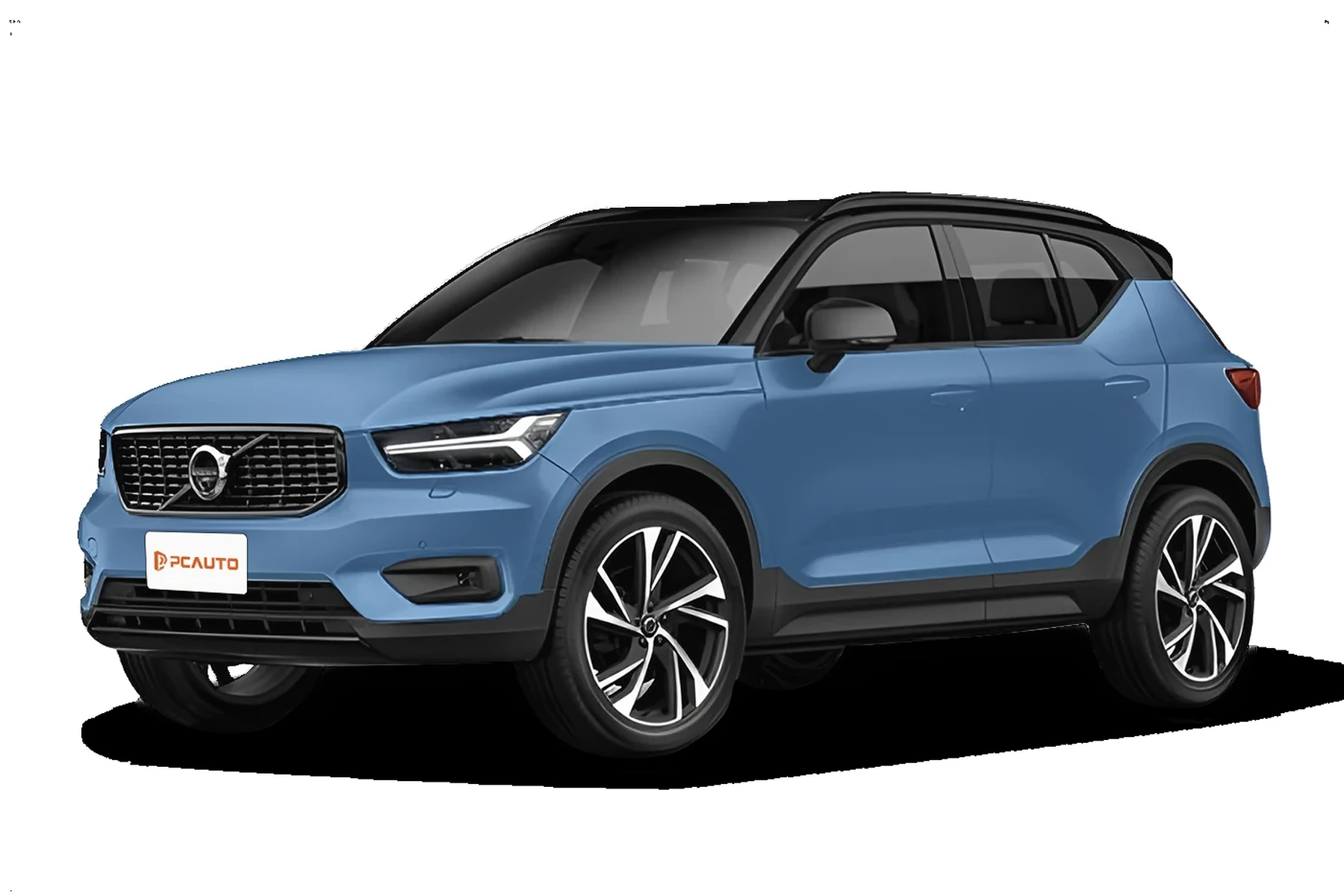
A Volvo V60 stores many faults in manufacturer-specific modules: SRS (airbags), ABS/BCM, TCM (transmission), CEM (central electronics), SAS (steering angle), CCM (climate) and TPMS. Without Volvo-specific software, those modules are invisible — which is why a $20 dongle “finds nothing” while warning lights stay on.
Before purchasing, confirm the scanner’s coverage specifically lists Volvo V60 by generation. 2019+ V60 (SPA) uses UDS protocols that older tools may not fully support.
Top Scanners for Volvo — Comparison Table
The picks below span budget to professional. Focus on “Volvo modules covered” and “model years” — those two columns determine whether you’ll actually see ABS/SRS/CEM data on your V60.
For most owners, the iCarsoft VOL II or Foxwell NT530 delivers the best balance of price and Volvo coverage; advanced users benefit from the Autel MK808’s bi-directional tests.
| Scanner name | Price | Volvo modules covered | Volvo model years | Bluetooth/WiFi | App required | Verdict |
|---|---|---|---|---|---|---|
| Generic ELM327 Bluetooth | $15–$30 | Engine (ECM) only | 1996+ | Bluetooth | Yes (Torque/OBD Fusion) | CEL-only; not for Volvo modules |
| Ancel VOD700 | $60–$80 | Engine + basic emissions data | 1996+ | No | No (handheld) | Budget CEL reader; limited on V60 |
| iCarsoft VOL II (Volvo/Saab) | $140–$170 | ECM, TCM, ABS, SRS, CEM, BCM, SAS, CCM, TPMS | ~1999–2024 | No (USB updates) | No (handheld) | Best value for V60 owners |
| Foxwell NT530 (Volvo software) | $180–$220 | Full modules + service resets | ~1999–2023 | No (USB updates) | No (handheld) | Strong mid-tier alternative |
| Autel MaxiCOM MK808 / MK808S | $450–$600 | Full modules + bi-directional tests, resets | ~1999–2024 | WiFi (tablet) | Built-in | Advanced DIY/pro features |
| Launch X431 (Pros Mini/CRP series) | $700–$1,200 | Full modules + coding/adaptations | ~1999–2024 | Bluetooth/WiFi | Built-in | Professional workshop choice |
| VIDA/DiCE or PTT/VOCOM (Factory) | $300–$1,500+ | Dealer-level across all modules | 1999–2014 VIDA; 2015+ via online PTT | USB/Ethernet | PC software | Factory tools — see pro-software guide |
Model-Year Compatibility for the Volvo V60
V60 spans two generations: 2010–2018 (P3) and 2019+ (SPA). Many scanners cover both, but SPA-era cars use newer UDS diagnostics and more complex networked modules.

Use the table to verify coverage by era — it’s common for a tool to work flawlessly on a 2015 V60 yet miss a function on a 2020 V60 without the latest firmware update.
| Scanner | Pre-2004 | 2004–2014 (incl. early V60 dev years) | 2015–2018 V60 (P3) | 2019+ V60 (SPA) |
|---|---|---|---|---|
| Generic ELM327 | No | Engine only | Engine only | Engine only |
| Ancel VOD700 | No | Engine only | Engine only | Engine only |
| iCarsoft VOL II | Limited | Yes (multi-module) | Yes (multi-module) | Yes (UDS supported on updates) |
| Foxwell NT530 (Volvo) | Limited | Yes | Yes | Yes (check latest Volvo software) |
| Autel MK808/MK808S | No | Yes | Yes | Yes (frequent updates) |
| Launch X431 | No | Yes | Yes | Yes (pro-level) |
Owners researching wider coverage across models can also see our guide on whether scanners for Volvo work with all models for brand-wide nuances and exceptions.
2019+ V60 (SPA) stores serviceable data in UDS-based subsystems. Many “Volvo-compatible” tools added SPA/UDS support via firmware after 2020 — updating your scanner often unlocks missing functions like SAS reset or brake service mode.
What You Can Actually Do With Each Tier
Budget readers handle emissions-related engine faults only. Mid-range handhelds unlock Volvo modules and routine service functions. Advanced tablets add bi-directional tests and guided reset procedures that save trips to the dealer.
- Budget (ELM327/Ancel): Read/clear Check Engine codes, view freeze frame/live O2 data. No ABS/SRS access.
- Mid-range (iCarsoft VOL II/Foxwell NT530): Read/clear all major Volvo modules, service light reset, EPB service, SAS and TPMS functions on many years.
- Advanced (Autel MK808/Launch X431): All above plus bi-directional tests, actuator commands, component adaptations, more coverage on SPA cars.
- Factory (VIDA/PTT): Full dealer functions and software — best left to trained techs for programming/coding.
Never clear SRS (airbag) or ABS codes on a V60 without fixing the underlying fault first. A cleared-but-unsolved SRS fault can leave airbags disabled in a crash.
Clone scanners are common. Counterfeits often connect to the ECM but fail on Volvo-specific modules — exactly where you need them most. Buy only from the brand’s official store or authorized sellers.
Where to Buy
Stick to trusted channels: the brand’s official website, authorized Amazon sellers, or major tool distributors. eBay can be fine for new units from verified sellers; avoid “too-cheap” listings and used tablets that can’t receive updates.
For shopping notes and live-market tips, see our quick roundup at Volvo scanner for sale. Considering Topdon? We covered their Volvo coverage and value here: Topdon scanner for Volvo.
- Verify Volvo V60 coverage on the manufacturer’s site by model year; look for SPA support on 2019+ cars.
- Update the scanner firmware/software on day one — many add module coverage via updates.
- Keep a stable 12.4V+ battery while scanning; low voltage can drop network communication.
- Check the seller’s return policy and register the tool with the brand immediately to lock warranty.
How To Choose the Right Scanner for Your Volvo V60
Matching tool to need prevents overbuying or ending up with engine-only coverage. Start with model year, then decide the deepest function you’ll realistically use (service resets vs bi-directional tests). Use the steps below to zero in quickly and avoid clones or outdated firmware.
- Confirm your V60’s year/platform: 2010–2018 (P3) or 2019+ (SPA). This determines protocol coverage.
- Decide capability: Engine-only (budget), all-module + service resets (mid), or bi-directional/adaptations (advanced).
- Check the brand’s Volvo coverage list: Ensure your exact year appears and SPA/UDS is supported if 2019+.
- Choose a trusted seller: Official store or authorized Amazon listing; avoid suspiciously low prices.
- Update and test: Register and update firmware, then run a full auto-scan to verify module access.
Unsure whether the investment fits your use? Our take on are scanners for Volvo V60 worth it outlines real-world savings on dealer diagnostics.
iPhone users planning wireless diagnostics should confirm app support up front — we detail pairing and app choices in can scanners for Volvo work with iPhone.
Wants to read all V60 modules, clear faults after repairs, and reset service without dealer visits.
Needs broad Volvo coverage and bi-directional tests to speed diagnosis on V60 and other models.
Manages multiple Volvos and values a single tool that works across P3 and SPA generations.
Cross-brand usability matters for many garages. See whether your pick covers other cars well in our explainer on using Volvo scanners on other cars.
💡 Evans Torres Tip: I keep an iCarsoft VOL II in my V60 because it nails the balance of coverage and speed. After a rear wheel-speed sensor failure, it read the exact ABS code and live data in two minutes. That saved me a $180 dealer diagnostic and pointed me straight to the right corner.
Frequently Asked Questions
This FAQ focuses on the V60-specific scanner choices owners ask most often: best pick by use case, SPA (2019+) compatibility, phone connectivity, safety, service resets, and cross-brand use. It adds practical detail not already covered in the comparison table above.
What is the single best scanner for a Volvo V60?
For most owners, the iCarsoft VOL II offers the best value. It reads/clears Volvo-specific modules (ABS, SRS, CEM, TCM, etc.), performs common service resets, and supports both 2010–2018 and 2019+ V60 with current firmware. If you want bi-directional tests, step up to the Autel MK808/MK808S.
Will iCarsoft VOL II work on a 2019+ V60 (SPA platform)?
Yes, with updated firmware. The VOL II added UDS-based coverage that SPA cars use. Before scanning a 2019+ V60, register your unit and install the latest Volvo software package. For the broadest SPA functions, Autel MK808 or Launch X431 often lead after updates.
Can I use a cheap ELM327 or Ancel VOD700 to read Volvo ABS or SRS codes?
No. Those budget tools are engine-only and cannot talk to Volvo’s manufacturer-specific modules such as ABS or SRS. They will read and clear Check Engine codes but leave other lights untouched. Choose a Volvo-focused scanner like VOL II or NT530 for full-module access.
Do these scanners work with iPhone?
Handhelds like VOL II and NT530 do not need a phone. Tablet tools (Autel) are self-contained. If you prefer a phone-based workflow, ensure the Bluetooth dongle and app specifically support iOS Volvo module access; see our breakdown in iPhone compatibility.
Is it safe to clear airbag (SRS) or ABS codes on a V60?
Reading codes is always safe. Only clear SRS/ABS codes after the physical fault is repaired and verified. Clearing without fixing can mask a critical safety fault. If an SRS code returns immediately, diagnose wiring/connectors and component status before clearing again.
Which scanners can reset the service reminder on a V60?
iCarsoft VOL II, Foxwell NT530, Autel MK808, and Launch X431 can reset service counters on most V60 years. On SPA cars, ensure your tool and software are current. You can also reset via the car’s menu in some years, but scanners make it consistent after DIY service.
Will a Volvo-focused scanner work on my other cars too?
Yes, at least at a basic level. iCarsoft VOL II is Volvo/Saab-specific for advanced modules but reads engine codes on other brands. Autel and Launch cover dozens of brands at advanced levels. See more on cross-compatibility in our guide to using Volvo scanners on other cars.
Final Verdict
For a Volvo V60, iCarsoft VOL II is the smart buy: real Volvo module access, consistent service resets, and updates that keep pace with SPA cars — all near $150.
Pick Autel MK808 if you want bi-directional tests and wider brand coverage. Whatever you choose, match it to your V60’s year, buy from authorized channels, and update firmware before your first scan.
Avoid engine-only dongles for Volvo work — they miss exactly the modules that matter on a V60.
My Top Picks at a Glance
Here are the three which scanner options I would check first if you want a faster buying decision.
These picks highlight the strongest overall choice, the best value option, and the premium-style pick for practical Volvo ownership.
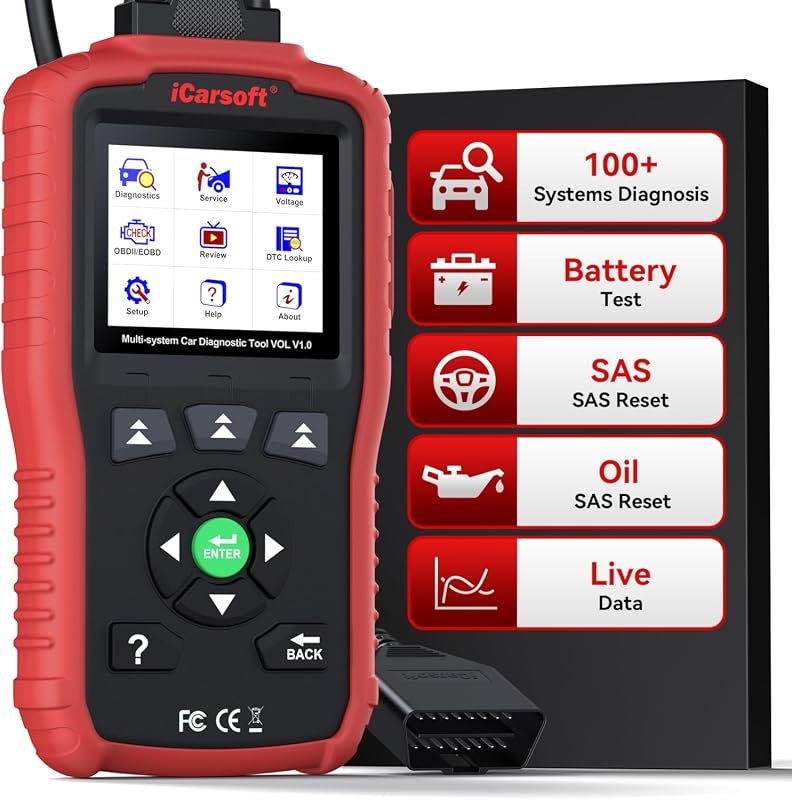 Best Overall
iCarsoft VOL V1.0 OBD2 Scanner for Volvo/Saab, All-Systems Diagnostics, Live Data, Oil/SAS Reset, CAN-FD, Lifetime Updates
It offers the strongest all-around mix of fit, value, and practical daily use for Volvo owners.
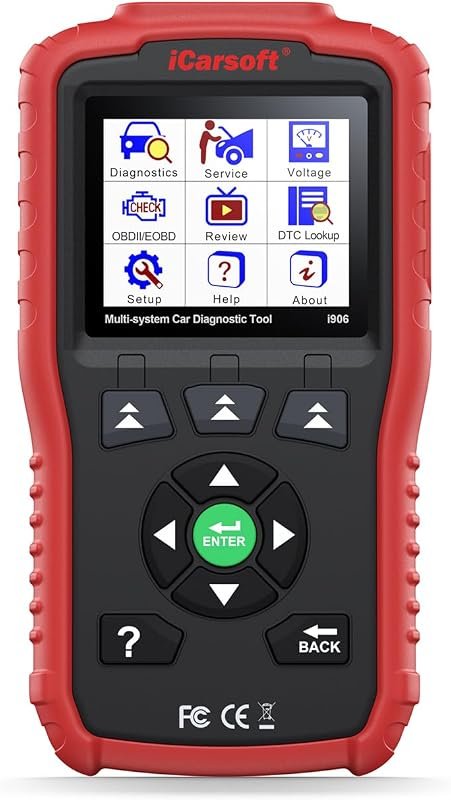 Best Value
iCarsoft i906 OBD2 Diagnostic Scanner for Volvo/Saab, Multi-System Engine, ABS, SRS Fault Code Reader
It makes sense for owners who want a useful upgrade without paying more than necessary.
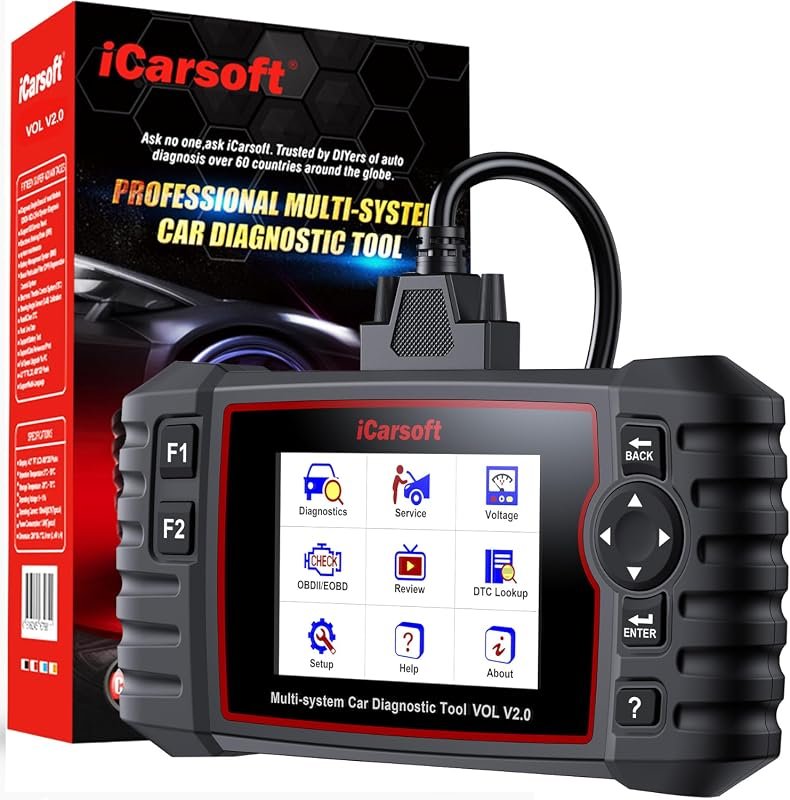 Best Premium Option
iCarsoft VOL V2.0 (2025) OBD2 Scanner for Volvo/Saab: Oil/SAS/EPB/DPF, Injector Coding, ABS Bleed, TPMS, Auto VIN
It is the pick I would compare first if build quality, features, and long-term ownership value matter most.
Author

Author

Evans Torres
I’m Evans Torres, an automotive engineer who loves Volvo cars. I graduated in Automotive Engineering from USC. I have worked in the car industry for years and now share my knowledge on The Volvo Life. I started this blog to connect with other Volvo fans. I offer tips, news, and advice to help you care for your car. My goal is to help you keep your Volvo in great shape and find all the best things about it. Join me as we discover everything Volvo has to offer!