



What scanner for Volvo S60 — pick a Volvo-capable handheld like iCarsoft VOL II for 2001–2024 S60 to read ABS, SRS, CEM, and more. For deeper functions and live data logging, step up to Autel MaxiCOM MK808. Skip $20 ELM327 dongles; they read engine only on most S60s.
An S60 throws more than just engine codes. Many faults live in ABS, SRS, TCM, CEM, and climate modules that generic readers can’t see. The right scanner depends on your S60’s generation and how far you plan to DIY. For related context, you may also want to read what is the best coolant for 2007 Volvo S60 2 5t.
Below you’ll find the best types and brands for every S60 era, what each tool can access, app/iPhone compatibility, a step-by-step how-to, and a buying guide so you get it right the first time.
- Main point: Choose a Volvo-specific scanner (iCarsoft VOL II, Foxwell NT530, Autel MK808) to read all S60 modules; generic ELM327 is engine-only.
- Best first step: Match scanner support to your S60 generation: 2001–2009 (P2), 2011–2018 (P3), 2019+ (SPA/UDS).
- Cost or value: $120–$200 covers most DIY needs; $350–$600 adds pro-level functions and faster live data.
- Who it suits: S60 owners doing maintenance, chasing ABS/SRS lights, or resetting service reminders at home.
- When to get help: Programming, immobilizer/key coding, or software updates need VIDA/PTT at a Volvo-capable shop.
Wants to read and clear check engine, ABS, and airbag lights and reset service reminders without a dealer visit.
Performs brakes, sensors, and routine maintenance on a 2001–2024 S60 and needs live data and module scans.
Needs bi-directional tests, adaptations, and graphing; willing to invest in an Autel/Launch tool.
What an OBD2 Scanner Does on a Volvo S60 (and How It Works)
The OBD2 port under the S60’s dash is your gateway to fault codes, live data, and service resets. A basic reader talks only to the engine ECU; Volvo-specific tools also reach ABS, SRS, TCM, CEM, SAS, TPMS, and climate modules.
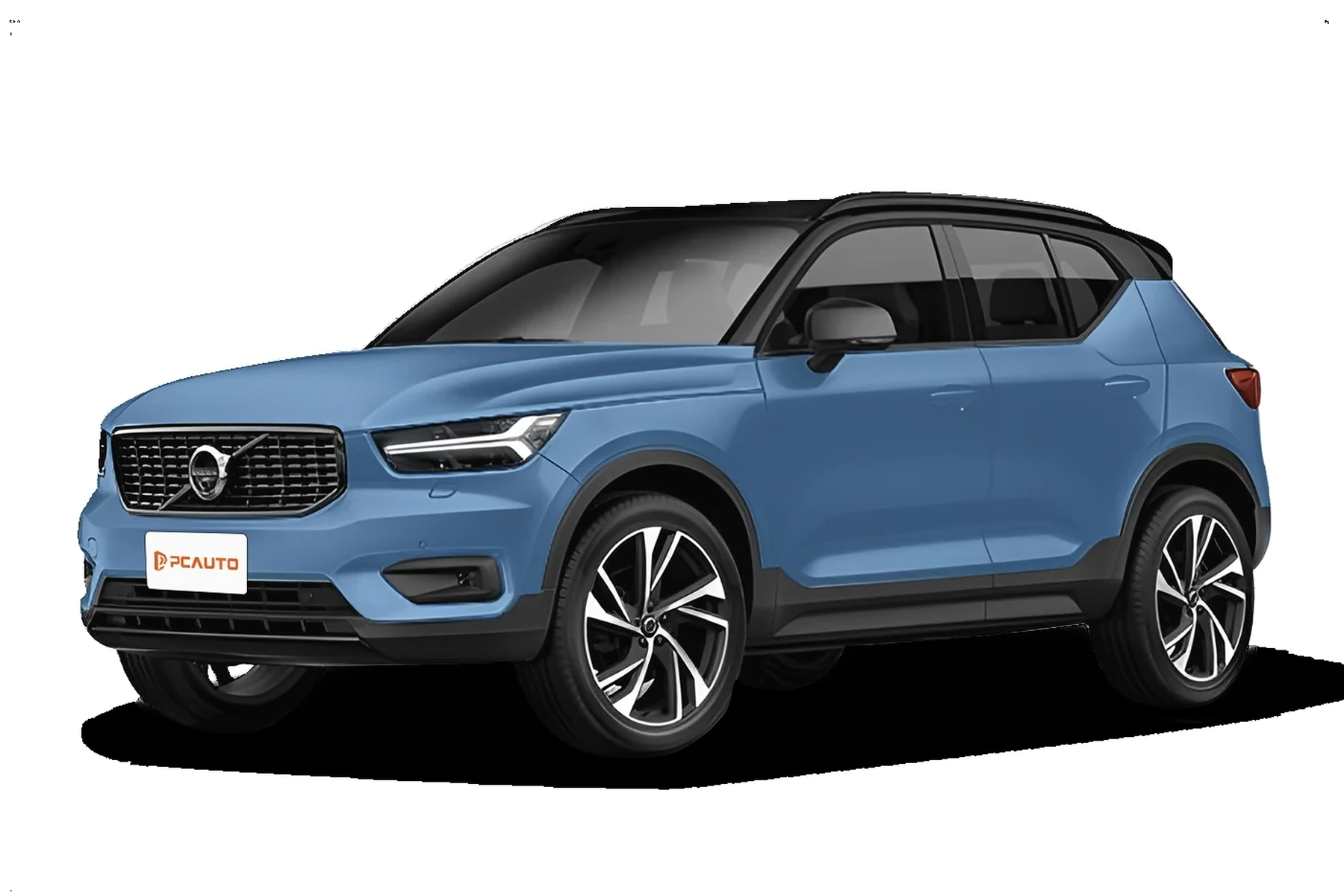
Modern S60s (2019+) communicate over CAN with UDS messaging. Older P2/P3 cars use ISO/KWP protocols plus Volvo-specific module addressing. That’s why support lists matter before you buy.
Most “my scanner won’t connect” complaints on S60s trace to using a generic ELM327 that only sees the engine module. Volvo faults often sit in CEM or BCM, which generic tools can’t reach at all. This connects closely with is scanner for Volvo XC60 if you want to compare the topic in more detail.
For owner’s manuals and system basics, Volvo’s support portal is a helpful reference for your exact model year here.
OBD2 Scanner vs Volvo-Specific Scanner for the S60
Generic OBD2 readers clear P0xxx engine codes but miss Volvo module faults. S60 owners see the biggest payoff from tools that can interrogate SRS, ABS, BCM/CEM, and run service resets.
If you only want to read a check engine light, a $30 dongle works. If you want to fix real Volvo issues, go Volvo-capable or you’ll end up buying twice.
Model-year coverage is not universal. Confirm the S60 years and platforms listed: 2001–2009 (P2), 2011–2018 (P3), 2019+ (SPA). UDS support is required for many 2019+ operations.
Here is a summary of the key differences S60 owners actually notice in the driveway.
Volvo-capable scanners see safety and chassis modules your S60 uses every day, which means fewer shop visits and better, faster DIY decisions.
| Feature | Generic OBD2 Reader | Volvo-Specific Scanner | Why it matters |
|---|---|---|---|
| Engine codes (ECM) | Yes | Yes | Both clear check engine lights. |
| ABS/BCM faults | No | Yes | Needed for ABS/traction warnings. |
| Airbag/SRS | No | Yes | Diagnose seat sensors, clockspring, SRS. |
| Transmission (TCM) | No | Yes | Essential for shift/limp-home issues. |
| Central electronics (CEM) | No | Yes | Tracks body, lighting, network faults. |
| Service reset | Limited/No | Yes | Reset S60 maintenance reminder properly. |
| UDS on SPA (2019+) | Rare | Supported on good tools | Critical for newer S60 diagnostics. |
| Live data graphing | Basic | Advanced | Speeds sensor pinpointing and testing. |
What a Volvo S60 Scanner Can Diagnose
A proper S60 scanner reads and clears faults across the engine, ABS, airbag, transmission, CEM/BCM, climate, TPMS, and steering angle modules. It can also view live data like O2 sensors, MAF/MAP values, wheel-speed sensors, and battery/alternator voltage.

Mid-tier units add service resets, EPB maintenance mode, SAS calibration, and some adaptations. Advanced tools add bi-directional tests like actuator triggers for fans, valves, or solenoids.
Never clear SRS/airbag codes until the physical fault is fixed. An SRS light can indicate a real system disable; clearing it without repair may leave the system inactive in a crash.
Do Volvo OBD2 Scanners Work on All S60 Model Years?
Coverage depends on protocol and platform. P2 S60 (2001–2009) needs KWP/ISO and Volvo module support. P3 S60 (2011–2018) adds broader CAN access. SPA S60 (2019+) often needs UDS to reach all modules reliably.
Hybrids (S60 Recharge/T8) require tools that understand PHEV sub-systems. Always check the S60 year range in the scanner’s compatibility list before buying.
For a deeper look at cross-model coverage, see our guide on whether scanners work with all Volvo models.
Best Types of Scanner for Volvo S60 Owners
Basic code readers serve “check engine only” needs. Bluetooth app dongles add convenience but rarely unlock Volvo modules. Handheld Volvo-specific units are the best DIY value. Pro tablets deliver speed, bi-directional tests, and broader brand coverage.
Match the type to your S60 generation and the jobs you actually do at home.
- Check for UDS support if your S60 is 2019+ (SPA platform).
- Verify “SRS/ABS/TCM/CEM” coverage in the product listing, not just “Volvo compatible.”
- Buy from the brand’s official store or authorized Amazon seller to avoid clones.
- Update scanner firmware/software before first use for your exact S60 year.
Best Scanner Brands for Volvo S60 — Comparison Table
These brands consistently appear in Volvo-owner forums and indie shops. Price reflects typical U.S. street pricing; watch for bundles and update policies that add value over time.
| Brand/Model | Price | Volvo Modules Covered | Bluetooth/App | Verdict |
|---|---|---|---|---|
| iCarsoft VOL II | $140–$190 | ECM/TCM/ABS/SRS/CEM/BCM/SAS | USB updates; no app | Best value for S60 DIY across 2001–2024 |
| Foxwell NT530 (Volvo kit) | $170–$220 | Wide Volvo module support | USB updates; no app | Solid alternative; good live data |
| Autel MaxiCOM MK808 | $450–$700 | Full Volvo coverage + bi-directional | Android tablet; WiFi updates | Pro-level speed and features |
| Topdon Phoenix Lite 2 | $700–$1,000 | Extensive modules + tests | Android tablet; WiFi | Professional choice; higher cost |
| YOUCANIC UCAN-II | $250–$350 | Good Volvo coverage (subscription) | PC/app-based | Flexible, subscription model |
| Ancel VOD700 | $80–$120 | Partial Volvo modules | USB updates; no app | Budget starter; check year support |
Curious about YOUCANIC’s approach? We break down pros, cons, and pricing in our YOUCANIC scanner for Volvo overview.
Volvo S60 Model‑Based Scanner Guide (2001–2024)
First‑gen S60 (2001–2009, P2): iCarsoft VOL II or Foxwell NT530 cover ABS/SRS/TCM on these older CAN/KWP cars. Generic tools often fail to enter modules reliably here.
Second‑gen S60 (2011–2018, P3): Mid‑tier handhelds shine; consider Autel MK808 if you want faster graphing and wider adaptations. EPB/SAS resets require Volvo-aware functions.
Third‑gen S60 (2019+, SPA): Confirm UDS support. Autel MK808 or updated iCarsoft/Foxwell builds are recommended; ensure your exact year/trim is listed, especially for Recharge/T8.
Are Scanners for the Volvo S60 Worth It, Reliable, and Safe?
Yes. A Volvo-capable scanner typically pays for itself after one or two avoided diagnostic visits. Reading codes is safe; writing/coding requires care and the right tool.
Reliability is brand- and update-policy dependent. Buy authorized and keep firmware up to date for your S60 year.
Do not perform adaptations, calibrations, or battery registrations you don’t understand. When in doubt, read-only and share logs with a Volvo specialist.
Can a Volvo S60 Scanner Work with iPhone — And on Other Cars?
Many tools support iOS via Bluetooth/WiFi apps, but handhelds like iCarsoft/Foxwell are standalone. App-based dongles vary widely in Volvo coverage; verify iOS support and Volvo module access before purchase.
Most Volvo-focused units read basic OBD2 on other brands; pro tablets offer full-brand coverage. For details, see our guide on scanners that work with iPhone.
How to Use a Scanner for Volvo S60 (Step-by-Step)
This process works on every S60 generation. Always scan all modules first and save a report before clearing anything; that snapshot speeds diagnosis and prevents guesswork.
- Park and prep: Park safely, set the parking brake, and switch ignition to ON (engine off) or press Start without foot on brake.
- Locate the OBD2 port: It’s under the dash near the driver’s knee area. Plug in the scanner firmly.
- Select vehicle: Choose Volvo → S60 → correct year/engine. Update firmware first if your model isn’t listed.
- Run a full scan: Scan all modules (ECM/TCM/ABS/SRS/CEM, etc.). Save or print the report.
- Check live data: View key PIDs (O2, MAF, wheel speed, battery voltage 12.6V engine off, 13.8–14.6V running) to confirm faults.
- Repair then clear: Fix the root cause, then clear codes. Re-scan to confirm no returning faults.
For a pro-level walkthrough, we also cover advanced workflows in our guide on using a professional car scanner.
Why Is My Volvo S60 Scanner Not Working?
Common culprits include: wrong ignition state, OBD port fuse blown, low 12V battery, pairing to the wrong dongle/app, outdated firmware, or a clone unit that can’t enter Volvo modules.
Check the brand’s update utility, verify your S60 year is supported, and try a different app/cable. If it only reads engine codes, you likely need a Volvo-capable tool.
Counterfeit scanners are widespread. Prices that seem “too good to be true” often are — and clones commonly fail to access SRS/ABS/CEM. Buy only from authorized sellers.
Buying Guide: Which Scanner Should S60 Owners Choose?
Basic owner, any year: iCarsoft VOL II or Foxwell NT530 — best value for SRS/ABS/TCM plus service resets. App users should confirm Volvo module access first.
DIY enthusiast (2011–2024): Autel MK808 — faster graphing, bi-directional tests, and better data handling. Ensure current Volvo software package is included.
2019+ S60/Recharge owner: Confirm UDS support explicitly. Updated Foxwell/Autel builds are safest bets with SPA/PHEV modules.
Still deciding? Our broader OBD2 scanner for Volvo guide compares tiers across multiple Volvo models.
Common Scanner Mistakes to Avoid — And When to See a Mechanic
Avoid clearing SRS codes to “turn the light off,” using a generic dongle for module faults, skipping model-year checks, and ignoring low battery voltage during scans. A weak 12V battery corrupts data and triggers phantom errors.
Book a Volvo-capable shop when you see immobilizer/key issues, repeated network (CEM) faults, or when programming/software updates are required.
EPA-mandated OBD-II covers only emissions-related engine data — not safety or body modules. That’s why generic readers “work” yet miss the problem. Learn more about OBD requirements at the U.S. EPA site here.
Choosing between app-based and handheld? We also explain how update policies and subscriptions affect total cost in our feature deep-dives.
💡 Evans Torres Tip: On my S60, the first scan I run is always “all modules,” then I save the report before touching anything. That habit has saved me more than once — especially with intermittent ABS and CEM network faults. I use an iCarsoft VOL II for quick jobs and an Autel MK-series tablet when I need live graphing or adaptations.
Frequently Asked Questions
This FAQ focuses on S60-specific scanner choices, compatibility, and common roadblocks owners hit during first use. It complements the buying guide above with quick answers you can act on before ordering a tool or booking a diagnostic visit.
What’s the best overall scanner for a Volvo S60?
For most S60 owners, iCarsoft VOL II or Foxwell NT530 is the best value — both read SRS/ABS/TCM/CEM and reset service lights across 2001–2024 models. If you want faster graphing and bi-directional tests, Autel MaxiCOM MK808 is the next step up and supports more advanced functions.
Will a $30 Bluetooth OBD2 dongle work on my S60?
It will read basic engine codes, but it won’t access SRS, ABS, transmission, or CEM modules on the S60. Those modules hold many Volvo faults. Most owners who start with a generic dongle end up buying a Volvo-capable scanner later to finish the job.
Does a Volvo S60 scanner work with iPhone?
Some do. App-based scanners may support iOS, but many Volvo-capable units are standalone handhelds. Confirm iOS compatibility and Volvo module access before buying. We explain app options and reliability in our guide to scanners that work with iPhone.
Which scanner supports a 2019+ S60 (SPA platform)?
Look for explicit UDS-on-CAN support. Updated Foxwell NT530 and iCarsoft builds can work, but tablet tools like Autel MK808 tend to handle SPA cars more smoothly. Always check the brand’s coverage list for your exact S60 year and trim, including Recharge/T8.
Can one scanner cover my S60 and other car brands?
Yes, at different levels. Volvo-focused handhelds read full Volvo modules and basic OBD2 on other brands. Pro tablets (Autel/Launch) add deeper coverage across many makes. If multi-brand depth matters, a pro tablet is the better long-term value.
Why won’t my scanner connect to modules on my S60?
Check ignition mode, OBD fuse, app pairing, firmware updates, and vehicle battery health. If the tool only sees the engine ECU, it may be a generic or counterfeit unit. Ensure your scanner specifically lists Volvo S60 modules and your model year.
Is it safe to clear airbag (SRS) codes on the S60?
Read-only is safe. Only clear SRS codes after fixing the physical fault and verifying system health. Clearing to “turn the light off” can leave the system disabled. If SRS faults persist, book a Volvo-capable shop for a proper diagnosis.
Where should I buy to avoid counterfeit scanners?
Buy from the brand’s official store or authorized Amazon seller. Avoid auction listings with unusually low prices. Counterfeits frequently fail to connect to Volvo modules and lack reliable update support.
Final Verdict
For a Volvo S60, a Volvo-capable handheld beats a generic reader every time. iCarsoft VOL II or Foxwell NT530 handle most DIY needs affordably, while Autel MK808 adds speed and advanced functions for ambitious owners.
Match the scanner’s coverage to your S60 generation, update the tool before first use, and always save a full-module report before clearing codes. If your result points to immobilizer/programming or persistent SRS faults, book a Volvo-capable shop.
My Top Picks at a Glance
Here are the three what scanner options I would check first if you want a faster buying decision.
These picks highlight the strongest overall choice, the best value option, and the premium-style pick for practical Volvo ownership.
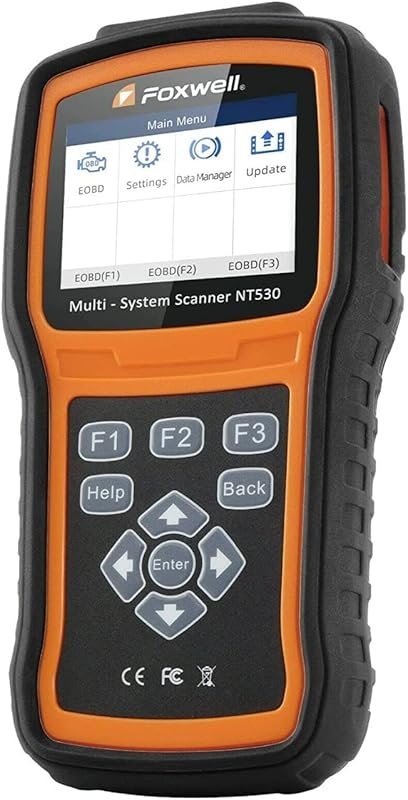 Best Overall
FOXWELL NT530 Volvo OBD2 scanner offers all-systems bidirectional diagnostics, ABS bleed, SRS, SAS, EPB, TPMS, oil reset.
It offers the strongest all-around mix of fit, value, and practical daily use for Volvo owners.
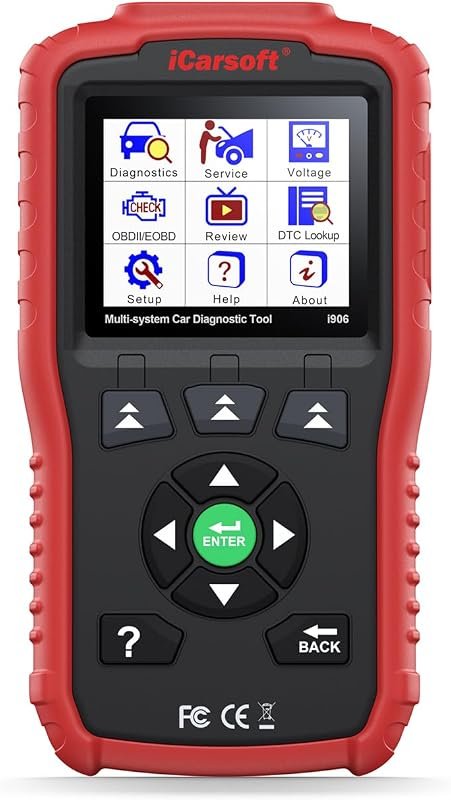 Best Value
iCarsoft i906 OBD2 scanner for Volvo/Saab, multi-system diagnostics for engine, ABS, SRS with live data.
It makes sense for owners who want a useful upgrade without paying more than necessary.
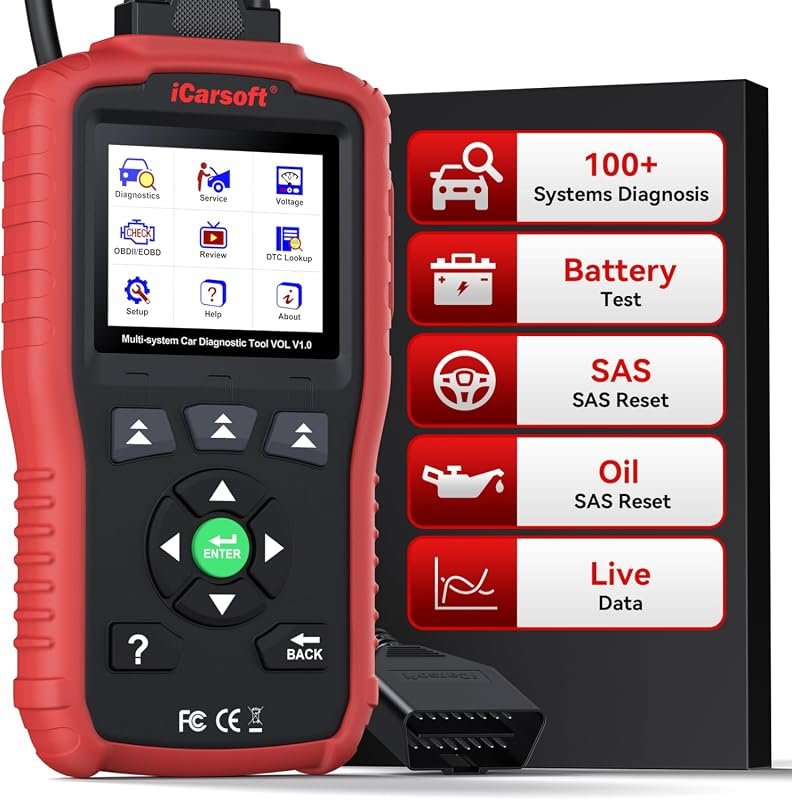 Best Premium Option
iCarsoft VOL V1.0 OBD2 scanner for Volvo/Saab with all-systems diagnostics, oil/SAS resets, live data, CAN-FD, lifetime updates.
It is the pick I would compare first if build quality, features, and long-term ownership value matter most.
Author

Author

Evans Torres
I’m Evans Torres, an automotive engineer who loves Volvo cars. I graduated in Automotive Engineering from USC. I have worked in the car industry for years and now share my knowledge on The Volvo Life. I started this blog to connect with other Volvo fans. I offer tips, news, and advice to help you care for your car. My goal is to help you keep your Volvo in great shape and find all the best things about it. Join me as we discover everything Volvo has to offer!