



Which scanner for Volvo XC40? Choose the iCarsoft VOL II as the best value for 2019–2024 XC40: it reads Volvo-specific modules and handles common resets. Need tablet-grade bi-directional tests and broader coverage? Step up to the Autel MaxiCOM MK808.
The XC40’s CMA platform uses Volvo-specific networks and UDS services that a $25 code reader can’t see. Picking the right tool means accessing ABS, SRS, TCM, CEM and handling service tasks like EPB and oil-reset without a dealer visit. For another practical angle, see is scanner for Volvo XC90.
Below, find the best picks by budget, a quick compatibility guide for XC40 (gas, mild-hybrid, and Recharge), and where to buy without getting a clone.
- Main point: For XC40 owners, iCarsoft VOL II is the best value all-module reader; Autel MK808 is the pro-level upgrade.
- Best first step: Confirm the tool lists Volvo-specific modules and 2019+ coverage (SPA/CMA/UDS) before buying.
- Cost or value: Expect $140–$190 for mid-tier handhelds; $450–$700 for advanced tablets.
- Who it suits: DIYers who want ABS/SRS/EPB resets and full scans without dealer diagnostics.
- When to get help: Keys/immobilizer coding and ECU software updates still require VIDA/PTT at a Volvo-capable shop.
Wants to read all modules, clear faults after a repair, and reset oil/EPB at home.
Needs consistent Volvo coverage on SPA/CMA vehicles without paying dealer software rates.
Prefers app/tablet scanners with live data and bi‑directional tests for deeper diagnostics.
Why Generic OBD2 Scanners Miss Most Volvo XC40 Faults
Most cheap readers only talk to the engine ECU via basic OBD2 P-codes. The XC40 spreads crucial faults across ABS, SRS, TCM, CEM, BCM, SAS, and more — modules that generic tools can’t access.
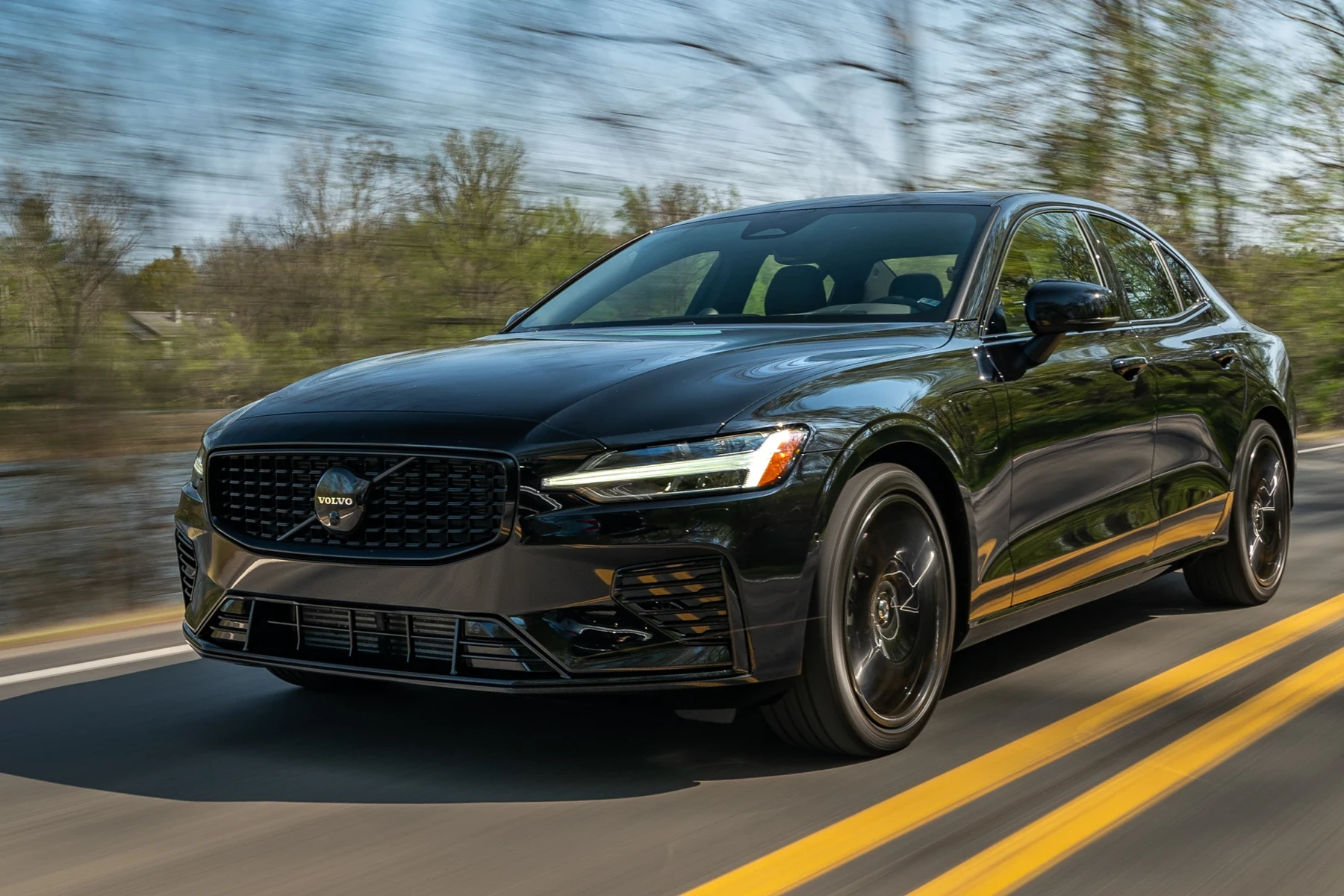
That’s why owners see “No codes found” on a flashing airbag light or ABS warning. A Volvo-capable scanner queries those modules directly and supports UDS functions used on 2019+ cars. This connects closely with which scanner icarsoft for Volvo S80 2002 if you want to compare the topic in more detail.
XC40 (2019+) requires a scanner that explicitly lists Volvo coverage for SPA/CMA platforms and UDS protocol. “Works on all cars” is not enough — look for Volvo module lists (ABS, SRS, EPB, CEM) in the spec sheet.
Top Scanners for Volvo XC40 — Best Picks Compared
The tools below cover real Volvo modules and common service tasks. Choose based on how deep you plan to diagnose and whether you want a handheld or tablet-style interface.
For most XC40 owners, a mid‑tier handheld offers the best cost-to-capability ratio; pros and advanced DIYers benefit from tablet units with faster full‑vehicle scans and more test routines.
| Scanner | Price | Volvo Coverage (summary) | Verdict |
|---|---|---|---|
| iCarsoft VOL II | $140–$180 | Reads/clears most Volvo modules; oil/EPB/TPMS service | Best value for XC40 owners |
| Foxwell NT530 (Volvo) | $170–$220 | Solid module access; some adaptations; frequent updates | Strong mid‑range alternative |
| Autel MaxiCOM MK808 | $450–$700 | All modules; live data; bi‑directional tests; service functions | Pro‑level capability at home |
| Launch X431 (CRP/Pro Mini) | $300–$900 | Deep Volvo coverage; fast scanning; wide-brand support | Great for multi‑brand garages |
| YOUCANIC UCAN‑II | $250–$400 | All‑system diagnostics; subscription updates | Flexible, app‑driven option |
| ELM327 + app | $15–$40 | Engine ECU only; no SRS/ABS/EPB access | Budget, but too limited for Volvo |
XC40 Model‑Year Compatibility: Gas, Mild‑Hybrid, and Recharge
Coverage varies by protocol era. The 2019+ XC40 uses CMA/UDS; the Recharge (BEV) adds EV‑specific modules and still relies on a 12V system that scanners can read. Not every tool fully supports the newest EX/EC‑series EVs yet, but most mid/upper‑tier units handle XC40 and XC40 Recharge core systems.
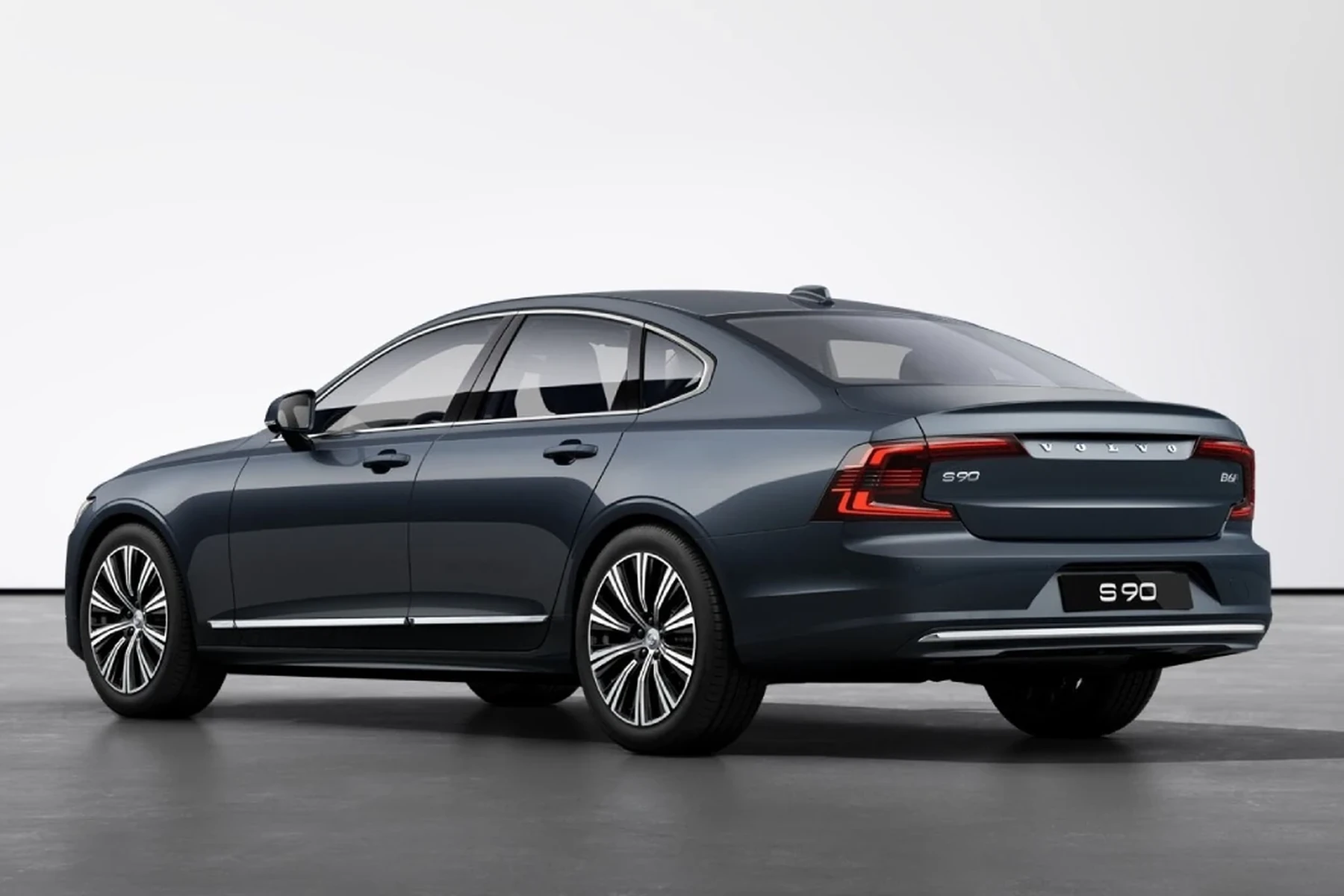
Use the grid below to confirm what each pick typically supports. When in doubt, check the brand’s VIN‑based compatibility before purchase.
| Scanner | Pre‑2004 | 2004–2014 | 2015+ SPA/CMA (XC40) | EX/EC EV Models |
|---|---|---|---|---|
| iCarsoft VOL II | Partial/older | Yes | Yes (XC40) | Partial (not full EX/EC) |
| Foxwell NT530 (Volvo) | Partial | Yes | Yes (XC40) | Partial (check model year) |
| Autel MK808 | Limited early | Yes | Yes (XC40) | Growing support; verify firmware |
| Launch X431 | Limited early | Yes | Yes (XC40) | Better on recent updates |
| YOUCANIC UCAN‑II | No | Partial | Yes (XC40) | Check per model |
| ELM327 + app | Basic engine | Basic engine | Engine only | Not suitable |
Clearing an XC40’s SRS or ABS light at a dealer can cost $150–$250 just for diagnostics. A Volvo‑capable scanner usually pays for itself the first time you avoid a one‑off diagnostic visit. For related context, you may also want to read OBD scanner for Volvo XC40.
For an XC40‑specific deep dive, see our dedicated OBD2 scanner for Volvo XC40 guide and our focused Volvo XC40 OBD2 scanner roundup with model‑year notes.
What Each Scanner Tier Lets You Do on an XC40
Feature sets scale with price. Budget dongles are fine for reading a check‑engine light, but XC40 owners typically need full‑system access and EPB resets — both require a Volvo‑aware tool.
- Budget (ELM327/app): Read/clear engine P‑codes only; no ABS/SRS/EPB; limited live data.
- Mid‑range (iCarsoft VOL II, Foxwell NT530): Read/clear faults in most Volvo modules; service/oil reset; EPB/steering angle resets; decent live data.
- Advanced (Autel MK808, Launch X431): Faster full scans; richer live data graphing; bi‑directional tests and adaptations; wider brand coverage.
- Factory‑level (VIDA/DiCE, VOCOM): Programming, software updates, guided diagnostics — workshop tools, not consumer scanners.
- Update scanner firmware before the first scan — Volvo coverage expands with each release.
- Select the exact model/year (XC40, 2019+) in the menu to unlock module access and service functions.
- Charge or maintain the XC40’s 12V battery above 12.4V — low voltage can block communication.
- Save a full vehicle health report as PDF before clearing codes to preserve baseline data.
Where to Buy a Volvo‑Capable XC40 Scanner (And Avoid Clones)
Buy directly from the brand site or an authorized Amazon seller to avoid counterfeits. eBay can work, but only from top‑rated stores listing serials and update eligibility.
Before checkout, verify your XC40’s year in the brand’s coverage tool. For app‑based setups, confirm iOS/Android support — we discuss details here: can Volvo scanners work with iPhone.
Clone scanners look identical but can’t communicate reliably with Volvo modules, often failing mid‑scan or bricking updates. Reject listings with missing serial numbers, no firmware‑update access, or prices that seem too good to be true.
How To Run Your First Full Scan on a Volvo XC40
A first full‑vehicle scan builds your baseline and confirms the scanner’s Volvo coverage. Plan 10–20 minutes. Keep the 12V battery healthy, switch off high‑draw accessories, and select the exact model year in the scanner’s menu so it queries every module the XC40 uses. You can also use is scanner for Volvo XC60 as a helpful next guide on the same ownership topic.
- Connect and power: Plug the tool into the OBD2 port (driver footwell, left side). Turn ignition to ON without starting.
- Select car profile: Choose Volvo → XC40 → exact year/engine. Confirm automatic VIN detection if offered.
- Run auto‑scan: Start a full health scan to poll ECM, TCM, ABS, SRS, CEM, BCM, EPB, and more.
- Save report: Export/save the fault report before clearing anything. Note “history” vs “current” codes.
- Service functions: After repairs, perform oil/EPB/steering angle resets as needed, then clear codes and rescan.
💡 Evans Torres Tip: I keep an iCarsoft VOL II in my XC40 because it pays for itself fast. The first time I changed pads, the EPB retract function and post‑install reset took five minutes, and I skipped a $180 diagnostic fee. I always save a PDF report before clearing faults — it helps if a code returns later.
Frequently Asked Questions
These quick answers focus on XC40‑specific scanner choices, compatibility for 2019+ CMA cars, and the practical tasks owners ask about most — from service resets to EV coverage and iPhone pairing. If you want a model‑specific buyer’s list, see the internal guides linked earlier.
What’s the best overall scanner for a Volvo XC40?
The iCarsoft VOL II offers the best value for most XC40 owners. It reads/clears faults across core Volvo modules and supports oil/EPB resets. If you want faster full scans, richer live data, and bi‑directional tests, the Autel MaxiCOM MK808 is the stronger (but pricier) step up.
Will these scanners work on a 2023–2024 XC40 and XC40 Recharge?
Yes for the XC40 (gas/mild‑hybrid) with iCarsoft VOL II, Foxwell NT530, Autel MK808, or Launch X431. The XC40 Recharge is also supported for most 12V‑related modules and service resets on Autel/Launch; verify EV‑specific functions on the seller’s coverage list before buying.
Can a Bluetooth dongle read my XC40’s ABS or SRS?
Generic ELM327 adapters and basic apps read engine P‑codes only. They do not access ABS, SRS, CEM, or EPB on the XC40. You need a Volvo‑aware scanner (iCarsoft VOL II, Foxwell NT530, Autel MK808, Launch X431) to see those modules and run service functions.
Can I reset the service reminder and retract the EPB with these tools?
Yes. Mid‑range and advanced scanners listed here perform oil/service resets and control the EPB for pad replacement on XC40. Follow on‑screen prompts, keep battery voltage stable, and always run a post‑service scan to clear any stored codes that repair resolved.
Which XC40 scanner works best with iPhone?
Autel MK808 and Launch X431 are self‑contained tablets, so phone OS is irrelevant. For app‑centric tools, confirm iOS support on the brand page before purchase. Our detailed look at iPhone compatibility for Volvo scanners explains what to check.
Is VIDA/DiCE a better option than a consumer scanner?
VIDA/DiCE (or VOCOM/PTT on newer platforms) is factory‑level — ideal for programming and guided diagnostics — but it’s overkill for most owners and requires subscriptions, setup time, and Windows PCs. For routine XC40 diagnostics and service resets, mid/advanced consumer tools are the sweet spot.
Where should I buy to avoid a clone unit?
Order from the brand’s official store or an authorized Amazon seller. Avoid listings with no serial number, no update access, or suspiciously low pricing. Check return policies and confirm coverage using your VIN or exact year before you click buy.
Final Verdict
For most XC40 owners, iCarsoft VOL II nails the price-to-coverage balance, unlocking Volvo modules and routine service resets without dealer help.
Choose Autel MK808 if you want faster full scans, bi‑directional tests, and broader multi‑brand use. Buy from authorized channels, update the tool before use, and always save a health report prior to clearing codes.
My Top Picks at a Glance
Here are the three which scanner options I would check first if you want a faster buying decision.
These picks highlight the strongest overall choice, the best value option, and the premium-style pick for practical Volvo ownership.
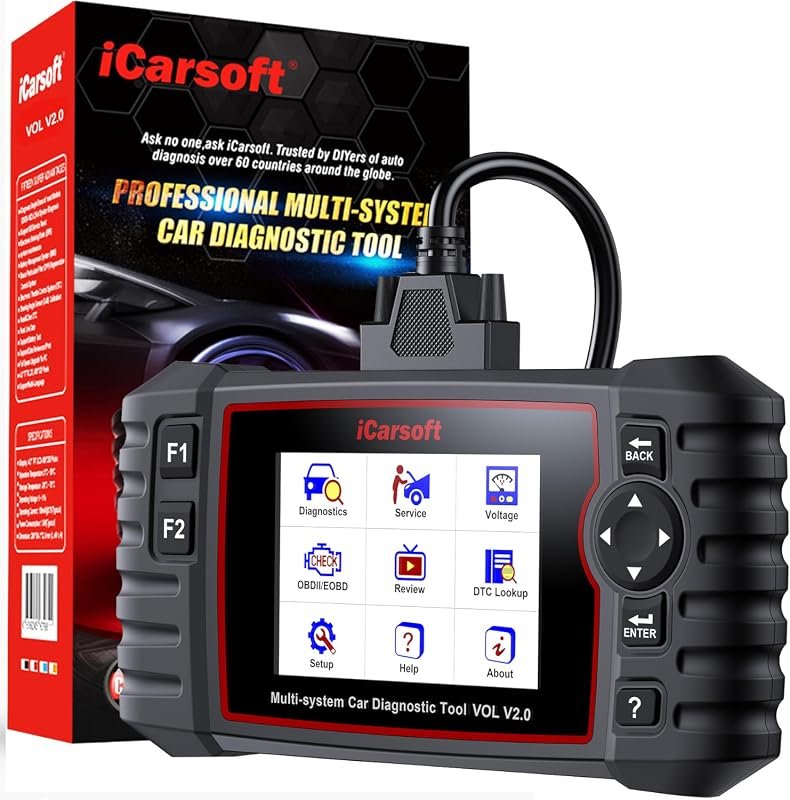 Best Overall
iCarsoft VOL V2.0 (2025) OBD2 scanner for Volvo/Saab with Auto VIN, ABS bleed, EPB, oil reset
It offers the strongest all-around mix of fit, value, and practical daily use for Volvo owners.
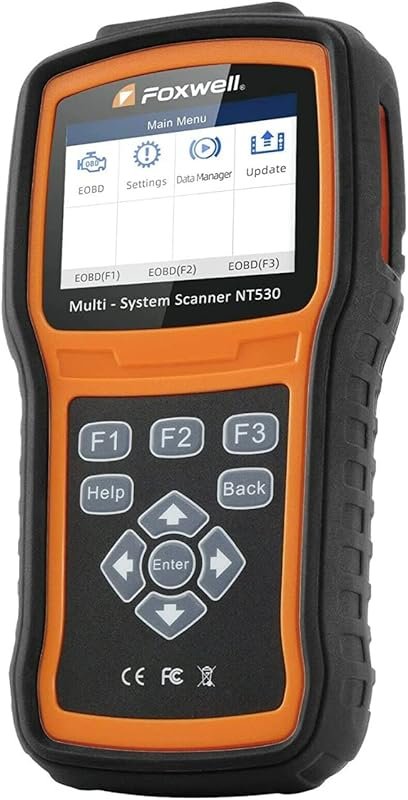 Best Value
FOXWELL NT530 bidirectional OBD2 scanner for Volvo, all-system diagnostics with ABS bleed, SRS airbag, EPB, oil reset
It makes sense for owners who want a useful upgrade without paying more than necessary.
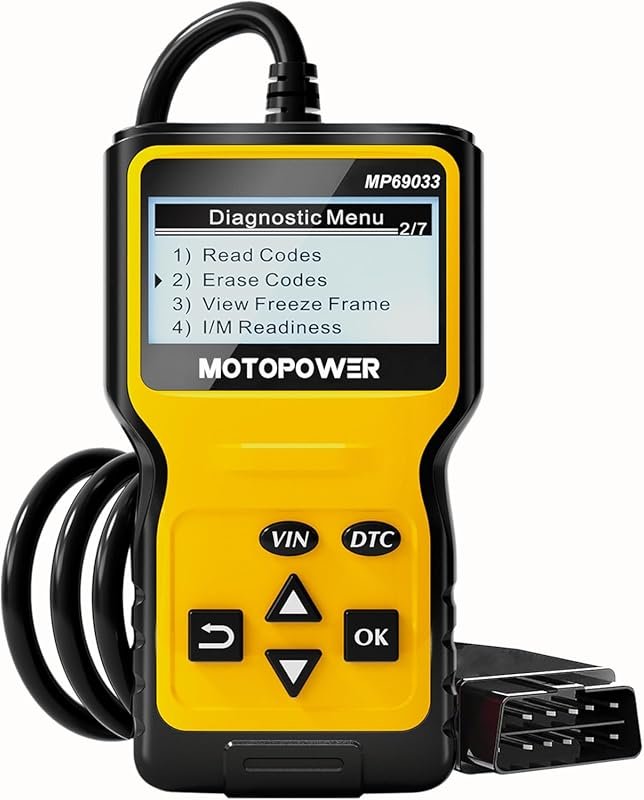 Best Premium Option
MOTOPOWER MP69033 OBD2 code reader for all 1996+ cars, engine fault scanner with CAN support
It is the pick I would compare first if build quality, features, and long-term ownership value matter most.
Author

Author

Evans Torres
I’m Evans Torres, an automotive engineer who loves Volvo cars. I graduated in Automotive Engineering from USC. I have worked in the car industry for years and now share my knowledge on The Volvo Life. I started this blog to connect with other Volvo fans. I offer tips, news, and advice to help you care for your car. My goal is to help you keep your Volvo in great shape and find all the best things about it. Join me as we discover everything Volvo has to offer!