



can scanner for volvo work with iphone? Yes — most Bluetooth Low Energy (BLE) and Wi‑Fi OBD2 adapters work with iPhone via a companion app, and several Volvo‑specific handheld scanners don’t require a phone at all. Confirm iOS app support before buying (Classic Bluetooth ELM327 adapters typically do not work with iPhone). For full Volvo module access (ABS/SRS/TCM/CEM), choose a Volvo‑aware tool; basic dongles read engine codes only.
Pairing a new OBD2 dongle to an iPhone and your XC60 should take under five minutes — provided the adapter and app actually support iOS. The catch: iPhone blocks most older “Classic Bluetooth” ELM327 readers; you need BLE or Wi‑Fi hardware, or a handheld scanner that operates without a phone. This guide explains which Volvo scanners work with iPhone, which apps are best on iOS, what you can access on different Volvo models (including EX/EC electric cars), and a clean step‑by‑step setup you can follow today. For related context, you may also want to read can i remote start my Volvo with standard key fob.
- Main point: iPhone works with BLE or Wi‑Fi OBD2 adapters and with Volvo‑specific handheld scanners; Classic Bluetooth ELM327 does not.
- Best first step: Match the adapter to an iOS‑supported app (e.g., OBD Fusion, Car Scanner, Autel MaxiAP200) and verify your Volvo model/year.
- Cost or value: $30–$70 for basic engine‑only dongles; $120–$250 for Volvo‑aware tools that read ABS/SRS/TCM; handheld units start around $150.
- Who it suits: DIYers who want to scan at home, tech‑savvy owners who prefer apps, and drivers who service multiple brands.
- When to get help: For coding/adaptations and SRS resets that return after clearing, a Volvo specialist with VIDA/DICE is the right move.
Wants an iPhone app + BLE adapter to read and clear codes, check live data, and save reports.
Prefers a Volvo‑specific handheld scanner that covers ABS/SRS and service resets without needing a phone.
Needs one tool that works on a Volvo and other brands; app‑based dongles often cover many makes.
Bluetooth, Wi‑Fi, or USB: Which Connectivity Works Best With iPhone and Volvo?
Choosing the right connection type is the difference between an easy 5‑minute setup and an hour of frustration. iPhone does not support most “Classic Bluetooth” ELM327 adapters used by cheap Android‑only dongles. For iOS, pick Bluetooth Low Energy (BLE) or Wi‑Fi adapters, or bypass the phone entirely with a dedicated handheld scanner. BLE is convenient and battery‑friendly; Wi‑Fi is broadly compatible but temporarily replaces your phone’s internet while connected. Handheld units like iCarsoft VOL II connect by cable and show results on their own screen.

On iOS, popular apps include OBD Fusion, Car Scanner ELM OBD2, OBDLink, Autel MaxiAP200, and BlueDriver. Match the adapter to the app: some apps only certify specific hardware, and Volvo‑specific features vary widely between brands and model years.
Classic Bluetooth ELM327 adapters rarely work with iPhone. Choose BLE (Bluetooth LE) or Wi‑Fi hardware, or use a handheld scanner with no phone requirement.
Here’s how common adapter types pair up with iPhone and apps you’ll likely use.
| Scanner/Adapter | iOS support | Android support | Works offline? |
|---|---|---|---|
| Autel MaxiAP200 (BLE) | Yes — MaxiAP200 app | Yes | Yes |
| OBDLink MX+ (BLE) | Yes — OBDLink/OBD Fusion | Yes | Yes |
| Veepeak OBDCheck BLE/BLE+ | Yes — Car Scanner/OBD Fusion | Yes | Yes |
| BlueDriver (BLE) | Yes — BlueDriver app (enhanced Volvo support limited) | Yes | Yes |
| Generic ELM327 (Classic BT) | No — iPhone incompatible | Yes | — |
| iCarsoft VOL II (handheld) | Not needed — built‑in screen | Not needed | Yes |
BLE offers the best iPhone experience for most owners. If you must use a generic ELM327, pick a Wi‑Fi version and an iOS‑friendly app like Car Scanner — with the understanding it reads engine codes only on Volvos.
Many “app complaints” are actually adapter issues. The same app often works flawlessly once paired with an iOS‑certified BLE dongle (OBDLink MX+, Veepeak BLE+, Autel AP200).
Volvo Model Compatibility When Using an iPhone‑Based Scanner
Compatibility depends on two things: your Volvo’s protocol generation and the scanner’s software coverage. All iPhone‑friendly dongles can read OBD‑mandated engine data on 1996+ Volvos, but only Volvo‑aware tools read safety and body modules (ABS, SRS, CEM, TCM). SPA/CMA models (2015+) and new EX/EC EVs use newer diagnostics (UDS and evolving networks), so verify recent scanner updates. Handheld tools like Foxwell NT530 and iCarsoft VOL II cover many Volvo modules without requiring a phone; the Autel AP200 app offers a middle ground on iOS with brand‑specific coverage.
Use a compatibility chart as a shortcut, then double‑check the vendor’s latest support list before you buy — especially for EX30/EX90 and 2023+ software updates.
| Scanner | XC90/XC60/XC40 (2015+ SPA/CMA) | S60/V60/V90 (2015+) | EX30/EX40/EC40/EX90 | Pre‑2004 models |
|---|---|---|---|---|
| iCarsoft VOL II (handheld) | Most modules; verify 2019+ updates | Most modules; verify 2019+ updates | Limited/verify vendor | Often supported from ~1999; older pre‑OBD‑II limited |
| Foxwell NT530 Volvo | Extensive modules; good SPA coverage | Extensive modules | Emerging support — check | Strong for 1999–2014; limited pre‑1999 |
| Autel MaxiAP200 (iOS app) | Brand package covers many modules | Brand package covers many modules | Partial/verify current coverage | Engine + selected modules |
| OBDLink MX+ (BLE) | Engine/emissions only | Engine/emissions only | Engine/OBD only | Engine/OBD only |
| Veepeak BLE+/Wi‑Fi + Car Scanner | Engine/OBD only | Engine/OBD only | Engine/OBD only | Engine/OBD only |
Need model‑specific shopping help? Our focused guides for XC60 scanners and a broader OBD2 scanner for Volvo overview walk through years and trim nuances.
Counterfeit scanners are common. Clones often connect to engine data but fail on Volvo‑specific modules (ABS/SRS). Buy from official stores or authorized Amazon sellers only.
Can a Volvo Scanner Used With iPhone Work on Other Car Brands?
Yes — most iPhone‑compatible adapters read basic OBD2 engine/emissions data across virtually all 1996+ cars. That means you can pull and clear P‑codes, view freeze‑frame, and log live engine metrics on your other vehicles too. Where things differ is brand‑specific depth: an OBDLink or Veepeak + iOS app combination stays engine‑focused, while Autel AP200 adds brand packages that unlock extra modules and service resets on supported marques. Handheld tools like Foxwell NT530 can load different brand software for deeper multi‑make coverage.
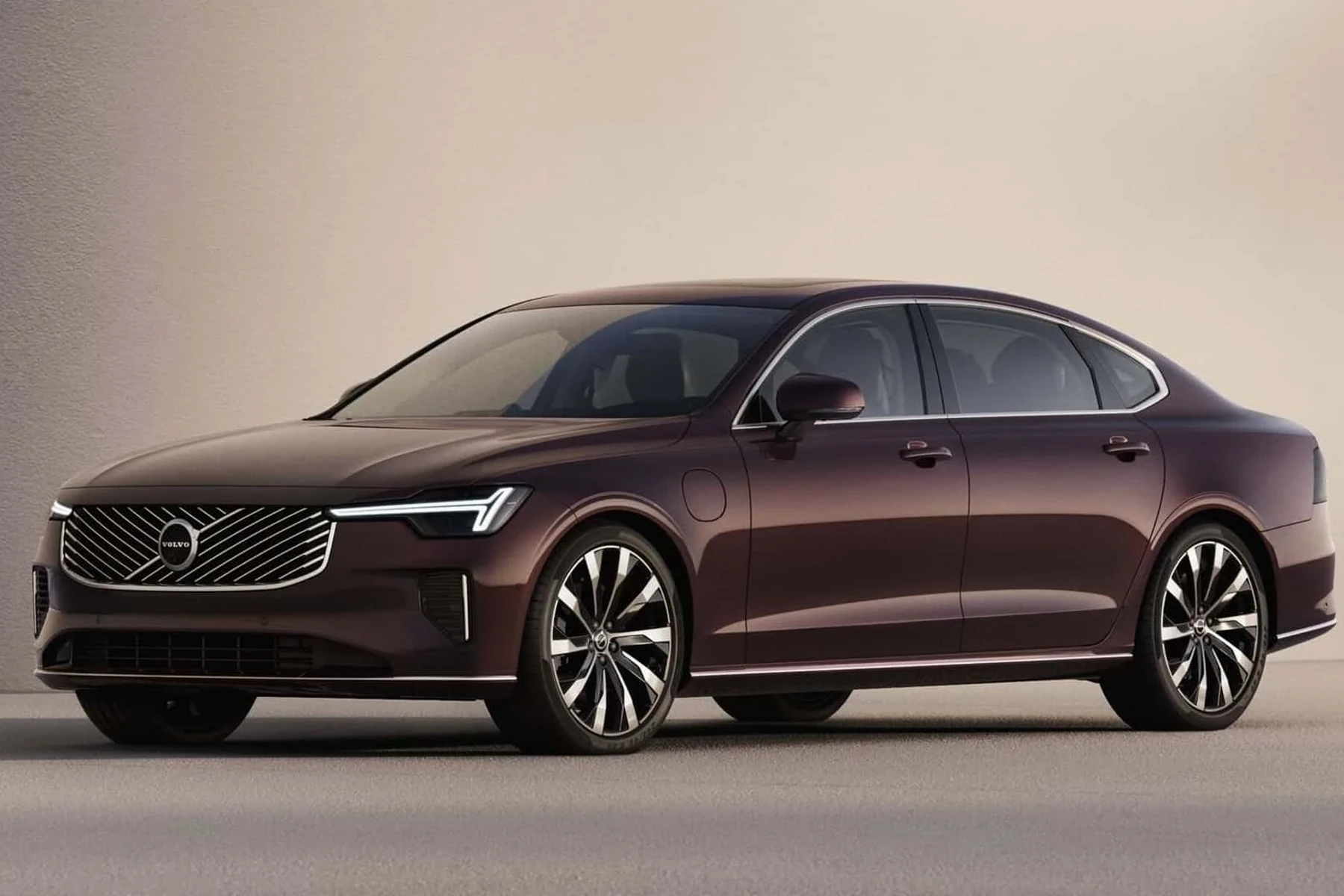
If you’re buying for a household with mixed brands, look at tools that either include multiple make packages or allow add‑ons later. Confirm the app’s license terms to avoid surprise subscriptions.
Here’s a quick decision grid to set expectations for cross‑brand use from an iPhone.
Pick based on how many non‑Volvo cars you’ll scan and whether you need more than engine codes on those brands.
| Adapter/Scanner | Other brands support | App or add‑on needed | What you’ll get |
|---|---|---|---|
| Veepeak BLE+/Wi‑Fi | Yes (engine only) | Car Scanner or OBD Fusion | P‑codes, live engine data, basic monitors |
| OBDLink MX+ | Yes (engine only + enhanced on some makes) | OBDLink/OBD Fusion | Engine data + limited enhanced data by brand |
| BlueDriver | Yes (enhanced varies) | BlueDriver app | Engine codes + some enhanced data (Volvo limited) |
| Autel MaxiAP200 | Yes (deeper with brand packs) | MaxiAP200 iOS app | Engine + many modules on purchased brands |
| Foxwell NT530 | Yes (load brand software) | PC update utility | Deep modules across added brands |
| iCarsoft VOL II | Primarily Volvo/Saab | — | Deep Volvo coverage; basic OBD on others |
Do iPhone‑Compatible Volvo Scanners Need Programming or Calibration?
No programming is required to use the scanner itself — plug the adapter in, pair the app, and read data. However, certain service procedures you initiate with a capable tool may include calibrations after a repair. Examples include steering angle sensor (SAS) calibration after alignment, TPMS relearn after tire service, or parking brake service mode. These aren’t “programming” the scanner; they’re guided routines your tool triggers so the car completes the procedure properly.
Plan for updates, though. Apps and handheld tools need periodic software updates to keep up with new Volvo model years and modules. Many vendors provide free lifetime updates; some, like Autel AP200, include one free brand with optional paid add‑on brands.
Reading codes is safe. Clearing SRS/airbag faults without confirming the repair can leave the system offline. If an SRS code returns immediately, stop and consult a Volvo specialist.
For shop‑level adaptations (e.g., transmission relearns), you’ll need professional tools. We explain that distinction in our piece on transmission adaptation with Matco/other tools.
What Volvo Modules Can an iPhone Scanner Access?
Access depends on tool tier. Any iPhone‑compatible dongle reads the ECM (engine) because that’s legally standardized. Gaining access to “the rest of the car” — SRS (airbag), ABS, TCM (transmission), CEM (central electronics), BCM (body), SAS (steering angle), TPMS, and climate — takes Volvo‑aware software. On iOS, that typically means Autel’s brand package, or using a handheld that’s designed for Volvo. Expect budget dongles to be engine‑only, mid‑range to read/clear most modules and reset service lights, and advanced to add special functions.
The matrix below shows typical access by tier on Volvo models (coverage varies by model year and vendor — always verify current lists).
| Module | What it does | Budget (BLE/Wi‑Fi dongle) | Mid‑range (AP200/iCarsoft) | Advanced (Foxwell/Autel tablet) |
|---|---|---|---|---|
| ECM (Engine) | Fuel/air/turbo, P‑codes | Yes | Yes + live data | Yes + bi‑directional tests (some) |
| TCM (Transmission) | Shift logic/faults | No | Often read/clear | Read/clear + adaptations on some |
| ABS/Brake | Wheel sensors, HCU | No | Read/clear + bleed routines (some) | Service/bleed routines |
| SRS/Airbag | Airbag modules/pretensioners | No | Read/clear after repair | Read/clear + guided tests |
| CEM/BCM | Body electronics/lighting | No | Often read/clear | Read/clear + configuration (limited) |
| SAS/Steering | Angle sensor/calibration | No | Calibrate on supported models | Calibrate/adapt |
| TPMS | Tire pressure sensors | No | Relearn/reset (some) | Relearn/program (with tool) |
If you want the simplest path to deep Volvo coverage without worrying about apps, a dedicated unit remains the most consistent experience. For app‑first owners, start with our high‑level primer on choosing an OBD scanner for Volvo to pick the right tier.
- Confirm iOS support on the product page — look for “iOS” or “iPhone” and BLE (Bluetooth LE) or Wi‑Fi in the specs.
- Install the app before delivery, create your account, and read its Volvo coverage notes for your exact model year.
- Update the adapter/handheld firmware on day one — many pairing and module‑access bugs are solved by updates.
- Name and save each scan by mileage/date; you’ll build a repair history that’s useful for resale and diagnostics.
How To Connect a Volvo Scanner to Your iPhone
Getting your iPhone talking to your Volvo takes just a few precise steps. Do the pairing near the car with solid battery voltage (11.8V+). BLE adapters pair inside the app, not in iOS Settings; Wi‑Fi adapters use the iPhone’s Wi‑Fi menu. Handheld Volvo scanners skip pairing — plug in and go. Follow the sequence below to avoid the most common mistakes, and always run a full‑vehicle scan after connecting so you capture every active and stored code.
- Step 1: Download the correct app (e.g., OBD Fusion, Car Scanner, Autel MaxiAP200), create an account, and allow Bluetooth/Local Network permissions.
- Step 2: Park safely, switch ignition to ON (engine off), and plug the adapter into the OBD2 port under the dash (left of steering on most Volvos).
- Step 3: For BLE adapters, open the app and select the adapter from within the app’s connection screen; for Wi‑Fi, join the adapter’s Wi‑Fi network in iOS Settings.
- Step 4: Select Volvo as the vehicle make (and exact model/year if prompted), then run an auto‑scan. Save the report before clearing anything.
- Step 5: After repairs or checks, use the app to clear codes module‑by‑module. If a code returns immediately, investigate the underlying fault.
iOS may block cellular data while connected to a Wi‑Fi adapter that has no internet. That’s normal; your scan still works. Reconnect to your home/phone network after you finish.
Want a deeper workflow and pro‑level techniques? See our walkthrough on using a professional car scanner for Volvos to step up your process.
💡 Evans Torres Tip: On my iPhone, the fastest, most reliable pairing has been Autel’s AP200 BLE dongle for app-based scans and an iCarsoft VOL II when I need guaranteed SRS/ABS access without fuss. I always run a full auto-scan before clearing anything, then email the PDF to myself. That habit has saved me twice when a code reappeared weeks later — I could compare freeze-frames and fix the real cause, not just silence the light.
Frequently Asked Questions
This section answers the iPhone‑specific questions Volvo owners ask most about scanners and apps: which adapters actually work with iOS, how to pair them cleanly, whether you can access safety modules like SRS and ABS from a phone, what to expect on 2015+ SPA/CMA and newer EX/EC models, and how subscriptions or brand packages affect cost. You’ll also find tips for pairing glitches, Wi‑Fi vs BLE choices, and whether an iPad behaves any differently than an iPhone during setup.
Which iPhone apps work best with Volvo scanners?
OBD Fusion and Car Scanner ELM OBD2 pair well with BLE/Wi‑Fi adapters for engine data. Autel’s MaxiAP200 app adds Volvo‑specific modules when used with the AP200 adapter. BlueDriver works smoothly but offers limited enhanced Volvo coverage. Always check the app’s Volvo support notes for your model year.
Why won’t my iPhone see a cheap Bluetooth ELM327 dongle?
Most low‑cost ELM327 adapters use Classic Bluetooth, which iOS blocks for these accessories. Choose BLE (Bluetooth Low Energy) hardware like OBDLink MX+ or Veepeak BLE+, or use a Wi‑Fi adapter. Alternatively, use a handheld Volvo scanner that doesn’t require a phone.
Can an iPhone app read Volvo SRS/airbag and ABS modules?
Yes, but only with Volvo‑aware software. Generic apps + dongles read engine data only. Tools like Autel AP200 (with Volvo brand package) or handhelds (Foxwell NT530, iCarsoft VOL II) can access SRS/ABS on many models. Verify coverage for your exact year before buying.
Will these iPhone‑compatible scanners work on EX30/EX40/EX90?
Support is emerging and varies by vendor. EX/EC models use newer diagnostics; many consumer tools are still adding coverage. Check the vendor’s latest release notes for your VIN range. For guaranteed access, a professional Volvo tool may be required while consumer support matures.
Do I need a subscription for iPhone‑based scanners?
Basic apps like Car Scanner and OBD Fusion are low‑cost one‑time or freemium purchases. Autel AP200 includes one free brand (Volvo) and sells additional brands as add‑ons. BlueDriver is one‑time purchase. Handheld scanners usually include lifetime updates without subscriptions.
Is an iPad any different from an iPhone for pairing?
Functionally, no — iPad uses the same BLE/Wi‑Fi rules. Ensure the app supports iPad layouts and that you allow Bluetooth/Local Network permissions. Cellular iPads can retain data while connected to a Wi‑Fi adapter; Wi‑Fi‑only iPads will lose internet during the scan.
Can I reset the Volvo service reminder from an iPhone?
Some scanner apps and handhelds can reset service reminders on supported models. If your app doesn’t offer it, many modern Volvos allow a manual in‑car reset through the settings menu or cluster. For model‑specific service tips, see our maintenance content on TheVolvoLife.
Where can I learn about scanners by Volvo model?
Start with our Volvo‑wide primer and then narrow down by model. We have guides for popular lines such as XC60 and XC40 that address platform‑year differences and tool fit. See our articles on XC40 OBD2 scanners and XC60 scanner picks.
Final Verdict
iPhone absolutely works with Volvo scanners — just pair the right connection type and app. Choose BLE or Wi‑Fi adapters for iOS (avoid Classic Bluetooth ELM327), and decide whether you want engine‑only data (budget dongle) or full Volvo module access (Autel AP200 on iOS or a Volvo‑specific handheld like Foxwell NT530/iCarsoft VOL II). Follow the pairing steps, save scans before clearing, and update your tool regularly. If SRS/ABS faults return or you need coding/adaptations, book time with a Volvo specialist equipped with VIDA/DICE. Set up once, and you’ll diagnose faster than a single dealer visit.
My Top Picks at a Glance
Here are the three can scanner with iphone options I would check first if you want a faster buying decision.
These picks highlight the strongest overall choice, the best value option, and the premium-style pick for practical Volvo ownership.
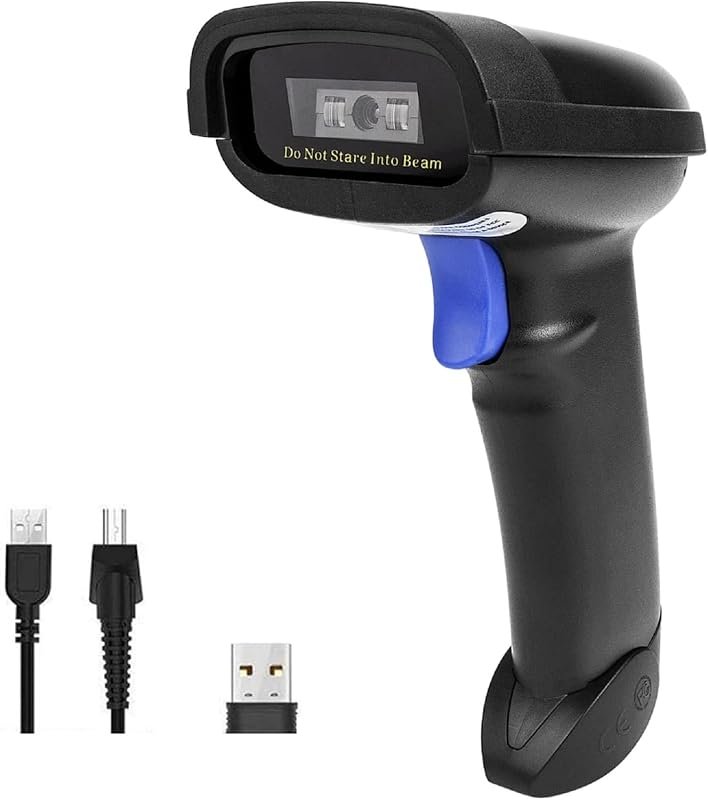 Best Overall
NETUM NT-1228BC Barcode Scanner with Bluetooth, 2.4G wireless/USB wired, CCD reader for Windows/Mac/Android
It offers the strongest all-around mix of fit, value, and practical daily use for Volvo owners.
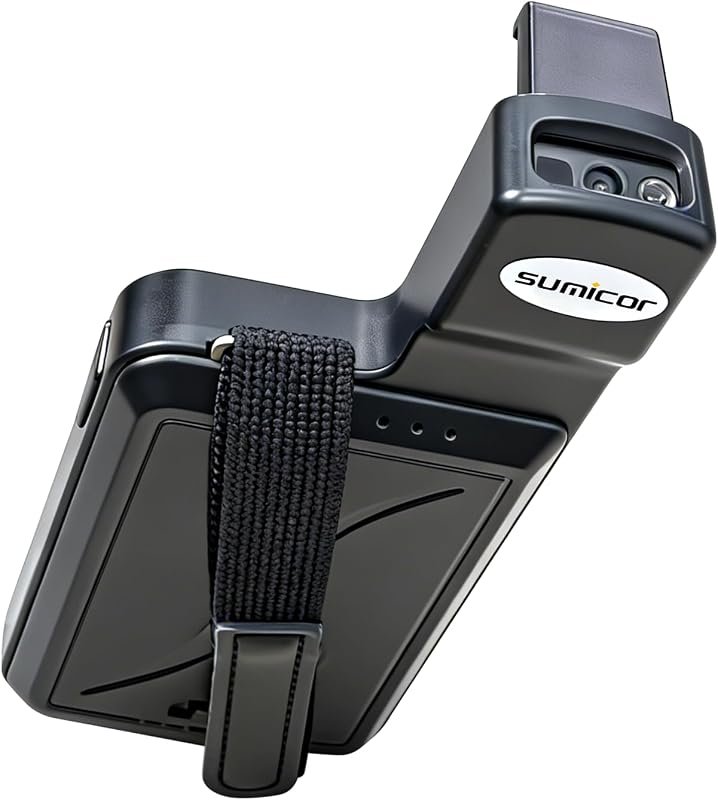 Best Value
Sumicor Back Clip Bluetooth Scanner, 3-in-1 Bluetooth 5.2/2.4G/USB, Mini Reader fits 4.7–6.6 inch iPhone/Android
It makes sense for owners who want a useful upgrade without paying more than necessary.
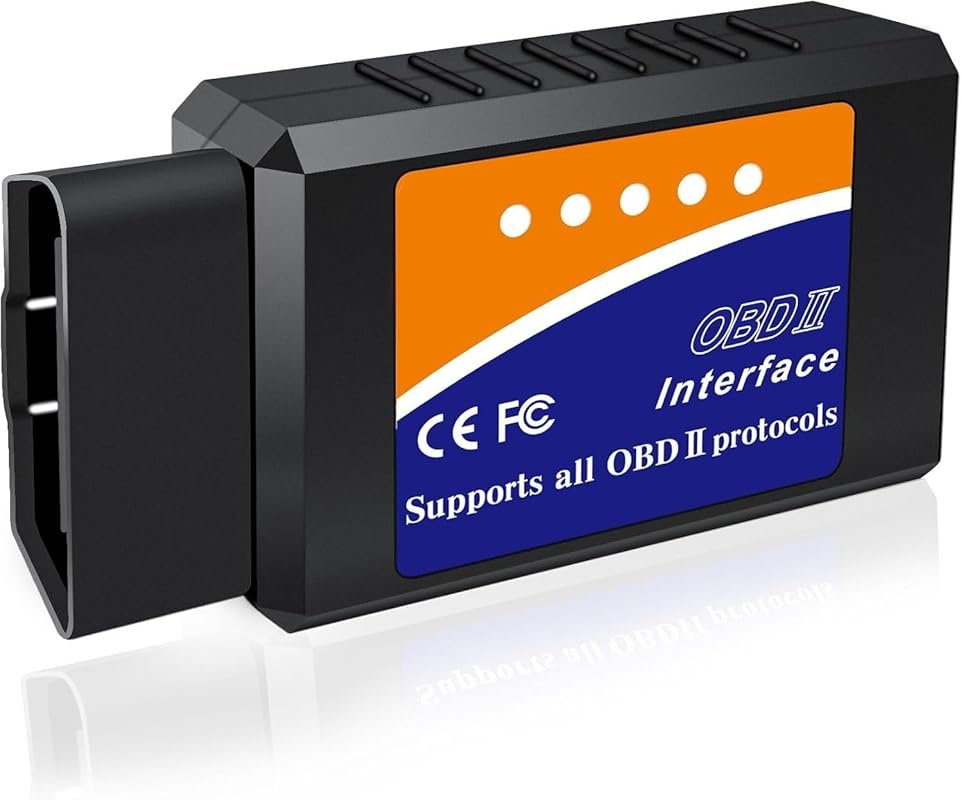 Best Premium Option
OBD2 Bluetooth Scanner for iPhone/Android/Windows, Enhanced Car Code Reader with Live Data, Check Engine Reset
It is the pick I would compare first if build quality, features, and long-term ownership value matter most.
Author

Author

Evans Torres
I’m Evans Torres, an automotive engineer who loves Volvo cars. I graduated in Automotive Engineering from USC. I have worked in the car industry for years and now share my knowledge on The Volvo Life. I started this blog to connect with other Volvo fans. I offer tips, news, and advice to help you care for your car. My goal is to help you keep your Volvo in great shape and find all the best things about it. Join me as we discover everything Volvo has to offer!