



do scanner for volvo work with all models — not perfectly. Any OBD2 scanner reads basic engine codes on 1996+ Volvos, but full-module access varies by model year and protocol (pre‑2004, 2004–2014, 2015+ SPA/CMA, and EX/EC EV UDS). Check exact model/year support before purchase.
Compatibility questions come up because Volvos span multiple electronics generations and protocols. A $25 ELM327 dongle can read Check Engine codes on nearly any 1996+ Volvo, yet it won’t see SRS, ABS, CEM, or TPMS data on most cars. Handheld Volvo-focused tools and mid/advanced tablets reach far deeper, but support differs for pre-2004 P2/P80 cars, 2004–2014 P1/P3 models with many CAN variants, 2015+ SPA/CMA cars using UDS, and the newest EX/EC electric models. This guide breaks down exactly what works where, including iPhone/Android connectivity, update requirements, and module coverage. For peace of mind on tool quality, see our take on whether Volvo scanners are reliable before you buy.
- Main point: One scanner won’t fully cover every Volvo; engine codes are universal, but full-module access is model-year/protocol dependent.
- Best first step: Match your scanner to one of four eras: pre‑2004, 2004–2014, 2015+ SPA/CMA, and EX/EC EVs using UDS.
- Cost or value: $30 reads engine-only; $120–$220 mid-tier tools read most Volvo modules; $350–$800 pro tablets add coding/calibrations.
- Who it suits: DIY owners typically want mid-tier Volvo-capable handhelds; shops benefit from Autel/Launch tablets.
- When to get help: For ECU programming or key coding, factory-level VIDA/DiCE or dealer software is required.
Wants Bluetooth/iPhone compatibility and clear app support for reading and clearing Volvo codes at home.
Needs access to ABS/SRS/TPMS/CEM modules on 2004–2014 and 2015+ Volvos to avoid dealer diagnostic fees.
Requires broader model-year coverage, adaptations, and calibrations across multiple Volvo generations.
Connectivity Options: Bluetooth, Wi‑Fi, and USB for Volvo Scanners
Most consumer Volvo scanners connect either via Bluetooth/Wi‑Fi to a phone app or as a standalone handheld/tablet with a USB cable for updates. iPhone users should verify a native iOS app; Android users have more app choices. Handheld units (iCarsoft/Foxwell) don’t need a phone and work entirely offline once updated. For related context, you may also want to read did scanner for Volvo work well.

Owners asking about iPhone pairing should review our dedicated guide on Volvo scanner iPhone compatibility for app names and pairing tips.
Here’s a quick look at common connectivity paths and platform support:
| Scanner | iOS app | Android app | Works offline? |
|---|---|---|---|
| ELM327 Bluetooth (quality unit) | OBD Fusion, Car Scanner | Torque Pro, Car Scanner | Yes (basic reads) |
| iCarsoft VOL II (handheld) | N/A (no phone needed) | N/A (no phone needed) | Yes |
| Foxwell NT530 (Volvo) | N/A (handheld) | N/A (handheld) | Yes |
| Autel MaxiCOM MK808 series | Built‑in Android tablet | Built‑in Android tablet | Yes |
| Topdon ArtiDiag (tablet) | Built‑in/companion | Built‑in/companion | Yes |
OBD‑II is mandated for U.S. cars from model year 1996 onward, which is why any scanner can read engine codes on 1996+ Volvos — but Volvo’s safety and body modules use brand-specific data beyond basic OBD‑II. See the EPA overview on OBD for context (EPA OBD systems).
Volvo Model Compatibility by Year and Platform
Coverage hinges on electronics generations. Older P80/P2 cars (pre‑2004) need tools that still speak their protocols. The 2004–2014 P1/P3 era uses multiple CAN setups. 2015+ SPA/CMA (XC90, XC60, S/V60/S/V90, XC40) speak UDS, and the newest EX/EC electric models add EV-specific modules. Not every tool spans all four eras.
The table below shows typical support patterns you’ll see in product listings. Always verify your exact model + year on the manufacturer’s compatibility page and in Volvo owner forums before purchase.
| Scanner | XC90 2003–2014 | XC90 2015+ | XC60 2009–2017 | XC60 2018+ | XC40 | S/V60 2019+ | EX30 | EX40/EC40 | EX90 | Pre‑2004 models |
|---|---|---|---|---|---|---|---|---|---|---|
| ELM327 Bluetooth | Engine only | Engine only | Engine only | Engine only | Engine only | Engine only | Engine only | Engine only | Engine only | Limited/varies |
| iCarsoft VOL II | Most modules | Many modules (UDS varies) | Most modules | Many modules | Many modules | Many modules | Partial/unverified | Partial/unverified | Partial/unverified | Some models supported |
| Foxwell NT530 (Volvo) | Most modules | Many modules | Most modules | Many modules | Many modules | Many modules | Partial/unverified | Partial/unverified | Partial/unverified | Some models supported |
| Autel MK808 series | Most/all modules | Broad UDS support | Most/all modules | Broad UDS support | Broad UDS support | Broad UDS support | Emerging support | Emerging support | Emerging support | Engine + many modules |
| Launch X431 (pro) | Most/all modules | Wide UDS support | Most/all modules | Wide UDS support | Wide UDS support | Wide UDS support | Early/partial | Early/partial | Early/partial | Engine + many modules |
For specific SUVs, we maintain focused pages like XC90 scanner compatibility that drill into trims and years.
Volvo’s EX30/EX40/EC40/EX90 EVs are still rolling out software updates. Scanner brands add support via firmware; check the tool’s latest release notes before assuming full EV module access.
Clone/counterfeit scanners are common and often fail to connect to Volvo‑specific modules. Buy from the brand’s official store or an authorized seller; “too cheap to be real” listings frequently are.
Can a Volvo Scanner Be Used on Other Cars?
Basic OBD‑II engine/evap/emissions access works on nearly all 1996+ brands, so Volvo scanners typically read generic codes on non‑Volvo cars. Enhanced brand coverage (ABS/SRS/BCM/TCM coding, adaptations) depends on the tool. Mid‑tier Volvo‑focused handhelds offer limited non‑Volvo depth; advanced tablets often cover 40+ brands.
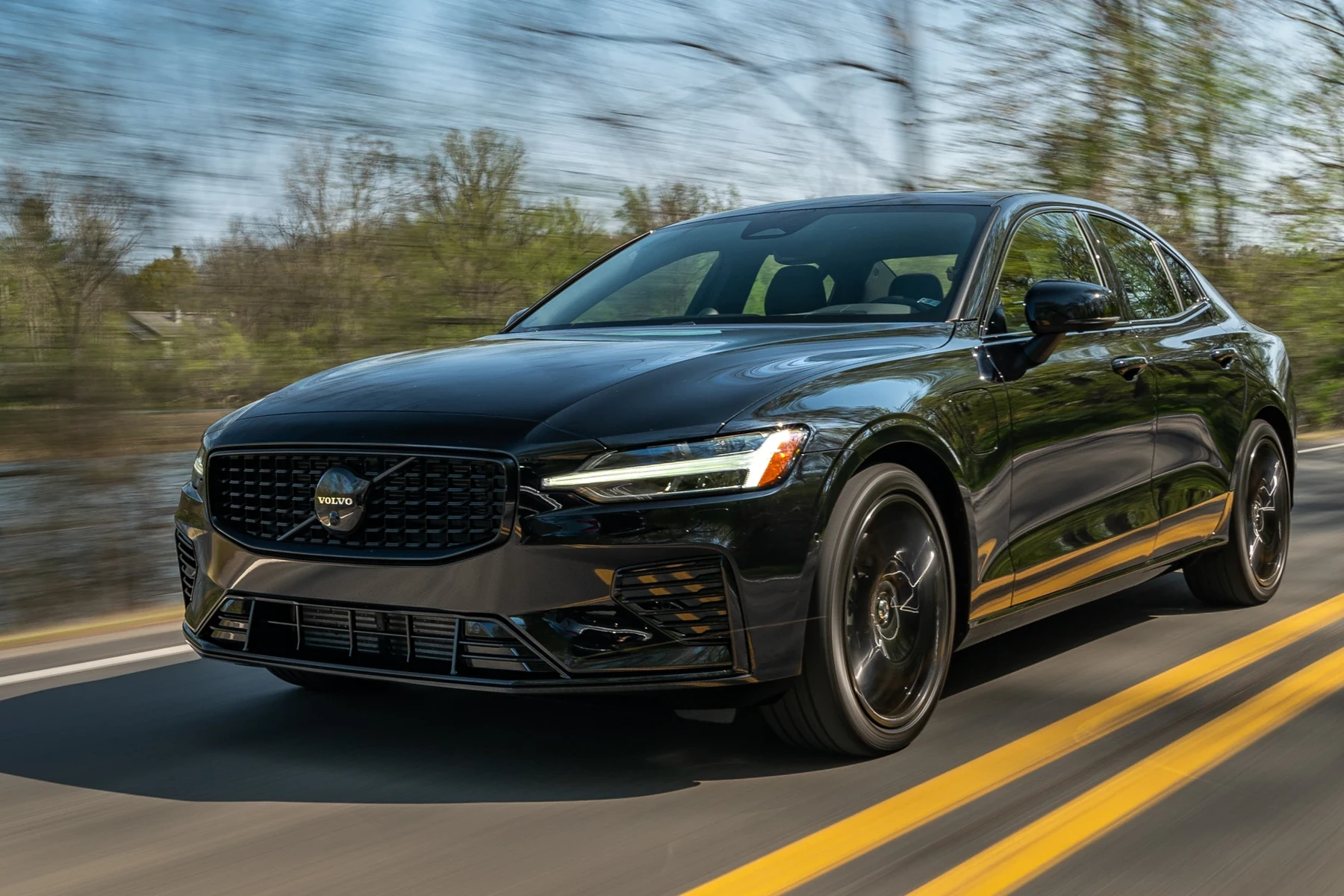
Cross‑brand use is one reason many owners pick Autel/Launch tablets. For more on using a Volvo scanner beyond Volvo, see our focused guide: Can a Volvo scanner be used on other cars?
Here is a summary of how each tier behaves across other makes. “Enhanced” means brand‑specific modules beyond basic engine data.
Mid‑tier tools shine if you mostly service Volvos; advanced tablets pay off when family or shop vehicles span many brands.
| Scanner tier | Cross‑brand basic OBD2 | Enhanced brand coverage | Typical brands included |
|---|---|---|---|
| Budget ELM327 | Yes | No | All (engine only) |
| iCarsoft VOL II | Yes | Primarily Volvo/Saab | Volvo + basic others |
| Foxwell NT530 (Volvo) | Yes | Volvo‑focused; add-ons for other brands | Volvo + optional packs |
| Autel MK808 series | Yes | Wide (40+ brands varies by model) | Volvo, BMW, VW, Ford, Toyota, etc. |
| Launch X431 (pro) | Yes | Very wide (professional level) | Most global brands |
Does a Volvo Scanner Need Programming or Calibration?
No programming is needed to “use” a scanner: plug it in, select vehicle, read/clear codes, and view live data. Some service functions do trigger calibration steps afterward — for example, steering angle sensor reset after an alignment, TPMS relearn after tire swaps, or throttle adaptation after cleaning. Those are guided routines inside the tool, not custom programming. This connects closely with are scanner for Volvo V60 if you want to compare the topic in more detail.
Software updates are what expand compatibility. Handhelds typically update via USB on a Windows PC. Advanced tablets update over Wi‑Fi with an account login. Expect annual or lifetime update licenses depending on brand/model.
- Register the tool on day one and run all pending updates before scanning a newer SPA/CMA or EX/EC Volvo.
- Keep the car on a stable battery (12.4V+) during long tests; low voltage can interrupt communications.
- Back up codes before clearing — export or screenshot the DTC list and freeze‑frame data.
- After services, look for “Reset/Calibrate” menus: SAS reset, EPB service mode exit, TPMS relearn, and oil/service counter reset.
What Modules Can a Scanner Access on Volvos?
Module depth depends on tool tier. Budget dongles see ECM (engine) data and emissions monitors. Mid‑tier Volvo‑capable handhelds add ABS, SRS, TCM, BCM, CEM, and service resets on many years. Advanced tablets go further with adaptations (e.g., injector coding), EPB service, and more complete UDS coverage on 2015+ cars.
The matrix below shows common access levels by module:
| Module | What it does | Budget | Mid‑range | Advanced |
|---|---|---|---|---|
| ECM (Engine) | Faults, fuel/air, emissions | Yes | Yes + live data | Yes + advanced data |
| TCM (Transmission) | Shift control faults/data | No | Usually | Yes |
| ABS/ESP | Braking/stability faults | No | Usually | Yes + bleeding functions on some |
| SRS/Airbag | Restraint system faults | No | Usually | Yes |
| CEM/BCM | Body/central electronics | No | Often | Yes |
| TPMS | Tire pressure system | No | Resets on many | Relearns/adaptations |
| Climate/IAM | HVAC/audio networks | No | Often | Yes |
| SAS/EPB | Steering angle/parking brake | No | Reset/service mode | Resets/adaptations |
Dealer‑level programming (software downloads, key coding) sits outside consumer scanners and requires VIDA/DiCE or a dealer subscription. For general owner use, a mid‑tier Volvo‑capable tool is the sweet spot.
Never clear SRS (airbag) or ABS faults until the underlying issue is fixed and verified. Clearing a live safety fault hides the warning but does not restore system function.
How To Verify a Scanner Works With Your Volvo Before You Buy
Five minutes of checking prevents most compatibility disappointments. Focus on your exact model, year, and whether it’s pre‑2004, 2004–2014, 2015+ SPA/CMA, or an EX/EC EV. Confirm that the tool supports the specific modules you care about (SRS/ABS/EPB, TPMS, service reset) and how updates are delivered.
- Identify platform/year: Note your Volvo’s year and platform (e.g., 2018 XC60 = SPA). Visit Volvo Support to confirm model details.
- Check the brand’s list: Open the scanner’s official compatibility matrix for your exact year and modules (ABS/SRS/CEM/UDS).
- Search owner forums: Look up “[scanner] + [year/model]” for real‑world success/failure reports, especially for EX/EC EVs.
- Verify updates: Ensure updates are still issued for your model and that you can install them (USB PC or Wi‑Fi).
- Confirm the seller: Choose an authorized retailer with a clear return policy to avoid clones and allow easy returns if unsupported.
💡 Evans Torres Tip: I keep a mid‑tier handheld (iCarsoft VOL II) for quick Volvo jobs and an Autel tablet when I’m helping friends with mixed-brand cars. The handheld is rock‑solid offline and clears most Volvo module faults after repairs. Before buying, I always search the exact scanner plus my year/model on Swedespeed — it’s saved me from one tool that didn’t speak UDS on a 2019 XC60.
Frequently Asked Questions
These answers address the most common compatibility details Volvo owners ask before purchasing a scanner — which generations are covered, what modules you can expect to access, and how connectivity and updates affect reliability across different model years and the latest EX/EC electric lineup.
Will one scanner truly work on every Volvo model?
No single consumer tool covers every Volvo equally. Any OBD2 reader works for basic engine codes on 1996+ cars. Full-module access depends on model-year protocol groups: pre‑2004, 2004–2014, 2015+ SPA/CMA (UDS), and the newest EX/EC EVs. Match your scanner’s listed support to your exact year and desired modules.
Which scanner tiers usually cover 2015+ SPA/CMA Volvos best?
Mid‑tier handhelds (iCarsoft VOL II, Foxwell NT530) typically read many modules on SPA/CMA cars, but coverage varies by year. Advanced tablets (Autel MK808 series, Launch X431) provide broader UDS support, more adaptations, and faster updates for 2015+ models. Always check recent firmware release notes for your year.
Do Volvo scanners work with iPhone and Bluetooth?
Yes, many Bluetooth adapters pair with iPhone via apps like OBD Fusion and Car Scanner for engine data. Handhelds work offline without a phone. For deeper Volvo modules, dedicated tools or pro tablets are better. See our detailed iOS notes in this iPhone compatibility guide.
Can I use a Volvo scanner on non‑Volvo cars?
For engine codes, yes — any 1996+ brand supports generic OBD‑II. Enhanced coverage (ABS/SRS/BCM/TCM) depends on the tool. Volvo‑focused handhelds are strongest on Volvos; advanced Autel/Launch tablets commonly support 40+ brands with deeper functions. We explain the trade‑offs here.
Do I need to “program” the scanner before using it?
No programming is needed for normal use. You may need to register the tool and install software updates via USB or Wi‑Fi. After certain services, you’ll run calibrations (SAS reset, TPMS relearn) within the tool’s guided menus — these aren’t programming the car, just post‑service resets.
Which modules can budget scanners read on a Volvo?
Budget Bluetooth dongles read ECM engine/emissions data and show freeze‑frame/live data on many cars. They typically cannot access SRS (airbag), ABS, CEM/BCM, TPMS, EPB, or perform service resets. If you need safety or body modules, step up to a Volvo‑capable handheld or an advanced tablet.
Is it safe to clear SRS/ABS codes after reading them?
Reading is always safe. Clearing should only happen after you’ve fixed the underlying issue. Clearing an active SRS/ABS fault hides the warning but doesn’t restore system function — you’re taking on risk. Repair first, confirm the fix, then clear the stored code.
How can I avoid buying a clone or unsupported scanner?
Buy from authorized sellers or the brand’s official store, compare packaging and serials to the maker’s site, and scrutinize compatibility lists. If the price is improbably low or the listing is vague about Volvo modules/years, walk away. A solid return policy is your backstop.
Final Verdict
Engine-only reading is universal across 1996+ Volvos, but full diagnostics are not — that’s why the best answer to “do scanner for volvo work with all models” is “not without checking year and protocol.” Sort your Volvo into one of four eras (pre‑2004, 2004–2014, 2015+ SPA/CMA, EX/EC EV) and pick a scanner proven for that slice. Mid‑tier handhelds deliver the best value for most owners, while Autel/Launch tablets make sense if you service multiple brands or need deeper functions. Confirm compatibility on the maker’s list, read owner forum reports, and buy from authorized sellers to avoid clones. If you later need ECU programming or key coding, plan on VIDA/DiCE or a dealer session.
My Top Picks at a Glance
Here are the three do scanner with all models options I would check first if you want a faster buying decision.
These picks highlight the strongest overall choice, the best value option, and the premium-style pick for practical Volvo ownership.
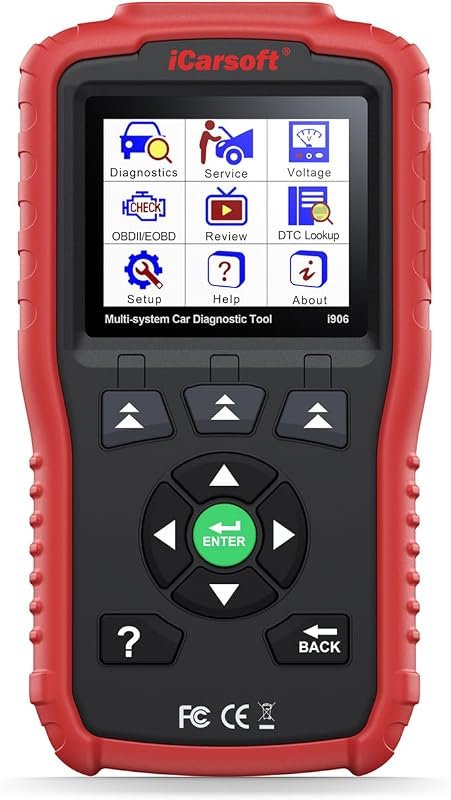 Best Overall
iCarsoft i906 OBD2 scanner for Volvo/Saab, multi-system engine, ABS, SRS with live data.
It offers the strongest all-around mix of fit, value, and practical daily use for Volvo owners.
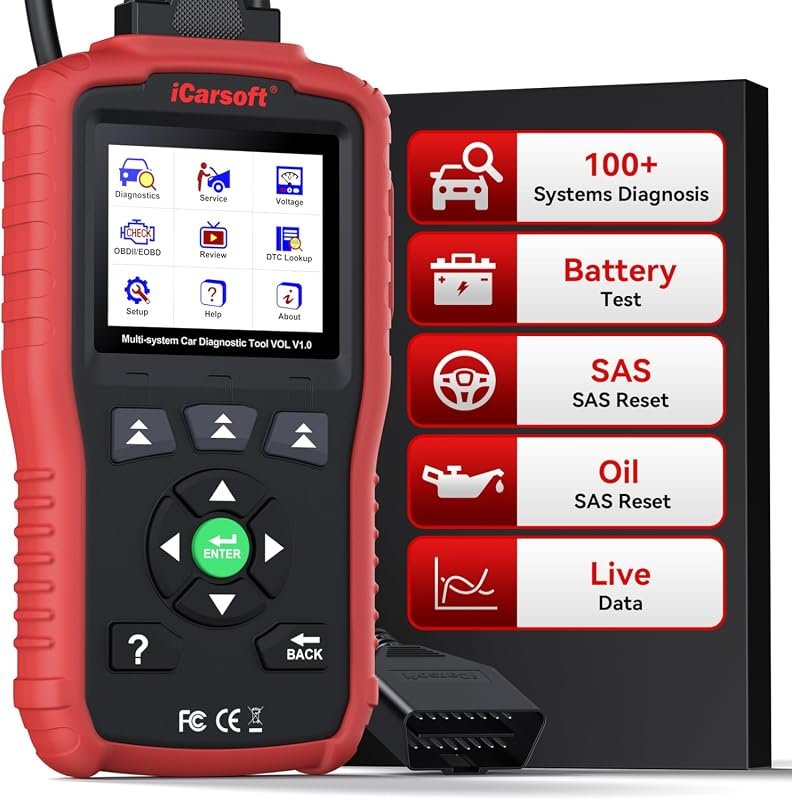 Best Value
iCarsoft VOL V1.0 OBD2 scanner for Volvo/Saab, all-systems diagnostics, live data, oil/SAS reset, CAN-FD, lifetime free updates.
It makes sense for owners who want a useful upgrade without paying more than necessary.
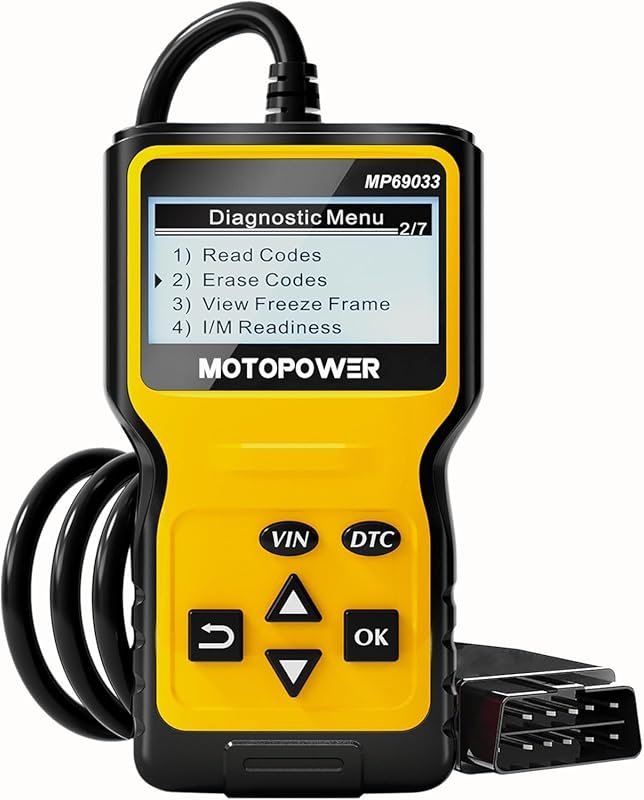 Best Premium Option
MOTOPOWER MP69033 OBD2 code reader for cars since 1996, engine fault scanner, all OBDII protocols, yellow.
It is the pick I would compare first if build quality, features, and long-term ownership value matter most.
Author

Author

Evans Torres
I’m Evans Torres, an automotive engineer who loves Volvo cars. I graduated in Automotive Engineering from USC. I have worked in the car industry for years and now share my knowledge on The Volvo Life. I started this blog to connect with other Volvo fans. I offer tips, news, and advice to help you care for your car. My goal is to help you keep your Volvo in great shape and find all the best things about it. Join me as we discover everything Volvo has to offer!