



can scanner for volvo be used on other cars — yes, but with limits. Any Volvo-focused scanner will read generic OBD2 engine/emissions codes on most 1996+ vehicles in the USA. Brand-specific functions (ABS/SRS, service resets, adaptations) usually remain Volvo-only unless the tool supports multi-brand software or add-on licenses. Check model-year coverage, update the scanner, and verify iOS/Android app support before trying it on a different make.
Swapping one tool across multiple family cars saves time and money, but not every scanner behaves the same off a Volvo. Generic OBD2 is universal for engine and emissions, while deeper systems like ABS, airbag, or body electronics need brand-level protocols. That’s why an iCarsoft VOL II can read a Honda’s engine codes, yet won’t run a Honda ABS bleed. Below, you’ll see how Bluetooth, WiFi, and handheld units connect, which Volvo models are covered, what functions carry over to other brands, and how to check compatibility in five minutes. For related context, you may also want to read can you get Volvo cars on motability.
- Main point: A Volvo scanner reads generic OBD2 on most other cars; advanced functions stay Volvo-specific unless the tool supports multi-brand coverage.
- Best first step: Update your scanner’s software and confirm iOS/Android pairing before attempting scans on a non-Volvo.
- Cost or value: Mid-range tablets (Autel/Foxwell) often include 40+ brands; single-make tools (iCarsoft VOL II) keep Volvo features but only basic OBD2 elsewhere.
- Who it suits: Owners with multiple cars, DIYers who want to avoid dealer diagnostics on common faults, and tech-savvy users.
- When to get help: Module coding, keys, or SRS repairs on another brand usually need a brand-capable professional tool or a specialist.
Wants Bluetooth or WiFi scanning on Volvo plus basic checks on a second car using the same device.
Has a Volvo and a different brand and needs one tool for quick engine-code reads on both.
Already scans Volvo modules and wants to understand which features carry over to other makes.
Connectivity Options: Bluetooth, WiFi, and USB — Plus iPhone vs Android
Connection type determines how easy it is to use the scanner across different cars. Bluetooth dongles pair with a phone app (OBD Fusion on iOS, Torque Pro or Car Scanner on Android). WiFi dongles work similarly but create a local network. Handheld units (iCarsoft, Foxwell) and tablet-style tools (Autel, TOPDON) plug in via the OBD2 port and don’t need your phone. iPhone users should note that many cheap Bluetooth ELM327 adapters use “classic” Bluetooth that iOS won’t pair with; you’ll need BLE/MFi-compatible hardware or a WiFi unit.
Beyond pairing, think about software updates and brand databases. Tablet-style scanners download protocols for dozens of makes over WiFi. Handheld single-make tools store Volvo coverage internally, but still read generic OBD2 on others. App-based adapters rely on the app’s PID library; premium apps decode more manufacturer-specific data.
Here’s how popular scanner types line up on platform support and offline use. This helps you pick the right connection approach for multi-car use.
| Scanner | iOS app | Android app | Works offline? |
|---|---|---|---|
| ELM327 BLE + OBD Fusion / Car Scanner | OBD Fusion / Car Scanner | Torque Pro / Car Scanner | Yes (after initial setup) |
| iCarsoft VOL II (handheld) | N/A (handheld unit) | N/A (handheld unit) | Yes (no phone needed) |
| Foxwell NT530 (handheld) | N/A (updates via PC) | N/A (updates via PC) | Yes (no phone needed) |
| Autel MaxiCOM MK808 (Android tablet) | N/A (built-in tablet) | Built-in Autel software | Yes (post-activation; updates need WiFi) |
| TOPDON ArtiDiag/ArtiMini (Android tablet) | N/A (built-in tablet) | Built-in TOPDON software | Yes (updates via WiFi) |
Bottom line: iPhone users should choose BLE or WiFi adapters if going app-based. Handheld and tablet scanners avoid phone compatibility entirely and are best for mixed-brand garages.
Most iPhones do not pair with “classic” Bluetooth OBD dongles. Choose a Bluetooth Low Energy (BLE) or WiFi adapter if you plan to use an app on iOS — it prevents the dreaded “can’t find adapter” pairing issue.
Volvo Model Compatibility: From P2/P3 to SPA/CMA and New EX-Series
Before sharing a scanner, confirm it fully supports your Volvo generation. Pre-2004 cars use older K-line protocols that not every tool handles well. 2004–2014 models (P1/P3 era) are widely supported by many Volvo-capable handhelds. 2015+ SPA/CMA cars use newer UDS/DoIP-style communications for some modules; advanced tablet tools handle these best. Fully electric EX30/EX40/EC40/EX90 add EV-specific modules that not all consumer tools can read yet. The table below summarizes common coverage patterns reported by owners and tool makers.
Use this as a high-level guide, then verify your exact model-year on the manufacturer’s compatibility list. For model-specific buying help, see our detailed scanner advice for Volvo XC60.
| Scanner | XC90 | XC60 | XC40 | S60 | V60 | V90 | EX30 | EX40/EC40 | EX90 | Pre-2004 |
|---|---|---|---|---|---|---|---|---|---|---|
| iCarsoft VOL II | Yes (most years) | Yes (most years) | Partial (newer years vary) | Yes (most years) | Yes (most years) | Partial | Unverified/limited | Partial/limited | Unverified | Partial |
| Foxwell NT530 (Volvo license) | Yes | Yes | Yes (varies by year) | Yes | Yes | Yes | Limited | Partial | Limited | Partial |
| Autel MK808/MK808S | Yes | Yes | Yes | Yes | Yes | Yes | Emerging support | Yes (newer firmware) | Emerging support | Partial |
| ELM327 + App | Engine OBD2 only | Engine OBD2 only | Engine OBD2 only | Engine OBD2 only | Engine OBD2 only | Engine OBD2 only | Engine OBD2 only | Engine OBD2 only | Engine OBD2 only | Sometimes |
Expect full Volvo-module access from brand-capable handhelds and tablets; app-based dongles remain engine-only on Volvo. Newer EV modules may need the latest firmware or a pro-grade tool.
2015+ SPA/CMA Volvos use newer UDS messaging that not all scanners fully implement. On pre-1996 US vehicles (OBD1), OBD2 tools won’t work at all. Always match the tool’s supported protocols to your year and platform.
Can a Volvo Scanner Be Used on Other Cars?
Yes for basic OBD2, sometimes for advanced functions. By law in the USA, 1996+ gasoline vehicles support OBD2 for engine/emissions — any decent scanner reads and clears P0xxx powertrain codes and shows live data across brands. Where it changes is body, ABS, SRS, and service functions. Single-make Volvo tools usually keep those features locked to Volvo, while mid/high-tier tablets include multi-brand databases that unlock ABS/SRS and more on dozens of makes. Very old cars (pre-1996) and some newer EV systems are exceptions.
To summarize compatibility at a glance, here’s how common scanner tiers behave when you plug into a non-Volvo. Use this to decide whether your current tool covers what you need on a second car.
For US-market vehicles, OBD2 standardization began with 1996 model years; that’s why engine scans typically work cross-brand. See the EPA’s overview of OBD regulations for background (EPA OBD regulations).
| Scanner tier | Other brands: basic OBD2 | Other brands: brand-specific functions | Notes |
|---|---|---|---|
| ELM327 + App | Yes (engine/emissions) | No | Great for quick check-engine reads only |
| iCarsoft VOL II (Volvo/Saab) | Yes (engine/emissions) | No | Advanced features stay Volvo-only |
| Foxwell NT530 (Volvo license) | Yes | Limited (add paid brand licenses) | Buy extra brand packages for full features |
| Autel MK808/MK808S | Yes | Yes (many brands) | Includes wide multi-brand coverage out of the box |
| Launch X431/Pro | Yes | Yes (extensive) | Pro-grade multi-brand diagnostics |
Does It Need Programming or Calibration to Work on Other Cars?
No programming is required to “use” a scanner — plug it into the OBD2 port and it will read engine data on most makes. Calibration refers to service functions (e.g., steering angle sensor reset, TPMS relearn) that you may perform after a repair. Whether those functions work on non-Volvo vehicles depends on the tool’s brand coverage and licenses. Tablet-style scanners often include these functions for many brands. Single-make handhelds restrict them to Volvo.
Before trying another make, update your scanner’s firmware and vehicle database. Vendors regularly add protocols for newer model years and EV modules. If your tool requires brand licenses (e.g., Foxwell NT530), activate the appropriate package first. For detailed steps, see our guide on updating scanner software for specific brands.
- Update firmware and brand databases over WiFi/USB before scanning a non-Volvo.
- On app adapters, verify the app supports manufacturer PIDs for the other brand.
- For Foxwell/Launch, check if a paid brand license is needed for advanced functions.
- Test with a full auto-scan first, then drill into specific modules if available.
What Modules Can a Volvo-Capable Scanner Access on Volvos?
Module access depends on tool tier. Budget app adapters cover only the ECM (engine) and a subset of OBD2 emissions data. Mid-range handhelds typically reach ABS, SRS, TCM, BCM, CEM, and steering angle on many model-years. Advanced tablets add service resets, component activations, adaptations, and some coding. On newer SPA/CMA and EX models, you’ll need current firmware and stronger hardware for full coverage.
The matrix below shows typical access on Volvos. Use it to decide whether your existing tool is enough, or if you need a step up. For brand selection and model nuance, our OBD scanner for Volvo buyers guide and this tutorial on using a professional Volvo scanner can help.
| Module | What it does | Budget adapter | Mid-range handheld | Advanced tablet |
|---|---|---|---|---|
| ECM (Engine) | Powertrain faults, fuel/air data | Yes | Yes | Yes |
| TCM (Transmission) | Shift logic, solenoid data | No | Often | Yes |
| ABS/DSC | Brake control, wheel speeds | No | Yes | Yes + bleed functions |
| SRS (Airbag) | Airbag/pretensioner faults | No | Yes | Yes + guided tests |
| CEM/BCM | Body/central electronics | No | Sometimes | Yes |
| SAS (Steering angle) | Steering calibration | No | Reset on some models | Reset + adaptations |
| TPMS | Tire pressure monitoring | No | Basic reset | Advanced relearns |
| Climate (IHU/CCM) | HVAC blend, fans | No | Sometimes | Yes |
Expect engine-only access from budget dongles; real multi-module diagnostics on Volvo starts at mid-range handhelds and shines with advanced tablets.
Never clear SRS (airbag) or ABS codes on any car without fixing the root cause. Clearing a live airbag fault may leave the system disabled — a risk not worth taking.
Counterfeit scanners are common. Clones may connect but fail on brand-specific modules or corrupt data during write functions. Buy from authorized sellers and register your tool immediately.
How To Check If Your Volvo Scanner Will Work on Another Car
A quick, non-invasive process confirms cross-brand usability in minutes. Start with a fully charged battery on the other vehicle and an updated scanner. Focus first on generic OBD2 connectivity (engine data), then try a full auto-scan to see which modules populate. If your tool supports brand licenses, make sure they’re activated before testing. Save any fault codes you read so you can research them later or share with a mechanic.
- Step 1: Update the scanner’s firmware/brand databases and charge its battery or tablet.
- Step 2: On the other car, turn ignition to ON (engine off) or accessory mode to power modules.
- Step 3: Connect to the OBD2 port, select Auto-Scan (or brand/year) and attempt a global OBD2 read.
- Step 4: If supported, run a full module scan to see ABS/SRS/BCM access; note any “not supported” results.
- Step 5: Save reports, verify code definitions, and only clear after documenting and addressing the cause.
Want a deeper dive on Volvo-first capability? Volvo’s Support portal is a handy reference for model-specific features and updates: Volvo Cars Support.
💡 Evans Torres Tip: I keep a Foxwell NT530 with the Volvo license in my garage and added a paid Honda package later. It reads all modules on our S60, and on my neighbor’s Accord it does ABS/SRS plus service resets. Before I bought the extra license, it only did basic OBD2 on the Honda — so check whether your tool offers add-on brand coverage to avoid surprises.
Frequently Asked Questions
This FAQ clears up the most common compatibility doubts: which Volvo scanners work on other makes, whether iPhone and Android play nicely with popular adapters, what you can realistically reset on a non-Volvo, and when it’s time to step up to a multi-brand tool. You’ll also find guidance on pre-1996 vehicles, software updates, and safety around airbag and brake systems so you don’t make a risky mistake while exploring cross-brand features.
Will an iCarsoft VOL II work on other cars?
It will read and clear generic OBD2 engine/emissions codes on most 1996+ vehicles, but its advanced Volvo features (ABS/SRS, service resets) remain Volvo-specific. Consider a multi-brand tablet like Autel MK808 if you need ABS/SRS and service functions on non-Volvo models.
Can a Volvo-focused Foxwell NT530 run ABS/SRS on a different brand?
Yes, if you add the corresponding brand license. Out of the box, you get Volvo capability plus generic OBD2 elsewhere. Buying, for example, a Toyota or Honda license unlocks those brand’s modules and service functions on the same device.
Do Bluetooth OBD adapters work with iPhone?
Yes, but choose a Bluetooth Low Energy (BLE) or WiFi adapter. Most cheap “classic” Bluetooth ELM327 dongles won’t pair with iOS. Apps like OBD Fusion and Car Scanner work well on iPhone with BLE/WiFi hardware; Torque Pro is Android-only.
Why won’t my scanner connect to a 1995 car?
US vehicles became OBD2-compliant starting with 1996 model years. Many 1995 and older cars use manufacturer-specific OBD1 systems your OBD2 scanner can’t read. You’ll need an OBD1-specific tool or an adapter with the right legacy protocol for that vehicle.
Can I reset service lights or perform coding on a non-Volvo?
Only if your scanner supports that brand. Single-make Volvo tools restrict advanced functions to Volvo. Multi-brand tablets (Autel/Launch) often include resets and some coding on many makes. For immobilizer/key coding, plan on a brand-specialist tool or a professional shop.
Do I need to update my scanner before trying it on another car?
Yes. Firmware and vehicle databases change frequently. Updating improves protocol coverage, code definitions, and EV support. If your scanner uses brand licenses, confirm the new brand is activated before scanning for ABS/SRS or service functions.
Is it safe to clear airbag or ABS codes on another brand?
Don’t clear safety-critical codes without fixing the cause. Clearing a live SRS/ABS fault can mask a dangerous condition. Read, document, repair, and then clear. When in doubt, consult a brand-experienced technician.
Where can I learn more about Volvo-specific scanners?
Start with our overview of OBD2 scanners for Volvo and our piece on the diagnostic tools Volvo owners use. For XC60 owners specifically, see our XC60 scanner guide.
Final Verdict
One Volvo-friendly scanner can absolutely serve a second car for engine-code checks, but advanced functions follow the tool’s brand coverage. Expect universal powertrain diagnostics on most 1996+ vehicles; plan for Volvo-only ABS/SRS and service features unless your tool is multi-brand or licensed for the other make. Update firmware, verify iOS/Android compatibility, and test a full auto-scan before you rely on it. For multi-car households, a mid-range tablet like an Autel often offers the best balance of coverage and value; complex coding or key work belongs with a brand-capable professional.
My Top Picks at a Glance
Here are the three can scanner used on other cars options I would check first if you want a faster buying decision.
These picks highlight the strongest overall choice, the best value option, and the premium-style pick for practical Volvo ownership.
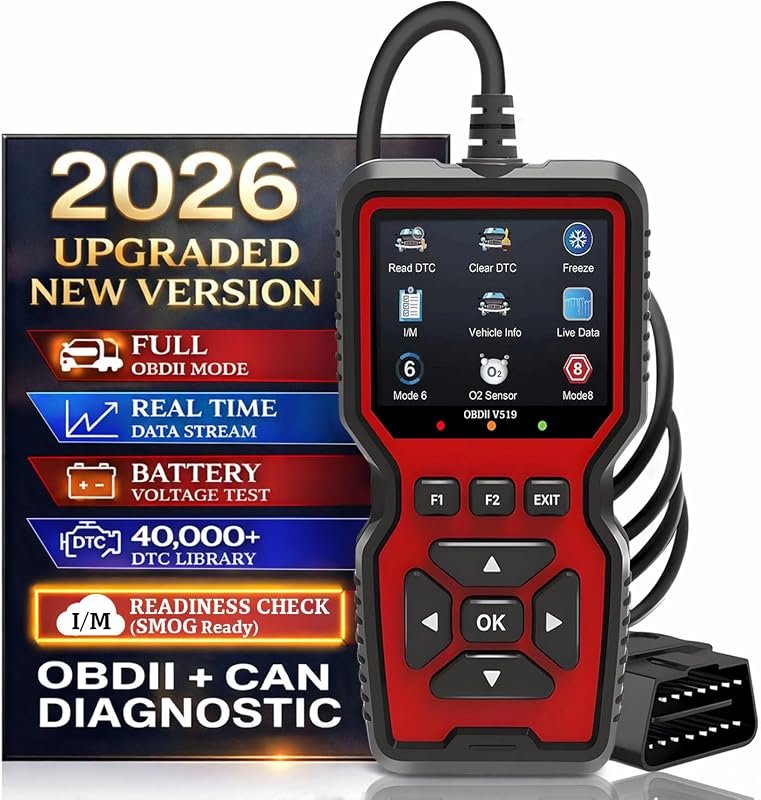 Best Overall
2026 upgraded V519 OBD2 scanner with 40,000+ DTCs, live data, battery test, I/M readiness for 1996+ vehicles
It offers the strongest all-around mix of fit, value, and practical daily use for Volvo owners.
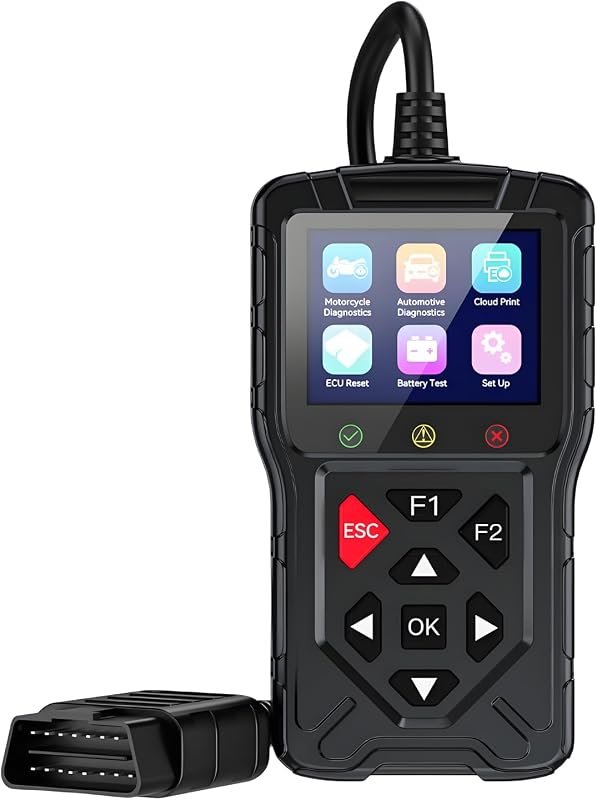 Best Value
M60 2-in-1 OBD2 scanner for cars and motorcycles; live data, read/clear engine codes, wide protocol support
It makes sense for owners who want a useful upgrade without paying more than necessary.
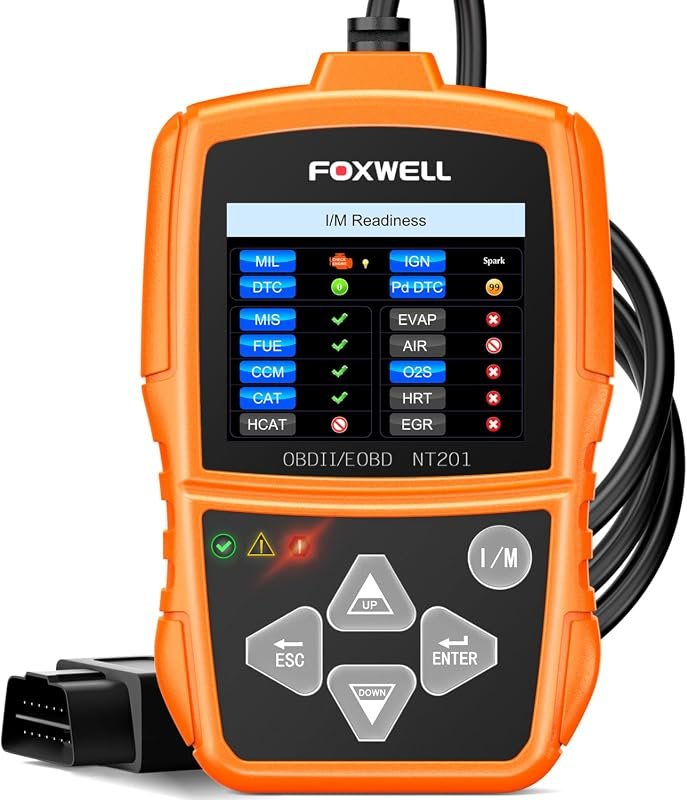 Best Premium Option
FOXWELL NT201 OBD2 code reader resets check engine light, reads live data, clears codes, 1996+ cars/trucks
It is the pick I would compare first if build quality, features, and long-term ownership value matter most.
Author

Author

Evans Torres
I’m Evans Torres, an automotive engineer who loves Volvo cars. I graduated in Automotive Engineering from USC. I have worked in the car industry for years and now share my knowledge on The Volvo Life. I started this blog to connect with other Volvo fans. I offer tips, news, and advice to help you care for your car. My goal is to help you keep your Volvo in great shape and find all the best things about it. Join me as we discover everything Volvo has to offer!