



Did scanner for Volvo work well? Yes — as long as you choose a Volvo-specific scanner from brands like iCarsoft, Autel, or Foxwell and keep it updated. Generic $30 ELM327 readers often miss Volvo modules (SRS, ABS, CEM), which leads to “it doesn’t work” reviews. Expect reliable code reads, live data, and service resets on most 1999–present models; reserve ECU programming and advanced coding for dealer-level tools. Verify compatibility by model year and update firmware before first use.
Many owners ask this after a cheap Bluetooth dongle fails to see more than a check engine code. Volvo uses multiple control modules and protocols beyond basic OBD-II. That’s why some scanners “work” on a Honda but seem blind on an XC60 or S60. Pick a Volvo-aware tool and the experience flips: you’ll read ABS/SRS/TCM/CEM, reset the service reminder, and catch faults before a shop visit. Below, I’ll separate generic readers from Volvo-capable units, name trustworthy brands, and show how to verify your tool truly works on your model year. For related context, you may also want to read OBD scanner for Volvo.
- Main point: Volvo-specific scanners from iCarsoft, Autel, and Foxwell work well; generic ELM327 readers are unreliable for non-engine modules.
- Best first step: Check model-year compatibility and update the scanner’s Volvo software before scanning.
- Cost or value: $120–$400 buys a tool that reads 8–12 Volvo modules and resets service lights — often saving one dealer diagnostic fee.
- Who it suits: DIY owners who want full-module reads and clear, plus small shops servicing multiple Volvo generations.
- When to get help: For coding, adaptations, or ECU programming, use a Volvo specialist or factory tools (VIDA/DiCE or PTT/VOCOM).
You want proof that a scanner truly works on Volvos before spending money — this explains what to expect and which brands deliver. This connects closely with which scanner icarsoft for Volvo S80 2002 if you want to compare the topic in more detail.
Your generic dongle only read engine codes. Learn why and what to buy instead for ABS, SRS, and more.
You’re cross-checking iCarsoft vs Autel vs Foxwell reliability, updates, and coverage across Volvo generations.
The Real Question: Volvo-Specific vs Generic Scanners
Most “didn’t work” stories come from using a generic OBD-II tool that only talks to the engine control module. Volvos spread faults across many modules — SRS (airbag), ABS, TCM (transmission), CEM (central electronics), BCM, SAS, climate, and more. A $30 ELM327 or basic code reader typically can’t access these, so it appears the car is “hiding” data. It isn’t. The tool is just not speaking all the Volvo protocols (KWP2000, CAN, UDS for newer EX/EC series).

Volvo-aware scanners map the brand’s module tree, let you select model/year/chassis, and poll each module with the right handshake. That’s why iCarsoft VOL II, Autel MX/MK-series, and Foxwell NT530/710-series reliably show ABS wheel-speed faults, SRS connector issues, and CEM low-voltage errors that generic tools never see.
Before judging reliability, update your scanner’s Volvo software, pick the exact model/year in the menu, and ensure the car battery reads at least 12.4V. Low voltage causes intermittent module communication.
Which Brands Are Trustworthy for Volvo Owners
Brand reputation on Volvos comes down to module coverage, update cadence, and support. Budget tools can read engine codes, but mid-tier and pro handhelds cover the modules that trigger most Volvo dash lights. The table below summarizes what USA owners typically report across popular brands and their Volvo coverage. Always verify your specific model year and platform (pre-2004, 2004–2014, 2015+ SPA/CMA, and newer EX/EC electric models).
| Brand | Reputation | Volvo coverage | Update policy | Warranty | Verdict |
|---|---|---|---|---|---|
| iCarsoft (VOL II/VAWS) | Strong for Volvo/Saab | ECM/TCM/ABS/SRS/CEM; good on 2004–2021 | PC/Wi‑Fi updates; periodic | 12 months | Best value for DIY full-module reads |
| Autel (MK808/MX808) | Professional-grade | Wide module access; good live data | Frequent; paid after 1st year on some models | 12 months | Great for frequent DIY or small shops |
| Foxwell (NT530/710) | Solid mid-tier | Good Volvo coverage; service resets | Regular; model upgrades available | 12 months | Reliable pick under $200–$300 |
| Topdon | Improving fast | Decent coverage; check year/platform | Online updates | 12 months | Good alternative; verify modules first |
| Ancel | Budget | Mainly engine; some enhanced on select units | Occasional | 12 months | Fine for CEL; limited for ABS/SRS |
| YOUCANIC | App-centric | Broad brand list; Volvo modules vary | Subscription model | Varies | Check Volvo model list before buying |
Expect iCarsoft/Foxwell to cover the bulk of DIY needs, while Autel adds faster live data and broader brand support — useful if you maintain multiple cars. For a deeper buying overview, see our OBD2 scanner for Volvo guide.
Clone/counterfeit scanners are common. Red flags: price far below MSRP, no serial on the unit, generic packaging, or sellers without an authorized status. Clones often fail to connect to SRS/ABS modules.
Real User Experiences: What Owners Say Works (and What Doesn’t)
Feedback from Volvo forums and owner groups is consistent: success stories almost always involve a Volvo-aware tool that was updated and set up with the exact model/year. Common wins include clearing SRS connector faults after repair, resetting service reminders, and identifying failed ABS wheel sensors without a dealer visit. Frustrations cluster around app-only dongles, clone hardware, and coverage gaps on very new or very old model years.

Positive reports cite reading 8–12 modules, saving $150–$250 in diagnostic fees, and using live data to confirm repairs. Complaints tend to be software-update lapses, missing support for the newest EX/EC electric models, or user setup errors (wrong model selected, low battery, no updates). Keep those three pitfalls in mind and reliability improves dramatically.
Many Volvo “no communication” errors vanish after charging the 12V battery above 12.4V. Low system voltage can make modules drop off the network, fooling you into blaming the scanner. For another practical angle, see are scanner for Volvo worth it.
Here is a concise summary of the most common Volvo owner experiences with scanners and how to interpret them before deciding a tool “doesn’t work.”
The big takeaway: setup and power matter. Choosing a Volvo-capable brand, updating it, selecting the exact Volvo profile, and scanning with a healthy battery resolves most connection complaints.
| Experience theme | What owners report | Likely cause | Takeaway |
|---|---|---|---|
| Reads engine only | Cannot see ABS/SRS | Generic ELM327 or budget reader | Use a Volvo-capable tool (iCarsoft/Foxwell/Autel) |
| No connection to modules | “Failed to communicate” | Low 12V battery or wrong model selection | Charge battery; pick exact model/year profile |
| Intermittent success | Works on some modules, not others | Outdated firmware or clone hardware | Update software; avoid suspiciously cheap units |
| New EX/EC models | Scanner won’t see all systems | UDS protocol not fully supported yet | Check brand’s release notes for EX/EC coverage |
| Service reset fails | Light returns | Wrong procedure or service not completed | Follow Volvo-specific reset steps after service |
| SRS code cleared, returns | Airbag light back on | Unfixed hardware fault (connector/sensor) | Repair first; then clear with scanner |
Is It Safe to Use a Scanner on a Volvo?
Reading and saving fault codes is safe; you’re only observing data. Clearing codes is generally safe too, but it can hide recurring problems if done before repairs. Writing/coding functions (adaptations, calibrations) deserve more caution — use them only when you know the procedure and have stable battery voltage. Airbag (SRS) systems need extra care: a persistent SRS light means a real hardware or wiring issue until proven otherwise.
For most owners, the safe workflow is simple: read codes, fix the fault, then clear the codes and recheck. If a function involves coding or reprogramming, consult a Volvo specialist or a detailed procedure first. Our tutorial on how to use a professional car scanner for Volvo vehicles walks through a cautious setup.
Never clear SRS (airbag) faults without verifying the physical cause is corrected. A scanner can turn the light off, but the system may still be disabled in a crash until the real fault is repaired.
What to Expect Realistically from a Good Volvo Scanner
A reliable mid-tier Volvo scanner reads 8–12 modules, displays live sensor data (O2 sensors, wheel speeds, transmission temps), resets the service reminder, and clears codes after repair. Many can also perform basic calibrations like steering-angle reset and EPB maintenance mode on supported models. What it cannot do is full ECU programming or guided software updates — that requires factory-level tools (VIDA/DiCE for ~1999–2014; PTT with VOCOM for later models).
Coverage differs by platform. P1/P3 cars (2004–2014) are well covered. SPA/CMA (2015+) are strong on modern scanners, though some brand-specific coding may be limited. Newer EX/EC electric models use UDS; check the brand’s notes if you drive an EX30/EX40/EC40/EX90. For a model-focused overview, see our does OBD2 work on Volvo explainer.
- Update the scanner’s Volvo software before first use; many come months out of date.
- Select the exact model/year/chassis in the menu; “auto detect” can misidentify older cars.
- Maintain 12.4–12.7V during scans; connect a maintainer if diagnosing for 20+ minutes.
- Run a full system scan and save a report before clearing any codes — it’s your baseline.
How To Verify Your Volvo Scanner Works Well (Setup & Test)
Before judging a scanner’s reliability, run a controlled first test. This process confirms power, protocol, and module access so you know whether issues are with the tool, setup, or the vehicle. Plan for 10–20 minutes with a healthy 12V battery, and update the scanner first. If your Volvo is 2015+ (SPA/CMA) or a newer EX/EC model, make sure the release notes list your platform. Save the full scan — it’s the quickest way to spot gaps in module coverage. You can also use are scanner for Volvo worth it 2 as a helpful next guide on the same ownership topic.
- Step 1: Charge or stabilize the 12V battery (12.4–12.7V). Low voltage causes module dropouts.
- Step 2: Update the scanner’s Volvo software via PC/Wi‑Fi. Reboot the unit after updating.
- Step 3: Enter the exact model/year/chassis manually. Avoid “generic OBD-II” mode for Volvo diagnostics.
- Step 4: Run “Auto Scan/Full System Scan” to poll all modules. Note any that fail to communicate.
- Step 5: Save the report, then clear codes only after you’ve fixed any confirmed faults.
This quick validation removes most false negatives and shows whether your scanner genuinely covers the modules on your specific Volvo generation.
Reliable coverage and careful setup prevent the majority of “doesn’t work” complaints and help you pinpoint real faults faster.
💡 Evans Torres Tip: I keep an iCarsoft VOL II in my garage for friends’ Volvos. It paid for itself the first month by identifying a bad rear wheel-speed sensor on an XC60 and a loose SRS connector on an S80. My rule: update the tool, stabilize battery voltage, run a full scan, and screenshot the results. That routine turns a “maybe it works” gadget into a dependable diagnostic step.
Frequently Asked Questions
This FAQ addresses the reliability and real-world use of Volvo scanners: which brands actually work on modern SPA/CMA cars and older P1/P3 models, whether cheap Bluetooth dongles are enough, cross-brand compatibility, software updates, SRS/ABS access, safety when clearing codes, and where to buy to avoid clones. If you’re deciding whether to trust a scanner or wondering why yours won’t connect to a specific module, start here for concise answers.
Do Volvo scanners really work on 2015+ SPA/CMA models like XC60 and XC90?
Yes — mid-tier tools from iCarsoft, Autel (MK/MX series), and Foxwell (NT530/710) read multiple modules on SPA/CMA cars. Keep the unit updated and select the exact model/year. Some advanced adaptations/coding remain dealer-only, but reading/clearing codes and service resets are reliably supported.
Are $30 Bluetooth ELM327 adapters reliable for Volvos?
They read basic engine (ECM) OBD-II codes, but they rarely access Volvo-specific modules like SRS, ABS, TCM, or CEM. That’s why many owners think scanners “don’t work.” For real Volvo diagnostics, use a brand that lists full-module support, not just generic OBD-II.
Can one scanner work on both my Volvo and other brands?
Usually yes. Mid-tier Autel and Foxwell units cover dozens of brands with enhanced functions. iCarsoft VOL II focuses on Volvo/Saab for advanced access but still reads basic OBD-II on other cars. Check the brand’s compatibility list for your non-Volvo vehicles.
How often do scanner makers update Volvo coverage?
Autel updates are frequent (often monthly or quarterly), Foxwell/iCarsoft roll out periodic releases, and updates are usually free for 12 months (some models require paid updates after the first year). Always install the latest Volvo file set before scanning newer models.
Why won’t my scanner read SRS on my Volvo?
Top causes: budget/generic tool, outdated firmware, wrong model/year selection, or low battery voltage during the scan. Update the tool, charge the battery, and pick the exact Volvo profile. If it’s a clone unit, SRS access often fails entirely.
Is it safe to clear codes if the Volvo still has a warning light?
Clearing is safe, but it may hide a real issue if done before repair. For SRS specifically, fix the hardware fault first (e.g., connector/sensor) and then clear. If the light returns immediately, the fault remains and needs proper diagnosis.
Where should I buy a Volvo scanner to avoid clones?
Buy from the brand’s official store or authorized Amazon sellers. Avoid listings with no serial, vague packaging photos, or prices far below MSRP. For model-specific guidance (e.g., XC60), see our focused picks in Scanner for Volvo XC60.
Final Verdict
Yes — scanners for Volvo do work well when you pick a Volvo-aware tool, keep it updated, and follow a simple setup routine. Expect dependable access to engine, ABS, SRS, transmission, and central electronics on most 1999–present models, plus service resets and useful live data. The #1 reliability pitfall is using a generic ELM327 or a clone unit. Start by validating voltage, updating software, and selecting the exact model/year. For complex coding or ECU programming, book a Volvo specialist or dealer tools. That balance gets you fast, accurate DIY diagnostics without overpromising what consumer scanners can do.
My Top Picks at a Glance
Here are the three did scanner well options I would check first if you want a faster buying decision.
These picks highlight the strongest overall choice, the best value option, and the premium-style pick for practical Volvo ownership.
 Best Overall
Compact Epson WorkForce ES-50 portable single-sheet document and receipt scanner, USB powered for PC and Mac
It offers the strongest all-around mix of fit, value, and practical daily use for Volvo owners.
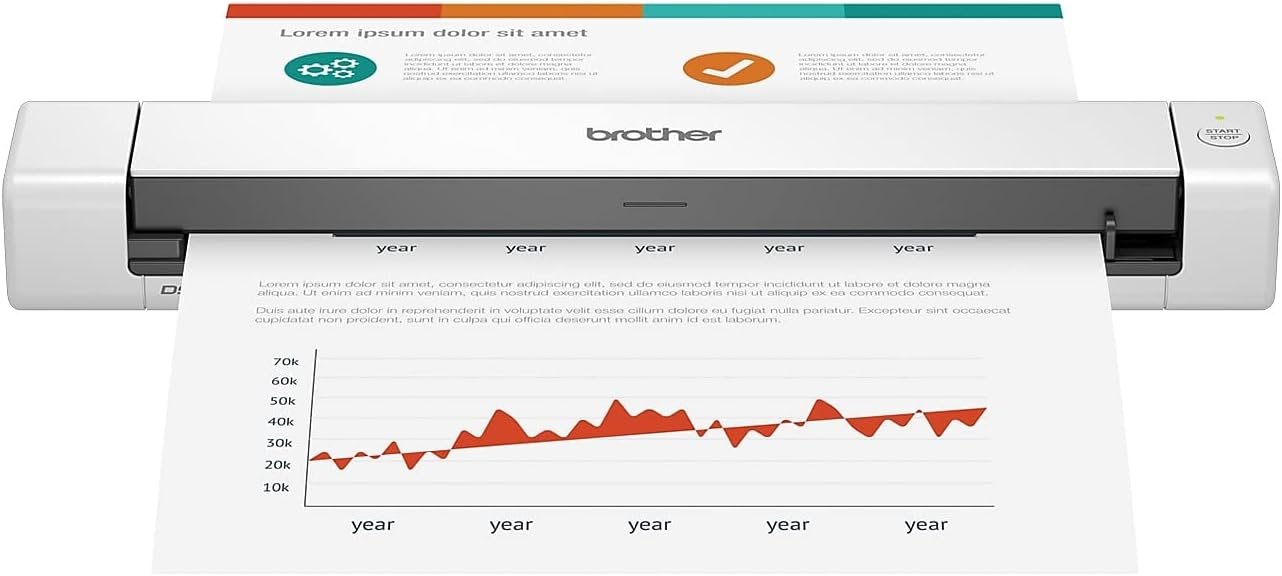 Best Value
Brother DS-640 compact mobile document scanner, ultra-portable design for quick, single-sheet scanning anywhere
It makes sense for owners who want a useful upgrade without paying more than necessary.
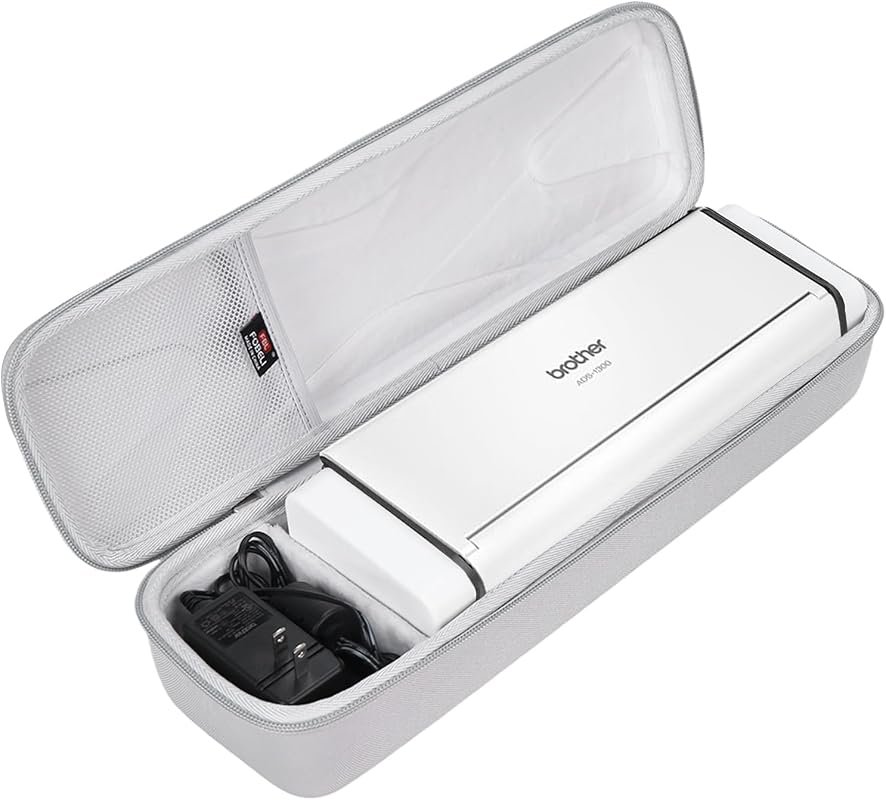 Best Premium Option
FBLFOBELI hard travel case for Brother ADS-1250W/1700W/1800W/1200/1300 scanners, shockproof protective storage bag
It is the pick I would compare first if build quality, features, and long-term ownership value matter most.
Author

Author

Evans Torres
I’m Evans Torres, an automotive engineer who loves Volvo cars. I graduated in Automotive Engineering from USC. I have worked in the car industry for years and now share my knowledge on The Volvo Life. I started this blog to connect with other Volvo fans. I offer tips, news, and advice to help you care for your car. My goal is to help you keep your Volvo in great shape and find all the best things about it. Join me as we discover everything Volvo has to offer!