



Scanner for Volvo XC60 — the best all-around choice for most owners is the iCarsoft VOL II (Volvo/Saab), which reads Volvo-specific modules like ABS, SRS, TCM, and CEM. DIYers who want more depth can step up to the Foxwell NT530 (Volvo software) or Autel MaxiCOM MK808 for 2018+ SPA XC60s. Pick based on your model year and whether you need full-module access beyond engine codes.
A simple $30 code reader won’t tell an XC60 owner why the airbag, ABS, or transmission light is on. Volvo-specific faults sit in modules that generic OBD2 readers can’t see. Choosing the right scanner saves a dealer diagnostic fee and points you to the exact sensor, circuit, or software routine at fault. The picks below focus on XC60 coverage from first-gen (2009–2017) to SPA (2018+) and Recharge PHEV models, with clear notes on what you can and can’t do at each price tier. For related context, you may also want to read scheduled maintenance for 2012 Volvo XC60 AWD.
- Main point: Generic OBD2 readers only see engine codes; a Volvo-capable scanner is needed to read ABS, SRS, TCM, BCM, and CEM on the XC60.
- Best first step: Match the scanner to your XC60 model year (2009–2017 vs 2018+ SPA) and confirm module coverage before buying.
- Cost or value: $120–$200 gets you a solid Volvo-focused handheld; $350–$800 adds advanced functions on newer models.
- Who it suits: DIY owners maintaining an XC60 at home; independent techs needing quick module access.
- When to get help: Coding/programming, immobilizer or key issues, and software updates still need VIDA/DICE or dealer-level tools.
Wants to read all modules, reset service lights, and verify repairs without a dealer visit.
Needs quick Volvo module access and live data on 2009–2024 XC60s without full VIDA setup.
Prefers app-connected scanners and cloud reports for tracking intermittent XC60 faults. This connects closely with maintenance schedule for 2019 Volvo XC60 if you want to compare the topic in more detail.
What an OBD2 Scanner for the Volvo XC60 Does and How It Works
The OBD2 port under the XC60 dashboard is a gateway to dozens of control modules. Any reader can pull basic “Check Engine” (ECM) codes. Volvo-capable scanners go further by talking to ABS, SRS/airbag, TCM (transmission), BCM, CEM (central electronics), SAS (steering angle), TPMS, and climate modules. They do this by supporting Volvo protocols and UDS messaging used on newer SPA-platform XC60s, letting you read faults, view live data, and perform basic resets.
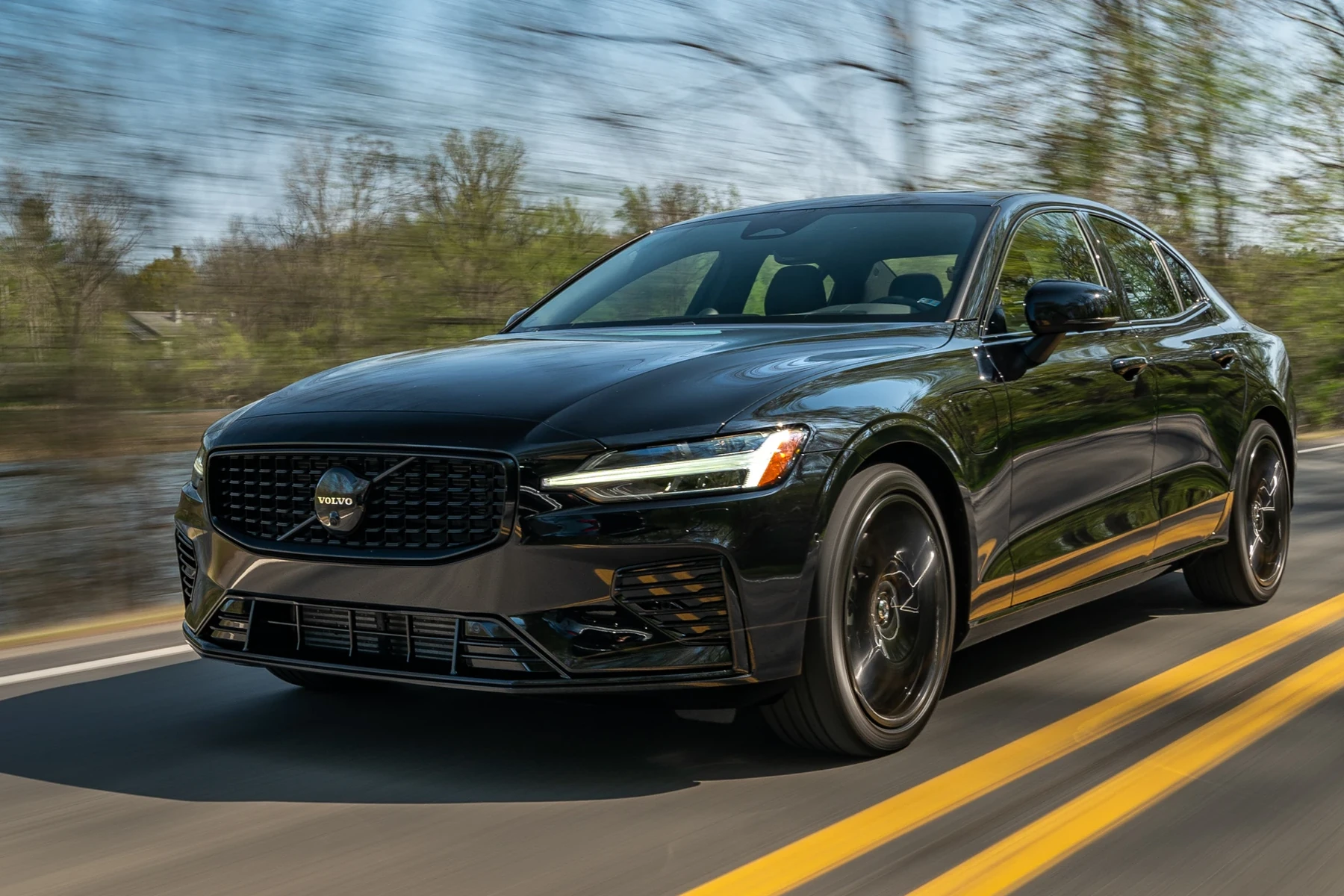
Two families exist: app-based dongles that use Bluetooth/WiFi, and handheld units with their own screen. Handhelds are simpler and more reliable for Volvo module access. App dongles are great for logging and sharing reports but can stumble on brand-specific functions depending on the app.
On an XC60, an ABS wheel-speed sensor fault won’t trigger a “Check Engine” light. The code lives in the ABS module — invisible to generic readers. A Volvo-capable scanner exposes it immediately. You can also use OBD scanner for Volvo as a helpful next guide on the same ownership topic.
OBD2 vs Volvo-Specific Diagnostic Scanners for the XC60
Engine-only OBD2 tools are fine for emissions-related faults (misfires, O2 sensors, EVAP). They stop at the ECM. Volvo-specific scanners add multi-module access and can run service functions like steering angle recalibration or EPB maintenance mode on certain model years. That’s the difference between guessing and confirming exactly why your SRS or DSTC message appeared.
Think in tiers: basic OBD2 for check-engine only, mid-tier Volvo-focused handhelds for all common Volvo modules, and advanced tablets for newer SPA XC60s that need broader UDS support and guided diagnostics. Factory tools (VIDA/DiCE) remain the gold standard for software updates and coding.
Volvo SPA (2018+) XC60 models use newer UDS diagnostics and updated CAN messaging. Always confirm that your chosen scanner lists 2018–2024 XC60 support by module, not just “Volvo compatible.”
What a Volvo XC60 Scanner Can Diagnose
A capable XC60 scanner surfaces fault codes and live data across the systems that actually trigger the warning messages owners see daily. Beyond the engine ECU, you’ll access ABS/ESC for braking and stability issues, the airbag/SRS module for safety system faults, and the transmission module for shifting behavior. Central electronics (CEM) and body modules store lighting, door, and comfort-system faults that drain batteries or trigger odd behaviors.

Live data matters as much as fault codes. Watching wheel-speed sensor data, fuel-trim behavior, charging voltage, or transmission temperature helps verify fixes and avoid parts darts. Many scanners also perform service reminders resets, EPB maintenance modes, and SAS calibration — with feature availability varying by year and tool.
Reading codes is safe. Clearing SRS/airbag faults without repairing the cause can leave the system disabled. Only clear SRS after confirming the physical fault is fixed.
Here is a quick map of what typical XC60 scanners can do across key systems and which tier you usually need to access them. Focus on the “Reset possible?” column if you’re planning brake or steering work.
In most cases, mid-tier Volvo-focused tools cover the modules you’ll need as an owner. Advanced tablets add speed, broader year coverage, and more service functions on 2018+ models.
| System | What it detects | Reset possible? | Scanner tier needed |
|---|---|---|---|
| Engine (ECM) | Misfires, O2/EVAP, sensor faults | Yes (after repair) | Any OBD2 (basic OK) |
| Transmission (TCM) | Shift faults, temp data | Limited (no coding) | Mid-tier or advanced |
| ABS/ESC | Wheel-speed, pump/valve faults | Yes (after repair) | Mid-tier or advanced |
| SRS/Airbag | Seat/pretensioner/sensor faults | Yes (only after repair) | Mid-tier or advanced |
| CEM/BCM | Lighting, locks, comfort systems | Yes | Mid-tier or advanced |
| Steering (SAS) | Angle sensor/calibration | Yes (relearn) | Mid-tier or advanced |
| EPB/Brake | EPB service/maintenance mode | Yes (service mode) | Mid-tier or advanced |
| TPMS/Climate | Sensor comms, HVAC blend doors | Some functions | Mid-tier or advanced |
Do Volvo OBD2 Scanners Work With All XC60 Model Years?
Coverage splits by generation. First-gen XC60 (2009–2017) uses P3-era modules; most Volvo-focused handhelds read these well. The 2018+ SPA XC60 adds UDS and newer module architectures; not every budget tool keeps up. For Recharge PHEV, engine and high-voltage systems are strictly separated — consumer scanners won’t access high-voltage battery management or perform software updates.
Before buying, check: 1) Does the scanner list your exact model year? 2) Does the brand list specific Volvo modules, not just “XC60 supported”? 3) Are updates included so you can add coverage as software evolves?
On 2018+ XC60s, many scanners need a vehicle “Auto-ID” step before a full scan. Skipping it can miss modules that aren’t visible under a generic Volvo profile.
Best Types of Scanner for Volvo XC60 Owners
Four tool types fit different XC60 uses. Basic code readers are cheap insurance for emissions faults, but they won’t help with SRS/ABS. Bluetooth dongles pair well with logging apps and casual monitoring. Handheld Volvo-focused scanners are the best “owner tool” — reliable, portable, and able to access Volvo modules. Advanced tablets suit frequent DIYers and indie shops working on multiple model years including 2018+ SPA cars.
- Basic code reader: Cheap, engine-only. Good glovebox backup.
- Bluetooth app scanner: Great graphs/logs; Volvo module access depends on app/brand.
- Handheld Volvo-focused: Best value for XC60 modules and service resets.
- Advanced tablet: Faster, broader coverage on 2018+; pricier but powerful.
- Confirm 2018+ SPA support if your XC60 is newer — look for “UDS” and named modules.
- Check for lifetime software updates; annual fees add up fast for casual users.
- Buy from authorized sellers to avoid clones (see warning below).
- Save a full vehicle scan report before and after any repair — it proves the fix.
Best Scanner Brands for Volvo XC60 — Comparison Table
Several brands consistently work well on XC60s. iCarsoft and Foxwell deliver strong Volvo module coverage at owner-friendly prices. Autel and Launch bring pro-level breadth and speed, especially for 2018+ SPA diagnostics. Budget brands like Ancel handle engine codes and some service functions but frequently miss module access on newer cars. The table below summarizes typical coverage and value for XC60 owners.
| Brand/model | Price | Volvo modules covered | Bluetooth/App | Verdict |
|---|---|---|---|---|
| iCarsoft VOL II | $140–$190 | ECM/TCM/ABS/SRS/CEM/EPB/SAS (2009–2017; partial 2018+) | No app (handheld) | Best value for most XC60 owners |
| Foxwell NT530 (Volvo) | $180–$230 | Strong across P3; good on many SPA modules | No app (handheld) | Great mid-tier with solid updates |
| Autel MaxiCOM MK808 | $400–$800 | Broad 2009–2024, faster full scans, more service funcs | Tablet, WiFi updates | Top pick for 2018+ SPA DIY/shops |
| Launch X431 (CRP/PRO) | $450–$900 | Wide module access + strong live data | Tablet, WiFi | Pro-grade alternative to Autel |
| Ancel/Bluetooth dongles | $30–$90 | Engine-only + basic resets | Yes (app dependent) | Good backup, limited Volvo depth |
Handheld Volvo-focused tools are the sweet spot for most XC60 owners. If you routinely tackle complex issues or own multiple 2018+ Volvos, the speed and coverage of an Autel/Launch tablet repay themselves quickly.
Clone scanners are rampant. Counterfeits often connect for engine codes but fail to read Volvo modules. Avoid unknown marketplace sellers and prices that look too good. Buy direct from the brand or authorized Amazon sellers.
Volvo XC60 Model-Based Scanner Guide
Pair the scanner tier to your XC60’s generation and what you plan to do. For 2009–2017 models, iCarsoft VOL II and Foxwell NT530 cover nearly all owner needs. For 2018–2024 SPA XC60s, an Autel MK808 or updated Foxwell/Launch unit improves module detection and service functions. Recharge PHEV owners benefit from live 12V/charging data; remember, no consumer tool programs high-voltage components.
- 2009–2017 XC60 (P3): iCarsoft VOL II or NT530 for full-module reads and resets.
- 2018–2024 XC60 (SPA): Autel MK808/Launch for faster full scans and better UDS coverage.
- XC60 Recharge (PHEV): Same as SPA; use live data to monitor 12V charging and EPB/SAS functions post-service.
For deeper dives into XC60 ownership tasks, see our XC60 maintenance schedule — scanners pair perfectly with preventive service planning.
Are XC60 Scanners Worth It, Reliable, and Safe to Use?
Yes — a Volvo-capable scanner typically pays for itself the first time it saves a diagnostic visit. Reliability comes down to buying a reputable brand and keeping software updated. Reading codes and live data is safe; writing/coding functions are where caution is needed (and are usually outside consumer tools anyway). For clarity on value, our overview on whether Volvo scanners are worth it details real savings vs shop fees.
Used correctly, a scanner speeds diagnosis, confirms repairs, and prevents parts cannon mistakes. It does not replace dealer software for programming new modules or keys.
Can a Volvo XC60 Scanner Work With iPhone and Other Cars?
Most Bluetooth dongles support iPhone via their companion app, while handhelds don’t need a phone. Autel/Launch tablet tools update over WiFi and export reports via email. Cross-brand use is common: Volvo-focused handhelds read basic OBD2 codes on other makes; advanced tablets add deeper coverage on dozens of brands. Check iOS app ratings and confirmed compatibility for your phone OS and XC60 year.
App-only solutions vary in Volvo module coverage. If iPhone use is a must and you need Volvo modules, choose a brand whose app explicitly lists XC60 modules, not just OBD2 support.
How to Use a Scanner on a Volvo XC60
A full-vehicle scan takes 10–20 minutes and can reveal hidden module faults that haven’t triggered a dashboard light yet. Start with a healthy 12V battery, identify your model year in the tool, and save a pre-repair report. After repairs, clear codes and re-scan to confirm they don’t return. The steps below work for both handheld and tablet-style scanners.
- Step 1: Park safely, switch ignition to ON (engine off) or “Ready” per the scanner’s prompt.
- Step 2: Plug the scanner into the OBD2 port (left of the driver footwell) and power it up.
- Step 3: Select Volvo → XC60 → correct model year; run Auto-ID if offered.
- Step 4: Perform a full system scan; note any stored and current faults.
- Step 5: Save/export the report; check live data for the problem module.
- Step 6: Perform the repair or maintenance task; then clear codes in that module.
- Step 7: Re-scan to confirm no immediate return of faults; road test if relevant.
Want pro-level workflow? See our step-by-step on using a professional car scanner on Volvos for advanced tips.
Why Is My Volvo XC60 Scanner Not Working?
Most connection failures are simple. A low XC60 battery can power lights but starve modules. The OBD fuse can blow after a short. Bluetooth pairing mistakes or wrong app selections block app-based tools. Some clones connect to ECM but fail on Volvo modules. Finally, older firmware may not support your year. Work through the basics before assuming a tool is defective.
- Ignition mode: Ensure ignition is ON; some modules sleep otherwise.
- OBD fuse: Check and replace if blown.
- Battery voltage: Keep above 12.4V during scans.
- App pairing: Select the correct adapter inside the app settings.
- Updates: Install latest scanner firmware and Volvo database.
Buying Guide: Which Scanner Should XC60 Owners Choose?
Choose by model year and how deep you plan to go. Occasional owners with 2009–2017 models do well with iCarsoft VOL II or Foxwell NT530. Frequent DIYers and 2018+ SPA owners benefit from Autel MK808 or Launch X431 for speed and service functions. If you only need emissions codes, a budget dongle works — but know its limits.
- Best basic (engine-only): Quality Bluetooth dongle with a well-rated app.
- Best value (2009–2017): iCarsoft VOL II.
- Best mid-tier (P3 and many SPA): Foxwell NT530 (Volvo).
- Best for 2018+ SPA DIY: Autel MaxiCOM MK808.
- Shop-level: Launch X431 or Autel advanced tablets.
For broader Volvo context and alternatives, compare notes with our general OBD2 scanner for Volvo guide.
Common Mistakes to Avoid and When to See a Mechanic
Three pitfalls cause the most frustration: buying a clone, skipping model-year confirmation, and clearing SRS/ABS codes without a fix. If a scan shows immobilizer faults, repeated communication errors across modules, or software version mismatches, it’s time for VIDA/DiCE or a Volvo dealer to perform software-level diagnostics or programming. Key coding, module replacement, and high-voltage battery work are not consumer-scanner jobs.
- Avoid: “Volvo compatible” claims with no module list.
- Avoid: Clearing SRS before repairing the wiring/sensor.
- See a pro for: Programming, immobilizer/key issues, and software updates.
A full-system scan that shows multiple “No Communication” faults can point to low voltage or a failing CEM/ground issue — diagnose the power and grounds before replacing modules.
Plan maintenance alongside diagnostics — our XC60 maintenance reminder explainer pairs well with service light resets many scanners provide.
💡 Evans Torres Tip: I keep an iCarsoft VOL II in my XC60 and run a full scan before any weekend service. It’s caught quiet wheel-speed sensor dropouts and a chafed rear harness long before a dash light appeared. My rule: save the report, fix the issue, then clear and re-scan. That paper trail has saved me time and at least one unnecessary parts return.
Frequently Asked Questions
This FAQ rounds up the most common XC60 scanner questions: best picks by year, iPhone connectivity, SPA-platform compatibility, service light resets, safety when clearing SRS codes, Bluetooth reliability, and what to try when a tool won’t connect. Use these answers to finalize your purchase and avoid the most frequent setup mistakes owners report with Volvo diagnostics.
What’s the best scanner for a 2009–2017 Volvo XC60?
For first-gen XC60s, the iCarsoft VOL II and Foxwell NT530 (Volvo software) consistently read ECM/TCM/ABS/SRS/CEM and support common service functions. They’re affordable, handheld, and don’t rely on phone apps. If you want faster scans and deeper special functions across multiple brands, an Autel MK808 is a step up.
What’s the best scanner for a 2018–2024 SPA Volvo XC60?
The Autel MaxiCOM MK808 or a Launch X431 variant performs well on SPA XC60s thanks to stronger UDS coverage and faster full-system scans. Updated Foxwell units can work, but confirm your exact year and modules. Always check the brand’s coverage list for SPA-era modules like SAS, EPB, and CEM.
Can I use a Volvo XC60 scanner with an iPhone?
Yes for Bluetooth dongles and tablet tools that support iOS apps or WiFi export. Handhelds like iCarsoft and Foxwell don’t require a phone. If iPhone use is mandatory and you need Volvo modules, verify the app explicitly lists XC60 module access — not just basic OBD2.
Will a scanner reset the XC60 service reminder?
Most mid-tier and advanced scanners can reset the oil/service reminder after maintenance. Always perform the actual service first. If you prefer manual steps by year, see our XC60 service reminder resources on-site for button/menu sequences.
Is it safe to clear SRS/airbag codes on an XC60?
Only after fixing the cause. Clearing SRS without repair can leave the system disabled. Use your scanner to read codes and pinpoint the fault (e.g., seat connector, pretensioner circuit), repair it, then clear and re-scan to confirm the fix holds.
Why won’t my scanner connect to my XC60?
Check ignition mode (ON), OBD fuse, and battery voltage. Update scanner firmware, pick the correct XC60 year, and run Auto-ID if available. Avoid cloned tools — they often read ECM but fail on Volvo modules. If multiple modules report “No Comm,” stabilize voltage above 12.4V first.
Can I use the scanner on other cars in my garage?
Yes. Volvo-focused handhelds read basic OBD2 codes on most brands. Advanced tablets (Autel/Launch) often include deeper module access on dozens of makes. Expect Volvo-special functions to be Volvo-only, while emissions and live-data functions usually work across brands.
Final Verdict
For most owners searching “scanner for Volvo XC60,” a Volvo-capable handheld is the right move: iCarsoft VOL II or Foxwell NT530 for 2009–2017 models, and Autel MK808 or Launch X431 for 2018+ SPA cars. Confirm your exact year and target modules, stick with authorized sellers to avoid clones, and keep firmware updated. Use your tool to scan first, repair second, and clear third — that sequence saves money and time. For programming, immobilizer, or high-voltage work, book a Volvo specialist or dealer with VIDA/DICE support.
Author

Author

Evans Torres
I’m Evans Torres, an automotive engineer who loves Volvo cars. I graduated in Automotive Engineering from USC. I have worked in the car industry for years and now share my knowledge on The Volvo Life. I started this blog to connect with other Volvo fans. I offer tips, news, and advice to help you care for your car. My goal is to help you keep your Volvo in great shape and find all the best things about it. Join me as we discover everything Volvo has to offer!