



Remote starting your Volvo XC60 is a convenient feature that allows you to warm up your vehicle before you get in, especially during cold weather. With either the key fob or the Volvo On-Call app, you can activate the climate control system and ensure your XC60 is comfortable upon entry. This guide will provide comprehensive, step-by-step instructions for both methods of remote starting your vehicle, along with troubleshooting tips for common issues.
- Remote start methods: Key fob or Volvo On-Call app.
- First step: Ensure your model supports remote start.
- Subscription: Volvo On-Call may require a subscription for full features.
- Limitations: The vehicle must be within range of the remote signal.
- Safety: Always check that doors are closed and the vehicle is in a safe location.
New Volvo Owner
You just bought a XC60 and want to learn all its features, including remote start.
Cold Climate Driver
Cold mornings are tough, and remote start can save you the discomfort of getting into a cold car. You can also use how to use a Volvo to jump start another car safely as a helpful next guide on the same ownership topic.
Tech-Savvy User
You love using smartphone apps for convenience and want to maximize your Volvo experience. For related context, you may also want to read how much does a new Volvo car cost.
Understanding Your Volvo XC60’s Remote Start Feature
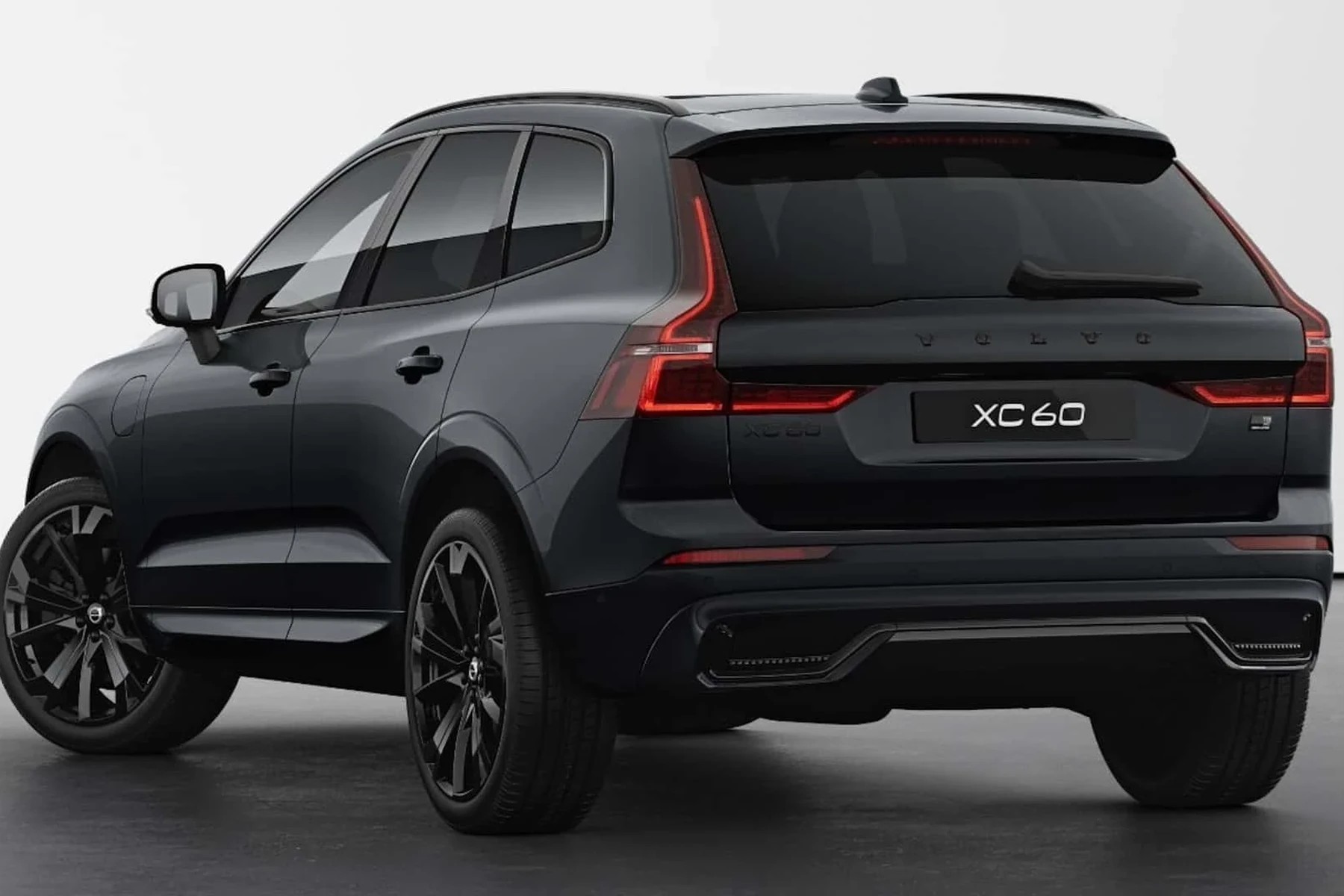
The remote start feature allows you to start your XC60 from a distance, ensuring the cabin is at a comfortable temperature before you enter. This feature is particularly useful in extreme weather conditions. However, it’s essential to understand how this system works and what your specific model requires for the feature to function properly. This connects closely with how to use android auto in your Volvo XC60 app if you want to compare the topic in more detail.
Common Symptoms of Remote Start Issues
While using the remote start feature, you may encounter various issues that prevent it from functioning correctly. Common symptoms include:
- Key fob not responding: The remote start may not activate if the key fob’s battery is dead.
- Distance limitations: If you are too far from the vehicle, the remote start won’t work.
- Environmental factors: Extreme temperatures or interference from structures can impact signal strength.
- Vehicle in service mode: If the vehicle is in service mode, remote start will be disabled for safety.
Most Likely Causes of Remote Start Failures
If your remote start isn’t working, several factors could be at play. Here are the most common causes:
- Key fob battery dead: A dead battery in your key fob will prevent the remote start from functioning.
- Vehicle out of range: The remote start feature only works within a specific distance from the vehicle.
- Subscription expired: Using the Volvo On-Call app may require an active subscription to function properly.
- Environmental obstructions: Thick walls or metal structures can interfere with the signal.
- Vehicle in service mode: If your car is in service mode, remote start capabilities are disabled.
Here is a summary of the key points covered above regarding the potential causes of remote start failures. Identifying the root cause can help you quickly resolve the issue. For another practical angle, see can you track a Volvo car.
| Cause | Description | Potential Fix |
|---|---|---|
| Key fob battery dead | The battery in your key fob is not working. | Replace the key fob battery. |
| Out of range | You are too far from the vehicle. | Move closer to the vehicle. |
| Subscription expired | Volvo On-Call may require an active subscription. | Renew your subscription. |
| Environmental interference | Obstructions may prevent the signal from reaching the car. | Try starting the vehicle from a different location. |
| Service mode | The vehicle is in a mode that disables remote start. | Switch to normal mode. |
How To Diagnose Remote Start Issues
Diagnosing issues with your XC60’s remote start system can be straightforward if you follow these steps: You can also use can you disable a Volvo car alarm as a helpful next guide on the same ownership topic.
- Step 1: Check the key fob battery. Replace it if necessary.
- Step 2: Ensure you’re within the operating range of your vehicle.
- Step 3: Verify that your Volvo On-Call subscription is active.
- Step 4: Ensure that no doors are open and the hood is latched.
- Step 5: Test the remote start feature multiple times to identify any patterns in failure.
How To Fix Remote Start Issues
Depending on the diagnosis, various fixes may be necessary. Here’s how to address the common issues:
- Replace the key fob battery: Obtain a replacement battery and follow instructions to change it.
- Move closer to the vehicle: Ensure you are within the recommended range for remote starting.
- Renew subscription: Contact Volvo or check the Volvo app to ensure your subscription is up to date.
- Perform a system reset: If the vehicle is in service mode, switch back to normal mode as per the owner’s manual.
- Check for interference: Move to a different location if you suspect environmental factors are affecting the signal.
Repair Cost for Remote Start Issues
Understanding the potential costs associated with repairing remote start issues can help you budget appropriately:
How To Prevent Remote Start Issues
Preventing remote start issues involves a few simple practices that can save you time and frustration:
- Regularly check and replace the key fob battery as needed.
- Keep your Volvo On-Call subscription active to enjoy full functionality.
- Ensure that the vehicle is maintained properly to avoid other issues that could affect remote start.
- Store the vehicle in a location that minimizes signal interference.
- Consider keeping a spare key fob battery in your glove box.
- Set reminders for subscription renewals to avoid lapses.
- Familiarize yourself with the vehicle’s manual for troubleshooting tips.
- Regularly inspect door and hood latches to ensure they work correctly.
By following these preventive measures, you can reduce the chances of experiencing remote start issues in the future.
With the right information and troubleshooting methods, remote starting your Volvo XC60 can become a seamless experience.
💡 Evans Torres Tip: I’ve found that a simple battery check on my XC60’s key fob often resolves remote start issues. After one winter when I struggled to get my car started, I realized the battery was low. Now, I replace it every fall to ensure I don’t get caught off-guard when the weather turns cold! If you are comparing similar topics, how much a Volvo car cost is also worth checking.
Frequently Asked Questions
This FAQ section addresses common inquiries regarding the remote start feature for the Volvo XC60. These questions cover functionality, troubleshooting, and maintenance to help you maximize your remote start experience.
Can I remote start my Volvo XC60 without the key fob?
Yes, if you have the Volvo On-Call app, you can start your vehicle remotely from your smartphone, provided you have an active subscription.
What should I do if my remote start feature isn’t working?
Check the key fob battery, ensure you are within range, and verify that your Volvo On-Call subscription is active. If problems persist, consult your dealer.
How long does the engine run when I use remote start?
When activated, the engine typically runs for about 10 minutes, allowing the climate control system to adjust the temperature before you enter.
Is there a distance limitation for using remote start?
Yes, the remote start feature has a distance limitation, typically around 100-150 feet. You must be within that range for the feature to activate.
Can I disable the remote start feature?
Yes, you can disable the remote start feature through the vehicle’s settings or by contacting your dealer for guidance.
What happens if I try to remote start with the doors open?
The remote start will not activate if any doors are open. Ensure all doors and the hood are securely closed before attempting to start the vehicle remotely.
How can I check if my Volvo On-Call subscription is active?
You can check your subscription status directly in the Volvo On-Call app under account settings or by contacting Volvo customer support.
What should I do if my XC60 is in service mode?
To exit service mode, consult your owner’s manual or contact your dealer for specific instructions related to your vehicle model.
Final Verdict
Remote starting your Volvo XC60 can enhance your driving experience, especially in cold weather. By understanding how to use both the key fob and the Volvo On-Call app, you can ensure your vehicle is ready for you before you step inside. If you encounter any issues, troubleshooting steps can usually resolve them quickly. If problems persist, don’t hesitate to reach out to your dealer for assistance. Enjoy the convenience and comfort of remote starting your XC60!
Author

Author

Evans Torres
I’m Evans Torres, an automotive engineer who loves Volvo cars. I graduated in Automotive Engineering from USC. I have worked in the car industry for years and now share my knowledge on The Volvo Life. I started this blog to connect with other Volvo fans. I offer tips, news, and advice to help you care for your car. My goal is to help you keep your Volvo in great shape and find all the best things about it. Join me as we discover everything Volvo has to offer!