



Can scanner for Volvo XC90 — yes: pick a Volvo-capable tool that reads all modules, not just engine codes. Best overall value for XC90 owners: iCarsoft VOL II (reads ABS/SRS/TCM/CEM). Best budget: a quality Bluetooth dongle (engine-only) for quick checks. Best advanced: Autel MaxiCOM MK808 for deeper diagnostics and service functions. If you have a 2015+ XC90 (SPA), verify UDS support before buying.
A random ABS, airbag, or “Time for Regular Service” message on an XC90 triggers the same question every owner asks: which scanner will actually read Volvo’s modules? Generic $30 dongles are fine for basic check-engine codes, but they won’t see SRS, ABS, or transmission faults on an XC90. Picking a Volvo-aware scanner saves a dealer trip and gives you live data to confirm a fix. This guide focuses on XC90 compatibility (2003–2014 P2 and 2016+ SPA) and shows the exact features, brands, and steps that work. This connects closely with 5 best aftermarket brake pads and rotors for Volvo XC90 quality you can trust if you want to compare the topic in more detail.
- Main point: Choose a Volvo-capable scanner (iCarsoft VOL II, Foxwell NT530, Autel MK808) to read SRS/ABS/TCM/CEM; generic tools see engine-only.
- Best first step: Confirm your XC90’s model year and protocol (pre-2014 P2 vs 2016+ SPA) and check the scanner’s Volvo coverage list.
- Cost or value: $25–$60 (engine-only); $120–$200 (full-module DIY); $400–$800 (advanced shop-grade).
- Who it suits: DIY owners benefit from iCarsoft/Foxwell; mobile pros lean Autel/Launch.
- When to get help: For programming/adaptations/key coding, use Volvo VIDA/DiCE or a specialist.
Wants to read and clear ABS/SRS/engine codes, view live data, and reset the service reminder without a dealer visit.
Needs a dependable mid/advanced tool for all modules and common service functions on P2 and SPA XC90s.
Prefers Bluetooth/iPhone scanning for quick engine checks across multiple family cars, plus a handheld for deeper Volvo work.
What an OBD2 Scanner for a Volvo XC90 Is and How It Works
An OBD2 scanner connects to the XC90’s diagnostic port to read diagnostic trouble codes (DTCs), show live sensor data, and perform service tasks. All scanners can see basic engine/emissions codes because that’s the federal OBD2 standard. The difference on Volvos is access to brand-specific modules such as ABS, SRS (airbag), TCM (transmission), CEM (central electronics), BCM, SAS, and climate. A Volvo-capable scanner speaks the extra protocols these modules use, so you see the real cause behind warnings beyond the Check Engine Light. For related context, you may also want to read can you get a remote start key for Volvo XC90.
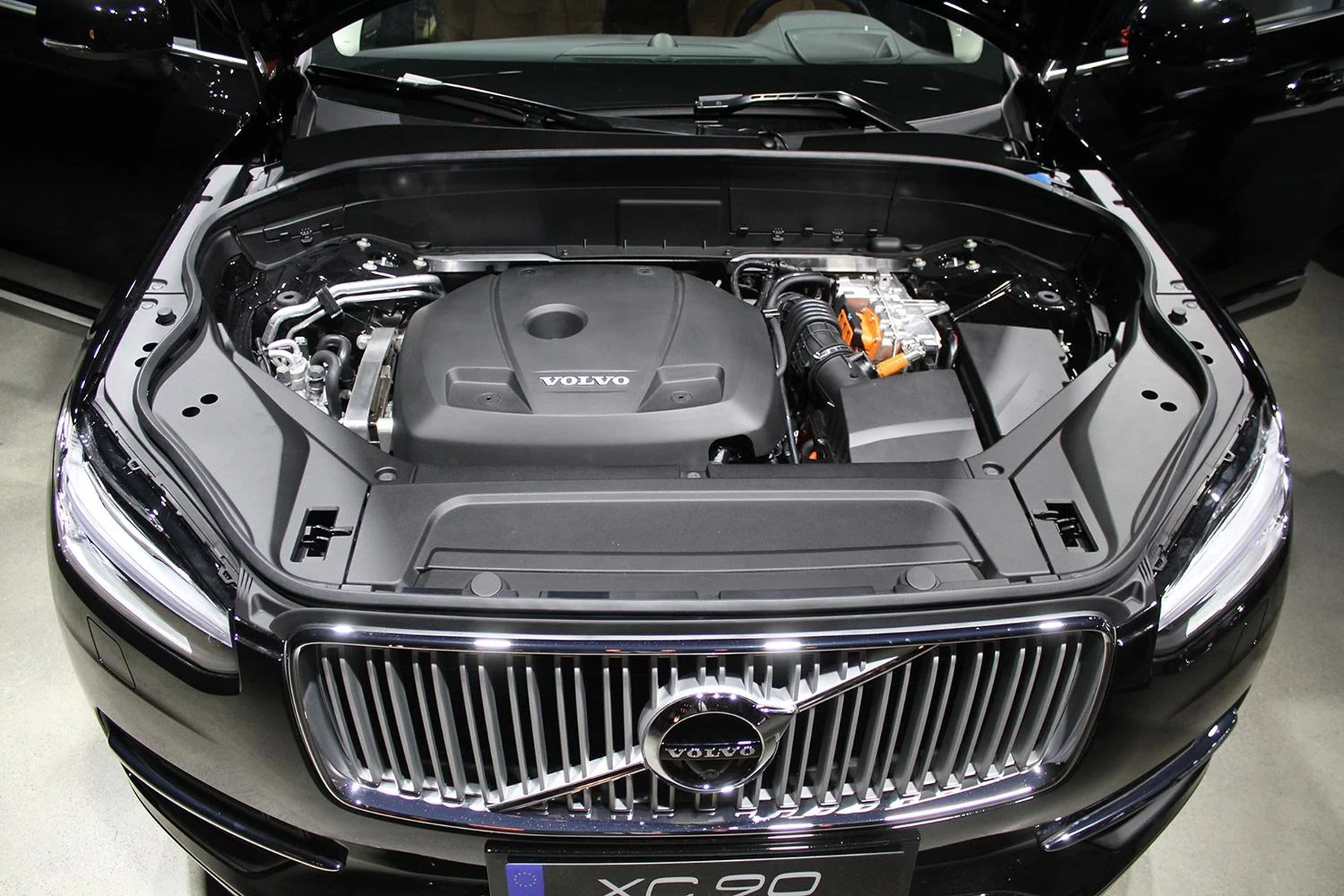
TCM (Transmission)
ABS/DSM
SRS/Airbag
CEM
BCM
SAS
CCM (Climate)
OBD2 Scanner vs Volvo-Specific Diagnostic Scanner for the XC90
A generic OBD2 reader (including many Bluetooth dongles) talks only to the engine/emissions system. That’s why it clears a Check Engine Light but misses an ABS or airbag fault. A Volvo-specific scanner adds the brand protocols needed to enter SRS, ABS, TCM, CEM, and more. On an XC90, that’s the difference between guessing and seeing the exact wheel sensor, airbag circuit, or shift solenoid at fault. For most owners, a mid-range Volvo-capable tool pays for itself with one avoided diagnostic visit.
Before buying, verify the scanner’s Volvo coverage by model year (2003–2014 XC90 P2 vs 2016+ SPA). Not every tool that says “Volvo” supports newer UDS protocol on 2016+ models or reads all modules on older P2 cars.
What a Volvo XC90 Scanner Can Diagnose
Expect engine and transmission faults, ABS/SRS warnings, central electronics issues, and common service resets to be visible with a Volvo-capable tool. Budget readers can still help with quick engine checks, but the XC90’s most stressful lights (airbag, ABS, transmission) live outside generic OBD2. Live data graphs (O2 sensors, MAF, wheel speed, battery/charging voltage) help confirm a repair rather than “parts swapping.” Most mid-tier units also reset oil/service reminders and perform steering angle or EPB functions when required.

Here is a quick-reference summary of what systems you can access and which tier you need to do more than read basic engine codes.
The table shows which modules require a mid-range Volvo scanner and which items you can handle with a basic reader. Use it to match your budget to your actual needs.
| System | What it detects | Reset possible? | Scanner tier needed |
|---|---|---|---|
| Engine (ECM) | Misfires, O2/MAF/EGR faults | Yes (after fix) | Basic or higher |
| Transmission (TCM) | Shift solenoid/pressure faults | Yes (codes); adaptations need advanced | Mid-range+ |
| ABS/Brake | Wheel speed sensors, pump faults | Yes (after fix) | Mid-range+ |
| SRS/Airbag | Seatbelt pretensioner, bag circuit | Yes (after physical fault fixed) | Mid-range+ |
| CEM/BCM | Lighting, CAN, immobilizer comms | Sometimes | Mid-range+ |
| Service reminder | Oil/inspection counter | Yes | Mid-range (some basic readers via menu) |
| TPMS | Sensor ID/pressure status | Limited (relearn needs advanced) | Advanced |
| Steering angle (SAS) | Sensor drift/fault | Calibration | Advanced |
Do Volvo OBD2 Scanners Work on All XC90 Model Years?
Coverage depends on platform and protocol. First-generation XC90s (2003–2014, P2) use earlier Volvo networks that many mid-range tools support well. Second-generation XC90s (2016+, SPA) use UDS diagnostics; some older handhelds don’t fully support newer modules. Always check the tool’s compatibility sheet for “2016+ XC90 (SPA) UDS support.” If you own a very early 2003–2004 model, confirm the scanner lists those years specifically, as a few budget readers limit support to 2005+ P2 cars. You can also use maintenance schedule for 2005 Volvo XC90 as a helpful next guide on the same ownership topic.
On many 2016+ SPA Volvos, even a mid-tier scanner can reset the service reminder and read dozens of modules — but software updates for the scanner itself are essential to keep that coverage current.
Best Types of Scanner for Volvo XC90 Owners
Different scanner types fit different jobs. A basic handheld or Bluetooth dongle is perfect for a quick engine check on the road. A mid-range Volvo-specific handheld reads all the modules you actually care about on an XC90, including ABS and SRS. Advanced tablets add guided tests, graphing, and limited coding. Factory software (VIDA/DiCE) is beyond casual owners but remains the gold standard for programming and advanced adaptations.
- Basic code reader: $25–$60. Engine/emissions only. Good for pre-purchase checks.
- Bluetooth dongle + app: $40–$100. Engine data on iPhone/Android; module access is limited.
- Mid-range handheld (Volvo-capable): $120–$200. Reads/clears all major Volvo modules; best XC90 value.
- Advanced tablet: $400–$800. Adds special functions, better live data, some adaptations.
Best Scanner Brands for Volvo — Comparison Table
The models below are frequently recommended by XC90 owners and independent shops. Prices are typical U.S. street pricing and change with promos. Use the “Volvo modules covered” column to avoid buying a second tool later.
| Brand/Model | Price (USD) | Volvo modules covered | Bluetooth/App | Verdict |
|---|---|---|---|---|
| iCarsoft VOL II | $130–$180 | ECM/TCM/ABS/SRS/CEM/BCM | Handheld (no phone) | Best value for XC90 DIY |
| Foxwell NT530 (Volvo) | $170–$220 | ECM/TCM/ABS/SRS + service | Handheld (no phone) | Strong alternative to iCarsoft |
| Autel MaxiCOM MK808 | $500–$800 | Full systems + special funcs | Android tablet | Shop-grade power for enthusiasts |
| Topdon ArtiDiag series | $300–$600 | Most modules + service | Android tablet | Good features per dollar |
| YOUCANIC (scanner/app) | $200–$400 (sub model) | Wide brand coverage; Volvo varies | Phone-based | Convenient, check Volvo modules list |
| ELM327 + app | $25–$60 | Engine only | iOS/Android | Budget backup — not Volvo-specific |
iCarsoft VOL II and Foxwell NT530 deliver the most XC90-specific coverage per dollar. Advanced tablets like Autel MK808 justify their higher price if you maintain multiple cars or want deeper service functions and better graphing.
Clone/counterfeit scanners are common. Too-good-to-be-true pricing often means unreliable Volvo module access or failed updates. Buy from the brand’s official store or an authorized seller.
Volvo Model-Based Scanner Guide (XC90 Focus)
XC90 needs vary by generation. P2 (2003–2014) owners typically want ABS/SRS and transmission access to chase age-related issues. SPA (2016+) owners benefit from UDS support and strong service-reset coverage. If you maintain other Volvos in the garage (XC60, S60/V60), a mid-range Volvo-capable unit is the sweet spot. For model-specific pointers on its sibling SUV, see our detailed scanner advice for XC60.
- XC90 2003–2014 (P2): iCarsoft VOL II or Foxwell NT530 read SRS/ABS/TCM; advanced units speed diagnosis on older electronics.
- XC90 2016+ (SPA): Ensure UDS support. iCarsoft VOL II (latest firmware) or Autel MK808 are reliable picks.
- XC60/S60/V60 family: The same mid-range Volvo tools apply; confirm exact year coverage.
Are Scanners for Volvo Worth It, Reliable, and Safe to Use
For XC90 owners, a Volvo-capable scanner pays for itself quickly by revealing SRS/ABS/TCM specifics that generic tools miss. Reputable brands like iCarsoft, Foxwell, Autel, and Topdon are dependable when kept updated. Reading codes is safe; writing/coding functions should be used with care and only when the procedure is documented.
Never clear SRS (airbag) or ABS codes until the physical fault is corrected. Clearing without repair can disable safety systems and hide a real problem.
Can a Volvo Scanner Work with iPhone / Be Used on Other Cars
Yes, with the right hardware. Many handhelds are standalone and don’t require a phone at all. If you prefer a phone-based setup, choose a dongle with confirmed iOS support (e.g., OBDLink MX+ for engine-level checks) or a brand that offers its own iOS app. Remember, cross-brand scanning typically drops to basic OBD2 functions on non-Volvo cars, while Volvo-specific handhelds maintain full-module access only on supported Volvo models.
For official manuals and feature explanations, Volvo’s support portal is a helpful reference: Volvo Support (USA).
How To Use a Scanner on a Volvo XC90 (Step-by-Step)
A clean connection and the correct vehicle profile are half the battle. Set the parking brake, turn off HVAC and audio, and ensure the battery is healthy (12.4V+). Most Volvo-capable scanners ask for model/year selection — pick “XC90” and the right year/platform. Run a full-system scan first, save the report, and only then drill into live data to confirm intermittent issues. Clear codes after repairs; don’t rely on clearing to “fix” a recurring fault. For another practical angle, see can start stop be turned off in profile Volvo XC90.
- Find the OBD2 port: It’s above the driver’s footwell on the left side of the lower dash panel.
- Ignition ON: Press Start without the brake (or key to position II) so modules wake up.
- Select vehicle: Choose Volvo → XC90 → exact year/platform; update the scanner if the menu is missing.
- Run full scan: Read all modules; save or email the scan report for your records.
- Use live data: Graph key sensors (O2, MAF, wheel speed, battery voltage) to confirm a diagnosis before buying parts.
- Repair then clear: Perform the fix, then clear codes. Re-scan to verify the fault doesn’t return.
- Charge/update the scanner before a big diagnostic session — low power or old firmware causes many connection issues.
- Label screenshots/logs with mileage and date; it’s invaluable if the issue returns.
- For service resets on 2016+ XC90s, verify UDS support in your tool’s changelog.
- Use a battery maintainer during long diagnostics on older XC90s to avoid low-voltage gremlins.
Why Your Volvo Scanner Isn’t Working
Connection failures usually trace to five things: the scanner isn’t Volvo-capable for your year, ignition isn’t truly ON, the app pairs to the wrong Bluetooth device, the OBD port fuse is blown, or the vehicle battery is weak. Update the scanner’s firmware, confirm UDS support on SPA models, and try another phone if using a dongle. If only some modules fail to communicate, you may be looking at a vehicle-side network issue (CAN/CEM) rather than a tool problem.
Buying Guide: Which Scanner Should You Choose
Match the tool to how you’ll use it. For most XC90 owners, a mid-range handheld with full Volvo module coverage is the smart buy. If you maintain multiple brands or want special functions, step up to an advanced tablet. For a broad overview across the Volvo lineup, see our deeper OBD2 scanner for Volvo guide, and for pro workflows check how to use a professional Volvo scanner.
- Best overall (XC90 DIY): iCarsoft VOL II.
- Best alternative mid-range: Foxwell NT530 (Volvo software loaded).
- Best advanced: Autel MaxiCOM MK808 (multi-brand, deep data).
- Best engine-only companion: Quality Bluetooth dongle + OBD Fusion/Car Scanner app.
Common Mistakes to Avoid / When to Visit a Mechanic Instead
Avoid buying a clone or a tool that lists “Volvo” generically without years/modules. Don’t clear SRS/ABS codes without fixing the root cause. Skipping firmware updates leads to missing menus on SPA XC90s. If your scan shows persistent network errors (CEM/CAN faults), repeated TCM codes after a proper fluid/filter service, or immobilizer issues, it’s time for a Volvo specialist. For transmission adaptation or key programming, consumer scanners won’t substitute factory tools — specialized equipment is required.
Owners who specifically need transmission adaptation info can also review our explainer on scanner capabilities: can a Matco scanner set Volvo transmission adaptation.
Before scrolling to the FAQs, a quick personal note:
💡 Evans Torres Tip: I keep an iCarsoft VOL II in my XC90 and run a full scan anytime a warning pops up. The report tells me exactly which wheel speed sensor or airbag connector to inspect, and I save the PDF to my phone. That history has saved me from repeat diagnostics and made parts ordering a one-and-done process — no guessing, no return trips.
Frequently Asked Questions
This FAQ covers the most common XC90 scanner questions: best picks by model year, iPhone/Bluetooth compatibility, service light resets, connection problems, and what a consumer scanner can and cannot do compared with dealer software. If you’re cross-shopping tools, use these answers to confirm coverage for your exact year and to avoid buying a second scanner later.
What’s the best scanner for a 2016+ Volvo XC90?
For 2016+ SPA XC90s, iCarsoft VOL II (latest firmware) and Foxwell NT530 are excellent mid-range choices that read SRS/ABS/TCM/CEM. If you want deeper graphing and special functions, Autel MaxiCOM MK808 is a strong step up. Verify UDS support in the product notes to ensure complete module coverage on SPA models.
Will a Bluetooth OBD2 dongle read airbag or ABS codes on an XC90?
Usually no. Bluetooth dongles paired with generic apps read engine/emissions data only. Airbag (SRS), ABS, and transmission modules require a Volvo-capable scanner like iCarsoft VOL II, Foxwell NT530, or an advanced tablet such as Autel MK808 to access and clear codes after repairs.
Can a scanner reset the “Time for Regular Service” message on an XC90?
Yes. Most Volvo-capable mid-range and advanced scanners can reset the service reminder. On many 2016+ XC90s, you can also reset via the vehicle’s menu after service. If the message returns immediately, complete the actual service or recheck the reset steps for your exact model year.
Does a Volvo scanner work with iPhone?
Handhelds don’t need a phone at all. If you want a phone-based setup, use a dongle with confirmed iOS support (e.g., OBDLink MX+) for engine checks, or pick a brand that provides its own iOS app. Full-module Volvo access typically requires a dedicated handheld or advanced tablet rather than a generic app.
Why won’t my scanner connect to a 2004 XC90?
Compatibility gaps are common on early P2 years. Confirm the tool explicitly lists 2003–2004 XC90 support. Update the scanner firmware, set ignition to ON (not ACC), and check the OBD fuse. If only some modules fail, you may have a vehicle-side network issue rather than a bad tool.
Can a consumer scanner program keys or do transmission adaptation?
No. Consumer scanners read/clear codes and perform basic resets. Programming keys, module flashing, and transmission adaptations require factory-level software/hardware such as Volvo VIDA/DiCE or professional tools with subscriptions. Book a qualified Volvo specialist for those procedures.
Where is the OBD2 port on the Volvo XC90?
It’s above the driver’s footwell on the left side of the lower dash panel. Use a flashlight to spot the trapezoid connector. For official references and owner-material lookups, visit Volvo Support (USA).
Final Verdict
XC90 owners should skip generic engine-only readers for real diagnostics. A mid-range Volvo-capable handheld such as the iCarsoft VOL II or Foxwell NT530 reads the modules that matter most on an XC90 — ABS, SRS, TCM, and CEM — while advanced tablets like Autel MK808 add professional features if you maintain multiple vehicles. Confirm coverage by model year (P2 vs SPA), keep firmware updated, and use live data to validate a fix before clearing codes. For programming and adaptations, book a Volvo specialist or factory-level tool session.
My Top Picks at a Glance
Here are the three can scanner options I would check first if you want a faster buying decision.
These picks highlight the strongest overall choice, the best value option, and the premium-style pick for practical Volvo ownership.
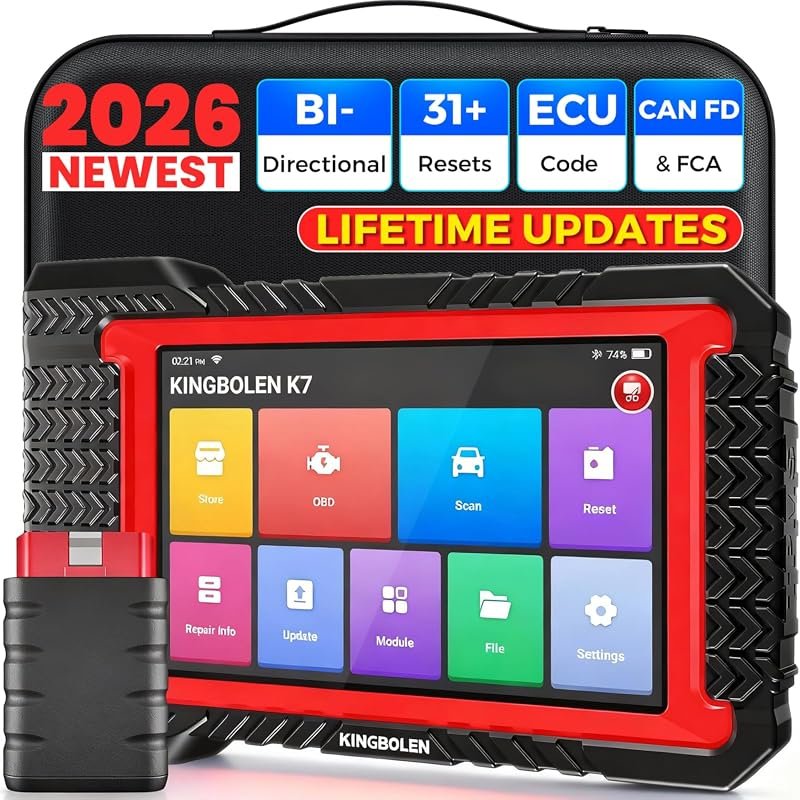 Best Overall
KINGBOLEN K7 Bluetooth bidirectional OBD2 scanner, lifetime updates, no fees, 31+ resets, CAN FD, FCA AutoAuth.
It offers the strongest all-around mix of fit, value, and practical daily use for Volvo owners.
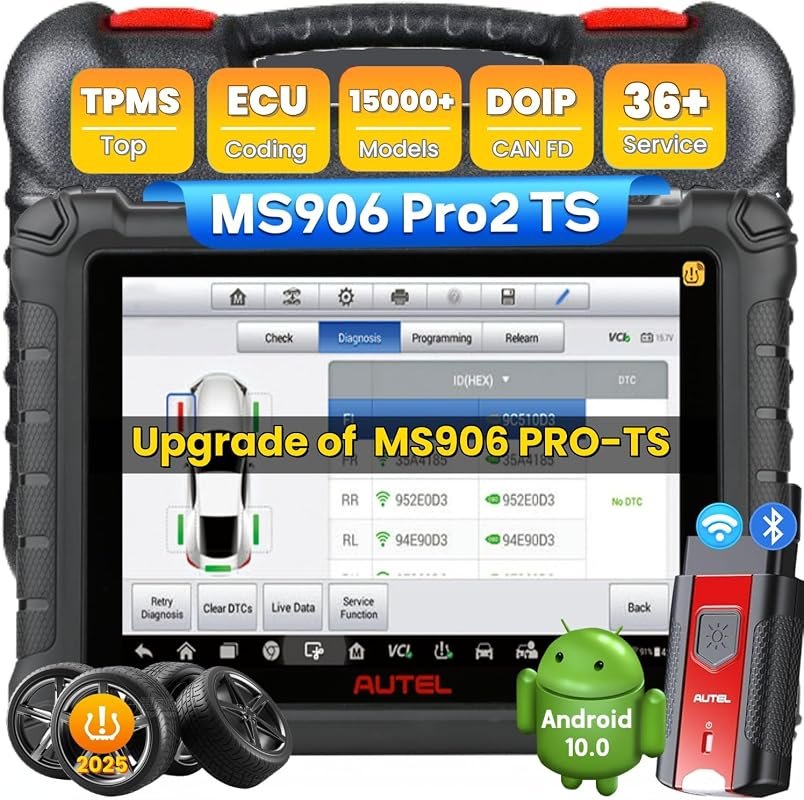 Best Value
Autel MaxiSYS MS906 PRO2-TS scanner with TPMS, ECU coding, bidirectional control, 36+ services, CAN FD/DoIP.
It makes sense for owners who want a useful upgrade without paying more than necessary.
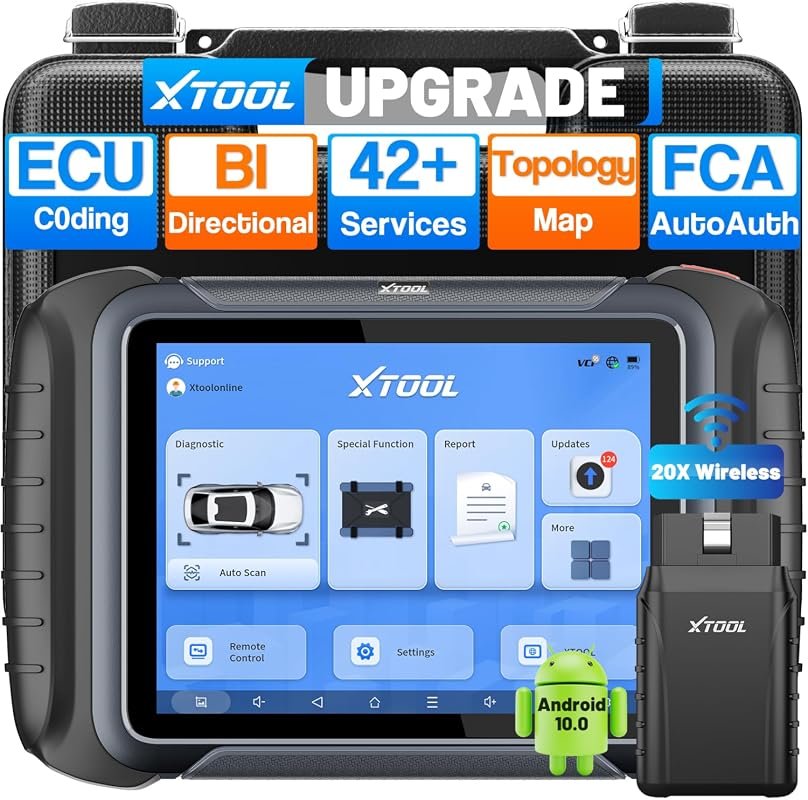 Best Premium Option
XTOOL D8W wireless bidirectional OBD2 scanner, topology mapping, 3-year updates, ECU coding, 42+ resets, FCA AutoAuth.
It is the pick I would compare first if build quality, features, and long-term ownership value matter most.
Author

Author

Evans Torres
I’m Evans Torres, an automotive engineer who loves Volvo cars. I graduated in Automotive Engineering from USC. I have worked in the car industry for years and now share my knowledge on The Volvo Life. I started this blog to connect with other Volvo fans. I offer tips, news, and advice to help you care for your car. My goal is to help you keep your Volvo in great shape and find all the best things about it. Join me as we discover everything Volvo has to offer!