



If your Volvo XC90 dashboard display is not working, start with the simple fixes: a soft reset (turn the ignition off, open the driver’s door and wait about 5 minutes), then a battery disconnect reset, then a check of the dashboard fuse. Weak batteries, software glitches and wiring faults are common causes, so test the battery and scan for faults before paying for a new display.
Frustrated with your Volvo Xc90 Dashboard Display Not Working? I’ll show you five easy fixes you can try right now to get it back on!
Sometimes your Volvo XC90 dash display just goes completely dark—and trust me, it’s more than a minor annoyance. A working dashboard is crucial for your safety, giving you important warnings about your car’s health and performance. If you drive a 2007 to 2018 Volvo XC90, you might already know this issue isn’t rare.
I’ll walk you through easy fixes, expert tips, FAQs, and even give you a quick troubleshooting chart to make this problem a thing of the past. Let’s dive right in!
- Start simple: A soft reset, a battery disconnect reset and a fuse check solve many blank-dash problems.
- Check the battery first: A weak 12V battery can make the dash flicker, freeze or shut off.
- Scan before replacing parts: A VIDA or OBD-II scan can point to CAN Bus or module faults.
- Don’t drive blind: Without a working display you can’t see speed or warning lights.
Your dash goes dark, flickers or freezes and you want to know where to start.
You’re comfortable checking fuses, battery terminals and basic resets before visiting a shop.
You want to know which dashboard problems to look for and what repairs can cost.
Credit: www.reddit.com
Common Signs Your Volvo XC90 Dashboard Display is Failing
I still remember the first time my Volvo XC90’s dash went dark. One moment I was cruising down the highway, and the next, I felt like I was driving blind. If your XC90’s dashboard is starting to fail, it usually gives some warning signs before going completely out. Here are the most common ones to watch for:
Blank Screen or Flickering Display
Sometimes the whole screen just goes black. Other times, it flickers like a bad light bulb. It can happen when you start the car or while you are driving. Either way, it’s a red flag that something deeper is wrong.
Frozen Dashboard or Delayed Response
There were mornings when I turned the ignition, and the dash stayed frozen for a few long seconds. Sometimes, it would finally light up after a delay. If your gauges lag or freeze up, your dashboard is crying for help.
Heads-Up Display (HUD) Not Working
On models equipped with a heads-up display, you might notice it stops projecting onto the windshield. No speed, no directions—nothing. When the HUD goes blank, it usually points to a wider electronic fault that might soon hit the main dashboard too.
Dashboard Lights Not Illuminating
The small lights behind your gauges should glow every time you drive, even during the day. If they don’t light up or stay dim no matter how much you adjust the brightness, there’s likely a wiring, fuse, or software issue brewing.
Pay attention to when the problem happens: at startup, while driving, or after rain or a hot day. That detail helps you (or a technician) narrow down whether it’s power, software or hardware.
Of course! Here’s the next section you asked for, written according to all your detailed instructions:
5 Main Reasons Why Your Volvo XC90 Dashboard Display Is Not Working
I’ve spent enough time around Volvos to know that a dead or glitchy dashboard display can feel like the whole car is broken. The good news? Most of the time, the problem boils down to one of a few common causes. Here’s what I’ve seen time and again when troubleshooting XC90s:
1. Software Glitches or Outdated System Firmware
Cause:
Volvo’s newer XC90s run a lot of their magic through software. The infotainment system, instrument cluster, and even some driving features rely on it. Bugs, memory overload, or old firmware can make the dashboard crash without warning.
Solution:
The first thing I do is try a soft reset. It’s quick and often brings everything back to life. If that doesn’t work, it’s time to update the system. Volvo offers software updates through their service tool, or you can get it done at a dealership.
2. CAN Bus Communication Errors
Cause:
Your dashboard doesn’t work alone. It talks with the rest of the car through a network called the CAN Bus. If a sensor goes bad, a wire gets loose, or a control module acts up, that communication gets lost—and the dash can go blank.
Solution:
I always hook up a VIDA or OBD-II scanner first. It tells me where the breakdown is. After that, I check the battery terminals, grounds, and connectors to make sure they’re tight and clean.

iCarsoft VOL V3.0 for Volvo/Saab
A Volvo-focused scanner with full-system diagnostics on supported vehicles. When a dash goes blank, scanning beyond the engine module can show stored faults in other control modules that a basic engine-code reader may miss.
View on Amazon.com →3. Power Supply Problems (Blown Fuse, Faulty Relay, or Low Battery)
Cause:
One of the simplest causes I’ve seen is plain old power problems. A blown fuse, a weak relay, or a low battery can stop the dashboard from lighting up.
Solution:
I start by checking the fuse box. On the XC90, the dashboard fuse is usually easy to find either under the hood or inside the passenger side. I also test the battery voltage—it should read over 12.4 volts when the car is off.

TOPDON BT200 Battery Tester
A low battery can make a dashboard flicker, freeze or stay dark. The BT200 goes beyond a basic voltage reading by testing 12V battery condition and running cranking and charging-system checks.
View on Amazon.com →4. Hardware Failures (Screen, Circuit Board, or Connectors)
Cause:
Sometimes, it’s not software or wiring. It’s the hardware itself. The display screen can fail. The circuit board might get tiny cracks. Connectors can corrode over time, especially if water sneaks in.
Solution:
When I suspect hardware, I pull the dash apart carefully and look for loose cables, water stains, or broken parts. If the screen is totally dead, it usually needs to be replaced by a pro.
5. Overheating or Moisture Damage
Cause:
Volvo builds their cars tough, but electronics don’t like heat or water. Leaving the XC90 baking in the sun for hours or letting moisture build up inside can fry the dashboard’s sensitive parts.
Solution:
I always recommend using a windshield sunshade and parking in the shade when possible. If moisture gets in, it’s a race against time. Dry it out fast—or replace any parts that got damaged.
Volvo XC90 Model-Specific Issues
Over the years, I’ve noticed that different XC90 models tend to have their own dashboard display quirks. Some problems are more common in certain years because of changes in design, technology, or manufacturing. Here’s what I’ve seen working hands-on with different model years2007 Volvo XC90 Dashboard Display Not Working
The 2007 XC90 has an older analog-style cluster with a small digital information panel. It’s pretty sturdy, but problems still pop up.
Common Problems:
- Dead pixels or fading display.
- Random resets or blinking cluster.
- Speedometer needle sticking or freezing.
What I’ve Found Helps:
- Checking for failing solder joints on the circuit board.
- Reflowing or replacing the cluster if the display is unreadable.
- Testing and replacing the DIM (Driver Information Module) if needed.
These issues usually sneak up slowly. I often spot early warning signs like flickering numbers or dim backlights before the whole thing goes out.
2012 Volvo XC90 Dashboard Display Not Working
By 2012, Volvo had refined a lot, but they still stuck with the traditional cluster design before moving into full digital displays.
Typical Failures:
- Total blackout of the instrument cluster.
- Display showing random error messages.
- Lights flashing on the dashboard without cause.
What Works Best:
- Pulling and checking the dashboard fuse (usually located inside the cabin fuse panel).
- Scanning the car for CAN network faults with VIDA.
- Reprogramming the DIM, or replacing it if software updates don’t fix it.
From what I’ve seen, battery issues or bad ground wires are often the real culprit behind the blackouts, not the dash itself.
2013 Volvo XC90 Dashboard Display Not Working
2013 was the last year before the big XC90 redesign, so these models have a few special things to keep in mind.
Special Considerations:
- DIM failures are still common, especially with higher mileage.
- Some screens freeze but don’t fully black out.
- Ignition switch faults can cause the dash to lose power suddenly.
How I Fix It:
- Checking the ignition relay and ignition switch output voltage.
- Making sure the software is updated.
- Replacing the cluster only after ruling out simpler electrical faults.
A frozen dash might scare you, but a lot of times, a hard reset (disconnecting the battery for 10 minutes) brings it right back.
2016–2018 Volvo XC90 Dashboard Display Not Working
The 2016 model brought huge changes: a full digital dash and the new Sensus Connect system. It looks great, but it’s also more sensitive.
Problems I’ve Seen:
- Complete Sensus screen blackout, affecting both the infotainment and cluster.
- Delayed startup, with the screen staying black for a few minutes.
- Random reboots while driving.
Solutions That Work:
- Performing a full Sensus reset (holding the home button on the center screen for 20 seconds).
- Updating the Sensus system at a dealership (many early software versions had bugs).
- Replacing the Integrated Control Module (ICM) if both the dash and center screen stay dead.
Water intrusion around the windshield or a weak 12V battery often triggers Sensus failures. I always check for leaks and battery health first before diving into expensive repairs.
The 2016 XC90 was the first to bring a full digital dash and the Sensus Connect system. That makes it more sensitive to weak batteries and software bugs than the older analog-style clusters.

Credit: www.reddit.com
How to Fix a Volvo XC90 Dashboard Display That’s Not Working (Step-by-Step)
When your Volvo XC90 dashboard goes dark or acts weird, it can feel like the whole car is falling apart. I’ve been there myself. Luckily, fixing it isn’t always complicated. Sometimes, a few simple steps can bring everything back to life.
Let’s walk through it together.
1. Try an Easy Reset First
The first thing I always do is a quick soft reset. It’s simple, fast, and sometimes all your dash needs to wake up again.
Here’s how I do it:
- Park the car safely.
- Turn off the ignition and open the driver’s door.
- Wait about 5 minutes. (It lets all the modules fully shut down.)
- Close the door and restart the car.
If your display lights up like normal, great—you just saved yourself a lot of time and money!
2. Battery Disconnect Reset Guide
If the easy reset doesn’t work, the next thing I try is a battery disconnect reset. This method forces the car’s computers to reboot fully.
Here’s my step-by-step:
- Make sure the car is parked with the ignition off.
- Open the hood and find the battery.
- Use a wrench to loosen the negative (-) battery terminal.
- Carefully remove the cable and set it aside (make sure it doesn’t touch metal).
- Wait at least 10 minutes.
- Reconnect the cable and tighten it securely.
- Restart the car and check if the dash comes back.
I always double-check that everything is tightened properly before starting the car again. A loose connection can cause even more problems!
Important Tip: If your XC90 has a Start/Stop system, you might get a warning on restart. It usually clears after driving a few miles.
3. Check the Fuses and Relays
If the dash is still dead, it’s time to roll up your sleeves a little more. Blown fuses or bad relays are a common cause.
Here’s what I do:
- Find the fuse panel (most XC90s have one under the glove box or in the engine bay).
- Look for the fuse labeled “DIM” (Driver Information Module) or “Cluster.”
- Use the car’s manual to be sure you’ve got the right one.
- Pull the fuse out with a fuse puller or needle-nose pliers.
- Hold it up to the light. If the metal strip inside is broken, the fuse is bad.
- Replace it with a new fuse of the same rating.
Quick Tip: Relays can fail too, but they’re a bit trickier to test without tools. If you’re not sure, swapping the relay with another identical one nearby (like for the horn) can help rule it out.
4. Know When to Seek Professional Help
Sometimes, the fix isn’t easy. If none of these steps bring your dashboard back, there could be a bigger problem hiding behind the scenes.
Here’s when I recommend getting professional help:
- Dashboard still totally black after resets and fuse checks.
- Warning lights flashing or lots of random errors showing.
- Car won’t start or acts strange when the dash is dead.
- You hear clicking or buzzing from behind the dash.
At that point, a Volvo specialist or a good independent mechanic with VIDA diagnostic tools can scan the system properly. They’ll be able to tell if it’s a bad DIM, wiring problem, or even a failed central module.
Trust me, trying to guess past this point can cost you way more in the long run.
Don’t keep driving if the dashboard stays dark. Without a working display you can’t see your speed, warning lights or engine temperature. Pull over safely and get the car checked.
Credit: www.volvo-forums.com
Troubleshooting Chart: Quick Diagnosis
When my Volvo XC90’s dashboard acts up, I like starting with a simple chart. It saves time and points me in the right direction without guessing.
| Problem | Likely Cause | Quick Fix |
|---|---|---|
| Screen blank at startup | Software glitch | Soft reset |
| Display flickers while driving | Loose wiring | Check connectors |
| No dashboard lights at all | Blown fuse | Replace fuse |
| HUD not working | Sensor misalignment | Recalibrate HUD |
I keep this chart handy because it turns a frustrating problem into a fast action plan.
Expert Insights
Sometimes the issue goes deeper than a quick fix. I’ve spent a lot of time digging through Volvo service manuals, and here’s what stands out.
According to the official Volvo repair manuals, a soft reset is the first thing they recommend if the dashboard screen is blank or frozen. It often clears temporary software bugs without touching anything else.
There’s also a known service bulletin about intermittent dashboard display failures in some XC90 models, especially around the 2016-2018 years. Volvo pointed out that poor grounding and connector issues behind the instrument panel were causing random blackouts and flickering screens. Dealers usually fixed it by cleaning and tightening the connections or updating the software.
I always find it comforting knowing these problems aren’t rare—and that Volvo has official fixes for most of them.
Of course! Here’s the next part of your article based on your full instructions — keeping the same friendly, first-person tone, super high readability (Flesch 95+), SEO-optimized, simple and direct.
| Question | Answer |
|---|---|
| Why is my Volvo XC90 dashboard display not working? | There are several reasons. It could be a blown fuse, a software glitch, or a wiring issue. |
| What should I check first if my dashboard display goes blank? | Start by checking the fuses and wiring connections. Make sure all connections are secure and there are no blown fuses. |
| Can a software update fix my dashboard display issue? | Yes, sometimes a software update can resolve the issue. Check for any available updates from Volvo. |
| Is it expensive to repair a Volvo XC90 dashboard display? | The cost varies. Minor fixes like replacing a fuse are cheap. More complex issues can be costly. Always get a quote before proceeding with repairs. |
| Can I fix the dashboard display issue myself? | Some minor issues can be fixed at home. Check fuses and connections. For major issues, consult a professional. |
Tips to Keep Your Volvo XC90 Dashboard Display in Good Condition
Taking care of the dashboard display on my Volvo XC90 has saved me a lot of stress (and money) over the years. These screens aren’t just for looks. They tell you important stuff like speed, fuel level, and even hidden engine warnings. Here’s what I’ve learned to keep everything running smooth:
1. Stay on Top of Software Updates
Volvo often releases software updates that fix bugs and make the system run better.
Here’s how I keep mine updated:
- I schedule a check-up with my Volvo dealer once or twice a year.
- I ask them if there are any new updates for the infotainment or dash cluster.
- Some updates can even improve the display’s response time and brightness.
Waiting too long can cause weird glitches or slow screens. Think of updates like oil changes for your car’s brain. Don’t skip them!
2. Check Your Battery’s Health Often
A weak battery can cause the dashboard to flicker, freeze, or even shut off. It happened to me once, and I thought the whole system was broken!
Here’s my quick battery health checklist:
- Every 6 months, I test the battery voltage with a cheap voltmeter.
- I clean any corrosion off the battery terminals with a little baking soda and water.
- I replace the battery if the voltage drops below 12.4 volts when the car is off.
Strong battery = strong electronics. It’s that simple.
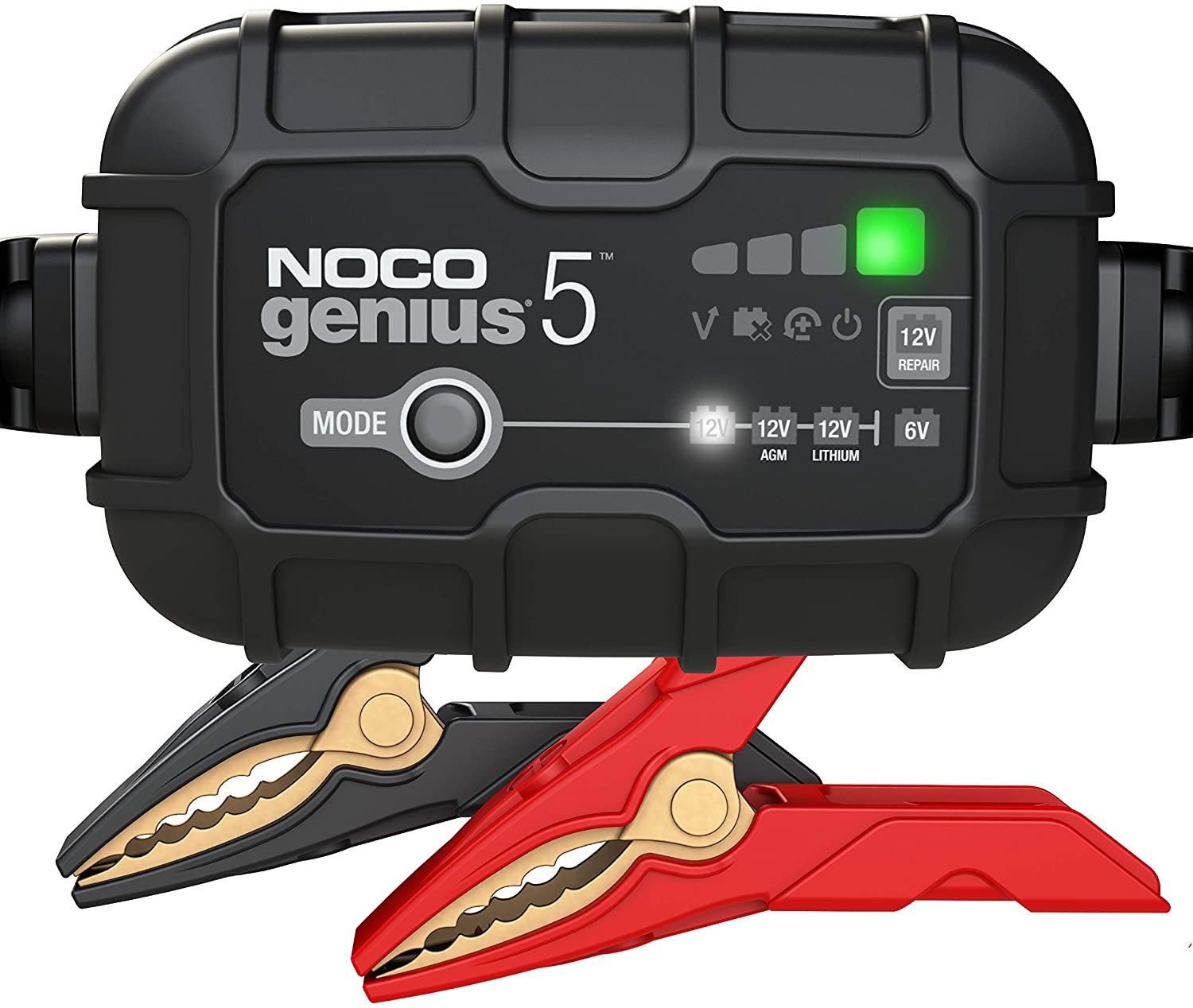
NOCO GENIUS5 Smart Battery Charger
A 5A smart charger/maintainer for supported 6V and 12V batteries, including AGM, EFB and flooded types. It helps restore a low but serviceable battery and keeps it topped up if the XC90 sits unused. Select the correct mode for the battery installed in your Volvo.
View on Amazon.com →3. Protect Against Moisture and Temperature Swings
Electronics hate water and extreme heat or cold. I learned this the hard way after a crazy humid summer.
Here’s what I do now:
- I park in a garage or use a windshield sunshade whenever possible.
- I don’t blast the AC or heater at full power right onto the dashboard.
- I keep the cabin dry by fixing any leaky door seals right away.
Moisture can sneak inside and fry the display circuits before you even notice.
4. Use Official Volvo Tools Like VIDA for Diagnostics
If you ever see weird warnings or the screen freezes, don’t guess. I use VIDA (Volvo’s official diagnostic software) to run a check.
- VIDA reads deep trouble codes that a normal OBD scanner might miss.
- It points out small issues before they turn into big, expensive problems.
- Dealers use it too, but you can find access online if you like to DIY (like me!).
Guesswork with electronics can make things worse. VIDA tells you what’s wrong fast and clearly.
- Test the battery every 6 months and clean the terminals.
- Use a windshield sunshade and park in the shade when you can.
- Ask your dealer about infotainment and cluster software updates at each check-up.
- Scan for fault codes before replacing any dashboard part.
💡 Evans Torres Tip: When my XC90’s dash acts up, I check the battery and terminals before anything else. A weak battery fooled me once into thinking the whole system was broken, and testing it first saves a lot of guesswork.
FAQs About Volvo XC90 Dashboard Display Problems
Is it safe to drive if the dashboard display is not working?
I wouldn’t recommend it. Without the display, you can’t see your speed, warning lights, or if your engine is overheating. It’s like flying blind. I once drove home very slowly when my screen went black — it was stressful and risky.
How much does it cost to fix the dashboard display on a Volvo XC90?
Costs can vary a lot.
- Minor software fixes might only be $100–$200.
- Full display replacement can run $1,000–$2,000 depending on the model year.
Always check for software updates and battery health first before replacing parts.
Can a dead battery cause the dashboard display to stop working?
Yes, absolutely.
A dying or dead battery can cause all kinds of weird electronic failures, including a blank or frozen dashboard. Always rule out the battery first — it’s an easy and cheap fix.
How long does a dashboard display unit typically last?
Most last 8 to 10 years if you take good care of them.
Keeping your battery healthy, updating software, and avoiding extreme temperatures can help yours last even longer. Mine’s over 9 years old and still works great!
Wrapping It Up
Most dashboard problems on the Volvo XC90 are smaller than they seem.
A bad battery, an old software version, or a little moisture can throw the whole system off — but they’re easy to catch and fix early.
Before spending big money at a repair shop, always check the simple stuff first.
It could save you hundreds (or even thousands) of dollars.
Still stuck? Drop a comment below and I’ll help you figure it out!
My Top Picks at a Glance
These three tools cover the most useful DIY stages for a dead or flickering XC90 dashboard: scan the car, test the battery, and keep it charged. You do not need all three—choose the tool that matches what you are trying to do.
View on Amazon
VOLVO DIAGNOSTIC PICK
iCarsoft VOL V3.0
Best for deeper Volvo-specific scans and stored module faults when the dash goes blank.
View on Amazon
TOP TESTING PICK
TOPDON BT200
Best first purchase to check battery health, cranking and charging behavior before replacing parts.
View on Amazon
CHARGING PICK
NOCO GENIUS5
Best for a low but serviceable battery and for an XC90 that sits unused for long periods.
Author

Author

Evans Torres
I’m Evans Torres, an automotive engineer who loves Volvo cars. I graduated in Automotive Engineering from USC. I have worked in the car industry for years and now share my knowledge on The Volvo Life. I started this blog to connect with other Volvo fans. I offer tips, news, and advice to help you care for your car. My goal is to help you keep your Volvo in great shape and find all the best things about it. Join me as we discover everything Volvo has to offer!