



Have scanner for Volvo XC60 — choose iCarsoft VOL II for full Volvo module coverage, Autel MK808 for advanced DIY/pro features, or OBDLink MX+ if you want a Bluetooth app setup. These options read ABS, SRS, and CEM on 2009–2024 XC60s, not just engine codes.
XC60 owners asking for a scanner usually need more than a generic code reader. Many Volvo faults sit in SRS, ABS, TCM, and CEM modules that cheap tools can’t see, which is why a Volvo-capable scanner saves a dealer diagnostic fee fast. For related context, you may also want to read can scanner for Volvo XC60.
Below you’ll find how Volvo scanners work, which type and brand to buy for your XC60 generation, iPhone/Bluetooth options, step-by-step use, and what to do if a scanner won’t connect. This connects closely with is scanner for Volvo XC90 if you want to compare the topic in more detail.
- Main point: Pick a Volvo-capable scanner (iCarsoft VOL II or Autel MK808) to read all XC60 modules; generic ELM327 tools only read engine codes.
- Best first step: Confirm your XC60 model year; 2018+ SPA cars need scanners that support UDS/CAN-FD for newer modules.
- Cost or value: Expect $140–$200 for solid handheld coverage; $450–$700 adds bi‑directional tests and pro features.
- Who it suits: DIY owners, used‑car buyers, and anyone clearing service reminders or chasing ABS/SRS faults.
- When to get help: For software updates, coding, and immobilizer/key programming, use a Volvo specialist or VIDA/DiCE.
Wants to read and clear common ABS, SRS, and check‑engine faults without a dealer visit.
Needs live data, service resets, and Volvo‑module access to diagnose jobs in the garage.
Runs a full‑module scan on an XC60 before purchase to avoid hidden warning‑light costs.
What an OBD2 Scanner for the Volvo XC60 Does (and How It Works)
An OBD2 scanner plugs into the port beneath the XC60 dashboard (above the driver’s footwell) and talks to the car’s control modules. Generic readers talk to the engine ECU only; Volvo‑aware tools access ABS, SRS, TCM, CEM, BCM, and more.
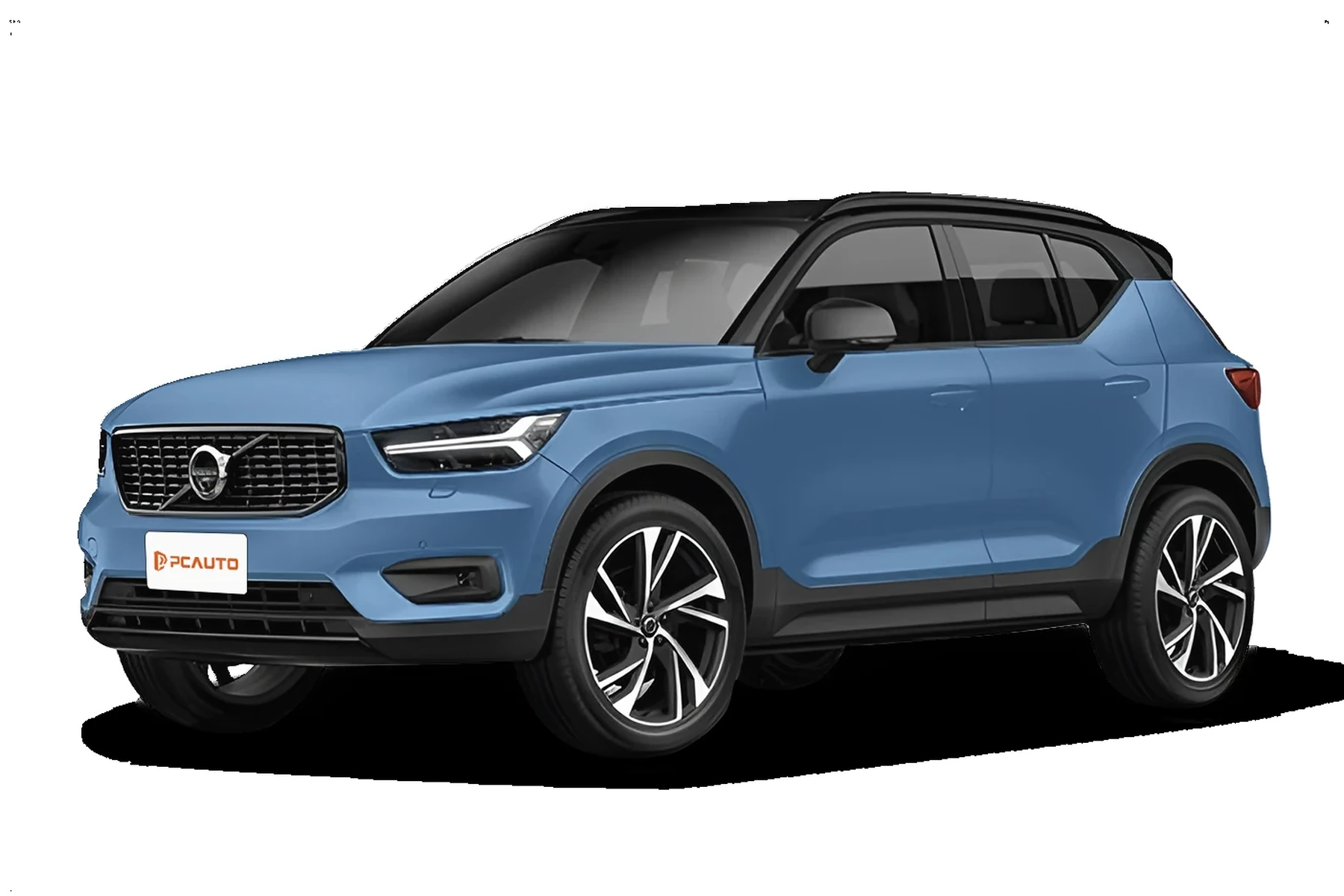
On 2018+ XC60 (SPA), modules use newer UDS diagnostics. Pick a scanner that explicitly lists 2018–2024 XC60 support so you can read all systems and reset service reminders reliably.
Pre-2017 XC60s (P3 platform) and 2018+ XC60s (SPA platform) use different protocol sets. Always check your model year and engine when confirming scanner compatibility.
OBD2 Scanner vs Volvo-Specific Diagnostic Scanner
Standard OBD2 readers are fine for basic check‑engine codes and emissions data. XC60 owners quickly hit a wall when ABS, airbag (SRS), or transmission lights appear — those live outside generic OBD2 access.
Volvo‑specific scanners (or advanced multi‑brand tools with Volvo coverage) communicate with body, chassis, and central electronics modules, show live data, and perform service resets that generic tools can’t.
Many XC60 “mystery” warnings trace to the Central Electronic Module (CEM). A Volvo-aware scanner can read CEM faults and pinpoint failing sensors or network issues in minutes.
Here’s the difference at a glance so you buy once, not twice.
Volvo-capable tools pay for themselves the first time they save a $150–$250 diagnostic fee; generic readers often lead to a second purchase.
| Feature | Generic OBD2 Reader | Volvo-Specific Scanner |
|---|---|---|
| Engine (ECM) codes | Yes | Yes |
| ABS/SRS/TCM/CEM access | No | Yes (model-year dependent) |
| Service light reset | Sometimes (generic) | Yes (XC60 procedures) |
| Live data (multi-module) | Limited (ECM only) | Broad (ECM/ABS/SRS/etc.) |
| Actuation/bi-directional tests | No | Mid/Pro tiers only |
| 2018+ SPA compatibility | Rare | Listed on modern tools |
| Typical price | $20–$60 | $140–$700+ |
What a Volvo XC60 Scanner Can Diagnose
A Volvo-aware tool reads engine, transmission, AWD/Haldex, ABS/ESC, SRS/airbag, steering angle, TPMS, climate, and central electronics faults. It also displays live sensor data like wheel speeds, boost pressure, O2/AFR, coolant temp, and battery/charging voltage.

Beyond reading and clearing codes after a repair, mid/advanced tools reset the service reminder, perform SAS resets, initiate DPF regens (diesel regions), and run component tests on supported years.
- Check Engine/ECM: Misfire, O2/AFR, EVAP, turbo/boost, MAF/MAP faults.
- ABS/ESC: Wheel speed sensors, yaw rate, pump/valve errors.
- SRS/Airbag: Seatbelt tensioner, occupancy sensor, clock spring.
- Transmission/TCM: Solenoid, pressure, temp sensors, shift logic.
- CEM/BCM: Network, lighting, key antenna, voltage anomalies.
- TPMS/Steering/Climate: Sensor faults, calibrations, blend motors.
Do Volvo OBD2 Scanners Work With All XC60 Model Years?
Coverage depends on generation. For 2009–2017 XC60 (P3), most iCarsoft, Foxwell, and Autel tools read all major modules. For 2018–2024 XC60 (SPA), ensure explicit UDS support and service‑reset capability.
Recharge (PHEV) variants add high‑voltage components you won’t program with consumer tools, but you can still read chassis/engine/12V systems normally.
For a broader brand-wide look at compatibility across models, see our guide on whether scanners work with all Volvo models.
Best Types of Scanner for Volvo XC60 Owners
Pick the tier that matches how you’ll use it and your XC60’s model year. Newer cars benefit most from mid or advanced tools that keep up with modern modules.
- Basic code reader ($20–$60): Engine codes only; fine for emissions checks, not for ABS/SRS.
- Bluetooth OBD app setup ($60–$130): OBDLink MX+ with OBD Fusion; convenient live data, limited Volvo module access.
- Handheld Volvo‑aware ($140–$220): iCarsoft VOL II, Foxwell NT530; reads most XC60 modules and resets service.
- Advanced tablet ($450–$700): Autel MK808/MK808S; adds bi‑directional tests, better coverage on SPA years.
Best Scanner Brands for Volvo — Comparison Table
Use this table to balance price against Volvo module coverage and connectivity. Check your exact XC60 year before purchasing.
| Brand/Model | Price | Volvo Modules Covered | Bluetooth/App | Verdict |
|---|---|---|---|---|
| iCarsoft VOL II | $150–$180 | ECM/TCM/ABS/SRS/CEM (P3 & many SPA) | Handheld (USB update) | Best value for most XC60 owners |
| Foxwell NT530 (Volvo software) | $180–$230 | Strong P3; solid SPA coverage | Handheld (card updates) | Great mid‑tier alternative |
| Autel MaxiCOM MK808/MK808S | $500–$700 | Wide module access; bi‑directional | Wi‑Fi tablet | Advanced DIY/pro choice |
| OBDLink MX+ + OBD Fusion | $100–$130 | ECM focus; limited body modules | Bluetooth to iOS/Android | Best app setup; not full Volvo coverage |
| Topdon Artidiag | $250–$450 | Good multi‑brand, decent Volvo | Tablet (Wi‑Fi) | Balanced features if on sale |
Shopping specifically for XC60? Our focused piece on OBD scanners for Volvo XC60 narrows the list further by generation and features.
Volvo XC60 Model-Based Scanner Guide
Recommendations shift slightly between generations and trims. Use these quick picks to match your XC60.
- 2009–2017 XC60 (P3): iCarsoft VOL II or Foxwell NT530 read SRS/ABS/TCM/CEM and reset service. Budget: avoid engine‑only readers.
- 2018–2024 XC60 (SPA): Autel MK808/MK808S handles UDS modules well; iCarsoft VOL II works for most functions, but verify SPA coverage.
- XC60 Recharge (PHEV): Same as SPA; consumer tools won’t program HV components but will read/clear chassis and 12V systems.
Want a broader look by trims and accessories? See our roundup of the best scanners for Volvo XC60 by budget and features.
Are Volvo XC60 Scanners Worth It, Reliable, and Safe?
Yes — a Volvo‑aware scanner pays off fast if you keep an XC60 for more than a year. iCarsoft, Foxwell, Autel, and Topdon are proven brands with regular software updates and broad Volvo coverage.
Reading codes is safe. Clearing SRS without a real fix only hides the warning temporarily; the fault returns and the system may be compromised until repaired.
Never clear airbag (SRS) faults just to remove a light. Confirm the physical issue — connector under the seat, clock spring, or sensor — is corrected first.
Can a Volvo XC60 Scanner Work With iPhone and Other Cars?
Most modern options support iPhone or Android either via Bluetooth (OBDLink MX+) or as Wi‑Fi/USB‑updated handhelds. Handhelds don’t rely on a phone but still update through a PC or Wi‑Fi.
Cross‑brand use is common at the basic OBD2 level. Advanced Volvo functions won’t carry to other makes unless the tool includes their specific software.
If you prefer app‑based workflows, read our breakdown of Volvo scanner iPhone compatibility before buying.
How to Use a Scanner for Volvo XC60 (Step-by-Step)
Using a scanner the right way saves time and captures data before you clear anything. Always record freeze‑frame info and current DTCs so you can verify a real fix later.
- Park and prep: Park safely, set parking brake, and turn accessories off.
- Locate OBD port: Find the 16‑pin port above the driver’s footwell.
- Plug in: Connect the scanner; for Bluetooth, pair it and open the app.
- Ignition on: Switch to ignition ON (engine off) or per scanner prompt.
- Select Volvo/XC60: Choose make, model, and year; auto‑VIN if supported.
- Run full scan: Scan all modules; save codes and freeze‑frame data.
- Review live data: Check relevant PIDs (e.g., wheel speeds, O2, fuel trims).
- Repair first: Fix root cause, then clear codes and re‑scan to confirm.
- Service reset: Perform the service reminder reset if you completed maintenance.
- Charge the vehicle battery above 12.4V before scanning to avoid communication dropouts.
- Always update scanner firmware/databases before first use on a new model year.
- Save a full pre‑repair scan report; it’s valuable if a light returns later.
- On SPA (2018+), select “Auto Scan (UDS)” when available for faster module detection.
Why Is My Volvo XC60 Scanner Not Working?
Connection failures usually trace to power, pairing, or compatibility. Work through this short list before assuming the tool is bad.
- No power at OBD port: Check the OBD/cigar fuse; low battery can also drop comms.
- Wrong app/pairing: Use the manufacturer’s app; pair in‑app, not via phone settings (Bluetooth tools).
- Incompatible tool: Engine‑only readers cannot access SRS/ABS/UDS modules.
- Outdated software: Update the scanner’s Volvo database and retry.
- Clone/counterfeit: Cheap knockoffs often fail to connect to Volvo modules.
Counterfeit iCarsoft, Autel, and Foxwell tools are common online. Buy from the brand’s official store or authorized sellers — clones often connect to ECM only and fail on Volvo modules.
Buying Guide: Which Scanner Should You Choose?
Match your pick to how you’ll use it, your XC60’s model year, and your budget. Here are clear recommendations by profile.
- Basic owner (all years): iCarsoft VOL II — reads key XC60 modules and resets service without app hassle.
- DIY enthusiast (P3 or SPA): Foxwell NT530 (Volvo) — solid depth with an upgrade path to add other makes.
- Advanced DIY/pro: Autel MK808/MK808S — broad coverage, bi‑directional tests, and frequent updates.
- App-first user: OBDLink MX+ + OBD Fusion — excellent live data; accept limited Volvo module access.
- Budget shopper: Ancel VOD700 — better than generic ELM327, but verify SPA coverage.
Want a shorter shortlist? We also maintain a model‑specific page on the best OBD scanners for Volvos across budgets.
Common Mistakes to Avoid — And When to See a Mechanic
Avoid these pitfalls and know where DIY ends. A good scanner informs smarter decisions but doesn’t replace expert equipment.
- Buying engine‑only tools: They won’t read XC60 ABS/SRS — verify Volvo modules up front.
- Clearing codes before saving data: Always save freeze‑frame and code history first.
- Skipping updates: Newer SPA years need the latest Volvo database.
- Ignoring recurring SRS/ABS faults: If a light returns, fix the root cause — don’t mask the symptom.
- Programming dreams: Key coding/ECU flashing require VIDA/DiCE or a dealer‑level service.
Complex electrical faults, CAN bus issues, immobilizer errors, and software updates are best handled by a Volvo specialist with VIDA access.
Before you wrap up, XC60‑specific buyers may appreciate our quick take on whether a scanner for Volvo XC60 is worth it for their use case.
Real‑world experience rounds out the theory and specs.
💡 Evans Torres Tip: I keep an iCarsoft VOL II in my XC60’s glovebox. It’s paid for itself multiple times by pinpointing a loose wheel speed sensor connector and a failing battery (11.8V while cranking) before a road trip. My routine is simple: full scan, save report, fix, then clear. That paper trail prevents guesswork months later.
Frequently Asked Questions
These quick answers cover the specifics XC60 owners ask most: exact model‑year fit, iPhone use, service resets, Bluetooth reliability, and what to do when a tool won’t connect or only reads engine codes.
What’s the best all-around scanner for a Volvo XC60?
For most owners, iCarsoft VOL II delivers the best value: it reads ABS, SRS, TCM, and CEM, performs service resets, and supports both 2009–2017 and many 2018+ XC60s. If you want bi‑directional tests and deeper SPA‑year coverage, step up to the Autel MK808/MK808S.
Will a Bluetooth OBD2 adapter read Volvo XC60 ABS and SRS?
Usually not. Bluetooth dongles like OBDLink MX+ excel at engine data and live graphs but rarely access Volvo body/chassis modules. If ABS/SRS access matters, choose a Volvo‑capable handheld (iCarsoft/Foxwell) or an advanced tablet like Autel MK808.
Can I use a Volvo scanner on other cars too?
Yes. At a minimum, you can read basic OBD2 engine codes on most brands. Some tools, like Autel MK808, include full multi‑brand coverage. iCarsoft VOL II focuses on Volvo/Saab at advanced depth but still reads generic ECM codes on other makes.
Do these scanners work with iPhone?
Bluetooth app setups (OBDLink MX+ with OBD Fusion) support iPhone directly. Handhelds like iCarsoft/Foxwell don’t need a phone to scan; they update via PC or Wi‑Fi. Verify iOS app compatibility if you prefer a phone‑based workflow.
Can a scanner reset the Volvo XC60 service reminder?
Yes. Volvo‑aware tools offer a guided service reset procedure for both P3 (2009–2017) and SPA (2018+) XC60. After finishing maintenance, follow the scanner’s prompts to reset the reminder; some tools also support SAS/TPMS relearns on supported years.
Why does my scanner only read engine codes on my XC60?
It’s likely a generic reader or a clone. Engine‑only tools can’t see ABS/SRS/BCM. Confirm Volvo module coverage, update the tool’s Volvo database, and avoid counterfeit listings. If the port has no power, check the OBD/cigar fuse and battery voltage.
Which scanner should I buy for a 2018–2024 XC60 Recharge?
Pick a tool that explicitly supports SPA/UDS modules, such as Autel MK808/MK808S. You’ll still read/clear chassis and 12V systems; high‑voltage programming remains dealer/VIDA territory.
Final Verdict
For a Volvo XC60, skip engine‑only readers. A Volvo‑aware handheld like iCarsoft VOL II or an advanced tablet like Autel MK808 reads the modules that actually trigger most warning lights.
Confirm your model year, buy from an authorized seller, update the tool, then run and save a full scan before any clear. For coding and software updates, book a Volvo specialist — your scanner will still get you 90% of the way there at home.
My Top Picks at a Glance
Here are the three have scanner options I would check first if you want a faster buying decision.
These picks highlight the strongest overall choice, the best value option, and the premium-style pick for practical Volvo ownership.
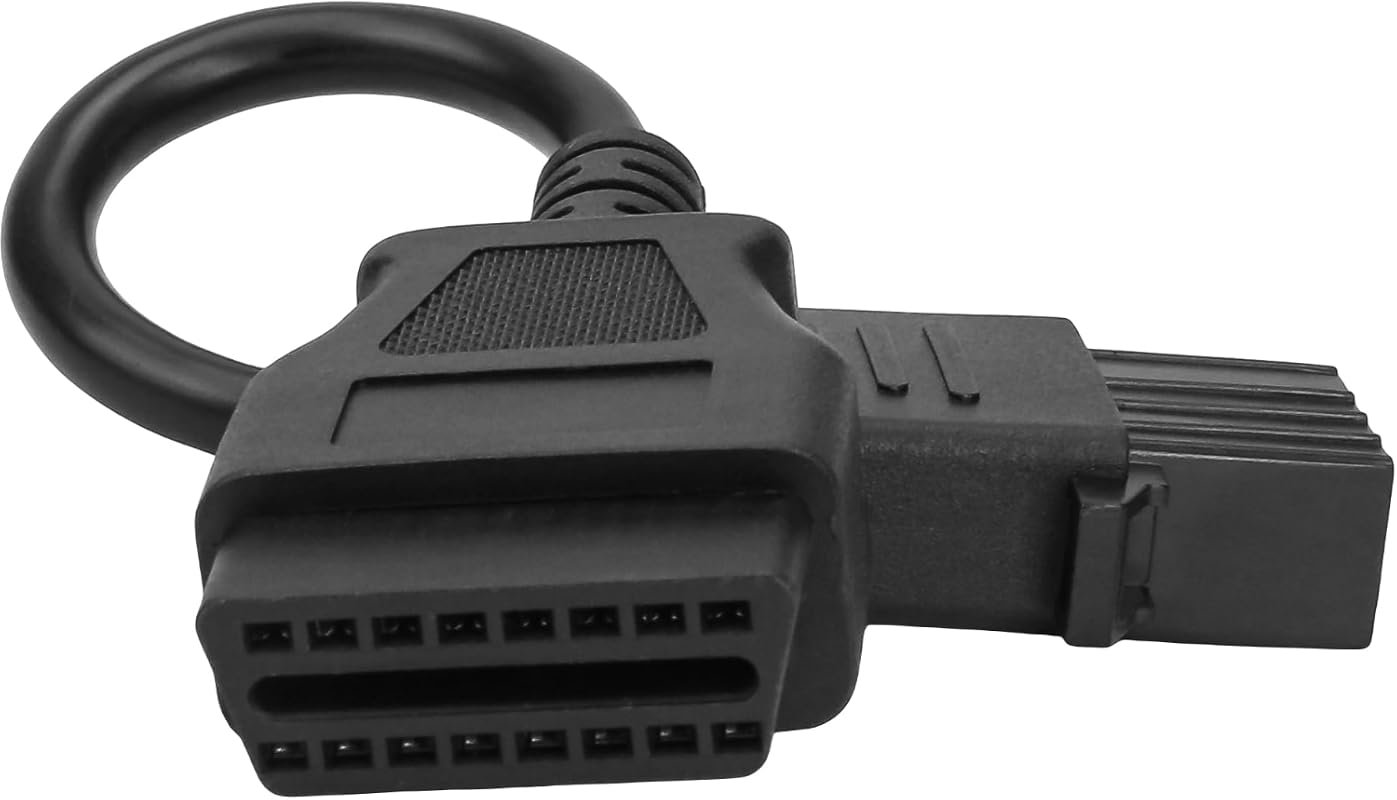 Best Overall
8-Pin OBD1 to 16-Pin OBD2 adapter cable for Volvo heavy-duty trucks, works with scanners and code readers.
It offers the strongest all-around mix of fit, value, and practical daily use for Volvo owners.
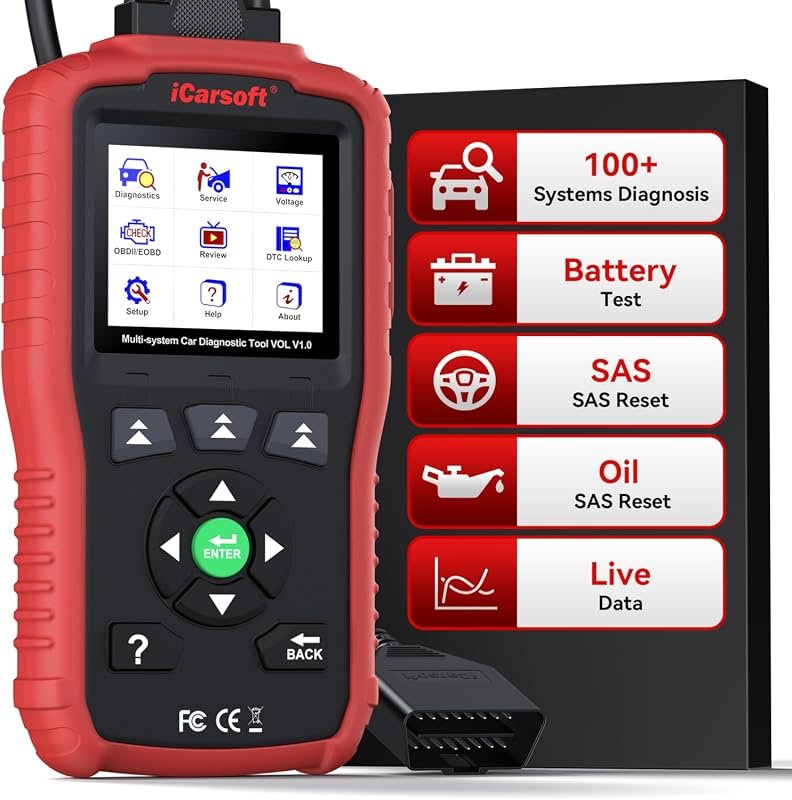 Best Value
iCarsoft VOL V1.0 scanner for Volvo/Saab, all-systems diagnostics with oil/SAS resets, live data, CAN-FD, lifetime updates.
It makes sense for owners who want a useful upgrade without paying more than necessary.
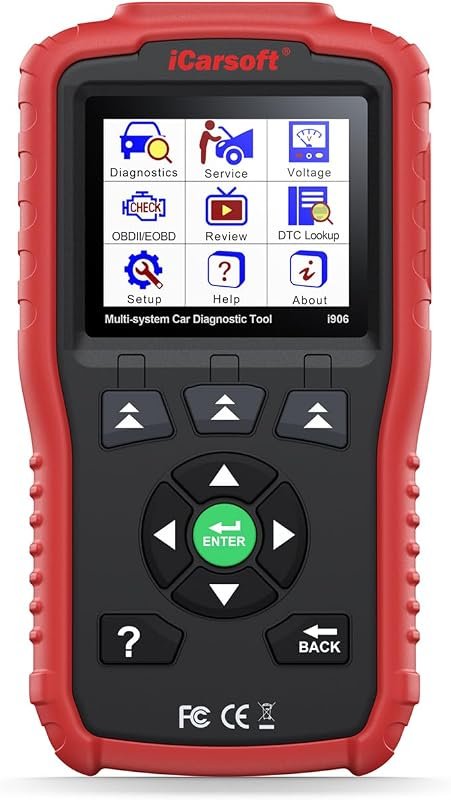 Best Premium Option
iCarsoft i906 OBD2 diagnostic scanner for Volvo and Saab, multi-system engine, ABS, SRS fault code reading.
It is the pick I would compare first if build quality, features, and long-term ownership value matter most.
Author

Author

Evans Torres
I’m Evans Torres, an automotive engineer who loves Volvo cars. I graduated in Automotive Engineering from USC. I have worked in the car industry for years and now share my knowledge on The Volvo Life. I started this blog to connect with other Volvo fans. I offer tips, news, and advice to help you care for your car. My goal is to help you keep your Volvo in great shape and find all the best things about it. Join me as we discover everything Volvo has to offer!