



is scanner for volvo xc40 — iCarsoft VOL II is the best value handheld that reads all key Volvo modules on 2018+ XC40, usually around $130–$170. For app users, an OBDLink CX plus Car Scanner app offers fast Bluetooth scans and reliable live data for under $120.
Shopping for a Volvo XC40 code reader quickly reveals a trap: many $30 generic tools only read basic engine codes, missing ABS, SRS, and CEM faults common on modern Volvos. XC40s (2018+) use Volvo-specific protocols across dozens of modules.
This guide explains what works on the XC40, which scanners are worth buying, how to connect and scan correctly, and how to avoid counterfeits. A quick model-year compatibility rundown and step-by-step usage are included below.
- Main point: Generic OBD2 readers miss XC40 modules; choose a Volvo-capable scanner like iCarsoft VOL II or a solid Bluetooth adapter + app.
- Best first step: Decide on handheld vs app-based; confirm your exact XC40 year/trim (gas, mild-hybrid, Recharge EV) on the compatibility list.
- Cost or value: Expect $80–$180 for capable DIY tools; advanced tablets (Autel/Launch) start $350+.
- Who it suits: DIY owners benefit most; pros may prefer Autel MK808/Launch X431 for coding/adaptations.
- When to get help: Programming, immobilizer/key issues, and software updates require factory-level tools or a Volvo specialist.
Wants to read and clear check-engine, ABS, and SRS faults without a dealer visit, plus reset the service reminder after oil changes.
Needs live data, brake service resets, and module-level diagnostics to repair confidently in the garage.
Seeks broad Volvo coverage and fast scanning across CEM/BCM/SRS with exportable reports for customers.
What an OBD2 Scanner for the Volvo XC40 Is and How It Works
An OBD2 scanner reads data and fault codes from your XC40 through the 16‑pin port under the dashboard. All scanners can access basic powertrain data mandated by OBD2. This connects closely with do scanner for Volvo exist if you want to compare the topic in more detail.
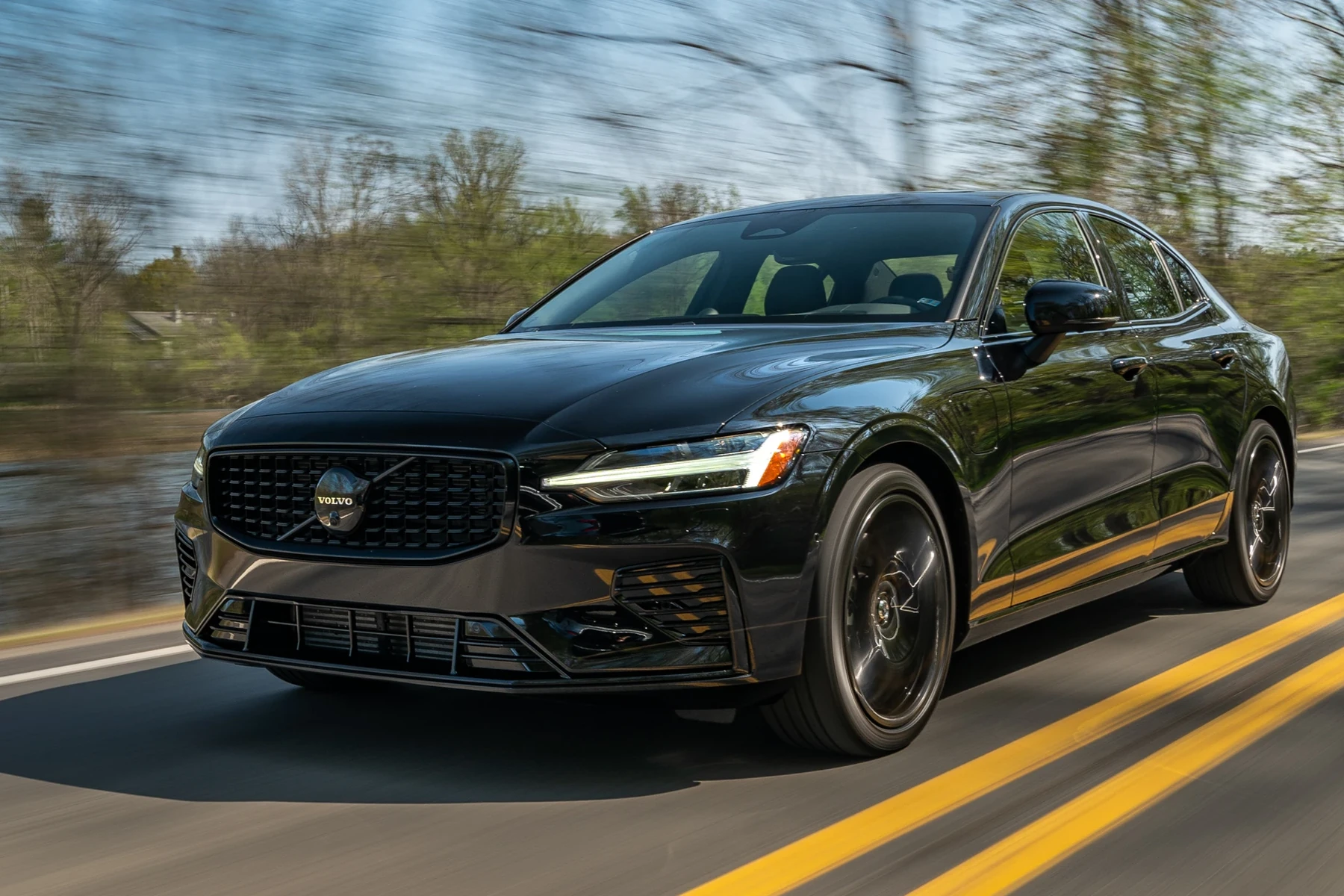
Volvo-specific scanners reach beyond the engine ECU to talk to ABS, SRS (airbags), CEM, BCM, TCM, and more. That’s the difference between guessing and seeing the exact failed sensor, circuit, or configuration.
2018+ XC40s sit on Volvo’s CMA platform. Pick a scanner that explicitly lists support for SPA/CMA-era Volvos (2015+), or you may only get engine codes while missing key body and safety modules.
OBD2 Scanner vs Volvo-Specific Diagnostic Scanner for the XC40
A $30 generic reader typically reads only engine and emissions data. That’s fine for a simple check-engine light, but it won’t see an XC40’s ABS, airbag, TPMS, transmission, or central electronics faults.
Volvo-capable scanners speak additional protocols to query those modules, display live data, and perform resets. For most XC40 owners, that’s the difference between a “clean bill” and the real fault you actually have.
At a glance below, see what each tool tier can and can’t do on an XC40. If you need airbag/ABS detail, skip generic readers. You can also use did scanner for Volvo need calibration as a helpful next guide on the same ownership topic.
| Capability | Generic OBD2 Reader | Volvo-Specific Scanner |
|---|---|---|
| Engine codes/live data | Yes | Yes |
| ABS/SRS/TCM/CEM access | No | Yes |
| Service light/TPMS resets | Limited/No | Often Yes |
| Steering angle/brake EPB functions | No | Yes (mid/advanced) |
| Battery/charging data | Basic | Module-level detail |
| Coding/adaptations | No | Advanced/pro only |
| Works on XC40 Recharge | Partially (OBD2 only) | Yes (check UDS support) |
What a Volvo XC40 Scanner Can Diagnose
A proper XC40-compatible scanner can pull, interpret, and clear faults across engine, transmission, chassis, and body systems. It also helps with maintenance resets and shows live sensor data for real diagnosis, not guesswork.
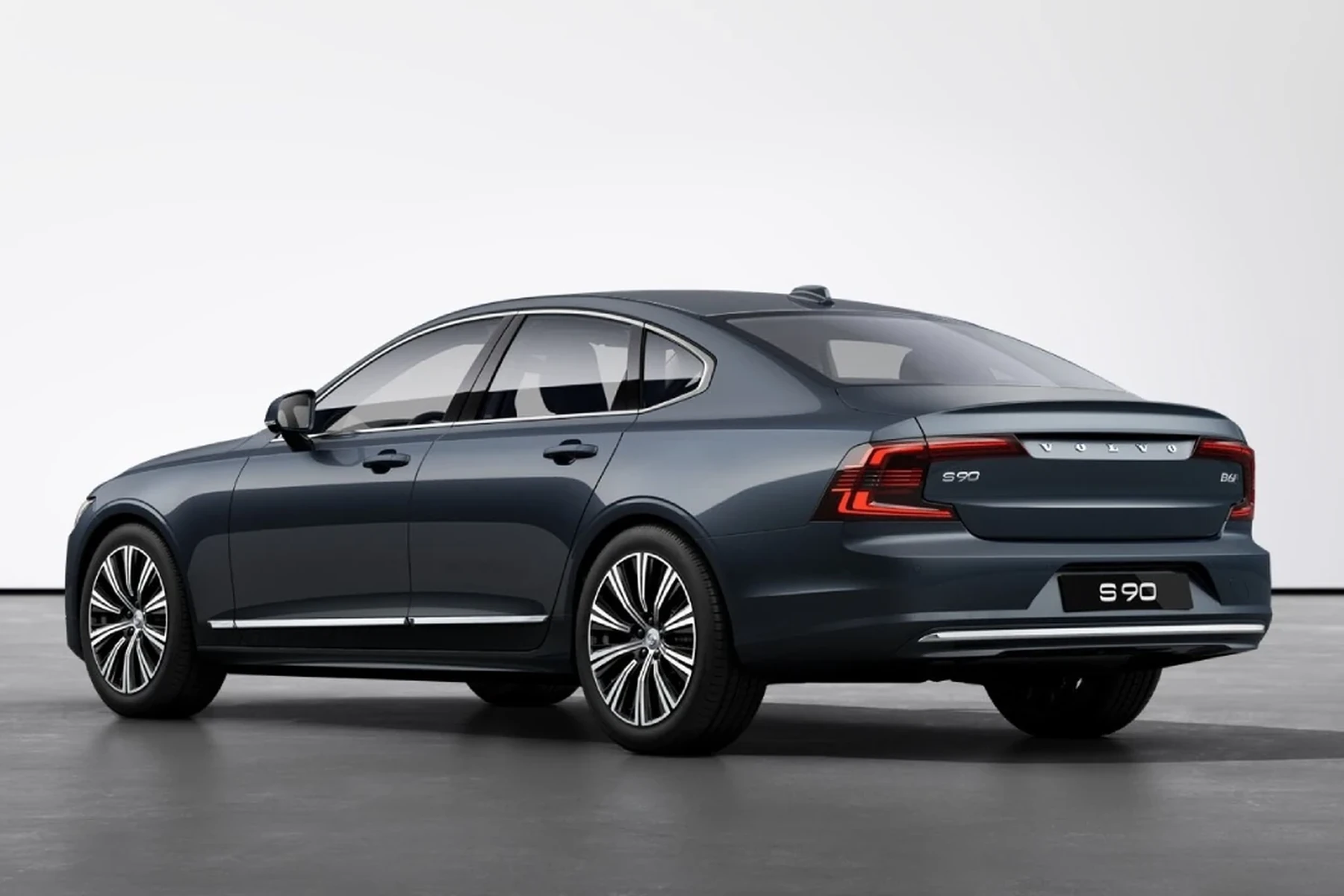
Expect coverage for ABS wheel sensors, SRS crash data, EPB pad service, TPMS, HVAC flap motors, parking sensors, and CEM/BCM electrical issues. That’s the level needed to fix modern Volvos confidently.
| System | What it detects | Reset possible? | Scanner tier needed |
|---|---|---|---|
| Engine (ECM) | Misfires, O2/MAF, boost, EVAP | Yes | Any |
| Transmission (TCM) | Shift faults, temperature, solenoids | Yes | Mid+ |
| ABS/DSTC | Wheel speed sensors, pump/module | Yes | Mid+ |
| SRS/Airbag | Sensor circuits, seatbelt pretensioner | Yes (after repair) | Mid+ |
| CEM/BCM | Lighting, locks, network faults | Yes | Mid+ |
| TPMS | Sensor battery, comm errors | Relearn/reset | Mid+ |
| Service reminder | Oil interval indicator | Reset | Basic+ |
| EPB/Brake | Pad service mode, calibration | Yes | Mid+ |
On many XC40s, an ABS fault will temporarily disable Pilot Assist or cruise control. A Volvo-capable scanner makes this obvious by showing the original wheel sensor code that triggered the cascade.
Do Volvo OBD2 Scanners Work With All XC40 Model Years?
Most mid-tier and better scanners cover all 2018–2024 XC40 gas and mild-hybrid models. Coverage for the XC40 Recharge (EV) requires updated databases that support UDS and EV-specific modules.
Check that the tool explicitly lists XC40 Recharge (2021+) or EX40/EC40 naming for 2024+ updates. App-based tools update frequently and may add coverage faster than some handhelds.
For deeper XC40-specific options and setup, see our focused guide on the OBD2 scanner for Volvo XC40.
Best Types of Scanner for Volvo XC40 Owners
Four categories fit most XC40 needs. Pick based on how you prefer to use the tool and how much coverage you want beyond engine codes.
Basic code reader: cheapest, engine only. Bluetooth adapter + app: great value, quick updates. Handheld Volvo-specific: reliable module access without a phone. Advanced tablet: shop-level features and faster auto-scans.
- Basic code reader: Reads/clears engine codes. Not recommended for XC40 as a sole tool.
- Bluetooth adapter + app: OBDLink CX/ELEVEN + Car Scanner/OBD Fusion for live data and quick scans.
- Handheld Volvo-specific: iCarsoft VOL II or Foxwell NT530 (Volvo bundle) for module access and resets.
- Advanced tablet: Autel MK808/Launch X431 for adaptations, broader coverage, and shop workflows.
Best Scanner Brands for Volvo XC40 — Comparison Table
The table below compares popular choices by price, XC40 module coverage, and connectivity. Use it to zero in on the tier that matches your needs and budget.
| Brand/model | Price | XC40 modules covered | Connectivity | Verdict |
|---|---|---|---|---|
| iCarsoft VOL II | $130–$170 | ECM/TCM/ABS/SRS/CEM/BCM | Wired handheld | Best value handheld for XC40 |
| Foxwell NT530 (Volvo) | $170–$220 | Broad Volvo module access | Wired handheld | Great mid-tier alternative |
| Autel MaxiCOM MK808 | $350–$600 | Full coverage + adaptations | WiFi tablet | Shop-level speed/features |
| TOPDON ArtiDiag | $250–$450 | Wide coverage, good UI | WiFi tablet | Strong advanced option |
| OBDLink CX + Car Scanner | $90–$130 | Engine + many Volvo modules* | Bluetooth (BLE) | Fast, budget-friendly pairing |
| ANCEL VOD700 | $80–$120 | Engine + limited Volvo | Wired handheld | Entry option with caveats |
| YOUCANIC UCAN-II | $200–$300 | Broad multi-brand coverage | App-based | Consider for mixed garages |
*Module access varies by app/database. Always confirm before purchase.
Counterfeit scanners are common. Avoid listings with unusually low prices, mismatched packaging, or no verifiable warranty. Clones often fail to connect to Volvo modules and may corrupt data during updates.
Volvo XC40 Model-Based Scanner Guide
Different XC40 powertrains push different priorities. Gas and mild-hybrids benefit most from ABS/SRS/TCM access and service resets. Recharge owners should verify EV module and UDS protocol support.
Use this quick hit list to match your XC40 to the right tier. When in doubt, pick a handheld Volvo-specific unit or a reputable Bluetooth adapter with clear XC40 support notes.
- 2018–2022 T4/T5 (gas): iCarsoft VOL II or Foxwell NT530 for ABS/SRS/EPB and service resets.
- 2023–2024 B4/B5 (mild-hybrid): Same as above; confirm coverage for MHEV data where applicable.
- 2021–2024 XC40 Recharge (EV): Choose a tool that explicitly lists XC40 Recharge/EX40 and UDS; advanced app+adapter or tablet recommended.
Are XC40 Scanners Worth It, Reliable, and Safe to Use?
Yes—when you choose a Volvo-capable tool. Reliability from iCarsoft, Foxwell, Autel, and OBDLink is solid; problems usually trace back to clones or the wrong tool type.
Reading codes is safe. Clearing SRS/airbag faults without repair is the only real risk because it can hide an active safety issue. For coding/adaptations, follow on-screen guidance carefully.
Never clear SRS (airbag) or brake system codes just to turn a light off. Confirm that the underlying fault is repaired first or the system may not protect you in a crash or hard stop.
Can a Volvo XC40 Scanner Work With iPhone and Be Used on Other Cars?
Most modern Bluetooth scanners support iPhone via brand apps or third-party apps like Car Scanner and OBD Fusion. Check iOS compatibility specifically before buying.
Nearly all Volvo-focused scanners will read basic OBD2 data on other brands. Advanced Volvo functions won’t carry over unless the tool includes multi-brand software.
For iOS specifics and app pairings, see our guide to Volvo scanners that work with iPhone.
How to Use a Scanner for Volvo XC40
Correct setup ensures you read every XC40 module the tool supports. Start with a healthy 12V battery, confirm the right app/database is installed, and choose your exact model year in the tool menu before scanning.
- Locate the OBD2 port: It sits under the driver-side dash near the footwell.
- Power and connect: Plug in handhelds; pair Bluetooth adapters in the app (not iOS Settings for BLE models).
- Select vehicle: Choose Volvo → XC40 (year/engine), or let auto-ID complete if supported.
- Run a full scan: Scan all modules, not engine-only. Save a report before clearing anything.
- Check live data: Graph suspect sensors (e.g., wheel speed) to verify faults.
- Perform resets after repair: Run EPB service mode, steering angle, or service reminder resets as needed.
- Clear codes: Clear only after repairs. Re-scan to confirm no returning faults.
- Update software: Keep the scanner/app database current for the latest XC40 coverage.
- Use the app’s “auto-scan all modules” feature; engine-only scans miss key Volvo data.
- Name and save each scan by date/mileage. It speeds future diagnosis.
- If pairing fails on iPhone, connect from inside the app (BLE) rather than Settings.
- Charge the car battery or use a maintainer during long scans to avoid low-voltage glitches.
Why Your XC40 Scanner Might Not Work
Most connection problems are simple: wrong vehicle profile, outdated app/firmware, or a counterfeit device. Low car battery voltage and a blown OBD port fuse can also block communication.
Work through this checklist before assuming the car has a deeper issue. If multiple tools fail, have a Volvo specialist test the network and fuses.
- Wrong app/profile: Pick XC40 specifically; update the brand database.
- Low 12V voltage: Below ~12.2V can cause module timeouts mid-scan.
- Clone hardware: Common symptom is engine-only access and random disconnects.
- Bluetooth pairing: Use the tool’s app workflow; forget rogue pairings.
- OBD fuse: Check the OBD/cigar-lighter fuse if there’s no power at the port.
XC40 Recharge may require the vehicle to be “awake” (doors opened/recently used) to allow full module communication. Try cycling the start button without pressing the brake.
Buying Guide: Which Scanner Should XC40 Owners Choose
Match the tool to your repair style. If you want simple, reliable module access without a phone, pick a handheld. Prefer fast updates and logging? Choose a reputable adapter + app. Need workshop functions? Go tablet.
- Best overall (handheld): iCarsoft VOL II — full-value XC40 coverage for most owners.
- Best Bluetooth setup: OBDLink CX + Car Scanner app — fast, affordable, and iOS-friendly.
- Best advanced: Autel MK808 — quicker scans, adaptations, broader functions for busy DIYers/shops.
- Budget pick: ANCEL VOD700 — acceptable entry, but confirm XC40 module support before buying.
Shopping across models too? Our coverage article answers whether scanners work with all Volvo models so you can plan one tool for multiple cars.
Common Mistakes to Avoid and When to Visit a Mechanic
Three errors waste the most time: buying a clone, assuming engine-only access is “enough,” and clearing SRS codes before repair. Avoid all three and you’ll get dealer-level clarity at home.
See a Volvo specialist for immobilizer/key issues, ECU software updates, persistent network faults, and any airbag deployment/coding after a collision.
- Don’t buy on price alone: Counterfeits abound — verify seller authorization.
- Confirm XC40 year/trim: Especially for Recharge/EX40 naming changes.
- Save reports: Baseline data speeds future fixes and resale proof.
- Know your limit: Programming/coding is pro territory on modern Volvos.
Looking at other models too? Our buying-focused pieces for larger siblings can help set expectations for scanners on XC90 and XC60 as well.
💡 Evans Torres Tip: On my XC40, I keep an OBDLink CX in the glovebox paired to Car Scanner. It auto-connects in under 10 seconds and I can run a full module scan before a road trip. Once it flagged a weak rear right wheel speed sensor early — a $45 part swapped before it ever triggered the ABS light.
Frequently Asked Questions
These quick answers focus on XC40 specifics: best tools, iPhone support, service resets, EV coverage, and what to do when a scanner won’t connect. Use them to finalize your purchase and avoid the most common setup mistakes.
What’s the best scanner for a Volvo XC40?
For most owners, iCarsoft VOL II is the best handheld value because it reads XC40 modules beyond the engine and handles key resets. If you prefer an app, pair an OBDLink CX with Car Scanner. For shop-level speed and adaptations, consider the Autel MK808.
Will a cheap OBD2 reader work on the XC40?
It will read and clear basic engine codes, but it won’t access ABS, SRS, TCM, CEM, or EPB functions. That’s where most modern Volvo problems hide. If you want true coverage on an XC40, choose a Volvo-capable handheld or a proven adapter + app combination.
Can I use an XC40 scanner with an iPhone?
Yes. Choose an adapter with confirmed iOS support (e.g., OBDLink CX) and pair it inside the app rather than the iOS Bluetooth menu if it uses BLE. Car Scanner and OBD Fusion are reliable iPhone apps with strong Volvo profiles and frequent updates.
Can one scanner work on my other Volvos or brands too?
Usually. Most Volvo-capable tools read basic OBD2 on any car. Handhelds like Foxwell NT530 can add other brand packages, and advanced tablets (Autel/Launch) cover many makes deeply. Always verify brand coverage and licensing for the additional vehicles you own.
Can a scanner reset the XC40 service light after an oil change?
Yes. Mid-tier handhelds and good apps can reset the service reminder on the XC40. Some tools offer a guided process under “Service” or “Maintenance.” Perform the reset only after completing the oil service; keep a record of date and mileage in the scan report.
Why won’t my scanner connect to my XC40?
Common causes include an outdated app/database, wrong vehicle profile, a counterfeit adapter, or a low 12V battery. Recharge models may need the vehicle awake to establish session. Update software, select XC40 explicitly, ensure good voltage, and re-test with a known‑good tool.
Is it safe to clear SRS or brake codes on an XC40?
Only after the fault is repaired. Clearing SRS/airbag or brake system codes just to turn the lamp off may leave safety systems disabled. Read, diagnose, and fix the cause first, then clear codes and verify they don’t return during a test drive.
Final Verdict
For XC40 owners, a Volvo-capable scanner pays for itself the first time you avoid a blind parts swap. Choose iCarsoft VOL II for a simple, reliable handheld or pair an OBDLink CX with Car Scanner if you want app speed and easy logging.
Confirm your exact XC40 year and powertrain, avoid clones, and save reports. If a scan points to immobilizer, coding, or software updates, book a Volvo specialist and bring your saved data to speed the fix.
My Top Picks at a Glance
Here are the three is scanner options I would check first if you want a faster buying decision.
These picks highlight the strongest overall choice, the best value option, and the premium-style pick for practical Volvo ownership.
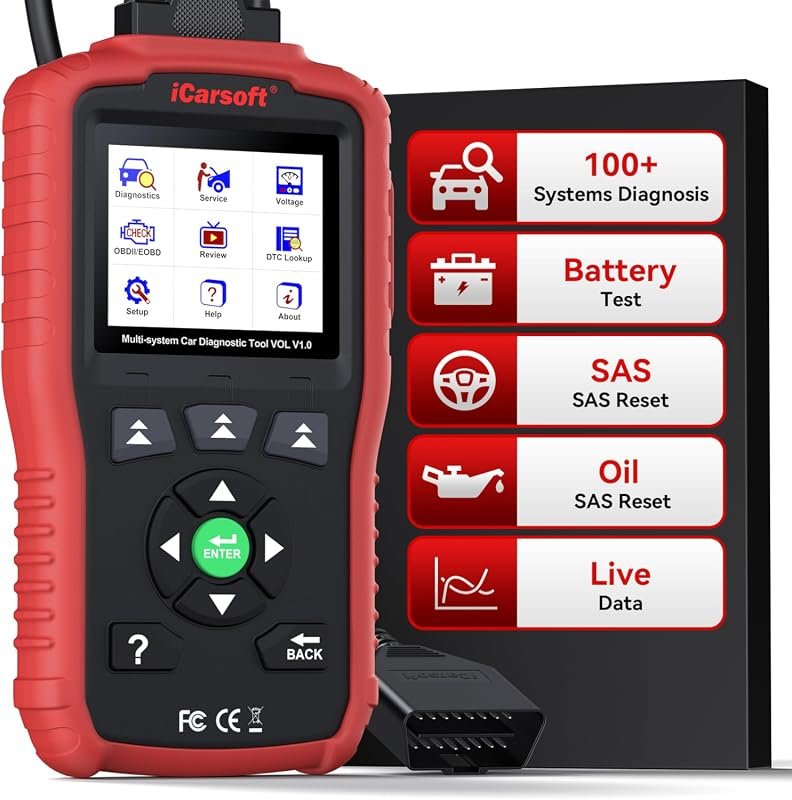 Best Overall
iCarsoft VOL V1.0 OBD2 scanner for Volvo/Saab, all-systems diagnostics, oil/SAS resets, live data, CAN-FD, lifetime free updates
It offers the strongest all-around mix of fit, value, and practical daily use for Volvo owners.
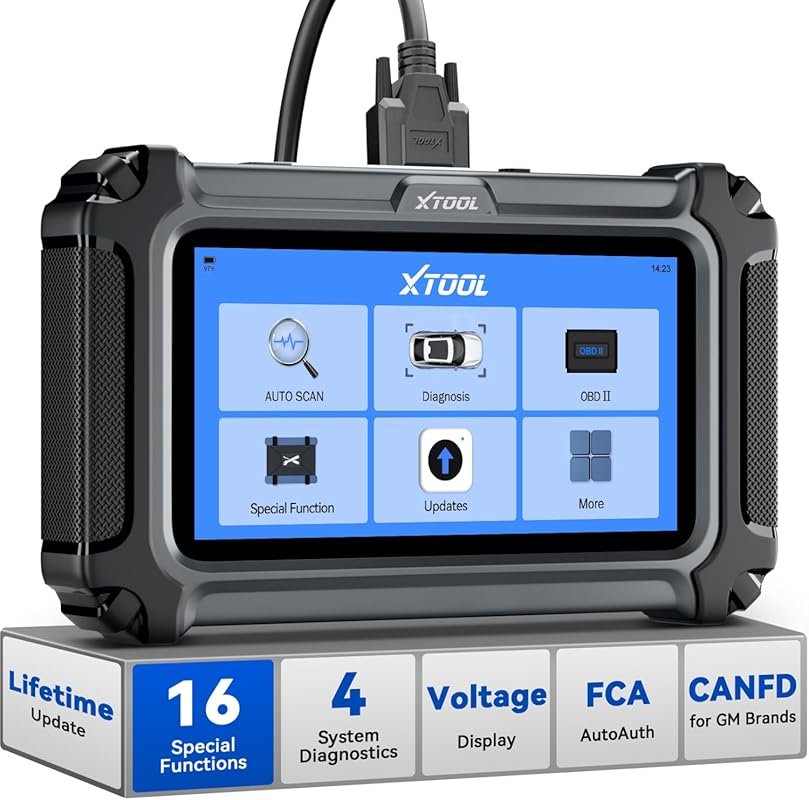 Best Value
XTOOL D5S OBD2 scanner, 16 resets, engine/ABS/SRS/transmission diagnostics, EPB, throttle, crank relearn, CAN FD/FCA, lifetime updates
It makes sense for owners who want a useful upgrade without paying more than necessary.
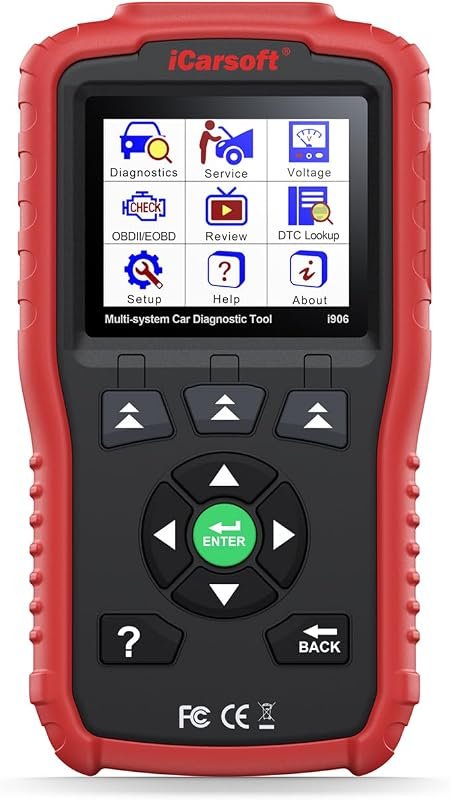 Best Premium Option
iCarsoft i906 OBD2 diagnostic scanner for Volvo/Saab, multi-system engine, ABS, SRS diagnostics and code reading
It is the pick I would compare first if build quality, features, and long-term ownership value matter most.
Author

Author

Evans Torres
I’m Evans Torres, an automotive engineer who loves Volvo cars. I graduated in Automotive Engineering from USC. I have worked in the car industry for years and now share my knowledge on The Volvo Life. I started this blog to connect with other Volvo fans. I offer tips, news, and advice to help you care for your car. My goal is to help you keep your Volvo in great shape and find all the best things about it. Join me as we discover everything Volvo has to offer!