



do scanner for volvo exist — yes, consumer OBD2 and Volvo-specific scanners are widely available. Bluetooth, WiFi, and USB options work with iPhone and Android, and mid/advanced tools read Volvo modules like ABS, SRS, and CEM. Check model-year support and update policy before buying.
Plenty of scanners exist for Volvos, from $30 Bluetooth dongles that read engine codes to handheld Volvo-focused units that access ABS, airbag, transmission, and body modules. Connectivity options include Bluetooth, WiFi, and USB, each with pros for certain phones and garages.
Compatibility depends on your Volvo’s generation. 2004–2014 cars use one set of protocols, 2015+ SPA/CMA models another, and newer EX/EC EVs use UDS-based messaging. Most owners do not need dealer tools — a mid-range scanner covers service resets, live data, and common calibrations. For related context, you may also want to read are scanner for Volvo V60.
- Main point: Yes — Volvo-compatible scanners exist in Bluetooth, WiFi, and USB forms, with options for every model year.
- Best first step: Confirm model-year coverage (2004–2014 vs 2015+ SPA/CMA vs EX/EC EV) and iPhone/Android support.
- Cost or value: $30–$80 reads engine only; $120–$250 reads most Volvo modules and pays for itself quickly.
- Who it suits: DIY owners who want service resets, ABS/SRS insight, and live data without a dealer visit.
- When to get help: Programming, keys, or software updates require VIDA/Dealer tools — book a Volvo specialist.
Wants Bluetooth scanning on iPhone/Android and quick service resets without the dealer bill.
Needs access to ABS/SRS/TCM modules and live data to solve issues at home.
Plans to use one scanner across several brands — basic OBD2 on non‑Volvos, full functions on the Volvo. This connects closely with can scanner for Volvo XC90 if you want to compare the topic in more detail.
Connectivity Options for Volvo Scanners: Bluetooth, WiFi, or USB
Yes, modern Volvo scanners connect via Bluetooth, WiFi, or USB. Bluetooth is the easiest for phones; WiFi adapters work with iOS and Android; USB is most stable for Windows/Mac updates or laptop-based tools.

Phone users should check app availability. Generic dongles rely on third‑party apps (OBD Fusion, Car Scanner ELM OBD2), while Volvo‑centric handhelds (iCarsoft, Foxwell) use their own interface and do not require a phone at all. You can also use can scanner for Volvo XC60 as a helpful next guide on the same ownership topic.
iPhone users need BLE or WiFi adapters — iOS blocks classic Bluetooth SPP used by many cheap ELM327 clones. Android supports both BLE and classic SPP, giving more dongle choices.
For deeper iOS guidance and app notes, see our focused walkthrough on scanners that work with iPhone.
Here’s how popular options pair with phones and whether they can function offline after setup.
| Scanner | iOS app support | Android app support | Works offline? |
|---|---|---|---|
| OBDLink MX+ (BLE) | Yes (OBDLink, OBD Fusion) | Yes | Yes for basic reads |
| iCarsoft VOL II (handheld) | Not needed (built‑in) | Not needed | Yes |
| Foxwell NT530 (USB updates) | Not needed (built‑in) | Not needed | Yes |
| Autel MK808 (Android tablet) | Not applicable | Built‑in | Yes (after activation) |
| ELM327 WiFi adapter | Yes (via WiFi) | Yes | Yes for basics |
On iPhone, avoid “classic” Bluetooth ELM327 adapters — they won’t pair. Choose BLE (e.g., OBDLink MX+) or a WiFi adapter, or use a handheld scanner that doesn’t require a phone at all.
Counterfeit ELM327 and cloned brand-name scanners are common. These often fail to connect to Volvo‑specific modules or corrupt updates. Buy from authorized sellers only and verify serials on the manufacturer site.
Volvo Model Compatibility: What Works With XC, S, V, and EX/EC Lines
Most reputable scanners list Volvo compatibility by generation, not just by model. Coverage is typically split into 2004–2014 (P1/P3), 2015+ SPA/CMA (XC90, XC60, XC40, S60/V60/V90/S90), and the newer EX30/EX40/EC40/EX90 EVs that use UDS‑based protocols.
Budget tools usually read engine codes across all years but miss body systems. Mid‑range handhelds add ABS/SRS/BCM/CEM access on 2004–2014 and 2015+ cars, with partial support emerging for EX/EC EVs.
Dealer‑level coding/programming remains outside consumer tools. If you need software downloads or key programming, you’ll still need VIDA/DiCE or a dealer visit.
Below is a quick fitment snapshot by generation so you can match your Volvo to the right tier before purchasing.
Use this grid as a yes/no gate. If your Volvo sits in a “limited” column for a scanner, choose the next tier up or confirm support by exact model year and trim. For another practical angle, see are scanner for Volvo safe to use.
| Scanner | 2004–2014 (P1/P3) | 2015+ SPA/CMA | EX/EC EVs (UDS) |
|---|---|---|---|
| iCarsoft VOL II | Full modules | Full modules (most) | Limited/expanding |
| Foxwell NT530 (Volvo SW) | Full modules | Full modules (most) | Limited |
| Autel MK808 | Full modules | Full modules | Partial (check updates) |
| Launch X431 (Pro tier) | Full modules | Full modules | Growing coverage |
| OBDLink MX+ (BLE) | Engine/OBD2 only | Engine/OBD2 only | Engine/OBD2 only |
| Ancel VOD700 | Mostly engine/ABS | Engine + limited | No/limited |
EX30/EX40/EC40/EX90 use newer UDS messaging for several systems. Many mid‑range tools can read engine data today but need firmware updates to reach deeper body modules on these EVs.
Can a Volvo Scanner Be Used on Other Cars?
Yes, in most cases. A Volvo‑specific handheld (e.g., iCarsoft VOL II, Foxwell NT530 with Volvo license) will read Volvo modules fully and read basic OBD2 engine codes on most other brands.
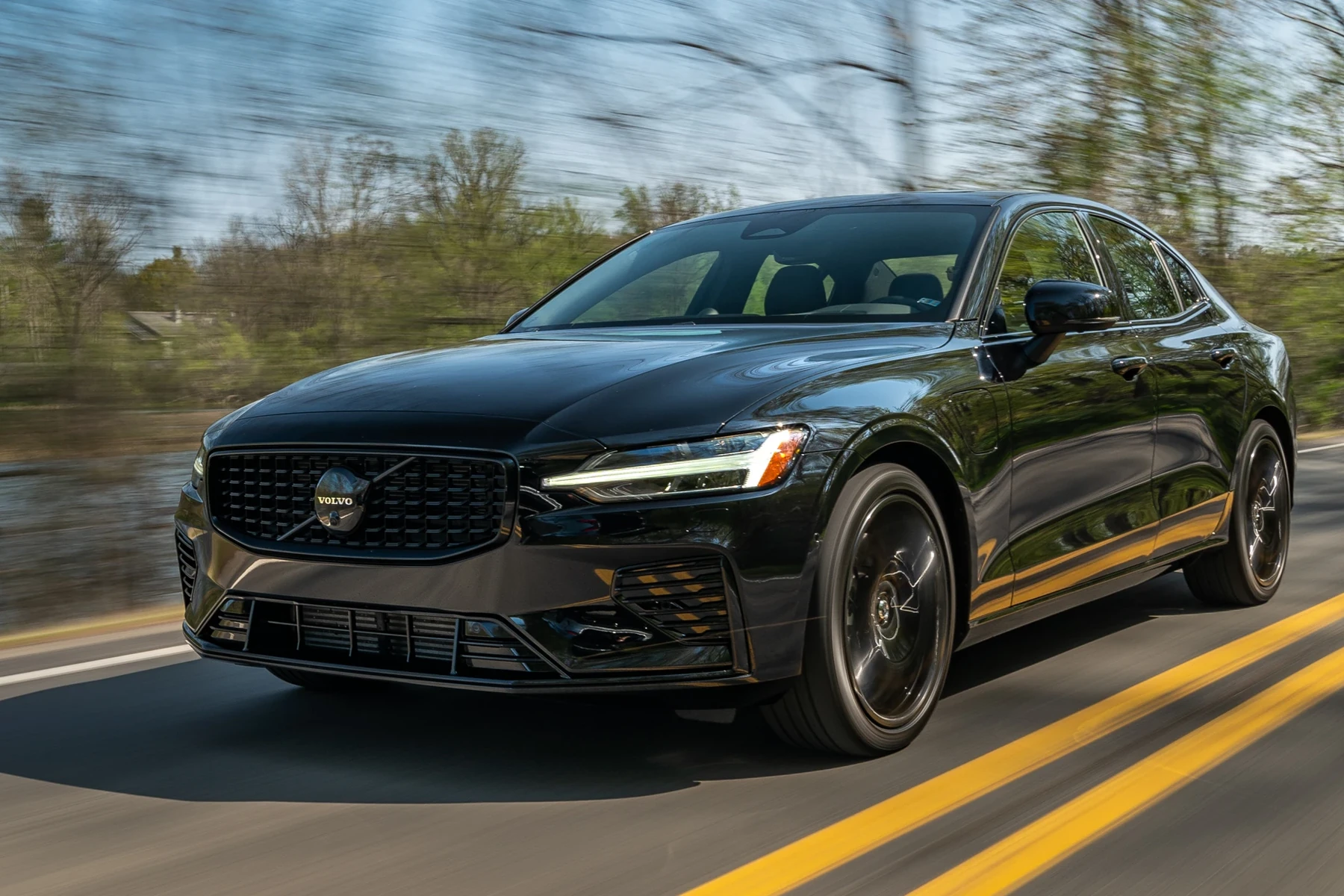
Advanced multi‑brand tablets (Autel/Launch) provide deep coverage for dozens of marques, approaching shop‑level functionality across brands. Feature sets vary by license and software version.
Get the full cross‑brand rundown in our guide on using a Volvo scanner on other cars — it explains what carries over and what doesn’t.
- Check the exact model year in the compatibility list — 2015 is a platform change for many Volvos.
- Update firmware/software before first use; many modules appear only after the latest database is installed.
- Save a full vehicle scan report to PDF before clearing any codes for future comparison.
- Search for “[scanner name] + [your Volvo year]” on owner forums to confirm real‑world success.
Does a Volvo Scanner Need Programming or Calibration?
No programming is needed to connect — you just plug in, select make/model/year, and scan. However, some functions perform “calibrations” after a repair, such as steering angle sensor (SAS) reset, throttle adaptations, or EPB service mode.
Expect a simple firmware/app update routine over USB or WiFi for most scanners. Keep the battery voltage stable during operations; some procedures won’t run if voltage is low.
Calibrations differ from coding. Calibrations relearn positions/values after a repair. Coding/flash programming changes module configuration and typically requires factory tools and subscriptions.
Reading and saving codes is safe. Don’t clear SRS/airbag faults until the physical issue is fixed — otherwise the system may remain disabled without a visible warning.
What Modules Can a Scanner Access on a Volvo?
Budget dongles show engine (ECM) only. Mid‑range and advanced scanners can access most Volvo modules: ABS, SRS/airbag, transmission (TCM), Central Electronics (CEM), BCM, SAS, TPMS, and climate.
Coverage depends on model year and scanner tier. Use this table to see which tiers typically reach which systems.
| Module | What it controls/monitors | Budget | Mid‑range | Advanced |
|---|---|---|---|---|
| ECM (Engine) | Check engine, fuel/air, emissions | Yes | Yes | Yes |
| TCM (Transmission) | Shift logic, solenoids, temp | No | Yes (most) | Yes |
| ABS/ESP | Braking, stability, wheel speeds | Limited | Yes | Yes |
| SRS/Airbag | Airbag circuits, crash data | No | Yes (read/clear) | Yes |
| CEM/BCM | Body electronics, lighting, locks | No | Yes (many) | Yes |
| SAS | Steering angle, alignment | No | Yes (reset) | Yes |
| TPMS | Tire pressure IDs, status | No | Yes (reset) | Yes |
| Climate/IAM | HVAC, infotainment faults | No | Partial | Yes |
Owners often ask about reliability before buying — we gathered data in our review on whether Volvo scanners are reliable to help set expectations.
How To Verify a Scanner Will Work With Your Volvo
Five minutes of checking prevents returns and frustration. Confirm generation support, app/device compatibility, and whether the scanner lists your needed functions (e.g., SRS, SAS reset). Do the steps below before you click “buy.”
- Identify your Volvo’s platform: Note model year and platform (2004–2014 P1/P3, 2015+ SPA/CMA, or EX/EC EV).
- Match functions to needs: Engine‑only vs modules; list must‑haves like SRS, ABS, SAS reset, EPB service.
- Check phone/device pairing: iPhone needs BLE or WiFi; Android supports BLE or classic SPP; handhelds need no phone.
- Confirm update policy: Look for lifetime updates or 1–3 years; verify the latest release notes mention your year.
- Validate with real users: Search “[scanner] + [year/mode] Volvo” on owner forums for confirmed success reports.
Before you leave this page, one final point about EV coverage deserves emphasis.
Many scanners can already read basic OBD2 data on EX30/EX40/EC40/EX90, but full body/ADAS module coverage is still rolling out. A model with frequent OTA updates from the brand is usually a better long‑term bet.
Want to see how well these tools perform in day‑to‑day use? Our experience write‑up on how well Volvo scanners worked covers real outcomes after repairs and resets.
💡 Evans Torres Tip: I keep an iCarsoft VOL II in my glovebox and an OBDLink MX+ in my laptop bag. The iCarsoft handles Volvo‑specific modules and SAS resets on my SPA‑platform car, while the MX+ is perfect for quick iPhone checks on friends’ non‑Volvo cars. That combo has covered 95% of what I need without a dealer visit.
Frequently Asked Questions
These FAQs address the most common feature and compatibility questions Volvo owners ask before buying a scanner — connectivity, model‑year support, Bluetooth/iPhone pairing, cross‑brand use, updates, and what modules you can realistically reach at home.
Do scanners for Volvos really exist and work on modern models?
Yes. Consumer scanners with Volvo coverage exist and work on 2004–2014 and 2015+ SPA/CMA models, with expanding support for EX/EC EVs. Mid‑range handhelds (iCarsoft VOL II, Foxwell NT530) and pro tablets (Autel/Launch) read multiple Volvo modules and perform common resets.
Will a Bluetooth scanner work with my iPhone?
It will if you choose BLE or WiFi. iOS blocks classic Bluetooth SPP used by many cheap ELM327 adapters. Pick BLE (e.g., OBDLink MX+) or a WiFi adapter, or use a handheld scanner that doesn’t require a phone. See our full iOS guide for details.
Which scanner tier do I need to read airbag (SRS) and ABS faults?
Choose a mid‑range or advanced scanner. Budget dongles only read engine codes. Tools like iCarsoft VOL II, Foxwell NT530, Autel MK808, or Launch X431 will read/clear SRS and ABS and show live sensor data, saving a dealer diagnostic fee.
Can I use a Volvo‑focused scanner on other brands too?
Usually yes. You’ll get full Volvo coverage and basic OBD2 engine reads on most non‑Volvos. Multi‑brand pro tablets (Autel/Launch) go further, offering deep access on many marques. Exact functions vary by software license and updates.
Do I need to program the scanner before it works?
No programming is required to connect. You may need to register or activate the tool and perform a firmware/database update. Some service functions require calibrations after the repair (e.g., SAS reset) — the scanner guides you through these steps.
Will a scanner work on pre‑2004 Volvos?
Basic OBD2 engine reads may work on late P2 models, but module coverage is limited. Confirm year‑specific support and be cautious with very early OBD2 implementations. For deep access on older cars, consult a Volvo specialist or check toolmaker coverage notes by VIN.
Are software updates important for scanner compatibility?
Yes. Updates add model‑year support, new functions, and EV/UDS coverage. Always update before first use and periodically thereafter. Look for lifetime updates or clear terms (e.g., 1–3 years included) so your scanner doesn’t fall behind your Volvo’s needs.
Is it safe to clear codes at home?
Reading codes is entirely safe. Clearing is fine after repairs, but don’t clear SRS/airbag faults until the underlying issue is fixed — you could mask a disabled safety system. When in doubt, save a full report and consult a Volvo‑experienced technician.
Final Verdict
Scanners for Volvos absolutely exist, and the right pick hinges on your model year, phone type, and the depth of functions you need. For most owners, a mid‑range Volvo‑aware handheld provides full module access and routine resets without a dealer visit.
Confirm generation support (2004–2014 vs 2015+ vs EX/EC EV), ensure iPhone/Android compatibility, and update the firmware before scanning. Save a full report first, then clear codes only after repairs. If you need coding, software downloads, or key work, schedule a Volvo specialist or dealer.
Start with compatibility verification, then choose the scanner tier that meets your maintenance goals — it will pay for itself the first time you avoid a diagnostic appointment.
My Top Picks at a Glance
Here are the three do scanner options I would check first if you want a faster buying decision.
These picks highlight the strongest overall choice, the best value option, and the premium-style pick for practical Volvo ownership.
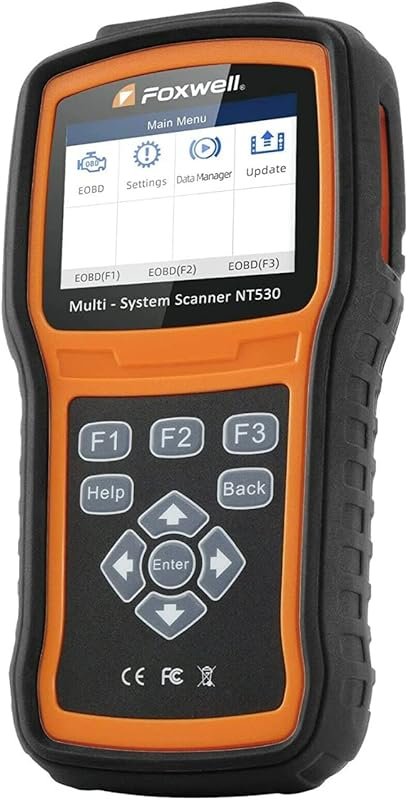 Best Overall
FOXWELL NT530 for Volvo bidirectional OBD2 scanner, all-systems diagnostics, ABS bleed, SRS, SAS, TPMS, EPB, oil reset.
It offers the strongest all-around mix of fit, value, and practical daily use for Volvo owners.
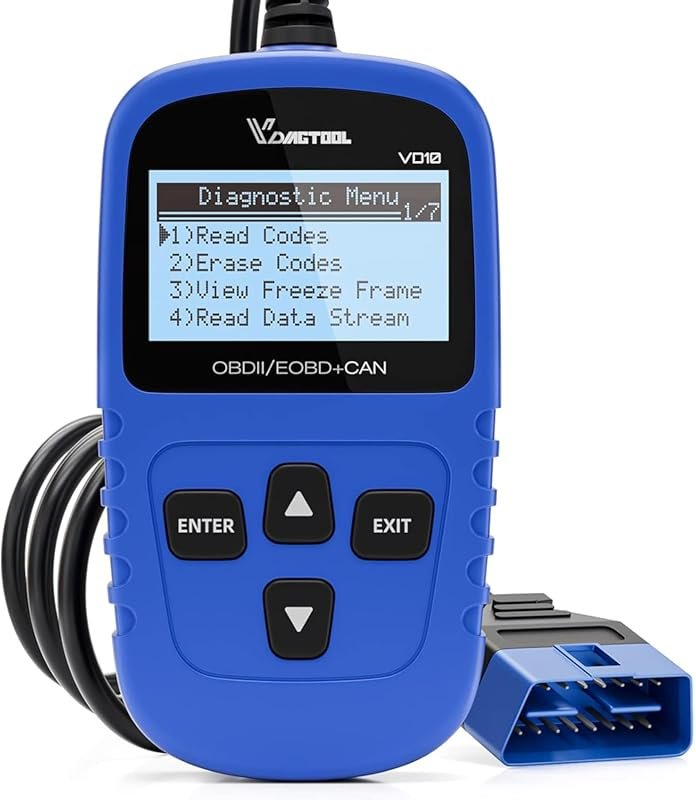 Best Value
VDIAGTOOL VD10 OBD2 scanner for OBDII vehicles, reads codes, turns off CEL, I/M readiness, freeze frame.
It makes sense for owners who want a useful upgrade without paying more than necessary.
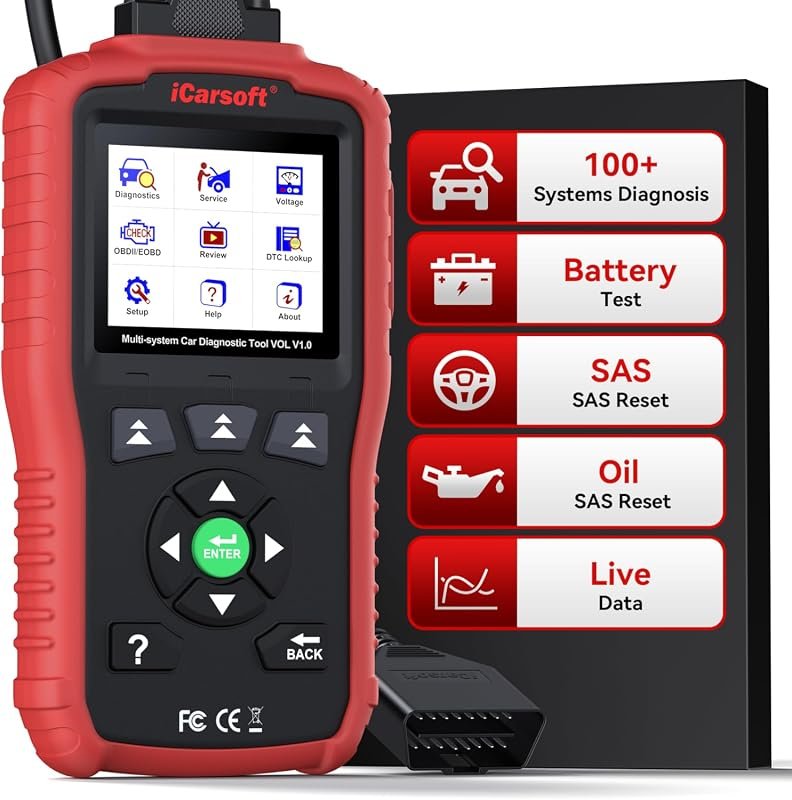 Best Premium Option
iCarsoft VOL V1.0 for Volvo/Saab, all-systems scanner with oil and SAS reset, live data, CAN-FD, lifetime updates.
It is the pick I would compare first if build quality, features, and long-term ownership value matter most.
Author

Author

Evans Torres
I’m Evans Torres, an automotive engineer who loves Volvo cars. I graduated in Automotive Engineering from USC. I have worked in the car industry for years and now share my knowledge on The Volvo Life. I started this blog to connect with other Volvo fans. I offer tips, news, and advice to help you care for your car. My goal is to help you keep your Volvo in great shape and find all the best things about it. Join me as we discover everything Volvo has to offer!