



youcanic scanner for volvo — the YOUCANIC Full-System Bluetooth scanner (UCAN-II) is the best app-based pick for reading Volvo-specific modules (ABS, SRS, CEM, TCM) with live data and service resets. It pairs with iOS/Android and typically runs around $200–$300, using a subscription for full features. Prefer a no-phone handheld? The iCarsoft VOL II is the best value at ~$150–$180. Choose based on whether you want an app workflow or a dedicated screen.
Volvo modules hide critical fault data in more places than a basic OBD2 reader can see. A full-system tool saves a dealer trip when the SRS, ABS, or transmission light appears. If you are comparing similar topics, OBD2 scanner for Volvo vehicles is also worth checking.
YOUCANIC’s Bluetooth scanner targets that exact need with an app-first approach, while iCarsoft and Foxwell offer proven handheld alternatives. Picking the right one depends on your model year, comfort with apps, and whether you want guided functions or a simple plug-and-scan tool. For related context, you may also want to read scanner for Volvo XC60.
This review compares YOUCANIC head-to-head with iCarsoft, Foxwell, Autel, and Launch, then shows you how to set up the YOUCANIC on a Volvo in minutes. This connects closely with which scanner icarsoft for Volvo S80 2002 if you want to compare the topic in more detail.
- Main point: YOUCANIC’s full-system Bluetooth scanner reads Volvo-specific modules via app; iCarsoft VOL II is the best-value handheld alternative.
- Best first step: Confirm your exact Volvo year/trim in the brand’s compatibility list, then update the scanner/app before first use.
- Cost or value: YOUCANIC ~$200–$300 (subscription-based app); iCarsoft VOL II ~$150–$180; Autel MK808S ~$450–$600 for pro features.
- Who it suits: App-friendly DIYers benefit from YOUCANIC; those who prefer a physical tool often pick iCarsoft/Foxwell.
- When to get help: Coding, software updates, and key programming still require a Volvo specialist or dealer tools.
Wants full-system scans on an iPhone/Android and appreciates guided data in an app.
Prefers a simple handheld that works without a phone — iCarsoft or Foxwell fit best.
Needs faster bi‑directional tests and wider brand coverage — Autel/Launch makes sense.
Why Generic OBD2 Scanners Fail on Volvos
Standard ELM327 readers only talk to the engine control module (ECM). Volvo spreads fault data across many modules: SRS (airbag), ABS/DSTC, TCM (transmission), CEM (central electronics), BCM, SAS (steering angle), climate, and more.
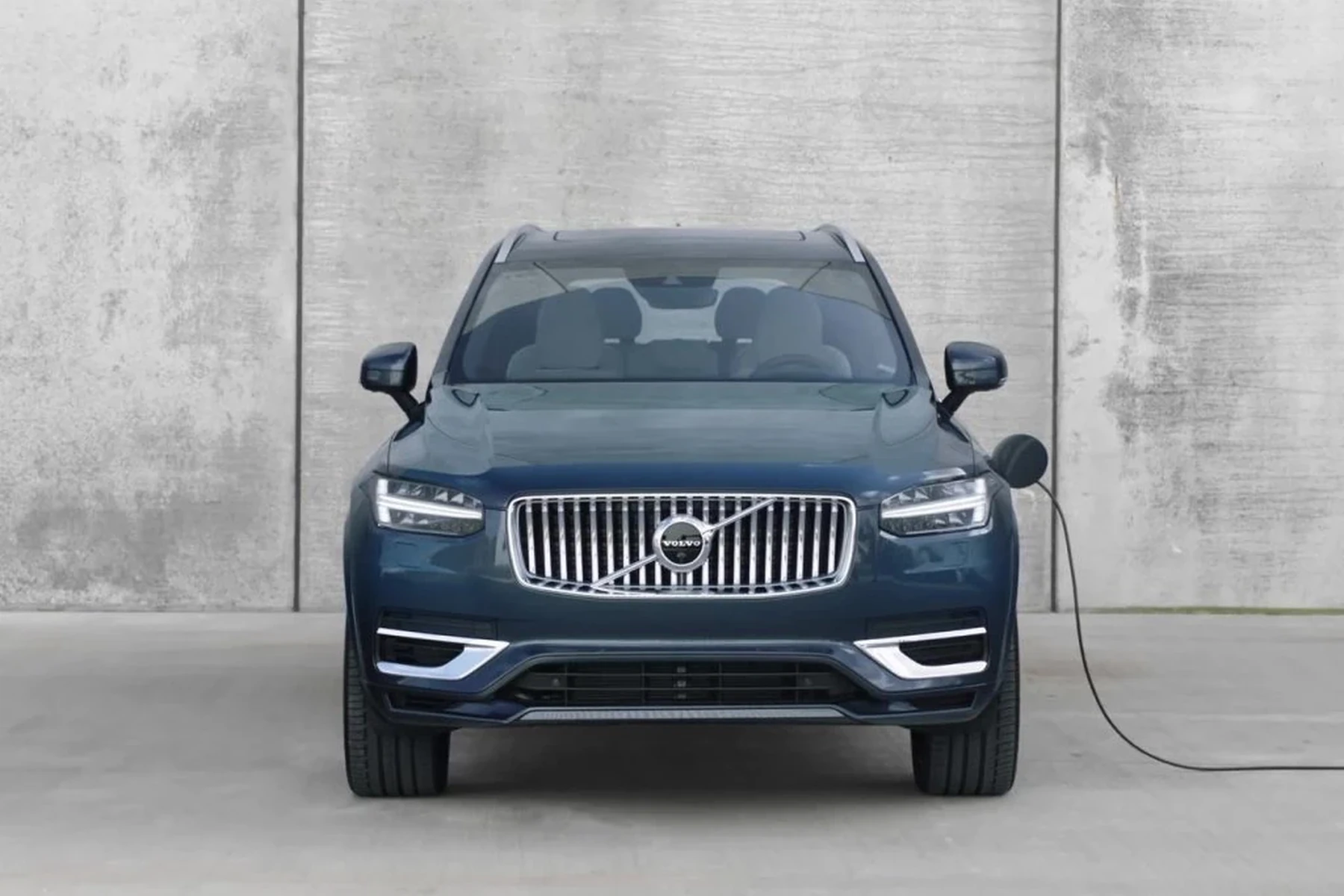
That’s why a $20 dongle clears a check-engine light yet misses an SRS or ABS fault entirely. A Volvo-capable scanner queries manufacturer‑specific protocols and sub-systems, exposing faults, freeze frames, and live data a generic tool can’t touch. You can also use are scanner for Volvo worth it 2 as a helpful next guide on the same ownership topic.
Full-system access also enables service resets, battery registration on select years, and calibrations like steering angle sensor resets — all outside the ECM’s basic OBD2 scope.
On many Volvos, the CEM stores intermittent electrical faults that never trigger a check‑engine light. A full-system scan is often the only way to see them — critical for chasing battery drains or random warning messages.
Top Scanners for Volvo — Comparison Table
Several tools read Volvo-specific modules well. YOUCANIC leans into an app-based workflow with a Bluetooth dongle and guided functions. iCarsoft VOL II and Foxwell NT530 excel as affordable handhelds that don’t require a phone. Autel and Launch step up to professional features like bi-directional tests and wider brand coverage.
The table below compares top choices by coverage, connectivity, model-year support, and overall verdict for Volvo use.
| Scanner name | Price | Volvo modules covered | Volvo model years | Bluetooth/WiFi | App required | Verdict |
|---|---|---|---|---|---|---|
| YOUCANIC Full‑System (UCAN‑II) | ~$200–$300 | ECM/TCM/ABS/SRS/CEM (core) | ~2000–2024 | Bluetooth | Yes (YOUCANIC app) | Best app‑based Volvo pick; subscription applies |
| iCarsoft VOL II (handheld) | ~$150–$180 | Most Volvo modules + service resets | ~1999–2016+ | No | No | Best value handheld for DIY owners |
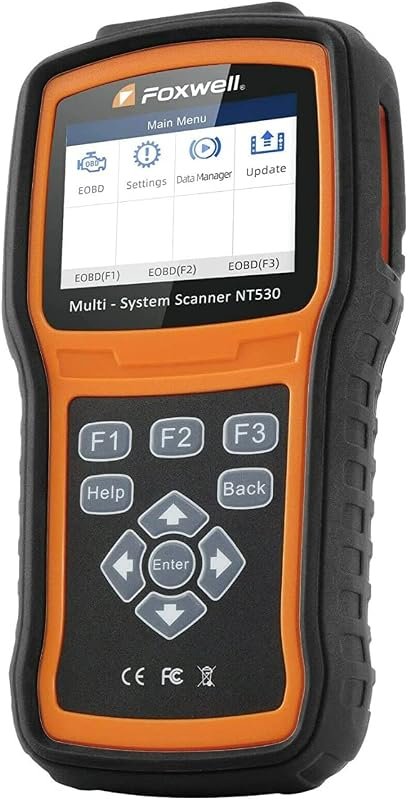
| Foxwell NT530 (Volvo software) | ~$180–$220 | Broad Volvo modules; some adaptations | ~1999–2020+ | No | No | Strong mid‑tier alternative |
| Autel MaxiCOM MK808S | ~$450–$600 | Extensive modules + live/bi‑directional | 1996–2023+ | WiFi (tablet) | Built‑in | Pro features at a mid‑price |
| Launch X431 ProS Mini | ~$800–$1,200 | Dealer‑like functions across brands | 1996–2024+ | Bluetooth | Built‑in | Professional shop tool |
| ELM327 Bluetooth (generic) | $10–$30 | Engine (ECM) only | 1996–2024 | Bluetooth | 3rd‑party apps | Not recommended for Volvo faults |
Handhelds still win for simplicity and price. App-based tools win for convenience and sharable reports. Autel/Launch suit frequent multi-brand work or bi-directional testing needs.
2015+ SPA-platform Volvos and newer EX/EC electric models use newer diagnostics (UDS). Always check the brand’s compatibility chart by exact model year and trim before buying — not every scanner supports the newest modules yet.
Model-Year Compatibility for YOUCANIC and Alternatives
Older pre-2004 Volvos use legacy protocols that not all consumer tools still support beyond basic OBD2. The 2004–2014 “transition era” (P1/P3) is widely covered by Volvo‑focused scanners like iCarsoft and Foxwell. The 2015+ SPA/CMA generation adds new modules and UDS, and recent EX/EC electric models evolve coverage with each software update.
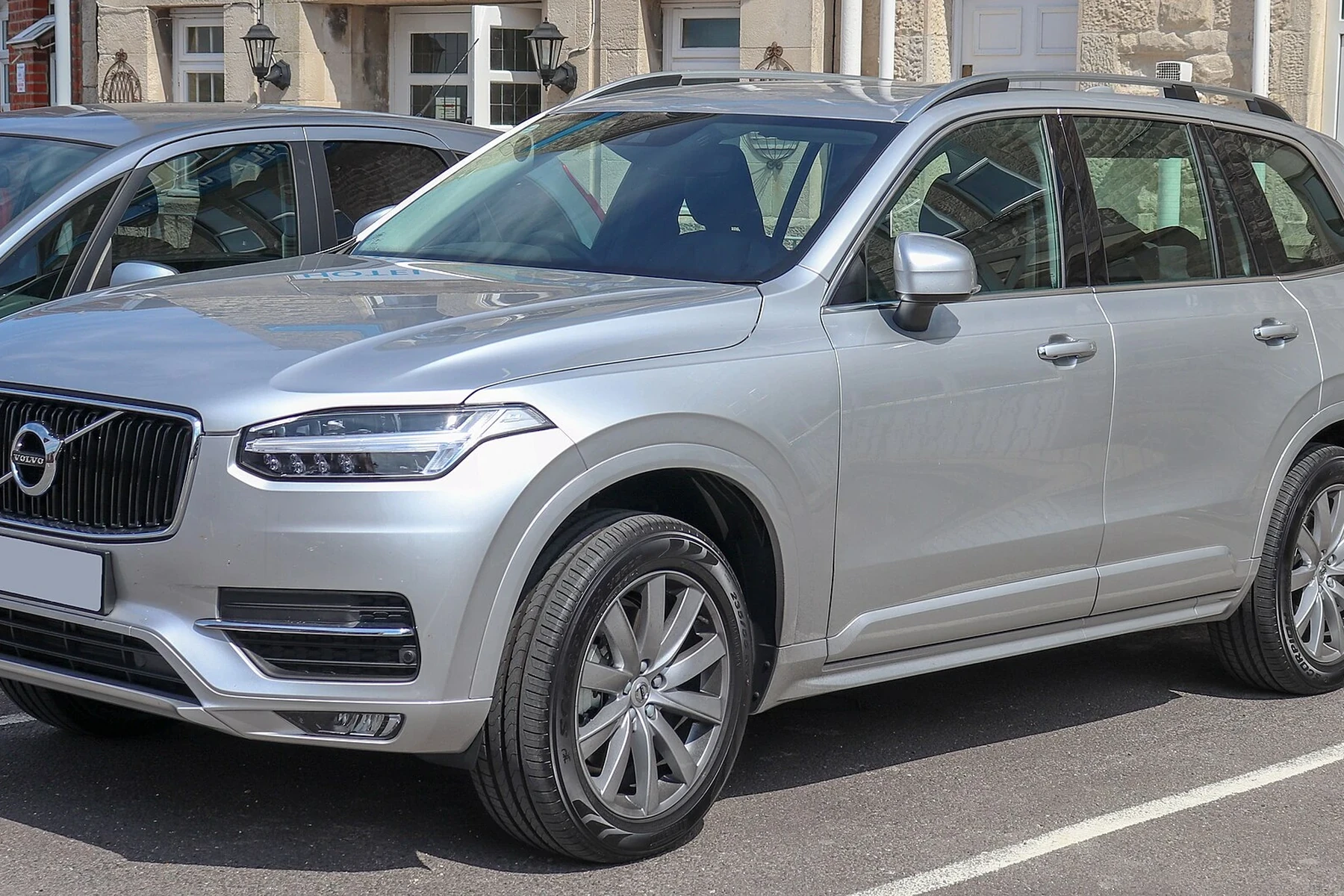
Expect “Partial” support on very old cars or the newest EX/EC models where a brand hasn’t released a targeted update yet. This doesn’t make a tool bad — it just means you should verify your exact year and trim on the brand’s list before ordering.
Here’s a quick view of how popular scanners map to Volvo generations. “Partial” usually means engine-only or limited module access; “Yes” indicates broad coverage of core modules.
Use this to shortlist options, then confirm details against the manufacturer’s compatibility page to avoid returns or surprises.
| Scanner | Pre‑2004 | 2004–2014 | 2015+ SPA/CMA | EX/EC electric |
|---|---|---|---|---|
| YOUCANIC Full‑System | Partial | Yes | Yes (core) | Partial |
| iCarsoft VOL II | Partial | Yes | Partial/Yes (varies) | Partial/No |
| Foxwell NT530 | Partial | Yes | Yes (most) | Partial |
| Autel MK808S | Partial | Yes | Yes | Partial |
| Launch X431 ProS Mini | Yes | Yes | Yes | Partial/Yes (latest DB) |
| ELM327 (generic) | No | Engine only | Engine only | Engine only |
What You Can Actually Do With Each Tier
Feature sets scale fast from “engine-only” to “dealer-like.” For most Volvo owners, mid‑range full‑system coverage is the sweet spot: you’ll read/clear SRS and ABS, reset service reminders, and view live data from key sensors.
Higher tiers add bi-directional tests (actuators, pump runs), special functions, and limited coding/adaptations. Those are great for frequent DIY or shop use, but not mandatory for simple diagnostics and resets. For another practical angle, see are scanner for Volvo worth it.
- Budget (ELM327): Read/clear check‑engine codes, basic live data. No Volvo modules.
- Mid‑range (YOUCANIC, iCarsoft VOL II, Foxwell NT530): Read/clear faults in ECM/TCM/ABS/SRS/CEM, service resets, live data, some calibrations.
- Advanced (Autel MK808S): Adds bi‑directional tests, more special functions, broader brand support.
- Pro (Launch X431): Extensive coding/adaptations and dealer‑like coverage across many brands.
Reading codes is safe. Clearing SRS (airbag) faults without fixing the physical issue can leave the airbag system disabled. Only clear SRS after the cause is verified and repaired — or have a Volvo specialist confirm readiness.
Where to Buy the YOUCANIC and the Right Alternatives
Buy YOUCANIC directly from the official YOUCANIC store or its authorized Amazon seller to ensure genuine hardware and current app support. For handhelds, iCarsoft and Foxwell maintain official stores and vetted Amazon listings. Autel and Launch tools should be sourced from authorized distributors to protect warranty and updates.
eBay can work for new, sealed units from reputable sellers, but avoid “too‑cheap” listings. Clone scanners are common and often fail to connect to Volvo modules or accept updates.
- Verify the seller is an authorized retailer (brand page or Amazon “Sold by” badge).
- Check your exact model year/trim on the brand’s compatibility list before purchase.
- Update the scanner firmware/database on day one — new Volvos get frequent updates.
- Save a full autoscan report as PDF before clearing any codes for future reference.
Prefer a broader overview before buying? Our detailed OBD scanner for Volvo guide breaks down buyer types and budgets across more models.
Clone/counterfeit scanners look identical to real units but often lack proper Volvo firmware and can corrupt data during updates. If the price is far below the brand’s site, assume it’s a clone and walk away.
How To Set Up the YOUCANIC Scanner on a Volvo
An app-based tool shines only if setup is clean. Pairing the YOUCANIC UCAN‑II, updating its database, and running a full autoscan takes about 10–20 minutes. Do this at home before you really need it so you’re not learning in a parking lot with warning lights on. Keep your phone charged and ensure good Bluetooth permissions to prevent timeouts during the first connection.
- Step 1: Park safely, switch ignition to ON (engine off), and locate the OBD2 port under the dash (left of the steering column on most Volvos). See Volvo’s owner’s manual if unsure.
- Step 2: Plug in the YOUCANIC dongle; open the YOUCANIC app on iOS/Android and create/login to your account.
- Step 3: Pair via Bluetooth in the app, then check for and install any firmware/database updates.
- Step 4: Select your exact Volvo model/year, choose “Full Scan/Autoscan,” and let the app query all modules.
- Step 5: Save the report, review faults, perform repairs, then clear codes and re‑scan to confirm they don’t return.
For more advanced workflows, including bi‑directional tests and adaptation basics, see our tutorial on how to use a professional car scanner for Volvo vehicles. If you need dealer‑level tools, our overview of the Volvo diagnostic scanner tool ecosystem explains VIDA/DiCE and Launch/Autel pro options.
A quick personal note before you choose a tool.
💡 Evans Torres Tip: I keep the YOUCANIC dongle in my glovebox and ran a full autoscan on day one to baseline my XC60. That first report helped me catch an intermittent CEM fault months later — I saw when it first appeared and what changed. If you prefer a handheld, the iCarsoft VOL II has never let me down for SRS and ABS faults on P3 Volvos.
Frequently Asked Questions
This FAQ collects the most common questions Volvo owners ask before buying the YOUCANIC scanner or a competing tool. You’ll find answers on compatibility by model year, iPhone/Android support, subscription details, service resets, what mid‑range handhelds can still do better, and how to troubleshoot pairing or “no communication” errors. If you’re comparing multiple scanners, start here for quick clarity, then refer to the tables above for precise coverage differences.
Is the YOUCANIC scanner good for Volvo models specifically?
Yes — as an app‑based full‑system tool, YOUCANIC reads Volvo modules beyond the engine (ABS, SRS, CEM, TCM) on most 2000+ cars. It’s strongest for DIY owners who prefer phones and sharable reports. If you want a handheld with no subscription or phone dependence, iCarsoft VOL II and Foxwell NT530 remain excellent choices.
Does YOUCANIC work on 2015+ SPA Volvos (XC90, XC60, S90, V90, XC40)?
Coverage is generally solid for core modules, with updates rolling out as new UDS‑based functions appear. Always check your exact model/year in YOUCANIC’s compatibility list. For bleeding‑edge features or adaptations, higher‑tier tools like Autel/Launch may still cover more.
Can it reset the Volvo service reminder and read live data?
Yes on most supported years — service interval resets are a common function, and live data streaming is available for many modules. Some special functions vary by model year; verify on the feature list for your car before purchase.
Does the YOUCANIC scanner work with iPhone and Android?
It’s designed for both iOS and Android via the YOUCANIC app over Bluetooth. Allow Bluetooth and location permissions, keep the phone charged, and update the app and firmware before first use to avoid pairing or timeout issues.
Is there a subscription for YOUCANIC? How does that compare to handhelds?
YOUCANIC uses a subscription model for full features; pricing can vary by term. Handhelds like iCarsoft VOL II and Foxwell NT530 are typically one‑time purchases with optional paid updates. Decide whether you value an app workflow and frequent updates or prefer a fixed‑cost handheld.
What’s the best handheld alternative to YOUCANIC for Volvos?
iCarsoft VOL II is the best budget‑friendly handheld for SRS/ABS/CEM reads and service resets. Foxwell NT530 (with Volvo software) adds a few adaptations and often broader year coverage. For pro‑level features, Autel MK808S or Launch X431 go further with bi‑directional tests.
Why won’t my scanner connect to my Volvo?
Common causes include ignition not set to ON, a blown OBD fuse, low 12V battery, Bluetooth/app permission issues, or a clone scanner. Update the app/firmware, try a different phone cable or device, and verify your model year is actually supported. If issues persist, test with another known‑good tool.
Where should I buy to avoid counterfeits?
Use the brand’s official store or an authorized Amazon seller. Avoid steeply discounted listings. Counterfeits often fail on Volvo modules and can’t take software updates — a common reason owners think “the app is broken.”
Final Verdict
For Volvo owners who prefer an app workflow, YOUCANIC’s full‑system Bluetooth scanner is the most convenient way to read SRS, ABS, CEM, and transmission faults without a dealer visit. It pairs quickly with iPhone/Android and produces sharable reports, though a subscription applies for full features.
Prefer a one‑and‑done handheld with no phone or subscription? iCarsoft VOL II remains the best value, with Foxwell NT530 close behind. Step up to Autel MK808S or Launch X431 only if you need bi‑directional tests or multi‑brand shop coverage. Confirm your exact model year on the brand’s list, buy from an authorized seller, and run a baseline autoscan this week.
My Top Picks at a Glance
Here are the three youcanic scanner for volvo options I would check first if you want a faster buying decision.
These picks highlight the strongest overall choice, the best value option, and the premium-style pick for practical Volvo ownership.
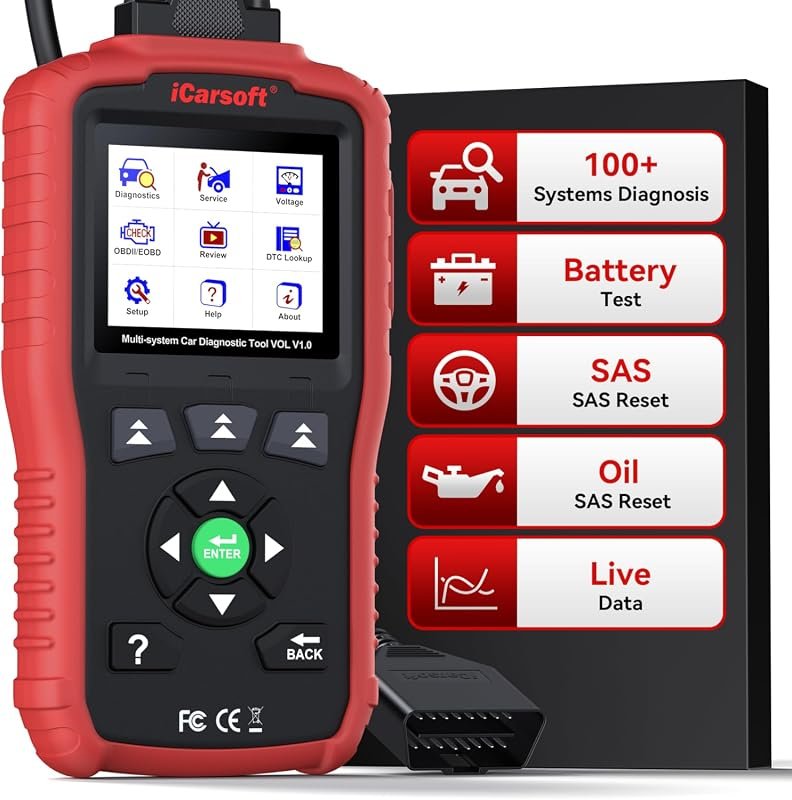 Best Overall
iCarsoft VOL V1.0 OBD2 scanner for Volvo/SAAB, all-systems diagnostics, oil/SAS reset, live data, CAN-FD, lifetime free updates
It offers the strongest all-around mix of fit, value, and practical daily use for Volvo owners.
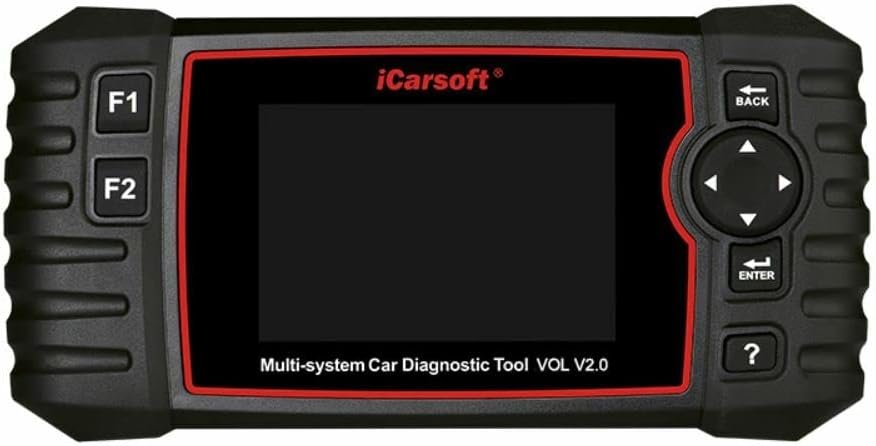 Best Value
iCarsoft VOL V2.0 automotive diagnostic scanner for Volvo/SAAB with ABS scan, oil reset, ABS bleeding, injector coding
It makes sense for owners who want a useful upgrade without paying more than necessary.
 Best Premium Option
FOXWELL NT530 OBD2 scanner for Volvo, bidirectional all-systems diagnostics, service resets, ABS bleed, SRS, EPB, oil reset
It is the pick I would compare first if build quality, features, and long-term ownership value matter most.
Author

Author

Evans Torres
I’m Evans Torres, an automotive engineer who loves Volvo cars. I graduated in Automotive Engineering from USC. I have worked in the car industry for years and now share my knowledge on The Volvo Life. I started this blog to connect with other Volvo fans. I offer tips, news, and advice to help you care for your car. My goal is to help you keep your Volvo in great shape and find all the best things about it. Join me as we discover everything Volvo has to offer!