



Would scanner for Volvo XC60 work? Yes — choose a Volvo-capable tool like iCarsoft VOL II or Foxwell NT530 to read all modules. Expect $120–$200 for full XC60 coverage. $20 generic readers only see engine codes and miss ABS, SRS, transmission, and CEM faults.
Many XC60 owners buy a cheap OBD2 dongle, then discover it only reads “check engine” codes. Volvo spreads faults across multiple modules, so you need a scanner that speaks those Volvo-specific protocols. This connects closely with did scanner for Volvo work well if you want to compare the topic in more detail.
This guide explains which scanners truly work on an XC60, model-year compatibility, iPhone/Android support, setup steps, troubleshooting, and clear recommendations by budget and use case.
- Main point: A Volvo-specific scanner is required to read SRS, ABS, TCM, and CEM on an XC60 — generic OBD2 tools read engine only.
- Best first step: Pick iCarsoft VOL II or Foxwell NT530 for full-module access on 2009–2024 XC60 models.
- Cost or value: $120–$200 covers most DIY needs; advanced tablets (Autel/Launch) run $350–$800.
- Who it suits: DIYers saving dealer diagnostics and owners tracking intermittent warnings.
- When to get help: For coding/programming or persistent SRS faults, use a Volvo specialist with VIDA/DiCE.
Wants to read/clear ABS, airbag, and transmission faults at home instead of paying a dealer each time.
Needs live data, service light resets, and basic calibrations after repairs on a Volvo XC60.
Looking for a reliable mid-tier scanner that covers multiple Volvos beyond basic OBD2.
What an OBD2 Scanner for a Volvo XC60 Does and How It Works
An OBD2 scanner connects to the XC60’s diagnostic port (driver footwell) to read fault codes and live sensor data. All cars share basic OBD2 engine data, but Volvos also store faults in ABS, SRS (airbag), TCM, CEM, BCM, SAS, and climate modules.
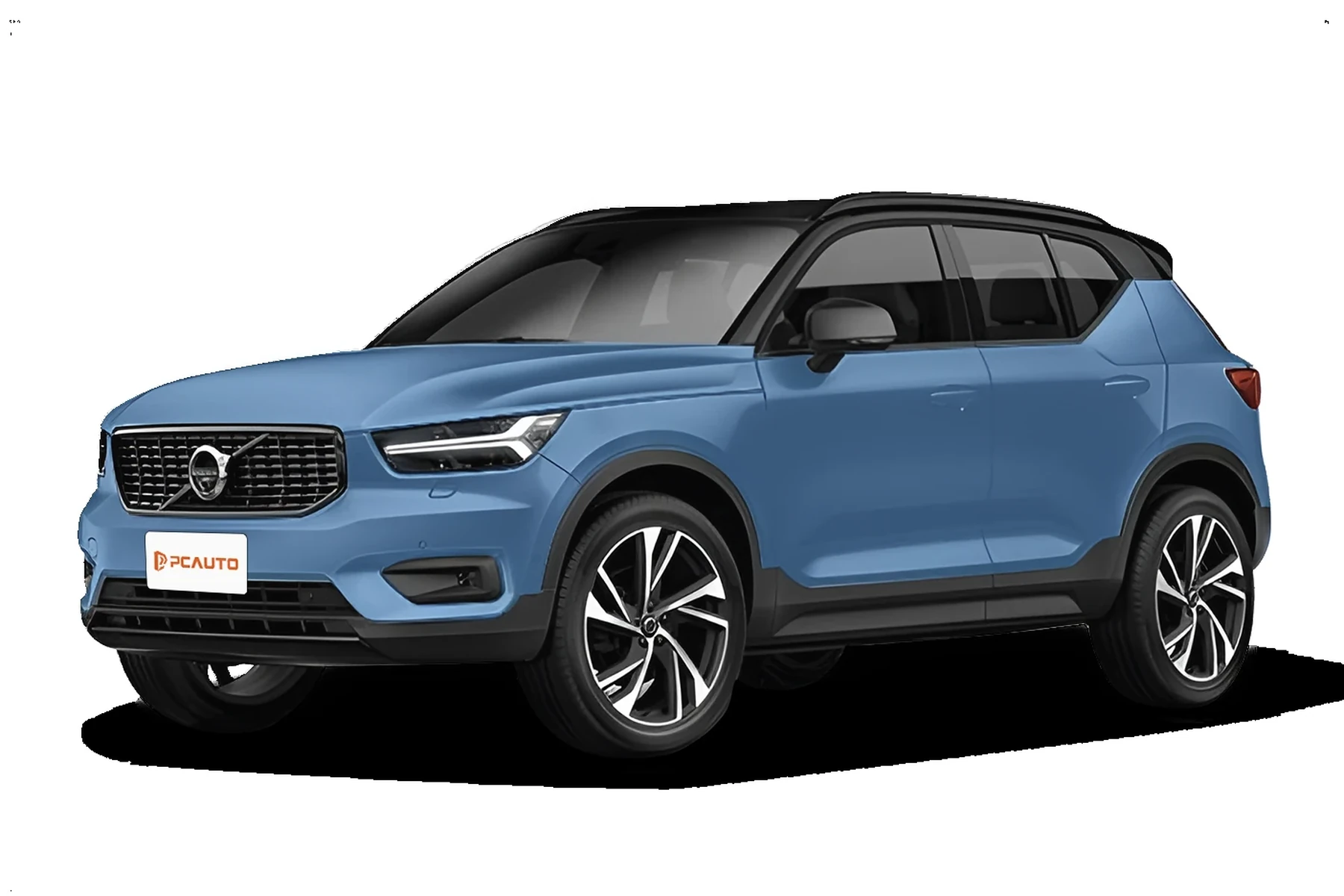
Volvo-capable scanners speak beyond generic OBD2, using manufacturer-specific services to access these modules. That’s why a $20 ELM327 can miss a real brake or airbag fault while a Volvo-aware unit surfaces it immediately.
Volvo’s SPA-platform XC60 (2018+) and P3-platform XC60 (2009–2017) use different communication profiles. Confirm your scanner lists your platform and year specifically — not just “Volvo compatible.”
OBD2 vs Volvo‑Specific Scanners: Will a Scanner Work on an XC60?
Generic OBD2 scanners read only the engine module. Volvo-specific scanners read most or all modules, letting you diagnose brakes, airbags, transmission, body electronics, and reset service messages.
Buying purely on price causes the classic “it connects but finds nothing” complaint. Match the scanner tier to the XC60 systems you actually need to see.
Here’s a quick comparison of scanner types and what they can do on an XC60.
For full-module access without overspending, mid‑range Volvo‑aware handhelds are the sweet spot for most XC60 owners.
| Scanner type | XC60 systems accessed | Best for | Limitations |
|---|---|---|---|
| ELM327 + generic app | Engine (ECM) only | Reading/clearing check engine lights | No ABS/SRS/TCM/CEM; misses most Volvo faults |
| Budget handheld code reader | Engine, sometimes generic ABS | Basic engine diagnostics | Little to no Volvo module access |
| iCarsoft VOL II (Volvo/Saab) | ECM, TCM, ABS, SRS, CEM, BCM, SAS, CCM | DIY owners, 2009–2024 coverage | Limited coding; no ECU programming |
| Foxwell NT530 (Volvo software) | All common Volvo modules + service resets | DIY/enthusiast needing bi‑directional tests | Advanced coding varies by year |
| Autel MaxiCOM MK808 series | Wide Volvo module coverage + live data | Advanced DIY/pro shops | Higher cost; subscriptions for updates |
| Launch X431 | Dealer‑level breadth on many brands | Independent techs | Expensive; learning curve |
| VIDA/DiCE (factory) | All Volvo modules + guided diagnostics | Programming/coding with subscription | Cost, setup, subscription required |
What a Volvo XC60 Scanner Can Diagnose
A capable XC60 scanner reads more than P‑codes. Expect access to ABS wheel speed faults, SRS seatbelt/occupancy sensors, transmission solenoid data, CEM network issues, electronic parking brake status, TPMS, and climate flap motors.

Many tools also perform service resets and adaptations after parts replacement — for example, steering angle sensor calibration after an alignment.
The table below maps common XC60 systems to what you can see and which scanner tier you need. You can also use can scanner for Volvo XC60 as a helpful next guide on the same ownership topic.
| System | What it detects | Reset possible? | Scanner tier needed |
|---|---|---|---|
| Engine (ECM) | Misfires, O2 sensors, boost leaks | Yes (after repair) | Any OBD2 |
| Transmission (TCM) | Shift solenoids, temp, slip | Adaptations on some tools | Volvo‑specific or advanced |
| ABS/Brake | Wheel sensors, pump, yaw rate | Yes (after repair) | Volvo‑specific |
| SRS/Airbag | Belt tensioners, seat sensors, airbags | Yes (only after fixing fault) | Volvo‑specific |
| CEM/BCM | Lighting, locks, network faults | Clear codes | Volvo‑specific |
| EPB | Caliper status, service mode | Service open/close | Mid‑range+ |
| TPMS | Sensor IDs, battery status (varies) | Relearn on some tools | Mid‑range+ |
| Climate (CCM) | Actuator/flap faults | Clear codes | Volvo‑specific |
ECM-only tools won’t touch SRS or ABS on the XC60. Aim for a Volvo‑aware handheld or tablet if you want real answers beyond a check engine light.
On many Volvos, an ABS or SRS fault also stores a related note in the CEM. A scanner that reads the CEM helps you confirm if a module can’t “see” a sensor because of wiring, not just a failed part.
Do Volvo OBD2 Scanners Work with All XC60 Model Years?
Yes — with the right tool. 2009–2017 XC60s (P3 platform) and 2018–2024 XC60s (SPA platform) use different protocols and cover different modules. Mid‑range Volvo‑specific scanners typically list support for both generations.
For T8 Recharge PHEV models, confirm hybrid module access and EPB service functions. Not all budget tools support newer UDS services used on late‑model SPAs.
For broad fitment answers across the lineup, see our guide on whether scanners work with all Volvo models.
Best Types of Scanner for Volvo Cars (XC60 Included)
Pick the type by what you need to read and your budget. Basic dongles read engine codes only. Volvo‑aware handhelds unlock ABS/SRS/TCM/CEM. Advanced tablets add bi‑directional tests and broader brand coverage.
- Basic Bluetooth dongle: Cheapest, engine only. Good for emissions checks, not real Volvo diagnostics.
- Volvo‑specific handheld: iCarsoft VOL II or Foxwell NT530. Best value for XC60 owners.
- Advanced tablet: Autel MK808/MK808BT, Launch X431. Faster, deeper data, shop‑friendly.
- Factory tool: VIDA/DiCE with paid subscription. Needed for software updates and coding.
Best Scanner Brands for Volvo — Comparison Table
These are widely used by Volvo owners and independent shops in the U.S. Confirm the seller is authorized to avoid clones that fail on Volvo modules.
| Brand/model | Price (approx) | Volvo modules covered | Bluetooth/App | Verdict |
|---|---|---|---|---|
| iCarsoft VOL II | $130–$180 | ECM/TCM/ABS/SRS/CEM/BCM/SAS/CCM | Handheld (USB for updates) | Best value for most XC60 owners |
| Foxwell NT530 (Volvo) | $170–$230 | Wide Volvo coverage + service resets | Handheld | Great mid‑tier with solid bi‑directional tests |
| Autel MK808S/MK808BT | $400–$700 | Broad Volvo + other brands | BT on BT model | Advanced data, fast, professional feel |
| Launch X431 | $800–$1,400 | Near dealer‑level breadth | BT/Wi‑Fi | For shops or heavy DIYers |
| YOUCANIC UCAN‑II | $250–$450 | Good multi‑brand coverage | USB/BT (varies) | Subscription model; read terms |
| Ancel (VD/VOD series) | $80–$150 | Some Volvo modules | Handheld | Budget option; verify your year |
Prefer guidance tailored to this model? Start with our focused scanner for Volvo XC60 picks and cross‑check against your year and trim.
Clone scanners look identical to name brands but often fail to connect to Volvo‑specific modules or brick during updates. Buy from the brand’s official store or an authorized Amazon seller. Suspiciously low prices are the biggest red flag.
Volvo Model‑Based Scanner Guide (XC60 Focus)
Different XC60 generations favor slightly different tool strengths. Use this as a quick fit guide before buying.
- 2009–2017 XC60 (P3): iCarsoft VOL II or Foxwell NT530 read SRS/ABS/TCM/CEM reliably. Ensure EPB service function support for rear brake jobs.
- 2018–2024 XC60 (SPA, B5/T5/T6): Choose mid‑range+ tools listing SPA support. Autel MK808S/MK808BT shines for live data and network scans.
- XC60 Recharge T8: Confirm PHEV module access, HV safety notes, and EPB. Advanced tools offer better battery/charging data.
If you want a compact overview first, our OBD scanner for Volvo XC60 page lists the best quick‑buy options by year.
Are Scanners for Volvo Worth It, Reliable, and Safe to Use?
Yes. A Volvo‑capable scanner typically pays for itself after one or two avoided diagnostic visits. Reading codes is safe; writing/coding functions demand care and a stable battery.
Clearing SRS without fixing the cause is the main risk. Always repair first, then clear.
Never clear airbag (SRS) faults just to hide a light. Until the true fault is resolved and confirmed, the system may not protect occupants correctly in a crash.
Can a Volvo Scanner Work with iPhone — and on Other Cars?
Yes. Many scanners pair with iOS via a companion app, or operate as a self‑contained handheld. Cross‑brand use varies: mid‑range tablets like Autel cover dozens of brands fully; Volvo‑specific handhelds read basic engine codes on other cars.
Before you buy, verify iOS compatibility and update policy. For details, see whether scanners work with iPhone.
How to Use a Scanner for Volvo (XC60) — Step by Step
Running a proper scan prevents guesswork. Capture codes first, review freeze‑frame data, confirm live values, then clear only after repairs so you can tell what actually changed.
- Park safely: Engine off, ignition ready. Keep a battery charger connected if diagnosing long.
- Locate the OBD2 port: Driver footwell, under the dash near the kick panel.
- Connect the scanner: Plug in the handheld or power your Bluetooth/Wi‑Fi adapter.
- Ignition on: Key to position II or Start button without foot on brake (dash on, engine off).
- Select Volvo/XC60: Enter model year. Run an “Auto‑scan” of all modules.
- Save results: Write down codes and screenshots of freeze‑frame data.
- Check live data: Graph suspect sensors (e.g., wheel speed, O2, boost, battery voltage).
- Repair then clear: Fix the root cause, then clear codes and re‑scan to confirm.
- Update the tool: Connect to PC/Wi‑Fi to install the latest Volvo software when prompted.
- Ignition must be “on” for modules to wake; some won’t talk with engine running.
- Low battery voltage causes false faults; keep the battery above 12.4V during scans.
- Always run a full “all modules” scan — not just ECM — before ordering parts.
- Label screenshots by date/mileage to track intermittent issues over time.
Why Is My Volvo Scanner Not Working?
Most “no communication” issues trace to setup, power, or compatibility. Work through these quick checks before assuming the tool is faulty.
- Ignition state: Ensure position II/dash on. Start-stop cars need a 2‑press without brake.
- OBD fuse or power: Confirm 12V at the port; check the OBD/cigar lighter fuse.
- Battery charge: Under 12.2V can drop modules offline mid‑scan.
- Wrong app/pairing: Pair the adapter in the app (not just phone Bluetooth settings).
- Software outdated: Update the scanner’s Volvo package before trying again.
- Clone hardware: Counterfeits often fail on CEM/SRS — return and buy authorized.
- Incompatible year: Verify your exact XC60 year is listed in supported models.
For professional‑level programming/coding, consult Volvo Tech Info subscriptions at VolvoTechInfo.com.
Buying Guide: Which Scanner Should You Choose?
Match the tool to your XC60 generation and how deep you plan to diagnose. Here are clear picks for common owner profiles.
- Basic owner (engine light only): Any OBD2 dongle works — but it won’t read ABS/SRS.
- XC60 DIYer (best value): iCarsoft VOL II or Foxwell NT530 — full modules, service resets, EPB support.
- Advanced DIY/multi‑brand: Autel MK808S/MK808BT — faster scans, richer data, broader car coverage.
- Shop/independent tech: Launch X431 — deeper functions across brands.
- Coding/updates: VIDA/DiCE with paid subscription — factory‑level, workshop path only.
Prefer a ready list for this model? Our curated OBD scanner for Volvo XC60 page keeps the short list updated.
Common Mistakes to Avoid — And When to Visit a Mechanic
Avoid clearing codes before you save them, buying a clone, or assuming an engine‑only tool can fix an SRS light. If an SRS/airbag code returns immediately, or the car needs programming, book a Volvo specialist.
- Don’t clear first: Record codes and freeze‑frame data before any action.
- Don’t cheap out on clones: They fail to update and miss Volvo modules.
- Check compatibility: Confirm your XC60 year, hybrid trim, and EPB support.
- Know the limit: Adaptations and coding can brick modules if mishandled — use a pro tool and subscription.
Typical U.S. diagnostic fees run $120–$200 at independent shops; dealer sessions can be higher (RepairPal).
💡 Evans Torres Tip: I keep an iCarsoft VOL II in my XC60. It paid for itself the first time an ABS light came on — a quick scan showed a flaky rear wheel speed sensor. I graphed live data, saw the dropout, replaced the sensor, and cleared the code. That saved a dealer visit and a weekend of guesswork.
Frequently Asked Questions
These answers cover the most common XC60 scanner questions owners ask before buying — model‑year fit, iPhone pairing, module coverage, resets, and where to buy legitimately so you avoid counterfeit hardware.
Will a generic OBD2 scanner work on a Volvo XC60?
It will work for engine (ECM) codes only. Generic readers can read and clear “check engine” lights but won’t access ABS, SRS, TCM, CEM, or EPB modules. For full diagnostics on an XC60, choose a Volvo‑specific handheld (iCarsoft VOL II, Foxwell NT530) or an advanced tablet like Autel MK808.
What’s the best value scanner for a 2018–2024 XC60?
For SPA‑platform XC60s, iCarsoft VOL II and Foxwell NT530 are the best values for full‑module access and service resets. If you want faster scans and deeper live data across multiple brands, Autel MK808S/MK808BT is an excellent step up.
Can a scanner reset the XC60 service reminder?
Yes. Most Volvo‑capable scanners can reset the service reminder after an oil change. Follow repairs with a full‑module scan to confirm no other pending maintenance or faults remain before clearing the reminder.
Do these scanners work with iPhone?
Many do. Some are self‑contained handhelds and don’t need a phone; Bluetooth app‑based tools should list iOS support explicitly. Check the brand’s compatibility list and user forum feedback for your exact iOS version before buying.
Will a scanner work on both 2012 and 2023 XC60 models?
Yes, if it explicitly supports both P3 (2009–2017) and SPA (2018+) platforms. Confirm your exact model year on the compatibility list. Budget or older tools may support only one platform or lack certain functions like EPB service mode.
Is it safe to clear SRS (airbag) codes with a scanner?
Only after the underlying fault is repaired and verified. Clearing SRS to hide a light is unsafe — the system may not deploy correctly in a crash. If SRS faults return immediately, book a Volvo specialist or a shop with VIDA/DiCE.
Where should I buy to avoid a counterfeit scanner?
Buy from brand official stores or authorized Amazon sellers. Avoid listings with unusually low prices or poor packaging. Clones commonly fail to connect to Volvo modules or corrupt during software updates.
Final Verdict
A scanner will absolutely work on a Volvo XC60 — provided it’s Volvo‑capable. For most owners, iCarsoft VOL II or Foxwell NT530 strikes the right balance of price and full‑module access.
Set the ignition correctly, update your tool, run an all‑module scan, and save results before clearing. For programming or stubborn SRS faults, step up to a Volvo specialist with VIDA/DiCE.
Author

Author

Evans Torres
I’m Evans Torres, an automotive engineer who loves Volvo cars. I graduated in Automotive Engineering from USC. I have worked in the car industry for years and now share my knowledge on The Volvo Life. I started this blog to connect with other Volvo fans. I offer tips, news, and advice to help you care for your car. My goal is to help you keep your Volvo in great shape and find all the best things about it. Join me as we discover everything Volvo has to offer!