



Which scanner for Volvo XC90 — choose the iCarsoft VOL II for the best value full-module reader on 2004–2024 XC90s. Step up to the Foxwell NT530 for richer Volvo coverage, or Autel MK808/Launch X431 for pro-level coding and adaptations. Skip $30 engine-only readers.
Scanning an XC90 properly means talking to more than just the engine. ABS, SRS, transmission, CEM, and climate modules all store Volvo-specific codes that generic tools miss.
Below, you’ll see why cheap readers fail on Volvos, the best scanners by budget, which ones fit each XC90 generation, what each tier can actually do, and where to buy safely without getting a clone. You can also use can scanner for Volvo XC90 as a helpful next guide on the same ownership topic.
- Main point: iCarsoft VOL II is the best value for reading/clearing all major Volvo modules on XC90s; Autel MK808 and Launch X431 add advanced functions.
- Best first step: Match the scanner to your XC90’s generation (2003–2014 P2/P3 vs 2016+ SPA) before you buy.
- Cost or value: Expect $140–$190 for a solid mid-range Volvo tool; $400–$1,000 for pro-level tablets.
- Who it suits: DIY owners should pick iCarsoft VOL II or Foxwell NT530; shops benefit from Autel/Launch.
- When to get help: Programming/coding, keys, and software updates need factory-level tools (VIDA/DiCE or VOCOM) and a qualified Volvo specialist.
Wants to read ABS/SRS/TCM/CEM faults at home, reset service, and check live data before booking a shop.
Needs a fast, reliable scanner with bi-directional tests and adaptations for daily diagnostics. For another practical angle, see which scanner icarsoft for Volvo S80 2002.
Oversees multiple Volvos and values a scanner that prevents unnecessary dealer visits and pinpoints real faults. If you are comparing similar topics, is scanner for Volvo XC60 is also worth checking.
Why Generic OBD2 Scanners Fail on Volvos
Generic ELM327 readers only access the ECM for emissions codes (P0xxx). Volvo faults often live in the SRS (airbag), ABS, TCM (transmission), CEM (central electronics), SAS, and climate modules — invisible to basic tools.

XC90s communicate across multiple CAN/LIN networks. Volvo-specific PIDs and UDS services on 2016+ SPA models require brand-aware software that cheap readers don’t implement.
XC90 (2016+) uses SPA architecture and UDS diagnostics. Always verify that the scanner explicitly lists 2015/2016+ coverage; “Volvo compatible” alone is not enough.
An XC90 can show no engine codes while the SRS or ABS modules still store active faults. Only a Volvo-capable scanner can read and clear those safely after repair. For related context, you may also want to read is scanner for Volvo XC90.
Top Scanners for Volvo — Comparison Table
Picking the right XC90 scanner comes down to module coverage, model-year support, and features like live data, service resets, and calibrations. Budget readers handle engine codes only; mid-range handhelds unlock Volvo modules; pro tablets add coding and guided tests. This connects closely with OBD scanner for Volvo XC90 if you want to compare the topic in more detail.
If you want reliable ABS/SRS/CEM access and live data without overspending, go mid-range (iCarsoft VOL II or Foxwell NT530). Pros who need adaptations or limited coding should step up to Autel MK808 or Launch X431.
| Scanner name | Price | Volvo modules covered | Volvo model years | Bluetooth/WiFi | App required | Verdict |
|---|---|---|---|---|---|---|
| Generic ELM327 Bluetooth | $20–$35 | Engine (ECM) only | 2001–2024 | Bluetooth (varies) | Yes (Torque/OBD Fusion) | For basic P0xxx only; not Volvo-specific |
| Ancel VOD700 (budget) | $60–$80 | Limited Volvo coverage | 2004–2014 mainly | No | No | Entry step-up; verify functions before buying |
| iCarsoft VOL II | $140–$180 | ABS, SRS, TCM, CEM, more | 2004–2024 (check 2023+ notes) | No | No | Best value for DIY XC90 owners |
| Foxwell NT530 (Volvo software) | $170–$220 | Broad Volvo module support | 2004–2024 | No | No | Strong mid-range alternative to iCarsoft |
| Autel MaxiCOM MK808(S) | $400–$600 | All major modules + bi-directional | 2004–2024 | WiFi | No (built-in) | Pro features, frequent updates |
| Launch X431 PRO Mini | $800–$1,200 | Dealer-like coverage + coding | 2004–2024 | WiFi/Bluetooth | No (built-in) | Workshop-grade, fast, deep coverage |
| VIDA DiCE / VOCOM | Varies (pro) | Factory-level | Model-dependent | USB/Ethernet | Yes (VIDA/PTT) | Dealer functions; beyond consumer tools |
Model-Year Compatibility for the Volvo XC90
Coverage differs by XC90 generation. The 2003–2014 models (P2/P3) need robust legacy Volvo protocols, while 2016+ SPA models add UDS and newer module addressing. Some budget tools work on older cars but struggle on SPA.
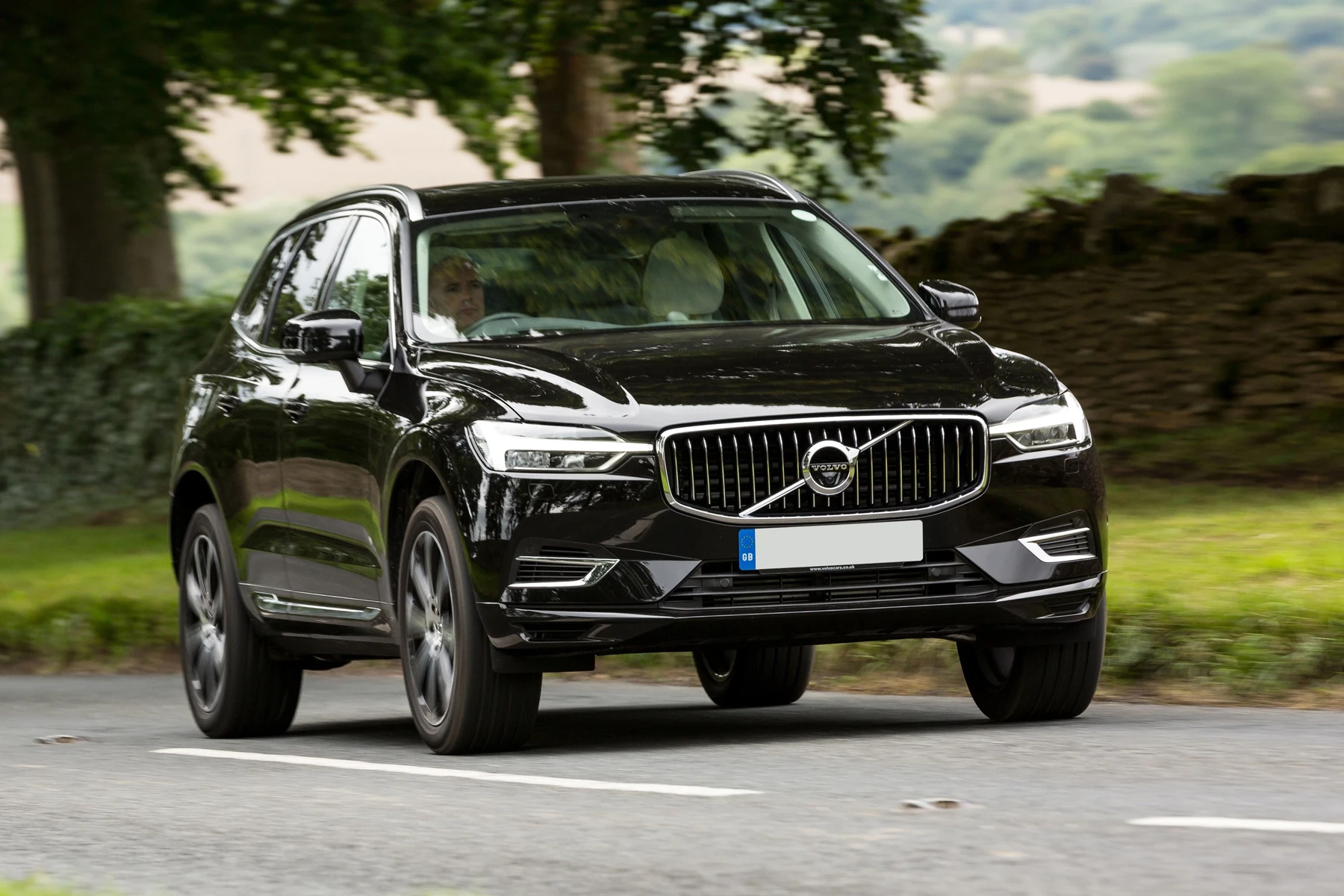
For a deeper dive into owners’ experiences and preferred tools per model year, see our in-depth OBD2 scanner for Volvo XC90 guide.
| Scanner | pre-2004 | 2004–2014 | 2015+/2016+ SPA | EX/EC electric models |
|---|---|---|---|---|
| Generic ELM327 | No | Engine only | Engine only | Engine only (limited) |
| Ancel VOD700 | No | Partial | No/Engine only | No |
| iCarsoft VOL II | Partial | Yes (broad) | Yes (check functions) | Partial (basic OBD2) |
| Foxwell NT530 (Volvo) | Partial | Yes | Yes | Partial (basic OBD2) |
| Autel MK808(S) | Yes (most) | Yes | Yes | Partial (basic OBD2) |
| Launch X431 PRO Mini | Yes | Yes | Yes | Partial (basic OBD2) |
What You Can Actually Do With Each Tier
Budget dongles read and clear engine codes only. Mid-range handhelds unlock the modules XC90 owners care about (ABS/SRS/TCM/CEM), live data, and common resets. Pro tablets add bi-directional tests, adaptations, and limited coding that speed up real repairs.
- Budget ($20–$80): Read/clear check-engine codes, basic monitors, freeze-frame; no Volvo modules.
- Mid-range ($140–$220): Read/clear all major Volvo modules, service reset, EPB/steering angle resets, live data.
- Advanced ($400–$1,200): All of the above + bi-directional tests, adaptations, limited coding; faster UI and updates.
- Factory-level (VIDA/PTT): Programming, software downloads, key coding — workshop territory.
For professional workflow examples and feature use on Volvos, see how to use a professional Volvo scanner.
Where to Buy a Volvo XC90-Capable Scanner
Buy from the brand’s official store or an authorized Amazon seller. Avoid third-party marketplaces with unusually low prices; clones are rampant and often fail to connect to Volvo modules.
iCarsoft and Foxwell sell direct and list authorized resellers. For Autel and Launch, stick to well-rated US sellers with clear return policies and verifiable serial numbers.
- Verify Volvo XC90 coverage by year on the product page and user forum threads before purchasing.
- Register the scanner and update its software the day it arrives — many issues vanish after updates.
- Keep a photo of your VIN and model year handy; some tools ask for exact trim/engine when scanning.
- Save full vehicle scans as PDFs so you can compare “before vs after repair” data.
Clone scanners mimic branding but use unsupported firmware. Common symptoms include failing to connect to SRS/ABS or bricking during updates. Only purchase from authorized channels listed by the manufacturer.
Need a quick roundup by budget and use case? Our concise scanner for Volvo XC90 page highlights the most-bought picks among XC90 owners.
How To Choose the Right XC90 Scanner
Choosing confidently takes five minutes: confirm your XC90’s generation, decide what you’ll actually fix at home, and match features to that plan. Prioritize proven Volvo module access over extra bells and whistles you’ll never use.
- Confirm model year/generation: 2003–2014 (P2/P3) vs 2016+ (SPA). Compatibility depends on this.
- Decide coverage needs: Engine-only vs full modules (ABS/SRS/TCM/CEM) and live data trending.
- Pick a form factor: Handheld (plug-and-go) for DIY; tablet (Autel/Launch) for advanced workflows.
- Check updates/support: Look for easy WiFi/PC updates and at least 1–2 years of active software support.
- Buy authorized: Choose official brand stores or listed resellers to avoid clones and dead-on-arrival units.
Once you match year and coverage, the decision becomes simple: mid-range for most owners, pro-level only if you’ll use coding/adaptations weekly.
Before we get to common questions, here’s a quick personal pointer.
💡 Evans Torres Tip: I keep an iCarsoft VOL II in my XC90 because it reads SRS and ABS every time — not just the engine. The first week I owned it, I found a CEM communication fault that a generic dongle completely missed. That one scan saved me a dealer diagnostic fee and pointed me directly to a failing rear wheel speed sensor.
Frequently Asked Questions
This section answers the XC90-specific buying questions owners ask right before checkout — compatibility by year, iPhone/Bluetooth use, service light resets, and when factory tools are worth it. Skim for your situation and jump straight to the right choice.
What is the best overall scanner for a Volvo XC90?
For most owners, the iCarsoft VOL II offers the best value: broad Volvo module coverage (ABS/SRS/TCM/CEM), live data, and common resets for around $140–$180. If you want deeper functions or work on multiple brands regularly, consider the Autel MaxiCOM MK808 or Launch X431.
Does iCarsoft VOL II work on 2016–2024 SPA-platform XC90s?
Yes, it supports SPA, but specific functions vary by year and software revision. It reads and clears major modules and performs common resets on most 2016–2024 XC90s. Update the tool before first use, and check release notes for 2023–2024 function additions.
Foxwell NT530 vs iCarsoft VOL II for XC90 — which should I pick?
Both are excellent mid-range choices. The NT530 often wins on bi-directional tests and some adaptations, while VOL II’s menus are simpler for first-time users. If you prefer a little more depth, pick NT530; if you want faster out-of-box usability, choose VOL II.
Can I use a Bluetooth OBD2 dongle and phone app with my XC90?
Yes for basic engine codes and live data, but Bluetooth dongles don’t access Volvo-specific modules like SRS/ABS/TCM. They are fine for quick P0xxx checks. For dashboard warnings beyond the check engine light, you need a Volvo-capable handheld or tablet scanner.
Will these scanners reset airbag (SRS) and EPB service on an XC90?
Mid-range Volvo tools (iCarsoft VOL II, Foxwell NT530) typically read/clear SRS after the physical fault is fixed and handle EPB service/steering angle resets. Never clear SRS codes without confirming the repair — doing so can leave the system inactive in a crash.
Do I need VIDA/DiCE for home diagnostics on an XC90?
No for routine diagnostics and resets — a mid-range handheld covers 90% of DIY needs. Yes for ECU programming, software updates, or key coding, which require factory-level tools and a subscription. Most owners never need VIDA/DiCE unless performing dealer-level work.
How often do scanner brands update Volvo coverage, and is it paid?
Autel/Launch push updates frequently (monthly/quarterly). iCarsoft and Foxwell updates are periodic. Many tools include 1 year of free updates; pro tablets may require paid renewals to keep advanced functions current. Register immediately to activate included updates.
Where is the OBD2 port on the Volvo XC90?
It’s under the driver-side dashboard, above the footwell, near the left kick panel. On some model years, a small trim cover conceals it. Use a flashlight, seat fully back, and plug the tool in with the ignition on (engine off) before running a full vehicle scan.
Final Verdict
For a Volvo XC90, the iCarsoft VOL II is the smartest buy for full-module diagnostics without overspending. It covers the faults that matter and handles the resets most owners use.
Choose the Foxwell NT530 if you want a bit more depth, or Autel MK808/Launch X431 for workshop-level features. Verify SPA coverage on 2016+ XC90s, update the tool on day one, and avoid clones by buying through authorized channels.
My Top Picks at a Glance
Here are the three which scanner options I would check first if you want a faster buying decision.
These picks highlight the strongest overall choice, the best value option, and the premium-style pick for practical Volvo ownership.
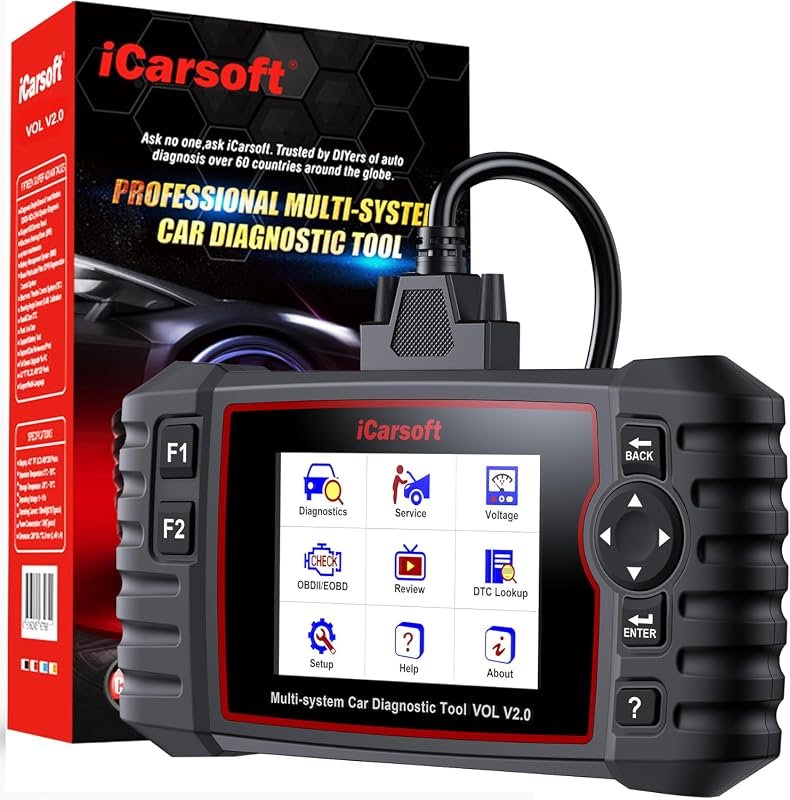 Best Overall
iCarsoft VOL V2.0 OBD2 scanner for Volvo/Saab with oil reset, TPMS, DPF, ABS bleed, injector coding
It offers the strongest all-around mix of fit, value, and practical daily use for Volvo owners.
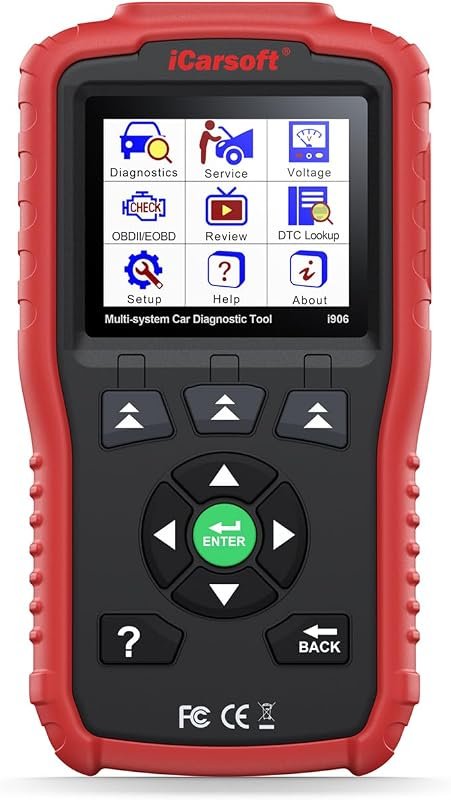 Best Value
iCarsoft i906 OBD2 diagnostic scanner for Volvo/Saab with multi-system engine, ABS and SRS coverage
It makes sense for owners who want a useful upgrade without paying more than necessary.
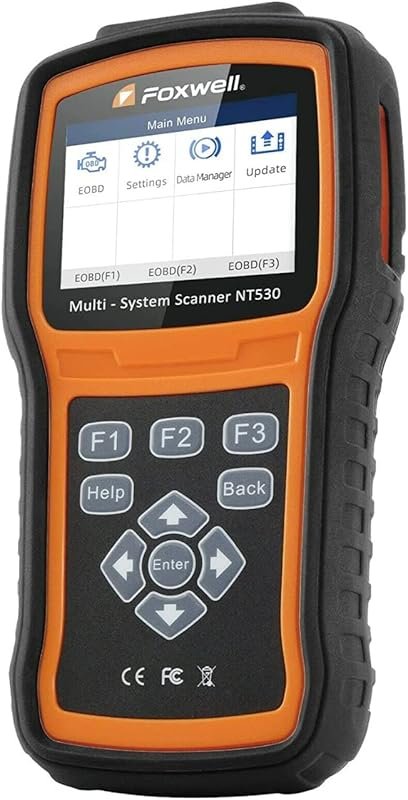 Best Premium Option
FOXWELL NT530 bidirectional diagnostic scan tool for Volvo, all systems and maintenance services, ABS bleed, EPB, SAS
It is the pick I would compare first if build quality, features, and long-term ownership value matter most.
Author

Author

Evans Torres
I’m Evans Torres, an automotive engineer who loves Volvo cars. I graduated in Automotive Engineering from USC. I have worked in the car industry for years and now share my knowledge on The Volvo Life. I started this blog to connect with other Volvo fans. I offer tips, news, and advice to help you care for your car. My goal is to help you keep your Volvo in great shape and find all the best things about it. Join me as we discover everything Volvo has to offer!