



Who scanner for Volvo V60 — the iCarsoft VOL II is the best value to read all Volvo modules (ECM/TCM/ABS/SRS/CEM) and reset service lights. For Bluetooth/app users, OBDLink MX+ works for basic OBD2, while Autel MK808 suits advanced DIY diagnostics.
A V60 owner looking for a “who/which scanner” usually wants one tool that actually talks to Volvo modules beyond the engine. Generic ELM327 readers only see basic OBD2 data, which misses ABS, SRS, and CEM faults that trigger most real-world warnings. For related context, you may also want to read is scanner for Volvo XC60.
This guide zeroes in on scanners that work well on 2010–2018 V60 (P3) and 2019+ V60 (SPA). You’ll see brand picks, what each tier can do, model-year compatibility, a safe how-to, and troubleshooting if a scanner won’t connect. This connects closely with is scanner for Volvo XC90 if you want to compare the topic in more detail.
- Main point: For a Volvo V60, choose a Volvo-capable scanner (iCarsoft VOL II, Foxwell NT530, or Autel MK808) to read ABS/SRS/TCM/CEM — not just engine codes.
- Best first step: Match your V60 generation (2010–2018 P3 vs 2019+ SPA) — coverage differs by protocol.
- Cost or value: Expect $120–$220 for solid DIY handheld coverage; $450–$800 for advanced tablets.
- Who it suits: DIY owners who want real module data, live values, and service-reset capability.
- When to get help: Coding, software updates, or persistent SRS faults need a Volvo specialist.
Wants a reliable handheld that clears service reminders and reads real faults without a dealer visit.
Needs live data, ABS/SRS access, and procedures like TPMS or SAS resets to finish repairs confidently.
Looks for broad Volvo coverage across P3 and SPA V60 with fast scanning and stable updates.
What an OBD2 Scanner for a Volvo V60 Does and How It Works
The OBD2 port below the V60’s dash connects you to the car’s control modules. A scanner reads fault codes, live data, and service counters through standardized protocols plus Volvo-specific networks.
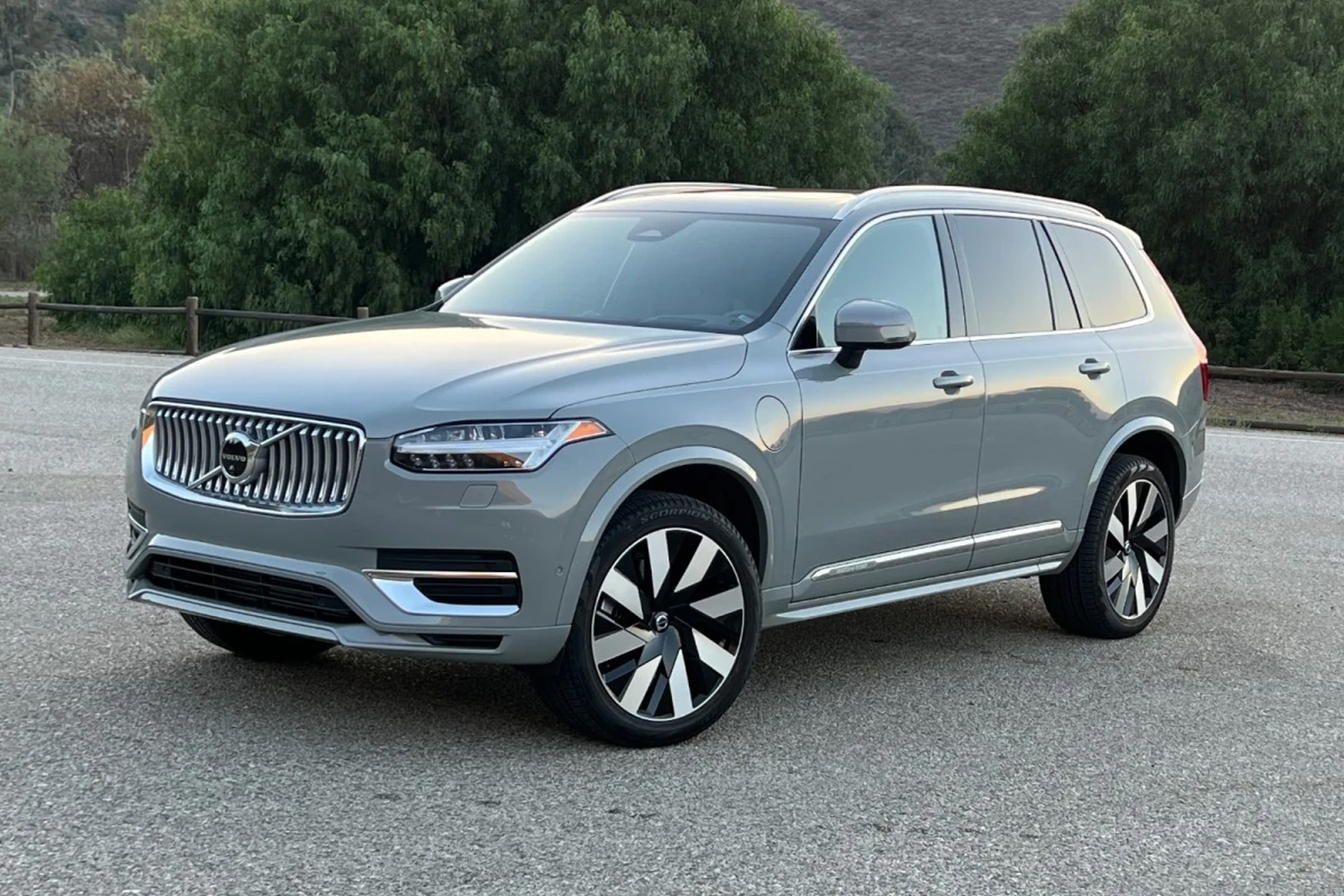
Generic readers only speak the engine side of OBD2. Volvo-capable tools add access to ABS, SRS (airbag), TCM (transmission), CEM/BCM electronics, steering angle, climate, and more — exactly where many V60 faults live.
ABS and SRS modules can store “freeze frame” snapshots when a fault sets. A Volvo-capable scanner displays these values, making intermittent problems much faster to track than guessing by parts.
OBD2 Scanner vs Volvo-Specific Scanner for the V60
Most “my scanner won’t see the fault” complaints trace back to generic OBD2 readers. Those tools read the ECM and clear a check-engine light, but they cannot see a seatbelt pretensioner fault, a wheel-speed sensor error, or a CEM network hiccup on a V60.
A Volvo-capable scanner speaks the manufacturer-specific protocols used on P3 (2010–2018) and SPA (2019+) V60 models. That’s why it can reset the service reminder, view EPB/ABS data, and communicate with the CEM.
Match your scanner to the model year. 2019+ SPA V60 uses newer UDS-based communication that some older tools don’t fully support. Always check the brand’s confirmed coverage list for your exact year.
Here is a summary of what changes when you step up from a generic reader to a Volvo-capable scanner on a V60.
The big takeaway: engine-only tools miss most Volvo faults. Choose a model that explicitly lists Volvo ABS, SRS, TCM, and service functions for your V60 year.
| Feature/Module | Generic OBD2 Reader | Volvo-Specific Scanner |
|---|---|---|
| Engine (ECM) codes/data | Yes | Yes |
| Transmission (TCM) | No | Yes — read/clear + data |
| ABS/Brake + EPB | No | Yes — faults + live wheel speed |
| Airbag/SRS | No | Yes — read/clear after repair |
| CEM/BCM electronics | No | Yes — network faults visible |
| Service reminder reset | Maybe (often no) | Yes — model-year aware |
| Steering angle (SAS) reset | No | Often yes (mid/advanced) |
| Live data depth | Basic PIDs | Module-level graphs/values |
What a Volvo-Capable Scanner Can Diagnose on a V60
Expect full access to engine, transmission, ABS/EPB, and SRS for codes and live data. Many tools also talk to CEM/BCM for lighting and body electronics, TPMS for sensor IDs, and climate modules for blend door faults.
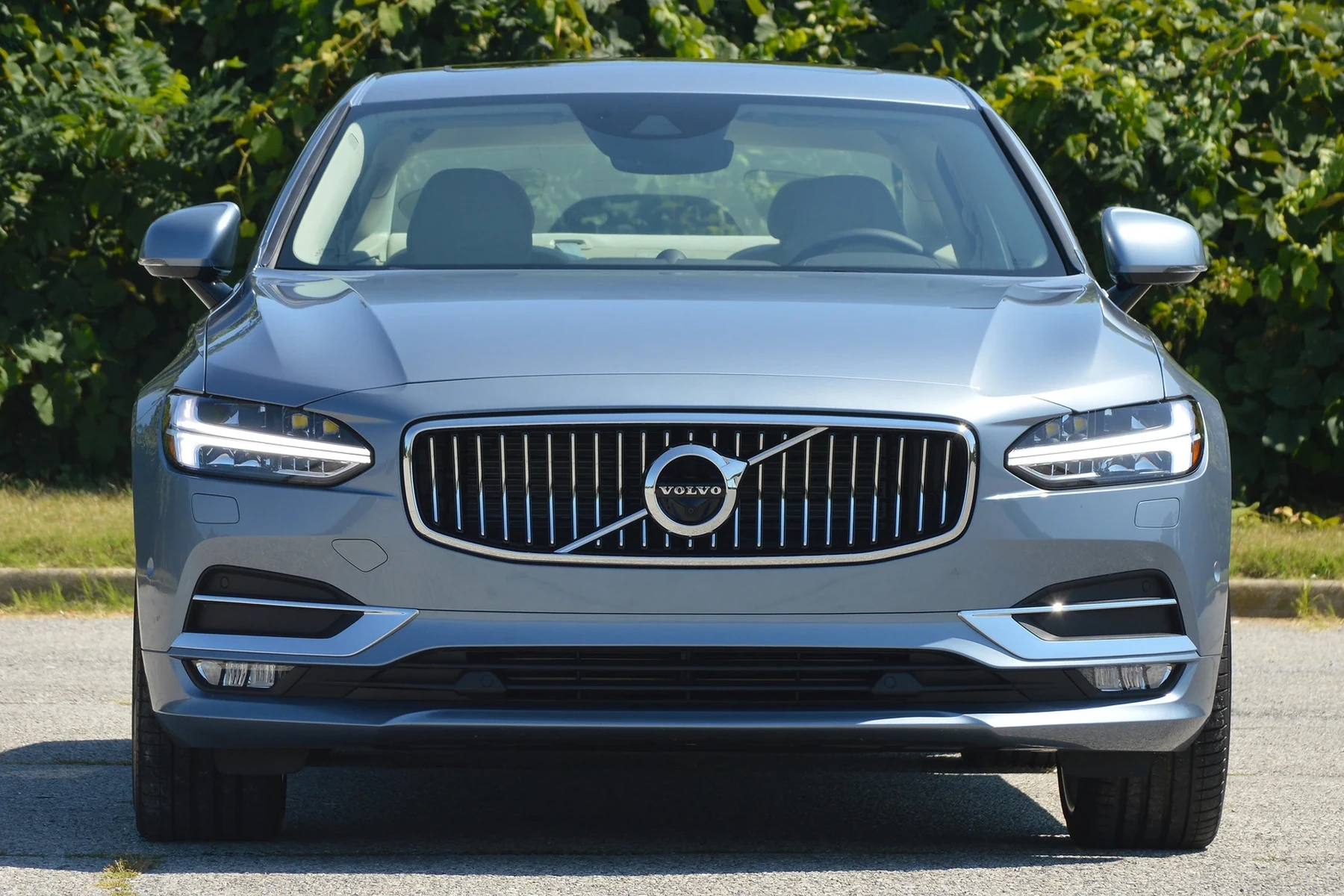
Beyond codes, look for service reset, SAS calibration, battery/charging values, and component tests (fan, pump, solenoid) on advanced units. The more modules the tool lists as “Volvo-supported,” the more useful it will be on your V60.
Do Volvo OBD2 Scanners Work With All V60 Model Years?
Coverage depends on protocol era. The 2010–2018 V60 (P3) is widely supported by iCarsoft VOL II and Foxwell NT530. The 2019+ V60 (SPA) needs a scanner that explicitly supports SPA/UDS for full module access.
Electric EX/EC models use newer stacks — not the V60 — but the principle is the same: confirm exact year/trim coverage. For broader context on brand-wide coverage, see our take on do scanners for Volvo work with all models.
Best Types of Scanner for Volvo V60 Owners
Four tiers cover most V60 needs. Pick based on how deep you plan to go and whether you prefer a handheld or phone app.
- Basic code reader (under $40): Engine-only. Good for simple CEL checks, not for Volvo modules.
- Bluetooth adapter + app ($60–$130): OBDLink MX+ does great basic data on iOS/Android; limited Volvo modules.
- Handheld Volvo-capable ($120–$220): iCarsoft VOL II or Foxwell NT530 read/clear most V60 modules and reset service.
- Advanced tablet ($450–$800): Autel MK808/MK808S or Launch X431 add adaptations, tests, and broader brand coverage.
Best Scanner Brands for Volvo — V60-Focused Comparison
Use this table to compare price, coverage depth, and connectivity before you buy. Handhelds suit most V60 DIY owners; tablets fit advanced troubleshooting and multi-brand garages.
| Brand/Model | Price | Volvo Modules Covered | Bluetooth/App | Verdict |
|---|---|---|---|---|
| iCarsoft VOL II | $140–$170 | ECM/TCM/ABS/SRS/CEM on P3 + solid SPA | Handheld (USB updates) | Best value for V60 DIY |
| Foxwell NT530 (Volvo pkg) | $170–$220 | Wide P3 coverage; good SPA basics | Handheld (USB updates) | Strong alternative to iCarsoft |
| Autel MK808/MK808S | $500–$800 | Deep module + tests on P3/SPA | Android tablet (Wi‑Fi) | Advanced features for serious DIY |
| TOPDON Artidiag family | $250–$500 | Good all-systems, improving SPA | Tablet (Wi‑Fi) | Rising option; verify V60 year |
| OBDLink MX+ (adapter) | $80–$130 | Engine-only, app-dependent | Yes (iOS/Android) | Great live data, not Volvo modules |
Clone scanners are common. Too-cheap iCarsoft/Autel listings often fail to connect to Volvo modules. Buy from official stores or authorized Amazon sellers to avoid bricked updates and unstable hardware.
For brand-specific notes on a rising option, see our look at TOPDON for Volvo and confirm your exact V60 model year before purchase.
Volvo V60 Model-Based Scanner Guide
Scanner fitment differs slightly between generations and trims. Start by identifying your platform and engine.
- 2010–2018 V60 (P3): iCarsoft VOL II and Foxwell NT530 cover ABS/SRS/TCM/CEM reliably. Autel MK808 adds functions like component tests and broader brand coverage.
- 2019+ V60 (SPA): Confirm SPA/UDS support. iCarsoft VOL II (latest updates) and Autel MK808S generally provide the broadest coverage on newer cars.
- Polestar Engineered: Treat like SPA V60 for diagnostics. Some performance modules expose extra PIDs; advanced tablets surface more data.
Are Volvo V60 Scanners Worth It, Reliable, and Safe?
Yes — a Volvo-capable scanner pays for itself by replacing one dealer diagnostic visit. Reliability is best from iCarsoft, Foxwell, Autel, and TOPDON bought from authorized channels.
Reading codes is safe. The only real risk is clearing SRS without fixing the cause or attempting coding you don’t understand. For a deeper reliability discussion, see our site’s take on are Volvo scanners reliable.
Can a Volvo V60 Scanner Work With iPhone — And Other Cars?
Bluetooth adapters like OBDLink MX+ work well with iPhone/Android for engine data, while handhelds do not use a phone at all. Some tablet tools (Autel) run Android and update over Wi‑Fi.
Most Volvo-capable handhelds also read basic OBD2 on other brands, but deep module coverage varies. For phone compatibility specifics, check Volvo scanner iPhone compatibility.
- Update your scanner’s software before first use — coverage for new SPA years arrives via updates.
- Record codes before clearing them. A photo of the DTC list speeds forum or shop help.
- Scan all modules, not just ECM. Hidden network faults often explain “mystery” warnings.
- Cross-check one live value (e.g., MAF g/s) against factory ranges to validate sensor health.
How To Use a Scanner on a Volvo V60 Safely and Effectively
Running a proper scan takes minutes and prevents guesswork. Focus on getting a complete module report, saving results, and only clearing codes after repairs so intermittent issues remain visible if they return.
- Park and prep: Set the parking brake, switch off accessories, and keep a healthy 12V battery voltage.
- Locate the OBD2 port: It’s under the dash near the steering column. Check your owner’s manual for the exact spot.
- Connect the tool: Plug in the handheld or pair your Bluetooth adapter and open the app.
- Ignition on: Turn ignition to ON (engine off) or press Start without the brake on push‑button cars.
- Select Volvo/V60: Choose the correct model year/platform for accurate modules.
- Run a full scan: Read all modules and note any “no communication” items.
- Save results: Export or photograph DTC lists and freeze frames before clearing.
- Repair then clear: Fix the root cause, then clear codes and re‑scan to confirm.
Never clear SRS/airbag faults just to turn off a light. Verify connectors, sensors, and repairs first — an inactive airbag system is a real safety risk.
Why a Volvo V60 Scanner Might Not Be Working
Connection issues are common and usually simple. Start with power and pairing basics before assuming the tool is faulty.
- Ignition state: Many modules wake only in IGN ON. Reseat the connector and retry.
- OBD fuse: A blown OBD/cigar-lighter circuit fuse kills port power. Check and replace if needed.
- Wrong app or profile: Select Volvo/V60 and correct year; generic “auto-detect” can miss modules.
- Outdated firmware: Update scanner databases for SPA-year coverage.
- Clone hardware: Counterfeits often fail on Volvo CEM/BCM. Return and buy authorized.
- Low vehicle battery: Sub‑12.0V can drop network comms during scans.
Buying Guide: Which Scanner Should a V60 Owner Choose?
Pick the one that matches your year and how deep you plan to wrench. Here’s a clean set of recommendations you can act on today.
- Best overall for V60 DIY: iCarsoft VOL II — widest V60 coverage for the money, easy to use.
- Alternate handheld: Foxwell NT530 (Volvo package) — similar depth, different interface.
- Advanced diagnostics: Autel MK808/MK808S — faster scans, tests/adaptations, great for multi‑car households.
- Bluetooth/app users: OBDLink MX+ — excellent live data and graphing for engine work; pair with brand app lists for Volvo features.
Curious about the “V60 angle” specifically? We’ve also discussed model-focused concerns in our V60 scanner reliability piece to help set expectations over time.
Common Mistakes to Avoid — And When to Visit a Mechanic
A few pitfalls create most owner headaches. Avoid them and you’ll get accurate results with less frustration.
- Buying a clone: If the price looks unreal, it is. Counterfeits fail on Volvo modules.
- Skipping model-year check: Don’t assume SPA coverage; confirm your exact year.
- Clearing codes first: Always save codes and freeze frames before erasing.
- Ignoring live data: A code points the way; data confirms what’s actually wrong.
- Delaying pro help: Persistent SRS faults, immobilizer issues, or needed coding = Volvo specialist time.
Factory-level programming and key coding require dealer/OEM-grade tools — a consumer scanner is not the right instrument for those jobs.
Before we wrap up, here’s one practical note from my own garage time with the V60.
💡 Evans Torres Tip: I keep an iCarsoft VOL II in my V60 toolkit because it consistently talks to ABS/SRS and the CEM on both P3 and SPA cars I see. My habit is to scan all modules, export the report, then chase live data on the affected system. That sequence has saved me from replacing “good” parts more than once, especially on intermittent ABS lights.
Frequently Asked Questions
These quick answers address the V60-specific questions that come up most often when choosing and using a scanner — from the single best pick to iPhone support, service resets, and connection fixes you can try at home.
What’s the single best scanner for a Volvo V60 owner?
For most DIY owners, the iCarsoft VOL II offers the best balance of Volvo module coverage, ease of use, and price. It reads/clears ECM/TCM/ABS/SRS/CEM on 2010–2018 V60 and, with updates, works well on 2019+ SPA cars for common tasks including service resets.
Will one scanner work on both 2010–2018 and 2019+ V60 models?
Often yes, but verify SPA/UDS support for 2019+ cars. Tools like iCarsoft VOL II and Autel MK808 generally cover both eras, while older or budget units may miss certain SPA modules. Always check the brand’s confirmed vehicle list by year before buying.
Can I use a V60 scanner with an iPhone?
Bluetooth adapters such as OBDLink MX+ pair with iPhone for excellent engine data and code reading. Handhelds like iCarsoft and Foxwell don’t need a phone. For phone-focused shoppers, see our detailed look at iPhone compatibility.
Can a scanner reset the Volvo V60 service reminder?
Yes — mid-tier Volvo-capable scanners (iCarsoft VOL II, Foxwell NT530, Autel MK808) can reset the service light on both P3 and SPA V60 models. Ensure you select the correct model year in the menu, then follow the on-screen service counter reset procedure.
Is it safe to clear SRS/airbag codes at home?
Reading SRS codes is safe. Only clear them after verifying and fixing the physical fault (e.g., connector under the seat, clock spring, sensor). Clearing without repair can mask a real safety problem and may leave the airbag system inactive during a crash.
Why won’t my scanner connect to the V60?
Check ignition state (IGN ON), the OBD/cigar-lighter fuse, and update the scanner’s software. Confirm you selected Volvo/V60 and the correct year. If you bought from a non-authorized seller, you may have a clone — these often fail on CEM communication.
Will a Volvo-capable scanner work on other brands too?
Yes at a basic level. Most Volvo-focused handhelds read generic OBD2 codes and live data on other cars. For deep module coverage across many makes, an advanced tablet like Autel MK808 or a brand-agnostic subscription tool will serve you better.
Where should I buy to avoid counterfeits?
Buy directly from the manufacturer’s official store or an authorized Amazon seller. Avoid listings with unusually low prices or vague packaging photos — those are common signs of clones that fail to connect or cannot be updated reliably.
Final Verdict
For a Volvo V60, skip generic readers and buy a Volvo-capable tool. iCarsoft VOL II is the sweet spot for most owners, Foxwell NT530 is a solid alternative, and Autel MK808 is the choice for advanced work.
Verify coverage for your exact V60 year, update the tool before first use, and always save reports before clearing codes. If an SRS or immobilizer fault persists after repair, involve a Volvo-experienced specialist.
My Top Picks at a Glance
Here are the three who scanner options I would check first if you want a faster buying decision.
These picks highlight the strongest overall choice, the best value option, and the premium-style pick for practical Volvo ownership.
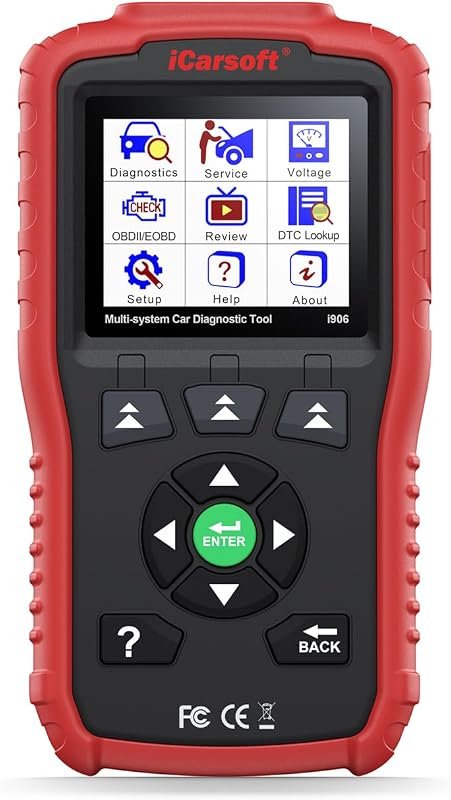 Best Overall
iCarsoft i906 OBD2 scanner and code reader for Volvo and Saab, multisystem engine, ABS, SRS diagnostics
It offers the strongest all-around mix of fit, value, and practical daily use for Volvo owners.
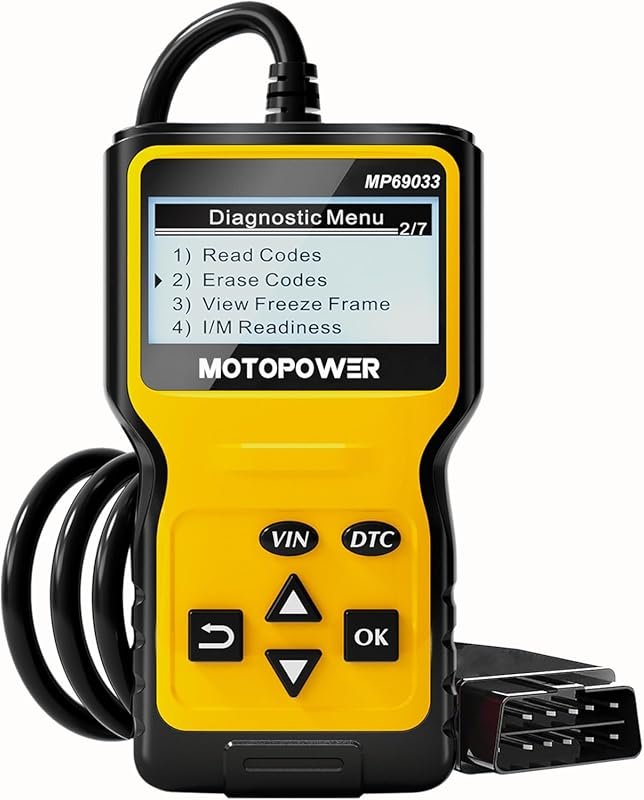 Best Value
MOTOPOWER MP69033 OBD2 code reader, CAN diagnostic scanner for 1996+ vehicles; reads/clears codes, check engine, yellow
It makes sense for owners who want a useful upgrade without paying more than necessary.
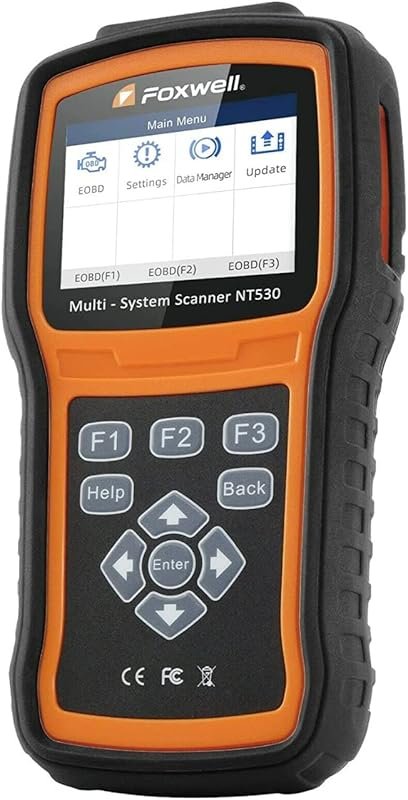 Best Premium Option
FOXWELL NT530 Volvo OBD2 scanner, bidirectional diagnostics with all-system coverage, ABS bleed, SRS, EPB, oil reset
It is the pick I would compare first if build quality, features, and long-term ownership value matter most.
Author

Author

Evans Torres
I’m Evans Torres, an automotive engineer who loves Volvo cars. I graduated in Automotive Engineering from USC. I have worked in the car industry for years and now share my knowledge on The Volvo Life. I started this blog to connect with other Volvo fans. I offer tips, news, and advice to help you care for your car. My goal is to help you keep your Volvo in great shape and find all the best things about it. Join me as we discover everything Volvo has to offer!