



If your Volvo XC90 radio screen is not working, the first question is which infotainment generation you have. A 2016–2022 XC90 with the earlier Sensus system does not use the same restart procedure as a 2023+ XC90 with Google built-in, and a 2025.5/2026 XC90 has yet another user-interface generation.
That distinction matters because the old advice to “hold the Home button for 10–15 seconds,” disconnect the battery, or perform a factory reset can be wrong—or unnecessarily destructive—depending on the XC90.
Start by identifying whether the screen is frozen, black with no power, lit but unresponsive, repeatedly rebooting, missing audio, or working while only radio/Bluetooth is unavailable. Then use the correct generation-specific restart, fuse/power check, software path and diagnostic scan.
For a 2023+ XC90 with Google built-in: Volvo’s current restart procedure is to press and hold the Home button below the display for about 20 seconds. The screen first enters cleaning mode; keep holding until it switches off and restarts with the Volvo logo. For XC90s without Google built-in, including Sensus cars, Volvo says the Home button does not manually reboot the system. For a frozen Sensus system, stop and lock the vehicle and allow it to enter sleep mode for about 30 minutes. If the screen stays completely black, move to model-year-specific fuse, 12V power and diagnostic checks rather than repeatedly resetting it.
- Generation comes first. 2016–2022 Sensus and 2023+ Google built-in XC90s do not use the same manual reboot procedure.
- Google built-in XC90: hold the Home button for about 20 seconds until the display shuts down and restarts with the Volvo logo.
- Sensus XC90: Volvo says there is no manual Home-button reboot; a locked-car sleep cycle is the supported first troubleshooting step for freezing/rebooting/no-sound symptoms.
- Do not disconnect the 12V battery just to reset the screen. That is not Volvo’s standard infotainment troubleshooting procedure.
- A black screen can be power/fuse related. Use the exact model-year fuse chart; current XC90 support separates infotainment-system and center-display fuses.
- Software paths differ. Google built-in cars can receive OTA updates; Sensus cars are not eligible for the 2026 Volvo Car UX upgrade.
- Factory reset is not a first-line freeze fix. It deletes user settings/data and should be used only for a reason.
- A full-system scan can separate display, infotainment, network and low-voltage faults when a simple restart does not solve the issue.

Volvo XC90 Radio Screen Not Working: Match the Symptom First
| Symptom | Best First Step | Likely Diagnostic Direction |
|---|---|---|
| Screen frozen but still lit | Use generation-specific restart/sleep procedure | Software/infotainment state first |
| Completely black, no backlight | Check correct fuse, 12V supply and module faults | Power/fuse/display hardware/network |
| Touch does not respond but image is normal | Clean screen safely, restart correctly, scan if persistent | Touch layer/software/display hardware |
| Screen repeatedly reboots | Save fault history; check software and 12V condition | Software, power supply, module/network |
| No radio/audio plus no turn-signal/park-assist sounds on Sensus | Use Volvo’s Sensus sleep-mode troubleshooting | Infotainment-system freeze |
| Screen works but Bluetooth/navigation/connectivity is bad | Restart Google built-in display or troubleshoot connectivity separately | Connectivity/app/software rather than display power |
| Screen and other electronics reset together | Test 12V battery/charging system | Low voltage or unstable power |
1. Identify Sensus vs Google Built-In Before You Reset Anything
This is the biggest correction to the old article.
Volvo’s current 2026 support instructions explicitly separate vehicles with Google built-in from vehicles without it.
| XC90 Era | Infotainment | Correct Restart Approach |
|---|---|---|
| 2016–2022 XC90 | Earlier Sensus center display | No manual Home-button reboot; lock car and allow sleep/cold-start troubleshooting |
| 2023–2025 XC90 | Google built-in | Hold Home button below display for ~20 seconds until Volvo-logo restart |
| 2025.5 / 2026 XC90 | Google built-in with newer Volvo Car UX | Use current Google built-in restart and current software instructions |
Volvo’s 2026 troubleshooting page says cars without Google built-in do not have a manual center-display reboot using the Home button. Pressing Home on those cars only turns the screen off; the system reboots when necessary and performs a cold start after the vehicle is left and locked.
2. Google Built-In XC90: The Correct 20-Second Center-Display Restart
For XC90 and XC90 Recharge model year 2023 and later with Google built-in, Volvo’s current restart procedure is:
Keep the Vehicle Safely Stationary
Do not troubleshoot the display while driving.
Press and Hold the Home Button
Use the Home button below the center display.
Keep Holding Through Cleaning Mode
The screen enters cleaning mode first. Do not release the button there.
Release After the Display Switches Off and Restarts
Volvo says the complete hold is about 20 seconds; the Volvo logo indicates the system is restarting.
This restart can help with slow response, freezing, Bluetooth, navigation or connectivity issues. Volvo also notes that the procedure may need to be performed more than once.
3. Sensus XC90 Frozen or Rebooting: Use the Volvo Sleep-Mode Method
For the earlier Sensus infotainment system, Volvo publishes a different troubleshooting method.
If the Sensus screen freezes/reboots or you lose sound from radio, speakers, direction indicators, navigation or parking assistance:
- Stop the vehicle.
- Lock the vehicle.
- Leave it long enough to enter sleep mode—Volvo says approximately 30 minutes.
- Return and check whether the center display starts normally.
The sleep cycle gives the Sensus system a cold restart without turning a normal infotainment troubleshooting step into a vehicle-wide power interruption.
4. Black XC90 Center Display: Check Power and the Exact Fuse Chart
If the screen is completely black with no backlight, do not assume it is “just software.” Power supply becomes more important.
Current 2026 XC90 support lists the fuse box beneath the glove compartment as protecting displays and other electronics. On that current configuration, Volvo lists:
- Fuse 10 — Infotainment system — 15A Micro
- Fuse 21 — Center display — 5A Micro
Older XC90 configurations differ. For example, 2019-era Volvo documentation lists the center display at fuse 21 but separately lists a 5A media-player fuse. That is why this guide does not publish one fuse number for every XC90.
A replacement fuse must match the specified type and ampere rating. If a fuse blows again, diagnose the circuit rather than installing another fuse or a higher-rated one.
Contextual Tool: Klein Tools MM420 for Fuse and Power Checks
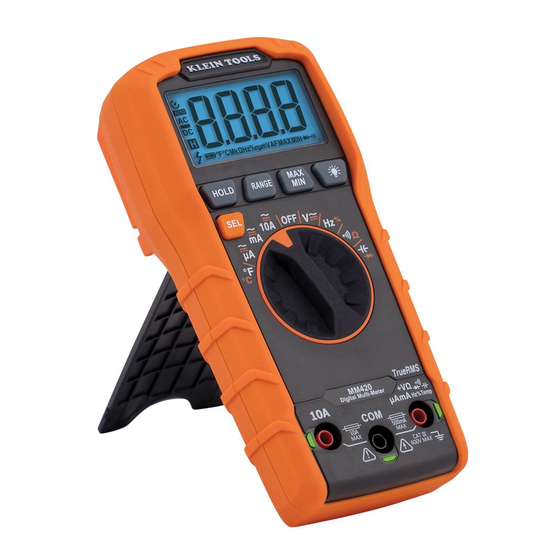
Klein Tools MM420
An auto-ranging True-RMS multimeter that measures AC/DC voltage, current, resistance and continuity. It is useful for verifying a fuse electrically and checking power/ground at an accessible circuit when you have the correct XC90 wiring information.
5. 12V Battery or Charging-System Problems
A weak or unstable 12V supply can cause several modules or displays to reset together. It becomes a stronger diagnostic branch when the black/frozen screen appears with:
- Slow cranking
- Low-voltage warnings
- Multiple unrelated module DTCs
- Lights or displays resetting together
- Start/Stop or other power-management functions becoming unavailable
Do not diagnose the battery from one resting-voltage number. Test battery state of health, starting behavior and charging-system performance.

TOPDON BT600 Plus
A current professional-grade battery and resistance tester with 6V/12V/24V lead-acid battery testing, 12V/24V cranking and charging-system tests, onboard power and a built-in thermal printer.
Related guide: Volvo 12V Battery Critical Charging Fault.
6. Screen Is Lit but Touch Does Not Respond
If the image is normal but touch response is poor, separate a dirty surface from an actual touchscreen fault.
Check:
- Whether touch is dead everywhere or only in one area
- Whether the physical Home control still responds
- Whether the problem disappears after the correct restart
- Whether gloves, moisture, residue or a damaged screen protector are interfering
- Whether the display shows cracks, delamination or liquid intrusion
A dirty screen does not cause a true black-screen power failure, but heavy residue can make normal touch use frustrating.
Contextual Pick: Koala Lens/Screen Cleaner Kit

Koala Lens Cleaner + Microfiber Kit
An alcohol-free cleaning kit with soft microfiber cloths that is marketed for coated lenses and screens. It is appropriate for removing fingerprints and residue without turning screen cleaning into a harsh-chemical experiment.
A useful Sensus clue is that a frozen infotainment system can affect more than music.
Volvo’s Sensus troubleshooting page specifically groups together:
- Frozen/rebooting center display
- No radio/speaker sound
- No direction-indicator sounds
- No navigation sound
- No park-assist sound
If several of these disappear at the same time, an infotainment-system state problem becomes more plausible than a failed speaker or radio tuner alone. Use the Sensus sleep-mode procedure first, then scan if the problem returns.
8. Google Built-In XC90 Software Updates in 2026
Current Google built-in XC90s can receive applicable software updates over the air, while some releases are workshop-only.
Volvo’s 2026 XC90 release notes include:
- Software 5.0.5 with the Volvo Car UX update on eligible cars
- Stability refinements and newer media/phone interface changes
- Later workshop-only releases for selected vehicle configurations
Volvo also makes an important eligibility distinction: earlier Sensus infotainment cars cannot receive the Google-built-in Volvo Car UX upgrade.
Update an eligible vehicle because Volvo provides an applicable update—not because every black screen is assumed to be “old firmware.” A screen with no power still deserves fuse/power/module diagnosis.
9. Factory Reset: When It Makes Sense—and When It Does Not
A factory reset erases data/settings. It is not the same as restarting a frozen display.
Volvo’s current support treats factory reset as a user-data/system-reset function. On Sensus XC90 model years 2016–2022, Volvo documents Settings → System → Factory Reset. On current Google built-in cars, reset options are accessed from system settings and can delete profiles, user data and customized settings.
If the problem is an intermittent black screen, power loss, blown fuse, low voltage or failing hardware, wiping user data does not diagnose the fault. Use a normal restart/sleep cycle first and preserve diagnostic information.
10. Why Disconnecting the Battery Is the Wrong Generic “Hard Reset”
The old article instructed owners to disconnect the battery for 10–15 minutes if a soft reset failed.
That should not be a general infotainment-repair step.
Battery disconnection affects the entire vehicle, not just the center display. Depending on model and electrical architecture, it can reset learned states, remove diagnostic context and introduce additional initialization requirements.
Use Volvo’s published display restart/sleep procedure for the exact infotainment generation instead.
11. Screen Flickers or Goes Black Intermittently
An intermittent display problem deserves a different approach from a screen that is permanently dead.
Look for patterns:
- Only on rough roads → connector/harness movement becomes more relevant
- Only during cranking → 12V power/voltage-drop branch becomes more relevant
- Only after long operation/heat → thermal or module/display hardware branch
- After software update → save software version/fault history and check current Volvo notes
- With multiple network faults → power/ground/network diagnosis
Do not remove dashboard connectors with the battery live simply to “reseat everything.” Use the exact service procedure if access is required.
12. Wiring, Ground and Display-Connector Diagnosis
If fuses and 12V supply are good and the display still loses power or communication, wiring/module diagnosis becomes appropriate.
A technician may check:
- Display/module supply voltage
- Ground voltage drop
- Connector pin fit and corrosion
- Network communication DTCs
- Whether infotainment/audio/display modules remain online in the scan
- Whether the screen is receiving data but failing to render/respond
This is where a multimeter and full-system scanner are more useful than another restart.
13. Full-System Diagnostics Before Replacing the Center Display
A generic engine-only code reader is not designed for a center-display complaint.
A broad diagnostic scan can reveal:
- Display/infotainment module DTCs where supported
- Communication/network faults
- Low-voltage history
- Audio/connectivity module faults
- Multiple modules dropping offline at the same time
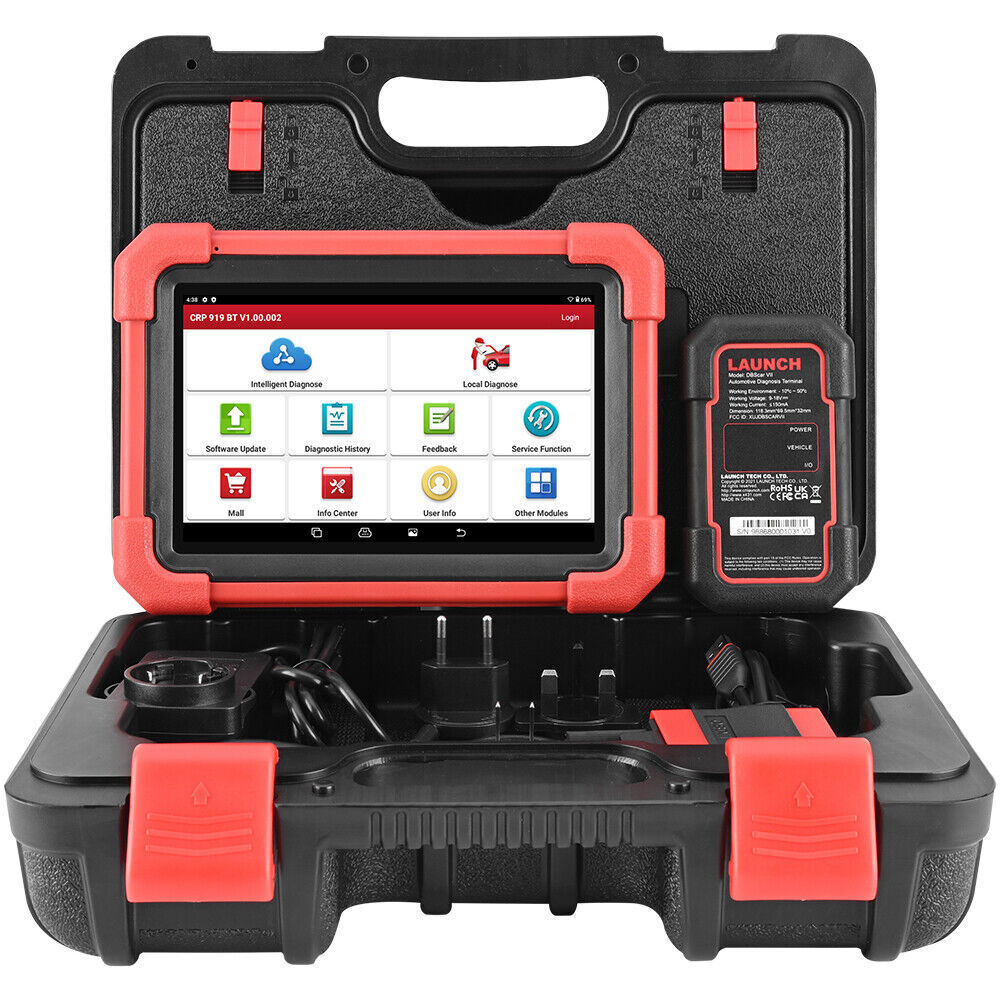
LAUNCH X431 CRP919X BT
A wireless professional-style scanner with full-system diagnosis, live data and bidirectional/active-test functions on supported vehicles. It is a much better diagnostic class for infotainment/network complaints than a basic emissions-code reader.
14. Radio Screen Works but Radio or Bluetooth Does Not
If the display responds normally, do not call it a screen failure.
Separate:
- FM/AM/DAB reception issue
- Phone-pairing issue
- Bluetooth connectivity issue
- USB/media issue
- Audio-amplifier/speaker issue
- Google app/service issue on current cars
A center-display restart can help Google built-in connectivity problems, but the diagnostic path should follow the failed function rather than replacing the screen.
Related guide: Volvo Sound Not Working.
15. Current XC90 Center Display Controls More Than the Radio
On current XC90s, the center display provides access to navigation, media, phone functions, climate settings, vehicle settings and other controls.
That is why a truly dead center display can affect convenience and access to multiple vehicle functions even if the engine still starts and drives.
Do not claim that every safety feature stops working because the center display is black. Instead, identify which functions are unavailable and check the driver display for separate warnings.
16. What Not to Do
- Do not disconnect the battery as the default screen reset.
- Do not use a 20-second Google-built-in reboot on a Sensus car and assume it worked.
- Do not install a higher-amperage fuse.
- Do not repeatedly replace a fuse that keeps blowing.
- Do not factory-reset the car before saving useful diagnostic information.
- Do not replace the center display before checking power, fuse and communication faults.
- Do not spray liquid directly into display edges or dashboard seams.
- Do not remove infotainment connectors without the correct service procedure.
- Do not assume Sensus is eligible for Google-built-in/Volvo Car UX software.
17. 8-Step XC90 Radio-Screen Diagnostic Workflow
Identify the Infotainment Generation
Sensus or Google built-in determines the correct restart and software path.
Record the Exact Symptom
Frozen, black, rebooting, touch-dead, no sound, or connectivity-only.
Use the Correct Volvo Restart
Google built-in: ~20-second Home-button restart. Sensus: locked sleep/cold-start procedure.
Check the Exact Fuse Information
Use the model-year support page/manual and correct fuse type/amperage.
Check 12V Power if Multiple Electronics Are Affected
Test battery health, cranking and charging performance rather than guessing.
Perform a Full-System Scan
Save display/infotainment/network/low-voltage faults before clearing anything.
Check Software and Wiring Based on the Evidence
Update only if applicable; inspect power/ground/connectors if the scan points there.
Replace Hardware Only After the Fault Is Proven
Display, module or wiring replacement should follow diagnosis, not precede it.
18. Repair Cost: Why Fixed Online Prices Are Misleading
The old article quoted $100–$300 for wiring/fuse work and $800–$1,500 for a screen replacement. Those numbers are too broad to use as a 2026 repair estimate.
| Repair Branch | Main Cost Driver |
|---|---|
| Fuse / simple power fault | Whether the fuse failed once or an underlying short must be found |
| 12V battery / charging issue | Battery type, charging fault and model configuration |
| Software | OTA eligibility vs workshop-only update / diagnostic time |
| Harness / connector | Dash access and location of open/short/corrosion |
| Center display | New/remanufactured part, programming/configuration and labor |
| Infotainment/network module | Module identity, software/configuration and fault-tracing time |
Diagnose first, then request an all-in quote for the confirmed failure.

19. How to Reduce Future XC90 Screen Problems
- Install applicable Volvo software updates.
- Keep the 12V electrical system healthy.
- Use the correct jump-start procedure for the exact XC90.
- Keep liquids away from display edges and dashboard electronics.
- Clean the touchscreen with a soft screen-safe cloth/product.
- Do not ignore recurring reboot/connectivity symptoms.
- Investigate a fuse that fails more than once.
- Save software version and DTC information before repair when the failure is intermittent.
When to Stop DIY Troubleshooting
- The center display remains black with verified fuse and 12V supply.
- The display repeatedly reboots after the correct restart.
- Multiple infotainment/network modules are offline.
- A fuse repeatedly blows.
- The screen has liquid damage, physical damage or delamination.
- The display must be removed or replaced.
- Software/configuration or module programming may be required.
- Critical vehicle controls/messages are inaccessible and the vehicle shows additional warnings.
Related Volvo Guides
💡 Evans Torres Tip: On every Volvo I have owned, I always keep a full digital service record from day one. When something goes wrong — and eventually something always does — having that history makes diagnosis faster and often saves money at the mechanic. Start your records today, even if the car is not new.
Frequently Asked Questions
On XC90s with Google built-in, model year 2023 and later, Volvo says to hold the Home button below the display for about 20 seconds, keep holding through cleaning mode, and release after the screen turns off and begins restarting with the Volvo logo. Sensus XC90s do not use this manual reboot.
Volvo’s Sensus troubleshooting guidance says to stop and lock the car, then allow it to enter sleep mode for about 30 minutes. The system should cold-start when the vehicle is used again.
A completely black screen can be caused by a system freeze, fuse/power problem, 12V supply issue, wiring/network fault or display/module hardware failure. Use the generation-specific restart first, then verify power/fuses and scan the vehicle.
The position depends on model year. Current 2026 XC90 support lists fuse 21 as a 5A Micro center-display fuse and fuse 10 as a 15A Micro infotainment-system fuse beneath the glove compartment. Use the exact support page/manual for your XC90 before replacing anything.
Not as a generic first troubleshooting step. Use Volvo’s published center-display restart for Google built-in cars or Sensus sleep-mode procedure for earlier cars. Battery disconnection affects the entire vehicle and does not diagnose the underlying fault.
Low or unstable 12V power can cause multiple electronic modules or displays to reset. Battery testing becomes especially relevant when the screen issue occurs with slow starting, low-voltage warnings or several unrelated electrical faults.
Yes, supported XC90s provide factory/user-data reset functions, but they delete settings and data. A factory reset is not the same as a normal restart and should not be the first step for a black or frozen screen.
No if it uses the earlier Sensus infotainment system. Volvo states that Sensus vehicles are not eligible for the Google-built-in Volvo Car UX upgrade.
Volvo’s Sensus troubleshooting documentation specifically notes that a frozen center display can affect radio/speaker, direction-indicator, navigation and park-assist sounds together. That pattern points toward infotainment-system state rather than several independent speaker failures.
Replacement becomes reasonable after the correct restart, fuse/12V supply, wiring/network and software/module diagnosis proves the display hardware itself is failing. Do not replace the display only because it went black once.
Sources & Verification
Primary and Current Sources Used for This 2026 Update
- Volvo Support US — 2026 Restarting the Center Display (Google Built-In vs Non-Google)
- Volvo Support — Troubleshooting the Sensus Infotainment System / 30-Minute Sleep Cycle
- Volvo Support US — 2026 XC90 Fuse Box Under Glove Compartment
- Volvo Support US — 2019 XC90 Under-Glovebox Fuse Assignments
- Volvo Support — 2026 Updating Vehicle Software / OTA
- Volvo Support US — Current 2026 XC90 Software Release Notes
- Volvo Support US — 2026 Volvo Car UX Upgrade and Sensus Exclusion
- Volvo Support US — Factory Reset by Infotainment Generation
- TOPDON — BT600 Plus Battery & Resistance Tester
- LAUNCH — CRP919X/E BT Full-System Diagnostic Tool
- Klein Tools — MM420 Auto-Ranging TRMS Multimeter
- Koala Lifestyle — Alcohol-Free Lens / Screen Cleaning System
Final Thoughts
A Volvo XC90 radio screen that is not working should be diagnosed by infotainment generation and symptom—not by a universal reset ritual.
On a 2023+ Google built-in XC90, the current Volvo-supported manual restart is the roughly 20-second Home-button procedure. On a 2016–2022 Sensus XC90, Volvo instead directs owners toward a locked-car sleep/cold-start cycle for common freezes and no-sound symptoms.
If the screen stays completely black, move to exact fuse information, 12V power and a full-system scan. If the image is present but touch is poor, clean safely and separate a surface issue from a true touchscreen failure. Check applicable software only after the basic power/fault path makes sense.
Do not disconnect the battery, install a larger fuse or buy a replacement center display before the fault is proven.
My Top Picks at a Glance
For this XC90 screen/infotainment keyword, these three products cover the highest-value diagnostic branches: broad module scanning, professional 12V power diagnosis and accurate fuse/power/ground testing. The Koala screen cleaner above remains a targeted touchscreen-care recommendation rather than a black-screen “fix.”
PREMIUM FULL-SYSTEM PICK
LAUNCH X431 CRP919X BT
A premium wireless all-system diagnostic platform with live data and supported active tests. It is the strongest overall tool here when the XC90 display problem may involve infotainment, network or other non-engine modules.
PRO 12V SYSTEM TEST PICK
TOPDON BT600 Plus
A newer professional-grade 6V/12V/24V battery tester with cranking/charging diagnostics, onboard power and printed reports. Particularly relevant when the screen resets together with other low-voltage electrical symptoms.
PREMIUM FUSE / POWER PICK
Klein Tools MM420
A durable True-RMS auto-ranging multimeter for voltage, resistance and continuity checks. It is a practical premium tool for confirming fuses and accessible display power/ground circuits using the correct Volvo wiring information.
