


The Volvo XC90, particularly from the 2016 model year onwards, comes equipped with advanced connectivity features that allow you to take advantage of mobile data through a SIM card. This feature enhances your driving experience by providing access to real-time traffic information, navigation updates, and streaming services.
Understanding how to use a T Mobile SIM card in your Volvo XC90 can significantly enhance your driving experience. With this guide, you’ll unlock access to real-time traffic updates, navigation improvements, and streaming options, making every journey more enjoyable and connected.
- Using a T-Mobile SIM Card: The Volvo XC90, particularly from the 2016 model year onwards, comes equipped with advanced.
- Steps to Install a T-Mobile: Installing a T-Mobile SIM card in your XC90 is a straightforward process..
- Activating Your T-Mobile SIM Card: Once you have installed the SIM card, the next step is to activate it..
- Troubleshooting Common SIM Card Issues: Sometimes, users may face issues with their SIM card not being recognized or data.
- Benefits of Using a T-Mobile: Utilizing a T-Mobile SIM card in your XC90 comes with numerous advantages that enhance.
Using a T-Mobile SIM Card in Your Volvo XC90
The Volvo XC90, particularly from the 2016 model year onwards, comes equipped with advanced connectivity features that allow you to take advantage of mobile data through a SIM card.
This feature enhances your driving experience by providing access to real-time traffic information, navigation updates, and streaming services.
Understanding the Volvo XC90’s Connectivity Features
The XC90’s infotainment system supports various connectivity options that can be maximized with a T-Mobile SIM card. The system is designed to use mobile data for functions such as: For related context, read how to use a volvo to jump start another car safely.
- Navigation and real-time traffic updates
- Streaming music and podcasts
- Accessing online services and apps
These features can significantly improve your driving experience, especially on long journeys or commutes.
Look up the crash-test results and recall history for the exact model year rather than relying on the generation’s general reputation.
Steps to Install a T-Mobile SIM Card in Your Volvo XC90
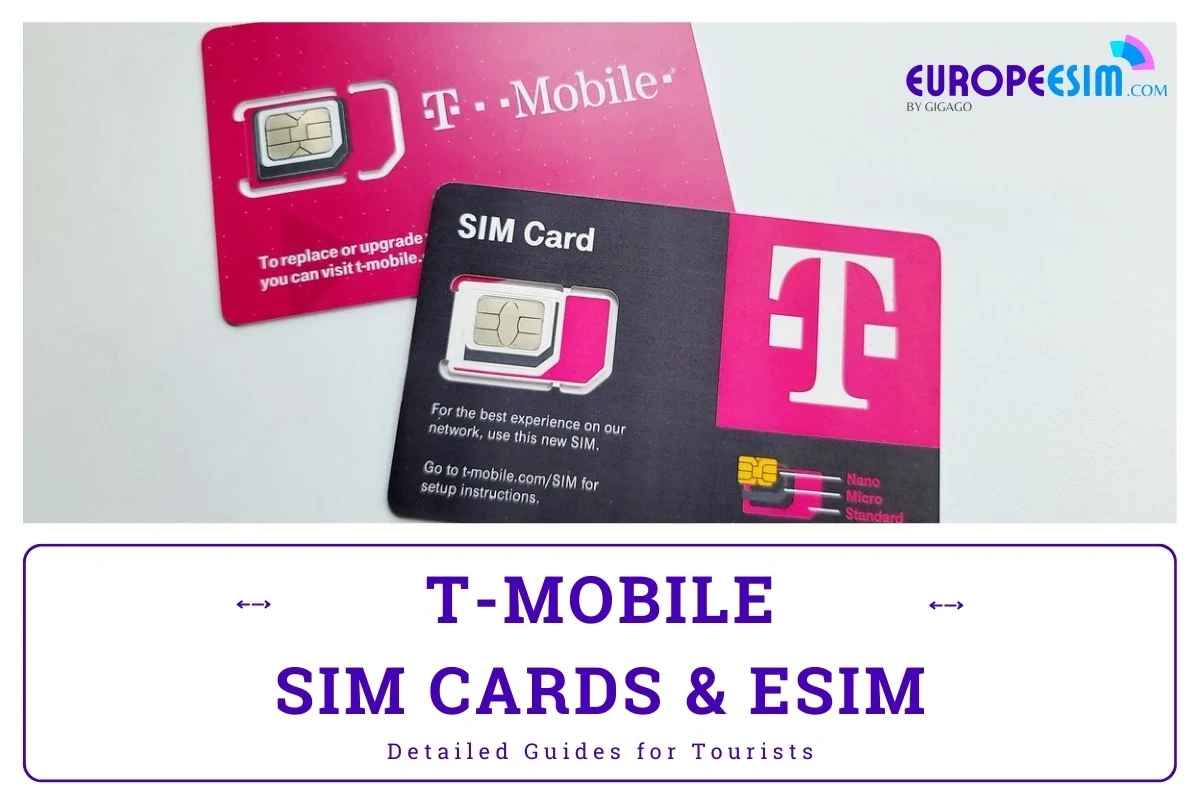
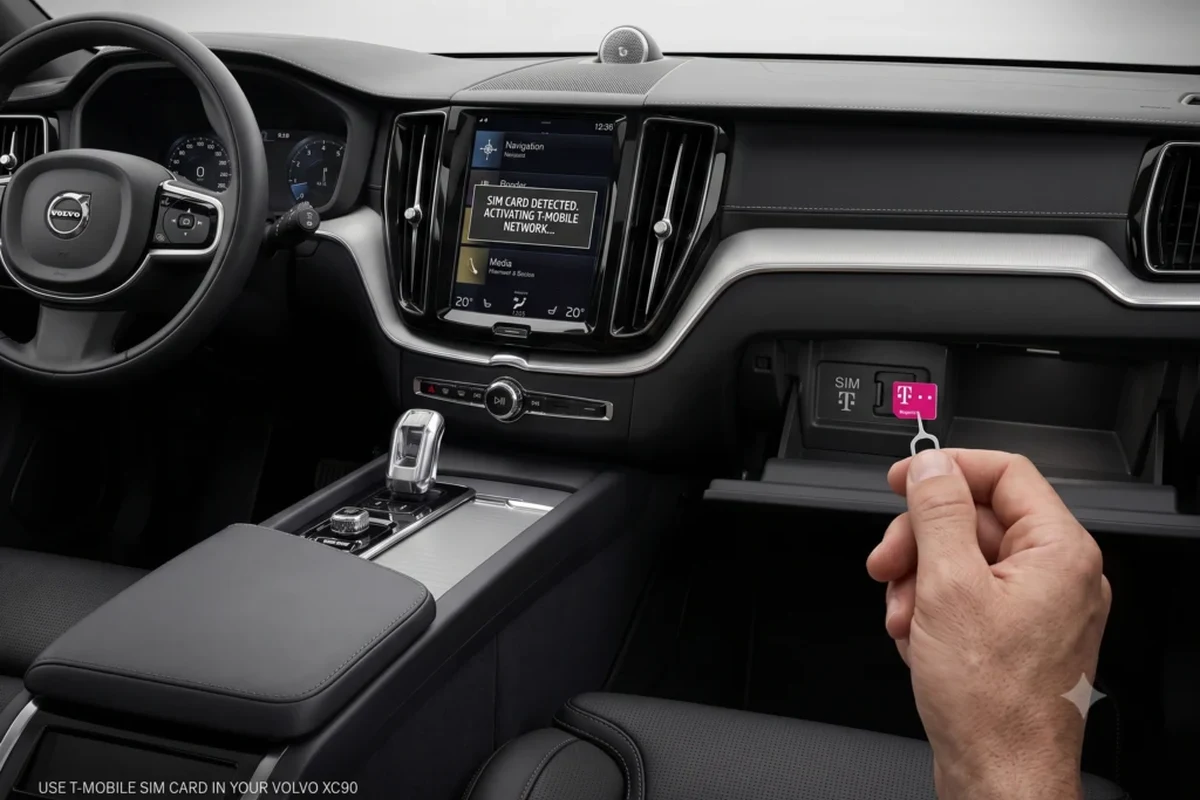
Installing a T-Mobile SIM card in your XC90 is a straightforward process. Below are the materials you’ll need and the steps to follow.
Required Materials and Preparation
T-Mobile SIM card (ensure it’s compatible with your plan), volvo XC90 owner’s manual for reference, and clean workspace to avoid losing the SIM card. For official guidance on this, see Volvo Cars official website.
Make sure your vehicle is turned off and parked in a safe location before starting the installation process. You can also use how to put volvo xc90 in neutral with dead battery as the next practical guide.
Activating Your T-Mobile SIM Card for the XC90
Once you have installed the SIM card, the next step is to activate it. Follow these steps to ensure proper activation:
Step-by-Step Activation Process
- Power on the vehicle
Turn on your Volvo XC90 to access the infotainment system.
- Navigate to settings
On the touchscreen, go to the “Settings” menu.
- Select Connectivity
Choose the “Connectivity” option to find SIM card settings.
- Activate the SIM card
Follow the prompts to activate your T-Mobile SIM card. You may need to enter your account information or follow specific prompts from T-Mobile.
- Test the connection
Once activated, test the data connection by using a feature that requires internet access, like navigation.
If you encounter issues during the activation process, consult your owner’s manual or T-Mobile’s customer service for assistance. For related context, read how to replace battery in volvo xc90 key fob.
Specifications copied across websites often mix markets and model years; confirm any figure you plan to rely on with the official source.
Troubleshooting Common SIM Card Issues in the XC90
Sometimes, users may face issues with their SIM card not being recognized or data connectivity problems. Here are some common troubleshooting steps: You can also use how to change battery in 2017 volvo xc90 key fob as the next practical guide.
- Ensure the SIM card is properly inserted and seated in the slot.
- Check for any software updates for your XC90’s infotainment system.
- Restart the vehicle to reset the system.
- Contact T-Mobile to ensure the SIM card is active and linked to your account.
If problems persist, consider visiting a qualified Volvo technician for further diagnostics.
The details on how to use a t mobile sim card in your volvo xc90 vary by market and model year, so treat figures here as a guide and confirm them against the official specification for your car.
Benefits of Using a T-Mobile SIM Card in Your Volvo XC90
Utilizing a T-Mobile SIM card in your XC90 comes with numerous advantages that enhance your driving experience. For official guidance on this, see NHTSA recall lookup by VIN.
Enhanced Connectivity Features and Services
Real-time navigation updates keep you informed of traffic conditions and route changes. Streaming services allow you to listen to your favorite music or podcasts during drives. Access to online services enhances communication and can improve overall convenience.
These benefits make a T-Mobile SIM card an excellent addition for those who frequently use their XC90 for travel or commuting. For related service checks, see how to change battery in 2019 volvo xc90 key fob.
Comparing T-Mobile with Other Carriers for Your Volvo XC90
While T-Mobile offers solid connectivity options, it’s worth considering how it compares to other carriers. Some aspects to keep in mind include: You can also use how to charge a volvo xc90 battery as the next practical guide.
- Coverage: Check the coverage maps of T-Mobile versus other providers in your area.
- Data plans: Compare the data offerings and pricing of different carriers to find the best fit for your needs.
- Network speed: Research user experiences regarding network speed and reliability for each carrier.
Choosing the right carrier can significantly impact your connectivity experience in the XC90.
Volvo specifications, features, and equipment can differ by model year, market, and trim, so a detail that is true for one car may not apply to another.
How to Use a T Mobile SIM Card in Your Volvo XC90
To enhance your driving experience in a Volvo XC90 from the 2016 model year onward, properly install and activate a T-Mobile SIM card.
This will grant you access to real-time navigation updates, streaming services, and online functionalities, making every journey more connected and enjoyable.
Ensure you have a compatible T-Mobile SIM card before installation. Follow the settings prompts on your XC90’s infotainment system to activate the SIM card. Test the data connection by using navigation or streaming features after activation. For related context, read how to turn off start stop in volvo xc90.
This guide on how to use a t mobile sim card in your volvo xc90 is general information. Rules, fees, rents, salaries, service coverage, product details, and procedures can change, so confirm important points with the manufacturer, retailer, or official app documentation before acting.
💡 Evans Torres Tip: On every Volvo I have owned, I always keep a full digital service record from day one. When something goes wrong — and eventually something always does — having that history makes diagnosis faster and often saves money at the mechanic. Start your records today, even if the car is not new.
Frequently Asked Questions
You will need a compatible T-Mobile SIM card, your Volvo XC90 owner’s manual for reference, and a clean workspace to avoid losing the SIM card. Make sure your vehicle is turned off and parked in a safe location before starting the installation process.
To activate your T-Mobile SIM card, power on the vehicle and navigate to the “Settings” menu on the infotainment system. From there, select “Connectivity” and follow the prompts to activate the SIM card, entering your account information as needed.
First, ensure that the SIM card is properly inserted and seated in the slot. If the issue persists, check for software updates for your XC90’s infotainment system or contact T-Mobile to ensure the SIM card is active and linked to your account.
Using a T-Mobile SIM card allows for real-time navigation updates, streaming services for music and podcasts, and access to various online services. These features enhance communication and overall convenience during your drives.
If you run into problems during activation, consult your owner’s manual for troubleshooting steps or contact T-Mobile’s customer service for assistance. They can provide guidance specific to your account and the activation process.
When comparing T-Mobile with other carriers, consider aspects such as coverage maps, data plans, and network speed in your area. Evaluating these criteria can help you choose the best carrier for reliable connectivity in your XC90.
The Bottom Line
Installing and using a T-Mobile SIM card in your Volvo XC90 can greatly enhance your driving experience by providing improved connectivity for navigation and entertainment.
Follow the steps outlined above for installation and activation, and consider troubleshooting tips if you run into issues. Whether you drive frequently for work or leisure, a reliable mobile connection can make your journeys much more enjoyable. You can also use how to use a professional car scanner for volvo vehicles as the next practical guide.
