



If your Volvo XC60 maintenance light is still on after routine service, the first step is to identify what the car is actually displaying. A regular maintenance reminder can usually be reset after the scheduled work is complete, but a “Service required,” “Service urgent,” “Stop safely,” check-engine, battery, brake, or other warning should not be treated as the same thing.
This updated guide explains how to reset a Volvo XC60 maintenance light, which reset approach fits older and newer XC60 generations, when a scan tool is useful, and what to do when the reminder refuses to clear.
It also corrects a few common mistakes found in older reset guides—especially the idea that a loose fuel cap, weak battery, brake wear, or a generic engine code automatically causes the regular maintenance reminder.
After the scheduled service is actually complete, many first-generation XC60s can use a trip-reset/ignition sequence to clear the regular maintenance reminder. Newer XC60s use a different service architecture, and Volvo’s online owner information does not show one universal touchscreen “Reset Maintenance Reminder” menu for every year. For 2018-and-newer cars, use the procedure for your exact model year or a Volvo-capable diagnostic tool that specifically supports oil/service interval reset. Do not disconnect the battery or clear unrelated fault codes just to make a reminder disappear.
- Regular maintenance reminder: usually means scheduled service is due or overdue.
- Service required / urgent / stop safely: these are not the same as a normal maintenance reminder and should be diagnosed.
- 2010–2017 XC60: many cars use a trip-reset + ignition-position sequence.
- 2018–2021 XC60: do not rely on an old generic touchscreen reset path; use the exact model-year service procedure or a service-capable scanner.
- 2022+ Google built-in XC60: use the current model-specific service procedure rather than an older first-generation button sequence.
- Generic OBD-II reader: clearing engine codes does not guarantee a service reminder reset.

First: Make Sure It Is Really the XC60 Maintenance Reminder
Volvo uses different dashboard messages for routine service and for faults. That distinction matters because only the routine maintenance reminder should be reset simply because the service has been completed.
| Message or Light | What It Means | Should You Just Reset It? |
|---|---|---|
| Regular maintenance — Book time for maintenance | The next scheduled service is approaching. | Reset only after the required service is completed. |
| Regular maintenance — Time for maintenance | The scheduled service is due. | Complete the service, then reset the reminder. |
| Regular maintenance — Maintenance overdue | The service interval has passed. | Service first; do not simply hide the reminder. |
| Service required | A system requires workshop attention. | No. Diagnose the cause. |
| Service urgent / Drive to workshop | The car needs prompt professional attention. | No. Treat it as a fault message. |
| Stop safely / Turn off engine | Volvo warns of a serious risk of damage. | No. Stop safely and follow Volvo guidance. |
A loose fuel cap, worn brake pad, weak battery or engine fault can create its own warning or diagnostic message, but those items should not be presented as universal causes of the regular maintenance reminder. If another warning is present, diagnose that warning separately.
When Is It Safe to Reset the Maintenance Light?
Reset the reminder only after the scheduled work has actually been completed. Depending on your XC60’s age, market, engine and service history, that can include items such as engine oil and filter service, inspection items, filters, brake checks, software checks and other maintenance specified by Volvo.
Confirm the Service Was Completed
If the reminder appeared because the scheduled service is due, finish the service before resetting the interval. Resetting the reminder does not perform the maintenance.
Check for Other Warning Messages
If the driver display also says “Service required,” “Service urgent,” “Stop safely,” shows a check-engine light, battery warning or brake warning, deal with that issue separately.
Match the Reset Method to the XC60 Generation
The original XC60 and the later SPA/Google-based generations do not use one universal reset process. Using the wrong sequence is one of the most common reasons a reset fails.
How to Reset Volvo XC60 Maintenance Light on 2010–2017 Models
On many first-generation XC60s, the service reminder is reset with the trip-reset control and ignition positions. The exact indicator light and timing can vary by instrument cluster and market, so use this as the common first-generation method—not as a promise that every XC60 uses identical timing.

Switch the Ignition to Position I
With the engine off, place the car in the first ignition position. On push-button models, do not press the brake pedal while selecting the ignition mode.
Select Trip Meter T1 Where Applicable
Use the trip computer controls to display the first trip meter if your cluster requires it. Older XC60 instrument panels can differ, so confirm the display before continuing.
Press and Hold the Trip Reset / RESET Control
Keep the reset control held while moving to the next ignition step.
Move to Ignition Position II
Switch to the second ignition position without starting the engine while continuing to hold the reset control.
Release When the Cluster Gives the Reset Signal
On many first-generation XC60s, the information/service indicator flashes or the cluster gives a confirmation signal. Release the reset control at that point, switch the ignition off, then restart the vehicle and confirm the reminder is gone.
If your cluster does not behave as described, stop repeating random button combinations. Volvo changed instrument panels and service procedures over the XC60’s production run. Use the owner information for your exact model year or a Volvo-capable service-reset tool.
How to Reset a 2012 Volvo XC60 Maintenance Light
A 2012 XC60 is part of the first-generation family, so the trip-reset + ignition-position method above is the correct place to start. The old version of this article split 2012, 2013, 2015 and 2016 into nearly identical sections; grouping them by generation is clearer and avoids pretending that every cluster uses a unique procedure.
After the service is complete, try the first-generation sequence carefully. If the reminder remains, verify that the message is truly the regular maintenance reminder and not a separate fault.
How to Reset a 2015 or 2016 Volvo XC60 Service Light
Most 2015–2016 XC60s still use the first-generation instrument architecture. Start with the same ignition-position and trip-reset sequence above.
If your car uses a start button, select the ignition mode without pressing the brake. Do not start the engine in the middle of the sequence.
Timing matters on older XC60s. If the sequence fails once, switch the ignition fully off, wait a moment, and try again carefully. If repeated attempts fail, move to a model-specific service reset rather than continuing to guess.
How to Reset a 2020 Volvo XC60 Maintenance Reminder
The 2020 XC60 is a different generation from the 2012–2016 cars. The previous version of this article instructed owners to use steering-wheel controls and select a universal “Reset Maintenance Reminder” menu in Car Status. Volvo’s online 2020 owner information documents Car Status, service messages and workshop/service functions, but does not present that old menu path as a universal owner reset procedure.
For a 2020 XC60, use the exact service reset procedure for the car’s software/instrument configuration or a Volvo-capable diagnostic tool with a dedicated service mileage / service interval / oil reset function.
How to Reset a 2021 Volvo XC60 Maintenance Reminder
The same caution applies to the 2021 XC60. Do not assume that a generic touchscreen path from another Volvo or another software version will exist on your car.
If the vehicle was professionally serviced and the regular maintenance message remains, ask the workshop to complete the service reminder reset. If you service the vehicle yourself, use a tool that specifically lists service/oil reset support for your exact XC60 year.
What About 2022–2026 XC60 Models With Google Built-In?
Later XC60s use newer software and infotainment architecture. Older first-generation trip-button instructions should not be copied onto these cars.
Volvo’s current owner information focuses on the service programme, car status, software and workshop processes rather than publishing one universal DIY maintenance-reset sequence for every newer XC60. If the reminder remains after service, use the exact procedure for your model/software version or have it reset with a compatible service tool.
| XC60 Generation | Best Reset Direction | What to Avoid |
|---|---|---|
| 2010–2017 first generation | Common trip-reset + ignition-position procedure | Assuming the timing/indicator is identical on every cluster |
| 2018–2021 SPA / Sensus | Exact model-year service procedure or Volvo-capable service reset tool | Using an unsupported generic touchscreen menu path |
| 2022–2026 Google built-in | Current model/software-specific service reset procedure | Using old first-generation button sequences |
Can an OBD-II Scanner Reset the Volvo XC60 Maintenance Light?
Sometimes—but not every OBD-II scanner can do it.
A basic generic code reader is primarily designed for standard emissions-related OBD-II diagnostics. The scheduled service reminder is a separate maintenance function. Clearing engine trouble codes is not the same thing as resetting service mileage or a service interval.
For this job, look for a tool that specifically lists functions such as Oil Reset, Service Lamp Reset, Service Mileage Reset, or Service Interval Reset and confirms Volvo coverage for your exact model year.
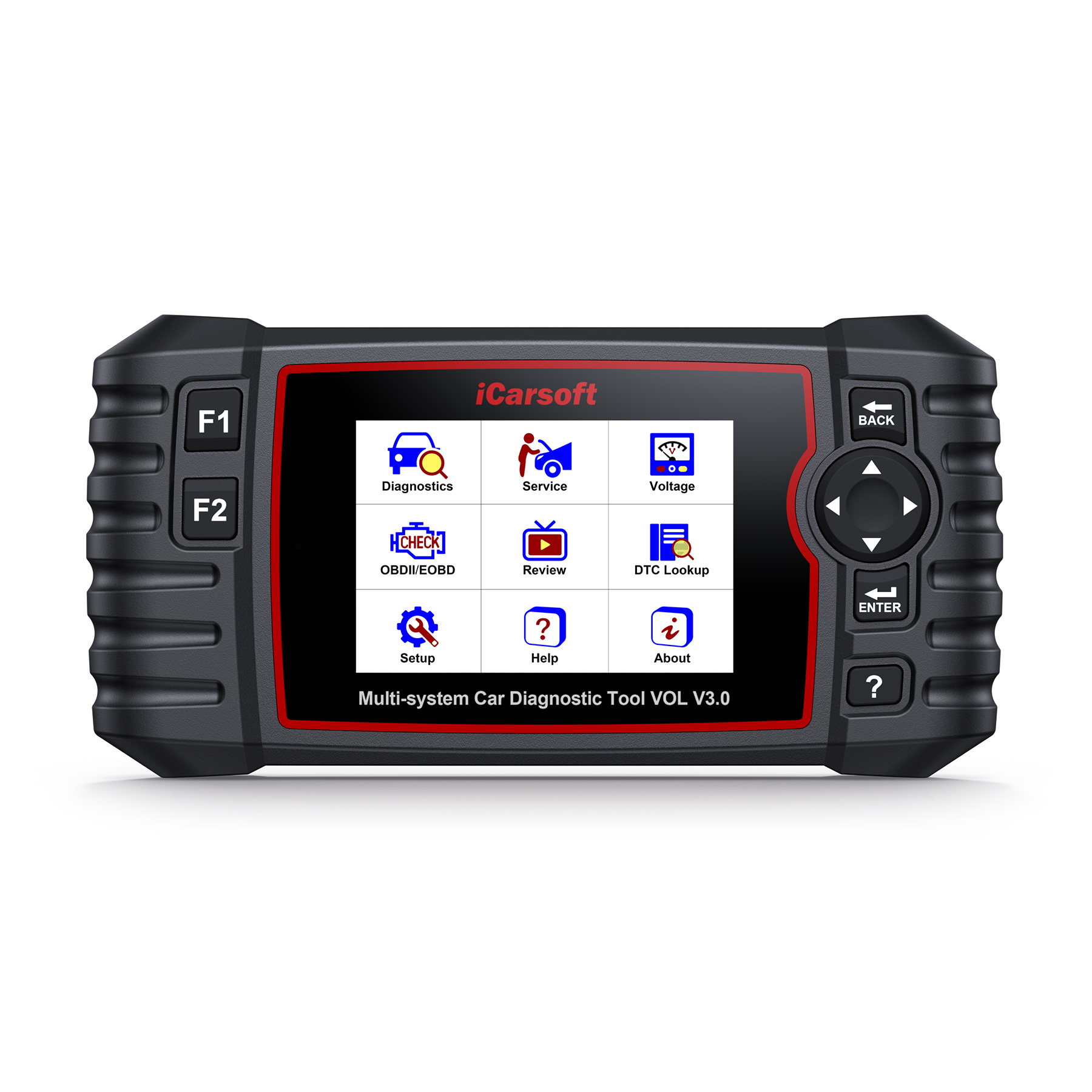
iCarsoft VOL V3.0 for Volvo/Saab
iCarsoft lists Oil Reset for supported vehicles, including service-lamp, service-mileage and service-interval reset functions. It is a much more relevant choice for an XC60 maintenance reminder than a basic engine-code reader.
“OBD-II compatible” does not automatically mean “can reset the XC60 service reminder.” Check the tool’s vehicle-coverage list for your exact year before ordering.
How to Reset the Maintenance Reminder With a Service-Capable Scanner
Complete the Required Maintenance First
Do not use the reset function to extend an interval without doing the service.
Connect the Tool to the Diagnostic Port
With the vehicle safely parked, connect the scanner and follow the scanner manufacturer’s instructions for ignition state and vehicle identification.
Select Volvo and the Correct XC60 Year
Use AutoVIN if supported, but verify that the detected vehicle and model year are correct.
Choose Oil Reset / Service Reset
The wording varies by tool. Look for the dedicated maintenance function, not simply “Erase DTCs.”
Confirm the Reset and Recheck the Driver Display
Cycle the ignition as instructed and verify that the regular maintenance message is cleared and that no unrelated warning messages were hidden or ignored.
Why the Volvo XC60 Maintenance Light Will Not Reset
| Problem | Why It Happens | Best Next Step |
|---|---|---|
| Manual sequence does nothing | Wrong procedure for the XC60 generation or instrument cluster | Use the exact model-year method or a service-capable scanner |
| Reminder returns immediately | Reset did not complete or the service interval was not written correctly | Repeat with the correct procedure and verify service status |
| “Service required” remains | You are dealing with a fault/service message, not the routine maintenance reminder | Diagnose the fault instead of resetting it |
| Scanner can read codes but has no reset option | The tool supports generic OBD-II but not Volvo service functions | Use a scanner with explicit Volvo oil/service reset coverage |
| Reset worked but another warning is still present | The scheduled reminder and the separate fault are independent | Diagnose the remaining warning |
Should You Disconnect the Battery to Reset the Maintenance Light?
No—not as a normal reset method.
Disconnecting the 12V battery is an unnecessarily disruptive way to chase a service reminder and may require other vehicle functions to be reinitialized. It also does not guarantee that the service interval data will be reset correctly.
Use the proper maintenance reset procedure or a compatible service tool instead.
Do not disconnect the battery, pull fuses or erase unrelated DTCs simply to make a dashboard message disappear. Reset only the regular maintenance reminder after the actual maintenance is complete.
Does the XC60 Maintenance Reminder Mean There Is a Mechanical Problem?
Usually, the regular maintenance message is a scheduled service reminder. Volvo’s owner information separates it from higher-priority messages such as “Service required,” “Service urgent,” “Stop safely” and “Turn off engine.”
That is why the old habit of treating every dashboard message as a single “maintenance light” creates confusion.
If you see another warning together with the service reminder, read the exact message and diagnose it separately. For example:
- For charging-system warnings, see Volvo 12V Battery Critical Charging Fault.
- For starting problems, see Volvo XC60 Won’t Start?.
- For engine-system messages, see Engine System Service Required on Volvo XC60.
How Often Should a Volvo XC60 Be Serviced?
Do not use one universal mileage figure for every XC60 worldwide. Volvo service intervals can vary by market, model year, engine/powertrain, service plan and operating conditions.
The safest approach is to use the maintenance schedule supplied for your exact vehicle/VIN and the owner information for your market. Volvo’s regular-maintenance messages are designed to tell you when the next scheduled service is approaching, due or overdue.
Instead of assuming every XC60 uses “10,000 miles or one year,” check your own Volvo maintenance schedule. Different markets publish different service plans and intervals.
Preventive Tips So the Reminder Does Not Become a Problem
- Reset the reminder when the service is completed. If a shop performs the service, verify the reset before leaving.
- Keep service records. Record mileage, date and work completed so the dashboard reminder matches your maintenance history.
- Use the correct oil and fluids. Follow the specifications for your exact engine and market.
- Do not ignore separate warning messages. A scheduled reminder and a fault warning can appear at the same time.
- Keep the car’s software current. Volvo service visits often include checks for applicable software updates.
- Use the Volvo Cars app where supported. It can be useful for service information and vehicle status, but it is not a substitute for the correct service reset procedure.
When to Get a Volvo Workshop Involved
- The message says Service required, Service urgent, Stop safely or Turn off engine.
- The maintenance reminder will not reset after the correct model-year procedure.
- Your scanner does not support the required Volvo service function.
- The car shows multiple warning messages, communication faults or electrical problems.
- You are unsure whether the service interval has actually been completed or recorded correctly.
Related Volvo XC60 Guides
💡 Evans Torres Tip: On every Volvo I have owned, I always keep a full digital service record from day one. When something goes wrong — and eventually something always does — having that history makes diagnosis faster and often saves money at the mechanic. Start your records today, even if the car is not new.
Frequently Asked Questions
Most 2015 XC60s use the first-generation trip-reset/ignition-position procedure. With the service complete, select the appropriate trip display, hold the reset control, move from ignition position I to II without starting the engine, and release when the cluster gives the reset signal. If your cluster behaves differently, use the exact procedure for your model.
Do not use the older first-generation trip-button sequence or assume a universal touchscreen “Reset Maintenance Reminder” menu exists. For a 2020 XC60, use the exact service procedure for the car or a Volvo-capable scanner with service mileage/service interval reset support.
Not necessarily. A generic OBD-II reader may read and erase emissions-related trouble codes without supporting the separate service reminder function. Choose a tool that explicitly supports Volvo oil/service reset for your model year.
No guarantee. Clearing DTCs and resetting the scheduled service interval are different functions. Use the dedicated service reset function.
You should not. Resetting the reminder only changes the service counter; it does not perform the oil change, inspections or other maintenance that is due.
The wrong generation-specific procedure may have been used, the service reset may not have completed correctly, or the message may actually be a separate fault such as “Service required.” Read the exact dashboard wording before trying another reset.
Battery disconnection is not the recommended routine method. It can disrupt other vehicle settings and may not correctly reset the service interval. Use the proper maintenance reset procedure instead.
No. Volvo lists regular-maintenance messages separately from “Service required,” “Service urgent,” and “Stop safely.” A regular maintenance reminder is schedule-based; the other messages can indicate a fault that needs diagnosis.
Sources & Verification
Primary Sources Used for the Updated Guide
- Volvo Support — XC60 service messages in the driver display
- Volvo Support — XC60 information display messages
- Volvo Support — 2020 XC60 owner information
- Volvo Support — XC60 booking service and repairs
- Volvo Cars — example of market-specific scheduled servicing
- iCarsoft — VOL V3.0 service reset functions
- Autel — MaxiCOM MK808S service reset functions
- TOPDON — TopScan service reset functions
Final Thoughts: Reset the Reminder, Not a Real Fault
Resetting a Volvo XC60 maintenance light is straightforward when you are dealing with the regular scheduled-service reminder and you use the procedure that matches your XC60 generation.
Older first-generation cars often use the familiar trip-reset/ignition sequence. Newer XC60s should be handled with the model-specific service procedure or a compatible service-reset tool rather than copied instructions from a different generation.
The most important rule is simple: complete the maintenance first, read the exact dashboard message, and never use a reset to hide a genuine fault.
My Top Picks at a Glance
These tools are most useful when the maintenance reminder was not reset during service or when you want a dedicated oil/service reset function. Always confirm exact XC60 year coverage before ordering.
As an Amazon Associate, The Volvo Life may earn from qualifying purchases. Product availability, pricing and compatibility can change. Verify support for your exact Volvo XC60 model year before buying.
View on Amazon
TOP VOLVO PICK
iCarsoft VOL V3.0
Volvo-focused diagnostics with an Oil Reset function that includes service-lamp, service-mileage and service-interval reset on supported vehicles.
View on Amazon
PREMIUM OPTION
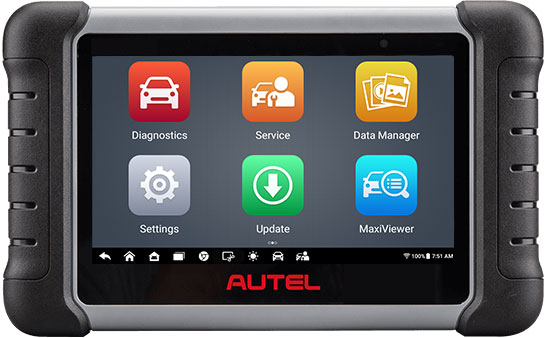
Autel MaxiCOM MK808S
A premium all-system scanner with Oil Service Reset plus the ability to reset service mileage and service intervals on supported vehicles.
View on Amazon
COMPACT VALUE PICK
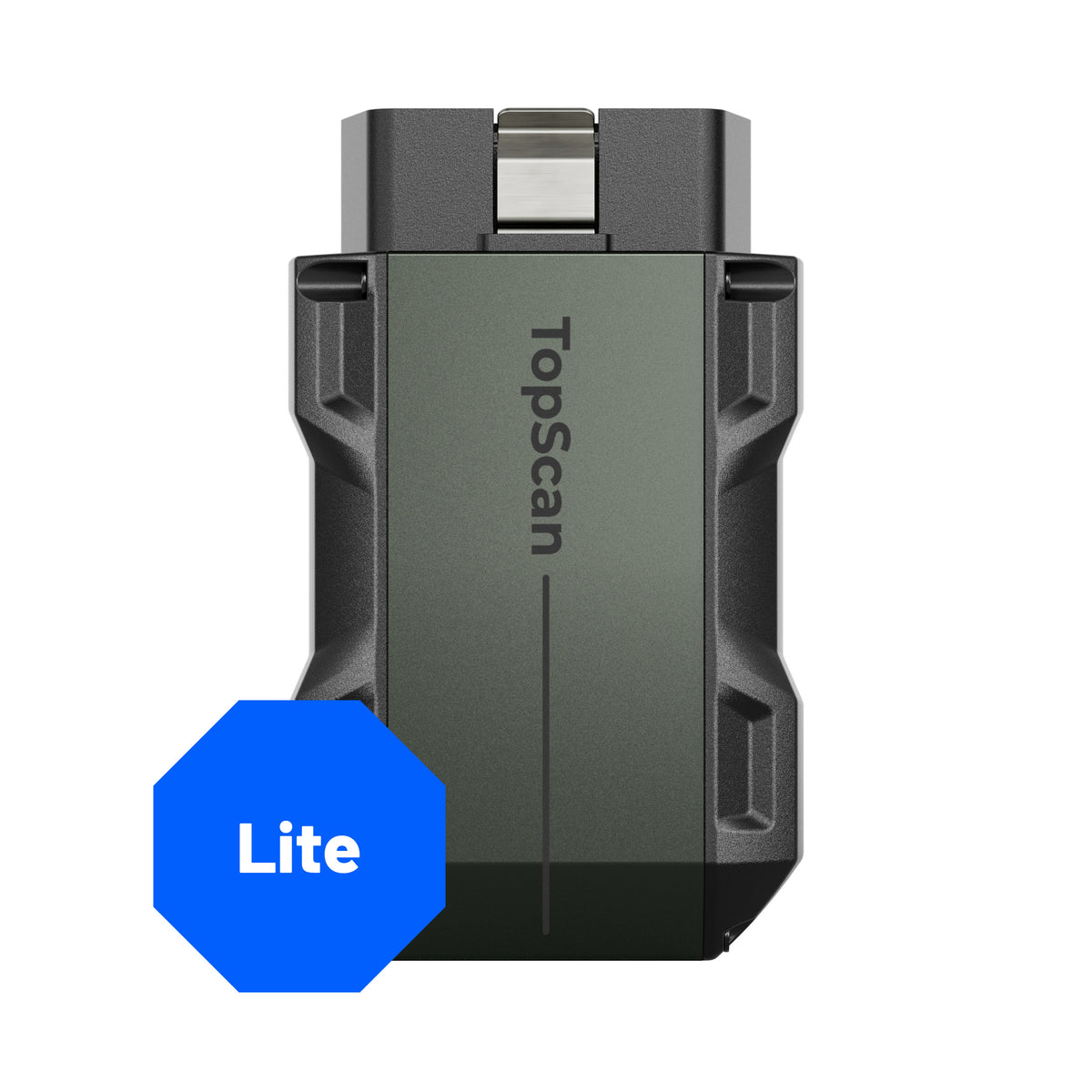
TOPDON TopScan Lite
A compact phone-based scanner with Oil Reset among its service functions. Check Volvo coverage for your XC60 year before ordering.
