


Before diving into the programming steps, it’s essential to understand what you’ll need to get started. Programming a key fob typically involves a few simple tools and knowledge of your specific vehicle model.
If you’re wondering how to program a Volvo key fob, the process is straightforward and can be done easily at home. This guide will walk you through the necessary steps to ensure your key fob is programmed correctly for ultimate convenience.
- Understanding the Programming Process for: Before diving into the programming steps, it’s essential to understand what you’ll need to.
- Step-by-Step Guide to Programming Your: Follow these ordered steps to successfully program your key fob.
- Troubleshooting Common Key Fob Programming: While programming your key fob is usually a straightforward process, sometimes issues can arise..
- Verifying Key Fob Programming Success: After programming, ensure the key fob functions correctly by testing all buttons, such as.
- Understanding Software Updates and Key: Learn how software updates can affect your key fob’s programming and functionality..
Understanding the Programming Process for Your Volvo Key Fob
Before diving into the programming steps, it’s essential to understand what you’ll need to get started. Programming a key fob typically involves a few simple tools and knowledge of your specific vehicle model. For related context, read how to remote start volvo xc40 with key fob.
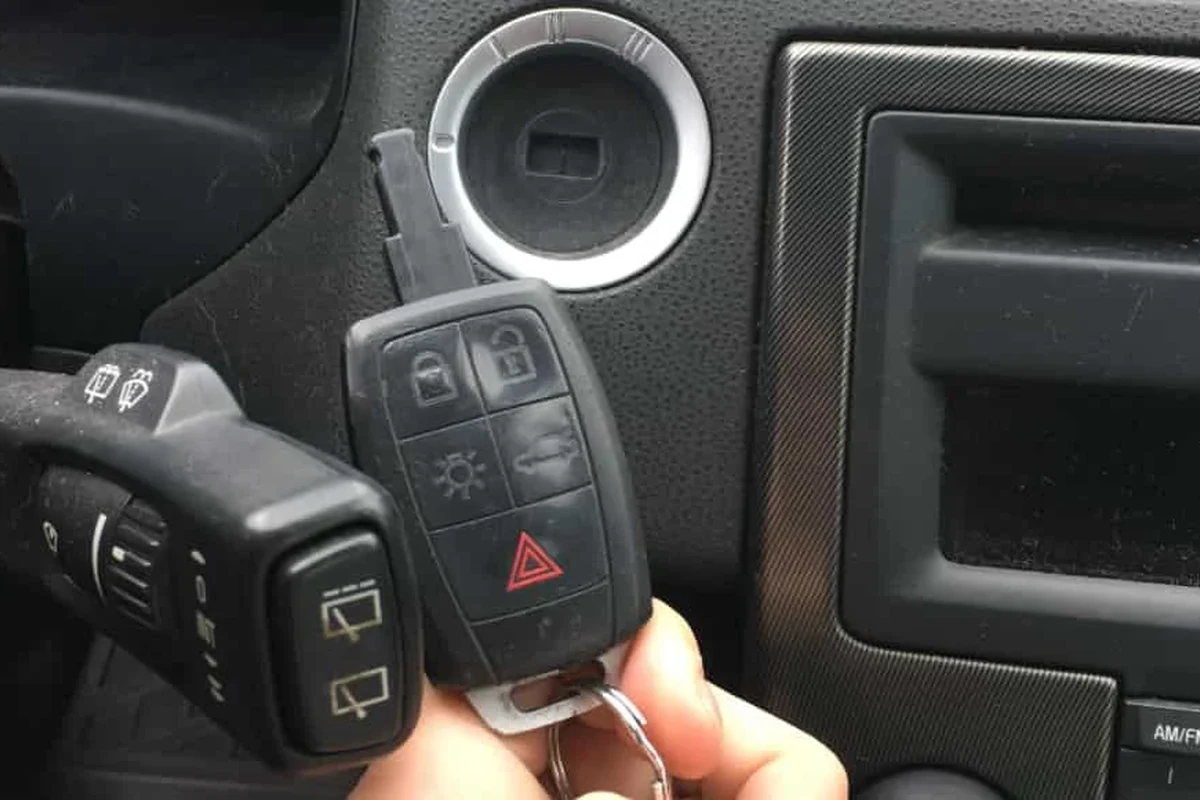
Prerequisites for Programming Your Key Fob
Before you begin, ensure you have the following items ready:
- Your Volvo vehicle
- New or existing key fob to be programmed
- Access to your vehicle’s owner’s manual
Your key fob may need a battery replacement before programming. Check out our guide on how to change the battery in your Volvo key fob for more information.
Step-by-Step Guide to Programming Your Volvo Key Fob
Follow these ordered steps to successfully program your key fob:
- Enter your vehicle and close all doors.
- Insert the key into the ignition and turn it to the “On” position without starting the engine.
- Press the “Lock” button on the key fob.
- Turn the key back to the “Off” position and remove it.
- Repeat the process for any additional key fobs you wish to program.
If you’re unsure about your key fob’s compatibility, verify it using your vehicle’s VIN on the official Volvo site.
Troubleshooting Common Key Fob Programming Issues
While programming your key fob is usually a straightforward process, sometimes issues can arise. Identifying these problems early can save you time and frustration.
Common Mistakes to Avoid
Here are some common pitfalls that can hinder the programming process:
Using a dead key fob battery. Not following the steps in the correct order. Overlooking the need to program each fob separately. This also connects with how to open volvo key fob xc40 before you pay, sign, or book.
Verifying Key Fob Programming Success
After programming, ensure the key fob functions correctly by testing all buttons, such as locking/unlocking and panic features. This step is crucial to confirm that the programming was successful. For related context, read how to change battery in volvo key fob xc40.
For more on troubleshooting issues, check our guide on how to start your Volvo with a dead key fob.
Understanding Software Updates and Key Fob Functionality
Learn how software updates can affect your key fob’s programming and functionality. Regularly check for updates to ensure optimal performance, as these can sometimes impact how your key fob operates. You can also use how to change battery in volvo v60 key fob as the next practical guide.
For a more in-depth understanding of software impacts, you can read about programming the garage door opener with your key fob here.
Next Steps After Successfully Programming Your Key Fob
Once your key fob is programmed, familiarize yourself with any new features that may have been enabled. This can enhance your driving experience and ensure you make the most out of your key fob’s capabilities. For official guidance on this, see Volvo Cars official website.
💡 Evans Torres Tip: Check out our guide on getting a replacement Volvo car key for future reference.
How to Program a Volvo Key Fob for Ultimate Convenience
Programming your Volvo key fob is a simple process that can be accomplished at home. Begin by ensuring you have your vehicle, the key fob, and access to your owner’s manual.
Follow the step-by-step guide to successfully program your fob, testing its functionality afterward to confirm a successful setup. For official guidance on this, see NHTSA recall lookup by VIN.
- Check that your key fob has a working battery.
- Follow the programming steps in the correct order.
- Test all functions of the key fob after programming.
This guide on how to program a volvo key fob is general information. Rules, fees, rents, salaries, service coverage, product details, and procedures can change, so confirm important points with the manufacturer, retailer, or official app documentation before acting.
A Few More Questions
To program your Volvo key fob, you will need your Volvo vehicle, the new or existing key fob to be programmed, and access to your vehicle’s owner’s manual. Also, ensure that the key fob battery is not dead before starting the programming process.
To program your Volvo key fob, first, enter the vehicle and close all doors, then turn the key to the “On” position without starting the engine and press the “Lock” button on the key fob. Afterward, turn the key back to the “Off” position, remove it, and repeat the process for any additional key fobs.
You can verify your key fob’s compatibility by checking your vehicle’s VIN on the official Volvo site. This ensures that the key fob you have is suitable for your specific vehicle model.
Common mistakes include using a dead key fob battery, not following the programming steps in the correct order, and overlooking the need to program each key fob separately. Avoiding these pitfalls can help ensure a smooth programming experience.
After programming, ensure all buttons on the key fob function correctly, including the locking/unlocking and panic features. If issues persist, consult the troubleshooting section of the guide or consider checking for software updates that may affect performance.
Once your key fob is successfully programmed, take the time to familiarize yourself with any new features that may have been enabled. This can enhance your driving experience and help you make the most out of your key fob’s capabilities.
Putting It All Together
Programming your Volvo key fob can significantly enhance your convenience and security. By following the outlined steps and being aware of common issues, you’ll ensure a smooth programming experience.
