



Is scanner for Volvo available in the US? Yes—Volvo-compatible OBD2 and all-module scanners from iCarsoft, Autel, Foxwell, Topdon, and others are widely sold through Amazon, parts retailers, and brand stores. Most support 1996–present Volvos; verify model-year and iOS/Android compatibility before buying.
Shoppers in the USA can buy Volvo-capable scanners easily, but compatibility details matter. A generic $30 dongle reads only engine codes; a Volvo-focused tool accesses ABS, SRS, transmission, and CEM modules. You can also use what is the scanning tool for Volvo as a helpful next guide on the same ownership topic.
Below you’ll find the best connectivity options, exact model-year coverage, whether one tool works on other brands, update/calibration notes, and the modules you can access—so you choose once and use it for years. For another practical angle, see what is the cost of a Volvo car in the united states.
- Main point: Yes—US availability is broad; choose a Volvo-capable scanner (not just generic OBD2) for full-module access.
- Best first step: Match your Volvo’s generation (pre-2004, 2004–2014, 2015+ SPA/CMA, EX/EC EVs) to the scanner’s coverage list.
- Cost or value: $120–$220 mid-range tools (iCarsoft VOL II, Foxwell NT530) deliver the best Volvo-specific coverage for most owners.
- Who it suits: DIY owners and multi-car households wanting iPhone/Android support and Volvo module access.
- When to get help: ECU coding/key programming needs a pro tool (VIDA/PTT) and a qualified Volvo specialist.
Wants one scanner that actually talks to Volvo modules and resets service lights without a dealer visit. For related context, you may also want to read is scanner for Volvo XC60.
Plans to troubleshoot ABS/SRS/TPMS faults and watch live data on S60, XC60, XC90, and more.
Needs a Volvo‑focused tool that still reads basic OBD2 codes on other brands in the garage.
Connectivity Options: Bluetooth, WiFi, USB, and iPhone Support
Yes—Bluetooth and WiFi scanners are widely sold in the US, and many work with iPhone. Handheld units (iCarsoft, Foxwell) are cable/USB-based with their own screens; tablet-style units (Autel, Topdon) run Android apps.

For iPhone, pick devices whose makers provide an iOS app or a standalone handheld. Generic ELM327 Bluetooth dongles often struggle on iOS; brand apps or WiFi adapters are more reliable.
iOS app or standalone handheld
Bluetooth 5.0 or WiFi
UDS support (EX30/EX40/EC40/EX90)
Free updates period
Here’s a quick look at common scanner types and iOS/Android support. Handhelds don’t need a phone; app-based tools require a compatible app from the brand or a trusted third party.
| Scanner/Adapter | iOS app | Android app | Works offline? |
|---|---|---|---|
| iCarsoft VOL II (handheld) | N/A (standalone) | N/A (standalone) | Yes |
| Foxwell NT530 (handheld) | N/A (standalone) | N/A (standalone) | Yes |
| Autel MK808/MX808 (tablet) | No (Android tablet unit) | Built‑in (Autel) | Yes |
| Topdon ArtiDiag (tablet) | No (Android tablet unit) | Built‑in (Topdon) | Yes |
| ELM327 WiFi (adapter) | OBD Fusion/Car Scanner | Torque Pro/Car Scanner | Yes |
| YOUCANIC UCAN‑II | Brand iOS app | Brand Android app | Yes |
*Third‑party apps vary in Volvo module coverage; they usually read engine OBD2 only.
All US cars and light trucks from 1996 onward support engine OBD2 by law, but Volvo’s other modules (ABS, SRS, CEM) use manufacturer protocols. That’s why many $30 dongles miss half the story on a Volvo.
Volvo Model Compatibility in the US: Which Scanners Work on Which Years
Compatibility depends on your Volvo’s generation. Older P80/P2 cars (e.g., 850, early V70) need tools that still speak legacy protocols. P1/P3 (2004–2014) and SPA/CMA (2015+) models use newer CAN/UDS messaging that mid‑range scanners usually handle.
EX30/EX40/EC40/EX90 EVs use expanded UDS services; pick a tool with recent firmware and explicit EX/EC support in the listing. Before buying, check the brand’s coverage chart by year and trim.
Seller pages may say “Volvo supported” without listing years. Always open the compatibility PDF and confirm your exact model-year and platform (e.g., 2018 XC60 SPA, 2012 S60 P3) before checkout.
Here is a summary of US model-year coverage at a glance so you can match your Volvo to the right tool without guesswork.
Mid‑range handhelds cover most Volvos well; budget adapters rarely see beyond engine OBD2. EX/EC EV owners should confirm UDS support and recent software updates.
| Scanner/Tier | Pre‑2004 (P80/P2) | 2004–2014 (P1/P3) | 2015+ SPA/CMA | EX/EC EV (UDS) |
|---|---|---|---|---|
| iCarsoft VOL II | Yes (many modules) | Yes (all/most) | Yes (all/most) | Partial/Check firmware |
| Foxwell NT530 (Volvo SW) | Yes (many) | Yes (all/most) | Yes (all/most) | Partial/Check firmware |
| Autel MK808/MX808 | Yes (many) | Yes (all/most) | Yes (all/most) | Often yes (verify) |
| Topdon ArtiDiag | Yes (many) | Yes (most) | Yes (most) | Partial/Verify UDS |
| YOUCANIC UCAN‑II | Basic to many | Most modules | Most modules | Partial/Verify |
| ELM327 (generic) | Engine OBD2 only | Engine OBD2 only | Engine OBD2 only | Unreliable |
Can a Volvo Scanner Be Used on Other Cars?
Yes—nearly all Volvo-focused scanners read basic OBD2 engine codes on other brands. Mid‑range Autel/Topdon tablets and some Foxwell units add deeper coverage (ABS/SRS) for many non‑Volvo makes.
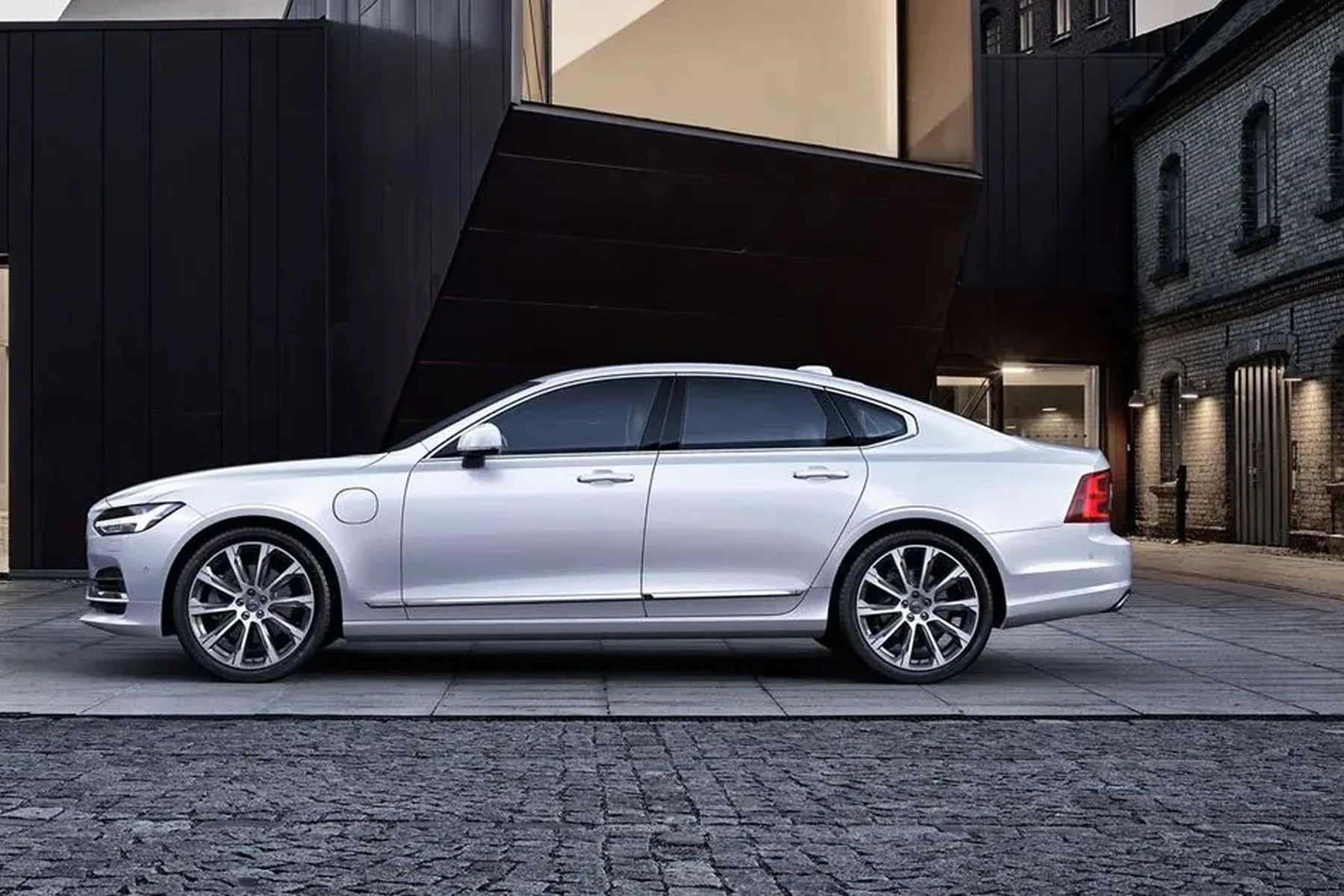
If you mainly need Volvo modules plus basic checks on family cars, iCarsoft VOL II or Foxwell NT530 are fine. For broad multi‑brand coverage, lean Autel/Topdon with expanded marque lists.
For a deeper look at cross‑brand capability, see our guide on using a Volvo scanner on other cars.
Clone/counterfeit scanners are common in online marketplaces. They often fail to communicate with Volvo modules or lose updates. Buy from the brand store or an authorized US seller and register the device on day one.
Does a Volvo Scanner Need Programming or Calibration?
No special programming is needed to use a scanner. Plug in, select your model/year, and run a scan. Most tools do require periodic software updates (USB or WiFi) to add new models and bug fixes.
Certain service functions prompt calibrations after a repair—steering angle sensor (SAS) reset, TPMS relearn, throttle adaptation. The scanner guides you; just follow on‑screen steps.
- Charge your Volvo battery or use a maintainer before running long scans or updates.
- Update the scanner’s software first, then connect to the vehicle for a Full System Scan.
- Save fault reports as PDFs before clearing codes; this preserves freeze‑frame data.
- For EX/EC models, check for a UDS protocol toggle and install the newest Volvo package.
Want the big‑picture difference between dealer tools and consumer scanners? Read our overview of the diagnostic tool for Volvo cars.
What Modules Can a US‑Available Volvo Scanner Access?
Mid‑range Volvo scanners can read and clear codes in far more than just the engine. Expect access to ABS, SRS (airbag), transmission, climate, CEM/BCM, TPMS, and more—exact coverage varies by model/year and scanner brand.
Budget ELM327 tools typically stop at engine OBD2. If you want to diagnose airbag lights, AWD faults, or service resets, choose a Volvo‑aware scanner tier.
| Module | Purpose | Budget (ELM327) | Mid‑range (VOL II/NT530) | Advanced (Autel/Topdon) |
|---|---|---|---|---|
| ECM (Engine) | Check engine codes, emissions | Yes | Yes + live data | Yes + bi‑directional (select) |
| TCM (Transmission) | Shift faults, temp data | No | Yes (most) | Yes |
| ABS/BCM | Wheel speed, pump/valve faults | No | Yes | Yes + special tests |
| SRS/Airbag | Crash sensors, pretensioners | No | Yes (read/clear after repair) | Yes |
| CEM/BCM | Body, lighting, central electronics | No | Yes (many) | Yes (deeper) |
| TPMS | Tire pressure system | No | Yes (resets) | Yes + relearns |
| Climate/IAM | HVAC, infotainment | No | Yes (varies) | Yes (varies) |
Reading codes is safe. Do not clear SRS/airbag faults until the physical issue (sensor/connector) is repaired—an uncleared fault is safer than a cleared one that masks a non‑functional airbag.
How To Choose a US‑Available, Compatible Volvo Scanner
Picking the right tool saves buying twice. Start with your Volvo’s exact year/platform, then decide which modules and functions you truly need. Owners who value iPhone use should confirm iOS app support or choose a standalone handheld. Always verify the seller’s authorization and update the device before first use.
- Identify your Volvo generation: Note model, year, and platform (e.g., 2018 XC60 SPA).
- Decide required modules: Engine‑only or full‑system (ABS/SRS/TCM/CEM) plus service resets.
- Pick connectivity: iPhone/Android app adapter, standalone handheld, or Android tablet‑style unit.
- Verify US seller and coverage: Check the brand’s compatibility list and buy from authorized channels.
- Update and test: Install the latest Volvo package, run a full scan, and save a baseline report.
Curious about iPhone pairing details and app options? We break that down in our guide on Volvo scanners that work with iPhone. For whole‑range coverage notes, see whether scanners work with all Volvo models.
💡 Evans Torres Tip: In my garage, the iCarsoft VOL II has been the best balance for US Volvos. It reads SRS, ABS, and CEM on an XC90 and a V60 without fuss, and I don’t need my phone to use it. I register every new scanner with the brand the same day—doing that kept my updates active and saved me from a clone headache once. This connects closely with is scanner for Volvo XC90 if you want to compare the topic in more detail.
Frequently Asked Questions
These quick answers focus on US availability, connectivity, and model coverage—especially what’s different for 2015+ SPA/CMA cars and the newer EX/EC EVs. If you’re deciding between a handheld and an app‑based tool, or want one device for multiple brands, start here.
Where can I buy a Volvo‑compatible scanner in the US?
Buy from the brand’s official Amazon store, their US website, or reputable parts retailers. iCarsoft, Autel, Foxwell, Topdon, and YOUCANIC all sell in the USA. Avoid “too cheap” third‑party listings; register the device by serial number with the brand to confirm authenticity and enable updates.
Which scanner works best for 2015+ SPA/CMA Volvos in the US?
For most owners, iCarsoft VOL II or Foxwell NT530 (with Volvo software) deliver strong SPA/CMA coverage. If you want broader multi‑brand diagnostics, Autel MK808/MX808 or Topdon ArtiDiag are excellent tablet units. Always confirm your exact year/trim on the brand’s coverage chart before purchasing.
Do US‑available Volvo scanners work with iPhone?
Yes—either choose a handheld (no phone needed) or an adapter/tablet that explicitly supports iOS. Brand apps like YOUCANIC’s work on iPhone; ELM327 adapters can use OBD Fusion/Car Scanner on iOS but usually read engine codes only. Verify iOS app support on the product page before you buy.
Will a Volvo scanner also work on my other cars?
Yes at basic OBD2 level (engine/emissions) for nearly all brands. Mid‑range Autel/Topdon tablets and some Foxwell units include expanded ABS/SRS coverage on many non‑Volvo makes. If multi‑brand diagnostics is a priority, check the scanner’s supported manufacturer list, not just “Volvo compatible.”
Do I need to program or code anything to use a scanner?
No programming is needed to read/clear codes or view live data. Some maintenance tasks prompt guided calibrations (SAS reset, TPMS relearn)—follow on‑screen steps. Full ECU coding or key programming requires factory‑level tools (VIDA/PTT) and should be left to a qualified Volvo specialist.
Are EX30/EX40/EC40/EX90 supported yet?
Support exists but depends on firmware recency and UDS implementation in the scanner. Many Autel/Topdon updates now include EX/EC coverage; iCarsoft/Foxwell are rolling it out. Check the date and version of the Volvo software package and look for the EX/EC models called out explicitly.
Is it safe to clear airbag (SRS) codes with a scanner?
Only after you’ve fixed the fault physically. Clearing SRS codes on an unrepaired issue can mask a disabled airbag system. Scan, repair the cause (e.g., connector, sensor), then clear and verify. When in doubt, have a Volvo‑experienced technician confirm SRS health.
Final Verdict
US buyers have excellent access to Volvo‑capable scanners—handhelds and app‑based units alike. Match your car’s generation to the tool’s coverage, decide if you need full modules or engine‑only, and choose connectivity that fits your phone habits.
Buy from authorized US channels, register the serial number, update firmware, and run a full baseline scan. For coding or key work, book a Volvo‑experienced shop; for diagnosis and resets, a quality mid‑range scanner will handle your Volvo year‑round.
Author

Author

Evans Torres
I’m Evans Torres, an automotive engineer who loves Volvo cars. I graduated in Automotive Engineering from USC. I have worked in the car industry for years and now share my knowledge on The Volvo Life. I started this blog to connect with other Volvo fans. I offer tips, news, and advice to help you care for your car. My goal is to help you keep your Volvo in great shape and find all the best things about it. Join me as we discover everything Volvo has to offer!