



have scanner for volvo how to use it — plug the scanner into the OBD-II port under the driver dash, switch ignition to ON (engine off), select your exact Volvo model/year, run a full system scan, save codes, fix the cause, then clear faults. Never clear SRS/airbag codes before repair.
Already have a scanner and want it to actually read your Volvo’s real faults? Success comes from choosing Volvo mode, scanning all modules beyond the engine, and saving data before clearing anything. You can also use do you have to pay for Volvo remote start as a helpful next guide on the same ownership topic.
The steps below show setup, connection, full-module scanning, live data checks, and safe code clearing, with fixes for pairing and “no communication” issues common on 2004–2014 and 2015+ cars. For related context, you may also want to read how to use a Volvo car jack for safe.
- Main point: Use Volvo-specific mode to scan all modules (ECM, TCM, ABS, SRS, CEM) — not just generic OBD-II engine codes.
- Best first step: Ignition ON (not running), correct model/year selection, then run a full-auto scan and save a report.
- Cost or value: Mid-range Volvo-capable tools ($120–$250) often replace a $150–$200 dealer diagnostic visit for basic faults.
- Who it suits: DIY owners doing maintenance, used-car buyers validating a Volvo, and shops wanting quick triage.
- When to get help: Airbag (SRS) faults, no-communication with multiple modules, or coding/adaptation requests — see a Volvo-experienced shop.
Wants step-by-step to connect, scan all modules, read live data, and clear codes safely.
Needs a reliable Volvo scan routine and quick troubleshooting for pairing/communication issues.
Already owns a scanner and wants best practices for data logging, updates, and code interpretation.
What an OBD2 Scanner for Volvo Does and How It Works
An OBD-II scanner connects to the 16‑pin port under the dashboard to read standardized powertrain codes and live data. That’s the baseline required on all cars sold in the USA since 1996.
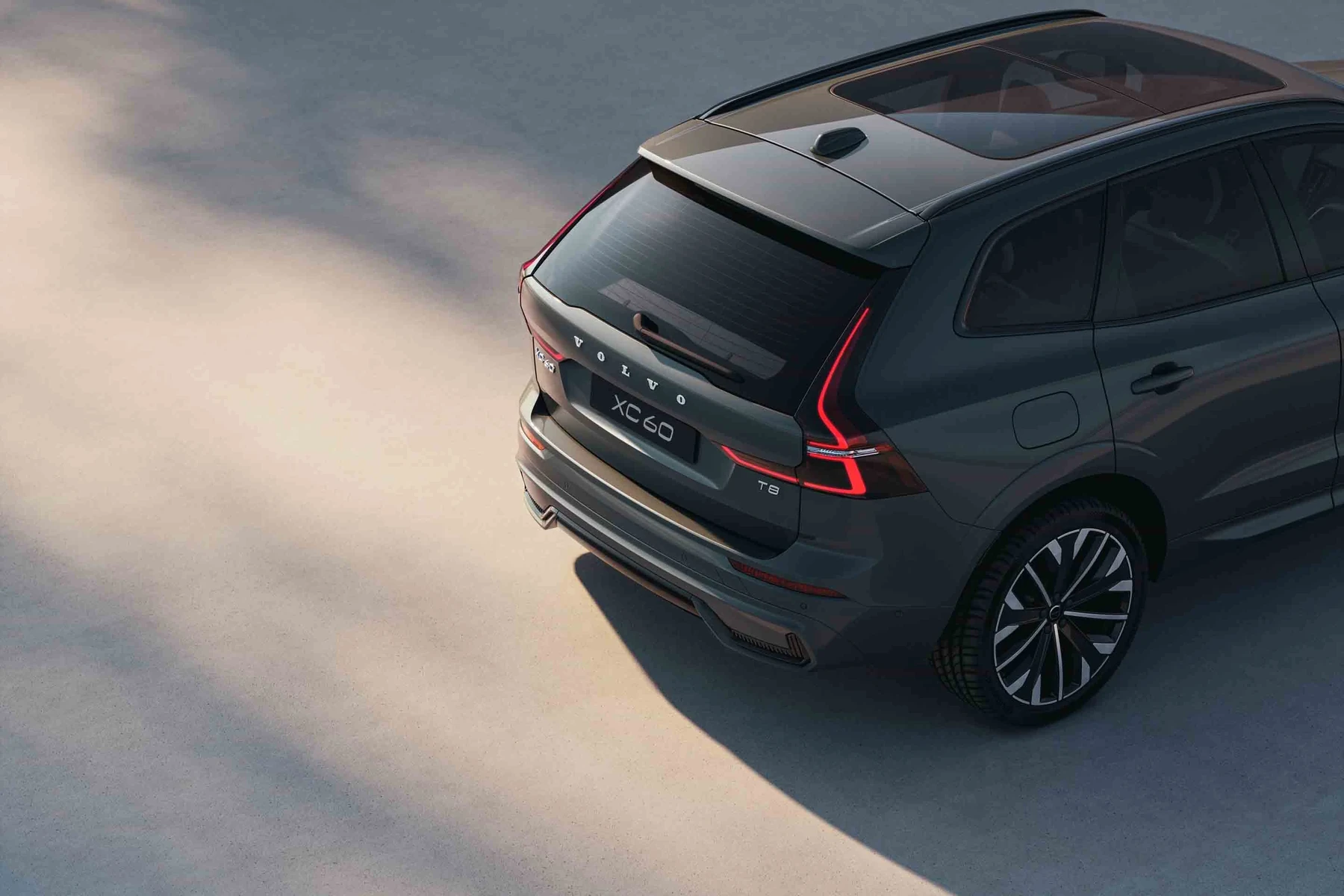
Volvo-specific scanners go further. They speak Volvo protocols to access SRS (airbag), ABS, transmission, CEM/BCM, steering angle, TPMS, climate, and more — the places where most Volvo warnings actually live.
A $30 generic reader usually can’t see Volvo SRS or ABS faults. Owners often think “no codes found” means nothing is wrong, when the fault is simply stored in a non-engine module.
OBD2 Scanner vs Volvo-Specific Diagnostic Scanner
Generic OBD-II tools read powertrain codes (P0xxx) and some live engine data. They’re useful for emissions-related issues, misfires, or oxygen sensor faults — but that’s about it.
Volvo-capable scanners access dozens of modules, read Volvo-enhanced codes, run service resets, and sometimes perform basic adaptations. If you want reliable answers to ABS, SRS, TPMS, or “Service required” messages, you need Volvo coverage.
Always pick your exact Volvo by brand, model, and year inside the tool’s Volvo menu. “Auto-detect” can misidentify transition-era cars (2004–2005, 2014–2016) and cause connection failures.
Here is a summary of what each type can and cannot do on a Volvo, so you know which to use for your task. This connects closely with how to use Volvo remote start if you want to compare the topic in more detail.
The key takeaway: engine-only readers miss most Volvo faults; a Volvo-capable scanner is required for full-vehicle diagnostics and safe repair decisions.
| Feature | Generic OBD-II Reader | Volvo-Specific Scanner |
|---|---|---|
| Engine/check engine codes | Yes (P0xxx) | Yes (adds Volvo-enhanced P1xxx when available) |
| ABS/traction control faults | Rarely | Yes (reads/clears, live wheel speeds) |
| Airbag (SRS) faults | No | Yes (read/clear after repair) |
| Transmission (TCM) data | No/limited | Yes (codes + data) |
| Service reminder reset | No | Yes (most models) |
| Steering angle/TPMS resets | No | Often (model-dependent) |
| Model-year coverage | All, engine only | Varies — confirm 2004–2014 vs 2015+ SPA and new EX/EC UDS support |
What a Volvo Scanner Can Diagnose and Reset
Expect coverage of check engine, ABS/DSTC, SRS/airbag, transmission, central electronics, climate, TPMS, and service reminders. Many tools also show live data like wheel speeds, O2 sensors, coolant temp, and charging voltage.

Resets are limited by model and tool. Service reminders, steering angle, and some TPMS procedures are common; key programming and module coding usually need dealer-level tools.
| System | Typical Findings | Reset Possible? | Scanner Tier |
|---|---|---|---|
| ECM (engine) | Misfires, O2/EVAP, fuel trims | Yes (after fix) | Any |
| ABS/DSTC | Wheel sensor, pump, yaw rate | Yes (after fix) | Volvo-capable |
| SRS/airbag | Seatbelt pretensioner, module fault | Yes (after fix) | Volvo-capable |
| TCM | Shift solenoid, temp, adaptation | Codes clear only | Volvo-capable |
| CEM/BCM | Lighting, CAN faults | Codes clear only | Volvo-capable |
| Service reminder | Oil/time counter | Yes | Volvo-capable |
| SAS/TPMS | Calibration needed | Often | Volvo-capable |
Do Volvo OBD2 Scanners Work on All Models and Years?
Coverage depends on protocol and platform. Older pre-2004 Volvos use legacy comms; 2004–2014 (P1/P2/P3) are different from 2015+ SPA/CMA cars; EX30/EX40/EC40/EX90 use newer UDS messaging.
Before scanning, confirm your tool lists your exact model and year, and that it supports SPA/CMA or UDS if you drive a 2015+ or EX/EC car. If you have questions, see our guide on model coverage at Do Scanner for Volvo Work With All Models.
Best Types of Scanner for Volvo Cars (Who Each Is For)
Bluetooth OBD adapters plus an app are compact and affordable for basic checks and logs. Handheld Volvo-capable readers add full-module access and reliable service resets. Tablet-style pro tools add adaptations and broader brand coverage.
Pick based on need: basic engine-only triage, full Volvo module diagnostics at home, or shop-grade functions for multiple brands.
- Charge your Volvo battery or connect a maintainer before long scans — low voltage causes false codes and dropped sessions.
- Always select Volvo brand → exact model → exact year in the scanner menu before scanning.
- Save a full scan report before clearing anything; you can’t analyze what you didn’t log.
- Update the scanner firmware/software first — new Volvos often need the latest protocol files.
Best Scanner Brands for Volvo — Comparison at a Glance
Several brands consistently work well on Volvos. Prices and functions vary from budget engine-only to Volvo-capable full-module access and pro features. Buy only from authorized sellers to avoid counterfeits.
| Brand/Model | Approx. Price | Volvo Modules | Bluetooth/App | Verdict |
|---|---|---|---|---|
| iCarsoft VOL II | $130–$170 | Most (ECM/TCM/ABS/SRS/CEM) | Handheld (USB update) | Best value for DIY full-module reads |
| Foxwell NT530 (Volvo pkg) | $170–$220 | Most + good live data | Handheld (USB update) | Solid mid-tier, reliable resets |
| Autel MaxiCOM MK808 | $400–$600 | Broad Volvo + many brands | Wi‑Fi tablet | Pro features and fast scanning |
| TOPDON ArtiDiag | $250–$400 | Wide coverage, growing Volvo | Tablet | Good shop-friendly option |
| ANCEL VOD700 | $80–$120 | Partial Volvo modules | Handheld | Budget entry with limits |
Clone scanners are common and look identical to real units. Symptoms: fails to connect to Volvo modules, update errors, random reboots. Buy from the brand’s official store or an authorized Amazon seller only.
Volvo Model-Based Scanner Guide
XC90/XC60 (2015+ SPA): choose a scanner that explicitly supports SPA/CMA and UDS protocols for full-module access and reliable service resets.
XC40 (2018+), S60/V60/V90/S90 (SPA/CMA): same SPA/CMA rule applies. Classic P2/P3 cars (e.g., 2008–2014 XC90, 2004.5–2011 S40/V50) work well on VOL II/NT530-tier tools. EX30/EX40/EC40/EX90 require recent UDS support.
Are Volvo Scanners Worth It, Reliable, and Safe to Use?
Yes — a Volvo-capable scanner is safe to read and saves real money by identifying faults before booking service. Reliability hinges on brand, updates, and avoiding counterfeits.
Read our detailed safety guidance at Are Scanner for Volvo Safe to Use — especially the note on not clearing SRS codes until the physical issue is fixed.
Never clear airbag (SRS) or brake (ABS) codes just to remove a light. Those systems protect you in a crash. Scan, diagnose, repair the cause, then clear and re-scan to confirm.
Can a Volvo Scanner Work with iPhone and Be Used on Other Cars?
Most modern Bluetooth scanners support iOS via a brand app; Android support is nearly universal. Handheld units update by USB or Wi‑Fi and don’t rely on a phone.
Volvo-capable scanners usually read basic OBD-II on other brands; pro tablets (Autel/TOPDON) add deep coverage for many makes. Check the brand’s iOS compatibility list before buying.
How to Use a Scanner for Volvo (Step-by-Step)
Consistent results come from a stable battery, correct vehicle selection, and saving data before clearing. Follow these steps each time — they work across most Volvo-capable handhelds, Bluetooth tools, and pro tablets.
- Prepare power: Park safely, switch lights and HVAC off, and connect a battery maintainer if the car has been sitting.
- Locate the OBD-II port: It’s under the driver-side dash near the pedals. Remove any cover gently.
- Connect the tool: Plug in the scanner or Bluetooth dongle, then turn ignition to ON (engine off). Don’t start the engine yet.
- Select Volvo exactly: In the scanner menu choose Volvo → your model → year. Avoid generic auto-detect on transition years.
- Run a full scan: Start “Auto-Scan/Full System Scan” to read all modules. Wait for completion without cycling ignition.
- Save the report: Export or photograph codes and freeze-frame data before touching “Clear.”
- Check live data: Open relevant PIDs (e.g., wheel speeds, O2 sensors, voltage) to verify the fault and guide repair.
- Repair, then clear: Fix the root cause, clear codes, drive, and re-scan to confirm no faults return.
- On push-button Volvos, press Start without brake to reach ignition ON (accessory → ON) before scanning.
- For Bluetooth tools, pair in your phone’s settings first, then select the correct app profile (iOS often needs Wi‑Fi or BLE-specific models).
- Update your tool regularly — see how to update scanner software for brand-specific steps.
- New to scanning? Our walkthrough at How to Use a Vehicle Scanner shows screenshots and a practice routine.
Why Your Volvo Scanner Might Not Be Working
Most failures trace to ignition state, pairing issues, outdated firmware, or using a generic tool in engine-only mode. Some Volvos also have a blown OBD port fuse that kills power to the connector.
- No power at the port: Check the OBD/cigar-lighter fuse; many Volvos share that circuit.
- Wrong mode: Switch from “OBD-II/EOBD” to the dedicated Volvo brand menu.
- Outdated software: Update databases for 2015+ SPA/CMA or EX/EC UDS models.
- Bluetooth issues: Remove old pairings; on iOS use the brand’s BLE/Wi‑Fi version.
- Clone hardware: Frequent “no communication” or random reboots — return it.
Buying Guide: Which Scanner Should You Choose?
Basic owner: a quality Bluetooth adapter plus a solid app for engine checks and data logging. DIY Volvo repair: iCarsoft VOL II or Foxwell NT530 for full-module reads and resets.
Multi-brand garages: Autel MK808 or TOPDON ArtiDiag for broad coverage and adaptations. Classic-era Volvo only? Confirm your exact year is listed before buying.
For deep-dive, pro techniques on Volvos, see our workshop-style guide: How to Use a Professional Car Scanner for Volvo Vehicles.
Common Scanner Mistakes to Avoid and When to See a Mechanic
Avoid clearing codes before saving data, scanning only the engine, or skipping software updates. Don’t assume a warning is gone just because the light turned off after a clear.
Book a Volvo-experienced shop if you see persistent SRS faults, multiple-module communication errors, immobilizer issues, or any coding/adaptation you’re unsure about.
Before moving on, one more practical note.
Some resets (steering angle, TPMS) require a specific calibration sequence after clearing. Follow the on-screen steps or your Volvo owner’s manual for that model year.
With the routine above, your scans will be faster, cleaner, and more reliable.
💡 Evans Torres Tip: I always run two scans on my XC60: one with the engine off (ignition ON) and another with the engine idling. The first shows stored faults; the second lets me watch live voltage and sensor behavior. That combo once caught a weak alternator — 13.0V at idle dropped under A/C load — before it stranded me.
Frequently Asked Questions
These short answers cover setup, compatibility, safety, and connection problems that come up most when using a scanner on Volvos. Use them as a checklist if your first scan didn’t go as planned, or to sanity-check what your tool is telling you.
Where is the OBD-II port on most Volvos?
Look under the driver-side dashboard near the pedals. Some models have a small cover; others leave the 16-pin port open. A flashlight helps. If you can’t find it, check your owner’s manual or Volvo Support’s model pages for an illustration.
Should the engine be running during a scan?
Start with ignition ON (engine off) to pull stored codes safely. After saving results, you can start the engine to view live data (voltage, trims, wheel speeds). Don’t cycle the ignition during an auto-scan — it can interrupt communication and create false faults.
Why does my scanner say “no communication” with modules?
Common causes include ignition in accessory (not ON), using generic OBD mode instead of Volvo mode, outdated software for 2015+ or EX/EC cars, or a blown OBD/cigarette-lighter fuse. Clone tools are another culprit — they often fail on Volvo-specific modules.
Can I use the same scanner on other cars?
Usually yes for basic OBD-II engine checks. Pro tablets (Autel/TOPDON) add deeper coverage for many brands. Volvo-focused handhelds (iCarsoft VOL II, Foxwell NT530) read full Volvo modules and do basic OBD on other makes. Depth varies by brand license.
Is it safe to clear SRS/airbag codes after replacing a part?
Clearing is safe after the physical fault is fixed and connections are verified. Never clear SRS just to remove a light — the system may be disabled. Scan, repair, then clear and re-scan. When in doubt, consult a Volvo-experienced technician.
Do I need to update my scanner before scanning a new Volvo?
Yes. Newer Volvos (2015+ SPA/CMA and EX/EC UDS) often require the latest databases. Update via USB/Wi‑Fi using the brand’s tool. If updates fail or compatibility is unclear, follow our walkthrough for brand-specific updates to avoid connection errors.
What’s the difference between engine-only codes and Volvo module codes?
Engine codes (P0xxx) are standardized emissions/powertrain issues. Volvo module codes include ABS, SRS, TCM, CEM, etc., and use brand-specific identifiers. A generic reader may show “no codes” while Volvo modules hold the real faults that triggered your warnings.
Final Verdict
Using a scanner on a Volvo comes down to three habits: ignition ON, Volvo mode, full-module scan with a saved report. Do those and you’ll stop chasing ghosts.
Update the tool, verify the fix with live data, then clear codes and re-check. For SRS, immobilizer, or multi-module communication faults, plan a visit to a Volvo-experienced shop.
Follow this workflow and your scanner becomes a decision tool, not just a code eraser.
My Top Picks at a Glance
Here are the three have scanner to use it options I would check first if you want a faster buying decision.
These picks highlight the strongest overall choice, the best value option, and the premium-style pick for practical Volvo ownership.
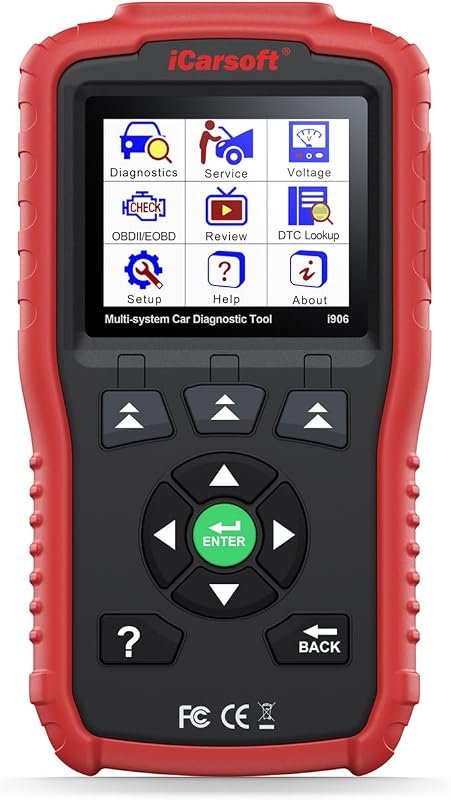 Best Overall
iCarsoft i906 OBD2 scanner for Volvo and Saab with engine, ABS, SRS multi-system diagnostics.
It offers the strongest all-around mix of fit, value, and practical daily use for Volvo owners.
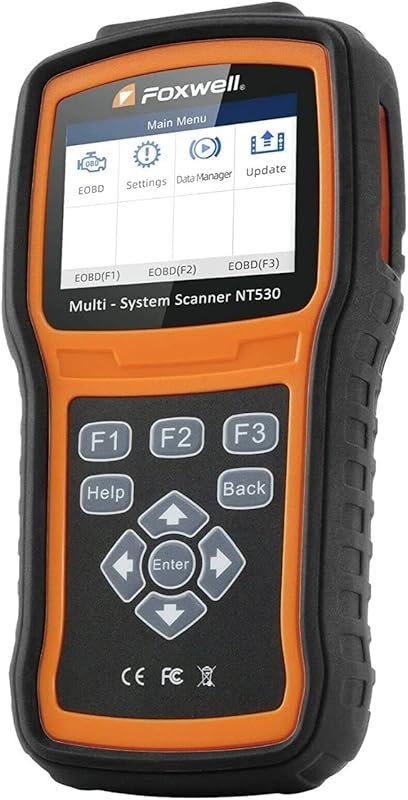 Best Value
FOXWELL NT530 OBD2 scan tool for Volvo, bidirectional diagnostics with ABS bleed, EPB, SAS, TPMS, oil reset.
It makes sense for owners who want a useful upgrade without paying more than necessary.
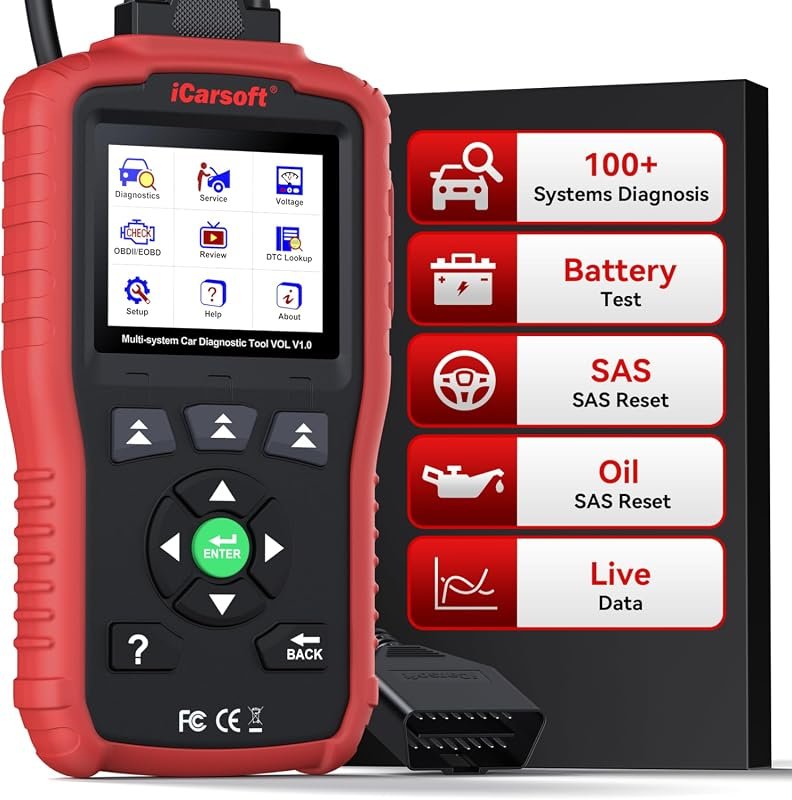 Best Premium Option
iCarsoft VOL V1.0 OBD2 scanner for Volvo and Saab, all-systems diagnostics, oil/SAS resets, CAN-FD, lifetime updates.
It is the pick I would compare first if build quality, features, and long-term ownership value matter most.
Author

Author

Evans Torres
I’m Evans Torres, an automotive engineer who loves Volvo cars. I graduated in Automotive Engineering from USC. I have worked in the car industry for years and now share my knowledge on The Volvo Life. I started this blog to connect with other Volvo fans. I offer tips, news, and advice to help you care for your car. My goal is to help you keep your Volvo in great shape and find all the best things about it. Join me as we discover everything Volvo has to offer!