



have scanner for volvo xc90 — the best overall pick is the iCarsoft VOL II for true Volvo module access (ABS, SRS, CEM) on 2003–2024 XC90s. DIYers wanting advanced functions should choose Autel MaxiCOM MK808, while app-first users can pair an OBDLink CX with Car Scanner for basics.
XC90 diagnostics go beyond generic “check engine” readers. Many faults live in SRS, ABS, CEM, DEM, and TCM modules that cheap ELM327 dongles can’t see. Picking the right scanner means faster answers, safer repairs, and fewer dealer visits. For related context, you may also want to read is scanner for Volvo XC90.
This guide explains how Volvo-specific scanners differ, which models fit each XC90 generation, how to use them, and what to avoid so you don’t waste money on a tool that can’t talk to your Volvo.
- Main point: The iCarsoft VOL II is the best value for reading all major XC90 modules; Autel MK808 is the stronger advanced option.
- Best first step: Confirm your XC90 model year and platform (2003–2014 P2 vs 2016+ SPA) before buying for proper protocol support.
- Cost or value: Expect $130–$180 for mid-range handhelds, $400–$900 for advanced tablets, $30–$60 for basic Bluetooth (engine-only).
- Who it suits: App users: OBDLink CX; DIYers: iCarsoft VOL II or Foxwell NT530; power users: Autel MK808/Launch X431.
- When to get help: Coding/programming and persistent SRS faults warrant a Volvo specialist with VIDA/DiCE or dealer tools.
Wants to read SRS/ABS, reset the service light, and view live data without paying dealer diagnosis fees.
Needs reliable Volvo module access on P2 and SPA XC90s for everyday diagnostics and maintenance resets.
Prefers Bluetooth and a phone app for quick checks and emissions readiness between service visits.
What an OBD2 Scanner for the Volvo XC90 Does and How It Works
An OBD2 scanner plugs into the XC90’s port under the dash to read fault codes and live data. All scanners read engine (ECM) emissions codes; Volvo‑specific tools also communicate with safety and chassis modules. This connects closely with OBD scanner for Volvo XC90 if you want to compare the topic in more detail.
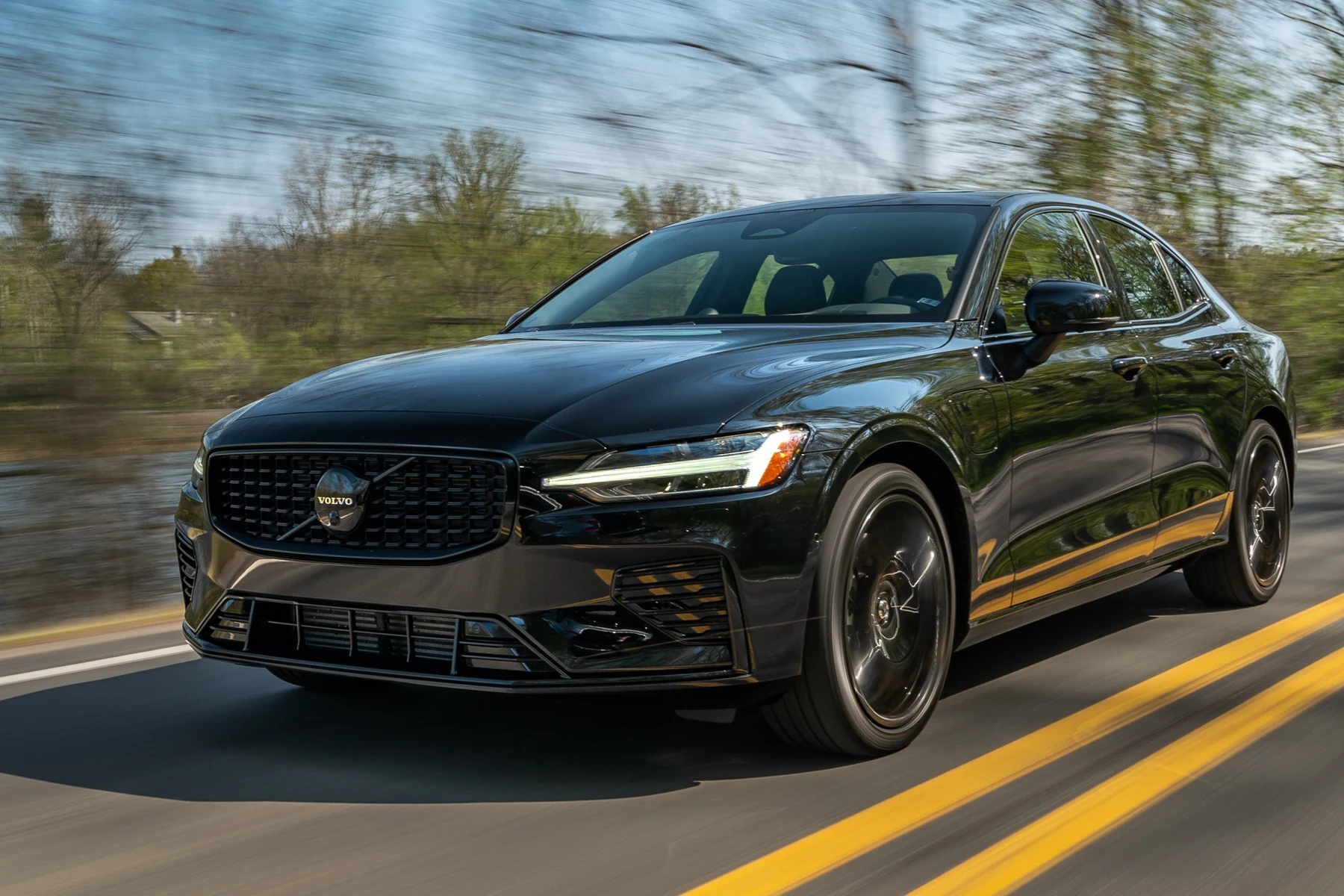
On an XC90, many critical faults sit outside the ECM. Airbag (SRS), ABS/DSC, transmission (TCM), central electronics (CEM), DEM (AWD), SAS (steering angle), and climate modules frequently store valuable diagnostics you’ll miss with a generic dongle.
XC90 coverage varies by generation. 2003–2014 (P2) and 2016+ (SPA) use different protocols. Confirm your scanner’s compatibility list specifically names your XC90 model year and platform.
OBD2 Scanner vs Volvo‑Specific Diagnostic Scanner for an XC90
A basic OBD2 reader only accesses the engine module and readiness monitors. That’s fine for a simple check‑engine light. It won’t see a disabled ABS, an airbag fault, or a communication error in the CEM that can cascade into random warnings.
Volvo‑aware scanners run a full vehicle scan, pulling codes and data from 8–15 modules on an XC90. They also perform service resets and selected calibrations the cheap tools cannot do.
Here is a summary of what you gain by choosing an XC90‑capable scanner instead of a generic reader. You can also use is scanner for Volvo XC60 as a helpful next guide on the same ownership topic.
For most XC90 owners, the extra visibility into SRS/ABS/CEM alone justifies a Volvo‑specific tool — it saves a trip to the dealer the first time a non‑engine light appears.
| Feature | Generic OBD2 | Volvo‑Specific | XC90 Impact |
|---|---|---|---|
| Engine codes (ECM) | Yes | Yes | Both read/clear P‑codes and show freeze‑frame |
| ABS/Brake module | No | Yes | Diagnose wheel speed sensors, DSC, pump faults |
| Airbag (SRS) | No | Yes | Identify seatbelt pretensioner, occupancy sensor issues |
| Transmission (TCM) | No | Yes | Read shift/solenoid faults; useful on higher‑mileage XC90s |
| CEM/BCM (body) | No | Yes | Track electrical gremlins and CAN communication errors |
| Service light reset | Rare | Yes | Reset maintenance reminders after oil service |
| Live data (multi‑module) | Limited | Extensive | Graph sensors across engine, ABS, transmission |
What a Volvo‑Capable Scanner Can Diagnose on an XC90
A capable XC90 scanner covers check‑engine faults, misfires, O2 sensors, and EVAP — plus the big safety and driveline modules most owners care about. Expect full‑system scans and live data streams that help you pinpoint the failing component faster. For another practical angle, see do scanner for Volvo exist.

Typical tasks include SRS/ABS diagnosis, parking sensor and camera faults, climate blend‑door issues, service resets, TPMS registration on certain years, and battery/charging data review for no‑start complaints.
Many XC90 “Brake Assist Service Required” or “SRS Airbag Service Urgent” messages store detailed sub‑codes only a Volvo‑aware scanner can read. Generic tools show no code at all, leading owners to assume a software glitch.
Do Volvo OBD2 Scanners Work with All Volvo Models and XC90 Years?
Coverage depends on protocols. Pre‑2004 Volvos can be tricky; 2003–2014 XC90s (P2) require a tool that explicitly lists P2 support. 2016+ SPA‑platform XC90s use newer UDS/DoIP protocols that not all budget tools handle well.
EV models (EX90) and some late‑SPA features evolve via software, so confirm current‑version support. When in doubt, check real‑owner reports for your exact year before buying.
For model‑specific XC90 picks, see our focused advice in OBD2 scanner for Volvo XC90 and the broader scanner for Volvo XC90 guide.
The Best Types of Scanner for Volvo Cars (and Which Fits an XC90)
Basic code reader: Cheapest, engine‑only. Good for emissions readiness and simple CEL clears. Least helpful for Volvo‑specific warnings.
Bluetooth app scanner: Handy and portable. With the right app, it’s great for live data and basic codes. Module coverage still limited vs handheld Volvo‑aware tools.
Handheld Volvo‑aware scanner: Best value for XC90 owners. Reads most Volvo modules, performs service resets, and stores reports without needing a phone.
Advanced tablet scanner: Professional‑grade (Autel/Launch). Adds guided tests, some adaptations, and broader multi‑brand coverage for home shops.
Best Scanner Brands for Volvo — Comparison at a Glance
These models consistently appear in Volvo owner forums and independent shops. Prices are approximate street pricing in the USA and can vary with promotions and updates.
| Brand/Model | Price | Volvo Modules Covered | Bluetooth/App | Verdict |
|---|---|---|---|---|
| iCarsoft VOL II | $140–$180 | ECM/TCM/ABS/SRS/CEM/BCM (most XC90 years) | No app (handheld) | Best value for XC90 DIY owners |
| Foxwell NT530 (Volvo‑licensed) | $180–$230 | Strong P2/SPA coverage; service resets | No app (handheld) | Great mid‑tier alternative to iCarsoft |
| Autel MaxiCOM MK808 | $450–$700 | Extensive multi‑module + special functions | Tablet (Wi‑Fi updates) | Top pick for advanced DIY and small shops |
| Topdon ArtiDiag600S | $200–$300 | Good coverage; strong live data | Tablet (Wi‑Fi updates) | Solid mid‑range with growing Volvo support |
| OBDLink CX + Car Scanner app | $60–$90 | Engine + limited enhanced PIDs | Bluetooth (iOS/Android) | Best app‑first choice for basics |
| YOUCANIC UCAN‑II Pro | $300–$400 | Good module access; subscription updates | Tablet (Wi‑Fi updates) | Convenient all‑in‑one, check XC90 year list |
Counterfeit scanners are common. Clones often fail to connect to Volvo modules or crash mid‑scan. Buy from the brand’s official store or an authorized seller, and avoid listings with unusually low prices or vague seller details.
Volvo Model‑Based Scanner Guide (With XC90 Front and Center)
XC90 2003–2014 (P2): Choose iCarsoft VOL II or Foxwell NT530; both handle P2 modules well and reset the service reminder. Advanced users can step up to Autel MK808 for deeper functions.
XC90 2016+ (SPA): Ensure UDS/DoIP support. iCarsoft VOL II (latest firmware) and Autel MK808 are the safer bets; verify release notes for your year. App dongles remain engine‑centric here.
XC60/XC40/S60/V60 owners: Recommendations mirror XC90 by platform. See our model‑specific picks if you’re cross‑shopping families in your garage.
Are Volvo Scanners Worth It, Reliable, and Safe to Use?
Yes — Volvo‑aware scanners are reliable tools widely used by independent shops. Reading codes and live data is safe; you’re not altering anything by scanning.
Clearing codes without fixing the underlying fault is the only real risk, especially with SRS. Treat “clear” as the last step after repair, not the first.
Never clear SRS/airbag faults just to hide the light. The system may be disabled until the actual hardware issue is resolved and verified. Scan, fix, then clear.
Can a Volvo XC90 Scanner Work with iPhone — and on Other Cars?
Most Bluetooth dongles (OBDLink CX, LX) work with iOS via Car Scanner or OBD Fusion, but they remain engine‑focused. Handheld Volvo‑aware tools are standalone and do not require a phone.
Cross‑brand use varies. Autel and Launch cover many makes at enhanced levels, while iCarsoft VOL II is strongest on Volvo/Saab but still reads basic OBD2 on other brands.
For iPhone setup details and app tips specific to Volvo, see can a scanner for Volvo work with iPhone.
How To Use a Scanner on a Volvo XC90 (Step‑by‑Step)
Running a proper scan takes minutes and avoids guesswork. Always scan before buying parts, save a report, perform the repair, then clear codes only after the issue is resolved. Here’s a fast, safe workflow that works on both P2 and SPA XC90s.
- Park and prepare: Park safely, set the parking brake, and switch ignition to ON (engine off) or press Start without brake on newer XC90s.
- Connect the tool: Plug the scanner into the OBD2 port by the driver’s knee panel; pair Bluetooth if using a dongle and open your app.
- Select vehicle: Choose Volvo → XC90 → correct year/platform; update the scanner software if prompted.
- Run full scan: Perform an “Auto‑scan/Health report” to read all modules; note active vs stored codes and save the report.
- Repair then clear: Use freeze‑frame and live data to confirm the fault, complete the fix, then clear codes and confirm they do not return.
- Charge the XC90 battery above 12.4V before long scans to prevent voltage‑related comm errors.
- Update scanner firmware first — Volvo coverage often improves via software.
- Label saved reports by mileage/date; they help spot intermittent patterns later.
- On SPA XC90s, use the manufacturer profile (not generic OBD) to access SRS/ABS/BCM.
Why a Volvo Scanner Might Not Work on Your XC90
No power at the port, Bluetooth pairing issues, or the wrong vehicle profile are the most common culprits. A weak vehicle battery can also interrupt module communication mid‑scan.
Older clone hardware and outdated firmware frequently cause connection loops. If a tool never lists your XC90 modules, compatibility may be the real problem — not your car.
Buying Guide: Which Scanner Should You Choose?
Basic owner (emissions/CEL checks): OBDLink CX + Car Scanner. Great for readiness and quick code reads across multiple cars.
XC90 DIY repair: iCarsoft VOL II or Foxwell NT530. Balanced price, reads most Volvo modules, resets service reminders, and stores reports.
Power user or home shop: Autel MaxiCOM MK808. Broad coverage, special functions, and frequent updates across many brands including XC90.
App‑first but wants more than basics: Consider YOUCANIC UCAN‑II Pro or Topdon ArtiDiag600S for tablet convenience with stronger module access.
Still undecided? Our XC90‑specific explainer compares use cases in plain language in can a scanner for Volvo XC90 do what you need.
Common Mistakes to Avoid — And When to See a Mechanic
Don’t buy a tool that doesn’t list your exact XC90 year/platform. Don’t clear SRS/ABS faults to pass inspection; fix the cause. Don’t assume “no codes” means “no problem” — scan the correct modules, not just the engine.
Visit a Volvo‑specialist or dealer if you need key programming, module coding, or if repeated SRS/ABS faults return immediately after proper repairs and resets.
Choosing confidently saves money and time. With the right tool, most XC90 warning lights can be evaluated at home before you book a visit.
💡 Evans Torres Tip: On my 2017 XC90, an intermittent ABS light turned out to be a failing rear wheel speed sensor. My iCarsoft VOL II showed a clear DTC and live data dropouts on that corner. Swapping the sensor fixed it in one hour. That single scan saved me a $180 dealer diagnostic fee.
Frequently Asked Questions
These quick answers cover the most common XC90 scanner questions readers ask after comparing tools and features. Each focuses on real‑world ownership: what works on which years, how to reset service reminders, iPhone compatibility, and how to avoid clone hardware that wastes time.
What’s the best overall scanner for a Volvo XC90?
For most owners, the iCarsoft VOL II offers the best balance of price and Volvo module coverage. It reads SRS/ABS/TCM/CEM on 2003–2024 XC90s and performs service resets. If you want deeper functions and broader multi‑brand coverage, the Autel MaxiCOM MK808 is the stronger — but pricier — step up.
Will a generic $30 OBD2 reader work on XC90 warnings?
It will read basic engine P‑codes and emissions readiness, but it won’t see SRS, ABS, transmission, or CEM faults. Most XC90 warning messages live in those modules. You’ll likely scan “no codes” with a generic tool even while a safety light is on, then end up buying a second, Volvo‑aware scanner.
Can I reset the Volvo XC90 service reminder with these tools?
Yes, most Volvo‑aware handhelds (iCarsoft VOL II, Foxwell NT530, Autel MK808) can reset service reminders after an oil change. Follow the on‑screen prompts under “Service” or “Maintenance.” Always record the service in your log before clearing the reminder so you keep a reliable history.
Do these scanners work with iPhone?
Bluetooth dongles like OBDLink CX work with iOS using Car Scanner or OBD Fusion, but remain engine‑centric. Handheld iCarsoft/Foxwell and tablet Autel/Topdon tools are standalone and do not require a phone. For iPhone‑specific setup and limitations, see our dedicated iOS article linked above.
Which scanner works on a 2005 XC90 vs a 2018 XC90?
For a 2005 (P2), choose iCarsoft VOL II or Foxwell NT530 with confirmed P2 support. For a 2018 (SPA), pick a tool that supports UDS/DoIP, such as the latest iCarsoft VOL II firmware or Autel MK808. Always check the brand’s compatibility notes for your exact year before buying.
Are Volvo‑specific scanners safe to use?
Yes. Reading and saving codes is safe. The risk comes from clearing SRS or performing write/coding functions without understanding the procedure. If you’re not sure, stick to read‑only scans and service resets, or consult a Volvo‑experienced shop for coding or adaptations.
Where should I buy to avoid a clone?
Buy from the brand’s official store or an authorized Amazon seller. Avoid listings that are significantly cheaper than the norm or lack clear warranty info. Counterfeit units commonly fail to connect to Volvo modules or crash mid‑scan, wasting time and money.
Final Verdict
For XC90 ownership, a Volvo‑aware tool pays for itself the first time an SRS or ABS light appears. Choose iCarsoft VOL II for value, Autel MK808 if you want advanced functions, or OBDLink CX for quick engine checks.
Confirm your XC90’s platform, buy from authorized sellers, and scan before buying parts. When coding or persistent SRS faults appear, involve a Volvo‑experienced technician for a clean, safe resolution.
My Top Picks at a Glance
Here are the three have scanner options I would check first if you want a faster buying decision.
These picks highlight the strongest overall choice, the best value option, and the premium-style pick for practical Volvo ownership.
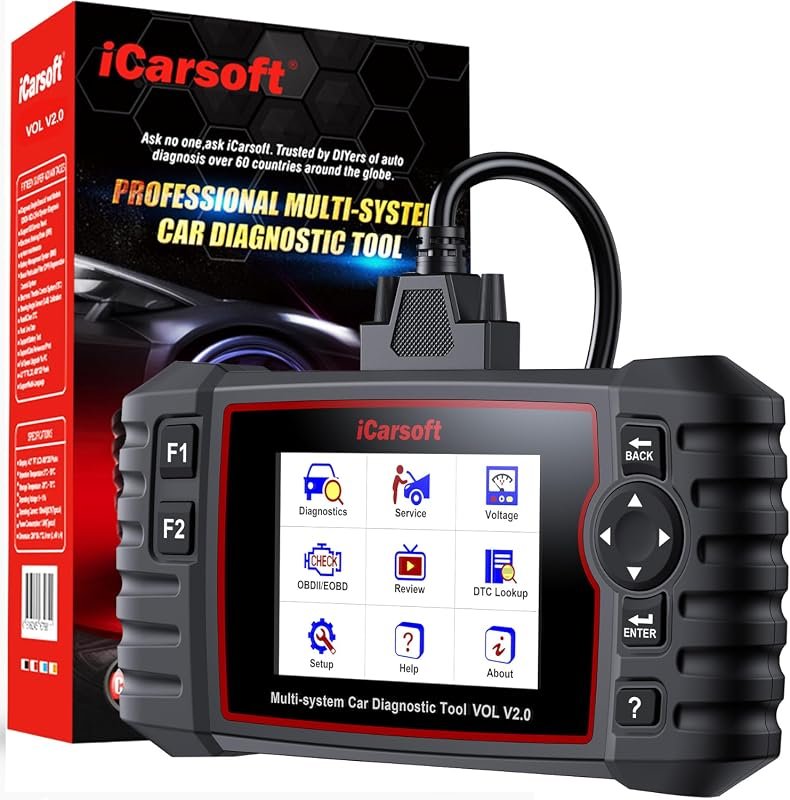 Best Overall
iCarsoft VOL V2.0 (2025) OBD2 scanner for Volvo/Saab with Auto VIN, oil reset, EPB, ABS bleed
It offers the strongest all-around mix of fit, value, and practical daily use for Volvo owners.
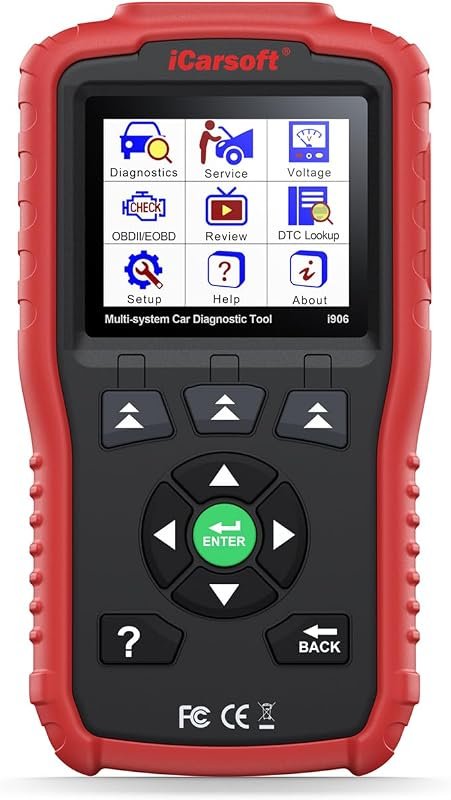 Best Value
iCarsoft i906 OBD2 diagnostic scanner for Volvo/Saab engines, ABS, SRS, and multi-system coverage
It makes sense for owners who want a useful upgrade without paying more than necessary.
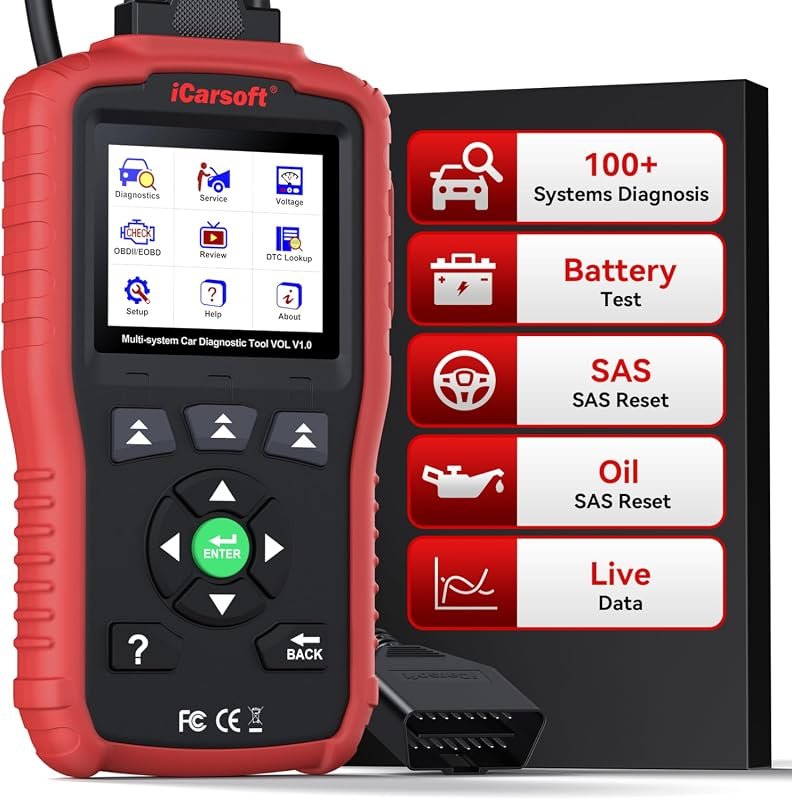 Best Premium Option
iCarsoft VOL V1.0 OBD2 scanner for Volvo/Saab, all-system diagnostics, live data, oil reset, CAN-FD, lifetime updates
It is the pick I would compare first if build quality, features, and long-term ownership value matter most.
Author

Author

Evans Torres
I’m Evans Torres, an automotive engineer who loves Volvo cars. I graduated in Automotive Engineering from USC. I have worked in the car industry for years and now share my knowledge on The Volvo Life. I started this blog to connect with other Volvo fans. I offer tips, news, and advice to help you care for your car. My goal is to help you keep your Volvo in great shape and find all the best things about it. Join me as we discover everything Volvo has to offer!