



Does scanner for volvo work with all models? Not universally. Coverage depends on model year and modules. Pick a Volvo-capable tool (iCarsoft VOL II, Foxwell NT530, Autel MK808) that lists your exact year; for EX30/EX90, verify UDS support and apply the latest firmware.
Compatibility across the full Volvo lineup isn’t one-size-fits-all. Older P1/P2/P3 platforms, newer SPA/CMA cars, and the latest EX/EC EVs run different diagnostic protocols, and not every scanner speaks them all equally well. For related context, you may also want to read do scanner for Volvo work with all models.
This guide breaks down connectivity options, model-year coverage, cross-brand use, updates/calibrations, and which Volvo modules each scanner tier can access so you buy once and get the functions you actually need. This connects closely with did scanner for Volvo work well if you want to compare the topic in more detail.
- Main point: No single consumer scanner covers every Volvo perfectly; match tool support to your exact model year and modules.
- Best first step: Check the scanner’s supported vehicle list for your Volvo’s year/VIN range and confirm recent software updates.
- Cost or value: $120–$250 mid-range tools read most Volvo modules; budget readers only see engine codes.
- Who it suits: DIY owners who want ABS/SRS/CEM access on 2004–2023 cars will be happiest with mid-range handhelds.
- When to get help: EX-series EVs or coding/adaptations may need advanced tools or a Volvo specialist.
Wants Bluetooth or WiFi connectivity and app control on iPhone or Android with reliable Volvo module access.
Needs to read/clear ABS, SRS, and transmission codes and reset service reminders on 2004–2023 models.
Plans to use one scanner across several brands; prefers a multi-make tool with strong Volvo coverage. You can also use is scanner for Volvo XC60 as a helpful next guide on the same ownership topic.
Connectivity Options: Bluetooth, WiFi, or USB for Volvo Scanners
Bluetooth dongles pair with a phone app and are convenient for quick checks. They’re great for basic OBD2 engine data and, with the right app and hardware, can reach some Volvo modules on newer cars.
Handheld scanners use a cable to the OBD2 port for rock-solid connections, and many update over WiFi or USB. This style is favored for reliable access to SRS/ABS/TCM/CEM on most model years.
iPhone users should confirm iOS app support and Bluetooth chipset compatibility before buying. For a deeper look at iOS pairing and app choices, see our guide on Volvo scanner iPhone compatibility.
Connectivity is only half the story. Protocol coverage matters: 2004–2014 Volvos use earlier CAN implementations, 2015+ SPA/CMA add UDS for deeper access, and EX/EC EVs lean heavily on UDS. Always verify your exact year and platform are listed.
Many handheld scanners don’t need a phone at all for diagnostics. WiFi or USB is used only for software updates, while live data and special functions run directly on the device via the OBD cable connection.
Volvo Model Compatibility: Does One Scanner Work With All Models?
Short answer: not perfectly. Basic OBD2 tools read engine codes on all 1996+ U.S. Volvos, but full-system access (ABS, SRS, CEM, BCM, TPMS) depends on model year and the scanner’s Volvo software. For another practical angle, see is scanner for Volvo XC90.
Pre-2004 models can be hit-or-miss beyond engine codes. 2004–2014 coverage is strong on Volvo-focused tools. 2015+ SPA/CMA needs UDS support; 2024+ EX/EC EVs require the latest updates.
Here is a quick view of common scanner tiers versus Volvo generations, so you can align the right tool to your exact car. If you are comparing similar topics, do scanner for Volvo exist is also worth checking.
Choose a tool that clearly lists your year and confirms UDS for 2015+ and EX/EC models; that single check prevents most compatibility surprises.
| Scanner / Tier | Pre‑2004 | 2004–2014 (P1/P3) | 2015+ SPA/CMA | 2024+ EX/EC (UDS) |
|---|---|---|---|---|
| Generic ELM327 + app | Engine only (varies) | Engine/limited data | Engine only; few modules | Engine only (often limited) |
| iCarsoft VOL II (Volvo/Saab) | Engine + some modules | Good multi‑module access | Good; confirm UDS updates | Check latest firmware notes |
| Foxwell NT530 (Volvo software) | Engine + limited | Strong full‑system coverage | Strong with updates | Support improving; verify |
| Autel MaxiCOM MK808/MK808S | Engine + limited | Broad system coverage | Very good UDS support | Often supported; confirm |
| Launch X431 (Pro tier) | Engine + limited | Excellent system coverage | Excellent UDS support | Frequently supports; confirm |
| VIDA/DiCE (factory‑level, legacy cars) | Best for 1999–2014 | Dealer‑level 1999–2014 | Limited; newer need PTT | Not applicable |
Can a Volvo Scanner Be Used on Other Cars?
Yes. Almost all scanners read generic OBD2 engine codes on any 1996+ U.S. vehicle. Multi-make tools (Autel/Launch) offer deeper coverage on dozens of brands, while Volvo-specific units like iCarsoft VOL II provide full Volvo functions and basic OBD2 on other makes.

If you maintain multiple brands at home, a mid‑to‑advanced multi-make scanner can be excellent value. If you mainly own Volvos, a Volvo‑focused handheld gives the best special functions for the price.
For cross‑brand details and limitations, see our explainer on using a Volvo scanner on other cars.
- Confirm support: search the brand’s coverage list for your exact Volvo model year before buying.
- Update first: run a firmware/software update on day one for the newest Volvo protocols.
- Record codes: save screenshots of fault codes before clearing; it speeds diagnosis.
- Return window: buy from a seller with easy returns in case your specific module isn’t supported.
Does a Volvo Scanner Need Programming or Calibration?
No programming is needed just to connect and read/clear codes. You plug into the OBD2 port, select Volvo, pick your model/year, and scan. That’s it.
Calibrations are separate procedures performed after replacing certain parts (e.g., steering angle sensor, TPMS sensor, throttle body). Many mid‑range and advanced tools guide you through those routines when applicable.
Most brands require periodic software updates via USB, WiFi, or microSD. Some updates are free for a period; others may need a paid subscription for the latest Volvo files.
Use a stable power supply when performing any coding/adaptation. A weak vehicle battery or interruption during a write procedure can corrupt module data. Connect a maintainer (12.4V+ at rest) before starting advanced functions.
What Volvo Modules Can Each Scanner Tier Access?
Engine-only readers won’t see safety or chassis faults. Mid-range handhelds typically cover the big modules most owners need; advanced tools expand into adaptations and special functions. Use this table to match your goals to the right tier.
| Module | What it does | Budget | Mid‑range | Advanced |
|---|---|---|---|---|
| ECM (Engine) | Check‑engine codes, fuel/air data | Yes | Yes | Yes + tests |
| TCM (Transmission) | Shift logic, solenoids, temp | No | Yes | Yes + adaptations |
| ABS/DSM | Wheel speed, pump/valves | No | Yes | Yes + bleed routines |
| SRS/Airbag | Crash data, pretensioners | No | Yes | Yes |
| CEM/BCM | Central electronics/body control | No | Often | Yes |
| SAS | Steering angle, stability | No | Reset/calibrate | Advanced calibrations |
| TPMS | Tire pressure monitoring | No | Read/reset (some tools) | Relearn/program (varies) |
| Climate/IHCU | HVAC flaps, blower, sensors | No | Yes | Yes + actuator tests |
Engine-only coverage is why generic OBD2 readers miss common Volvo faults. For a primer on what OBD2 can and cannot do on Volvos, read our overview: Does OBD2 work on Volvo?
Never clear SRS/airbag faults without confirming the physical issue is fixed — the system may remain disabled. Also beware of counterfeit scanners; clones often fail to connect to Volvo modules or brick during updates.
How To Check If a Scanner Will Work With Your Volvo
Verifying compatibility before purchase prevents the most common buyer regret. Spend five minutes matching your exact car and the scanner’s software coverage, then confirm update support and return policies — it saves hours later.
- Identify your Volvo: Note model, engine, and model year (VIN 10th digit).
- Check the tool’s list: Open the scanner brand’s coverage chart and find your exact year/platform.
- Confirm UDS/EX support: For 2015+ SPA/CMA and EX/EC models, ensure UDS and EV coverage are listed.
- Review updates: Verify the tool has recent Volvo updates and how you’ll install them (USB/WiFi).
- Buy smart: Choose an authorized seller with a 30‑day return window in case a specific function is missing.
Before we wrap up, one practical ownership note makes living with a scanner a lot easier.
💡 Evans Torres Tip: I keep an iCarsoft VOL II in my garage for our XC60 and an Autel app-based dongle in the glovebox. The handheld never fails to talk to ABS/SRS on our 2012–2019 cars, while the dongle is perfect for a quick CEL read at the store. Before any scan, I screenshot codes and freeze‑frame — that record has saved me from chasing the same intermittent fault twice.
Frequently Asked Questions
These answers clear up the most common compatibility questions Volvo owners ask before buying a scanner — model-year support, iPhone/Bluetooth pairing, EV coverage, cross‑brand use, and what modules different tiers can actually read.
Will one scanner work on every Volvo model?
No. Basic OBD2 works on all 1996+ U.S. cars for engine codes, but full-system access varies by model year and protocol. Choose a tool that explicitly lists your year and confirms UDS support for 2015+ SPA/CMA and the latest EX/EC electric models.
Do Volvo scanners work with iPhone and Android?
Many Bluetooth scanners support both iOS and Android via their companion apps. Handhelds don’t need a phone for diagnostics. Always check the brand’s iOS/Android app listing for your phone version and confirm Bluetooth chipset compatibility.
Will a scanner read airbags (SRS) and ABS on my Volvo?
Only Volvo-capable tools do. Budget OBD2 readers see engine codes but not SRS/ABS. Mid‑range handhelds (iCarsoft VOL II, Foxwell NT530) and advanced tools (Autel, Launch) typically read/clear SRS and ABS on 2004–2023 models, with updates improving 2015+ and EX coverage.
Are EX30, EX40/EC40, and EX90 supported?
Support exists but is evolving. These EVs rely on newer UDS diagnostics, so you must confirm the scanner’s latest firmware notes mention your exact model. Expect rapid updates from major brands; verify before purchase and update the tool upon arrival.
Can I use a Volvo scanner on other car brands?
Yes for basic OBD2 engine checks on any 1996+ U.S. vehicle. Multi‑make tools (Autel/Launch) provide deeper brand coverage. Volvo‑focused units (like iCarsoft VOL II) give full Volvo functions and basic OBD2 on other makes.
Do scanners need subscriptions or paid updates?
Policies vary. Some include lifetime updates, others provide 1–3 years free then paid renewals for the newest files. Check the update policy, method (USB/WiFi/microSD), and whether Volvo coverage is still receiving active updates.
Is it safe to clear SRS or transmission codes at home?
Reading is always safe. Clearing is fine after you’ve fixed the cause. Do not clear SRS blindly — the airbag system may stay disabled. For TCM or adaptations, maintain stable battery voltage and follow on‑screen prompts carefully.
Final Verdict
No single consumer scanner flawlessly covers every Volvo generation and module. Match the tool to your year: mid‑range Volvo‑capable handhelds fit 2004–2023 best, while EX/EC EVs demand confirmed UDS support and current firmware.
Before buying, verify your exact model on the brand’s coverage list, update the tool on day one, and keep a stable battery for any adaptations. Do that, and you’ll buy once and diagnose confidently across your Volvo’s systems.
My Top Picks at a Glance
Here are the three does scanner with all models options I would check first if you want a faster buying decision.
These picks highlight the strongest overall choice, the best value option, and the premium-style pick for practical Volvo ownership.
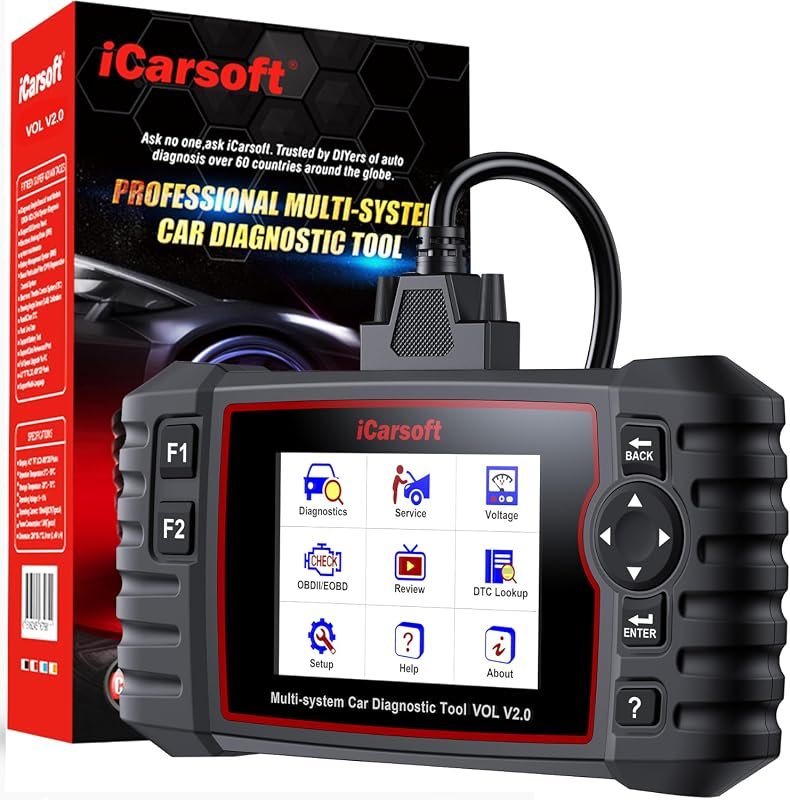 Best Overall
iCarsoft VOL V2.0 (2025) OBD2 scanner for Volvo/Saab with oil reset, ABS bleeding, injector coding, Auto VIN.
It offers the strongest all-around mix of fit, value, and practical daily use for Volvo owners.
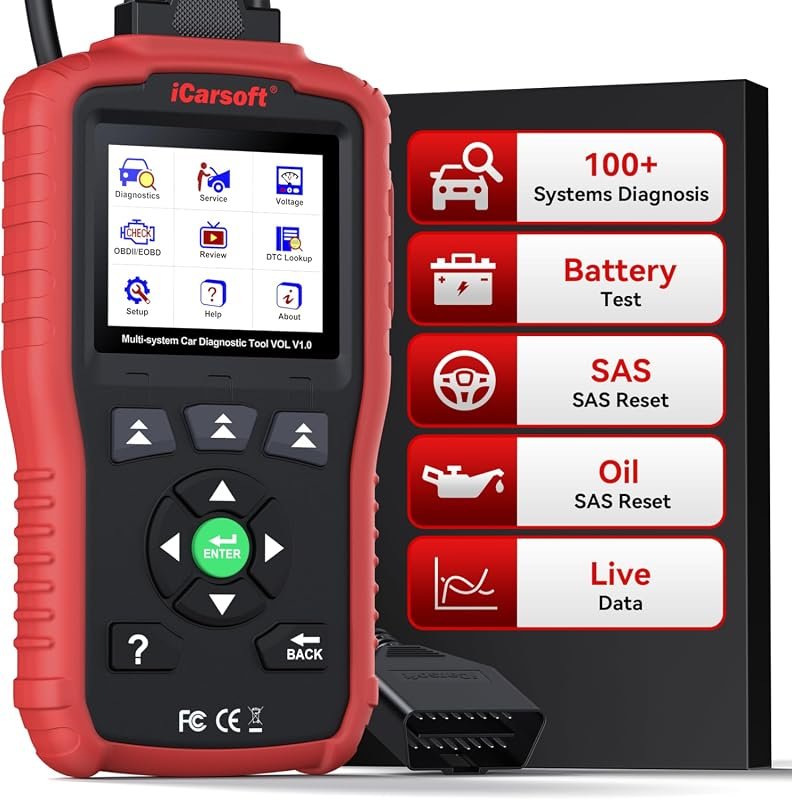 Best Value
iCarsoft VOL V1.0 OBD2 scanner for Volvo/Saab with all-systems diagnostics, live data, oil reset, CAN-FD, lifetime updates.
It makes sense for owners who want a useful upgrade without paying more than necessary.
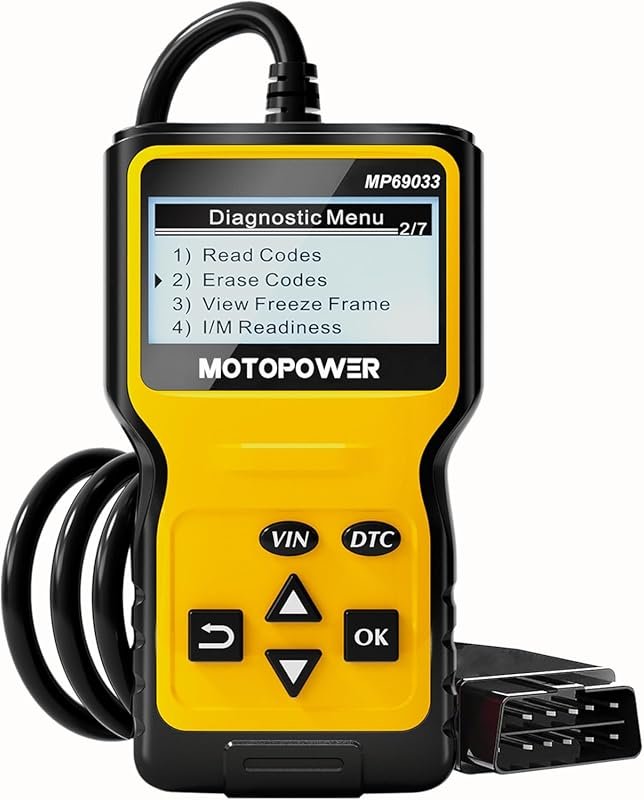 Best Premium Option
MOTOPOWER MP69033 OBD2 code reader and engine scanner for 1996+ vehicles, supports all OBDII protocols, yellow.
It is the pick I would compare first if build quality, features, and long-term ownership value matter most.
Author

Author

Evans Torres
I’m Evans Torres, an automotive engineer who loves Volvo cars. I graduated in Automotive Engineering from USC. I have worked in the car industry for years and now share my knowledge on The Volvo Life. I started this blog to connect with other Volvo fans. I offer tips, news, and advice to help you care for your car. My goal is to help you keep your Volvo in great shape and find all the best things about it. Join me as we discover everything Volvo has to offer!