



why scanner for volvo s70 — pick a Volvo-capable OBD2 tool like iCarsoft VOL II or Foxwell NT530 to read engine, ABS, and SRS on 1998–2000 S70s. Generic $20 readers only see engine codes. For DIY value, iCarsoft VOL II is the best balance of coverage and price.
Owners of the 1998–2000 Volvo S70 need a scanner that talks to more than just the engine. The S70’s ABS, SRS (airbag), and transmission modules use Volvo-specific protocols many cheap tools don’t speak. For related context, you may also want to read is scanner for Volvo XC60.
This guide explains why that matters, which scanners actually work on the S70, how to use them, and how to avoid counterfeits.
- Main point: A Volvo-specific scanner is required to read ABS/SRS/TCM on the S70; generic OBD2 only reads engine codes.
- Best first step: Choose a scanner that explicitly lists “Volvo S70 1998–2000” and supports SRS/ABS.
- Cost or value: Expect $120–$200 for full S70 coverage (iCarsoft VOL II or Foxwell NT530).
- Who it suits: DIYers who want real diagnostics without paying dealer fees for code reads.
- When to get help: For persistent SRS faults or immobilizer issues after repair, use a Volvo specialist.
You want to clear the service reminder, read ABS/SRS faults, and keep an aging P80 Volvo healthy.
You prefer repairing brakes, sensors, and vacuum leaks yourself and need live data and module access.
You’d rather invest once in a capable tool than pay $120+ per dealer diagnostic visit.
What an OBD2 Scanner Does on a Volvo S70 and How It Works
An OBD2 scanner plugs into the 16‑pin port under the S70’s dash and queries control units for stored fault codes and live sensor data. On a 1998–2000 S70, the engine (ECM) speaks standard OBD2, so almost any reader can pull basic P0xxx engine codes. This connects closely with is scanner for Volvo XC90 if you want to compare the topic in more detail.

The catch is that safety and chassis modules (SRS airbag, ABS/TRACS, transmission) use Volvo-specific communication over ISO/K‑line. A Volvo-capable scanner is required to see those codes, perform resets, and run certain calibrations.
On the S70, an SRS light will not clear with a generic OBD2 reader even after you fix the cause. You need a Volvo-aware tool to erase SRS faults once the underlying issue is resolved.
OBD2 Scanner vs Volvo-Specific Diagnostic Scanner on the S70
Generic OBD2 tools read and clear engine emissions codes, show freeze-frame data, and sometimes basic live data. They cannot access S70 modules like SRS, ABS, or the transmission, which is where many Volvo faults actually live.
Volvo-aware handhelds (iCarsoft VOL II, Foxwell NT530) add access to multiple modules, service light reset, and live data across systems. That’s the difference between guessing and knowing.
Here is a summary of what each scanner type can and cannot see on a Volvo S70.
Bottom line: if you need ABS or airbag diagnostics on an S70, skip engine-only readers and buy a Volvo-capable unit.
| Scanner type | What it sees on S70 | What it misses | Best use |
|---|---|---|---|
| Generic code reader ($20–$40) | Engine P0xxx codes, basic live data | ABS, SRS/airbag, transmission, service reset | Check Engine Light only |
| Bluetooth ELM327 + app | Engine codes, rich live data graphs | Most Volvo-specific modules (ABS/SRS) | Engine data logging |
| iCarsoft VOL II (~$150) | Engine, ABS, SRS, TCM; service reset | Advanced coding/programming | DIY Volvo diagnostics |
| Foxwell NT530 Volvo (~$190) | Multi-module diagnostics, adaptations | Dealer-level software updates | Deeper DIY and indie shop |
| Tablet scanners (Autel MK808, Launch) | All modules + special functions | OEM software programming | Serious DIY/pro users |
Always verify the model and year on the seller’s coverage list. For the S70, look specifically for “Volvo S70 1998–2000” and SRS/ABS access — not just “Volvo compatible.”
What a Volvo S70 Scanner Can Actually Diagnose
A Volvo-capable scanner can read and clear engine, ABS/TRACS, SRS, and transmission codes on the S70. That covers misfires, oxygen sensor faults, wheel speed sensor failures, clock spring faults, and shift solenoid issues.
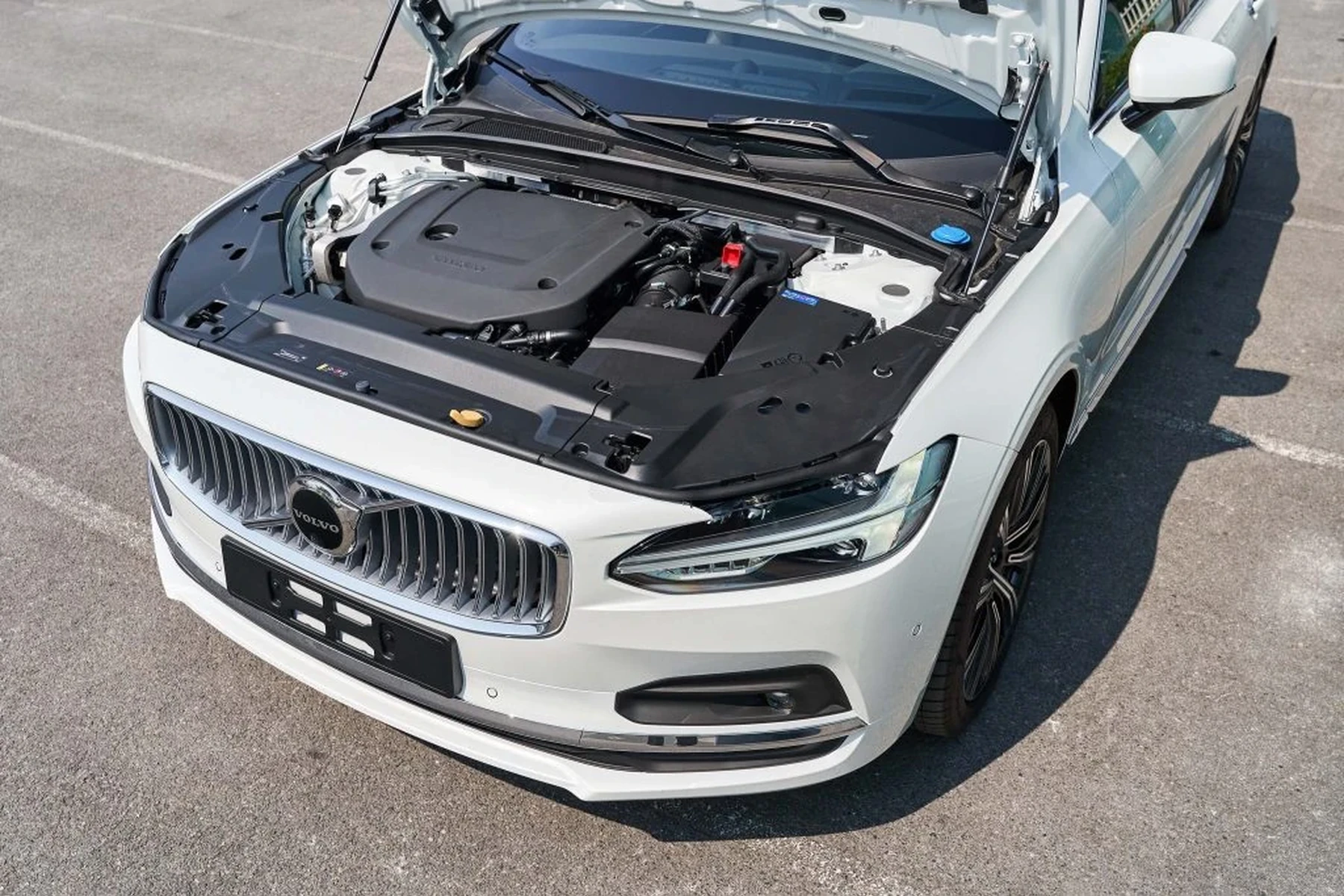
Live data helps confirm repairs: O2 voltage switching, MAF g/s, wheel speed values, or brake pressure sensor output. It also resets the service reminder after an oil change.
Do Volvo OBD2 Scanners Work With All Volvo Models, Including the S70?
Most modern Volvo-capable scanners support the S70 and other P80 cars (850, early V70). Coverage then expands to P2 (2001–2009) and later platforms. That said, not every tool supports every year equally.
Check for explicit S70 listing. If you also own newer Volvos, confirm 2015+ SPA coverage separately, as protocol support differs from the S70 era.
For a deeper dive on cross-model coverage, see our guide on do scanners for Volvo work with all models.
Best Types of Scanner for Volvo S70 Owners
Basic code readers are fine for a Check Engine Light on a budget, but they stop at the engine. Bluetooth app setups shine for live engine data, not SRS/ABS access.
- Basic code reader: Cheapest, engine-only. Good for emissions tests and simple CELs.
- Bluetooth app + ELM327: Great graphs and logging; still engine-only on S70.
- Handheld Volvo scanner: iCarsoft VOL II or Foxwell NT530 — best all-around for S70 multi-module access.
- Advanced tablet: Autel/Launch units add special functions and broader brand coverage.
Best Scanner Brands for Volvo S70 — What to Expect
iCarsoft VOL II and Foxwell NT530 are the sweet spot for S70 owners, delivering SRS/ABS/TCM access without pro-level prices. Autel MK808 and Launch X431 push into professional features and multi-brand coverage.
- iCarsoft VOL II (Volvo/Saab): Reads all key S70 modules, service reset, graphing. Affordable and focused.
- Foxwell NT530 (Volvo software): Similar coverage; often stronger on special tests and adaptations.
- Autel MK808/MX808: Tablet interface, broad brand coverage, advanced functions; higher cost.
- Launch X431 (various trims): Professional-grade depth; excellent for multi-car households or indie shops.
Clone/counterfeit scanners are common. Too‑low prices, missing serial stickers, or odd packaging are red flags. Clones often fail to connect to SRS/ABS on Volvos and may corrupt updates.
Volvo Model-Based Scanner Guidance (S70 and Beyond)
For the S70 specifically, a Volvo-aware handheld is the right fit. If your garage also includes a 2016+ SPA model, consider a tablet scanner with confirmed SPA coverage to avoid buying twice.
- Volvo S70 (1998–2000): iCarsoft VOL II or Foxwell NT530 are ideal.
- 850 owners too: Similar P80 logic applies; see our OBD2 scanner for Volvo 850 guide.
- P2 era (2001–2009): Mid-tier handhelds still work well; verify SRS coverage.
- 2015+ SPA/CMA: Choose a scanner that lists UDS/DoIP support.
Are Volvo S70 Scanners Worth It, Reliable, and Safe to Use?
Yes. A Volvo-capable scanner typically pays for itself in one or two avoided diagnostic fees. Reputable brands are reliable when kept updated.
Reading codes is safe. Clearing SRS codes without fixing the fault is the real risk, because it masks a safety issue. Fix first, then clear.
Do not clear airbag (SRS) faults on an S70 until the physical issue — such as a damaged clock spring or corroded connector — is repaired. The SRS light exists to protect you in a crash.
Can a Volvo S70 Scanner Work With iPhone and Be Used on Other Cars?
Bluetooth dongles pair with iPhone via apps (OBD Fusion, Car Scanner), but they won’t access S70 ABS/SRS. Handhelds like iCarsoft and Foxwell don’t need a phone; they’re stand‑alone with cables. You can also use did scanner for Volvo need calibration as a helpful next guide on the same ownership topic.
Most Volvo-specific scanners read basic engine codes on other brands. Advanced functions vary by brand and year — check the coverage chart before buying.
For mobile compatibility details, see can a Volvo scanner work with iPhone.
How To Use a Scanner on a Volvo S70 (Step-by-Step)
Using a scanner correctly improves the accuracy of what you find and prevents wasted time. Charge the car’s battery, update your scanner’s software, and select the exact model and year so you query the right modules. Always save codes before clearing anything.
- Locate the OBD2 port: It sits under the driver’s side dashboard near the steering column.
- Ignition to position II: Turn the key to ON (engine off) so all modules are awake.
- Connect and select vehicle: Plug in the scanner and choose Volvo → S70 → model year.
- Run a full system scan: Read ECM, ABS, SRS, and TCM. Save fault codes and freeze data.
- Verify, repair, then clear: Use live data to confirm a fault, make the repair, and clear codes.
- Update your scanner firmware before first use — coverage for older Volvos improves over time.
- Use a battery maintainer during long diagnostic sessions to avoid low-voltage glitches.
- Label saved code reports by date/mileage; it speeds future troubleshooting.
- On ABS faults, compare all four wheel-speed sensor values while slowly rolling.
Why Your Volvo S70 Scanner Might Not Be Working
A dead OBD fuse, low car battery, wrong vehicle selection in the menu, or out‑of‑date software blocks communication. Bluetooth issues also stem from pairing the wrong app to the dongle.
Counterfeit hardware is another frequent culprit. If the tool won’t talk to SRS/ABS but claims it should, contact the brand with your serial number.
Buying Guide: Which Scanner Should You Choose for a Volvo S70?
If you only need engine codes for emissions, a budget reader will do. For any ABS/SRS/trans needs on an S70, jump straight to a Volvo-capable handheld.
- Best value for S70 DIY: iCarsoft VOL II — wide module coverage and easy to use.
- Stronger special tests: Foxwell NT530 — solid on adaptations and live data.
- Multi-brand home shop: Autel MK808 — broad coverage and guided tests.
- App-first tinkerer: Bluetooth ELM + app — engine-focused data logging only.
Considering a pro workflow? See our walkthrough on how to use a professional car scanner for Volvo vehicles.
Common Mistakes to Avoid and When to See a Mechanic
Don’t buy on price alone — verify S70 coverage first. Don’t clear codes before saving them. Don’t assume one code equals one part; confirm with live data and basic tests.
- Go to a specialist when: SRS faults persist after repair, immobilizer faults block starting, or transmission codes return quickly.
- Bring data: Saved code reports, freeze-frame data, and symptoms by mileage/time help diagnosis.
For general “do they exist and are they worth it” questions, our readers also check do scanners for Volvo exist for context across generations.
Before we jump into FAQs, here’s a personal shortcut I use with these cars.
💡 Evans Torres Tip: On my P80 Volvos, including an S70, I always run a full auto-scan first, then re-scan just the module I’m working on after a test drive. This two-scan habit catches intermittent wheel-speed or evap codes that don’t appear immediately. It’s saved me from throwing parts at a one-off code more than once.
Frequently Asked Questions
The questions below zoom in on S70-specific coverage, connectivity, and what you can realistically expect from a scanner at different price points. Use them to validate your short list before buying or to troubleshoot a tool that won’t talk to your S70’s modules.
What’s the best scanner for a Volvo S70?
For most owners, iCarsoft VOL II offers the best balance of price and coverage on the S70. It reads engine, ABS, SRS, and transmission modules and can reset the service reminder. Foxwell NT530 is a strong alternative with similar depth and useful special tests.
Will a $30 OBD2 reader work on the S70?
It will read basic engine codes and clear a Check Engine Light after repairs. It will not access SRS (airbag), ABS, or the transmission module on an S70. For those systems you need a Volvo-capable scanner specifically listing S70 coverage.
Can I use a Bluetooth dongle and iPhone with a Volvo S70?
Yes for engine data and codes using apps like OBD Fusion or Car Scanner. No for SRS/ABS on an S70 — most ELM327-based setups don’t support Volvo’s module protocols from this era. A stand‑alone Volvo scanner is required for those systems.
Do these scanners work on other Volvos too?
Usually, yes. Handhelds like iCarsoft VOL II and Foxwell NT530 cover many models across P80, P2, and later platforms. Always check each model and year on the brand’s coverage list, especially for 2015+ SPA cars where protocol support differs.
Can I reset the S70 service light with these tools?
Yes. Volvo-capable handhelds include service interval reset for the S70 after you complete the oil change. Generic readers typically don’t offer this function, and the reset sequence varies by year, so follow the on-screen prompts.
Is it safe to clear SRS codes on an S70?
Clearing SRS codes is safe only after you fix the root cause (e.g., clock spring, connector, or seat sensor). Clearing without a repair hides a safety-critical fault. If the code returns immediately, stop and address the physical issue before driving.
Why won’t my scanner connect to the S70’s ABS module?
Common causes include using a generic engine-only tool, wrong vehicle selection in the menu, outdated scanner software, low car battery voltage, or a counterfeit device. Update the tool, verify “Volvo S70 1998–2000” is selected, and re-test with the ignition in position II.
Final Verdict
For a Volvo S70, the right scanner is one that actually talks to ABS and SRS — not just the engine. iCarsoft VOL II or Foxwell NT530 hit that mark without overspending.
Confirm the S70 model years in the coverage list, update the tool, and save codes before clearing. If an SRS or immobilizer fault returns after repair, book time with a Volvo specialist.
My Top Picks at a Glance
Here are the three why scanner options I would check first if you want a faster buying decision.
These picks highlight the strongest overall choice, the best value option, and the premium-style pick for practical Volvo ownership.
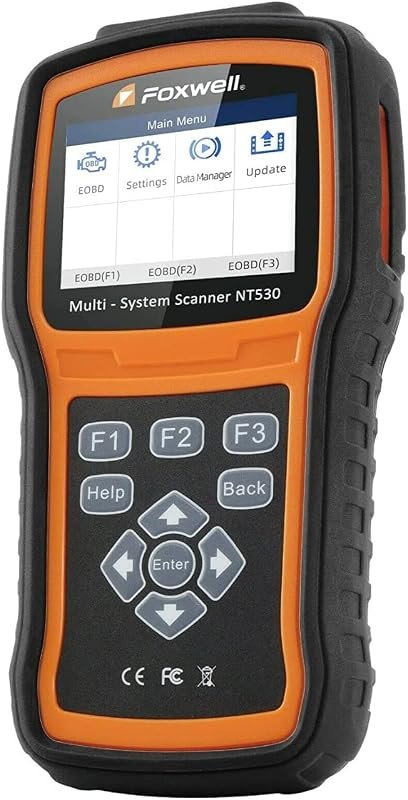 Best Overall
FOXWELL NT530 Volvo OBD2 scanner, bidirectional diagnostics, all-system coverage, ABS bleed, SRS, SAS, TPMS, EPB, oil reset
It offers the strongest all-around mix of fit, value, and practical daily use for Volvo owners.
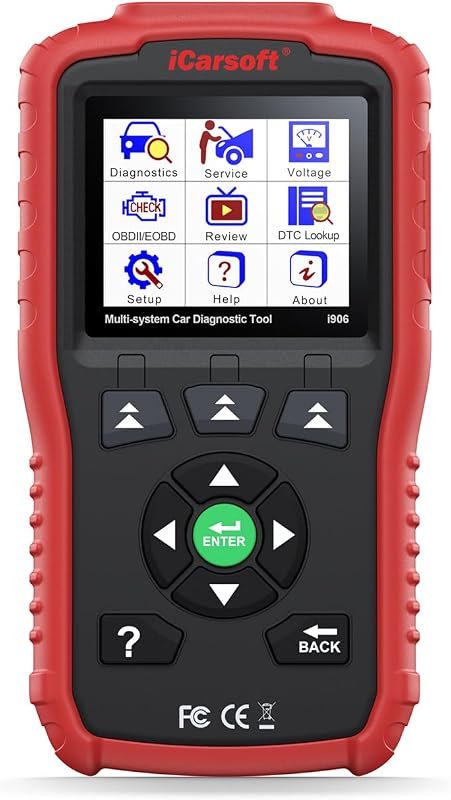 Best Value
iCarsoft i906 OBD2 scanner for Volvo and Saab, multi-system diagnostics for engine, ABS, SRS
It makes sense for owners who want a useful upgrade without paying more than necessary.
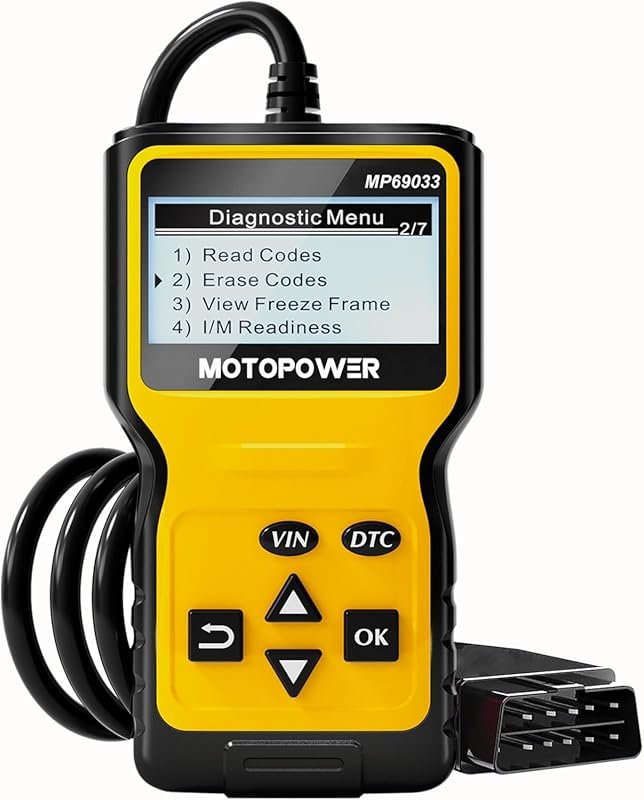 Best Premium Option
MOTOPOWER MP69033 OBD2 code reader supports all OBD II protocols, 1996+ cars, CAN, yellow
It is the pick I would compare first if build quality, features, and long-term ownership value matter most.
Author

Author

Evans Torres
I’m Evans Torres, an automotive engineer who loves Volvo cars. I graduated in Automotive Engineering from USC. I have worked in the car industry for years and now share my knowledge on The Volvo Life. I started this blog to connect with other Volvo fans. I offer tips, news, and advice to help you care for your car. My goal is to help you keep your Volvo in great shape and find all the best things about it. Join me as we discover everything Volvo has to offer!