



where scanner for volvo v60 — the iCarsoft VOL II (latest Volvo/Saab version) is the best-value pick that reads V60-specific modules like ABS, SRS, CEM, and BCM. Advanced DIYers should consider the Autel MaxiCOM MK808 for deeper functions. Buy from official stores or authorized Amazon sellers to avoid clones.
V60 owners asking where to get a scanner usually want two things: the right tool for Volvo-specific modules and a safe place to buy it without ending up with a clone. This guide covers what a Volvo-ready scanner does, which brands work, model-year compatibility, and how to use one step-by-step. For related context, you may also want to read is scanner for Volvo XC60.
You’ll also find practical buying tips, connection troubleshooting, and clear recommendations by owner type so you pick once and use it for years.
- Main point: Choose a Volvo-capable scanner (iCarsoft VOL II or Autel MK808) to read V60 modules beyond basic engine codes.
- Best first step: Match the scanner to your V60’s generation (2011–2018 vs 2019+ SPA) to ensure full module access.
- Cost or value: Expect $130–$180 for mid-range handhelds; $400–$700 for advanced tablets.
- Who it suits: DIY owners benefit most; it can replace many dealer diagnostic visits.
- When to get help: Programming/coding and stubborn SRS faults need a Volvo specialist.
Wants to read all V60 modules, reset service reminders, and verify repairs at home without a dealer visit.
Prefers scanning before each service to catch emerging issues and discuss codes intelligently with a shop.
Needs a reliable Volvo-capable scanner to handle common V60 ABS/SRS/transmission diagnostics cost-effectively.
What a Volvo V60 OBD2 Scanner Is and How It Works
An OBD2 scanner connects to the V60’s 16‑pin port to read fault codes, live data, and system status. Every car sold in the U.S. since 1996 supports basic engine/emissions access.
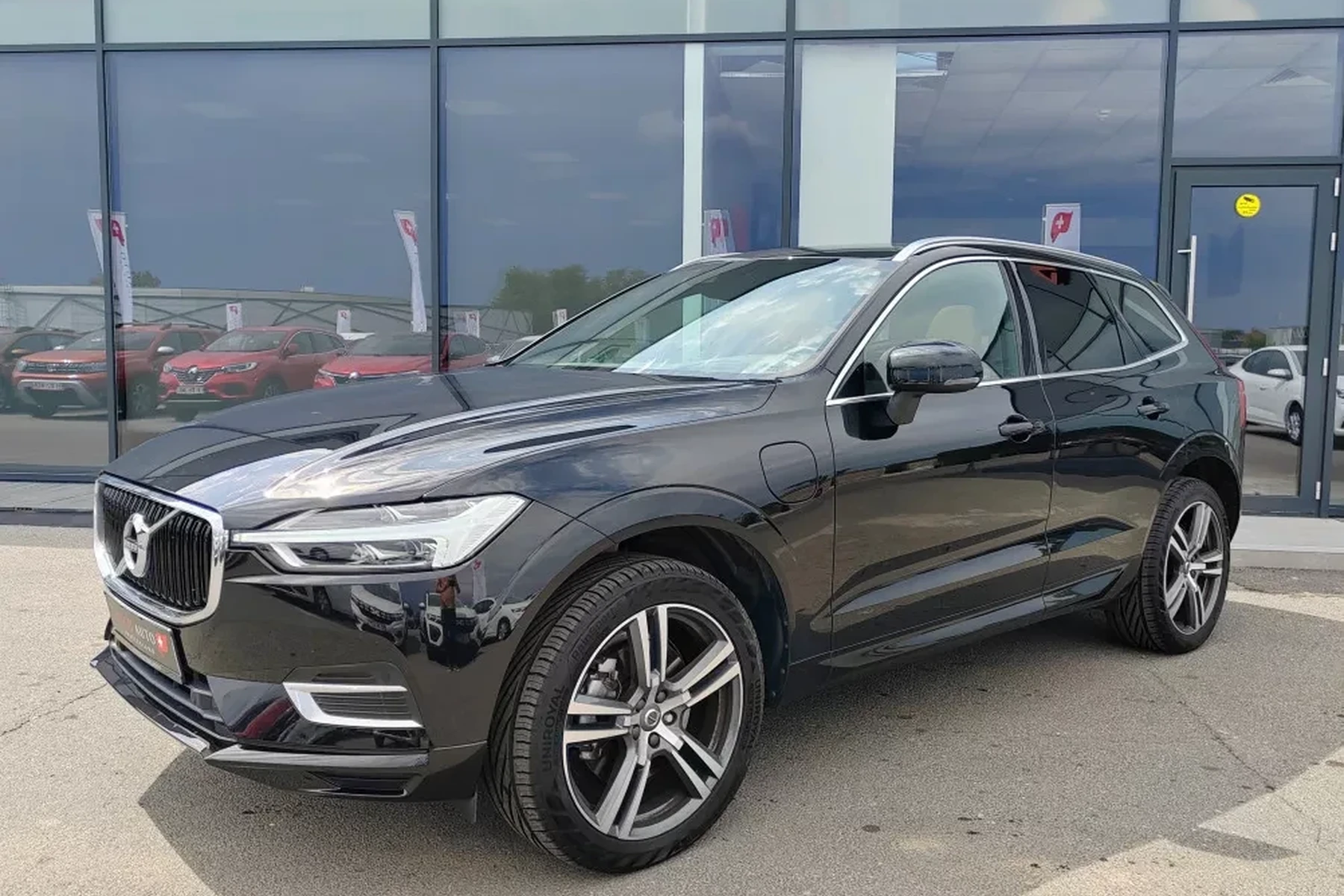
Volvo-specific scanners go further by communicating with modules the generic readers miss: SRS/airbag, ABS, TCM, BCM, CEM, and more. That’s what makes a “Volvo-capable” tool different for a V60.
Most tools are either handheld units with built-in software or Bluetooth/Wi‑Fi adapters paired with a phone app. Handhelds tend to be simpler and more consistent across Volvo model years.
Many Volvo fault lights don’t set a generic OBD2 “check engine” code. Airbag (SRS), ABS, and central electronics (CEM) faults often remain invisible to $30 readers — but are instantly readable on a Volvo-capable scanner.
OBD2 Scanner vs Volvo-Specific Diagnostic Scanner for a V60
A generic OBD2 reader typically talks only to the engine control module for emissions-related P‑codes. It can clear a check engine light but won’t see SRS/ABS or body electronics on a V60.
A Volvo-specific scanner accesses multiple V60 modules via manufacturer protocols (KWP2000/UDS variants). That means real answers for airbag, stability control, service reminder resets, and more — the everyday Volvo issues owners face.
Here is a concise comparison so you can decide what level you actually need for your V60.
For most owners, the mid-range Volvo-capable tool offers the best value — it reads the systems you actually need without the pro-unit price.
| Feature | Generic OBD2 Reader | Volvo-Capable Scanner | Impact for V60 |
|---|---|---|---|
| Engine (ECM) codes | Yes | Yes | Both read/clear P‑codes |
| ABS & stability (BCM) | No | Yes | Diagnose brake/traction warnings |
| Airbag (SRS) | No | Yes | See/clear SRS after real repair |
| Transmission (TCM) | Rare | Yes | Read shift faults & temp data |
| Central electronics (CEM) | No | Yes | Chase electrical/lighting faults |
| Service light reset | Sometimes | Yes | Reset V60 reminder properly |
| Live data & tests | Limited | Rich | Faster, clearer diagnostics |
Check model-year support before buying. First‑gen V60 (2011–2018) and SPA‑platform V60 (2019+) use different protocols; not every budget tool supports both well. Verify your exact year on the brand’s compatibility list.
What a Volvo V60 Scanner Can Diagnose
Expect a good Volvo-capable scanner to pull codes from 8–12 modules on most V60s. That includes engine, transmission, ABS/ESC, SRS, CEM/BCM, steering angle (SAS), and climate.
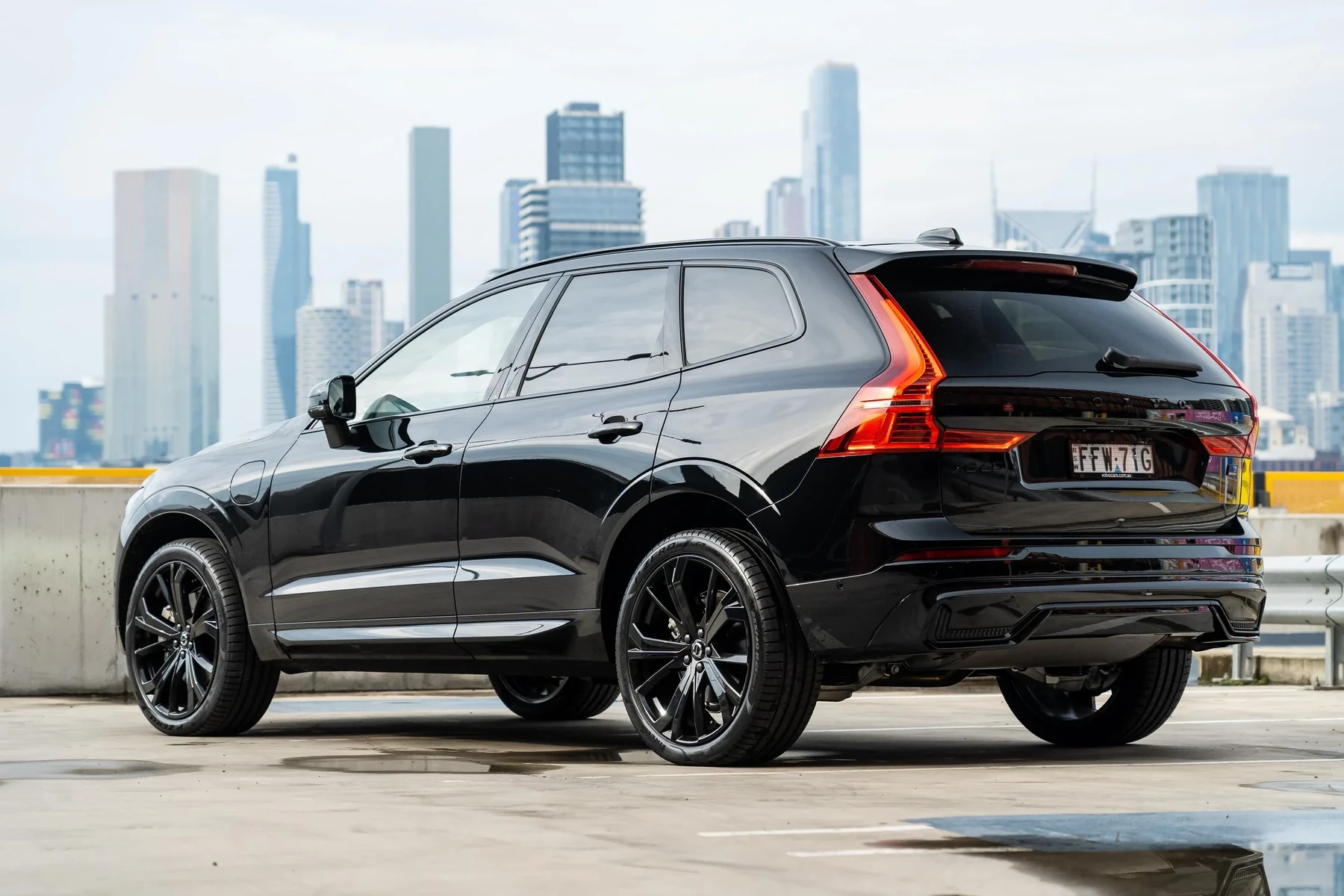
Beyond static codes, look for live data like O2 sensor voltages, transmission temperature, wheel-speed sensor data, and battery/charging status. These values point to “what’s failing now” rather than only historical faults.
- Check engine (ECM): Misfires, EVAP leaks, O2/MAF issues, turbo underboost/overboost.
- ABS/ESC (BCM): Wheel-speed sensor faults, yaw rate sensor, pump motor errors.
- SRS/airbag: Seat occupancy sensor, clock spring, impact sensors; clears only after proper repair.
- Transmission (TCM): Shift solenoids, fluid temperature, adaptation data views.
- CEM/BCM: Power windows/locks, lighting circuits, LIN bus issues.
- Service functions: Maintenance reminder reset, EPB service mode on supported years.
Do Volvo OBD2 Scanners Work on All V60 Model Years?
Most mid‑range scanners cover the entire V60 run, but support depth differs. The 2011–2018 V60 (P3 platform) uses a different stack than the 2019+ SPA V60; electric EX/EC models use newer UDS diagnostics and are a separate case.
Confirm support for your exact year and features like EPB service mode or SAS reset. Some budget tools skip these on certain years.
For broader compatibility questions across Volvo models, see our guide on whether scanners work with all Volvo models.
Best Types of Scanner for Volvo Cars (and Which Fits a V60)
Choosing by type helps match cost to capability. V60 owners typically land on mid‑range handhelds for the best mix of access and ease.
- Basic code reader ($25–$50): Engine-only P‑codes; okay for emissions checks, not for Volvo warnings.
- Bluetooth dongle + app ($40–$120): Great graphs and logging; Volvo module access varies by app/brand.
- Mid‑range handheld ($130–$200): iCarsoft VOL II, Foxwell NT530; reads most V60 modules and resets service.
- Advanced tablet ($400–$700): Autel MK808/Launch X431; deeper tests, some adaptations, wider brand coverage.
- Check for lifetime free updates or reasonable annual fees; update before first use.
- Search Volvo forums for “[scanner model] + [your V60 year]” to confirm real-world success.
- Prefer a handheld if you don’t want to juggle phone apps, pairing, and subscriptions.
- Keep the car on a battery maintainer during long diagnostic sessions on older batteries.
Best Scanner Brands for Volvo V60 Owners (What to Expect)
Several brands stand out for V60 coverage. Each has strengths — pick based on your need for depth vs price.
- iCarsoft VOL II (VOL series): Volvo/Saab focus, solid module access, affordable; ideal first Volvo scanner.
- Foxwell NT530 (with Volvo software): Good coverage and live data; pay attention to add-on brand licenses.
- Autel MaxiCOM MK808: Deeper tests/adaptations, wide brand support; pricier but shop-friendly.
- TOPDON: Competitive mid/upper-tier units; verify Volvo lists for your exact year/features.
- YOUCANIC: App-driven with guided content; subscription model may suit occasional users.
Considering app compatibility? We break it down in our iPhone compatibility guide for Volvo scanners.
Clone/counterfeit scanners are common. They often look identical but fail to connect to V60-specific modules or can corrupt data during writes. Buy only from official brand stores or authorized Amazon sellers, and avoid “too-cheap” listings.
Volvo V60 Model-Based Scanner Guide
Different V60 generations reward different tool choices. Here’s how to match them quickly.
- 2011–2018 V60 (P3): Mid‑range handhelds (iCarsoft VOL II, Foxwell NT530) deliver excellent coverage for ABS/SRS/TCM and service resets.
- 2019+ V60 (SPA): Ensure SPA/UDS support; Autel MK808 or latest iCarsoft VOL series recommended for EPB service mode and SAS reset.
- V60 Cross Country (all years): Same guidance as base V60 per generation; AWD adds DEM/Haldex checks on compatible tools.
- PHEV T8 (2019+): Pick a scanner specifically listing hybrid support; expect more modules and data points.
For a V60‑specific view on value and reliability, also see our V60-focused scanner reliability notes.
Are Scanners for Volvo Worth It, Reliable, and Safe to Use?
Yes — a Volvo-capable scanner typically pays for itself after one or two avoided diagnostic visits. Brands like iCarsoft, Autel, and Foxwell are widely used by independent shops.
Reading codes is safe. The main risk is clearing SRS or other safety codes without fixing the root cause, which can mask a real fault. Use writing/coding features cautiously or leave them to a Volvo specialist.
Never clear an airbag (SRS) light unless you’ve confirmed and repaired the physical issue (e.g., seat sensor, clock spring). A cleared code doesn’t make the airbag system safe — it only hides the warning.
Can a Volvo Scanner Work with iPhone and Be Used on Other Cars?
Many modern scanners support iPhone via brand apps; handheld units don’t depend on a phone at all, which some owners prefer. Bluetooth dongles vary — verify iOS app quality and Volvo module coverage before buying.
Cross-brand use is common: mid/advanced scanners cover dozens of makes, though Volvo-level depth may not apply to all brands. Basic OBD2 functions work on nearly every car.
For a deeper look at phone compatibility, visit our iPhone guide for Volvo scanners.
How to Use a Scanner for Volvo V60 (Step-by-Step)
This process gives you accurate results and clean reports to share with a shop if needed. Have your V60’s year/trim handy, and keep the battery healthy during long scans to avoid low-voltage glitches.
- Locate the OBD2 port: It’s under the dash near the steering column on most V60s. Check the owner’s manual if unsure.
- Power the scanner: Handhelds power from the port; dongles need pairing to your phone app.
- Ignition on (engine off): Press start without brake to put the car in accessory/ignition mode.
- Select Volvo/V60/year: Choose the correct model year/generation for accurate module mapping.
- Run a full scan: Read all modules, not just the engine. Save or export a report.
- Open live data: Graph key sensors (O2, MAF, wheel speeds, battery voltage) to confirm what’s current.
- Repair first: Address the actual fault before clearing codes; note freeze-frame data.
- Clear codes and retest: After repairs, clear faults, drive, and rescan to confirm no returns.
Why Is My Volvo Scanner Not Working?
Connection issues are usually simple. Check power, pairing, and compatibility first.
- No power at port: Verify the OBD/cigarette lighter fuse.
- Bluetooth fails: Forget/re-pair device; ensure only one phone is connected.
- Wrong app or car profile: Select Volvo/V60 and the exact model year/generation.
- Outdated firmware: Update the scanner software before the first scan.
- Low car battery: Under ~12.2V can cause module timeouts. Charge first.
- Clone hardware: Often can’t access Volvo modules — replace with a verified unit.
Buying Guide: Which Scanner Should You Choose?
Use these quick picks to avoid second-guessing.
- Best first Volvo scanner (V60 any year): iCarsoft VOL II — broad module access and resets for the price.
- Best for 2019+ SPA V60 and hybrids: Autel MaxiCOM MK808 — stronger SPA support and live data depth.
- Best Bluetooth/app workflow: Brand-verified adapter with a Volvo-aware app; verify iOS coverage for your year.
- Best shop-friendly option: Launch X431 or Autel MK series — wider coverage and adaptations.
Still deciding between breadth and depth? Our overview of YOUCANIC’s Volvo-focused approach may help app-first buyers.
Common Mistakes to Avoid and When to Visit a Mechanic
Avoid these pitfalls and you’ll get dealership-level clarity at home.
- Buying a generic-only reader: It won’t see V60 SRS/ABS, causing confusion and returns.
- Ignoring model-year specifics: SPA (2019+) support must be explicit in the listing.
- Clearing codes as a “fix”: Codes will return; capture freeze-frame data and address the root cause.
- Skipping updates: Firmware/app updates often add module support and bug fixes.
- Using clones: Unreliable connections and bad data waste time; buy authorized.
Book a Volvo specialist for persistent SRS faults, immobilizer issues, software updates, or any coding/programming task. Factory software (VIDA/PTT) may be required.
Volvo owner manuals explain OBD2 port location and safety basics. See Volvo’s official manuals portal for your exact year and trim for reference and procedures.
Want the big-picture on cross-model compatibility too? Read our explainer on scanners working with all Volvo models to understand coverage gaps and updates.
💡 Evans Torres Tip: For my family’s V60, I keep an iCarsoft VOL II in the glovebox. It paid for itself the first time an SRS light popped after a seat unplug/replug — the tool told me it was the seat connector, not a blown airbag. I always update the unit before long trips and save a full scan report as a PDF after each service.
Frequently Asked Questions
This FAQ clears up common buying and usage questions specific to Volvo V60 owners — from the best scanner choices by generation to app compatibility, service resets, and connection problems that trip people up the first time.
What’s the best scanner for a Volvo V60 if I’m a first-time buyer?
The iCarsoft VOL II is the best-value starting point for most V60 owners. It reads key Volvo modules (ABS, SRS, CEM, TCM) and handles service resets on 2011–2018 and 2019+ V60s. If you want deeper live data and better SPA/hybrid coverage, step up to the Autel MK808.
Will a $30 generic OBD2 reader work on my V60?
It will read and clear basic engine codes, but it will not access most Volvo-specific modules (SRS, ABS, CEM). That’s why many owners think “the scanner doesn’t work” — it’s just the wrong tool. Choose a Volvo-capable unit to diagnose common V60 warnings properly.
Can I reset the V60 service reminder with these scanners?
Yes, most Volvo-capable handhelds can reset the service reminder on both first‑gen and SPA V60s. Follow on-screen prompts with ignition on (engine off). If the reminder returns immediately, confirm the correct model/year profile and that the reset completed successfully.
Do these scanners work with iPhone?
Handheld units don’t need a phone. Bluetooth adapters can work with iPhone via brand apps, but verify iOS compatibility and Volvo module access first. Our detailed take on iOS use is here: Volvo scanner and iPhone compatibility.
Which scanner should I buy for a 2019+ V60 (SPA platform)?
Pick a tool that explicitly lists SPA support. The Autel MK808 is a strong choice for SPA and hybrids. Updated iCarsoft VOL series also works well for many owners, including EPB service and SAS resets where supported.
Why won’t my scanner connect to my V60?
Common fixes: check the OBD/cigarette lighter fuse, update the scanner firmware, select the exact model year, and ensure good vehicle battery voltage. If you bought from an unverified seller, consider that the device may be a clone with limited Volvo support.
Is it safe to clear an airbag (SRS) light with a scanner?
Only after the physical fault is fixed. Clearing the code alone doesn’t restore system readiness. If the SRS light persists or returns quickly, have a Volvo-experienced technician inspect the seat harness, clock spring, and impact sensors before attempting another clear.
Can I use one scanner on my V60 and another non-Volvo car?
Yes. Most mid/advanced scanners support dozens of brands. You’ll get Volvo-level depth on the V60 and at least basic OBD2 functions on other cars, though deep brand-specific features vary by make and model.
Final Verdict
For a Volvo V60, a true Volvo-capable scanner solves the real problems generic readers miss. Start with iCarsoft VOL II for value, or choose the Autel MK808 for deeper SPA/hybrid coverage.
Verify your exact model year, update the tool before use, and scan all modules. Read first, repair, then clear. For SRS, immobilizer, or coding, bring in a Volvo specialist.
Buy from authorized sellers and keep reports — one accurate scan often offsets the entire cost of the tool.
My Top Picks at a Glance
Here are the three where scanner options I would check first if you want a faster buying decision.
These picks highlight the strongest overall choice, the best value option, and the premium-style pick for practical Volvo ownership.
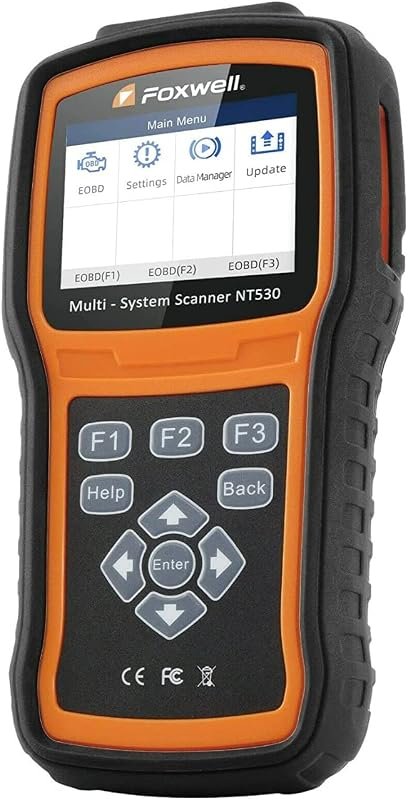 Best Overall
FOXWELL NT530 Volvo OBD2 scanner, bidirectional diagnostics for all systems, ABS bleed, SRS, EPB, oil reset
It offers the strongest all-around mix of fit, value, and practical daily use for Volvo owners.
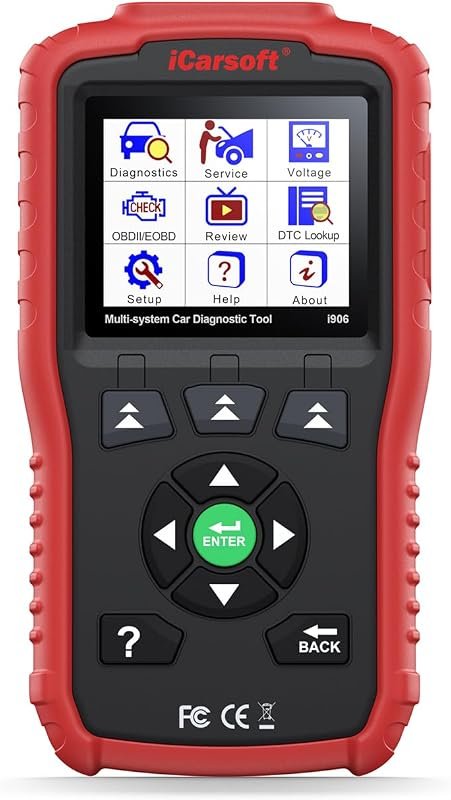 Best Value
iCarsoft i906 OBD2 scanner for Volvo and Saab, multi-system diagnostics for engine, ABS, SRS
It makes sense for owners who want a useful upgrade without paying more than necessary.
 Best Premium Option
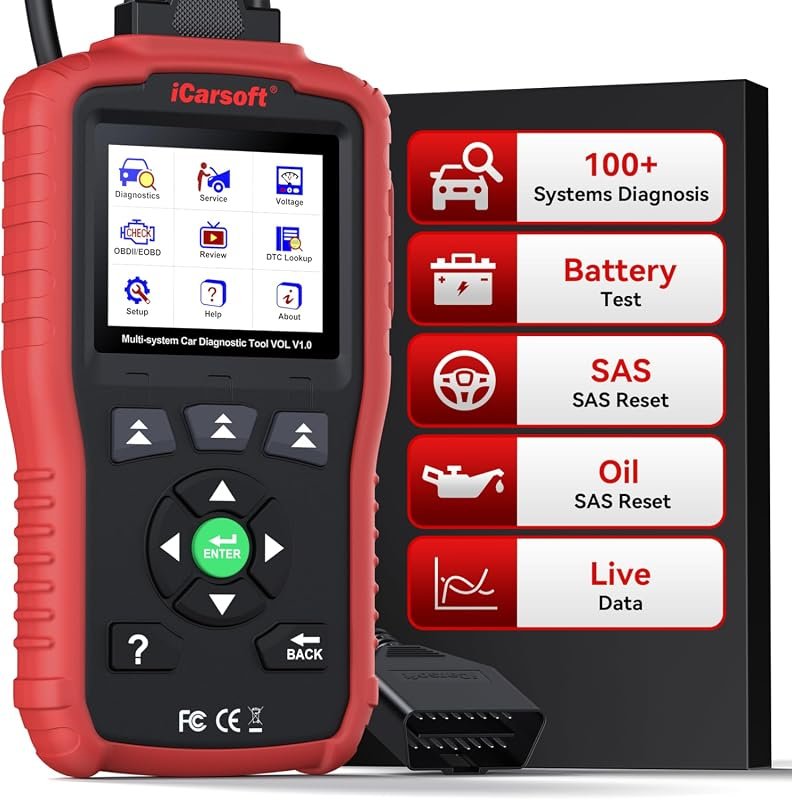
iCarsoft VOL V1.0 OBD2 scanner for Volvo/Saab, all-systems diagnostics, oil/SAS reset, live data, CAN-FD, lifetime updates
It is the pick I would compare first if build quality, features, and long-term ownership value matter most.
Author

Author

Evans Torres
I’m Evans Torres, an automotive engineer who loves Volvo cars. I graduated in Automotive Engineering from USC. I have worked in the car industry for years and now share my knowledge on The Volvo Life. I started this blog to connect with other Volvo fans. I offer tips, news, and advice to help you care for your car. My goal is to help you keep your Volvo in great shape and find all the best things about it. Join me as we discover everything Volvo has to offer!