



should scanner for volvo xc90 be updated? Yes — update the scanner’s firmware and Volvo software packs regularly. Updates add module coverage (ABS, SRS, CEM), fix connection bugs, and improve support for 2016+ SPA/UDS protocols. Do it every 3–6 months or before any big diagnostic session.
XC90 diagnostics span older P2/P3 platforms (2003–2014) and newer SPA models (2016+), which means your scanner’s software must stay current to talk to all modules. Fresh firmware and brand files often unlock coverage that didn’t exist at purchase. For related context, you may also want to read is scanner for Volvo XC90.
Below, you’ll see why updates matter, which scanner brands handle Volvo updates well, what real owners report, and a safe step-by-step to update before you plug into your XC90. This connects closely with OBD scanner for Volvo XC90 if you want to compare the topic in more detail.
- Main point: Yes, keep your Volvo XC90 scanner updated; new releases expand module access and fix bugs.
- Best first step: Open the brand’s update manager, sign in, and check for Volvo/SAAB package updates before scanning.
- Cost or value: iCarsoft/Foxwell typically offer free lifetime updates; Autel/Topdon often include 1–2 years free, then ~$60–$150/year.
- Who it suits: XC90 owners from 2003–2024 who want reliable access to ABS, SRS, TCM, CEM, and service resets.
- When to get help: For coding/flashing or key programming, use Volvo VIDA/DiCE or a dealer-level shop.
Wants confidence that a Volvo-capable tool will stay useful through software updates.
Has a basic engine-only dongle and needs proper ABS/SRS/CEM access via updated software.
Prefers to service and reset modules at home and needs stable, current Volvo coverage.
The Real Question: Volvo-Specific vs Generic — and Where Updates Actually Help
Updates can’t turn a generic $20 ELM327 into a Volvo-capable scanner. Those readers only speak standard OBD2 to the engine module, regardless of firmware. You can also use can scanner for Volvo be used on other cars as a helpful next guide on the same ownership topic.
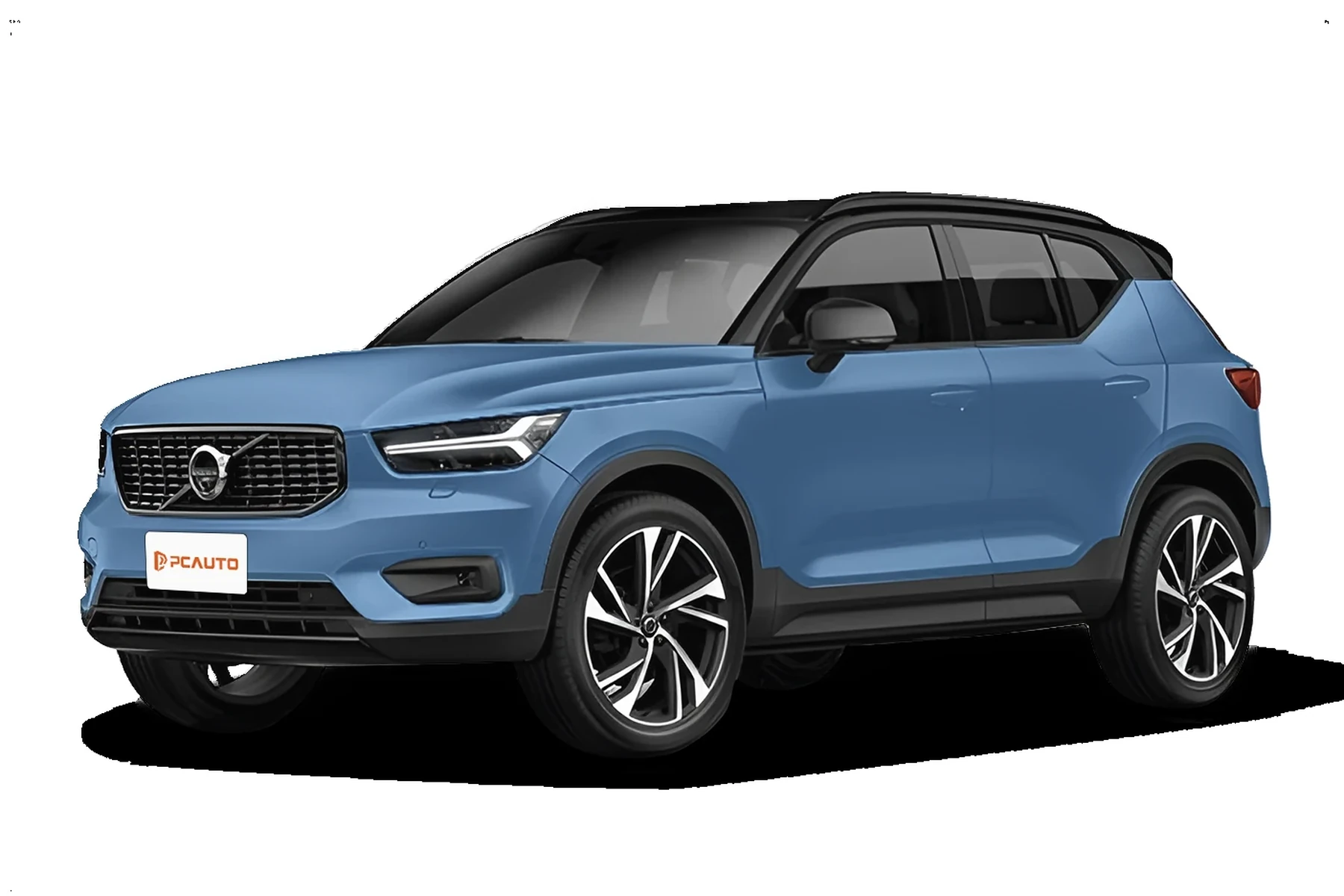
Volvo-specific scanners (iCarsoft VOL II, Foxwell NT530, Autel MK-series, Topdon) already include brand protocols. Updates then add model-year coverage, fix SPA/UDS handshake issues, and enable new maintenance functions across XC90 generations.
Most “it won’t connect to my Volvo” complaints trace to engine-only readers. ABS, SRS, CEM, and TCM live outside generic OBD2 — you need Volvo-capable software plus current updates to see them.
Choosing a Volvo-capable scanner first, and then keeping it updated, is the reliable path. Otherwise, you’ll read a check-engine light but miss the SRS or ABS code that actually matters.
Which Scanner Brands and Update Policies XC90 Owners Can Trust
Brands differ not only in coverage, but in their update model: free-for-life vs paid renewals. That directly affects long-term reliability because stale firmware often equals flaky Volvo module access.
Below is an at-a-glance view of reputation, Volvo coverage depth, update policy, and warranty. Focus on whether the brand maintains SPA-era (2016+) and adds new UDS submodules over time.
Bottom line: For most owners, iCarsoft and Foxwell deliver consistent Volvo updates at low ongoing cost; Autel and Topdon add pro features but plan for paid renewals after the free period.
| Brand | Reputation | Volvo coverage | Update policy | Warranty | Verdict |
|---|---|---|---|---|---|
| iCarsoft (VOL II/VIDA-lite range) | Strong among Volvo DIYers | ECM/TCM/ABS/SRS/CEM + service resets | Often free lifetime app/PC updates | Typically 1 year | Best value for XC90 module access |
| Foxwell (NT530/NT710) | Solid mid-tier | Wide Volvo module set, good live data | Commonly free lifetime on select models | Typically 1 year | Reliable, budget-friendly long term |
| Autel (MK808/MX808) | Pro-grade features | Extensive Volvo support + advanced tests | 1 year free; renew ~$90–$150/yr | Typically 1 year | Excellent, plan for subscription |
| Topdon (Artidiag/Arti series) | Growing reputation | Good Volvo coverage, improving fast | 1–2 years free; then paid updates | Typically 1 year | Good tech; watch renewal terms |
| YOUCANIC | Newer, app-first model | Broad basics; some advanced guided flows | Subscription-based in many cases | Typically 1 year | Convenient; verify XC90 module list |
| Generic ELM327 | Entry-level only | Engine (ECM) codes & live data only | N/A — no Volvo packs | Varies | Not suitable for Volvo modules |
Real XC90 Owner Experiences With Updates
Reports from XC90 owners consistently say that a mid-tier Volvo-capable scanner works well once updated — especially moving from 2010–2014 coverage to 2016+ SPA support. For another practical angle, see can scanner for Volvo XC90.

Positive feedback highlights: “read SRS and cleared after seat connector fix,” “live ABS wheel-speed data confirmed bad rear-right sensor,” and “service reminder reset worked after firmware update.”
Common complaints are predictable: “clone wouldn’t update,” “app renewal lapsed and lost new Volvo files,” or “listed EX90 support wasn’t ready until the next quarterly patch.” Most of these resolve by using official update tools and keeping subscriptions active where required.
Update cadence matters. Check monthly during the first 90 days after purchase, then every 3–6 months. Scan release notes for “Volvo/SPA/UDS” mentions if you own a 2016+ XC90.
Before blaming the car or the tool, verify firmware, brand files, and model-year selection are up to date — that clears many “no communication” surprises.
Is Updating and Using a Scanner Safe on a Volvo XC90?
Reading codes and live data is safe. Updating via the official brand app or PC tool is also safe when power and internet are stable.
Risk comes from clearing SRS/airbag codes without fixing the underlying fault or attempting coding/adaptations without instructions. Leave ECU programming to Volvo VIDA/DiCE or a dealer.
Never clear SRS or ABS faults just to hide a warning. Resolve the physical issue first. A silenced warning does not restore system function — airbags or ABS may not operate as intended.
As for trust, brand-authorized updates reduce connection glitches and false no-comm errors, which makes the scanner more dependable — not less.
What To Expect Realistically After You Update
An updated Volvo-capable scanner should read 8–12 modules on an XC90, show live data (O2, MAP, wheel speeds, battery charge), and perform service resets and SAS/TPMS calibrations where supported. If you are comparing similar topics, scanner for Volvo XC90 is also worth checking.
What it won’t do: full ECU flashing, immobilizer/key programming, or software downloads. Those require factory tooling. For a deep dive on choosing tools, see our detailed OBD2 scanner for Volvo XC90 guide.
Clone/counterfeit scanners often can’t update at all and frequently fail to connect to Volvo modules. Buy only from the brand’s official store or authorized sellers to avoid bricked devices and malware-laced “update” software.
Curious how dependable these tools are overall? We’ve covered brand-by-brand performance in our research on whether scanners for Volvo are reliable — updates are a big part of that reliability story.
How To Update Your Volvo XC90 Scanner the Right Way
Updating before you diagnose prevents wasted time on “no communication” or missing functions. The safest approach is to use the brand’s official update manager, keep power stable, and refresh both firmware and the Volvo/SAAB software package.
- Confirm account and model: Register the scanner on the brand portal/app and confirm your exact model (XC90) and year are supported.
- Stabilize power: Charge the scanner. If updating in-vehicle later, keep the XC90 on a healthy battery or charger; low voltage causes connection faults.
- Use official software: Open the brand’s PC/Mac updater or mobile app, connect via USB/Wi‑Fi, and check for firmware and Volvo brand-pack updates.
- Install all Volvo files: Download and apply both core firmware and the latest Volvo/SAAB databases. Reboot the scanner when prompted.
- Verify on the car: Plug into the OBD2 port, select the correct year/engine, run a full auto-scan, and confirm module communication and service-reset access.
- Update right before a big repair session — coverage and bug fixes roll out frequently.
- Read the release notes for “XC90,” “SPA,” or “UDS” mentions — those signal real gains.
- Back up previous scan reports so you can compare pre/post-update data quickly.
- If your tool offers auto-updates, enable Wi‑Fi and verify it actually applied the new version. For details on automation, see our note on do Volvo scanners update automatically.
Regular updates turn a good Volvo scanner into a tool you can rely on for years, rather than a one-time gadget that slowly loses relevance with each new software release.
💡 Evans Torres Tip: I update my iCarsoft VOL II the night before any planned work on our family’s 2017 XC90. Twice I picked up new SPA submodule coverage right after an update — once for a service light reset that wasn’t available the week prior. Ten minutes on the updater saved me a dealer visit and a diagnostic fee.
Frequently Asked Questions
This section answers the most common XC90-specific update questions — timing, cost, safety, and what updates actually unlock. If you’re deciding whether to refresh before a repair, these quick clarifications will help you avoid surprises in the garage.
How often should I update a scanner for a Volvo XC90?
Every 3–6 months is a good rhythm, and always before diagnosing a new issue. Brands push bug fixes and fresh module coverage in batches, especially for 2016+ SPA models. If your tool has been idle for a while, update it first — you’ll avoid many “no communication” headaches.
Do scanner updates cost money?
It depends on brand. iCarsoft and many Foxwell models commonly include lifetime free updates. Autel and Topdon typically include 1–2 years free, then charge roughly $60–$150 per year. You can keep using the tool without renewing, but you’ll miss new Volvo coverage and fixes.
What happens if I don’t update before scanning my XC90?
Expect missing modules, unstable connections, or incomplete service functions. This is most visible on 2016+ SPA XC90s that use UDS. Many owners see “no communication” cleared instantly after applying the latest firmware and Volvo/SAAB brand files.
Can updates add support for newer XC90 years or trims?
Yes. Updates frequently expand model-year coverage, add new submodules, and improve live-data PIDs for SPA-era vehicles. They will not convert a basic engine-only dongle into a Volvo-capable tool — you still need a scanner designed for Volvo modules in the first place.
Is it safe to update my scanner at home?
Yes, provided you use the brand’s official updater with a stable internet connection and keep the scanner powered. Avoid third-party “firmware” sources — clones and unofficial files can brick a device, and often carry malware in the download packages.
Will a generic ELM327 start reading ABS or SRS after an update?
No. Generic OBD2 readers only access engine (ECM) by design. Firmware updates can’t add Volvo-specific protocols they weren’t built to handle. To read ABS, SRS, CEM, TCM, and more on an XC90, choose a Volvo-capable scanner and keep its Volvo pack updated.
Do updates enable dealer-level coding or software downloads?
No. Consumer scanners read/clear codes, show live data, and handle common resets. Dealer-level coding, software downloads, and key programming require Volvo VIDA/DiCE or a qualified shop. Updates won’t change that scope — they improve stability and coverage, not authority level.
Final Verdict
Yes — update the scanner you use on a Volvo XC90. Fresh firmware and Volvo brand packs add module coverage, squash connection bugs, and keep SPA/UDS support current.
Make updates part of your routine: check monthly at first, then every 3–6 months or before a major diagnostic. For coding or software downloads, step up to Volvo VIDA/DiCE or book a Volvo-experienced shop.
Do this, and your scanner remains a tool you can trust — not a guesswork gadget.
My Top Picks at a Glance
Here are the three should scanner be updated options I would check first if you want a faster buying decision.
These picks highlight the strongest overall choice, the best value option, and the premium-style pick for practical Volvo ownership.
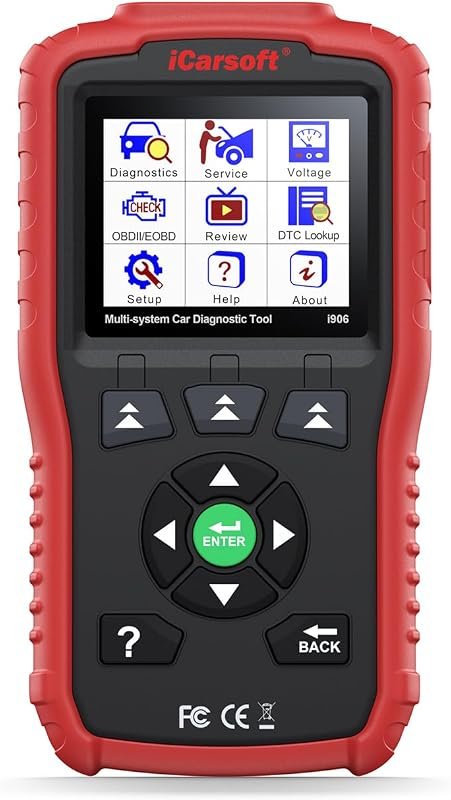 Best Overall
iCarsoft i906 Compatible for Volvo/Saab OBD2 Diagnostic Scanner Multi-System Engine ABS SRS
It offers the strongest all-around mix of fit, value, and practical daily use for Volvo owners.
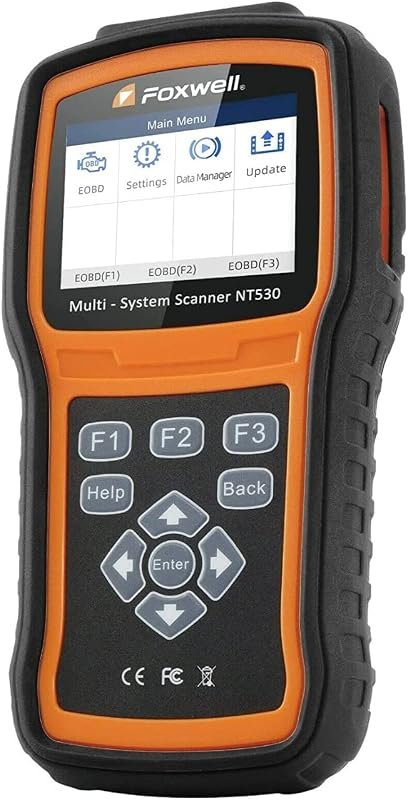 Best Value
FOXWELL NT530 for Volvo – All Systems, All Maintenance Service – Bidirectional Diagnostic Scan Tool
It makes sense for owners who want a useful upgrade without paying more than necessary.
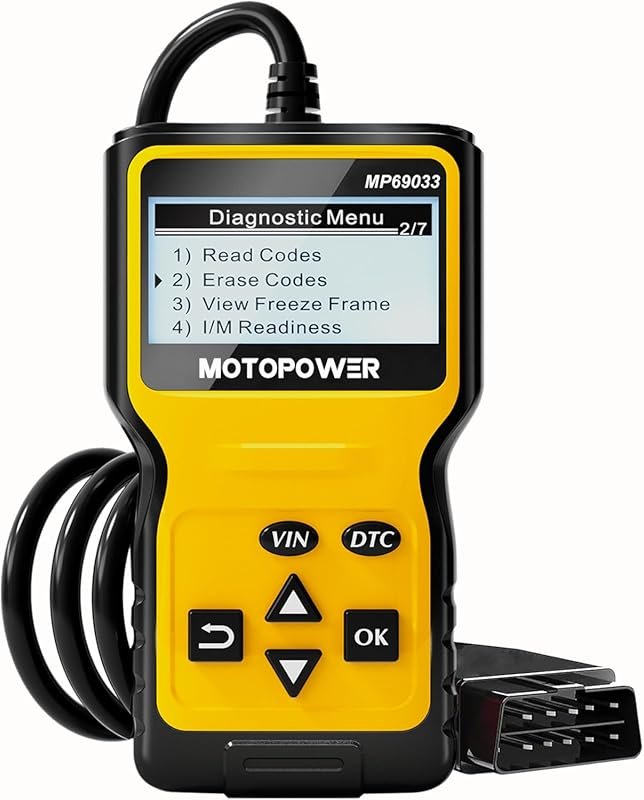 Best Premium Option
MOTOPOWER MP69033 Car OBD2 Scanner Code Reader Engine Fault Scanner CAN Diagnostic Scan Tool for All
It is the pick I would compare first if build quality, features, and long-term ownership value matter most.
Author

Author

Evans Torres
I’m Evans Torres, an automotive engineer who loves Volvo cars. I graduated in Automotive Engineering from USC. I have worked in the car industry for years and now share my knowledge on The Volvo Life. I started this blog to connect with other Volvo fans. I offer tips, news, and advice to help you care for your car. My goal is to help you keep your Volvo in great shape and find all the best things about it. Join me as we discover everything Volvo has to offer!