



The best choice for a Volvo or Saab owner looking for an OBD2 scanner is the iCarsoft VOL II, which provides comprehensive coverage of all modules at an affordable price of around $150. This scanner excels at diagnosing complex issues beyond just engine codes.
For Volvo and Saab owners, having the right OBD2 scanner is essential for maintaining optimal vehicle performance. Generic scanners often fail to communicate with various systems in these vehicles, leading to frustration and incomplete diagnostics. The iCarsoft OBD2 scanner stands out as a specialized tool, designed to meet the unique needs of Volvo and Saab models.
- Main point: The iCarsoft VOL II is the best OBD2 scanner for Volvo and Saab, offering extensive module coverage.
- Best first step: Assess your specific model and diagnostic needs before purchasing a scanner.
- Cost or value: Expect to spend between $150 to $200 for reliable mid-range options.
- Who it suits: DIY enthusiasts, independent mechanics, and fleet managers will find value in these scanners.
- When to get help: Seek professional assistance for complex issues not resolved by the scanner.
Why Generic OBD2 Scanners Fail on Volvos
Many Volvo and Saab owners mistakenly purchase generic OBD2 scanners, thinking they will work for all diagnostics. However, these scanners typically only provide access to the Engine Control Module (ECM) via the OBD2 port. This limited functionality means they can miss critical fault codes stored in other essential modules such as the SRS (airbags), ABS (brakes), TCM (transmission), and BCM (body control module). This limitation is the primary reason many owners end up buying a second scanner after their initial disappointment. This connects closely with OBD2 scanner for Volvo XC40 if you want to compare the topic in more detail.

Top Scanners for Volvo and Saab – Comparison Table
Below are some of the best OBD2 scanners for Volvo and Saab vehicles, categorized by price and functionality. You can also use OBD2 scanner for Volvo 850 as a helpful next guide on the same ownership topic.
| Scanner Name | Price | Volvo Modules Covered | Volvo Model Years | Bluetooth/WiFi | App Required | Verdict |
|---|---|---|---|---|---|---|
| iCarsoft VOL II | $150 | All major modules | 2004+ | No | No | Best value for comprehensive coverage |
| Foxwell NT530 | $200 | All major modules | 2004+ | Yes | Yes | Excellent for professional use |
| Ancel VOD700 | $80 | Engine only | 2000-2010 | No | No | Budget-friendly but limited |
| Autel MaxiCOM MK808 | $300 | All major modules | 2004+ | Yes | Yes | Professional features for serious users |
| Launch X431 | $500 | All major modules | 2004+ | Yes | Yes | Top-tier professional scanner |
Model-Year Compatibility
Understanding which scanners work with different model years is crucial for Volvo and Saab owners. Each model year may have specific compatibility issues, especially with newer technologies. For another practical angle, see which scanner icarsoft for Volvo S80 2002.

| Scanner | Works on Pre-2004 | 2004–2014 | 2015+ SPA | EX/EC Electric Models |
|---|---|---|---|---|
| iCarsoft VOL II | Yes | Yes | Yes | Limited |
| Foxwell NT530 | No | Yes | Yes | Limited |
| Ancel VOD700 | Yes | Limited | No | No |
| Autel MaxiCOM MK808 | No | Yes | Yes | No |
| Launch X431 | No | Yes | Yes | No |
What You Can Actually Do with Each Tier of Scanner
Different scanners offer varying levels of functionality, and it’s essential to understand what you can achieve with each: For related context, you may also want to read OBD2 scanner for Volvo.
- Budget Scanners: Typically allow reading and clearing of engine codes only.
- Mid-range Scanners: Can read/clear all modules, view live data, reset service lights, and perform TPMS resets.
- Advanced Scanners: Provide all the above features plus adaptations, coding, and limited key programming.
- Factory Scanners: Offer full dealer functions, including ECU programming and advanced diagnostics.
Where to Buy
You can purchase these scanners from various retailers, including:
- Amazon: Often has competitive prices and user reviews.
- iCarsoft Official Site: Best for warranty and support.
- eBay: Caution advised—only buy new units to avoid clone scanners.
- Buy from the brand’s official store or an authorized Amazon seller.
- Beware of clone scanners, which may look identical but fail to connect to Volvo-specific modules, a frequent complaint among users.
Perfect for those who enjoy handling basic diagnostics and repairs on their own. This connects closely with is scanner for Volvo XC60 if you want to compare the topic in more detail.
A reliable tool for diagnosing various Volvo models, helping to improve service efficiency. You can also use is scanner for Volvo XC90 as a helpful next guide on the same ownership topic.
Useful for maintaining multiple vehicles, ensuring timely diagnostics and repairs. If you are comparing similar topics, OBD2 scanner for Volvo vehicles is also worth checking.
Frequently Asked Questions
Here are some common questions related to the iCarsoft OBD2 scanner for Volvo and Saab, along with their concise answers.
1. What is an OBD2 scanner for Volvo Saab used for?
An OBD2 scanner is used to read and clear fault codes, perform diagnostics on various vehicle systems, and monitor real-time data. For Volvo and Saab, specialized scanners provide access to additional modules beyond the engine.
2. Are iCarsoft scanners reliable for Volvo Saab vehicles?
Yes, iCarsoft scanners are designed specifically for Volvo and Saab vehicles, making them reliable for diagnosing faults across all major systems. They are widely used by independent mechanics and enthusiasts.
3. Can I use an iCarsoft scanner on other car brands?
While the iCarsoft scanner is primarily designed for Volvo and Saab, it can often read basic OBD2 codes for other brands. However, its features may be limited outside of Volvo and Saab models.
4. How do I connect my scanner to my Volvo?
To connect your scanner, locate the OBD2 port, typically found under the dashboard near the driver’s seat. Plug in the scanner, turn on the ignition, and follow the on-screen instructions to perform a scan.
5. Do I need to update my OBD2 scanner software?
Yes, most modern scanners require periodic software updates to maintain compatibility with new vehicle models and improve functionality. This can usually be done via WiFi or USB connection.
6. What should I do if my scanner does not work?
If your scanner does not work, check that the ignition is on, the OBD2 port fuse is functioning, and that there are no Bluetooth pairing issues. Also, ensure that the scanner is compatible with your vehicle model.
Final Verdict
Investing in an iCarsoft OBD2 scanner for Volvo and Saab is a smart decision for both DIY enthusiasts and professionals. With comprehensive diagnostic capabilities, it provides valuable insights into vehicle performance and issues.
Start with the iCarsoft VOL II for an excellent balance of features and affordability. However, for complex issues that remain unresolved, seeking professional help is advisable.
💡 Evans Torres Tip: Always read user reviews and confirm compatibility with your specific Volvo or Saab model before purchasing an OBD2 scanner. Engage in online Volvo forums where owners share their experiences with different scanners, as this can provide useful insights and recommendations.
My Top Picks at a Glance
Here are the three icarsoft obd2 scanner options I would check first if you want a faster buying decision.
These picks highlight the strongest overall choice, the best value option, and the premium-style pick for practical Volvo ownership.
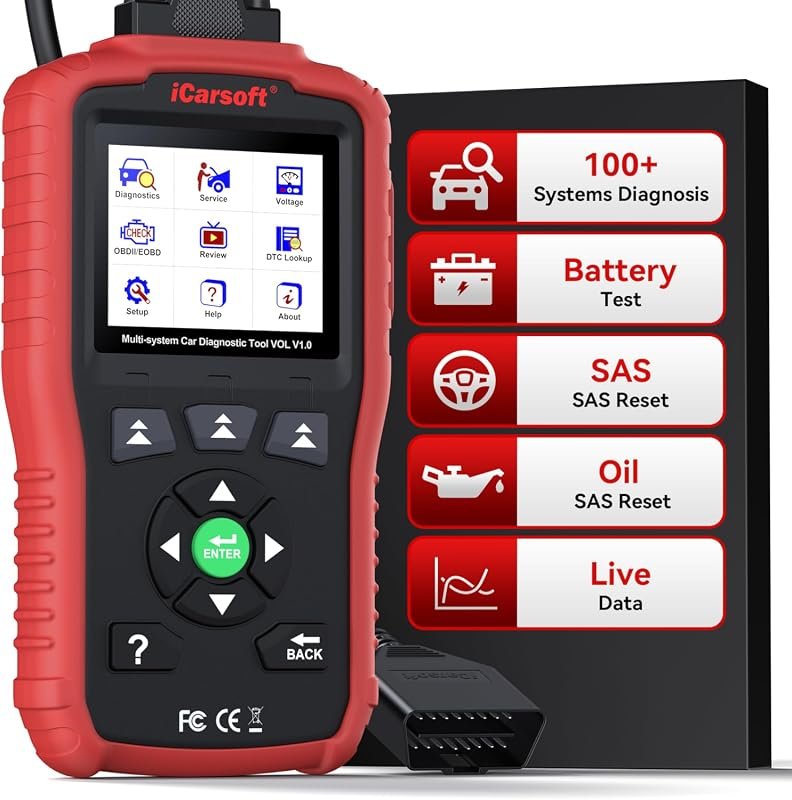 Best Overall
Comprehensive iCarsoft OBD2 Scanner for Volvo/Saab with All Systems Diagnostic, Live Data & Free Updates
It offers the strongest all-around mix of fit, value, and practical daily use for Volvo owners.
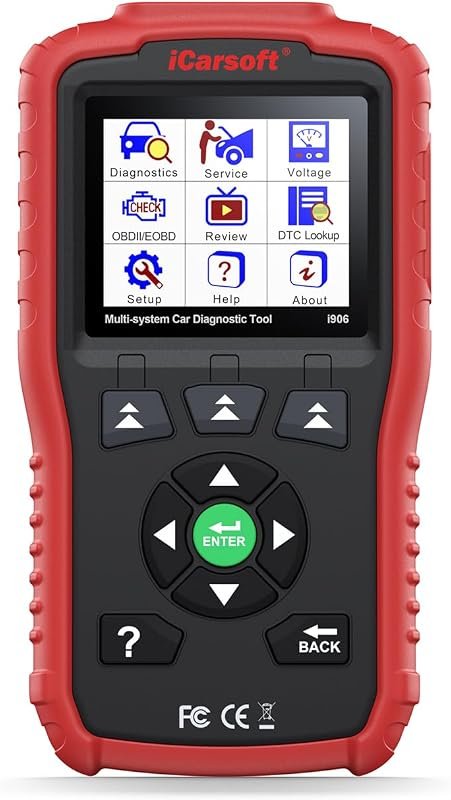 Best Value
iCarsoft i906 OBD2 Diagnostic Scanner for Volvo/Saab – Multi-System Engine, ABS, and SRS Support
It makes sense for owners who want a useful upgrade without paying more than necessary.
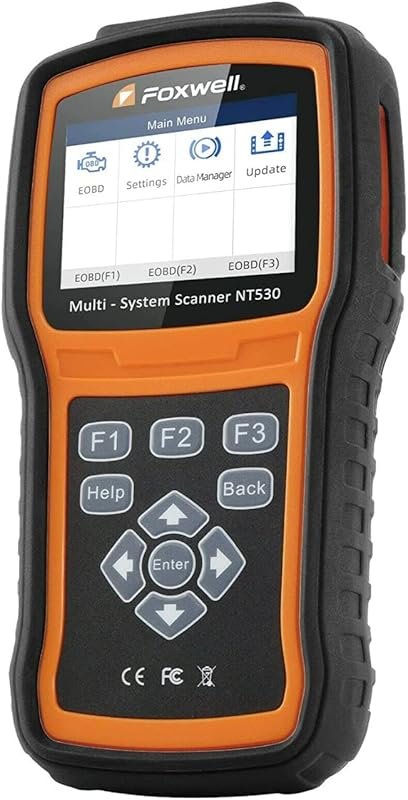 Best Premium Option
FOXWELL NT530 for Volvo – All Systems Diagnostic Tool with Bidirectional Features and Maintenance Services
It is the pick I would compare first if build quality, features, and long-term ownership value matter most.
Author

Author

Evans Torres
I’m Evans Torres, an automotive engineer who loves Volvo cars. I graduated in Automotive Engineering from USC. I have worked in the car industry for years and now share my knowledge on The Volvo Life. I started this blog to connect with other Volvo fans. I offer tips, news, and advice to help you care for your car. My goal is to help you keep your Volvo in great shape and find all the best things about it. Join me as we discover everything Volvo has to offer!