



whose scanner for volvo 240 — use the car’s built-in OBD‑I blink-code box (1990–1993) to read engine, ignition, and ABS faults; modern OBD2 scanners won’t connect. For multi‑Volvo garages, add an iCarsoft VOL II or Foxwell NT530 for your 1996+ Volvos — but they won’t read a 240.
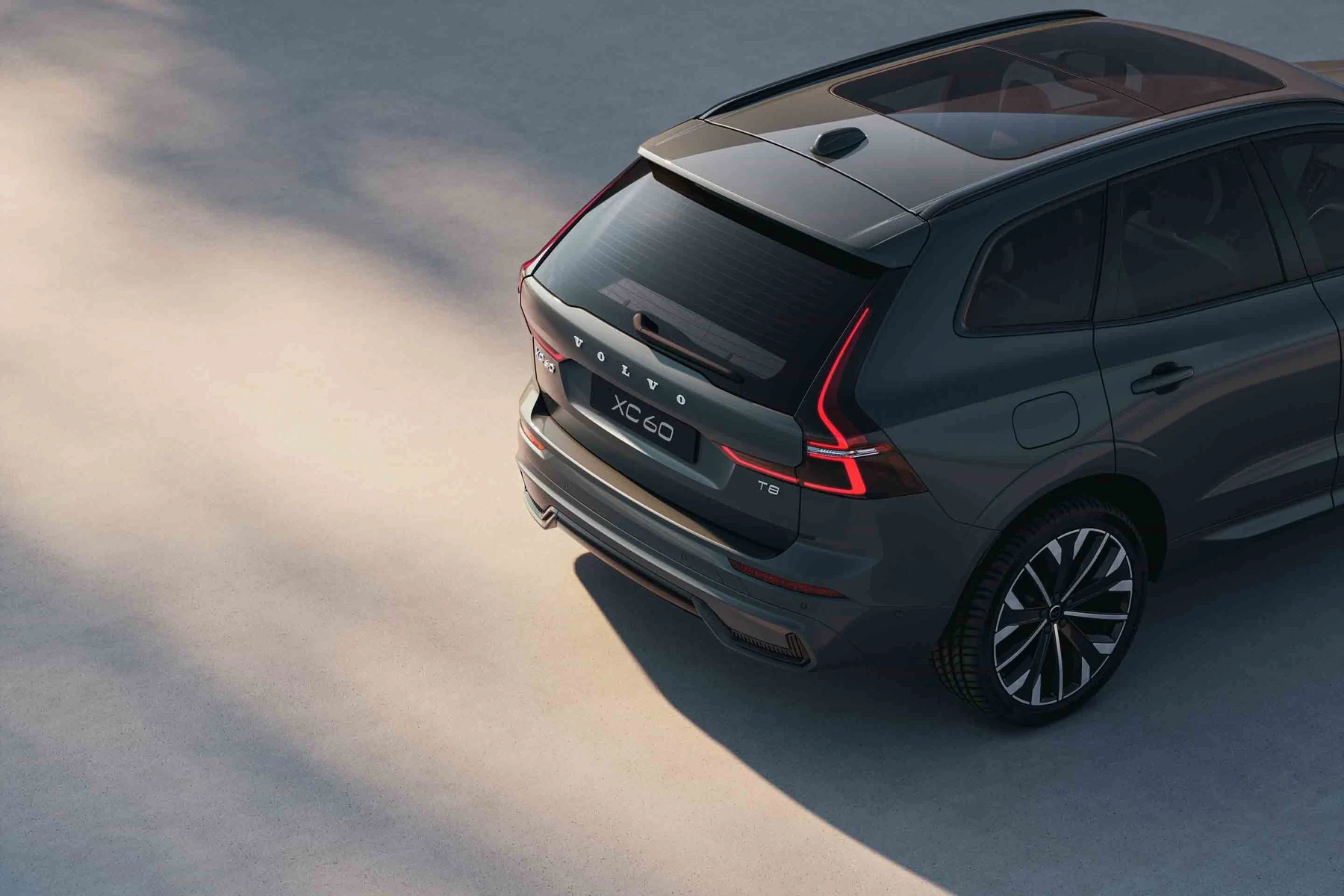
A Volvo 240 owner looking for a “scanner” usually discovers the car predates OBD2. That means the familiar phone-app dongles and most handheld readers won’t talk to it at all. For related context, you may also want to read is scanner for Volvo XC60.
Good news: the 240 has a built‑in OBD‑I diagnostic box under the hood that reads and clears codes in minutes. Below, you’ll see exactly how it works, what modern tools can and can’t do, and smart buys if your household also has newer Volvos.
- Main point: A Volvo 240 uses OBD‑I; read codes from the under‑hood blink box — not an OBD2 scanner.
- Best first step: Pull codes from Socket 2 (fuel), Socket 6 (ignition), and Socket 3 (ABS) on 1991–1993 cars.
- Cost or value: Reading 240 codes is free; add a $150–$200 Volvo‑specific scanner only for your 1996+ Volvos.
- Who it suits: Classic 240 owners, DIYers, and mixed garages with newer Volvos.
- When to get help: No power at the diagnostic box, no code output, or persistent SRS/ABS faults after repair.
You want quick, reliable steps to read and clear OBD‑I blink codes without buying extra tools.
You plan to troubleshoot fueling/ignition on LH2.4/EZK and need socket‑by‑socket guidance.
You own a 240 plus a newer Volvo and need one modern scanner for the 1996+ cars.
What a Scanner Means for a Volvo 240 and How It Works
A Volvo 240 isn’t OBD2. U.S. OBD2 began in 1996, while the 240’s final model year was 1993. Instead, 1990–1993 cars provide OBD‑I “blink codes” through a small diagnostic box near the driver‑side strut tower.
Push the button on the box, count the LED flashes, and record the three‑digit code. Different sockets read different systems: LH2.4 fuel injection, EZK ignition, and (on later cars) ABS. Codes can also be cleared directly from the same box after repairs.
The Volvo 240’s OBD‑I box has two rows of numbered sockets labeled “A” and “B.” For most U.S. 1990–1993 cars, you’ll use the “A” side. Socket 2 reads LH2.4 fuel, Socket 6 reads EZK116 ignition, and Socket 3 typically reads ABS on late cars.
OBD2 Scanner vs Volvo-Specific Tools on a 240
A generic OBD2 reader or Bluetooth ELM327 dongle talks only to 1996+ engine ECUs via the OBD2 port — a port your 240 doesn’t have. Even Volvo‑specific handhelds focused on newer models generally won’t connect to a 240’s LH2.4/EZK systems.
The correct approach on a 240 is the car’s built‑in OBD‑I box. Use the probe in the cap to select the right socket, turn ignition to position II, press the button for one second, then count flashes. Repeat until codes cycle. Clear codes only after repairs.
If a seller claims their “Volvo OBD2” scanner works on a 240, verify support for LH2.4/EZK via OBD‑I. In almost all cases, it won’t. Plan on using the under‑hood diagnostic box for this model.
Here is a summary of which tools work with a Volvo 240 and what each can actually read.
For a 240, the onboard OBD‑I reader is the primary “scanner.” Modern tools are useful only for your other (1996+) Volvos.
| Tool type | Works on 240? | What it reads | Notes |
|---|---|---|---|
| Built‑in OBD‑I blink box | Yes (1990–1993) | Fuel (LH2.4), Ignition (EZK), ABS (late cars) | Free, no extra hardware; use sockets 2/6/3 |
| Generic OBD2 reader/app | No | None on a 240 | Needs 1996+ OBD2 port |
| Volvo‑specific handheld (iCarsoft VOL II, Foxwell NT530) | No for 240 | 1996+ Volvo modules (ECM/TCM/ABS/SRS) | Great for newer Volvos, not for a 240 |
| Factory VIDA/DiCE | No | ~1999–2014 Volvo models | Dealer‑level; not compatible with 240 |
| ABS test lead (DIY) | Sometimes | ABS blink codes (where equipped) | Model‑year dependent; 240 ABS coverage varies |
| Multimeter/oscilloscope | Yes | Sensors, grounds, ignition waveforms | Used for deeper diagnostics alongside blink codes |
What a Volvo 240 Can Actually Report Through Codes
The 240’s LH2.4/EZK systems can reveal a lot: MAF faults, oxygen sensor signals, throttle switch issues, ignition reference problems, and more. ABS (late cars) can provide wheel‑sensor and pump relay codes.

Expect three‑digit patterns like 1‑1‑3 or 2‑3‑1. After a repair, clear codes and road‑test; if a code returns, focus there.
| System | What it detects | Reset possible? | Scanner tier needed |
|---|---|---|---|
| Fuel (LH2.4) | MAF, O2 sensor, throttle switch, idle valve errors | Yes (OBD‑I box) | Onboard OBD‑I only |
| Ignition (EZK) | Crank/cam reference, knock control, ignition faults | Yes (OBD‑I box) | Onboard OBD‑I only |
| ABS (late cars) | Wheel speed sensor circuits, pump/relay faults | Yes (OBD‑I box) | Onboard OBD‑I only |
| Service light | Maintenance reminder only (not a fault) | Manual reset procedure | No external tool |
Codes are guidance, not gospel. Confirm with basic tests: vacuum leaks, sensor voltages, grounds, and continuity checks.
Do Volvo OBD2 Scanners Work With All Models — Including the 240?
No — a Volvo 240 is the classic outlier. It requires OBD‑I blink‑code reading, while most consumer scanners target 1996+ OBD2 cars. Newer Volvos (XC90, XC60, S60, V60, etc.) benefit greatly from Volvo‑specific handhelds that read all modules.
For broader compatibility details across generations and trims, see our guide on whether Volvo scanners work with all models.
Best Types of “Scanner” for a Volvo 240 Owner
For a pure 240 owner, the best “scanner” is the under‑hood OBD‑I box plus a notepad. Add a multimeter and a can of MAF cleaner for common LH2.4 issues.
If you also own 1996+ Volvos, a handheld like iCarsoft VOL II or Foxwell NT530 is the sweet spot for scanning modern modules (ECM/TCM/ABS/SRS/CEM) — just know it won’t read a 240.
Best Scanner Brands for Volvo — 240 Coverage vs Newer Models (Comparison)
Brand choice matters for later Volvos, less so for a 240. The table shows what each brand typically covers and where a 240 fits — or doesn’t.
| Brand/model | Approx price | Volvo modules covered (1996+) | Volvo 240 support | Verdict |
|---|---|---|---|---|
| iCarsoft VOL II | $150–$200 | ECM/TCM/ABS/SRS/CEM on many Volvos | No | Best value for 1996+ Volvos |
| Foxwell NT530 (Volvo+Saab) | $180–$230 | Wide module access + service functions | No | Robust mid‑range pick for newer models |
| Autel MaxiCOM MK808 | $350–$600 | Pro‑level coverage, bi‑directional tests | No | Advanced DIY/pro shops (newer cars) |
| Topdon ArtiDiag | $250–$450 | Good module breadth + updates | No | Strong alternative to Autel mid‑tier |
| YOUCANIC UCAN‑II | $200–$400 | Broad make coverage; subscription updates | No | Consider if you own multiple brands |
| Generic ELM327 dongle | $15–$40 | Engine OBD2 only | No | Not for a 240, engine‑only on 1996+ cars |
Clone/counterfeit scanners are rampant. Prices that seem “too low,” unbranded packaging, and no official seller listing are red flags. Clones often fail to access Volvo‑specific modules or brick during updates.
Volvo Model-Based Scanner Guidance (With a 240 in Mind)
Volvo 240 (1990–1993): use the under‑hood OBD‑I box; no consumer OBD2 scanner works. A multimeter and service manual are your best add‑ons.
XC90/XC60/S60/V60 1996+: a Volvo‑specific handheld (iCarsoft VOL II or Foxwell NT530) is ideal. See our focused pages for XC90 OBD2 scanner picks and XC60 scanner options.
Are Scanners for Volvo Worth It, Reliable, and Safe to Use?
For a 240 alone, you don’t need to buy one — the built‑in box handles it. For households with newer Volvos, a $150–$250 Volvo‑capable handheld pays for itself in one avoided dealer diagnostic fee.
Reading codes is safe. The risk is clearing safety‑critical faults without fixing the root cause — especially airbags.
Never clear SRS/airbag or ABS codes just to turn a light off. Confirm the physical repair first. A suppressed warning can leave safety systems inoperative during a crash.
Can a Volvo Scanner Work With iPhone or Be Used on Other Cars?
Handhelds like iCarsoft/Foxwell are self‑contained, so they don’t rely on a phone. Bluetooth dongles can work with iPhone/Android for 1996+ cars, but they’re engine‑only and still won’t connect to a 240.
Most Volvo‑branded handhelds also read other brands at a basic OBD2 level. For cross‑brand questions, see using a Volvo scanner on other cars.
How to Pull Codes on a Volvo 240 (OBD‑I)
This process takes minutes and zero special tools. You’ll use the diagnostic box near the driver‑side strut tower, select the correct socket, then count LED flashes. Always write codes down before clearing them so you can verify the fix after a road test.
- Open the hood: Locate the black diagnostic box near the left strut tower. Lift the cap; the probe lead is inside.
- Select the socket: Insert the probe into Socket 2 (fuel/LH2.4) or Socket 6 (ignition/EZK). Use Socket 3 for ABS on late cars.
- Key to position II: Turn the ignition to II (dash lights on), engine off. Do not crank the engine.
- Press to read: Press the box’s button for ~1 second, release, then count the LED flashes. Three groups form a code (e.g., 2‑3‑1).
- Record and cycle: Press again to see the next stored code. Repeat until the first code reappears, indicating the list has cycled.
- Clear after repair: After fixing the fault, press and hold for ~5 seconds, release, then press again for 5 seconds to clear. Verify by re‑checking and road‑testing.
- Socket map: 2 = Fuel (LH2.4), 6 = Ignition (EZK), 3 = ABS (late cars; if present).
- If no flashes appear, check battery voltage and the diagnostic box fuse, then re‑try.
- Fix first, then clear. If a code returns immediately, recheck grounds and connectors.
- For older cars, clean the MAF and throttle body before chasing fuel‑trim codes.
Why Your “Volvo Scanner” Might Not Work on a 240
Incompatibility is the #1 reason: an ELM327 or even a Volvo‑specific handheld expects a 1996+ OBD2 port. Other culprits include a dead vehicle battery, poor ground at the diagnostic box, or a clone tool failing to update or connect (on newer cars).
If you’re shopping for a modern Volvo too, we also cover common pitfalls in our piece on OBD2 scanners for older 850-era Volvos — useful context as you mix classic and later models.
Buying Guide: Which Tool Should a Volvo 240 Owner Choose?
240‑only owner: use the built‑in OBD‑I box plus a multimeter — no scanner purchase needed. Keep contact cleaner and spare vacuum hose on hand for common LH2.4 fixes.
240 + newer Volvo: add a Volvo‑capable handheld for the 1996+ car — iCarsoft VOL II (best value) or Foxwell NT530 (broad functions). Pros and advanced DIYers can step up to Autel MK808 for bi‑directional tests on modern Volvos.
Common Mistakes to Avoid — and When to See a Mechanic
Don’t buy an OBD2 dongle expecting it to work on a 240. Don’t clear codes before noting them. Don’t overlook vacuum leaks and grounds — they cause many LH2.4 faults that masquerade as bad sensors.
Book a Volvo‑experienced mechanic if you have no LED response at the box after basic checks, persistent ABS faults after wheel‑sensor repair, or intermittent stalling with no stored codes.
Here’s a quick transition before my closing tip.
💡 Evans Torres Tip: On my last 240, code 2‑3‑1 kept coming back (part‑throttle fuel trim). Before ordering sensors, I smoke‑tested the intake and found a tiny split in a vacuum elbow under the intake manifold. Replacing 50 cents of hose cleared the code and smoothed idle instantly — always chase vacuum first on LH2.4.
Frequently Asked Questions
These FAQs zero in on what most Volvo 240 owners ask once they learn the car is OBD‑I. You’ll find quick answers on tools, compatibility, iPhone use, and mixing a 240 with newer Volvos in one garage.
Can I use a normal OBD2 scanner on a Volvo 240?
No. A 240 doesn’t have a 1996+ OBD2 port. Use the under‑hood OBD‑I diagnostic box to read blink codes from fuel (LH2.4), ignition (EZK), and ABS (late cars). For newer Volvos in your household, buy a Volvo‑capable handheld — but it won’t read a 240.
Where is the diagnostic connector on a Volvo 240?
It’s the small black box near the driver‑side strut tower under the hood. Lift the cap to reveal the probe and numbered sockets. Most 240 owners will use Socket 2 (fuel/LH2.4), Socket 6 (ignition/EZK), and Socket 3 (ABS on late cars).
What are the most useful codes to check first on a 240?
Start with Socket 2 for fuel trims and mixture issues (e.g., 2‑3‑1), then Socket 6 for ignition reference and knock control faults. If equipped, pull ABS codes from Socket 3. Always fix vacuum and ground issues before suspecting major components.
Will a Volvo‑specific handheld (iCarsoft/Foxwell) help my 240?
Not directly. Those tools shine on 1996+ Volvos by reading ECM/TCM/ABS/SRS and service functions. They do not connect to a 240. If you also own a later model, a handheld is a great buy; see our guide on scanner compatibility across Volvo models.
Can I use a Bluetooth dongle and iPhone app with a 240?
No. Bluetooth dongles require the standardized OBD2 protocol and port, which the 240 lacks. They will, however, work on 1996+ cars for engine codes only. Handhelds are better for newer Volvos because they read all modules, not just the engine ECU.
How do I clear codes on a Volvo 240 after a repair?
At the diagnostic box, read codes first. Then press and hold the button for about five seconds, release, and press for another five seconds to clear that system’s memory. Turn the key off, then re‑check to confirm the memory is empty before road‑testing.
Is a scanner still “worth it” if I only own a 240?
No purchase needed. The 240’s built‑in OBD‑I system is free and fast. If you later add a newer Volvo, invest in a Volvo‑capable handheld; it usually pays for itself in one avoided diagnostic visit. For cross‑brand use, see our multi‑car guide.
Final Verdict
For a Volvo 240, the right “scanner” is already under the hood. Use the OBD‑I blink‑code box to diagnose fuel, ignition, and ABS quickly and at zero cost.
If your garage also includes 1996+ Volvos, add a Volvo‑capable handheld like iCarsoft VOL II or Foxwell NT530 for those cars. Read codes, confirm the fault, repair, then clear — that’s the winning sequence for classic 240s and modern Volvos alike.
My Top Picks at a Glance
Here are the three whose scanner options I would check first if you want a faster buying decision.
These picks highlight the strongest overall choice, the best value option, and the premium-style pick for practical Volvo ownership.
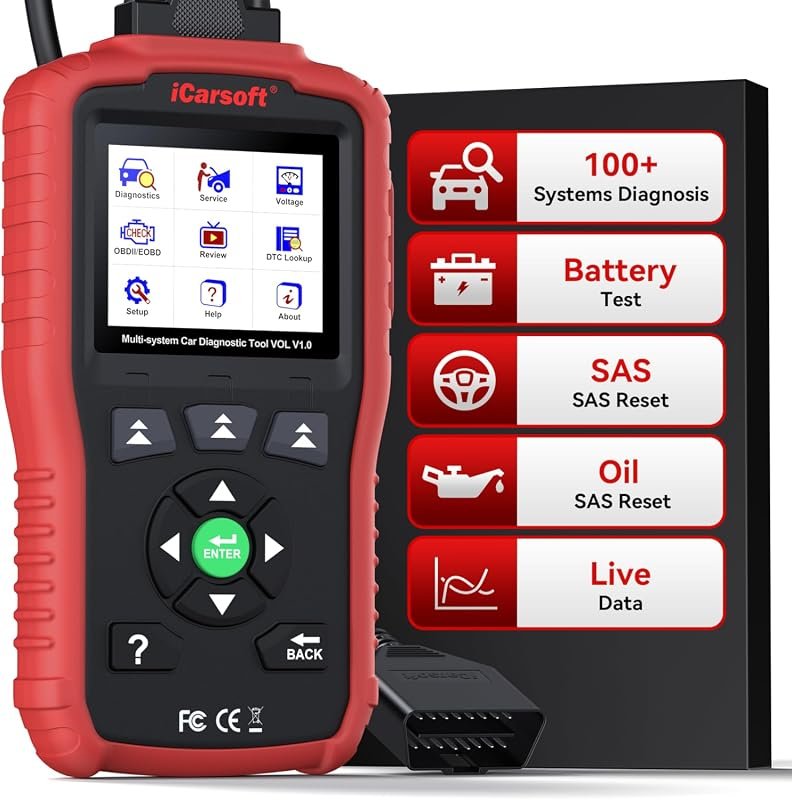 Best Overall
iCarsoft VOL V1.0 OBD2 Scanner for Volvo/Saab, all-systems diagnostics, Oil/SAS reset, live data, CAN-FD, lifetime updates.
It offers the strongest all-around mix of fit, value, and practical daily use for Volvo owners.
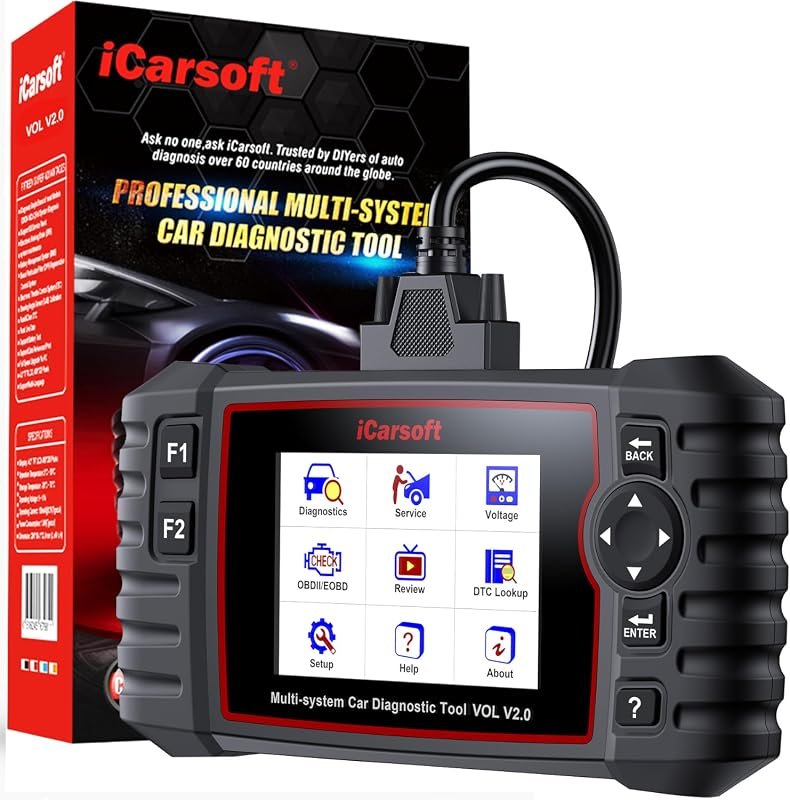 Best Value
iCarsoft VOL V2.0 (2025) OBD2 Scanner for Volvo/Saab, diagnostics, Oil/SAS/EPB/BMS/ETC/DPF, ABS bleed, injector coding, TPMS, Auto VIN.
It makes sense for owners who want a useful upgrade without paying more than necessary.
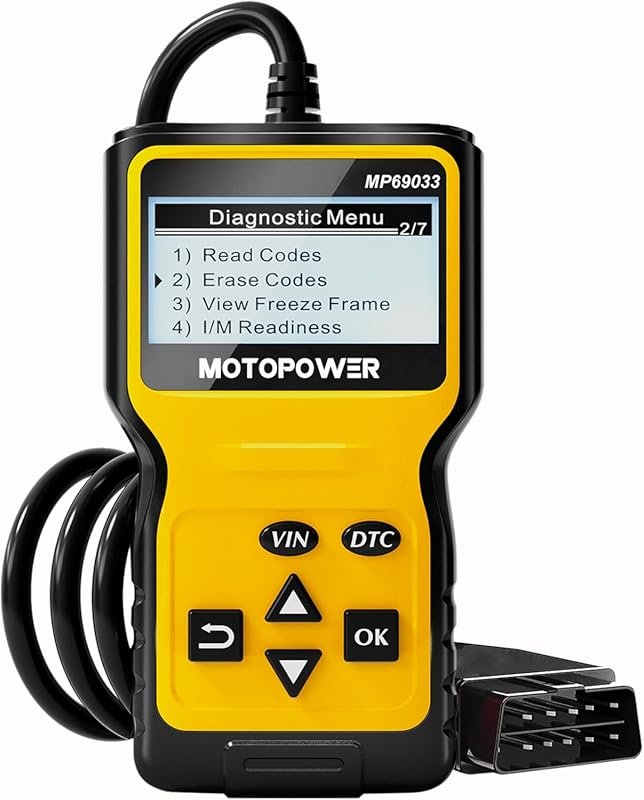 Best Premium Option
MOTOPOWER MP69033 OBD2 Scanner, check-engine code reader and CAN diagnostic tool for all OBDII cars since 1996.
It is the pick I would compare first if build quality, features, and long-term ownership value matter most.
Author

Author

Evans Torres
I’m Evans Torres, an automotive engineer who loves Volvo cars. I graduated in Automotive Engineering from USC. I have worked in the car industry for years and now share my knowledge on The Volvo Life. I started this blog to connect with other Volvo fans. I offer tips, news, and advice to help you care for your car. My goal is to help you keep your Volvo in great shape and find all the best things about it. Join me as we discover everything Volvo has to offer!