



How scanner for Volvo can be used: plug into the OBD2 port, select your model/year, run a full-module scan, and save codes before clearing. For DIY owners, iCarsoft VOL II reads ABS/SRS/CEM; advanced users should pick Autel MK808 for deeper data and service resets.
A scanner turns cryptic Volvo warnings into clear next steps. A proper Volvo-capable tool can read more than just the engine — it reaches ABS, SRS (airbag), transmission, and the Central Electronic Module where many faults live. For related context, you may also want to read can scanner for Volvo XC90.
Below you’ll learn what these tools do, which type fits your model, how to connect and scan correctly, and the fixes to common connection problems.
- Main point: Generic $30 OBD2 readers only see engine codes; Volvo-specific scanners access ABS, SRS, TCM, CEM, and more.
- Best first step: Run a full scan and save fault snapshots before clearing anything.
- Cost or value: $120–$200 buys a capable Volvo reader that can replace many dealer diagnostic visits.
- Who it suits: DIY owners, small shops, and anyone maintaining out-of-warranty Volvos.
- When to get help: Module programming or persistent SRS faults require a Volvo-experienced technician.
What an OBD2 Scanner for Volvo Does and How It Works
The OBD2 port under the dash provides access to onboard modules. A scanner queries those modules for stored faults, pending issues, and live sensor data, then displays human-readable codes and descriptions. You can also use is scanner for Volvo XC60 as a helpful next guide on the same ownership topic.

Volvo-specific scanners speak more protocols than basic ELM327 readers. That’s how they reach modules beyond the engine, such as SRS, ABS, TCM, CEM, BCM, and climate controls.
Since 1996, OBD-II has been mandatory in the USA, but only for emissions-related diagnostics. Non-emissions modules (like SRS and ABS) are manufacturer-specific — that’s why a Volvo-capable tool is required to see them.
Most handheld units include guided menus for Volvo models. App-based Bluetooth tools pair with your phone and require the brand’s app or a compatible third-party app to talk to your car.
OBD2 Scanner vs Volvo-Specific Diagnostic Scanner
Generic OBD2 readers are fine for basic “Check Engine” (ECM) faults and reading freeze-frame data. They fall short the moment a Volvo throws an SRS, ABS, or transmission warning — those modules are invisible to generic tools.
A Volvo-capable scanner adds deep module access, service resets, and manufacturer-specific data PIDs. That’s the difference between guessing at a dash message and pinpointing the exact failed sensor or circuit. For another practical angle, see is scanner for Volvo XC90.
Always verify your scanner’s Volvo coverage list for your exact model-year. EX30/EX40/EC40/EX90 use newer UDS messaging — some older tools do not support these yet without an update.
Here is a summary of what each tool tier can and cannot do on Volvos so you don’t buy twice.
Focus on module coverage first. If the tool can’t reach SRS, ABS, TCM, and CEM on your year, skip it — live data and resets won’t matter if you can’t connect.
| Feature | Generic OBD2 Reader | Volvo-Specific Scanner |
|---|---|---|
| Engine (ECM) codes | Yes | Yes |
| ABS/SRS/TCM/CEM access | No | Yes (model-year dependent) |
| Live data (multi-module) | Limited (engine only) | Extensive (engine, ABS, SRS, transmission) |
| Service light reset | Rare | Common on Volvo-capable units |
| TPMS/steering angle resets | No | Often supported on mid/advanced tiers |
| Model-year coverage | 1996+ engine only | Pre-2004, 2004–2014, 2015+ SPA; EV support varies |
| Typical price | $20–$60 | $120–$500 |
| Best for | Basic emissions checks | Real Volvo diagnostics and maintenance |
What a Volvo Scanner Can Diagnose
A proper Volvo-capable scanner retrieves current, pending, and historic faults from most control units. It also streams real-time values to verify a fix without a test drive. If you are comparing similar topics, do scanner for Volvo exist is also worth checking.

Common data includes wheel-speed sensor values, transmission temperature, airbag circuit status, charge voltage, fuel trims, misfire counters, and DPF/NOx data on diesels.
- Check Engine (ECM): Misfires, O2/NOx sensors, EVAP leaks, boost/turbo control.
- Transmission (TCM): Shift solenoids, adaptation values, temperature, limp-mode reason.
- ABS/Brake: Wheel-speed sensors, pump motor, yaw sensor, brake switch.
- Airbag/SRS: Seat belt latch, occupancy sensor, crash data (read-only on most tools).
- CEM/BCM/Climate: Lighting faults, blower motor, blend doors, LIN-bus errors.
- Service Resets: Oil/service reminders, EPB service mode on some models.
- Battery/Charging: Alternator output, battery state, IBS sensor readings.
Do Volvo OBD2 Scanners Work on All Models?
Coverage depends on protocol and year. Pre-2004 models use older comms; 2004–2014 (P1/P2/P3) add more modules; 2015+ SPA/CMA introduced new networks; EX/EC fully electric models use UDS with evolving support.
Most mid-tier scanners work well on 2004–2021. For EX30/EX40/EC40/EX90, confirm UDS/EV support on the product page or recent firmware notes before buying.
Older classics (850/S70/V70 up to early 2000s) may require explicit listing by engine/ECU; do not assume “Volvo compatible” equals full coverage on those years.
The Best Types of Scanner for Volvo Cars
Picking a type is about how deep you plan to go. Occasional engine light? A basic code reader suffices. Full-module diagnostics and service resets? Choose a Volvo-focused handheld or tablet-style unit.
- Basic code reader: Cheapest way to read/clear ECM codes only. Good for emissions checks.
- Bluetooth app-based: Small dongle plus app. Convenience-first; Volvo coverage varies by app/tool.
- Handheld Volvo-capable: Dedicated device with buttons and screen (e.g., iCarsoft/Foxwell). Best DIY value.
- Advanced tablet: Autel/Launch units with wide-brand coverage, service functions, and better live data.
Best Scanner Brands for Volvo — Comparison Table
Use this at-a-glance chart to match budget to coverage. Prioritize confirmed Volvo module access and update policy over raw feature lists.
| Brand/Model | Price | Volvo Modules Covered | Bluetooth/App | Verdict |
|---|---|---|---|---|
| iCarsoft VOL II | $150–$200 | ECM/TCM/ABS/SRS/CEM (most 2004–2021) | No app (handheld) | Best DIY value for Volvo |
| Foxwell NT530 (Volvo) | $180–$230 | Wide module reach; good service resets | No app (handheld) | Strong mid-tier alternative |
| Autel MaxiCOM MK808 | $350–$600 | Broad coverage + adaptations | Tablet (WiFi updates) | Advanced features for enthusiasts/shops |
| TOPDON ArtiDiag | $250–$450 | Good multi-brand coverage | Tablet (WiFi updates) | Balanced all-rounder |
| YOUCANIC scanner | $200–$400 | Module reads on many brands incl. Volvo | App/subscription | Consider if subscription fits you |
| ANCEL (budget) | $30–$80 | Engine-only on Volvo | Varies by model | OK for basic CEL checks |
Check the seller’s update policy; firmware updates often add new module support and fix Volvo-specific connection quirks.
Clone/counterfeit scanners are common. They may look identical but fail to connect to Volvo modules or brick during updates. Buy from official stores or authorized Amazon sellers only.
Volvo Model-Based Scanner Guide
Different models favor different tiers. Here’s a quick matching guide so you don’t overbuy or under-tool.
- XC90/XC60 (2004–2014): iCarsoft VOL II or Foxwell NT530 cover key modules and service resets well.
- XC90/XC60/S60/V60 (2015+ SPA/CMA): Foxwell NT530 or Autel MK808 for better live data and resets.
- XC40/EX40/EC40 (2018+): Confirm UDS/EV support; Autel MK808-class tools update fastest.
- Older 850/S70/V70/S40/V50: Ensure explicit year/ECU coverage; mid-tier handhelds vary widely pre-2004.
- S60/V60 T8 Recharge (PHEV): Pick advanced tools for hybrid module data and brake service modes.
Are Scanners for Volvo Worth It, Reliable, and Safe to Use?
Yes — a Volvo-capable scanner typically pays for itself after one or two avoided diagnostic visits. Reliability is strongest from iCarsoft, Foxwell, Autel, and TOPDON when bought from authorized sellers.
Reading codes is safe. The risk is clearing SRS or other safety codes without fixing the cause, which can mask a real issue. Use “clear” only after repair.
Can a Volvo Scanner Work with iPhone — And Can It Be Used on Other Cars?
Most modern Bluetooth scanners support iPhone via a brand app; tablet-style units don’t need a phone. Always check iOS compatibility on the product page before buying.
At a basic level, nearly all Volvo-focused scanners read engine codes on other brands. Advanced Volvo functions won’t carry over to every make. For details, see our guides on Volvo scanners and iPhone compatibility and using a Volvo scanner on other cars.
How to Use a Scanner for Volvo (Step-by-Step)
Correct setup prevents connection errors and saves a clean record of faults. Start with a healthy 12V battery; low voltage can drop communication mid-scan. Save all codes and freeze-frame data first, then clear only after repairs so you can verify the fix with a re-scan.
- Locate the OBD2 port: It’s under the dash near the driver’s knees on most Volvos.
- Power and connect: Plug in the scanner; turn ignition to ON (engine off) or follow your tool’s prompt.
- Select Volvo + model/year: Choose the exact model and year so the tool loads the right protocol.
- Run a full-module scan: Scan ECM, TCM, ABS, SRS, CEM, and others; note all codes.
- Save reports: Export or photograph fault lists and freeze frames before touching anything.
- Check live data: Verify sensor values (e.g., wheel speed, O2/NOx readings, battery voltage).
- Repair, then clear: After fixing the cause, clear codes and confirm none return on a road test.
- Charge or stabilize the 12V battery above 12.4V before long scans to avoid dropouts.
- Update scanner firmware first — Volvo protocol fixes are common in updates.
- Label your saved scans by date and mileage for future comparison.
- For deeper functions on newer SPA/CMA cars, consider a tablet-style tool with Volvo-specific service menus.
For tablet-class workflows (adaptations, EPB service), see our walkthrough: how to use a professional car scanner for Volvo vehicles.
Why Your Volvo Scanner Might Not Be Working
Connection failures usually trace to setup or compatibility. Work this checklist before assuming the tool is faulty.
- Ignition state: Many modules require ignition ON; try engine-off vs engine-on per tool prompt.
- Wrong app or profile: Pick Volvo and the exact year; using “auto-detect” sometimes fails.
- Firmware update needed: Install the latest Volvo database before first use.
- Clone hardware: Counterfeits often power on but won’t reach Volvo modules.
- Low vehicle battery: Voltage dips cause comms to drop; charge first.
- OBD fuse/port: Rarely, the OBD port fuse blows; check and replace as needed.
- UDS/EV gap: EX/EC models need explicit UDS support; confirm on the tool’s site.
Buying Guide: Which Scanner Should You Choose?
Match your use case first, then your budget. Buying too cheap for a Volvo with multiple warnings just delays the right fix.
- Basic owner (engine light only): Budget ANCEL or similar will read/clear ECM codes.
- DIY Volvo owner (all modules): iCarsoft VOL II or Foxwell NT530 are the sweet spot.
- Advanced DIY/independent shop: Autel MK808 class for live data depth and service resets.
- PHEV/EX/EC owner: Confirm UDS/hybrid support; lean toward frequently updated tablet tools.
Common Mistakes to Avoid — And When to See a Mechanic
Avoid clearing codes before saving them; that erases vital context. Don’t assume “no codes” equals “no problem” — intermittent faults may need a road test with live data logging.
- Buying a clone: Low prices and no serial support are red flags.
- Skipping model-year checks: A tool may say “Volvo” yet miss your exact year or EV protocol.
- Clearing SRS blindly: Fix the connector/sensor first; safety systems aren’t for trial-and-error.
- Ignoring repeat faults: If the same fault returns immediately, book a Volvo-experienced technician.
For regulatory background on OBD-II in the U.S., see the EPA overview of onboard diagnostics (epa.gov/obd). Volvo’s official owner support site is also a useful reference for model-specific procedures (volvocars.com/support).
Before we get to your questions, here’s a practical perspective from the garage.
💡 Evans Torres Tip: I keep an iCarsoft VOL II in my XC60. The first time an ABS light popped, the scanner showed a dead rear-left wheel-speed sensor and live data confirmed it. I swapped the sensor in under an hour and cleared the code. That single DIY save covered the scanner’s cost versus a dealer diagnosis. This connects closely with can scanner for Volvo XC60 if you want to compare the topic in more detail.
Frequently Asked Questions
These answers cover the most common decisions and roadblocks Volvo owners hit when choosing and using a scanner — from XC90/XC60 compatibility to iPhone pairing, service resets, and what to try if the tool won’t connect on the first attempt.
Will a Volvo-capable scanner read all modules on my car?
Mid-tier and advanced units typically access ECM, TCM, ABS, SRS, and CEM on 2004–2021 models. Pre-2004 classics and 2023+ EX/EC EVs can be exceptions; confirm coverage for your exact year and powertrain. Budget readers only see engine codes and won’t touch ABS/SRS or CEM.
Which scanner works best for an XC90 or XC60?
For 2004–2014, iCarsoft VOL II or Foxwell NT530 cover key modules well. For 2015+ SPA XC90/XC60, consider Foxwell NT530 or Autel MK808 for deeper service functions and live data. Always check the tool’s Volvo coverage notes for your exact year before purchasing.
Can I use a Volvo scanner with an iPhone?
Yes, if the scanner supports iOS via a companion app. Bluetooth dongles and some smart tools pair directly with iPhone. Handheld units with built-in screens don’t need a phone at all. Verify iOS support on the product page and update the app before first use.
Will a Volvo scanner work on other car brands?
At a minimum, yes — they read basic OBD2 engine codes on any 1996+ car in the USA. Full-brand functions vary by tool. A Volvo-focused handheld may offer limited non-Volvo features, while Autel/Launch tablets provide deep coverage across 40+ brands.
Can I reset the service reminder with these tools?
Many Volvo-capable scanners can reset the oil/service reminder after maintenance. On newer SPA/CMA models, some resets are in the vehicle menus and others require a scanner. Follow the tool’s guided steps and confirm the reminder stays off after a short drive.
Is it safe to clear airbag (SRS) codes at home?
Only after fixing the underlying fault. Clearing SRS without a repair can hide a real issue and may leave the system disabled. If an SRS fault returns immediately or relates to crash data, consult a Volvo-experienced technician for inspection and proper reset.
What should I do if my scanner won’t connect to my Volvo?
Update firmware, select the exact model/year, and ensure ignition is ON. Charge the 12V battery above 12.4V, try a different app/profile if using Bluetooth, and check the OBD port fuse. If the tool is a suspected clone, connection failures are common — return it.
Final Verdict
A Volvo-capable scanner transforms guesswork into clear actions. Choose a tool that reaches ABS, SRS, TCM, and CEM on your exact model-year, then always save fault data before clearing.
For most DIY owners, iCarsoft VOL II or Foxwell NT530 deliver the best value; advanced users should opt for Autel MK808. If a fault returns immediately or involves SRS, book a Volvo-experienced technician.
My Top Picks at a Glance
Here are the three how scanner be used options I would check first if you want a faster buying decision.
These picks highlight the strongest overall choice, the best value option, and the premium-style pick for practical Volvo ownership.
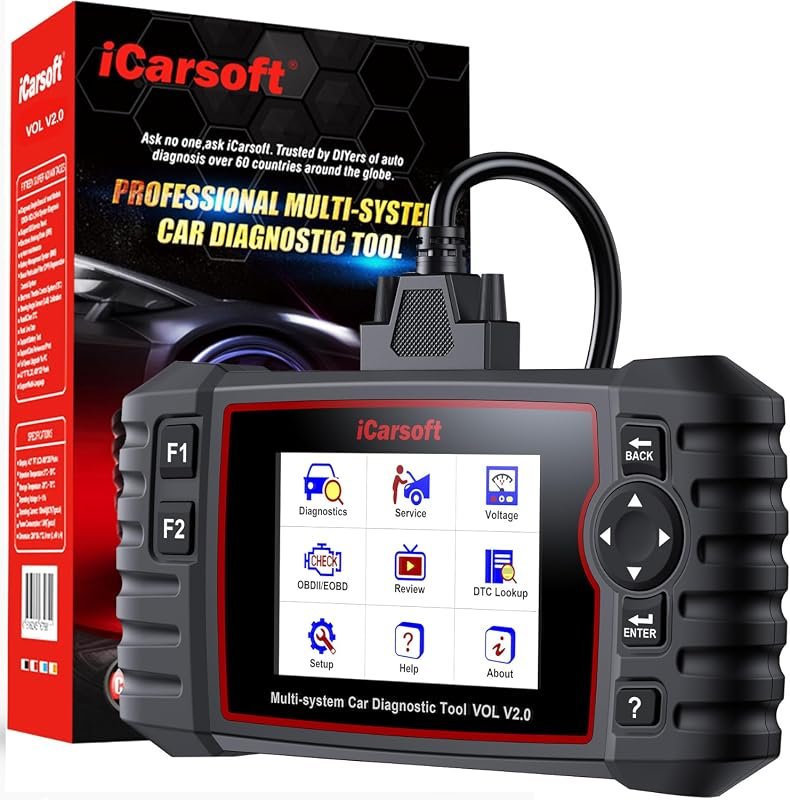 Best Overall
iCarsoft Car Scanner VOL V2.0 OBD2 Scanner Oil Reset/SAS/EPB/BMS/ETC/DPF/ABS Bleeding/Injector Codin
It offers the strongest all-around mix of fit, value, and practical daily use for Volvo owners.
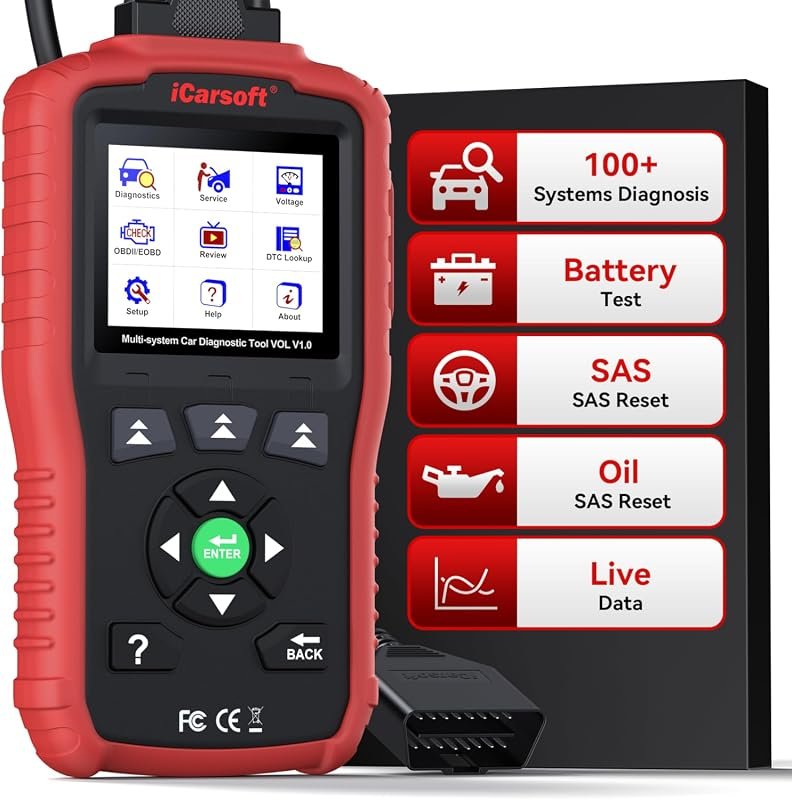 Best Value
iCarsoft OBD2 Scanner for Volvo/Saab, VOL V1.0 All Systems in-Depth Diagnostic Tool, Oil Reset/SAS R
It makes sense for owners who want a useful upgrade without paying more than necessary.
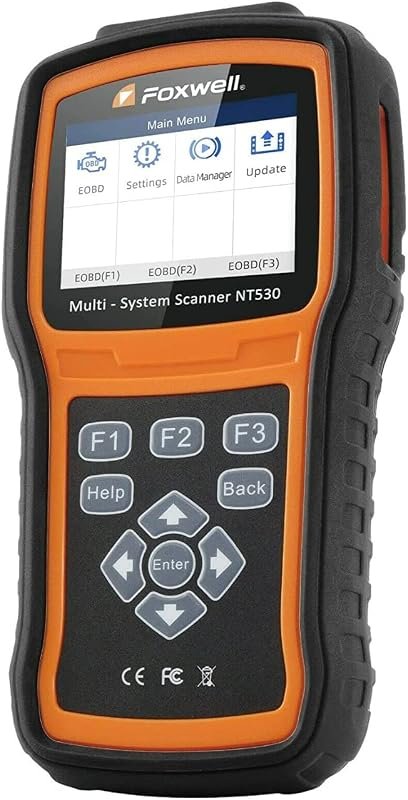 Best Premium Option
FOXWELL NT530 for Volvo – All Systems, All Maintenance Service – Bidirectional Diagnostic Scan Tool
It is the pick I would compare first if build quality, features, and long-term ownership value matter most.
Author

Author

Evans Torres
I’m Evans Torres, an automotive engineer who loves Volvo cars. I graduated in Automotive Engineering from USC. I have worked in the car industry for years and now share my knowledge on The Volvo Life. I started this blog to connect with other Volvo fans. I offer tips, news, and advice to help you care for your car. My goal is to help you keep your Volvo in great shape and find all the best things about it. Join me as we discover everything Volvo has to offer!