



does scanner for volvo support bluetooth? Yes — many scanners pair over Bluetooth with iOS or Android for wireless diagnostics. Verify iOS app support and Volvo module coverage first; basic ELM327 dongles often read only engine codes, while Volvo‑focused tools or pro tablets access ABS, SRS, TCM, and CEM.
Wireless is convenient, especially if you want to scan codes, log live data, or reset a service reminder from your phone. Bluetooth and WiFi tools are common, but coverage differs widely by brand and by Volvo model year.
This guide explains Bluetooth vs WiFi vs USB, which scanners work with iPhone and Android, model-year compatibility (2004–2014, 2015+ SPA/CMA, and EX/EC EVs), what modules you can access, updates/calibrations, and a simple pairing setup process.
- Main point: Most modern scanners support Bluetooth; confirm iOS/Android app support and Volvo module access (ABS/SRS/TCM/CEM), not just engine codes.
- Best first step: Match the scanner’s protocol coverage to your Volvo generation (pre-2004, 2004–2014, 2015+ SPA/CMA, EX/EC EVs).
- Cost or value: $30–$70 Bluetooth dongles handle basic OBD2; $150–$500 Volvo‑capable tools read most modules and add resets.
- Who it suits: Phone-first owners who want wireless scans and logs, provided the app lists your exact Volvo year.
- When to get help: For coding/programming and SRS work, a Volvo specialist with VIDA/DiCE or Launch/Autel is safer.
Wants wireless scans and live data on iPhone or Android without a laptop or cables.
Needs Bluetooth convenience but also checks that Volvo modules (ABS/SRS) are supported.
Plans to use one Bluetooth dongle across several brands and models.
Bluetooth, WiFi, and USB Connectivity Options for Volvo Scanners
Yes, Bluetooth is widely supported, but it’s not the only path. WiFi dongles can be more stable at high data rates, and many professional tablets use a wired OBD lead with WiFi for updates.

iPhone users must confirm the scanner’s iOS app; some Bluetooth dongles are Android-only. Handheld Volvo‑focused tools may skip Bluetooth entirely and still outperform phone-dongles on module coverage.
For iPhone pairing specifics and app lists, see our focused walkthrough on using a Volvo scanner with iPhone.
Here’s a quick view of popular connectivity paths and companion apps. “Works offline” means you can scan without an internet connection once the app and databases are installed.
| Scanner / Type | iOS App | Android App | Works offline? |
|---|---|---|---|
| OBDLink MX+ (Bluetooth dongle) | OBDLink, Car Scanner | OBDLink, Car Scanner, Torque | Yes (after setup) |
| Veepeak BLE+ (Bluetooth dongle) | Car Scanner, OBD Fusion | Car Scanner, Torque | Yes |
| BlueDriver (Bluetooth dongle) | BlueDriver app | BlueDriver app | Yes |
| Launch X431 (BT VCI + Android tablet) | — | X431 app (bundled) | Yes |
| Autel MK808 (WiFi tablet, wired OBD) | — | Autel OS (bundled) | Yes |
| iCarsoft VOL II (handheld, wired) | — | — | Yes |
Bluetooth dongles excel at basic OBD2 (engine/emissions). Full Volvo module access (ABS/SRS/TCM/CEM) typically requires a Volvo‑aware app/database or a brand‑specific handheld/pro tablet — not just any ELM327 adapter.
Volvo Model Compatibility for Bluetooth‑Capable Scanners
Compatibility depends on your Volvo’s generation and the scanner’s software. The 2004–2014 era (P1/P3) uses different protocols than 2015+ SPA/CMA models, and newer EX/EC electric models use UDS with frequent software changes.
Before buying, confirm your exact year/trim in the vendor’s coverage list. Cross‑check with real owner reports — our guide on whether scanners work with all Volvos outlines common gaps and how to avoid them.
Here is a summary of how popular tools tend to map across Volvo generations. Treat “Partial” as mixed coverage where some modules work and others may be unavailable until a database update.
Pro tablets update fastest and usually gain newer‑model support sooner than budget dongles paired with generic apps.
| Scanner | 2004–2014 (P1/P3) | 2015+ SPA/CMA | EX/EC EV (UDS) |
|---|---|---|---|
| OBDLink MX+ (with Car Scanner) | Basic OBD2 only | Basic OBD2 only | Basic OBD2 only |
| iCarsoft VOL II (handheld) | Good module coverage | Partial (varies by year) | Limited/Unverified |
| Foxwell NT530 (Volvo license) | Good module coverage | Partial to Good (needs updates) | Limited |
| Autel MK808/MK808S | Broad coverage | Broad (many SPA models) | Partial |
| Launch X431 (latest DB) | Broad coverage | Broad (fast updates) | Partial |
Can a Bluetooth Volvo Scanner Be Used on Other Cars?
Yes for basic OBD2. A Bluetooth dongle plus a universal app will read and clear engine/emissions codes on nearly any 1996+ car in the USA and show live data like fuel trims and O2 sensors.
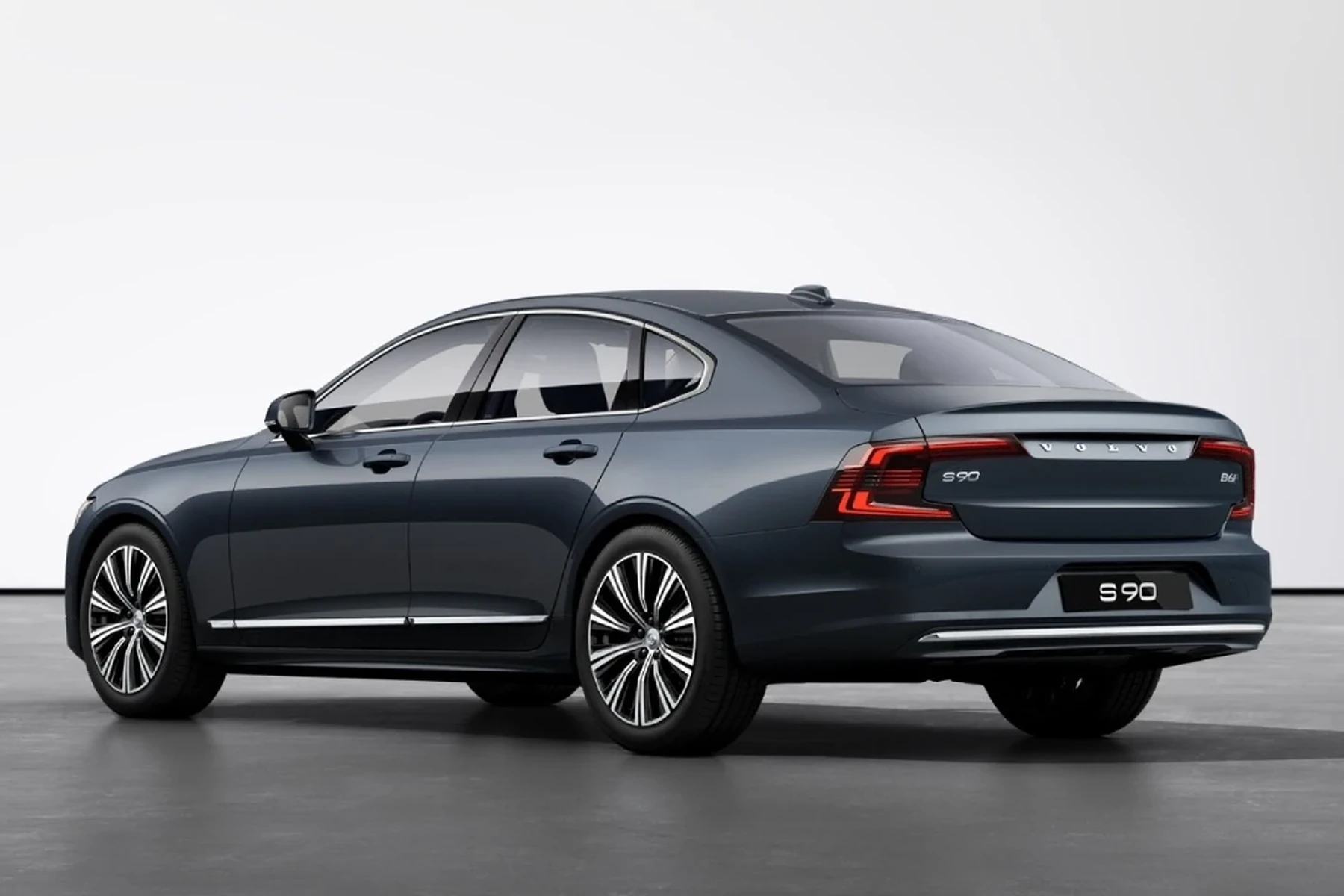
Full-brand functions vary. Tools like Autel/Launch often provide deeper access on 40+ brands, while a Volvo‑focused handheld may offer only generic OBD2 on non‑Volvos.
For a deeper cross‑brand look, see our breakdown on using a Volvo scanner on other cars.
All 1996+ US cars must support basic OBD2 P‑codes. That’s why one Bluetooth dongle can read engine codes across brands — but airbags, ABS, TPMS, and body modules are manufacturer‑specific and need brand‑aware software.
Does a Bluetooth Scanner Need Programming or Calibration?
No programming is required for normal use — you pair, select your Volvo, and scan. However, some functions perform calibrations after a repair, such as steering angle sensor (SAS) reset or TPMS relearn.
Software updates matter. Most scanners need periodic database updates (via USB, WiFi, or in‑app) to expand coverage and fix bugs. We cover calibration scenarios here: <a href="https://thevolvolife.com/did-scanner-for-volvo-need-calibration/" target="blank” rel=”nofollow noopener”>do scanners need calibration, and update policies here: <a href="https://thevolvolife.com/did-scanner-for-volvo-update-automatically/" target="blank” rel=”nofollow noopener”>scanner updates explained.
If a feature is grayed out, update the scanner first. Many “not supported” messages are resolved after a vehicle database refresh that adds your exact model year.
What Volvo Modules Can a Bluetooth‑Capable Scanner Access?
Module access depends on the tool tier. Basic Bluetooth dongles talk to the engine computer only. Volvo‑aware handhelds and pro tablets add ABS, SRS, TCM, CEM, SAS, TPMS, and more, plus service functions like DPF regeneration on supported diesels.
Use this grid to understand which tier you need for the jobs you plan to do.
| Module | What it controls | Budget BT dongle | Mid‑range (Foxwell/iCarsoft) | Advanced (Autel/Launch) |
|---|---|---|---|---|
| ECM (Engine) | Check engine, fuel/air, emissions | Yes | Yes + live data | Yes + tests |
| TCM (Transmission) | Shifts, temp, adaptations | No | Reads/clears (many) | Reads/clears + adaptations |
| ABS/BCM | Wheel speed, brake control | No | Reads/clears + bleed (some) | Reads/clears + functions |
| SRS/Airbag | Airbag/pretensioner faults | No | Reads/clears (after repair) | Reads/clears + component tests |
| CEM/BCM | Body electronics, lighting | No | Partial | Broad |
| SAS | Steering angle calibration | No | Reset on many | Reset + coding where allowed |
| TPMS | Tire pressure sensors | No | Resets on some | Resets + programming on some |
| CCM/Climate | HVAC, blend doors | No | Reads/clears | Reads/clears + actuation |
Never clear SRS/airbag faults just to hide a light. Confirm the physical issue is fixed first; otherwise airbags may not deploy when needed. Use a qualified Volvo technician for airbag wiring or component faults.
How To Set Up a Bluetooth OBD2 Scanner on a Volvo
Pairing is quick if you prep first. Confirm the app supports your exact Volvo year, charge your phone, and park in a ventilated area. Record any existing codes before clearing them — that snapshot can save hours of guesswork later.
- Step 1: With ignition off, plug the dongle into the OBD2 port (under the dash near the steering column on most Volvos).
- Step 2: Turn ignition to ON (engine off). Enable Bluetooth on your phone and pair to the device per the brand’s instructions.
- Step 3: Open the companion app, select Volvo, and choose your model/year. Allow the app to download any first‑time databases.
- Step 4: Run a full system scan. Save a report or screenshot the DTCs before making changes.
- Step 5: View live data or perform functions (e.g., service reset) as supported. After repairs, clear codes and re‑scan.
- Disable your phone’s VPN during pairing — some apps struggle with active VPNs.
- For iOS, use brand‑approved apps; generic ELM apps vary in Volvo coverage.
- If the app can’t find modules, switch ignition OFF → ON and re‑scan before unplugging.
- Update the scanner firmware and app database monthly for new SPA/EX coverage.
Owners of specific models often ask about compatibility differences; see our focused explainers for <a href="https://thevolvolife.com/is-scanner-for-volvo-xc60/" target="blank” rel=”nofollow noopener”>XC60 scanner support and <a href="https://thevolvolife.com/is-scanner-for-volvo-xc90/" target="blank” rel=”nofollow noopener”>XC90 scanner support if you drive one of those best‑sellers.
Keep the car in Park with the parking brake set anytime you’re scanning live data. Avoid running adaptations or calibrations unless you fully understand the procedure and prerequisites.
💡 Evans Torres Tip: I keep two tools: an OBDLink MX+ in the glovebox for quick Bluetooth checks and an Autel tablet for deeper Volvo work. The MX+ with Car Scanner is perfect for reading codes on friends’ cars, but my Autel consistently reaches Volvo’s SRS and CEM. When buying, I always search the forum for my exact year before trusting a compatibility list.
Frequently Asked Questions
These quick answers cover Bluetooth pairing, iPhone/Android differences, reliability, and what a phone‑based scanner can realistically do on various Volvo generations, including SPA/CMA models and the newer EX/EC series.
Do Bluetooth scanners for Volvo work with iPhone?
Many do, but only if the brand provides a native iOS app or supports iOS‑friendly apps like OBD Fusion or Car Scanner. Confirm iOS compatibility and Volvo coverage in the app listing first; some adapters are Android‑only or lack Volvo‑specific modules on iOS.
Is Bluetooth or WiFi better for Volvo diagnostics?
Bluetooth is convenient and fine for basic scans and logging. WiFi dongles or wired connections can be more stable for high data rates or long logs. Pro tablets often use wired OBD with WiFi for updates, combining stability at the port with easy software updates.
Which Bluetooth dongle is best for basic Volvo checks?
OBDLink MX+ and Veepeak BLE+ are solid for basic OBD2 engine codes and live data on Volvos. For ABS/SRS and body modules, move up to a Volvo‑aware handheld (iCarsoft/Foxwell) or a pro tablet (Autel/Launch) — most simple dongles can’t access those systems.
Can a Bluetooth scanner read SRS/airbag codes on a Volvo?
Usually not with a generic dongle and app. Airbag (SRS) is a manufacturer‑specific system. You’ll need a Volvo‑capable tool or a professional tablet with the right database. Reading is safe; clearing should only follow verified physical repairs.
Will one Bluetooth scanner work with all Volvo models and years?
Basic OBD2 engine reads work across 1996+ cars, but full module coverage varies by year and platform. Check your exact Volvo year (2004–2014 vs 2015+ SPA/CMA vs EX/EC EVs). See our model‑wide guide on scanners working with all Volvos for details.
Do I need to program or register a Bluetooth scanner before using it?
No programming is required. Pair it, pick your Volvo, and scan. Some repairs require calibrations afterward (e.g., SAS reset), and most scanners benefit from regular software/database updates to expand coverage and fix bugs.
Is Bluetooth reliable enough for live data logging?
Yes for typical use. Keep the phone near the adapter, disable VPNs, and minimize background apps. For long, high‑rate logs (e.g., boost tuning), WiFi or a wired connection may be more consistent, and pro tablets tend to maintain the strongest link.
Final Verdict
Bluetooth support is common, but the real decision is coverage: engine‑only vs full Volvo modules. Match your scanner and app to your exact model year, confirm iOS/Android compatibility, and keep firmware updated.
For basic checks, a reputable Bluetooth dongle works well. For ABS/SRS, adaptations, and service functions, step up to a Volvo‑capable handheld or pro tablet, or book time with a Volvo‑experienced shop.
My Top Picks at a Glance
Here are the three does scanner bluetooth options I would check first if you want a faster buying decision.
These picks highlight the strongest overall choice, the best value option, and the premium-style pick for practical Volvo ownership.
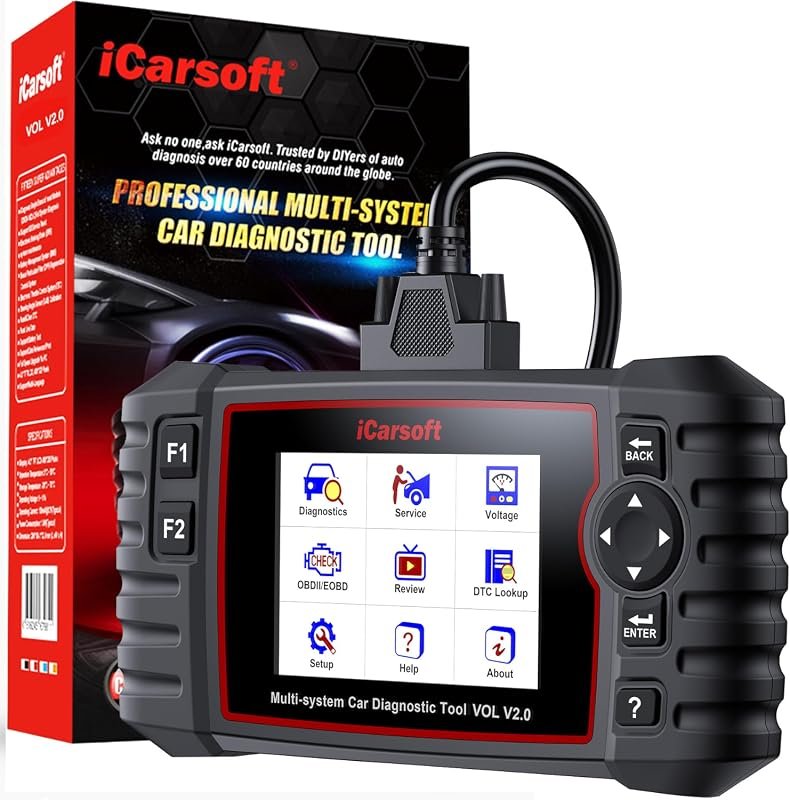 Best Overall
iCarsoft VOL V2.0 OBD2 scanner for Volvo/Saab with Auto VIN, ABS bleed, oil reset, TPMS
It offers the strongest all-around mix of fit, value, and practical daily use for Volvo owners.
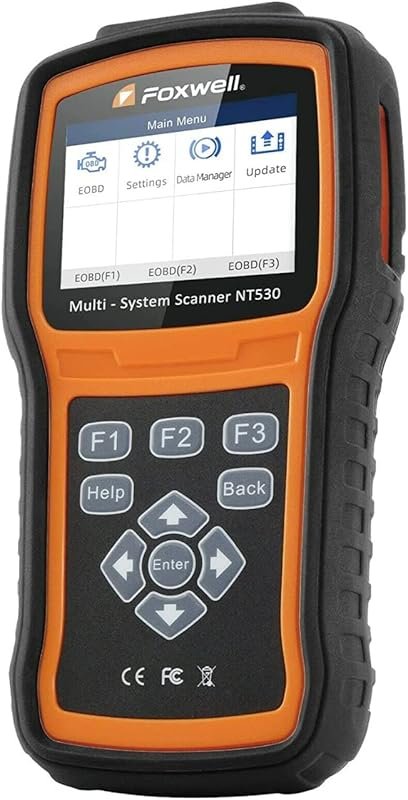 Best Value
FOXWELL NT530 bidirectional OBD2 scanner for Volvo, all-system diagnostics with ABS bleed, SRS, EPB, oil reset
It makes sense for owners who want a useful upgrade without paying more than necessary.
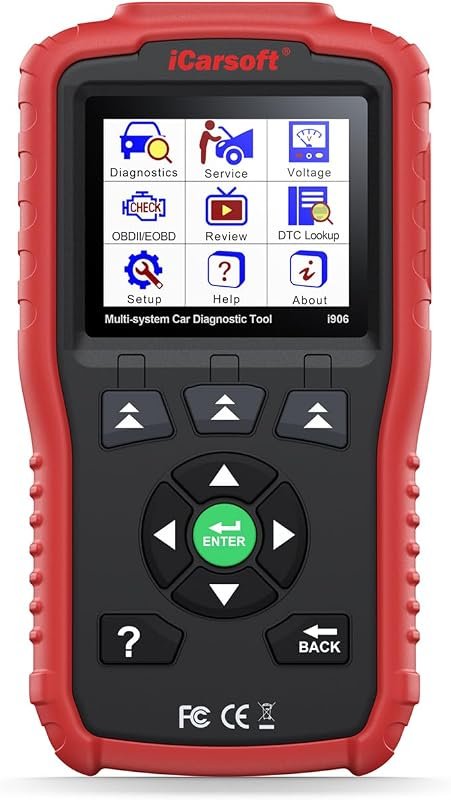 Best Premium Option
iCarsoft i906 OBD2 diagnostic scanner for Volvo and Saab, multi-system engine, ABS, SRS coverage
It is the pick I would compare first if build quality, features, and long-term ownership value matter most.
Author

Author

Evans Torres
I’m Evans Torres, an automotive engineer who loves Volvo cars. I graduated in Automotive Engineering from USC. I have worked in the car industry for years and now share my knowledge on The Volvo Life. I started this blog to connect with other Volvo fans. I offer tips, news, and advice to help you care for your car. My goal is to help you keep your Volvo in great shape and find all the best things about it. Join me as we discover everything Volvo has to offer!