



In volvo infotainment system vs other luxury cars comparisons, Volvo’s Google built-in prioritizes clean UX, accurate voice navigation, and reliable OTA updates, while Other Luxury Cars often deliver flashier graphics, deeper native features, or broader app tie-ins—but with more variation in ease of use and subscription costs.
Shopping for a luxury car increasingly means shopping for software. Volvo stakes its bet on Google built-in (Android Automotive OS) with native Google Maps, Assistant, and an in-car Play Store. That brings familiar apps and strong voice control without relying on phone mirroring for basics.
Other Luxury Cars range from BMW’s iDrive 8.5/9 and Mercedes-Benz MBUX to Audi MMI, Lexus Interface, Tesla’s in-house system, and beyond. These vary widely in design, app breadth, and learning curve, which is why the right choice depends on your daily routine, not just a spec sheet.
- Main difference: Volvo centers on Google-native navigation and voice with consistent OTA cadence; Other Luxury Cars span flashier UIs and deeper vehicle integrations but with uneven usability.
- Best for A: Volvo suits drivers who want dependable voice control, intuitive Maps routing, and minimal setup across 2022–2026 models.
- Best for B: Other Luxury Cars suit buyers seeking rich visuals, AR navigation, or bespoke features—even if menus take longer to master.
- Cost/value: Volvo often includes a multi‑year digital services trial; rivals vary from one-year trials to a la carte paid features after the promo period.
- Important caveat: Equipment and subscriptions change by model year and trim—verify the exact car you’re considering, not just the brochure.
What “Volvo vs Other Luxury Cars” infotainment actually covers
This comparison focuses on hardware layout, operating systems, voice control, smartphone integration, native apps, and over‑the‑air (OTA) updates. These define day‑to‑day ease, reliability, and long‑term software support.
It also weighs subscription trials and post‑trial costs, since premium features increasingly move behind connected services. Finally, we flag real-world quirks like wireless CarPlay stability and screen-driven climate controls.
Volvo shifted from Sensus to Google built-in mostly by 2023 in the U.S., but features like wireless CarPlay and app availability vary by year. Older and CPO cars may differ substantially—confirm the exact software version on the specific VIN before deciding.
Systems and features at a glance: Volvo vs Other Luxury Cars
Here’s a single-screen view of how Volvo’s Google-first approach stacks up against the broader luxury field. Use it to focus your in-person demo on the items that matter most for your commute.
| Feature | Volvo | Other Luxury Cars |
|---|---|---|
| Core OS | Google built‑in (Android Automotive OS) on most 2023–2026 models | Mix of proprietary systems (BMW iDrive 8.5/9, Mercedes MBUX, Audi MMI, Lexus Interface, Tesla) |
| Voice assistant | Google Assistant native; strong natural language and POI search | Brand assistants (MBUX, BMW), Alexa integrations, or Tesla voice—quality varies |
| Navigation | Google Maps native with traffic and EV routing (model-dependent) | AR overlays (some), proprietary nav engines, or Google-based data in select brands |
| Apple CarPlay | Supported on most 2022–2026; wireless on many 2023+; verify per model | Common and often wireless; Tesla does not support CarPlay |
| Android Auto (phone projection) | Availability varies by model year/update; verify per VIN | Common across many brands; Tesla does not support Android Auto |
| Native apps | Google Play Store selection tailored for in‑car use (e.g., Spotify, Waze, YouTube when parked) | Brand app stores or curated libraries; breadth and updates vary widely |
| OTA updates | Regular OTA for infotainment and select vehicle systems | Common across the segment; Tesla most extensive; cadence varies by brand |
| Data/connectivity | Digital services trial typically included; subscription afterward | Trials range ~1–3 years; some features remain paid post‑trial |
| Screen/control layout | Minimalist UI; many functions on central display; limited physical climate keys | From button-lite to haptic sliders to rotary controllers; no single standard |
| Learning curve | Generally short if you use Google services | Ranges from easy to complex; AR features can wow but add steps |
Volvo infotainment systems explained (standard vs optional)
Most 2023–2026 Volvo models in the U.S. ship with Google built‑in as standard. That brings native Google Maps and Assistant without launching CarPlay for basics like routing, voice texting, or streaming via supported apps.
Apple CarPlay support is widespread, with wireless CarPlay on many 2023+ models. Android Auto projection has varied by model year and software update; confirm on the exact vehicle. Head‑up display and premium audio remain options on many trims.
With Google built‑in, Volvo can cache routes and voice commands more effectively than phone mirroring in areas of weak reception. That’s especially helpful on rural trips where phone coverage fades but the car’s navigation and voice prompts continue.
If you’re comparing within Volvo, software UX differs more by generation than model. For example, earlier Sensus cars (common up to 2021) feel different than Google built‑in. When cross‑shopping XC90 and BMW X5, our XC90 vs. X5 comparison adds model-level context.
Other Luxury Cars’ infotainment systems explained
“Other Luxury Cars” collectively span multiple philosophies. BMW iDrive 8.5/9 blends a rotary controller with touch and robust feature depth. Mercedes MBUX emphasizes visual flair and, on some models, augmented‑reality turn prompts.
Audi MMI and Lexus Interface focus on cleaner layouts with strong smartphone integration. Tesla relies on its own OS with fast performance and rich native apps but no CarPlay or Android Auto. Specific implementations, app stores, and paid upgrades vary by brand and model year.
- Use voice to set a complex destination (“coffee with EV charger near Denver tomorrow at 9am”).
- Start/stop a playlist from two different apps without touching your phone.
- Toggle seat heat, defog, and drive mode—time how many taps.
- Check glare and fingerprint visibility mid‑day.
- Test wireless CarPlay/Android Auto reconnect after a fuel stop.
Independent usability evidence and test data
Third‑party studies consistently show voice quality and navigation clarity driving satisfaction, while menu complexity hurts it. J.D. Power’s U.S. Tech Experience Index reports persistent gaps between the best and worst UX, even among luxury brands.
Consumer Reports has likewise flagged that systems with fewer layers and clearer icons score better for day‑to‑day use. Google‑native navigation and natural‑language voice typically test well; heavily layered menus or haptic sliders tend to slow common tasks in early ownership.
Usability rankings vary by specific model/year and update level. Always compare like‑for‑like trims and software versions, and note that OTA can materially change behavior mid‑cycle.
Real-world strengths, limitations and where systems can mislead
Volvo’s strength is predictable voice and Maps without fumbling for a phone. However, screen‑first climate layouts can slow adjustments while driving, and early post‑update reboots can show “Infotainment system starting.” Here’s why your car might show that and what it means: Why your Volvo says “Infotainment system starting”.
Among Other Luxury Cars, AR directions, 3D renderings, or custom assistants can be fantastic when mastered. But deep layers, gesture controls, or haptic sliders can frustrate on day one. Wireless phone mirroring stability also varies across brands and phones.
If your Volvo’s screen lags after an OTA, a soft reboot often helps. Here’s a step‑by‑step guide you can bookmark: How to reboot a Volvo system.
Cost, subscriptions and update implications
Volvo typically includes a multi‑year Digital Services trial that covers Google apps and connectivity; a paid subscription follows. App updates and many map improvements arrive OTA. Feature scope can expand post‑purchase, but verify what’s included on your VIN today.
Other Luxury Cars mix shorter trials, paid upgrades, and even a la carte features. Tesla leads in breadth of OTA vehicle updates; BMW and Mercedes increasingly sell connected features post‑trial. Always price the total ownership of the exact tech setup you want.
- Confirm trial length and renewal price for connected services.
- Ask if remote start, safety video, or advanced nav are bundled or sold separately.
- Check if map updates need connectivity or can be downloaded via Wi‑Fi.
- Verify data coverage in your region and whether a Wi‑Fi hotspot costs extra.
Volvo Pros and Cons
- Google Assistant and Maps built‑in; minimal setup.
- Consistent OTA cadence and app updates.
- Generally shorter learning curve for Google users.
- Solid voice recognition for natural requests and POI search.
- Screen‑heavy climate controls on many models.
- Android Auto projection availability varies by year.
- App store smaller than a smartphone’s; some niche apps unavailable.
Other Luxury Cars Pros and Cons
- Flashy UIs, AR navigation, and deep vehicle integration options.
- Broad wireless smartphone projection across many brands.
- Leading OTA depth in some ecosystems (e.g., Tesla).
- Usability varies widely; steeper learning curves are common.
- More fragmented app ecosystems and subscriptions.
- Haptic sliders/gesture controls can hinder quick adjustments.
Best for families, older drivers, commuters and tech-focused buyers
Choosing between simplicity and spectacle is the core decision. Volvo emphasizes everyday clarity; Other Luxury Cars may wow with visuals and depth if you commit to learning them.
How to verify the exact infotainment equipment on a specific vehicle
- Check the window sticker or build sheet for “Google built‑in,” “Digital Services,” and smartphone projection details.
- In the car, open Settings > System > About to note the OS/software version and update history.
- Plug in or pair your phone to confirm wireless CarPlay/Android Auto support and reconnection behavior.
- Open the app store to verify availability of your must‑have apps (e.g., Waze, Spotify, YouTube).
- Ask the dealer to print subscription trial start/end dates and renewal pricing for connected services.
How to Decide Between Volvo and Other Luxury Cars
- List your top five weekly tasks (e.g., kid drop‑offs, EV charging, conference calls) and test each task in both systems.
- Time common actions: set a complex destination, adjust climate, find parking—speed matters more than specs.
- Compare subscription totals for year 1 and year 4; avoid surprises after trials end.
- Evaluate display glare and touch accuracy in daylight; try rotary/controller alternatives if offered.
- Confirm OTA scope and cadence; ask for the last two release notes on each car you’re considering.
Before we answer common questions, one practical reminder can save you time and frustration during a dealership demo.
💡 Evans Torres Tip: Bring a familiar voice command “script” you use on your phone—play a playlist, text a contact, reroute to a coffee stop—and run it verbatim in each car. If one system completes all steps hands‑free on the first try, that’s likely your best daily companion.
Frequently Asked Questions
Infotainment choices hinge on small, lived-in details—voice reliability, app support, update cadence, and costs after the trial. These FAQs tackle specific buyer worries from commuters to family drivers. Each answer aims to be actionable for 2022–2026 U.S. shoppers without assuming a particular trim or brand loyalty.
Does Volvo support Apple CarPlay and Android Auto?
Apple CarPlay is supported on most 2022–2026 Volvos, with wireless CarPlay on many 2023+ models. Android Auto projection availability has varied by model year and software update. Always test with your own phone on the exact VIN you plan to buy.
How do OTA updates compare between Volvo and Other Luxury Cars?
Volvo regularly updates infotainment and select vehicle functions over the air. Tesla leads in depth and frequency, while BMW and Mercedes increasingly deliver OTA features and fixes. Check each brand’s recent release notes to gauge pace and scope on the specific model.
Is Google Assistant better than brand-specific voice assistants?
Google Assistant excels at natural‑language search and POIs, which shortens setup time in Volvo. Brand assistants in Other Luxury Cars have improved, and some integrate vehicle controls deeply. The best approach is a side‑by‑side voice test with your real commands.
Which is easier for first-time luxury buyers to learn?
Most shoppers acclimate fastest to Volvo if they already use Google services daily. Systems with AR overlays and advanced customization in Other Luxury Cars can be powerful, but they often require more time to configure and remember menu paths.
What subscriptions should I budget for after the trial?
Expect a renewal for connected services (data, app access, some nav features) after a trial—often multi‑year on Volvo, sometimes shorter on others. Some brands also sell add‑on functions or feature unlocks. Get written pricing and exact end dates for your VIN.
How reliable is wireless CarPlay across brands?
Wireless CarPlay is common in both camps, but reconnection stability varies by phone OS, head unit, and software version. Test a cold start, a brief shutdown (fuel stop), and a long stop. If issues arise, a software update or a wired fallback may help.
Do any luxury cars not support CarPlay/Android Auto?
Yes. Tesla does not support Apple CarPlay or Android Auto but offers robust native streaming and navigation. If phone mirroring is mandatory, verify support on the exact model and aim to test it during your demo.
What if my Volvo screen shows “Infotainment system starting” often?
It can appear after updates or power cycles. If it persists or impacts use, perform a soft reboot and check for pending updates. For step‑by‑step guidance and common causes, see our dedicated explainer linked earlier in this guide.
Final Verdict
If you want a system that “just works” with minimal setup and strong voice-led navigation, Volvo’s Google built‑in is an easy recommendation. It streamlines routing, messaging, and media without forcing you into phone mirroring for routine tasks, and OTA updates steadily refine the experience.
If you love rich visuals, AR guidance, or brand-specific flourishes—and you’re willing to learn a deeper menu structure—Other Luxury Cars may reward that effort with unique features. The tie‑breaker is your daily workflow: run your own voice scripts, verify app availability, and price the subscriptions you’ll actually keep beyond the trial.
My Top Picks at a Glance
These three Volvo accessories are practical options to compare after choosing the right Volvo configuration.
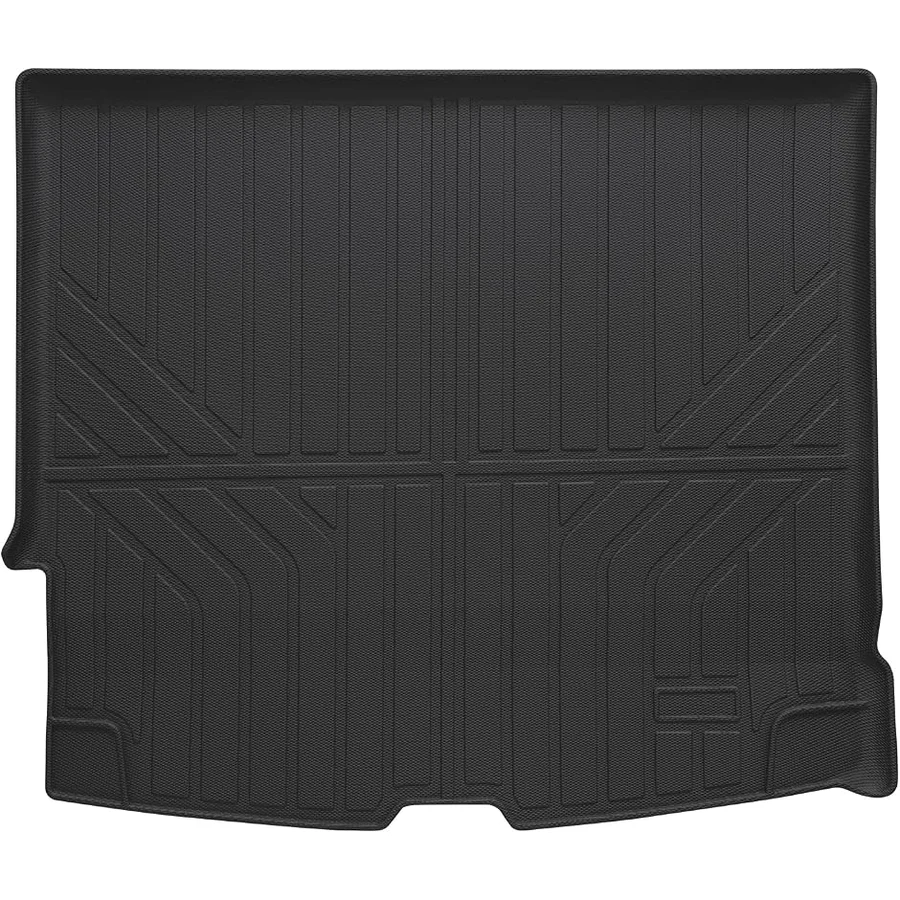 Best Overall
Custom fit cargo liner for Volvo XC60 2018-2026, TPE all-weather trunk mat, waterproof, easy-clean, non-slip.
A vehicle-fit accessory to compare for compatibility, daily usefulness, and value.
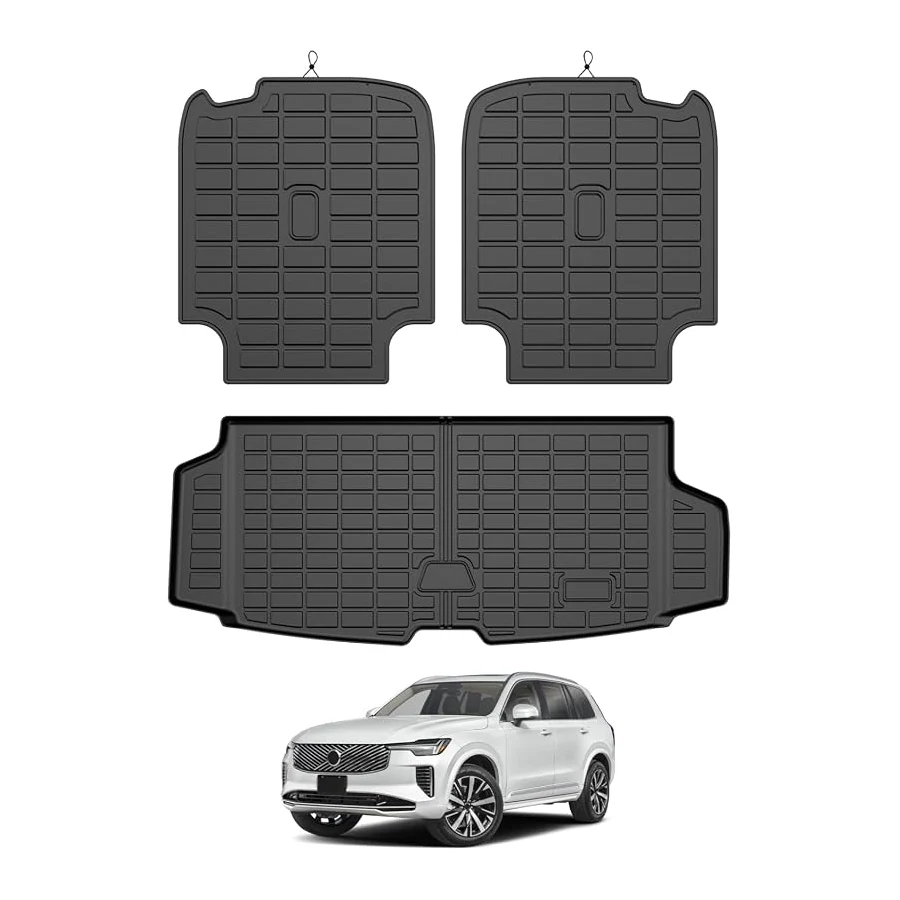 Best Value
Mixsuper cargo and backrest liner for Volvo XC90 2016-2026, TPE all-weather, waterproof, scratch-resistant, easy-clean.
A vehicle-fit accessory to compare for compatibility, daily usefulness, and value.
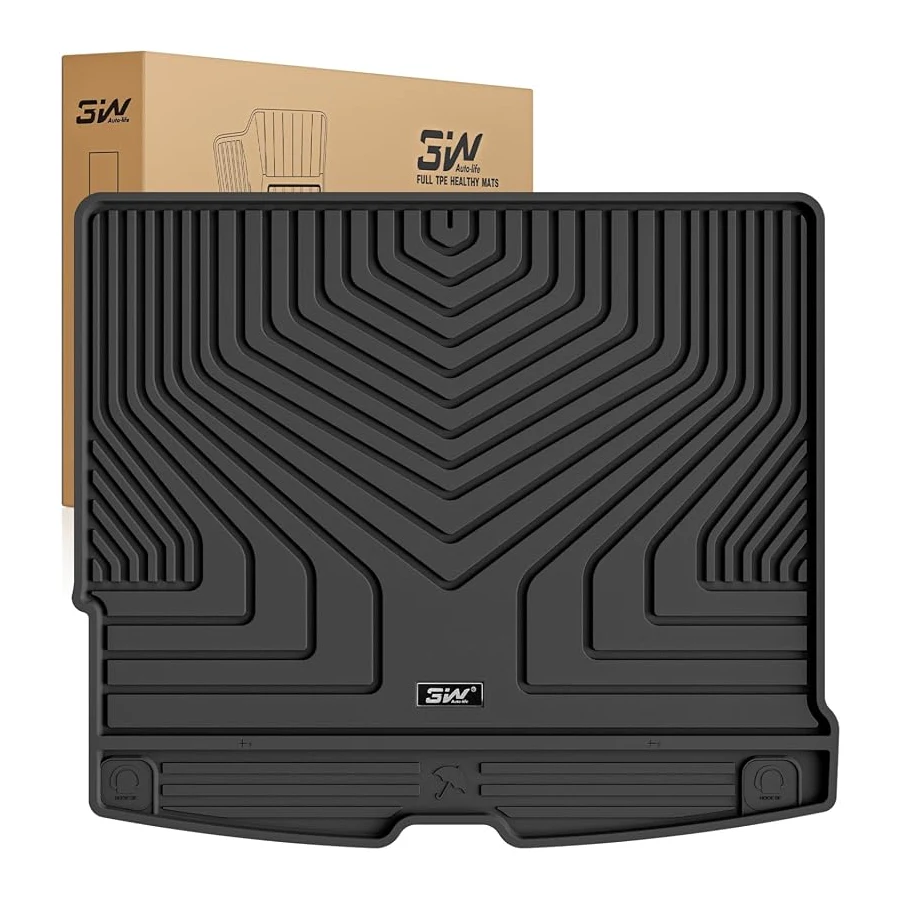 Best Premium Option
3W custom-fit cargo liner for Volvo XC60 2018-2026, TPE all-weather trunk mat, non-slip, easy-clean.
A vehicle-fit accessory to compare for compatibility, daily usefulness, and value.
Sources and Methodology
This U.S.-market analysis emphasizes 2022–2026 model years, matching trims by infotainment generation where possible. We prioritized official manufacturer information for features and trial terms, and independent studies for usability context. Because OTA updates materially change behavior mid‑cycle, we advise verifying software versions on the exact VIN. Data verified August 2026.
Author

Author

Evans Torres
I’m Evans Torres, an automotive engineer who loves Volvo cars. I graduated in Automotive Engineering from USC. I have worked in the car industry for years and now share my knowledge on The Volvo Life. I started this blog to connect with other Volvo fans. I offer tips, news, and advice to help you care for your car. My goal is to help you keep your Volvo in great shape and find all the best things about it. Join me as we discover everything Volvo has to offer!