



are scanner for volvo good? Yes—when you choose a Volvo-specific scanner from trusted brands like iCarsoft, Autel, or Foxwell. These tools reliably read ABS, SRS/airbag, transmission, CEM, and more; a $30 generic OBD2 reader won’t. Expect solid results for code reading, live data, and service resets. Avoid clone units and always check model-year compatibility. If you need coding/programming or key work, consult a Volvo specialist or use factory tools (VIDA/DiCE) instead.
A stubborn SRS light or an “Anti-Skid Service Required” message sends many owners to a dealer, where a simple scan can cost $150–$250. That’s why the question keeps popping up: can a consumer scanner actually handle Volvo diagnostics well? The short version is that brand and coverage matter more than price alone. Buy a tool with confirmed Volvo module support and you’ll read what the dealer reads for most day-to-day faults. Choose a generic engine-only reader and you’ll miss 70% of the story. This connects closely with OBD scanner for Volvo if you want to compare the topic in more detail.
- Main point: Volvo-specific scanners are reliable for everyday diagnostics; generic OBD2 readers are not.
- Best first step: Verify your exact model-year is supported and update the scanner’s software before first use.
- Cost or value: Expect $120–$400 for a dependable handheld that covers key Volvo modules and service resets.
- Who it suits: DIYers and owners who want to avoid a dealer diagnostic fee for routine warnings.
- When to get help: For coding/programming, immobilizer/key work, or complex network faults—use a Volvo specialist.
Wants a dependable tool that actually talks to Volvo modules beyond the engine.
Tried a generic dongle and saw nothing but P-codes—now needs real coverage.
Weighing iCarsoft vs Foxwell vs Autel and needs an honest reliability read.
The Real Question: Volvo-Specific vs. Generic OBD2 Scanners
Most “scanner didn’t work on my Volvo” complaints trace back to a tool mismatch, not a bad product. A basic OBD2 reader connects only to the engine control module (ECM) for emissions-related codes. Volvos store many crucial faults elsewhere—SRS/airbag, ABS, BCM, CEM, TCM, SAS, TPMS, climate, and more. A Volvo-capable scanner includes manufacturer-specific protocols to access those modules, show live data, and run common resets. That’s why owners who upgrade from a $30 dongle to a Volvo-focused unit report a night-and-day difference. For another practical angle, see OBD2 scanner for Volvo vehicles.
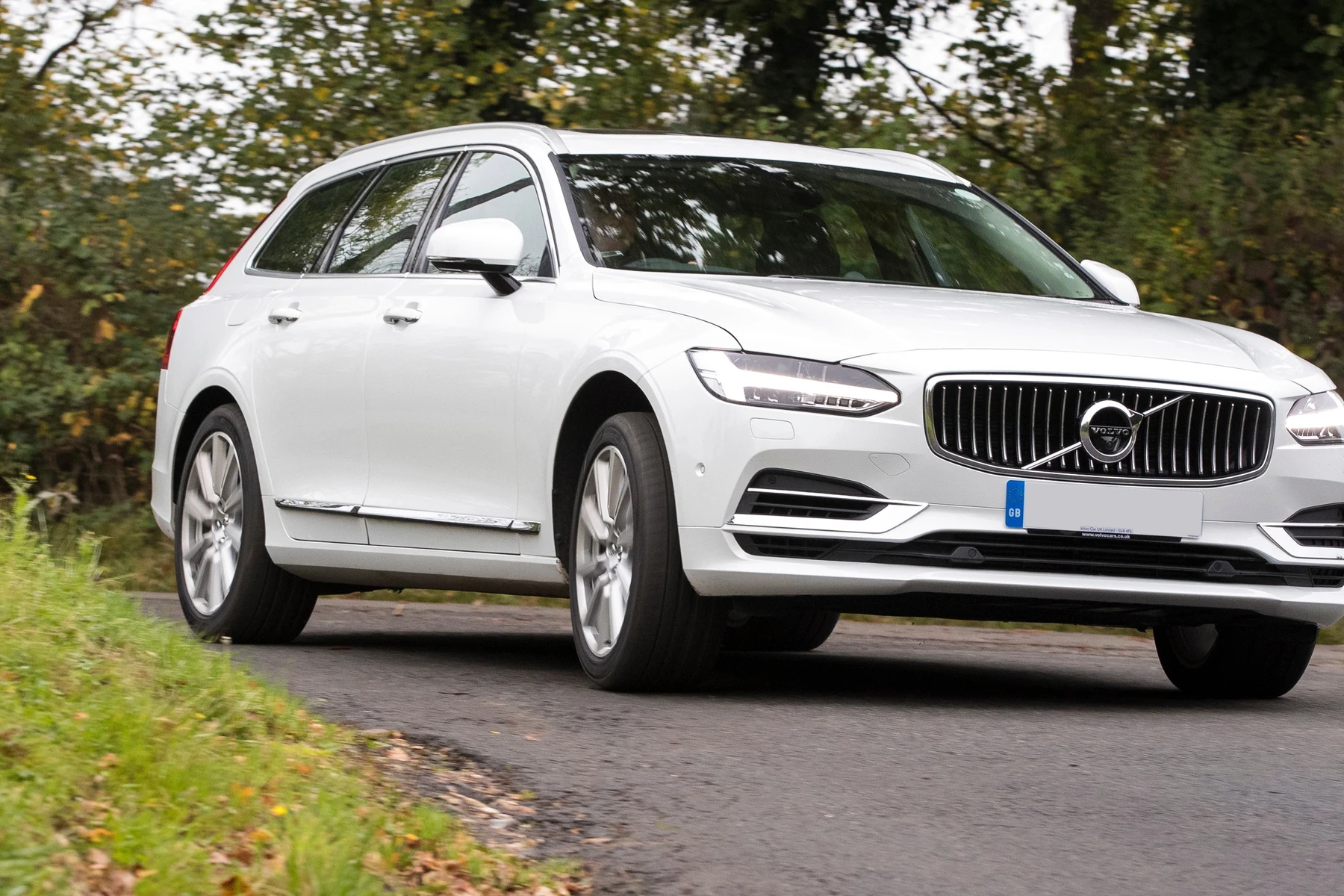
Think of it this way: a generic reader answers “Is the check engine light on?” A Volvo-capable scanner answers “Why are the ABS and SRS lights on, which wheel sensor is bad, and what live value is out of range?” That’s the reliability you’re really buying. For related context, you may also want to read are scanner for Volvo worth it 2.
Compatibility is brand- and model-year-specific. Always confirm your exact Volvo and year are listed. 2015+ SPA cars and newer EX/EC electric models use newer protocols that not all scanners support yet.
For model-by-model context and broader buying pointers, see our dedicated overview in our OBD2 scanner for Volvo guide.
Which Brands Are Trustworthy for Volvo Owners
Real reliability comes from brands that invest in Volvo module coverage and keep software up to date. iCarsoft, Autel, and Foxwell are the standouts most DIY owners and independent shops lean on. Budget brands can read engine codes, but usually stop there. Update policies and warranty support matter too—especially as Volvo adds new electronics and EX/EC electric models. Below is an honest view of where popular names land for Volvos in the USA.
| Brand | Reputation | Volvo coverage | Update policy | Warranty | Verdict |
|---|---|---|---|---|---|
| iCarsoft (VOL II / V3.0) | DIY favorite | Strong on Volvo/Saab modules, service resets | PC/Wi‑Fi updates; regular releases | Typically 1 year | Best value for Volvo-focused home use |
| Autel (MK808/MaxiCOM) | Pro-grade | Wide Volvo module access + bi-directional tests | Frequent; some tools need paid renewals | 1 year+ | Great for serious DIY/pros |
| Foxwell (NT530/NT710) | Solid mid-tier | Good Volvo coverage; clear interface | Regular; brand-specific add-ons | 1 year | Strong mid-price pick |
| ANCEL | Budget | Mostly engine codes; limited Volvo modules | Occasional | Varies | OK as a spare, not main Volvo tool |
| YOUCANIC | Subscription model | Decent coverage; app-first approach | App-driven updates | Varies | Convenient, but weighs on yearly cost |
Bottom line: pick by coverage and ongoing updates, not just price. You’ll save money long-term if the tool reads all the modules you actually need.
Clone/counterfeit scanners are common. Red flags: prices far below MSRP, generic packaging, missing serials, or sellers with no brand authorization. Clones often fail on Volvo modules or stop updating—avoid them.
Real User Experiences: What Owners Report After Buying
Owner feedback across Volvo forums and shop floors points to a consistent pattern. When buyers choose a Volvo-capable tool, they usually solve the problem they bought it for: identifying the exact ABS wheel sensor, clearing SRS after a repaired connector, or resetting the service reminder post oil change. Frustrations tend to appear when a budget tool overpromises, when a clone unit can’t connect, or when a buyer’s newer EX/EC model isn’t supported yet. Here’s what surfaces most often.

- Positive themes: Reads all modules on P2/P3/SPA cars, saves a dealer diagnostic trip, useful live data for quick checks.
- Mixed notes: Occasional app or firmware hiccups; fixed with updates or PC reflash.
- Negative themes: Clone tools failing to connect; limited support for the newest EX/EC electric models on cheaper units.
On many Volvos, over half of actionable fault information lives outside the engine module. That’s why a Volvo-capable scanner often “finds” issues a generic tool never shows.
Here is a quick summary of common experiences and how they impact trust in Volvo scanners. Use it to set expectations before you buy.
Most satisfied owners matched a brand to their model-year and kept the scanner updated; most complaints trace to clones or generic engine-only tools.
| Experience type | What owners report | Implication |
|---|---|---|
| All-module scans | ABS/SRS/TCM/CEM data accessible on P2/P3/SPA | Volvo-focused tools deliver as promised |
| Service resets | Oil/service reminders cleared quickly | DIY maintenance becomes simpler |
| Live data use | Sensor values help confirm failed parts | Prevents guesswork and parts darts |
| Clone failures | Connection drops or no Volvo modules | Buy from authorized sellers only |
| New EX/EC coverage | Some models not fully supported yet | Check support list for EX30/EX40/EC40/EX90 |
| App/firmware issues | Occasional bugs fixed by update | Run updates before scanning |
Is It Safe to Use a Scanner on My Volvo?
Reading codes and viewing live data is safe. A scanner is a passive listener until you ask it to clear codes or trigger tests. Risks enter when clearing SRS/airbag faults without confirming the physical issue is fixed, performing adaptations you don’t understand, or attempting coding on a low vehicle battery. Treat write functions with respect, follow the on-screen prompts, and keep the car on a charger if you’ll be connected for a long session.
Safety-first users stick to reading, documenting, and clearing after a verified repair. Anything involving immobilizer, keys, or programming is best left to a Volvo specialist.
Never clear SRS/airbag codes to “hide” a light. If airbags are disabled due to a real fault, they may not deploy in a crash. Verify the repair first. For Airbag/SRS system basics, see Volvo’s official guidance in Volvo Support.
What to Expect Realistically from a Good Volvo Scanner
A reliable Volvo-capable scanner will read and clear codes across 8–12+ modules, show live sensor data, reset service reminders, and run common calibrations (like steering angle) on many models. Advanced handhelds add bi-directional tests, component activations, and special functions. None of these consumer tools replace factory VIDA/DiCE for software downloads, full coding, or key programming. Expect high confidence for diagnosis and maintenance support; expect to visit a pro for programming and deep network issues.
- Do expect: ABS/SRS/TCM/CEM access, service resets, live data, TPMS reset (varies).
- Do not expect: Full ECU programming, immobilizer/key coding on modern cars.
- Plan for: Regular software updates and exact model-year selection during scans.
- Update the scanner firmware/app before the first scan.
- Select your exact model and year; run a full auto-scan, not just ECM.
- Save a scan report (PDF) before clearing anything.
- Keep the car on a smart charger for long sessions to prevent low-voltage glitches.
How To Choose a Reliable Volvo Scanner
Picking the right tool avoids the common “bought twice” mistake. Match the scanner to your model-year and what you actually plan to do. Daily DIYers need module reads and resets; advanced users may want bi-directional tests. Confirm support for 2015+ SPA or newer EX/EC models if that’s your car, and buy only from authorized sellers to avoid clones. A quick, methodical selection process will save money and frustration.
- Define your needs: Diagnosis only, or also resets and calibrations? List must-have functions.
- Confirm coverage: Check the brand’s compatibility list for your exact Volvo and year.
- Prioritize updates: Choose brands with regular Volvo updates and easy PC/Wi‑Fi updating.
- Compare tiers: iCarsoft/Foxwell for Volvo-focused DIY; Autel MK808+ for advanced tests.
- Validate the seller: Use official stores/authorized Amazon sellers to avoid clones.
- Plan setup: Update firmware, register the device, and scan all modules on day one.
For deeper, hands-on scanning workflow and pro-level pointers, see our walkthrough on how to use a professional car scanner on Volvo vehicles. XC60 owners can also review our XC60-focused scanner recommendations for model-specific notes.
Owners comparing overall value before buying can also explore our take on whether scanners for Volvo are worth it.
Done right, a trusted scanner pays for itself in one or two uses—especially when it saves you a dealer diagnostic visit.
💡 Evans Torres Tip: I keep an iCarsoft VOL II in my garage for our family’s S60 and XC60. The day it earned its keep was an SRS light after a seat connector got bumped. The scanner showed the exact circuit, I reseated the plug, cleared the code, and verified it stayed off. That saved a Saturday trip and a $180 diagnostic bill—proof that the right Volvo-capable tool is worth it. You can also use which scanner icarsoft for Volvo S80 2002 as a helpful next guide on the same ownership topic.
Frequently Asked Questions
This FAQ tackles the most common pre-purchase questions about Volvo scanners: reliability by brand, which tool tiers make sense for different model years, iPhone/Bluetooth considerations, service light resets, SRS/airbag safety, and what to do if the scanner won’t connect. If you’re deciding between a $30 reader and a true Volvo-capable tool, or wondering how far a DIY scanner can go before you need VIDA or a dealer visit, start here.
Are scanners for Volvo good enough to skip a dealer visit?
For reading/clearing codes across major modules and doing service resets, yes. A reliable Volvo-capable handheld often solves routine issues without a dealer scan. For coding/programming, immobilizer or key work, and complex network faults, you’ll still want a Volvo specialist or factory tools.
Which brand is most reliable for Volvo diagnostics at home?
iCarsoft (VOL II/V3.0), Foxwell (NT530/NT710), and Autel (MK808/MaxiCOM) earn the most consistent Volvo owner praise. iCarsoft and Foxwell are excellent Volvo-focused values; Autel adds more pro features. Buy from authorized sellers and keep software updated.
Will a Bluetooth dongle and phone app work on my Volvo?
Generic ELM327 dongles read only engine P-codes. To access ABS, SRS, TCM, and CEM, use a Volvo-capable scanner or a brand-specific Bluetooth tool with confirmed Volvo module support. Always check iOS/Android compatibility and update firmware/app first.
Can I reset the service reminder with a consumer scanner?
Most Volvo-capable scanners support oil/service resets on compatible years. Steps vary by model; follow the on-screen prompts and confirm the reset took by cycling ignition. If the reminder returns quickly, a mileage/time parameter wasn’t fully cleared—rerun the reset.
Is it safe to clear SRS/airbag codes after a repair?
Yes—after the underlying fault is truly fixed. Never clear SRS to hide a warning light; airbags may not deploy. Verify the physical repair (e.g., seat connector reseated, sensor replaced), then clear and confirm the light stays off during a test drive.
My scanner won’t connect to Volvo modules—what should I check?
Update the scanner firmware, select the exact model-year, and verify the OBD fuse and battery voltage. Ensure you didn’t buy a clone, and confirm your Volvo generation is supported (especially EX30/EX40/EC40/EX90). Try a full auto-scan with ignition on, engine off.
How much should I budget for a dependable Volvo scanner?
Plan $120–$200 for a solid Volvo-focused unit (iCarsoft/Foxwell) and $300–$500 for advanced Autel handhelds with bi-directional tests. Prices fluctuate with update policies and bundles—paying a bit more for confirmed coverage often saves money later.
Final Verdict
Volvo-capable scanners are genuinely good—when you buy the right type. A trusted handheld from iCarsoft, Foxwell, or Autel reliably reads the modules that matter and handles common resets, saving you time and dealer diagnostic fees. Generic OBD2 readers aren’t enough for Volvo ownership. Check precise model-year support, keep software updated, and buy from authorized sellers to avoid clones. Use read functions freely; treat write actions with care and verify repairs before clearing codes. For programming, immobilizer, or keys, book a Volvo specialist or use factory tools.
My Top Picks at a Glance
Here are the three are scanner options I would check first if you want a faster buying decision.
These picks highlight the strongest overall choice, the best value option, and the premium-style pick for practical Volvo ownership.
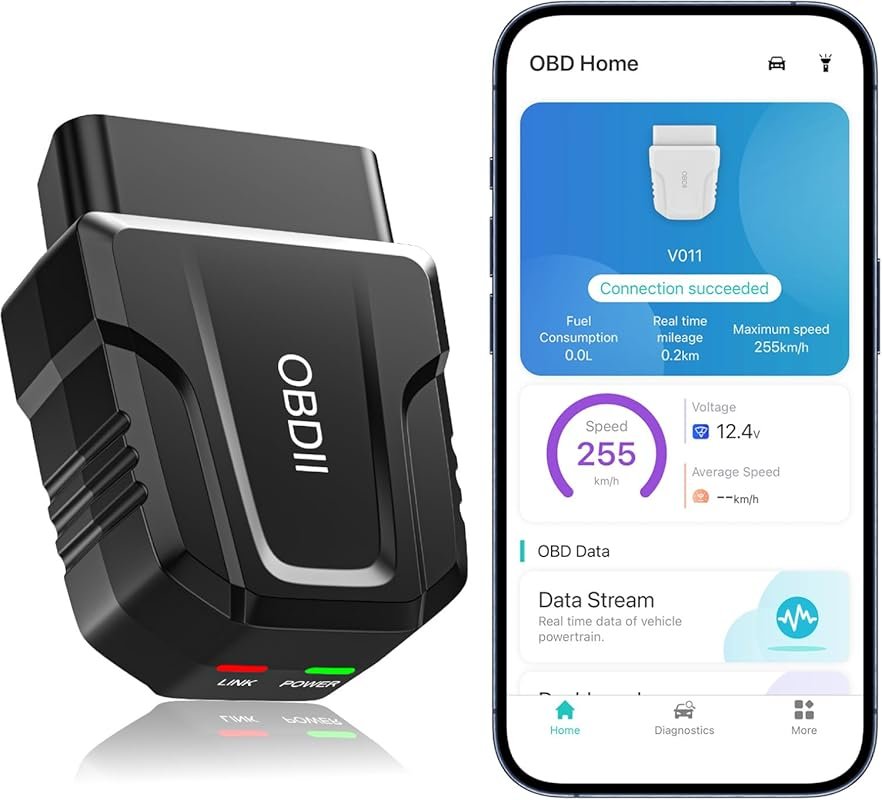 Best Overall
Bluetooth 5.4 OBD2 Scanner for iOS/Android Cars & Trucks, Live Data, Check Engine Codes, Performance Tests
It offers the strongest all-around mix of fit, value, and practical daily use for Volvo owners.
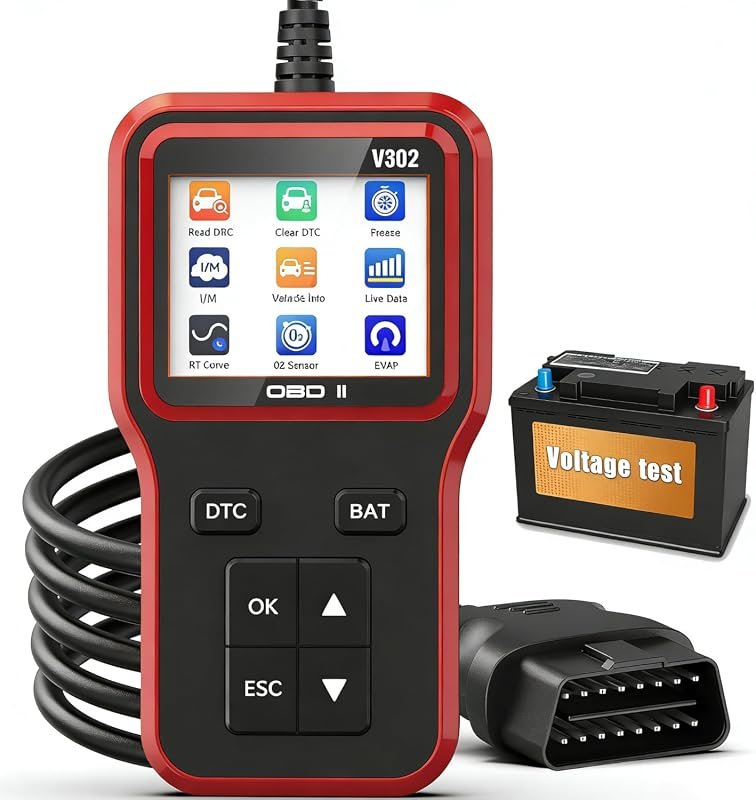 Best Value
OBD2 Scanner with Battery Tester, Plug-and-Play Code Reader for Check Engine, All 1996+ OBDII Vehicles
It makes sense for owners who want a useful upgrade without paying more than necessary.
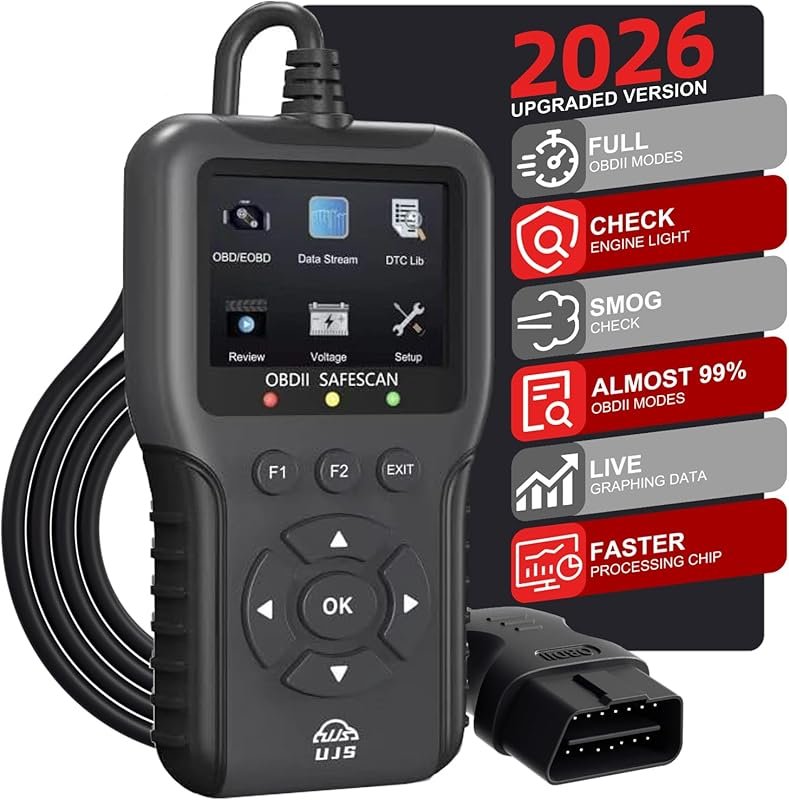 Best Premium Option
2026 Enhanced OBD2 Scanner, 65,000+ Codes, Live Data, I/M Readiness, Battery Voltage, Read/Clear for 1996+ OBDII Vehicles
It is the pick I would compare first if build quality, features, and long-term ownership value matter most.
Author

Author

Evans Torres
I’m Evans Torres, an automotive engineer who loves Volvo cars. I graduated in Automotive Engineering from USC. I have worked in the car industry for years and now share my knowledge on The Volvo Life. I started this blog to connect with other Volvo fans. I offer tips, news, and advice to help you care for your car. My goal is to help you keep your Volvo in great shape and find all the best things about it. Join me as we discover everything Volvo has to offer!