


The Volvo XC90 has been a popular SUV since its introduction in 2003, known for its safety features and spacious interior. Part of its appeal is the audio system, which has evolved over the years to include various connectivity options, including aux input.
Using an aux cord in your Volvo XC90 allows for easy audio connectivity from devices. This guide explains how to use an aux cord in Volvo XC90, covering steps to connect, model variations, and troubleshooting tips.
- Understanding the Aux Cord Functionality: The Volvo XC90 has been a popular SUV since its introduction in 2003, known.
- How to Use an Aux: Connecting an aux cord is a straightforward process that enhances your driving experience by.
- Model Year Variations: Which XC90s: The Volvo XC90 has had aux input capabilities since its first generation, which began.
- Common Issues When Using an: While using an aux cord is generally straightforward, you may encounter some common issues..
- Comparing Aux Cord Usage with: While an aux cord provides a reliable way to connect audio devices, the Volvo.
Understanding the Aux Cord Functionality in the Volvo XC90
The Volvo XC90 has been a popular SUV since its introduction in 2003, known for its safety features and spacious interior.
Part of its appeal is the audio system, which has evolved over the years to include various connectivity options, including aux input.
An aux cord allows drivers and passengers to play music from smartphones or other devices directly through the vehicle’s sound system.
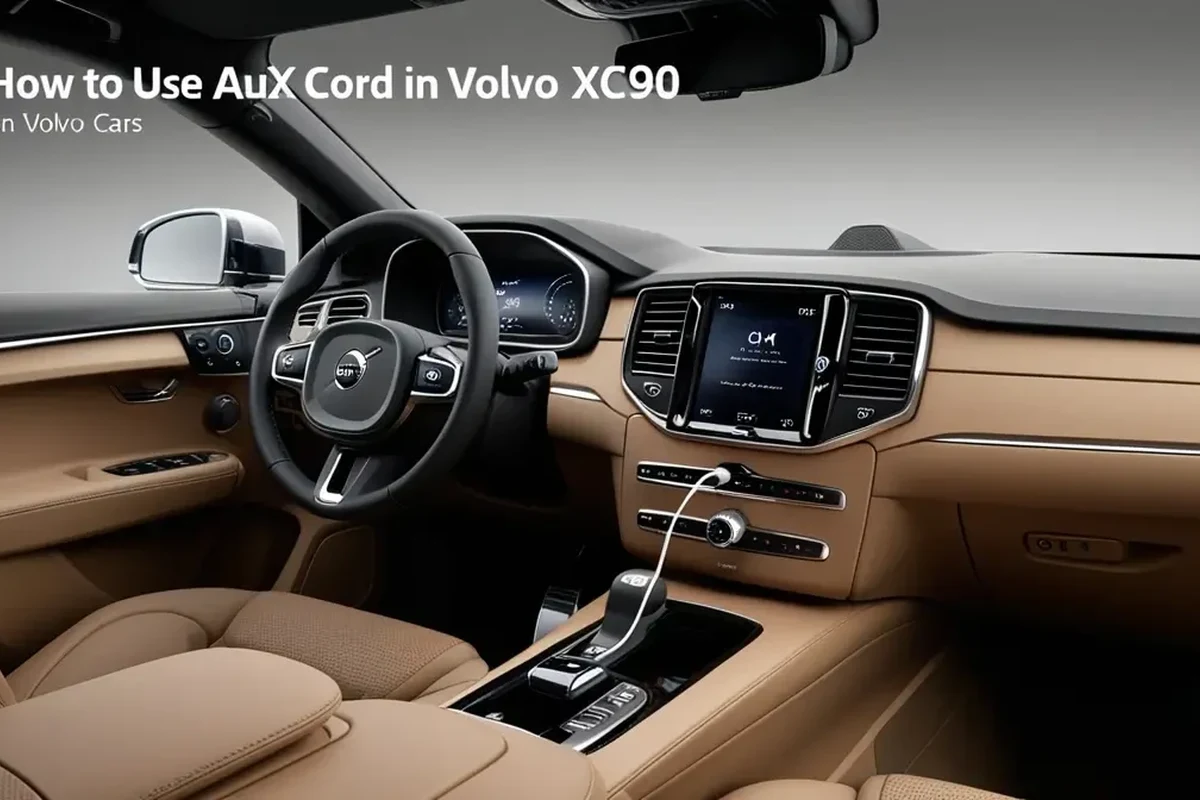
Overview of the Volvo XC90 and Its Audio System
The XC90 has undergone several generations, each bringing improvements in technology and features. The audio systems range from basic setups to premium options like Bowers & Wilkins, depending on the trim and model year. For related context, read how to put volvo xc90 in neutral with dead battery.
Understanding your specific model’s audio capabilities is essential for maximizing your listening experience.
Volvo specifications, features, and equipment can differ by model year, market, and trim, so a detail that is true for one car may not apply to another.
How to Use an Aux Cord in Your Volvo XC90
Connecting an aux cord is a straightforward process that enhances your driving experience by allowing you to enjoy your favorite music or podcasts. Here’s a step-by-step guide to using an aux cord in your Volvo XC90. You can also use how to replace battery in volvo xc90 key fob as the next practical guide.
Step-by-Step Guide to Connecting Your Aux Cord
- Locate the Aux Input
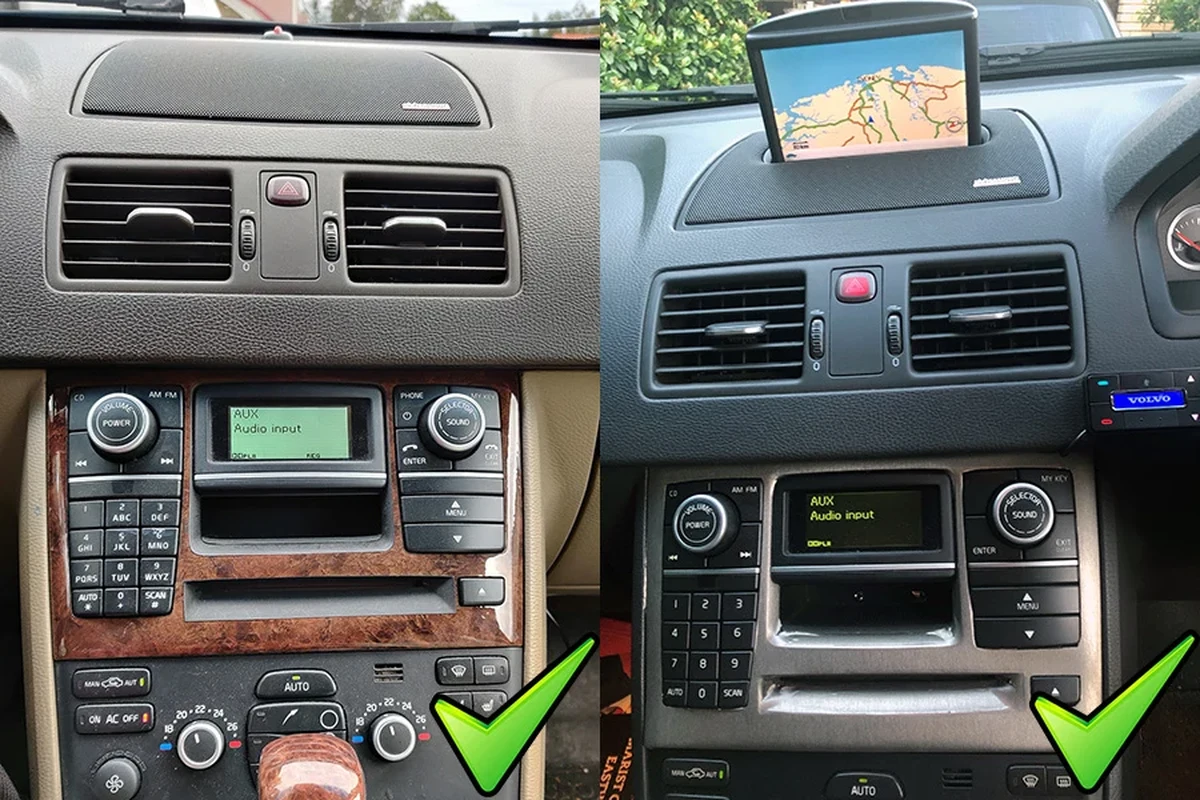
In most Volvo XC90 models, the aux input is located in the center console or the glove compartment. Check your owner’s manual for the exact location for your model year. For official guidance on this, see Volvo Cars official website.
- Connect the Aux Cord to Your Device
Plug one end of the aux cord into your device and the other end into the XC90’s aux input. Ensure both connections are secure.
- Select the Aux Source in the Audio System
Turn on the vehicle’s audio system and select the “Aux” source using the infotainment controls. The system may automatically switch to this source once a device is connected.
- Adjust Volume and Settings
Once connected, adjust the volume on both your device and the vehicle’s audio system to your preference. You may also need to navigate to your music app to start playback.
Model Year Variations: Which XC90s Support Aux Connectivity?
The Volvo XC90 has had aux input capabilities since its first generation, which began in 2003. However, the availability and functionality of the aux input can vary across different model years and trims.
From 2003 to 2014, the aux input was standard in many models. In 2015, with the introduction of the second generation (SPA platform), the audio system was enhanced, and some trims may have shifted more towards Bluetooth and USB connections. For official guidance on this, see NHTSA recall lookup by VIN.
It’s important to verify your specific model year and trim to ensure aux compatibility. For related context, read how to turn off time for regular maintenance volvo xc90.
Check the exact model year, trim, engine, and market, because Volvo changes equipment and specifications between years and regions.
Common Issues When Using an Aux Cord
While using an aux cord is generally straightforward, you may encounter some common issues. Below are troubleshooting tips to help resolve these problems. You can also use how to change battery in 2017 volvo xc90 key fob as the next practical guide.
Troubleshooting Tips for Your Volvo XC90
- Sound Quality Issues: If the sound is distorted or low, check the connection points on both your device and the vehicle. Ensure the aux cord is not damaged.
- No Sound: Confirm that the audio source is set to “Aux” and that your device is playing audio. Try reconnecting the aux cord.
- Device Compatibility: Ensure that your device’s audio format is compatible with the XC90’s audio system. Some older models may have limitations.
- Intermittent Connection: This may indicate a faulty aux cord. Try using a different aux cord to see if the problem persists.
- Use the VIN decoder or window sticker to confirm what a specific car has.
- Compare specifications from the same source and market.
- Check which features were options rather than standard.
Comparing Aux Cord Usage with Other Audio Options in the XC90
While an aux cord provides a reliable way to connect audio devices, the Volvo XC90 also offers Bluetooth and USB connectivity. Each option has its advantages and disadvantages.
Bluetooth: Wireless convenience without the need for cords. However, it may introduce slight latency or audio quality loss compared to an aux connection. USB: Allows for charging while playing audio and often supports a wider range of audio formats. However, it typically requires a compatible device and specific cable. Aux Cord: Simple and effective for direct audio playback. The downside is that it requires a physical connection, which can be less convenient. For related context, read how to change battery in 2019 volvo xc90 key fob.
Understanding the Audio Systems in Different XC90 Trims
The XC90 offers a variety of audio systems depending on the trim level. Base models often come with standard sound systems, while higher trims may feature premium systems like Harman Kardon or Bowers & Wilkins.
These premium systems usually include additional features such as enhanced speakers, subwoofers, and advanced audio processing capabilities, making them ideal for audiophiles. Knowing which system you have can help you better understand your aux cord’s performance. You can also use how to turn off start stop in volvo xc90 as the next practical guide.
Volvo XC90 owners looking to enhance their audio experience.
Volvo XC90 models from 2003 to present.
If you prefer wireless connectivity options like Bluetooth.
How to Use Aux Cord in Volvo XC90 for Seamless Audio
Connecting an aux cord in your Volvo XC90 is a straightforward process that enhances your audio experience by allowing you to play music directly from your devices.
To get started, locate the aux input, plug in your device, select the “Aux” source on the audio system, and adjust the volume to your liking. For related context, read how to use a professional car scanner for volvo vehicles.
- Locate the aux input in the center console or glove compartment.
- Ensure both ends of the aux cord are securely connected to your device and the vehicle.
- Select the “Aux” source on the audio system to start playback.
This guide on how to use aux cord in volvo xc90 is general information. Rules, fees, rents, salaries, service coverage, product details, and procedures can change, so confirm important points with the manufacturer, retailer, or official app documentation before acting.
Common Questions
In most Volvo XC90 models, the aux input is located in the center console or the glove compartment. For the exact location, it’s best to consult your owner’s manual specific to your model year.
To connect your device, plug one end of the aux cord into your device and the other end into the XC90’s aux input. Then, turn on the audio system and select the “Aux” source using the infotainment controls.
The Volvo XC90 has supported aux input capabilities since its first generation in 2003. However, availability and functionality can vary, especially with the introduction of the second generation in 2015, where some trims favored Bluetooth and USB connections.
Common issues include sound quality problems, no sound, device compatibility issues, or an intermittent connection. Troubleshooting steps include checking connections, ensuring the audio source is set to “Aux,” and testing with a different aux cord if needed.
An aux cord provides a reliable connection for direct audio playback but requires a physical connection. In contrast, Bluetooth offers wireless convenience, while USB allows for charging and often supports a wider range of audio formats.
The XC90 audio systems vary by trim level, with base models featuring standard setups and higher trims offering premium systems like Harman Kardon or Bowers & Wilkins. Knowing your system can help you understand how well the aux cord will perform in terms of sound quality.
Putting It All Together
Using an aux cord in your Volvo XC90 is a great way to enjoy your favorite tunes while driving. By following the simple steps outlined above, you can easily connect your device and troubleshoot any common issues that arise.
To check your specific model’s compatibility and audio system features to enhance your experience. You can also use how to use volvo app to start car as the next practical guide.
Author

💡 Evans Torres Tip: On every Volvo I have owned, I always keep a full digital service record from day one. When something goes wrong — and eventually something always does — having that history makes diagnosis faster and often saves money at the mechanic. Start your records today, even if the car is not new.