



Which scanner for Volvo XC60? The iCarsoft VOL II is the best value for most owners, reading engine, ABS, SRS, CEM and more on 2009–2024 models. Need faster scans and more service functions? The Autel MaxiCOM MK808 is a powerful step up that covers nearly all Volvo modules.
XC60 ownership spans two generations: 2009–2017 (P3 platform) and 2018+ (SPA platform). Generic readers only pull engine codes, while many real faults live in ABS, SRS, TCM, or CEM. This connects closely with is scanner for Volvo XC90 if you want to compare the topic in more detail.
This guide names the best scanner for everyday XC60 diagnostics, shows proven alternatives by budget, and explains model-year compatibility so you buy once and use it for years. For a deeper model-specific overview, see our XC60 scanner guide.
- Main point: iCarsoft VOL II is the best-value scanner for reading all key XC60 modules (2009–2024).
- Best first step: Confirm your XC60 generation (2009–2017 P3 vs 2018+ SPA) to avoid buying an incompatible tool.
- Cost or value: Expect $120–$170 for mid-range (all-module) tools; $400–$550 for pro tablets with faster scans.
- Who it suits: DIY owners benefit most from iCarsoft/Foxwell; shops prefer Autel/Launch for service functions.
- When to get help: Coding/programming and software updates require VIDA/Dealer-level tools, not consumer scanners.
Why Generic OBD2 Scanners Fail on the Volvo XC60
Standard OBD2 readers (including ELM327 Bluetooth dongles) can only access the engine control module. Volvo logs many faults in other modules — ABS, SRS (airbag), TCM (transmission), CEM (central electronics), BCM, and SAS — which generic tools simply cannot see. For related context, you may also want to read which scanner icarsoft for Volvo S80 2002.
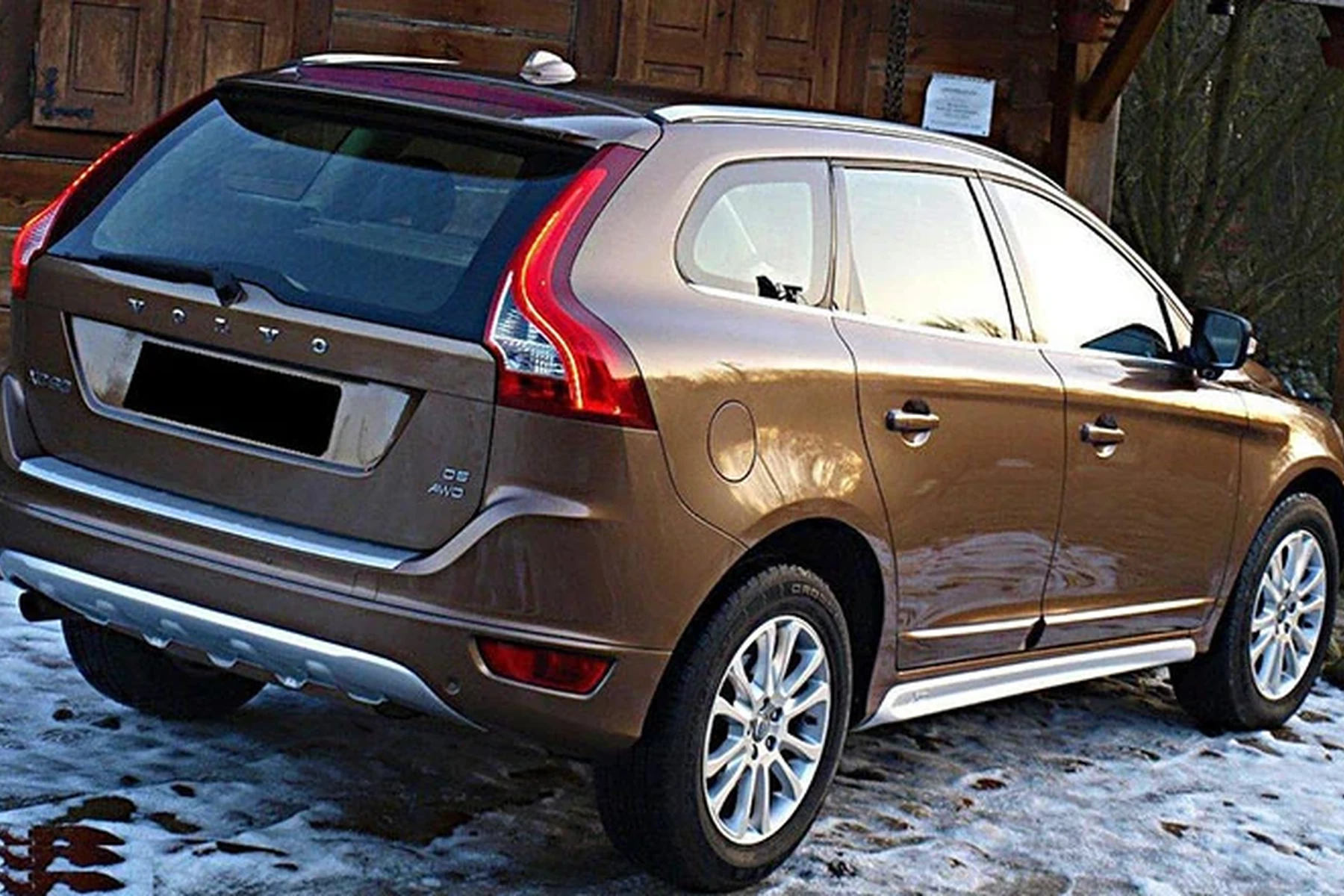
That’s why a $30 code reader often shows “no codes” while multiple warning lights stay on. Volvo-capable scanners speak the extra protocols and read each module individually, which is what you need to diagnose modern XC60s accurately.
An XC60 can easily log 8–12 separate module fault codes for a single dashboard message. Reading only the engine module misses the root cause in over half of cases we see on SPA-platform cars.
Owners moving from generic readers to a Volvo-specific tool usually resolve issues faster, avoid unnecessary parts, and can reset service reminders properly after maintenance.
Before buying, verify the scanner’s Volvo module list includes ABS, SRS, CEM and TCM for your exact XC60 year. “Volvo compatible” on the box does not guarantee full-module access.
Top Scanners for Volvo XC60 — Comparison Table
Here are the best picks by budget and capability. The quick comparison highlights price, whether they truly read Volvo modules beyond the engine, and our verdict for XC60 owners.
If you only need to read and clear a Check Engine Light, a budget reader works. For real Volvo diagnostics, choose a mid-range or pro option below.
| Scanner | Price | Volvo coverage & years | Verdict |
|---|---|---|---|
| ELM327 + app (OBD Fusion/Torque) | $15–$30 | Engine-only, 1996–2024 | Budget live data; not for Volvo modules |
| Ancel VOD700 | $60–$80 | Engine-only, 2009–2024 | Basic CEL tool; limited for XC60 |
| iCarsoft VOL II | $130–$170 | Reads most Volvo modules, 2009–2024 | Best value for XC60 DIY owners |
| Foxwell NT530 (Volvo software) | $180–$220 | Broad Volvo module access, 1999–2024 | Strong mid-tier; solid service resets |
| Autel MaxiCOM MK808 | $400–$550 | All-module + service functions, 1996–2024 | Fast scans; pro-level coverage |
| Launch X431 (CRP919E/PRO Mini) | $450–$800 | All-module + bi-directional tests, 1996–2024 | Advanced functions for frequent users |
| VIDA/DiCE (factory) | $200–$600+ HW + sub | Dealer-level (VIDA ≤2014, PTT ≥2015) | Factory tool; complex, not a casual pick |
Wants to read/clear ABS, SRS, and CEM faults at home and reset the XC60 service light after oil changes.
Needs faster full-module scans and service/adaptation functions across multiple Volvo model years.
Maintains several XC60s; prefers tablet tools with reporting and quick health checks.
XC60 Model‑Year Compatibility: 2009–2017 vs 2018+ SPA
XC60 coverage splits cleanly at the 2018 redesign. Most mid-tier scanners work on both generations, but some older handhelds require an update for SPA models and PHEVs.

Use this grid to confirm support for your XC60 before you buy, including the Recharge PHEV variant.
| Scanner | 2009–2017 (P3) | 2018+ (SPA) | XC60 Recharge (PHEV) |
|---|---|---|---|
| ELM327 + app | Engine-only | Engine-only | Engine-only |
| Ancel VOD700 | Engine-only | Engine-only | Engine-only |
| iCarsoft VOL II | Yes (modules) | Yes (modules, needs latest update) | Yes (12V systems; not HV battery) |
| Foxwell NT530 | Yes (modules) | Yes (modules) | Yes (12V systems; not HV battery) |
| Autel MK808 | Yes (full) | Yes (full) | Yes (12V/PHEV service functions vary by year) |
| Launch X431 | Yes (full) | Yes (full) | Yes (advanced functions vary) |
For a model-focused walk-through of compatible tools and what each can do on the XC60, check our hands-on notes in OBD scanner for Volvo XC60.
Reading codes is safe. Avoid clearing SRS (airbag) faults until the physical issue is fixed — erasing active SRS faults can disable the system in a crash.
What You Can Actually Do With Each Tier
Pick capability based on how deep you plan to go. The jump from budget to mid-tier is the difference between guessing and diagnosing on a Volvo.
- Budget (ELM327/Ancel): Read/clear Check Engine Light, basic live data, emissions readiness. No access to Volvo modules.
- Mid‑range (iCarsoft VOL II, Foxwell NT530): Read/clear ECM, TCM, ABS, SRS, CEM and more; service reset; SAS/EPB resets on many years; good live data.
- Advanced (Autel MK808, Launch X431): All of the above plus faster auto-scan, component tests, more adaptations and maintenance functions across model years.
- Factory (VIDA/PTT with DiCE/VOCOM): Full dealer functions, coding, and software — best left to shops due to setup complexity and licensing.
- Confirm XC60 year and platform (VIN 10th digit) before ordering — 2018+ SPA needs up-to-date software in the scanner.
- Update the scanner’s Volvo software immediately after purchase to ensure SPA/PHEV coverage.
- Save a full module scan report before clearing anything — it’s your roadmap if a code returns.
- iPhone users: prefer scanners with native iOS apps or standalone handhelds; see our notes in XC60 iOS/compatibility FAQs.
Where to Buy Scanners for a Volvo XC60
Buy from official brand stores or authorized Amazon sellers for warranty and clean update paths. Brand-direct (iCarsoft, Autel, Foxwell) is often the safest route for update eligibility and support.
eBay can work for new units from verified sellers, but avoid “open box” or unlabeled imports. Counterfeit handhelds are common and usually fail to connect to Volvo modules.
Clone scanners look identical to real units but often can’t read Volvo SRS/ABS modules or accept software updates. If the price is far below the brand’s site, assume it’s a clone.
Still unsure whether a scanner is worth it for your XC60 maintenance routine? Our quick take covers the payoff in Is a scanner for Volvo XC60 worth it?
How To Choose the Right Scanner for a Volvo XC60
Choosing gets easy once you match your model year and the work you plan to do. Start with platform (P3 vs SPA), then decide whether you just want engine code reads or full-module Volvo diagnostics and service functions.
- Identify your XC60 year/platform: 2009–2017 (P3) or 2018+ (SPA). PHEV adds some service nuances.
- Decide capability: Engine-only (budget) vs. full-module Volvo access (mid-tier) vs. advanced service/adaptations (pro tablet).
- Pick a model: Budget = Ancel VOD700; Mid-tier = iCarsoft VOL II or Foxwell NT530; Pro = Autel MK808 or Launch X431.
- Check updates/support: Ensure active Volvo software updates for SPA/PHEV coverage.
- Buy authorized: Choose brand-direct or authorized Amazon to avoid clones and ensure warranty.
I cover pro-level usage and workflow, including full-module scans and reporting, in our hands-on tutorial: How to use a professional car scanner for Volvo vehicles.
Once you’ve matched platform and capability, you’ll avoid misbuys and get a tool that lasts multiple service cycles.
💡 Evans Torres Tip: I keep an iCarsoft VOL II in my XC60 and run a full scan before any weekend work. Twice now it pointed me to a wheel speed sensor that a generic reader completely missed. Save the scan report to your phone, fix the fault, then clear codes — that sequence saves time and prevents guesswork.
Frequently Asked Questions
These quick answers focus on real XC60 ownership: model‑year picks, service resets, iPhone/Bluetooth use, and what a DIY scanner can and can’t do compared with dealer tools.
What’s the best overall scanner for a Volvo XC60?
For most owners, the iCarsoft VOL II is the best value. It reads key Volvo modules (ECM, ABS, SRS, CEM, TCM), performs service resets, and supports both 2009–2017 and 2018+ XC60s with current software. If you want faster scans and broader service functions, consider the Autel MK808.
Which scanner works best on a 2018+ SPA-platform XC60?
The Autel MaxiCOM MK808 and Launch X431 lines handle SPA models very well, with quick auto-scans and solid service/adaptation coverage. The Foxwell NT530 and iCarsoft VOL II also work, provided you install the latest Volvo updates before first use.
Can these scanners reset my XC60 service reminder and EPB?
Yes on mid-tier and above. iCarsoft VOL II and Foxwell NT530 can reset the oil/service light and handle EPB/steering angle resets on many XC60 years. Autel/Launch add more maintenance functions. Budget ELM327 tools typically cannot access those Volvo routines.
Will a scanner clear my XC60 airbag (SRS) light?
Good Volvo-capable scanners can read and clear SRS codes, but only after the underlying fault (e.g., seat connector, clock spring) is fixed. Clearing active SRS faults without repair is risky and the light will usually return quickly.
Do these scanners work with iPhone?
Handhelds like iCarsoft VOL II or Foxwell NT530 don’t require a phone. For app-based readers, verify iOS compatibility — many Bluetooth dongles support iPhone via OBD Fusion or the brand app. See our XC60-specific notes in XC60 iPhone compatibility.
Is VIDA/DiCE better than consumer scanners for an XC60?
VIDA (≤2014) and PTT (≥2015) with DiCE/VOCOM provide dealer-level access, coding, and software updates. They’re powerful but complex and subscription-bound. Most DIY owners get everything they need from mid-tier or pro tablet scanners without the setup overhead.
Where should I buy to avoid counterfeit scanners?
Purchase from the brand’s official website or its authorized Amazon store. Avoid listings with no brand warranty, unusual packaging, or big under-MSRP pricing. Counterfeits often fail on Volvo module access and can’t accept software updates.
Final Verdict
For a single, dependable pick, choose the iCarsoft VOL II — it reads the modules that matter on XC60s from 2009 to current and pays for itself the first time you skip a diagnostic visit.
Owners who want speed and deeper service routines should step up to the Autel MK808. Confirm your model year, update the tool on day one, and always save a full scan before clearing codes.
Programming or software updates remain dealer/VIDA territory; for everything else, a good XC60‑capable scanner will handle it at home.
Author

Author

Evans Torres
I’m Evans Torres, an automotive engineer who loves Volvo cars. I graduated in Automotive Engineering from USC. I have worked in the car industry for years and now share my knowledge on The Volvo Life. I started this blog to connect with other Volvo fans. I offer tips, news, and advice to help you care for your car. My goal is to help you keep your Volvo in great shape and find all the best things about it. Join me as we discover everything Volvo has to offer!