



Would scanner for Volvo XC90 work — yes, as long as you choose a Volvo-capable OBD2 scanner (e.g., iCarsoft VOL II, Foxwell NT530, or Autel MK808). Generic $20–$30 ELM327 readers only see engine codes and miss ABS, SRS, and CEM faults. For 2015+ SPA XC90s, confirm UDS protocol support.
Many XC90 owners try a cheap OBD dongle, read one generic code, and then discover their ABS or airbag light still won’t show up. Volvo hides most module data behind brand-specific protocols, especially on 2015+ SPA models. You can also use OBD scanner for Volvo XC90 as a helpful next guide on the same ownership topic.
This guide explains exactly what works on the XC90, why generic readers fall short, which scanners to buy by year/trim, how to use them safely, and quick fixes if a tool won’t connect.
- Main point: A Volvo-specific scanner is required to read XC90 modules like ABS, SRS, TCM, CEM; generic readers see engine only.
- Best first step: Confirm your XC90’s year and ensure the scanner supports 2015+ SPA/UDS if applicable.
- Cost or value: $120–$200 mid-range tools (iCarsoft VOL II, Foxwell NT530) offer the best XC90 coverage for the price.
- Who it suits: DIY owners wanting to clear faults after repair and view live data across modules.
- When to get help: Programming/coding, software updates, and key-related tasks require VIDA/DiCE or dealer-level tools.
You want to know if a scanner will read your ABS/SRS or just the engine — here’s what actually works.
You plan to fix and confirm repairs at home with live data and service resets.
You prefer Bluetooth + phone apps and need iPhone compatibility guidance for Volvo modules.
What an OBD2 Scanner Does on a Volvo XC90 and How It Works
An OBD2 scanner reads fault codes and live data via the port under the XC90’s dash (driver’s side, near the knee panel). All U.S.-market cars share engine/emissions access, so any reader can see basic “check engine” (ECM) data. This connects closely with is scanner for Volvo XC90 if you want to compare the topic in more detail.
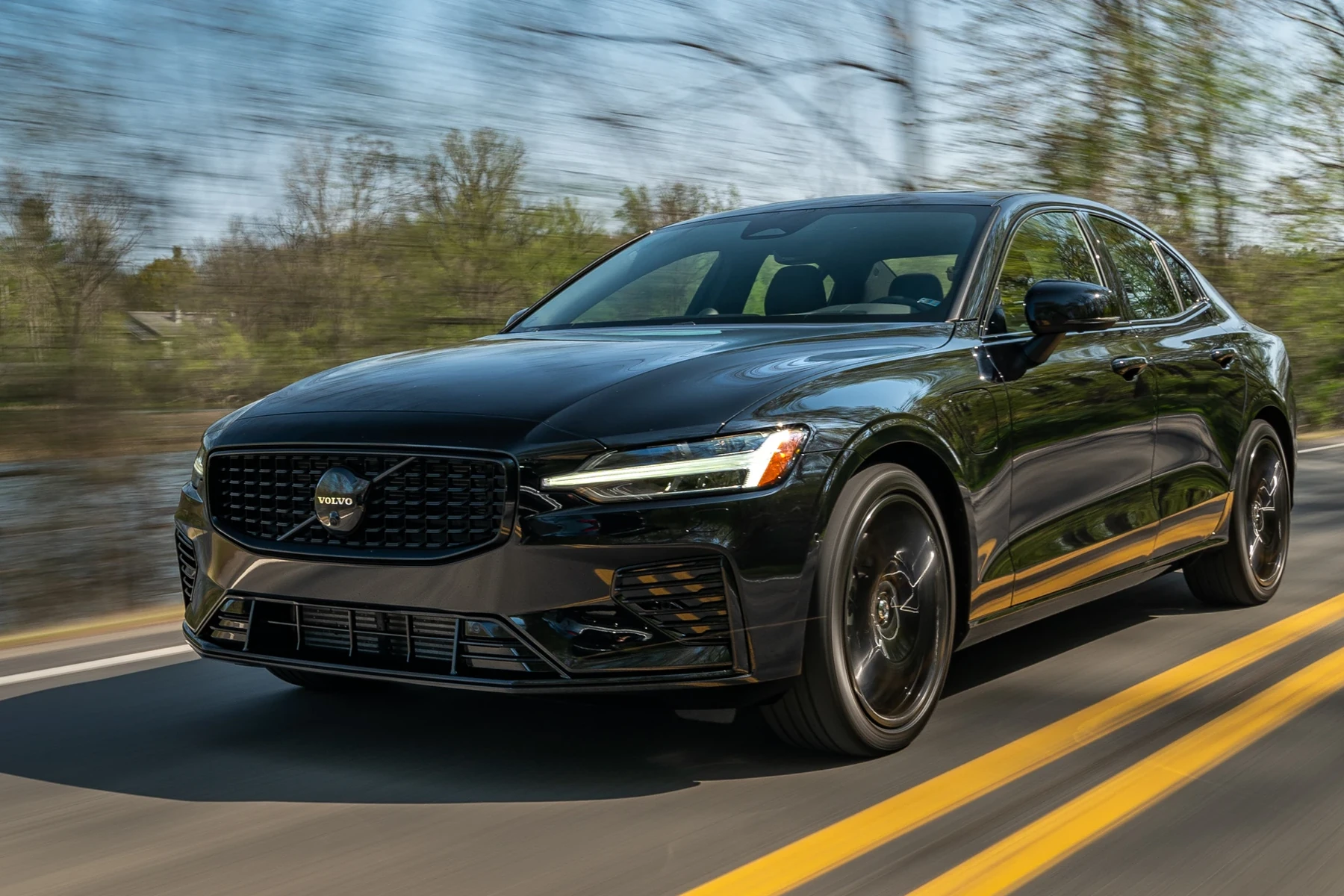
Volvo stores most of the interesting stuff — ABS, SRS (airbags), transmission (TCM), climate, CEM, BCM — in brand-specific modules. You need a Volvo-capable tool to communicate with those modules beyond engine-only data.
For 2015+ XC90 (SPA platform), look for “UDS/DoIP support” in the scanner specs. Without it, the tool may connect to the engine but fail to access other modules.
OBD2 Scanner vs Volvo-Specific Diagnostic Scanner: Which Works on XC90?
Generic OBD2 readers handle only emissions-related data. On an XC90, that means engine codes, readiness monitors, and a few basic PIDs — useful, but limited. Most owner complaints of “scanner doesn’t work on Volvo” trace to this limitation, not a broken tool.
Volvo-capable scanners add access to proprietary modules and services: reading/clearing ABS and SRS codes, viewing live wheel-speed data, resetting the service reminder, steering angle calibration, and sometimes TPMS relearns.
On XC90s, a generic reader can show “no codes” even while the dash displays ABS or airbag lights. Those faults live in separate modules unreachable by basic tools.
Here is a quick comparison you can reference before buying.
Volvo owners typically buy twice when they start with a generic tool; begin with a Volvo-capable scanner to save money and time.
| Capability | Generic OBD2 Reader | Volvo-Capable Scanner |
|---|---|---|
| Engine/Emissions codes | Yes | Yes |
| ABS/SRS/TCM/CEM access | No | Yes |
| Service light reset | Sometimes | Commonly supported |
| Live module data (e.g., wheel speed) | No | Yes |
| Steering angle/TPMS resets | No | Often supported (model/year dependent) |
| 2015+ SPA/UDS coverage | Rare | Listed on supported models |
What a Volvo XC90 Scanner Can Diagnose
A good XC90-compatible scanner will read and clear faults across 8–12 modules. Typical wins include diagnosing ABS wheel sensors, confirming a failing TCM solenoid, or tracking live alternator voltage in the CEM.

It can also reset the service reminder after an oil change, perform basic adaptations on some modules, and provide freeze-frame data to pinpoint intermittent issues.
Here is a practical breakdown of what you can expect a capable scanner to handle.
| System | What it detects | Reset possible? | Scanner tier needed |
|---|---|---|---|
| ECM (Engine) | Misfires, O2/AFR, boost, sensors | Yes (after repair) | Any (basic OK) |
| TCM (Transmission) | Shift solenoids, pressure faults | Yes | Mid-range+ |
| ABS/BCM | Wheel-speed, pump/valve faults | Yes | Mid-range+ |
| SRS (Airbag) | Seatbelt tensioner, sensor faults | Yes (after repair) | Mid-range+ |
| CEM/BCM | Lighting, central electronics | Yes | Mid-range+ |
| Climate (IHU/CCM) | Blend doors, sensor faults | Yes | Mid-range+ |
| TPMS/SAS | Tire sensors, steering angle | Yes (relearn/calibrate) | Mid-range+/Advanced |
Advanced “dealer-level” programming is outside consumer tools; that’s VIDA/DiCE or dealer territory.
Do Volvo OBD2 Scanners Work With All XC90 Model Years?
Yes — with the right coverage. 2003–2014 XC90s use older Volvo protocols many brand-specific handhelds cover well. 2015+ SPA XC90s need scanners that explicitly list SPA/UDS support to access non-engine modules consistently.
Plug-in T8 trims still use a 12V OBD port; you’ll scan like any other XC90, but high-voltage battery programming remains a dealer-level task. For broader coverage beyond the XC90, see our overview of do scanners for Volvo work with all models.
Best Types of Scanner for Volvo XC90 Owners
Basic code reader: reads/clears engine codes only — fine for emissions but blind to ABS/SRS/TCM/CEM. Bluetooth dongles with Volvo-aware apps can be handy, but verify module access before buying.
Handheld Volvo-capable scanners (iCarsoft VOL II, Foxwell NT530) hit the value sweet spot. Prosumer tablets (Autel MK808/Launch X431) add faster performance and more functions at higher cost.
Counterfeit scanners are common. Prices far below MSRP and off-brand packaging are red flags. Clones often fail to connect to Volvo modules or brick after a software update.
Best Scanner Brands for Volvo XC90 — Comparison Table
This table compares popular XC90-capable scanners across price, module coverage, and connectivity. Pick based on your XC90’s model year and the depth of functions you need (live data, resets, adaptations).
| Brand/Model | Price | Volvo modules covered | Bluetooth/App | Verdict |
|---|---|---|---|---|
| iCarsoft VOL II | $140–$180 | ECM/TCM/ABS/SRS/CEM (good) | Handheld (USB updates) | Best value for most XC90 owners |
| Foxwell NT530 (Volvo license) | $170–$220 | Broad Volvo module access | Handheld (USB updates) | Strong mid-tier with solid support |
| Autel MaxiCOM MK808 | $400–$600 | Wide coverage + service functions | WiFi updates (Android tablet) | Prosumer speed and features |
| Topdon Phoenix Lite (or ArtiDiag) | $250–$800 | Good coverage; model-dependent | WiFi updates | Competitive alternative to Autel |
| YOUCANIC Scanner | $200–$350 (subscription) | Good multi-make coverage | App-centric | Convenient if you own multiple brands |
| Generic ELM327 | $15–$40 | Engine only | Bluetooth/WiFi | Use only for basic CEL checks |
For curated picks by budget and year, see our focused OBD2 scanner for Volvo XC90 guide.
XC90-Specific Recommendations by Year and Trim
2003–2014 (P2 platform): iCarsoft VOL II or Foxwell NT530 cover typical ABS/SRS/TCM work well. Pros who need faster graphing and adaptations should consider Autel MK808.
2015+ (SPA): confirm UDS/DoIP in specs. Foxwell NT530 (latest Volvo software) or Autel MK808 are strong options. For T8 Recharge owners, these tools scan 12V-system modules; HV battery tasks remain dealer-level.
Are XC90 Scanners Worth It, Reliable, and Safe?
Yes. A Volvo-capable tool pays for itself after avoiding a single diagnostic visit. Reading codes is safe; the risk lies in clearing SRS/airbag codes without fixing the physical fault — which can hide real problems.
Stick to known brands, keep software updated, and match features to your XC90’s year for reliable results.
Never clear SRS/airbag faults unless you have confirmed the issue is repaired (e.g., replaced a failed seatbelt tensioner). An uncleared underlying fault can compromise crash protection.
Can an XC90 Scanner Work With iPhone and Other Cars?
Most modern scanners support iOS/Android either via a companion app (Bluetooth dongles) or as a self-contained handheld with PC/WiFi updates. Always confirm the app’s iOS version compatibility if you’re iPhone-only.
Cross-brand use varies: mid-tier and prosumer tools often support dozens of makes at module level, while iCarsoft VOL II is Volvo/Saab-focused but reads basic OBD2 on other brands. See our iOS notes in can a scanner for Volvo work with iPhone.
How To Use a Scanner on a Volvo XC90 (Step-by-Step)
A clean first scan saves time. Park safely, stabilize battery voltage (avoid scanning on a dying battery), and record codes before clearing anything. On 2015+ SPA XC90s, select the exact model/year in the tool so it loads the correct Volvo protocol set.
- Locate the port: Sit in the driver’s seat; the OBD2 port is under the dash near your left knee.
- Power the car: Press Start without the brake to turn ignition on (dash lights up) but do not start the engine.
- Connect and select vehicle: Plug in the scanner, choose Volvo → XC90 → correct year/engine, or let auto-detect run.
- Run a full scan: Scan all modules; save fault codes and freeze-frame data before making changes.
- Review and act: Check live data to confirm faults, perform repairs, then clear codes and re-scan to verify.
- Charge or maintain the 12V battery above 12.4V while scanning long sessions.
- Update scanner firmware before first use — many add SPA/UDS fixes.
- Save a PDF/CSV of your scan; it helps track intermittent faults.
- On Bluetooth tools, pair inside the app the tool recommends, not just the phone’s settings.
Why Your XC90 Scanner Might Not Work (and Quick Fixes)
Most connection failures are simple: the ignition isn’t in the right state, the app is wrong for the dongle, or the scanner lacks Volvo SPA coverage. Less commonly, the OBD fuse is blown or a clone device won’t update firmware.
- Wrong ignition mode: Ensure ignition on (dash lit), engine off for stable data.
- App mismatch: Use the brand’s app (some dongles won’t work with Torque/OBD Fusion).
- No SPA/UDS support: Update software or choose a tool that lists 2015+ XC90 explicitly.
- OBD fuse: Check/replace the OBD/cigar-lighter fuse if the tool won’t power.
- Clone device: Counterfeits often pair but fail under load or after updates.
Buying Guide: Which XC90 Scanner Should You Choose?
Basic owner who wants CEL-only: use a cheap reader, but expect engine-only results. DIYer who wants real-module access: iCarsoft VOL II or Foxwell NT530 are the best value. Prosumer power-users: Autel MK808 or Launch X431.
Need picks tailored to budget and year? Our dedicated OBD2 scanner for Volvo XC90 page lists ready-to-buy options and updates.
For programming or software updates, explore Volvo’s official VIDA/Tech Info portal for licensed access: volvotechinfo.com.
Common Mistakes to Avoid and When to See a Mechanic
Don’t clear SRS/ABS codes to “see if they come back” — fix first, then clear. Don’t assume Bluetooth = full Volvo coverage; check supported modules. Avoid clones; they waste time and can corrupt updates.
See a Volvo specialist if you face repeated module communication errors, immobilizer/key faults, or any coding/programming tasks the tool doesn’t support.
Before we wrap up, here’s a quick personal note you can apply right away.
💡 Evans Torres Tip: I use an iCarsoft VOL II on my XC90 and always run a full vehicle scan before touching anything. Saving the initial report has paid off more than once — an intermittent ABS sensor showed a sporadic dropout I would’ve missed. I also keep the scanner’s software updated; one update added better support for 2016+ SPA modules.
Frequently Asked Questions
XC90 owners usually ask about cheap reader limitations, the best tool per model year, iPhone/Bluetooth reliability, and whether they can reset service or SRS lights safely. These answers cut through the confusion so you can pick and use a scanner with confidence.
Will a cheap OBD2 scanner work on a Volvo XC90?
It will read and clear engine/emissions codes, but it won’t access ABS, SRS, transmission, or CEM modules. That’s why many owners think their scanner “doesn’t work” on Volvo. For real XC90 diagnostics, use a Volvo-capable tool like iCarsoft VOL II, Foxwell NT530, or a prosumer tablet such as the Autel MK808.
What’s the best scanner for a 2015+ SPA-platform XC90?
Choose a tool that explicitly lists SPA/UDS/DoIP support. The Foxwell NT530 with current Volvo software and the Autel MK808 both perform well on 2015+ XC90s. Always update the scanner before first use to ensure the latest Volvo protocol coverage and bug fixes.
Can I use an iPhone with a Volvo scanner?
Yes, if you pick a Bluetooth/WiFi dongle whose app supports iOS, or a handheld unit that’s app-agnostic. Always confirm the specific app’s iOS version support. For details on iPhone compatibility and app options, see our guide on scanners that work with iPhone.
Can a scanner reset the XC90 service reminder and EPB?
Most mid-tier Volvo-capable tools can reset the service reminder. EPB (rear brake) service mode and steering angle calibration are supported on some models/years — check the scanner’s function list. If the tool can’t perform a needed reset, a Volvo specialist or VIDA/DiCE can.
Why won’t my scanner connect to my XC90?
Common causes include ignition not in the right mode, the wrong app for the dongle, missing SPA/UDS support, a blown OBD fuse, or clone hardware. Try turning ignition on (engine off), updating firmware, and verifying model-year coverage. If power is dead at the port, check the OBD/cigar-lighter fuse.
Will the same scanner work on other cars in my garage?
Usually at a basic level. Mid-tier tools like Autel MK808 often offer full-brand coverage for many makes, while iCarsoft VOL II is Volvo/Saab-focused but reads generic OBD2 on others. Verify your other brands before buying if cross-compatibility matters to you.
Where should I buy to avoid counterfeit scanners?
Buy from the brand’s official store or an authorized Amazon seller. Be skeptical of big discounts and generic packaging. Clones commonly fail to connect to Volvo-specific modules or break during updates. When in doubt, check the manufacturer’s authorized reseller list first.
Final Verdict
A scanner will work on the Volvo XC90 — provided it’s Volvo-capable. For most owners, iCarsoft VOL II or Foxwell NT530 deliver the best blend of coverage and price, while Autel MK808 suits prosumer needs.
Match the tool to your XC90’s year (UDS for 2015+), update firmware before use, run a full scan, and save results. For coding or programming, book a Volvo specialist or dealer-level VIDA session.
Author

Author

Evans Torres
I’m Evans Torres, an automotive engineer who loves Volvo cars. I graduated in Automotive Engineering from USC. I have worked in the car industry for years and now share my knowledge on The Volvo Life. I started this blog to connect with other Volvo fans. I offer tips, news, and advice to help you care for your car. My goal is to help you keep your Volvo in great shape and find all the best things about it. Join me as we discover everything Volvo has to offer!