



Why scanner for Volvo S60? Pick a Volvo-capable OBD2 tool like the iCarsoft VOL II to read SRS, ABS, and CEM modules that $30 readers miss. For deeper functions on 2019+ S60, Autel MK808S is the best value mid-pro pick. Both beat engine-only code readers.
Warning lights, intermittent misfires, or a stubborn “Service” reminder on an S60 get solved faster with the right scanner. Generic readers only talk to the engine; many Volvo faults live in other modules. For related context, you may also want to read is scanner for Volvo XC60.
This guide explains what a Volvo S60-compatible scanner does, which brands work best by model year, how to use one, and how to avoid clone tools that can’t see Volvo-specific systems. This connects closely with is scanner for Volvo XC90 if you want to compare the topic in more detail.
- Main point: A Volvo-capable scanner reads SRS/ABS/TCM/CEM on the S60 — generic tools usually see engine only.
- Best first step: For most S60 owners, start with iCarsoft VOL II; go Autel MK808S if you want adaptations and wider brand coverage.
- Cost or value: Expect $120–$180 for solid DIY coverage; $450–$800 for advanced shop‑level tablets.
- Who it suits: DIY owners, used‑car buyers, and indie shops servicing S60s weekly.
- When to get help: Module programming, key coding, or persistent SRS faults require VIDA/DiCE and a Volvo specialist.
You want to read all modules, reset the service light, and clear codes after repairs at home.
Pre-purchase scans of SRS, ABS, and transmission history stop you from inheriting hidden faults.
Need fast Volvo coverage for 2001–2024 S60s without paying dealer subscription costs.
What an OBD2 Scanner for the Volvo S60 Is and How It Works
An OBD2 scanner plugs into the S60’s diagnostic port to read fault codes and live data. All scanners see emission-related engine data; Volvo-capable units also access SRS (airbag), ABS, TCM (transmission), CEM, BCM, SAS, climate, and TPMS modules. You can also use do scanner for Volvo exist as a helpful next guide on the same ownership topic.

Volvo-specific access matters because many S60 warnings never trigger a check‑engine light. A proper tool can run a full vehicle scan, store reports, and guide your next repair step.
On many S60s, a failed steering angle sensor lights up DSTC/ABS with no engine code at all. Only a Volvo-capable scanner can read and calibrate SAS values to clear the fault for good.
OBD2 vs Volvo-Specific on the S60 — Why It Matters
Generic ELM327 dongles and $30 readers typically talk only to the engine ECU. That’s fine for a simple P0301 misfire. But S60 problems often involve SRS, ABS, or CEM — modules a basic reader can’t see, so you’ll miss the real fault.
Volvo-capable tools speak extra protocols and know S60 module maps. That unlocks functions like service reset, EPB maintenance mode (where supported), SAS reset, and full-module fault scans.
Before buying, verify explicit S60 coverage by model year (2001–2009 P2, 2011–2018 P3, 2019+ SPA). “Volvo compatible” alone isn’t enough — newer SPA cars use UDS messaging many budget tools don’t handle well.
Here is a summary of the key differences you’ll notice immediately on an S60.
Choose based on what you need to diagnose; ABS/SRS and service tasks require a Volvo-capable unit for reliable results.
| Function | Generic OBD2 | Volvo‑Specific Scanner | Impact on S60 |
|---|---|---|---|
| Engine codes/live data | Yes | Yes | Both work for basic CEL issues |
| ABS/SRS/TCM/CEM access | No | Yes | Required for most S60 warning lights |
| Service light reset | Usually no | Yes | Reset after DIY oil change |
| EPB/parking brake service | No | Some support | Needed for rear brake jobs on later S60s |
| Steering angle (SAS) reset | No | Yes (mid/pro) | Fixes DSTC/traction warnings |
| Battery/charging data | Limited | Module-specific | Faster diagnosis of charging complaints |
| Coding/programming | No | Limited (pro) | Advanced tasks still need VIDA/DiCE |
What a Volvo S60 Scanner Can Diagnose
A good S60 scanner finds stored and pending faults across all major systems, shows live sensors (wheel speed, O2, MAF, temp), and performs basic service functions. This reduces guesswork, parts darts, and repeated shop visits.

Use the grid below to match your task to the scanner tier needed. “Reset possible?” assumes the underlying fault is physically fixed.
| System | What it detects | Reset possible? | Scanner tier |
|---|---|---|---|
| Engine (ECM) | Misfires, O2/MAF faults, evap leaks | Yes | Any (basic OK) |
| Transmission (TCM) | Shift solenoid faults, temp, adapts | Yes (after fix) | Mid/pro |
| ABS/DSTC | Wheel speed sensors, pump faults | Yes | Mid/pro |
| SRS/Airbag | Seatbelt pretensioners, module faults | Yes (after fix) | Mid/pro |
| CEM/BCM | Lighting, central electronics errors | Yes | Mid/pro |
| Climate (CCM) | Blend doors, sensor range issues | Yes | Mid/pro |
| TPMS | Sensor IDs, battery low flags | Yes (some tools) | Mid/pro |
| Service | Maintenance counters | Yes | Mid/pro |
Basic readers solve engine-only issues. For an SRS, ABS, or transmission light on an S60, jump straight to a Volvo-capable mid-tier option.
Will One Scanner Work on All Volvo S60 Years?
Most reputable tools cover 2001–2009 (P2), 2011–2018 (P3), and 2019+ (SPA) S60s, but features vary. Earlier P2 cars use different module messaging than SPA, and some app-based tools struggle on 2019+ cars.
Check the manufacturer’s S60 year list and confirm SPA/UDS support if you own a 2019+ model. For broader context, see our guide on whether Volvo scanners work with all models.
Best Types of Scanner for Volvo S60 Owners
Pick the type that matches your tasks and budget. Engine-only checks can be app-based; full S60 coverage is easier with a dedicated handheld or tablet.
- Basic code reader: Cheapest. Engine-only. Good glovebox backup, not for Volvo modules.
- Bluetooth app dongle: Great live data and logging. Volvo module access depends on brand/app — verify S60 support.
- Handheld Volvo-focused: iCarsoft VOL II / Foxwell NT530 level. Reads most S60 modules, resets service/SAS, best DIY value.
- Pro tablet: Autel MK808S/Topdon Phoenix Lite. Wider functions, faster scans, multi-brand support.
Best Scanner Brands for Volvo S60 — Comparison Table
These models are proven across S60 generations. Prices are typical street pricing in the USA and fluctuate with promos and updates.
| Brand/model | Price | Volvo modules covered | Bluetooth/app | Verdict |
|---|---|---|---|---|
| iCarsoft VOL II | $130–$180 | ECM/TCM/ABS/SRS/CEM/BCM/CCM | Handheld (USB update) | Best DIY value for S60 |
| Foxwell NT530 (Volvo software) | $170–$230 | Similar to iCarsoft; strong ABS/SRS | Handheld | Solid alternative, good build |
| Autel MaxiCOM MK808S | $450–$700 | Broad Volvo coverage + adaptations | Wi‑Fi tablet | Mid‑pro features, fast scanning |
| Topdon ArtiDiag Pro | $350–$550 | All‑system + service functions | Wi‑Fi tablet | Good all-systems value |
| YOUCANIC UCAN‑II | $200–$350 | All‑system on many Volvos | App/tablet | Convenient UI, subscription model |
| Ancel VOD700 | $80–$120 | Partial Volvo coverage | Handheld | Budget step up from generic |
For most S60 owners, iCarsoft VOL II is the right starting point. Move to Autel MK808S if you want faster scans, wider brands, and deeper service menus.
Volvo S60 Model‑Based Scanner Guide
Different S60 generations benefit from slightly different tool choices. Use these quick pointers to match coverage to your car.
- 2001–2009 S60 (P2): iCarsoft VOL II or Foxwell NT530 read SRS/ABS/TCM reliably; confirm CAN/KWP2000 support.
- 2011–2018 S60 (P3): iCarsoft VOL II or NT530 cover the big modules and SAS reset; Autel MK808S speeds up full scans.
- 2019+ S60 (SPA): Prioritize UDS protocol support. Autel MK808S or newer Topdon tablets handle SPA best; iCarsoft works for most tasks, but confirm year coverage.
Are Volvo S60 Scanners Worth It, Reliable, and Safe to Use?
Yes — a Volvo-capable scanner saves one dealer diagnostic visit the first time it catches an SRS or ABS fault at home. Reading data is safe; writing/coding is where caution applies.
Clearing codes without fixing the cause can hide symptoms temporarily. For airbag faults, confirm the physical repair before clearing.
Never clear SRS (airbag) faults on an S60 until you’ve addressed the cause. An uncleared or masked SRS fault can prevent airbag deployment in a crash.
Can a Volvo S60 Scanner Work with iPhone — And on Other Cars?
Most modern tools support iPhone via a companion app or are standalone tablets that don’t need a phone. Bluetooth reliability depends on the app and phone OS version.
Mid/pro tablets (Autel/Topdon) cover dozens of brands. Volvo‑specific handhelds (iCarsoft/Foxwell) still read basic OBD2 on other cars. For iOS nuances, see our deep dive on Volvo scanner iPhone compatibility.
How To Use a Scanner on a Volvo S60 (Step‑by‑Step)
This five-minute workflow prevents lost data and avoids clearing codes prematurely. Save a full vehicle health report before repairs — it’s invaluable for tracking intermittent faults.
- Locate the OBD2 port: On S60, it’s under the dash near the steering column; sit the tool where you can see it safely.
- Ignition on (engine off): Turn to position II or press Start without brake on push‑button cars to power all modules.
- Select Volvo → S60 → year: Run an “Auto Scan” of all modules, not just the engine, and save the report.
- Review codes and live data: Note freeze‑frame data and module names (e.g., SRS‑00D4) before doing any clears.
- Fix, then clear: Repair the root cause, clear codes in the affected module(s), and re‑scan to confirm no returns.
- Keep vehicle voltage above 12.4V during long scans; a weak battery can cause false comms errors.
- Update scanner firmware/software before first use to add late‑model S60 coverage.
- Export scans as PDF and email them to yourself — perfect for service history.
- On SPA S60 (2019+), choose “UDS”/“Auto Detect” when prompted for protocol.
Why Your Volvo S60 Scanner Might Not Connect
Connection problems usually trace to setup, not a defective car. Work through this checklist before returning a tool.
- Ignition state: Ensure position II/Run with modules awake; Start without brake if push‑button.
- OBD fuse/power: Verify the OBD port has 12V; check the relevant fuse if the tool won’t power.
- Wrong app/pairing: Bluetooth tools often require the brand’s app, not a generic one.
- Clone/incompatible unit: Counterfeits fail on Volvo modules. Buy from authorized sellers only.
- Outdated firmware: Update for 2019+ SPA S60 coverage.
Buying Guide: Which Scanner Should a Volvo S60 Owner Choose?
Match the tool to your current S60 and how deep you plan to go with DIY repairs. Here are clear picks per owner type.
- Basic owner (all years): iCarsoft VOL II — all‑module reads, service resets, best price/performance.
- DIY enthusiast (2011–2024): Autel MK808S — faster scans, broader brands, more service functions.
- Older S60 focus (2001–2009): Foxwell NT530 with Volvo software — excellent ABS/SRS access.
- App-first user: YOUCANIC UCAN‑II — convenient, subscription model; confirm S60 year coverage.
Want professional usage tips and workflows? See our walkthrough on using a professional car scanner on Volvos.
Clone scanners are rampant. If the price looks too good, it’s likely a counterfeit that can’t talk to Volvo modules. Buy from official brand stores or authorized Amazon sellers to avoid bricked sessions and no updates.
Common Mistakes to Avoid — And When to See a Mechanic
Don’t clear codes before saving a full report. Don’t assume a single code means a single part — use live data to confirm. Don’t buy a tool without checking your exact S60 year support list.
See a Volvo specialist for key coding, software downloads, and persistent SRS faults. Those tasks require VIDA/DiCE and paid software access.
Still choosing between brands and long-term dependability? Our take on how reliable Volvo scanners are summarizes real owner experiences and update policies.
For general model-to-model coverage beyond the S60, you may also find this useful: OBD2 scanners for Volvo vehicles.
For more background or official documentation, consult Volvo Cars Support and the OBD-II service standard overview at SAE J1979.
Before jumping to the FAQs, here’s a practical note from the road.
💡 Evans Torres Tip: I keep an iCarsoft VOL II in my S60’s glovebox. It’s paid for itself multiple times by pointing straight to a loose rear wheel speed sensor and a failing stop‑light switch. My routine: full auto‑scan, save the PDF, then dive into live data on the flagged module before I buy any parts.
Frequently Asked Questions
These quick answers focus on S60‑specific scanner questions we hear most often — coverage by model year, best picks for newer SPA cars, iPhone connectivity, and what basic readers can or can’t do on a Volvo. Use this as a faster reference once you’ve read the buying guide above.
What’s the best all-around scanner for a Volvo S60?
For most owners, the iCarsoft VOL II offers the best value: it reads all main Volvo modules (SRS/ABS/TCM/CEM), resets service counters, and handles SAS on many S60s. If you want faster scans, wider brand coverage, and more service menus, the Autel MK808S is the mid‑pro upgrade.
Will a $30 OBD2 reader work on my S60?
It will read and clear engine codes, but it won’t see SRS, ABS, transmission, or CEM faults — where many S60 issues actually live. That’s why Volvo‑capable scanners are recommended; they speak the extra protocols needed for full‑module access.
Does the iCarsoft VOL II support the 2019+ S60?
Yes for most functions, but confirm your exact year/trim on iCarsoft’s current compatibility list. SPA (2019+) cars use UDS messaging; iCarsoft covers common tasks, while Autel MK808S tends to scan SPA models faster with broader adaptations.
Can I use a Volvo S60 scanner with an iPhone?
Yes — many Bluetooth and tablet-based tools support iOS via a companion app, or they’re standalone and don’t require a phone. Always check the app’s iOS version support before buying. We cover specifics here: iPhone compatibility for Volvo scanners.
Can a Volvo S60 scanner be used on other cars?
Yes at basic OBD2 level. iCarsoft/Foxwell read engine codes on other brands; Autel/Topdon tablets provide fuller, multi‑brand diagnostics. Expect Volvo‑specific functions to work best on Volvos by design.
Is it safe to clear SRS/airbag codes on an S60?
Only after the underlying fault is fixed. Clearing SRS codes without repair can hide a critical safety issue. Read codes, confirm the physical problem (e.g., connector, sensor, squib), repair, then clear and re‑scan to verify the fault stays gone.
Where is the OBD2 port on the Volvo S60?
It’s under the driver-side dash near the steering column on all generations. Use a short cable or a compact dongle so your knees don’t bump it while testing or during a road test with live data streaming.
Why won’t my scanner connect to the S60?
Most failures are setup related: ignition not in the correct on/Run state, using the wrong app, outdated firmware, or a clone tool. Check the OBD port fuse if the tool won’t power. Update the scanner to add 2019+ SPA coverage when applicable.
Final Verdict
An S60 deserves a Volvo-capable scanner — that’s how you see SRS, ABS, TCM, and CEM data that generic tools miss. For most owners, iCarsoft VOL II balances coverage and price perfectly.
Prefer faster scans, extra service menus, and multi‑brand depth? Step up to Autel MK808S. Save every scan, fix the cause, then clear — and involve a Volvo specialist for coding or persistent SRS faults.
My Top Picks at a Glance
Here are the three why scanner options I would check first if you want a faster buying decision.
These picks highlight the strongest overall choice, the best value option, and the premium-style pick for practical Volvo ownership.
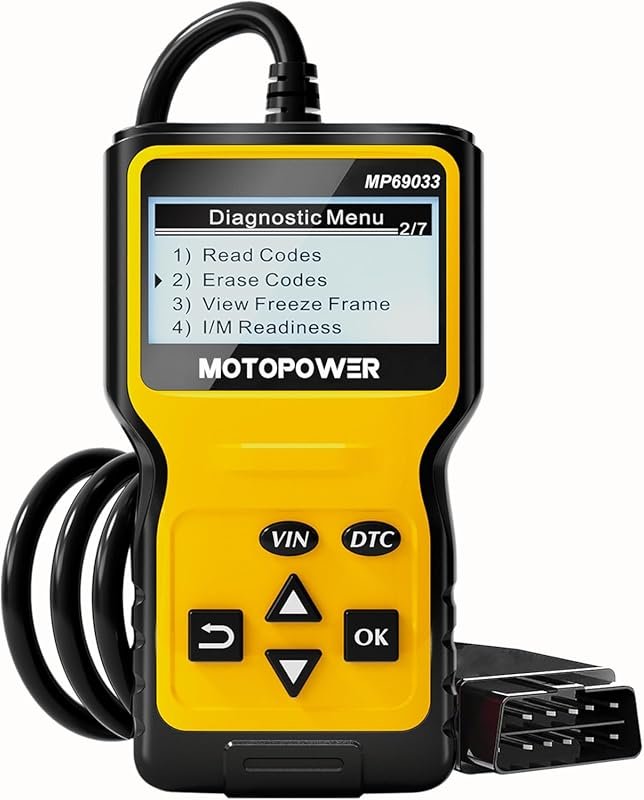 Best Overall
MOTOPOWER MP69033 OBD2 Scanner Code Reader, Engine Fault CAN Diagnostic Tool for All 1996+ OBDII Cars, Yellow
It offers the strongest all-around mix of fit, value, and practical daily use for Volvo owners.
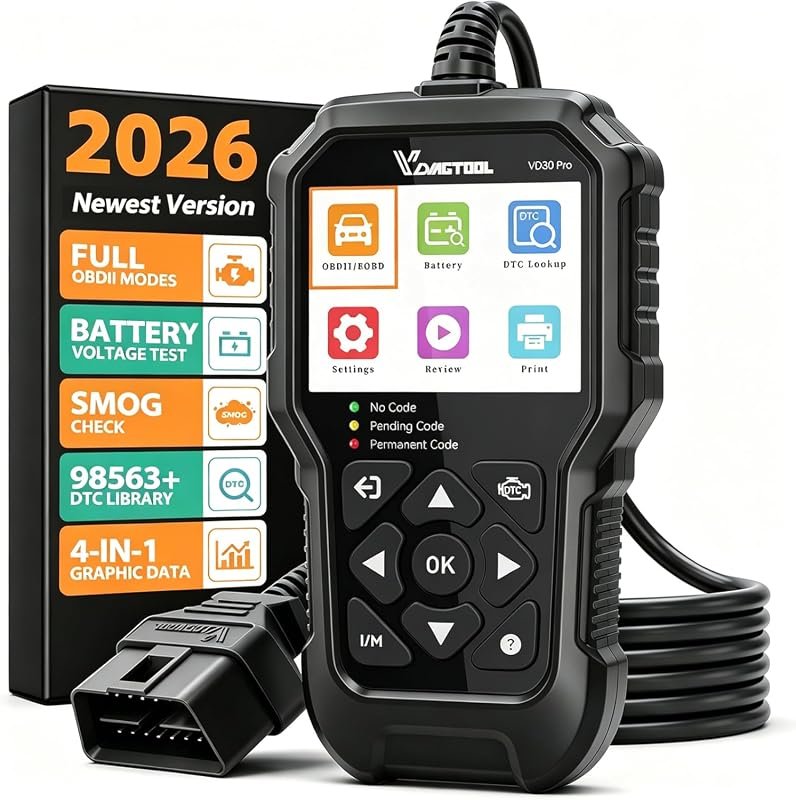 Best Value
VDIAGTOOL VD30 Pro OBD2 Scanner, Check-Engine Code Reader with Reset and I/M Readiness for All OBDII Vehicles
It makes sense for owners who want a useful upgrade without paying more than necessary.
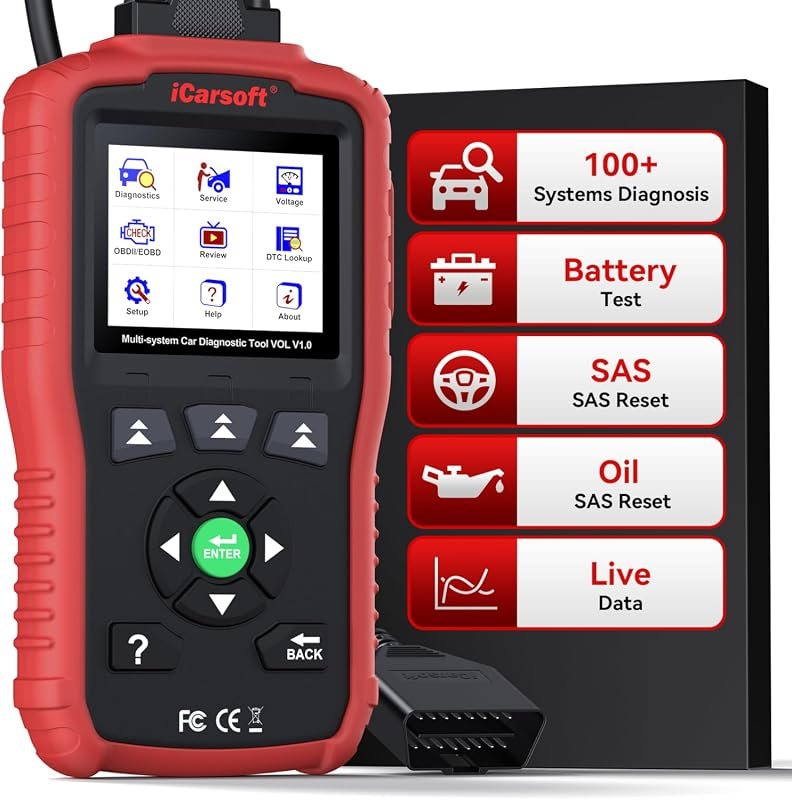 Best Premium Option
iCarsoft VOL V1.0 OBD2 Scanner for Volvo/Saab, All-Systems Diagnostics, Oil/SAS Reset, Live Data, CAN-FD, Lifetime Free Updates
It is the pick I would compare first if build quality, features, and long-term ownership value matter most.
Author

Author

Evans Torres
I’m Evans Torres, an automotive engineer who loves Volvo cars. I graduated in Automotive Engineering from USC. I have worked in the car industry for years and now share my knowledge on The Volvo Life. I started this blog to connect with other Volvo fans. I offer tips, news, and advice to help you care for your car. My goal is to help you keep your Volvo in great shape and find all the best things about it. Join me as we discover everything Volvo has to offer!