



Whose scanner for Volvo S60 — the iCarsoft VOL II is the best value for reading all Volvo modules (ABS, SRS, CEM) on 2001–2024 S60s. Foxwell NT530 is a strong alternative, while Autel MK808 suits advanced DIYers needing service functions like EPB and SAS resets.
Choosing a scanner for a Volvo S60 hinges on one thing: access to Volvo-specific modules beyond the basic engine ECU. Generic $30 readers miss the SRS airbag, ABS, transmission, CEM, and more — the very systems that trigger most S60 warnings. For related context, you may also want to read is scanner for Volvo XC90.
This guide names the best S60-compatible scanners, shows exactly what each tier can and cannot do, and walks through setup, common mistakes, and safe code-clearing practices.
- Main point: Pick a Volvo-specific scanner (iCarsoft VOL II, Foxwell NT530, or Autel MK808) to read SRS/ABS/CEM on the S60 — generic ELM327 tools can’t.
- Best first step: Match the scanner’s supported Volvo protocols to your S60 generation (2001–2009 P2, 2011–2018 P3, 2019+ SPA).
- Cost or value: $120–$200 covers most S60 owners; $350–$600 adds advanced service functions and broader brand coverage.
- Who it suits: DIY maintainers, used S60 buyers, and owners who want to clear post-repair codes at home.
- When to get help: Persistent SRS faults, network (CAN) communication errors, or coding/programming needs require a Volvo specialist.
Wants to read all modules, reset the service light, and verify repairs without a dealer visit.
Needs a pre-purchase scan of SRS/ABS/TCM to avoid hidden faults and negotiation surprises.
Plans to service multiple Volvos and wants reliable coverage with live data and special functions.
What an OBD2 Scanner for the Volvo S60 Does and How It Works
An OBD2 scanner plugs into the S60’s diagnostic port to read trouble codes, live sensor data, and system status. Every S60 has this port under the dash by the driver’s knee area. This connects closely with do scanner for Volvo exist if you want to compare the topic in more detail.
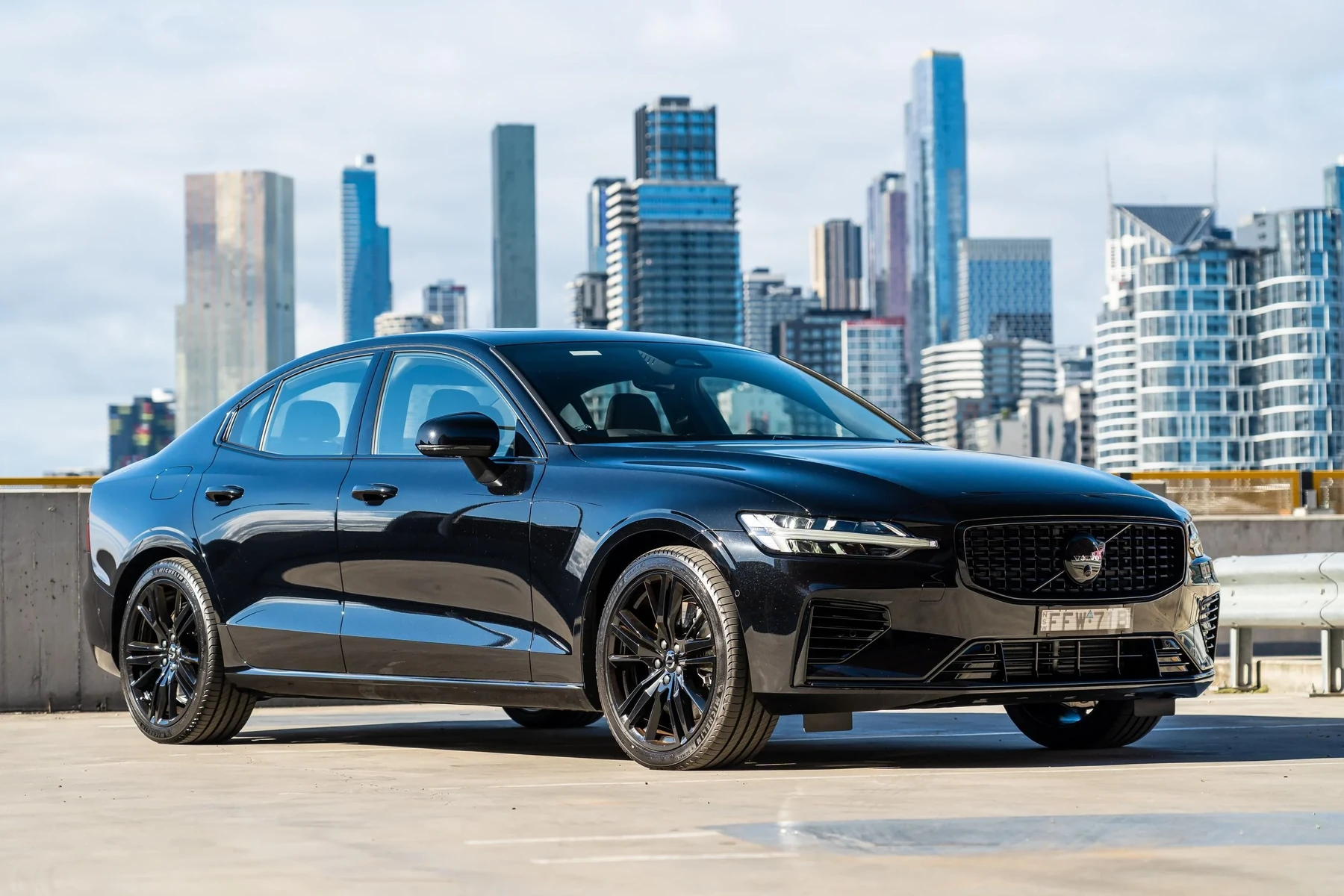
Volvo-specific scanners go further by accessing modules like SRS (airbag), ABS, TCM (transmission), CEM (central electronics), BCM, SAS (steering angle), and climate. That’s where most S60 warnings live — not in the engine ECU.
Many S60 “anti-skid” or “DSTC” warnings don’t store engine codes at all. Only a Volvo-capable tool can read the BCM/ABS and SAS modules where those faults are logged.
Generic OBD2 vs Volvo-Specific Scanners for S60 — Key Differences
A $30 Bluetooth dongle reads only emissions-related engine codes. It can clear a basic check-engine light but won’t see SRS, ABS, or CEM faults that trigger most S60 warnings.
Volvo-focused handhelds (iCarsoft VOL II, Foxwell NT530) and advanced tablets (Autel MK808) scan every major Volvo module, show live data, and perform service resets your S60 actually needs.
Here is a summary of the key capability gaps that matter for a Volvo S60.
Volvo-specific coverage prevents misdiagnosis and repeat trips — the reason most owners upgrade after trying a generic reader.
| Capability | Generic OBD2 ($30 ELM327) | Volvo Handheld (VOL II/NT530) | Advanced Tablet (Autel MK808) |
|---|---|---|---|
| Modules covered | Engine (ECM) only | ECM, TCM, ABS, SRS, CEM, BCM, SAS, Climate | All above + broader brand coverage |
| Live data graphs | Basic engine PIDs | Multi-module live data | Enhanced multi-graph and recording |
| Service light reset | Usually no | Yes (S60 supported) | Yes + service menus |
| SRS (airbag) codes | No access | Read/clear after repair | Read/clear after repair |
| ABS bleed/functions | No | Sometimes (model-dependent) | Often supported |
| EPB service mode | No | Commonly supported | Supported |
| TPMS relearn | No | Limited | Better coverage |
| Software updates/coding | No | No (read/clear only) | Limited adaptations (not ECU programming) |
Factory-level programming on SPA S60s (2019+) requires Volvo VIDA/DiCE or PTT/VOCOM — consumer scanners cannot program ECUs. Use them for diagnostics, resets, and guided service functions only.
What a Volvo S60 Scanner Can Diagnose
A proper S60-capable tool reads engine faults, ABS wheel-speed errors, airbag/SRS faults, transmission slip or solenoid codes, steering angle sensor data, battery/charging values, and HVAC stepper or sensor issues.

It also clears service reminders, runs EPB service mode, and on some tools triggers ABS bleed or SAS recalibration after a repair.
- Engine/ECM: Misfires, O2 sensor, EVAP leaks, boost control, MAF issues.
- ABS/BCM: Wheel-speed sensor faults, yaw/longitudinal sensor mismatches.
- SRS: Seat-belt tensioner, front/side airbags, crash data (read/clear post-repair).
- TCM: Shift solenoids, clutch adaptation values, temperature sensors.
- CEM/BCM: Central electronics faults causing random electrical warnings.
- SAS: Steering angle calibration after alignment or column work.
Never clear SRS (airbag) codes until the physical fault is fixed. An uncleared or returning SRS fault can prevent airbag deployment in a crash — treat it as a safety repair, not just a warning light.
Do Volvo OBD2 Scanners Work with All S60 Model Years?
Coverage depends on generation. The 2001–2009 S60 (P2) and 2011–2018 S60 (P3) use different communications and menu structures than the 2019–2024 S60 (SPA).
Most modern Volvo-focused handhelds support all three eras, but confirm your exact year and trim in the brand’s compatibility list before buying.
For cross-model concerns, see our explainer on whether scanners work with all Volvo models.
The Best Types of Scanner for Volvo S60 Owners
Four scanner styles cover S60 needs. Pick based on how deep you plan to go with maintenance and fault-finding. You can also use did scanner for Volvo need calibration as a helpful next guide on the same ownership topic.
Basic Bluetooth dongles fit quick engine-code checks only. Handheld Volvo scanners balance cost and capability, while pro tablets add service modes and broader multi-brand support.
- Basic code reader: Cheap, engine-only — skip it for SRS/ABS/TCM.
- Bluetooth app-based: Good UI, but still engine-only unless brand-specific.
- Volvo-focused handheld: Best DIY value — reads all S60 modules with resets.
- Advanced tablet: Adds special functions and better data display.
- Confirm your S60 year is listed explicitly — don’t rely on “Volvo compatible.”
- Update scanner firmware before first use to load current Volvo coverage.
- Scan all modules and save a report before clearing anything — it’s your baseline.
- Low car battery voltage causes false faults; check voltage (12.4V+) before scanning.
Best Scanner Brands for Volvo S60 — Comparison Table
These are the standouts for S60 owners, from affordable Volvo-focused tools to advanced tablets. Prices are typical U.S. street ranges and can vary with sales or bundles.
| Brand/Model | Price (USD) | Volvo Modules Covered | Bluetooth/App | Verdict |
|---|---|---|---|---|
| iCarsoft VOL II | $140–$180 | ECM/TCM/ABS/SRS/CEM/BCM/SAS/Climate | USB updates; no app | Best value for S60 DIY |
| Foxwell NT530 (Volvo/Saab) | $170–$220 | Similar to VOL II, strong EPB/service | USB updates; no app | Great alternative pick |
| Autel MaxiCOM MK808 | $350–$600 | Full Volvo module + special functions | WiFi updates; Android tablet | Advanced DIY/pro capability |
| YOUCANIC Full System | $300–$400 | All modules; subscription model | PC/app-based | Good UI; mind subscription |
| ANCEL VOD700 | $90–$130 | Partial Volvo coverage | USB updates; no app | Budget entry, limited modules |
Want deeper background on platform-level use? Our tutorial on using a professional Volvo scanner shows how pros structure a full-module scan.
Clone/counterfeit scanners are common. Too-good-to-be-true pricing, missing serial labels, or odd packaging usually means a clone. These often fail to connect to Volvo-specific modules or corrupt updates — buy only from authorized sellers.
Volvo S60 Model-Based Scanner Guide
Different S60 generations see slightly different menus and functions, but the top picks remain consistent. Use this quick map to choose with confidence.
- 2001–2009 S60 (P2): iCarsoft VOL II or Foxwell NT530 read SRS/ABS/CEM reliably; Autel MK808 adds EPB and SAS work.
- 2011–2018 S60/S60 Cross Country (P3): VOL II/NT530 remain top value; MK808 improves special functions and live data depth.
- 2019–2024 S60 (SPA): VOL II/NT530 support core modules; MK808 provides broader service menus as the platform evolves.
Curious about coverage nuances across the wider lineup? See our look at scanner performance on the XC60 — similar rules apply to SPA-based S60s.
Are S60 Scanners Worth It, Reliable, and Safe?
Yes — a Volvo-capable scanner pays for itself by replacing one dealer diagnostic visit. Reading codes is safe; writing/coding is where risk starts, and consumer tools largely avoid that.
Reliability is strongest with iCarsoft, Autel, and Foxwell. Keep software current and avoid clones to prevent connection failures or missing modules.
iPhone and Other Cars — Connectivity and Cross-Brand Use
Most Volvo-focused handhelds are stand-alone units; they update via USB and don’t need a phone. Advanced tablets use WiFi for updates and can share reports.
If you prefer app use, verify iOS compatibility and Volvo module access first — our primer on Volvo scanner iPhone support outlines real-world pairing tips.
Mid/high-tier scanners also read other brands at least at OBD2-engine level; Autel adds fuller multi-make support if you service more than just a Volvo.
How to Use a Scanner on a Volvo S60
Running a full-module scan before clearing anything gives you a snapshot of the car’s health and helps catch intermittent faults. Keep the battery above 12.4V and the ignition in position II (or Start without brake on push-button cars) during scanning.
- Locate the port: Find the OBD2 connector under the driver’s dash near the knee area.
- Power conditions: Turn ignition on (engine off). Plug in the scanner and wait for it to power.
- Select vehicle: Choose Volvo → S60 → correct year/platform on the scanner menu.
- Run auto-scan: Scan all modules, then save or print the report before clearing codes.
- Use service functions: After repairs, perform resets (service light, EPB, SAS) and re-scan to confirm no returning faults.
Why Your Volvo S60 Scanner Won’t Connect — Fixes
Connection problems usually trace to low car battery voltage, a blown OBD fuse, outdated scanner software, or a clone tool that lacks proper Volvo drivers.
Update the scanner, verify the OBD fuse, pair the correct app (if Bluetooth), and try ignition position II. If only some modules fail, the fault may be on the car’s CAN network — not the scanner.
Buying Guide: Which Scanner Should a Volvo S60 Owner Choose?
Most owners want full-module reads, live data, and service resets without pro-level complexity. For that, iCarsoft VOL II or Foxwell NT530 is ideal.
- Basic owner (engine light only): Any OBD2 will read the ECM, but consider VOL II for future SRS/ABS needs.
- DIY maintainer (brakes/fluids): iCarsoft VOL II or Foxwell NT530.
- Advanced DIY/pro: Autel MK808 for service functions and richer live data.
- Multiple brands in the garage: Autel MK808 adds best multi-make value.
Newer EX/EC fully electric Volvos use evolving UDS communication; not all tools cover them yet. That doesn’t affect gasoline S60 compatibility but matters if you also own a Volvo EV.
Common Scanner Mistakes to Avoid and When to See a Mechanic
Common errors include buying a clone, skipping a model-year check, scanning with a weak battery, and clearing SRS codes without fixing the root cause. Avoid clearing everything at once — you’ll lose diagnostic breadcrumbs.
Book a Volvo specialist for persistent SRS faults, ABS module no-communication, repeated LIN/CAN bus errors, or when service functions report “not supported” despite correct tool and updates.
For a deeper confidence check on brand and device longevity, our field notes on Volvo scanner reliability cover update policies and warranty nuances.
💡 Evans Torres Tip: I keep an iCarsoft VOL II in my S60’s glovebox and run a full auto-scan before any road trip. Saving that report has twice helped me track down intermittent ABS sensor noise after rain — one faulty sensor, one cracked harness. Printing the pre-clear report made the shop visit faster and cheaper.
Frequently Asked Questions
This FAQ closes gaps the main guide can’t personalize to your exact year or trim. It focuses on compatibility traps, iPhone/Bluetooth realities, service resets that matter on S60s, and what to do when a scanner connects to some modules but not others.
What’s the single best scanner for a Volvo S60?
For most owners, the iCarsoft VOL II hits the sweet spot. It reads/clears all major Volvo modules on 2001–2024 S60s, resets the service reminder, supports EPB service, and costs far less than an advanced tablet. If you plan deeper maintenance across multiple brands, the Autel MK808 is the next step up.
Will a cheap Bluetooth OBD2 dongle read my S60’s airbag or ABS codes?
No. Generic ELM327 readers access engine-only data. Airbag (SRS), ABS, transmission, CEM, and other Volvo modules require a Volvo-capable scanner such as iCarsoft VOL II, Foxwell NT530, or Autel MK808. That’s why most S60 owners upgrade after trying a basic dongle.
Can I use a Volvo scanner with an iPhone?
Handheld tools like iCarsoft and Foxwell don’t require a phone at all. If you prefer app-based scanning, verify iOS compatibility and Volvo module access first — not every Bluetooth tool supports iPhone nor Volvo-specific modules. See our dedicated iOS guide for pairing and app choices.
Will these scanners work on every S60 year from 2001 to 2024?
Coverage is broad but not universal. Confirm your exact year in the brand’s compatibility list and update the scanner before use. P2 (2001–2009), P3 (2011–2018), and SPA (2019–2024) S60s use different communications; good tools cover all, but navigation and functions may differ slightly.
Can a scanner reset my S60’s service light and EPB for rear brake jobs?
Yes for both on the right tool. iCarsoft VOL II, Foxwell NT530, and Autel MK808 support service reminder resets. EPB service/retract is supported on many S60 trims with Foxwell/Autel often offering stronger EPB menus — check your exact year before purchasing.
My scanner connects to engine but not SRS/ABS — what should I do?
Update the scanner’s Volvo software first, verify ignition position II during the scan, and check the car’s OBD/cigar-lighter fuse. If multiple body modules refuse connection, test battery voltage (12.4V+) and inspect for CAN bus faults. Clone scanners commonly fail here — buy an authorized unit.
Is clearing codes safe on a Volvo S60?
Reading is always safe. Clearing is fine after a proper repair or test, but don’t clear SRS until the physical issue is fixed. Avoid clearing everything at once — save reports first so your mechanic has a breadcrumb trail if the fault returns.
Final Verdict
For a Volvo S60, skip generic dongles and buy a Volvo-capable scanner. iCarsoft VOL II or Foxwell NT530 delivers full-module access and essential service functions at a fair price.
If you want richer data and more service menus across multiple brands, step up to the Autel MK808. Update your tool before scanning, save reports first, and treat SRS faults as safety repairs — not just lights to clear.
My Top Picks at a Glance
Here are the three whose scanner options I would check first if you want a faster buying decision.
These picks highlight the strongest overall choice, the best value option, and the premium-style pick for practical Volvo ownership.
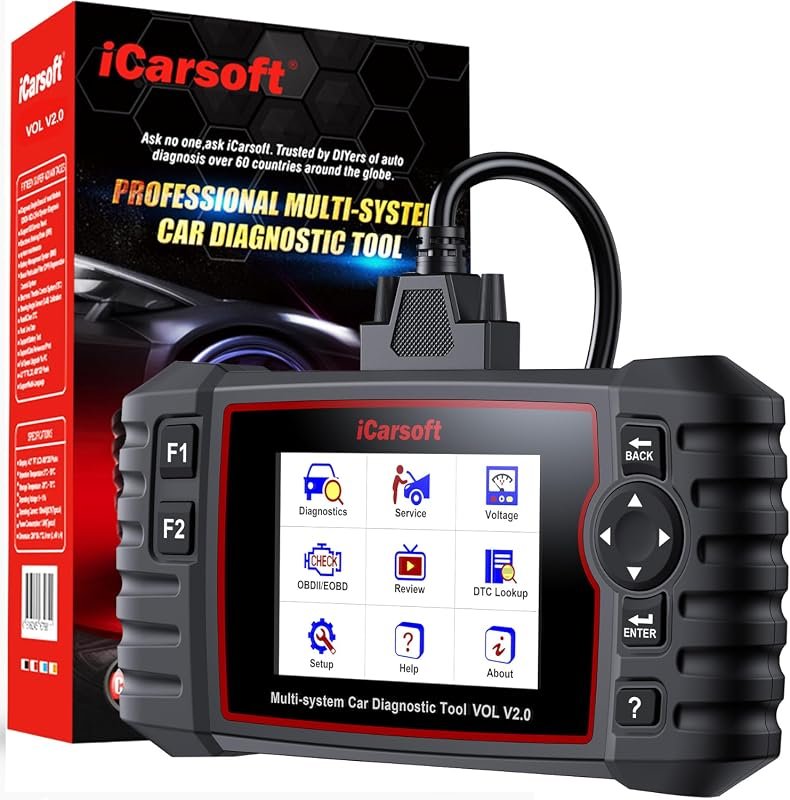 Best Overall
iCarsoft VOL V2.0 2025 OBD2 scanner for Volvo/Saab with oil reset, EPB, DPF, Auto VIN
It offers the strongest all-around mix of fit, value, and practical daily use for Volvo owners.
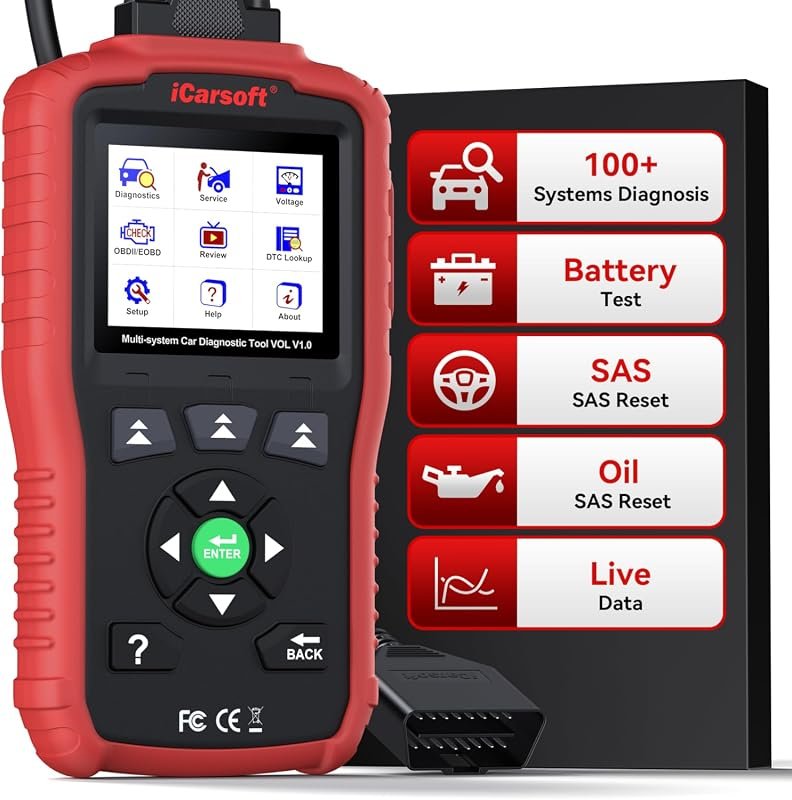 Best Value
iCarsoft VOL V1.0 OBD2 scanner for Volvo/Saab, all-systems diagnostics, oil/SAS reset, live data, CAN-FD, lifetime updates
It makes sense for owners who want a useful upgrade without paying more than necessary.
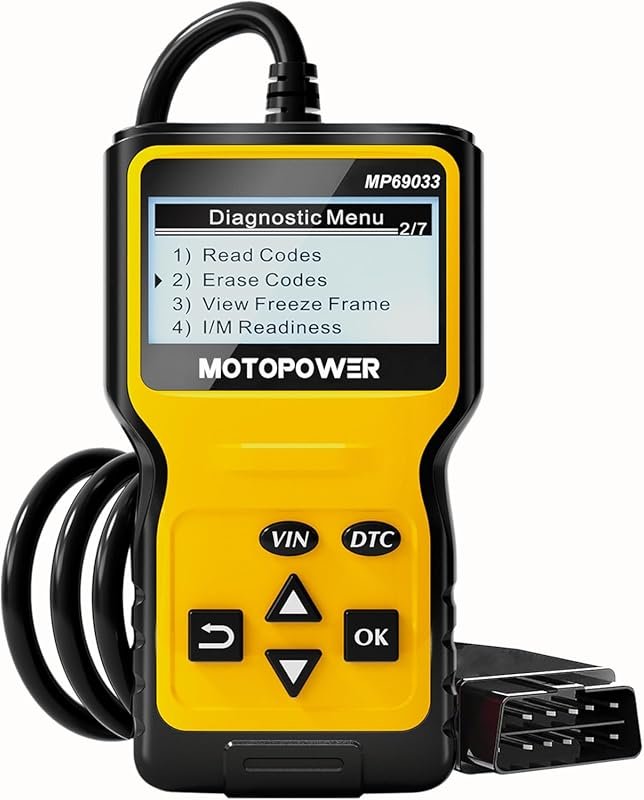 Best Premium Option
MOTOPOWER MP69033 OBD2 code reader scans engine faults, CAN diagnostics, works on all 1996+ OBD2 cars
It is the pick I would compare first if build quality, features, and long-term ownership value matter most.
Author

Author

Evans Torres
I’m Evans Torres, an automotive engineer who loves Volvo cars. I graduated in Automotive Engineering from USC. I have worked in the car industry for years and now share my knowledge on The Volvo Life. I started this blog to connect with other Volvo fans. I offer tips, news, and advice to help you care for your car. My goal is to help you keep your Volvo in great shape and find all the best things about it. Join me as we discover everything Volvo has to offer!