



how scanner for volvo is installed is simple: plug the tool into the OBD2 port under the dash, turn ignition on, then run a full vehicle scan. For most owners, iCarsoft VOL II is the best value; Foxwell NT530 suits deeper DIY, and Autel MK808 fits advanced users.
Most Volvo scanners don’t “install” like software — they connect via the OBD2 port and identify your model automatically. A proper Volvo-capable tool reads more than engine codes; it reaches ABS, SRS, transmission, and the CEM.
Below you’ll find how to pick the right scanner, how to connect it correctly, model-year compatibility, and the exact steps to run a full scan and clear codes after a repair. For related context, you may also want to read do scanner for Volvo exist.
- Main point: Installation = plug into the OBD2 port, ignition on, select your Volvo model, and scan all modules.
- Best first step: Choose a Volvo-capable tool (iCarsoft VOL II or Foxwell NT530) instead of a $30 generic reader.
- Cost or value: $120–$220 buys full-module access that often saves a $150 dealer diagnostic visit.
- Who it suits: DIY owners who service brakes, sensors, and maintenance items at home.
- When to get help: Coding/programming or persistent SRS/airbag faults need a Volvo specialist or VIDA.
Wants real fault codes from ABS, SRS, and transmission — not just engine P-codes — to fix issues confidently.
Needs a scanner that works on 2015+ SPA models and can reset service reminders after oil changes.
Looks for a mid-tier tool with live data, adaptations, and wide model coverage without dealer pricing.
What an OBD2 Scanner for Volvo Is and How It Works
An OBD2 scanner communicates with your Volvo’s control modules through the standardized port under the dash. Generic readers only see engine/OBD emissions data, while Volvo-capable tools also access ABS, SRS (airbag), TCM, BCM, CEM, and more.

Connection is plug-and-play: seat the connector firmly, switch ignition to On (engine off), choose your model/year in the tool, then run a full-system scan. Results show stored, current, and pending faults plus live sensor data.
Volvo SPA/CMA cars (2015+ XC90, 2018+ XC60/XC40/S60/V60/S90/V90) use newer diagnostics protocols. Confirm your scanner explicitly lists support for your exact model year to avoid engine-only access.
Volvo’s Central Electronic Module (CEM) is the traffic controller for many systems. A generic ELM327 reader can’t talk to it, which is why owners think “no codes found” even when multiple warnings are lit.
OBD2 Scanner vs Volvo-Specific Diagnostic Scanner
Generic OBD2 tools read and clear engine-related P-codes and show basic live data. They miss most Volvo-specific faults because systems like ABS, SRS, TPMS, climate, and body electronics sit on manufacturer-specific networks and require brand coverage.
A Volvo-capable scanner (iCarsoft VOL II, Foxwell NT530, Autel MK808) communicates with those proprietary modules, runs a proper “All Systems Scan,” and performs resets like EPB service mode or steering angle calibration.
Here is a quick capability snapshot that highlights the gap most owners run into with a $30 reader versus a Volvo-capable tool.
Bottom line: If you want to diagnose real-world Volvo warnings, choose a Volvo-capable scanner — not a generic code reader.
| Function | Generic OBD2 Reader | Volvo-Capable Scanner | Notes |
|---|---|---|---|
| Read/clear engine P-codes | Yes | Yes | Both can do this reliably. |
| Read ABS/traction faults | No | Yes | Critical for “ABS/Skid” warnings. |
| Read SRS/airbag faults | No | Yes | Needed to diagnose SRS safely. |
| Transmission (TCM) faults | No | Yes | Shifting issues need TCM access. |
| Central electronics (CEM) | No | Yes | Lighting, locks, comms live here. |
| Service light reset | Sometimes | Yes | Model-year dependent on generic tools. |
| EPB/maintenance functions | No | Yes | Rear brake jobs require EPB service mode. |
| Live data (all modules) | Limited engine only | Wide | Essential for real diagnostics. |
What a Volvo Scanner Can Diagnose
A Volvo-capable tool goes beyond the Check Engine light. Expect full-system fault retrieval, freeze-frame data, and module-specific live values that tell you whether a sensor, wiring, or actuator is at fault.

Typical jobs include SRS fault tracing, ABS sensor evaluation, transmission solenoid checks, TPMS ID reading, service reminder resets, and EPB retraction for brake service.
| System | What It Detects | Reset Possible? | Scanner Tier Needed |
|---|---|---|---|
| Engine (ECM) | Misfires, O2 sensors, EVAP | Yes (after repair) | Any (best with mid-tier) |
| ABS/Brake | Wheel speed sensors, module faults | Yes (after repair) | Mid-tier or better |
| SRS/Airbag | Seatbelt pretensioners, crash data | Yes (after repair) | Mid-tier or better |
| Transmission (TCM) | Solenoids, pressure control | Yes (after repair) | Mid-tier or better |
| CEM/Body | Lighting, locks, network errors | Yes (after repair) | Mid-tier or better |
| TPMS | Sensor battery/IDs, comms | Yes (relearn) | Mid-tier or better |
| Service/EPB | Maintenance counters, EPB status | Yes | Mid-tier or better |
For pro-level coding or module programming, Volvo’s factory software (VIDA/DiCE or PTT with VOCOM) is required and sits beyond consumer scanners.
Do Volvo OBD2 Scanners Work With All Volvo Models?
Coverage depends on model year and platform. Pre-2004 cars use earlier networks; 2004–2014 P1/P2/P3 models need Volvo-specific protocols; 2015+ SPA/CMA cars use newer UDS messaging that not all budget tools support.
EX30/EX40/EC40/EX90 (fully electric) add EV-specific modules. Many consumer scanners read most, but not all, EX-series systems yet — check the brand’s release notes.
For deeper coverage by platform and edge cases, see our breakdown on whether Volvo scanners work with all models.
The 1998–2000 S/V70 and early P2 cars often scan best when ignition is in position II (dash lights on, engine off) before starting a module scan. Skipping this step causes “no communication” errors.
Best Types of Scanner for Volvo Cars
Four types cover most Volvo use cases. Pick based on what you actually need to see and do, not just price.
- Basic code reader: Engine-only P-codes. Fine for emissions checks, not for Volvo warnings.
- Bluetooth adapter + app: Good live data; Volvo module access varies by app/brand.
- Handheld Volvo-capable scanner: iCarsoft VOL II / Foxwell NT530 read all modules, add service functions.
- Advanced tablet tools: Autel MK808/Launch X431 bring adaptations and broader brand coverage.
Best Scanner Brands for Volvo — Comparison Table
Volvo owners usually pick from these brands. The table below compares typical price, module coverage, connectivity, and a quick verdict to help shortlist the right tool for your driveway or shop.
| Brand/Model | Price | Volvo Modules Covered | Bluetooth/App | Verdict |
|---|---|---|---|---|
| iCarsoft VOL II | $130–$170 | ABS/SRS/TCM/CEM/Body | Handheld (USB update) | Best value for most owners |
| Foxwell NT530 (Volvo pkg) | $170–$220 | Full systems + service funcs | Handheld (USB update) | Strong DIY pick, wide resets |
| Autel MaxiCOM MK808 | $350–$600 | Full systems + adaptations | WiFi tablet | Advanced features, higher cost |
| TOPDON (ArtiDiag) | $220–$400 | Broad system coverage | WiFi tablet | Solid all-rounder, growing support |
| YOUCANIC UCAN-II | $300–$400 | Full systems (subscription) | App-based | Good coverage; check update policy |
| Generic ELM327 | $15–$40 | Engine only | Bluetooth/WiFi | Not for Volvo module diagnostics |
Factory-level VIDA/DiCE or PTT/VOCOM remains the standard for ECU software and coding — a different class than consumer scanners.
Clone/counterfeit scanners are widespread. Even if the shell says “iCarsoft” or “Autel,” fakes often fail to connect to Volvo modules. Buy from the brand’s official store or an authorized Amazon seller.
Volvo Model-Based Scanner Guide
Picking by model/year reduces guesswork. Here’s how most owners match tools to their car.
- XC90 (2003–2014): Foxwell NT530 or iCarsoft VOL II read all modules and handle EPB/reset needs.
- XC90 (2015+ SPA): iCarsoft VOL II latest firmware or Autel MK808 for better UDS support.
- XC60 (2009–2017): VOL II/NT530 are ideal for ABS/SRS/body and maintenance functions.
- XC60 (2018+ SPA): Newer protocol support favors updated VOL II or Autel MK808.
- S60/V60/S90/V90 (2015+): Same SPA logic — confirm UDS support on your scanner.
- Older classics (850/940/960): Coverage varies; verify year-specific support before buying.
Cross-shopping XC90-specific coverage? Our focused guides for XC90 scanner capability and XC60 scanner capability go deeper on generation nuances.
Are Scanners for Volvo Worth It, Reliable, and Safe to Use
Yes, when you choose a Volvo-capable brand. Reading codes and live data is safe; clearing SRS codes without fixing the cause is the real risk. Reliability depends on avoiding clones and keeping firmware updated.
Owners routinely save the cost of the tool in one avoided diagnostic visit, especially for ABS or SRS faults that a generic reader cannot see.
Never clear SRS/airbag faults until the physical fault is fixed and verified. An uncleared or masked SRS issue can prevent airbag deployment in a crash.
Unsure about overall value and dependability? See our field-tested take on how reliable Volvo scanners are in real ownership.
Can a Volvo Scanner Work With iPhone or Other Cars
Most handhelds are standalone; app-based Bluetooth/WiFi adapters usually support iPhone and Android if the brand’s app lists iOS compatibility. Cross-brand use is common at basic OBD2 level; Volvo-specific functions remain Volvo-only on tools like VOL II/NT530.
Before buying for iOS, confirm the exact app and iOS version supported. We detail common app pairings in our guide to using Volvo scanners with iPhone.
How to Use a Scanner for Volvo (Step-by-Step)
A correct first scan captures all faults and freeze-frame data before you touch a wrench. Save reports so you can compare after repairs. These steps apply to most handhelds and app-based tools, with minor menu differences by brand.
- Locate the OBD2 port: It’s under the driver’s side dash (left knee area on LHD cars). Seat the connector fully.
- Ignition to On: Switch to position II (dash lights on, engine off). For push-button cars, press Start without the brake.
- Select Volvo model/year: In the tool menu, choose the exact model and year, then run “All Systems Scan.”
- Save results: Store fault codes and freeze-frame data. Review live data for suspect sensors before clearing anything.
- Repair then clear: After fixing the root cause, clear codes and rescan to confirm they don’t immediately return.
- Charge or maintain the car battery above 12.4V before scanning — low voltage causes false module errors.
- Update scanner firmware first; many “no communication” issues vanish after updates.
- Use ignition position II for pre-2015 models; newer SPA cars often require accessory mode.
- Photograph codes on-screen; it’s faster than typing long Volvo-specific DTCs.
Looking for a deeper, workshop-style workflow? Our step-by-step on using a professional Volvo scanner shows live data strategies and post-repair validation.
Why Is My Volvo Scanner Not Working
Most failures trace to basics. Start with power, pairing, and protocol support before assuming the car has a network fault.
- No power at port: Check the OBD/cigar-lighter fuse; some Volvos share this circuit.
- Bluetooth won’t pair: Use the brand’s app, not a generic one; confirm iOS/Android permissions.
- Wrong protocol: Older scanners may lack UDS; update or choose a SPA-compatible tool.
- Clone hardware: Counterfeits often connect to engine only; return and buy authorized.
- Low vehicle battery: Boost voltage; modules drop offline below ~12.0V.
Buying Guide: Which Scanner Should You Choose
Match the tool to your job list and model year. Don’t overbuy for features you’ll never use, but avoid engine-only readers if you have modern warning lights.
- Basic owner (CEL only): Choose a quality Bluetooth adapter with a reputable app.
- DIY Volvo repairs (brakes/sensors): iCarsoft VOL II or Foxwell NT530.
- 2015+ SPA owners: Latest firmware VOL II or Autel MK808 for better UDS coverage.
- Multi-brand family fleet: Autel MK808 or Launch X431 for wider brand coding.
- Classic Volvo (850/early P2): Verify explicit year coverage before purchase.
Avoid listings with “no box,” “open-box without serial,” or prices far below MSRP. These are classic signs of clones that fail on Volvo modules and cannot receive official updates.
Common Mistakes to Avoid and When to Visit a Mechanic Instead
Three pitfalls create most “scanner didn’t help” stories: buying engine-only tools, skipping battery charging, and clearing codes before saving data. All are avoidable with a few habits.
- Skipping compatibility checks: Always confirm your exact Volvo year/platform.
- Clearing before capturing: Save codes and freeze-frame first; it guides the repair.
- Ignoring EPB service mode: Don’t push back rear pistons on EPB cars without the tool’s retract function.
- Forcing coding/programming: Use a Volvo specialist for software flashes or key programming.
If a full-system scan repeats network communication faults across multiple modules, schedule a Volvo-experienced shop — CEM/network diagnosis needs factory-level tools.
One more resource if you’re comparing options across platforms: our overview of OBD2 scanners for Volvo vehicles covers pricing tiers and real-world use cases.
Before we wrap up, here’s a practical note from hands-on experience that saves time and frustration.
💡 Evans Torres Tip: I keep an iCarsoft VOL II in my XC60 and run an All Systems Scan before any weekend job. The trick that saves me most time is photographing the first scan results and again after the repair. If a code returns immediately, I know I missed the root cause instead of guessing and swapping parts.
Frequently Asked Questions
These quick answers cover model-year coverage, connection issues, iPhone use, and what you can or shouldn’t reset. They add the nuance owners usually ask after their first scan — the practical bits that prevent repeat trips back to the tool.
Where is the OBD2 port on most Volvos?
On left-hand-drive cars it’s under the driver’s side dashboard near the knee area. On right-hand-drive markets, look under the steering column. Some trims add a small cover. A flashlight helps you see the trapezoid-shaped connector to align the scanner cleanly.
Will a Volvo scanner work on 2015+ SPA models like XC90 and XC60?
Yes, if the tool supports UDS and lists your exact year. Updated iCarsoft VOL II, Foxwell NT530 (Volvo package), and Autel MK808 cover SPA/CMA cars. Always update firmware first — many “no comms” reports are fixed by the latest brand software.
Can I use a Volvo scanner with an iPhone?
Handhelds don’t need a phone. Bluetooth/WiFi adapters usually have iOS apps, but verify the specific app/version. Some Android-first apps lag on iOS features. Our iPhone-focused guide explains pairing and common permission pitfalls for first-time users.
Is it safe to clear airbag (SRS) codes after I scan?
Only after you’ve repaired the physical fault and verified it. Clearing SRS just to remove a light is unsafe. If the code returns, stop driving and have the system inspected — the airbag may not deploy correctly in a crash.
Why does my scanner read engine codes but nothing from ABS or SRS?
You’re likely using a generic OBD2 reader. Those only talk to the engine module. To access ABS, SRS, and other systems, you need a Volvo-capable tool such as iCarsoft VOL II, Foxwell NT530, or Autel MK808 with the proper Volvo coverage.
Can a Volvo scanner reset the service reminder?
Yes, mid-tier and advanced tools include service reset for most years. On modern cars, you can also reset via the vehicle menu after an oil change. If the reminder returns immediately, confirm the service counter actually recorded the reset.
Do I need VIDA/DiCE for home diagnostics?
No for routine fault reading and resets — a good consumer scanner is enough. Yes if you need software downloads, module programming, or complex network diagnostics. Those jobs belong with factory tools or a Volvo specialist.
Final Verdict
Installation is just connection: plug the scanner into the OBD2 port, power the ignition, pick your Volvo, and run an all-systems scan. The real decision is tool choice.
For most owners, iCarsoft VOL II or Foxwell NT530 delivers full-module access and service resets at a fair price; Autel MK808 suits advanced users. Choose verified sellers, update firmware first, and always save codes before clearing.
My Top Picks at a Glance
Here are the three how scanner installed options I would check first if you want a faster buying decision.
These picks highlight the strongest overall choice, the best value option, and the premium-style pick for practical Volvo ownership.
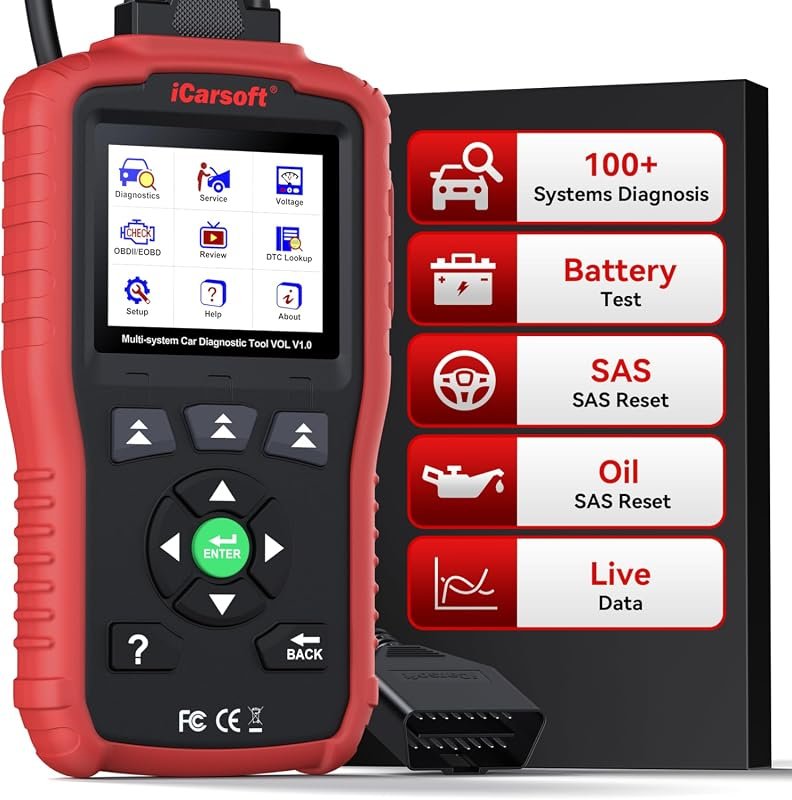 Best Overall
iCarsoft OBD2 Scanner for Volvo/Saab, VOL V1.0 All Systems in-Depth Diagnostic Tool, Oil Reset/SAS R
It offers the strongest all-around mix of fit, value, and practical daily use for Volvo owners.
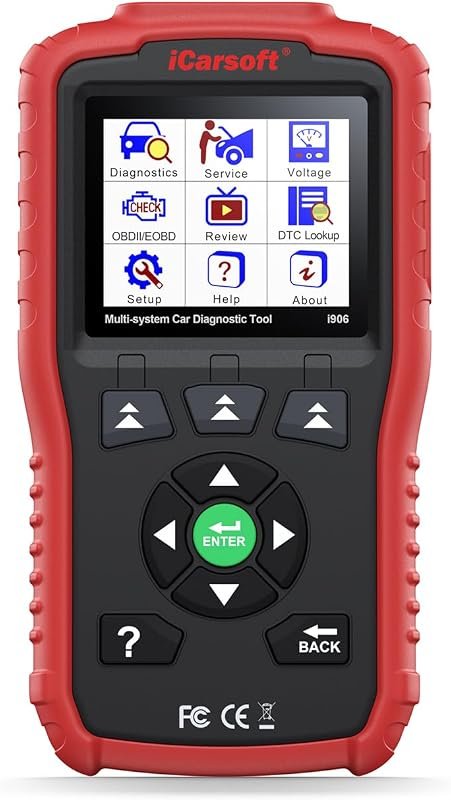 Best Value
iCarsoft i906 Compatible for Volvo/Saab OBD2 Diagnostic Scanner Multi-System Engine ABS SRS
It makes sense for owners who want a useful upgrade without paying more than necessary.
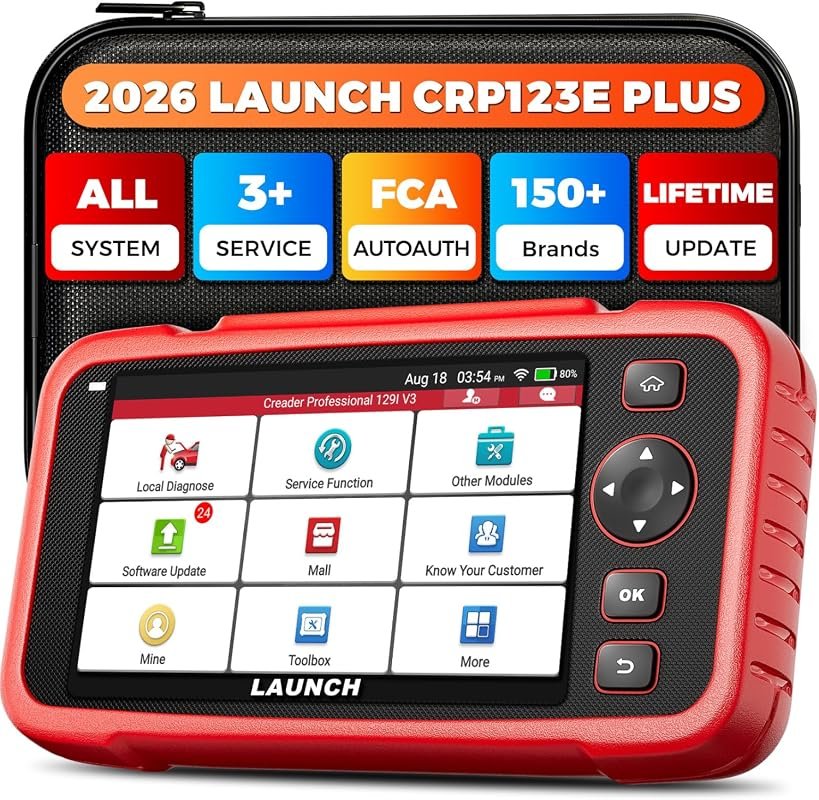 Best Premium Option
LAUNCH CRP123E Plus OBD2 Scanner,All System Car Diagnostic Scan Tool | Oil Reset,SAS Calibration,Thr
It is the pick I would compare first if build quality, features, and long-term ownership value matter most.
Author

Author

Evans Torres
I’m Evans Torres, an automotive engineer who loves Volvo cars. I graduated in Automotive Engineering from USC. I have worked in the car industry for years and now share my knowledge on The Volvo Life. I started this blog to connect with other Volvo fans. I offer tips, news, and advice to help you care for your car. My goal is to help you keep your Volvo in great shape and find all the best things about it. Join me as we discover everything Volvo has to offer!