



Can scanner for Volvo XC60 — yes, and you’ll get the best results with a Volvo-capable tool, not a $30 generic reader. For most XC60 owners, the iCarsoft VOL II (handheld) is the best value to read/clear ABS, SRS, TCM, CEM, and more. Foxwell NT530 (Volvo/Saab) is a strong alternative; Autel MK808 suits advanced DIY. Check that the scanner explicitly supports your XC60’s generation (2009–2017 P3 vs 2018+ SPA) before buying.
XC60 warning lights and service resets are far easier when you have a scanner that truly speaks Volvo. Engine-only readers miss SRS, ABS, and body module faults that trigger most XC60 messages. Picking the right tool saves a dealer diagnostic fee and speeds up real repairs. This guide shows what a Volvo-capable scanner does, which types/brands work best for XC60 by year, how to connect and scan safely, and what to do if the tool won’t link. You’ll also find a step-by-step “first scan” workflow and a concise buying guide tailored to XC60 owners. You can also use maintenance schedule for 2019 Volvo XC60 as a helpful next guide on the same ownership topic.
- Main point: Choose a Volvo-capable scanner (iCarsoft VOL II, Foxwell NT530, Autel MK808) to read all XC60 modules — not just the engine.
- Best first step: Match the scanner’s coverage to your XC60 generation: 2009–2017 (P3) vs 2018+ (SPA).
- Cost or value: Expect $120–$200 for mid-tier handhelds; $400–$700 for advanced tablets with live data and special functions.
- Who it suits: DIY owners maintaining brakes/ABS/SRS, used-car shoppers, and small Volvo-focused shops.
- When to get help: Coding, key programming, and software updates require factory-level VIDA/DiCE or a Volvo specialist.
Wants to read/clear check-engine and ABS/SRS lights at home and reset the service reminder after oil changes.
Needs live data, bi-directional tests (on some tools), and module-level access to chase intermittent faults.
Seeks a dependable non-dealer solution for most Volvo diagnostics without jumping to VIDA for every job.
What an OBD2 Scanner for a Volvo XC60 Does and How It Works
A scanner connects to the XC60’s OBD2 port (driver footwell) to read stored faults and live sensor data. Generic OBD2 readers only access the engine control module (ECM) for emissions-related codes. Volvo-capable scanners go deeper: they talk to ABS, SRS/airbag, transmission (TCM), steering angle (SAS), BCM, CEM, climate, and more using Volvo-specific protocols. That extra coverage is what lets you diagnose a “DSTC/ABS service required” message, an airbag light, or a transmission shift issue rather than seeing “no codes found.” For another practical angle, see maintenance schedule for Volvo XC60.

Airbag (SRS) and ABS modules can store faults without turning on the check engine light. A generic reader will say the car is “fine” while a Volvo-capable scanner reveals the real trigger — like a faulty wheel speed sensor or a loose seatbelt buckle switch.
OBD2 Scanner vs Volvo-Specific Diagnostic Scanner
Shoppers often learn the hard way that a $30 ELM327 dongle can’t see Volvo body and safety systems. Those tools are fine for basic P0xxx engine codes and oxygen sensor data, but they miss the modules that cause most XC60 warnings. A Volvo-capable handheld or tablet (iCarsoft, Foxwell, Autel) adds all-module scans, service light resets, battery/charging data, and selected special functions like EPB service mode.
Think of it this way: generic OBD2 = emissions only; Volvo-capable = emissions plus ABS/SRS/TCM/BCM/CEM/SAS/TPMS and more. That’s why the better tool pays for itself after one or two avoided dealer diagnostics.
Before buying, confirm your exact model year, engine, and platform (2009–2017 P3 vs 2018+ SPA). Coverage lists sometimes exclude the very newest software builds or very early pre-2011 models.
What a Volvo-Capable Scanner Can Diagnose on an XC60
A proper XC60-capable scanner surfaces problems across drivetrain, chassis, safety, and body systems. Expect to read and clear faults, view live data PIDs, and perform routine service functions. Advanced tools can run module-specific tests and adaptations on some years. You’ll quickly pinpoint whether a braking warning is a wheel speed sensor, a steering angle calibration, or hydraulic pressure outside spec, and whether that airbag light is a temporary resistance fault from a seat connector.

Below is a quick snapshot of what you can diagnose and the scanner level typically required to reset or calibrate after repair.
The takeaway: basic readers stop at the engine; mid-tier handhelds handle nearly everything an XC60 owner will meet; advanced tablets add deeper tests and some adaptations.
| System | What it detects | Reset possible? | Scanner tier |
|---|---|---|---|
| ECM (Engine) | P0/P1 codes, misfires, O2 fuel trims | Yes after repair | Basic or higher |
| TCM (Transmission) | Shift faults, solenoid issues | Clear only; adaptations on advanced | Mid-tier/Advanced |
| ABS/DSTC | Wheel speed sensors, pump/valve faults | Yes after repair | Mid-tier or higher |
| SRS/Airbag | Pretensioner/airbag circuit faults | Yes after verified fix | Mid-tier or higher |
| SAS/Steering | Steering angle sensor out of range | Recalibrate on advanced | Advanced |
| CEM/BCM | Body electronics, lighting comms | Clear after repair | Mid-tier or higher |
| EPB/Brake service | Rear caliper service mode | Open/close calipers | Mid-tier/Advanced |
| TPMS/Climate | Sensor ID, HVAC flap faults | Clear after repair; TPMS relearn varies | Mid-tier/Advanced |
Do Volvo OBD2 Scanners Work With All Volvo Models and XC60 Years?
Certainly not all of them — coverage depends on protocol and platform. XC60 spans two main eras: 2009–2017 (P3 platform) and 2018+ (SPA). Many mid-tier tools support both, but check the vendor’s list for your exact year and engine. Very new EX/EC electric models use newer UDS-comms that some older scanners don’t fully support. Pre-2004 Volvos also need special attention; some tools include limited legacy support while others do not.
When in doubt, search for real-world confirmations by model year plus scanner name on owner forums before buying.
Best Types of Scanner for Volvo Cars (and Which Fits an XC60)
Picking the right style matters more than brand at first. App-only Bluetooth dongles are convenient but vary in Volvo module coverage. Handheld Volvo-focused scanners offer the best blend of coverage and price. Tablet-style units add speed, larger screens, and more special functions, helpful if you service more than one Volvo.
- Basic code reader: Engine-only. Good for emissions tests, not for ABS/SRS on an XC60.
- Bluetooth/app dongle: Easy to carry; Volvo coverage depends on app and vendor-specific profiles.
- Handheld Volvo-capable: iCarsoft VOL II, Foxwell NT530 — strong module access, service resets.
- Advanced tablet: Autel MK808/MK808S, Launch X431 — broader special functions and faster scanning.
SRS/ABS access
EPB service mode
Service reset
Live data graphs
Year-specific coverage
Best Scanner Brands for Volvo — XC60-Focused Comparison
Several brands consistently perform well on Volvo platforms. The table below compares price, coverage, connectivity, and our verdict for XC60 owners. Use this to balance budget vs capability. For deeper background on brand families and general Volvo coverage, see our broader guide to OBD2 scanners for Volvo.
| Brand/Model | Price (USD) | Volvo modules covered | Bluetooth/App | Verdict |
|---|---|---|---|---|
| iCarsoft VOL II (Volvo/Saab) | $140–$180 | ECM, TCM, ABS, SRS, CEM/BCM, EPB | Handheld (USB updates) | Best value for most XC60 owners |
| Foxwell NT530 (Volvo) | $170–$220 | Similar to iCarsoft; good live data | Handheld (USB updates) | Great alternative with solid support |
| Autel MK808/MK808S | $400–$700 | All modules + more special funcs | Tablet; Wi‑Fi updates | Best for advanced DIY or small shops |
| Topdon Artidiag | $250–$450 | Good module coverage; improving | Tablet; Wi‑Fi updates | Rising option; verify year coverage |
| Ancel VOD700 | $90–$140 | Partial Volvo coverage | Handheld | Budget-only; confirm XC60 features |
Bottom line: a handheld Volvo-specific unit covers 90% of owner needs. Step up to a tablet if you want faster full scans and extra functions. Always update the tool before first use.
Counterfeit scanners are common. Avoid listings with suspiciously low prices or no verifiable warranty. Clone units often fail to connect to Volvo modules — the #1 complaint on owner forums.
Volvo Model-Based Scanner Guide (XC60, XC90, and More)
XC60 owners benefit most from a mid-tier Volvo-capable scanner. For 2009–2017 XC60s, iCarsoft VOL II or Foxwell NT530 routinely read all major modules and handle EPB service mode. 2018+ SPA XC60s also pair well with these tools, though a newer tablet (Autel MK808S) scans faster and sometimes exposes more special functions. XC90/XC40/S60/V60 owners can use the same recommendations by year and platform split.
For an XC60-specific short list and compatibility notes, see our focused roundup: best scanners for Volvo XC60.
Are Volvo-Capable Scanners Worth It, Reliable, and Safe to Use?
Yes on all three counts when you choose a reputable brand. The value shows up the first time you avoid a diagnostic fee or pinpoint the exact wheel sensor instead of guessing. Reading/clearing codes is safe; writing/coding functions demand care. Reliability varies by brand, but iCarsoft, Foxwell, and Autel maintain regular updates and good Volvo coverage.
Never clear SRS/airbag codes until the physical fault is fixed (e.g., damaged connector or sensor). Clearing without repair can leave the airbag system disabled in a crash.
Can a Volvo XC60 Scanner Work With iPhone — And on Other Cars?
Most modern scanners support iPhone via a companion app (for Bluetooth dongles) or don’t require a phone at all (handheld/tablet units). App-based devices list iOS/Android compatibility on the product page — verify it before purchase. Cross-brand use is common: Volvo-focused handhelds read basic OBD2 engine codes on other makes; advanced tablets often include full-brand coverage for 40+ manufacturers at the same subscription level.
How to Use a Scanner on a Volvo XC60 (Step-by-Step First Scan)
This quick process confirms your tool, vehicle battery, and app/firmware are ready. Starting with a full vehicle scan captures intermittent faults you might miss by checking one module. Save the report before clearing anything, then repair and verify with a second scan. Most owners finish in under 20 minutes once the app or handheld is updated to the latest Volvo software package.
- Prepare the tool: Update scanner firmware/software (Wi‑Fi or USB). Charge the unit if it’s a tablet.
- Connect to the XC60: Plug into the OBD2 port under the dash (driver side). Turn ignition to ON (engine off) or press Start without brake.
- Select vehicle: Choose Volvo → XC60 → exact model year/platform. Run “Auto Scan” or “Full System Scan.”
- Save results: Record DTCs and freeze-frame data. Screenshot or export the report before any clears.
- Plan the fix: Check live data and code definitions. Repair, then clear codes. Re-scan to confirm they do not return.
- Use a healthy 12V battery or maintainer during long scans to avoid low-voltage dropouts.
- Label screenshots by date/mileage so you can track intermittent issues over time.
- If a code returns immediately after clearing, stop clearing and address the physical fault.
- Steering angle reset and EPB service mode require following on-screen prompts exactly — don’t skip steps.
Why Your Volvo Scanner Might Not Be Working
Connection failures usually trace to simple issues. Confirm ignition is ON and that the OBD port’s fuse is intact. Bluetooth pairing often trips people up — ensure you’ve selected the brand’s official app and granted Bluetooth/Location permissions. Low vehicle battery voltage can drop comms mid-scan. Finally, check for tool updates; new SPA firmware or a recent iOS update may need the latest scanner release.
- Wrong app/mode: Use the maker’s app; pick Volvo-specific profile, not “generic OBD2.”
- Low battery: Recharge the car or maintain 12.4V+ during scanning.
- Clone hardware: Counterfeits connect intermittently or fail on non-ECM modules.
- Outdated firmware: Update before first use and after phone OS updates.
Buying Guide: Which Scanner Should You Choose?
Match your XC60 year and your DIY goals to a clear pick. Owners doing routine maintenance and chasing common faults do great with a handheld. If you plan to keep the car long-term or service multiple Volvos, a faster tablet earns its keep. This connects closely with scheduled maintenance for 2012 Volvo XC60 AWD if you want to compare the topic in more detail.
- Basic owner (all years): iCarsoft VOL II — reliable all-module access for XC60.
- Data nerd / live graphs: Foxwell NT530 — robust data display and resets.
- Advanced DIY / multiple cars: Autel MK808/MK808S — faster scans, added special functions.
- Professional shop: Autel/Launch tablet + VIDA access for coding/programming tasks.
For hands-on techniques once you have a pro-grade tool, see our walkthrough on using a professional car scanner with Volvo vehicles.
Common Mistakes to Avoid — And When to Visit a Mechanic
Three pitfalls waste time and money: buying a clone, ignoring year-specific support, and clearing codes blindly. If your SRS code persists, or a transmission adaptation is requested, schedule a visit with a Volvo-experienced shop or a dealer using VIDA/DiCE for guided tests and software actions.
- Skipping compatibility checks: Always confirm your year and platform in the tool’s coverage list.
- Clearing SRS/ABS repeatedly: Stop and repair the underlying fault first.
- Under-sizing your tool: Regular maintenance and multiple Volvos justify a tablet unit.
Transmission adaptations and certain calibrations are beyond most consumer scanners. If your workflow calls for those, plan on VIDA/DiCE at a Volvo specialist.
Want a model-specific short list for the XC60 alone? Our curated picks are here: Scanner for Volvo XC60.
Before we move to your top questions, one quick perspective from the garage.
💡 Evans Torres Tip: I keep an iCarsoft VOL II in my XC60. It paid for itself when an ABS light turned out to be one flaky rear wheel speed sensor — the scan pinpointed “rear left” in minutes. I ordered the sensor, fitted it at home, and cleared the code. The second full-vehicle scan showed all systems green. Save every scan report — they help spot patterns if an intermittent issue returns.
Frequently Asked Questions
This section answers the questions XC60 owners ask most when shopping for or using a scanner: which tool is best for your model year, whether a Bluetooth dongle works with iPhone, what you can reset safely, why some scanners won’t connect, and where to buy authentic hardware. If you’re chasing a specific warning light, these answers will help you pick the right tier and avoid common setup mistakes.
What’s the best scanner for a Volvo XC60?
For most owners, iCarsoft VOL II offers the best balance of price and full-module coverage. Foxwell NT530 is an excellent alternative with strong live data. If you want faster scans and more special functions, consider the Autel MK808/MK808S tablet.
Will a Bluetooth OBD2 dongle and iPhone read XC60 ABS/SRS?
Usually not with generic apps. You need a brand/app that explicitly supports Volvo modules beyond the engine. Many app-only dongles are ECM-only. A handheld or tablet Volvo-capable tool is the safer bet for ABS/SRS on an XC60.
Can I reset the XC60 service reminder with these scanners?
Yes. Mid-tier Volvo-capable tools include oil/service interval reset. After completing your oil change, follow the on-screen prompts to clear the reminder. Some model years also allow a manual reset via the instrument cluster menus.
Why won’t my scanner connect to my 2019+ XC60?
Common culprits: ignition not ON, low battery voltage, outdated scanner firmware, or a clone device. Update the tool, ensure at least 12.4V, and select Volvo → XC60 → your exact year. If issues persist, verify your unit’s SPA-platform support.
Is it safe to clear airbag (SRS) codes at home?
Only after repairing the cause. Clearing SRS without fixing the fault can leave the airbag system disabled. If the code returns immediately, stop clearing and inspect connectors or have a Volvo specialist diagnose the SRS circuit.
Do these scanners work on other cars in my household?
Yes at a basic level. Volvo-focused handhelds read engine codes on most brands. Advanced tablets often include enhanced coverage for dozens of manufacturers, which is useful if you service multiple vehicles.
Where should I buy to avoid counterfeit scanners?
Use official brand sites or authorized Amazon sellers with clear warranty listings. Be wary of prices far below market and no-name sellers. Counterfeits often fail to connect to non-engine Volvo modules.
Final Verdict
For the query “can scanner for Volvo XC60,” the answer is a confident yes — and the right pick is a Volvo-capable tool, not a generic dongle. iCarsoft VOL II or Foxwell NT530 will cover all major XC60 systems at a fair price; Autel MK808 suits advanced DIYers who want faster scans and more functions. Match coverage to your XC60’s year, update the tool before first use, run a full scan, save results, then repair and verify. For persistent SRS or transmission adaptation needs, book a Volvo specialist with VIDA.
My Top Picks at a Glance
Here are the three can scanner options I would check first if you want a faster buying decision.
These picks highlight the strongest overall choice, the best value option, and the premium-style pick for practical Volvo ownership.
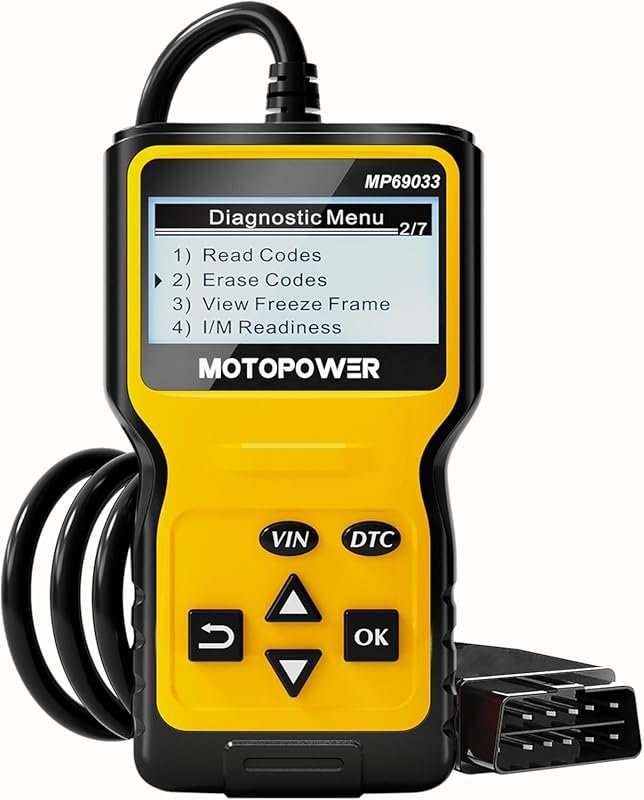 Best Overall
MOTOPOWER MP69033 OBD2 code reader, CAN diagnostic scanner for 1996+ vehicles, clears engine faults, yellow.
It offers the strongest all-around mix of fit, value, and practical daily use for Volvo owners.
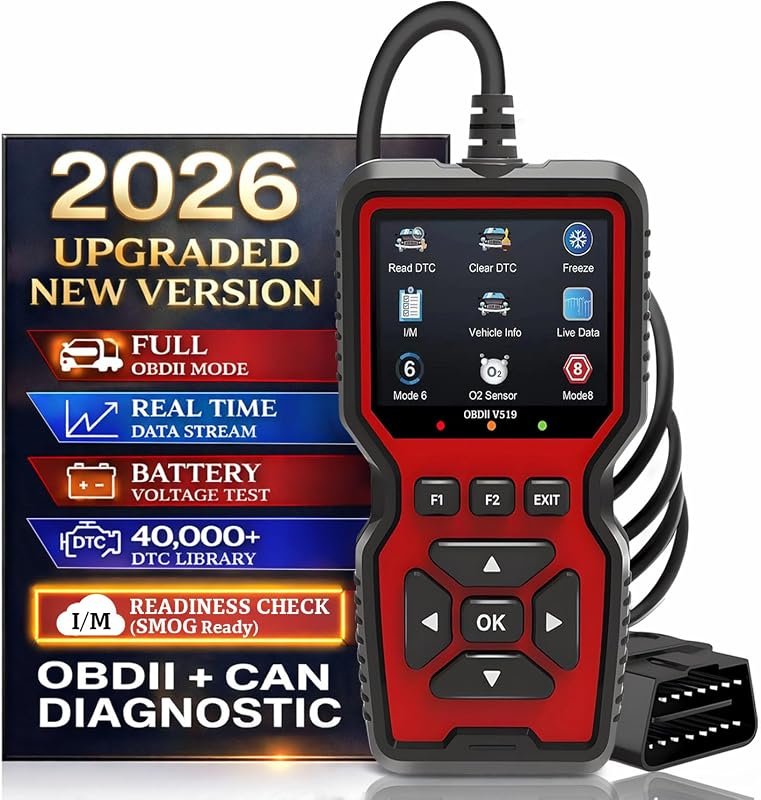 Best Value
V519 OBD2 scanner, 2026 upgraded with CAN, live data, battery test, I/M readiness, 1996+ vehicles, smog tests.
It makes sense for owners who want a useful upgrade without paying more than necessary.
 Best Premium Option
Canon CanoScan LiDE 400 slim scanner for documents and photos, ultra-compact 7.7×14.5×0.4 inches, black.
It is the pick I would compare first if build quality, features, and long-term ownership value matter most.
Author

Author

Evans Torres
I’m Evans Torres, an automotive engineer who loves Volvo cars. I graduated in Automotive Engineering from USC. I have worked in the car industry for years and now share my knowledge on The Volvo Life. I started this blog to connect with other Volvo fans. I offer tips, news, and advice to help you care for your car. My goal is to help you keep your Volvo in great shape and find all the best things about it. Join me as we discover everything Volvo has to offer!