
Understanding the causes behind your volvo usb port not working can lead to effective troubleshooting and timely repairs. By following the steps outlined here, you can potentially resolve the issue or better inform your technician for a quicker fix.
If your volvo usb port not working causes and fixes are baffling you, several potential issues could be at play. This guide will help you identify symptoms, troubleshoot the problem, and know when to seek professional help. You can also use volvo ex30 qr code not working as the next practical guide.
- Understanding USB Port Issues in: USB ports in your Volvo serve multiple purposes, including charging devices and enabling data.
- Common Causes of Your Volvo: Identifying the reason behind a malfunctioning USB port can save you time and money..
- Safe Checks to Try Before: Before heading to a technician, you can perform some basic checks to identify the.
- When to Consult a Technician: If initial troubleshooting doesn’t resolve the issue, it might be time to seek professional.
- Driving Safety with a Non-Functional: While a non-working USB port may seem minor, it’s crucial to consider safety implications..
Understanding USB Port Issues in Your Volvo
USB ports in your Volvo serve multiple purposes, including charging devices and enabling data transfer for features like Apple CarPlay or Android Auto. When they fail, it can disrupt your experience, making it essential to understand the underlying issues. For related context, read carplay not working volvo xc40.
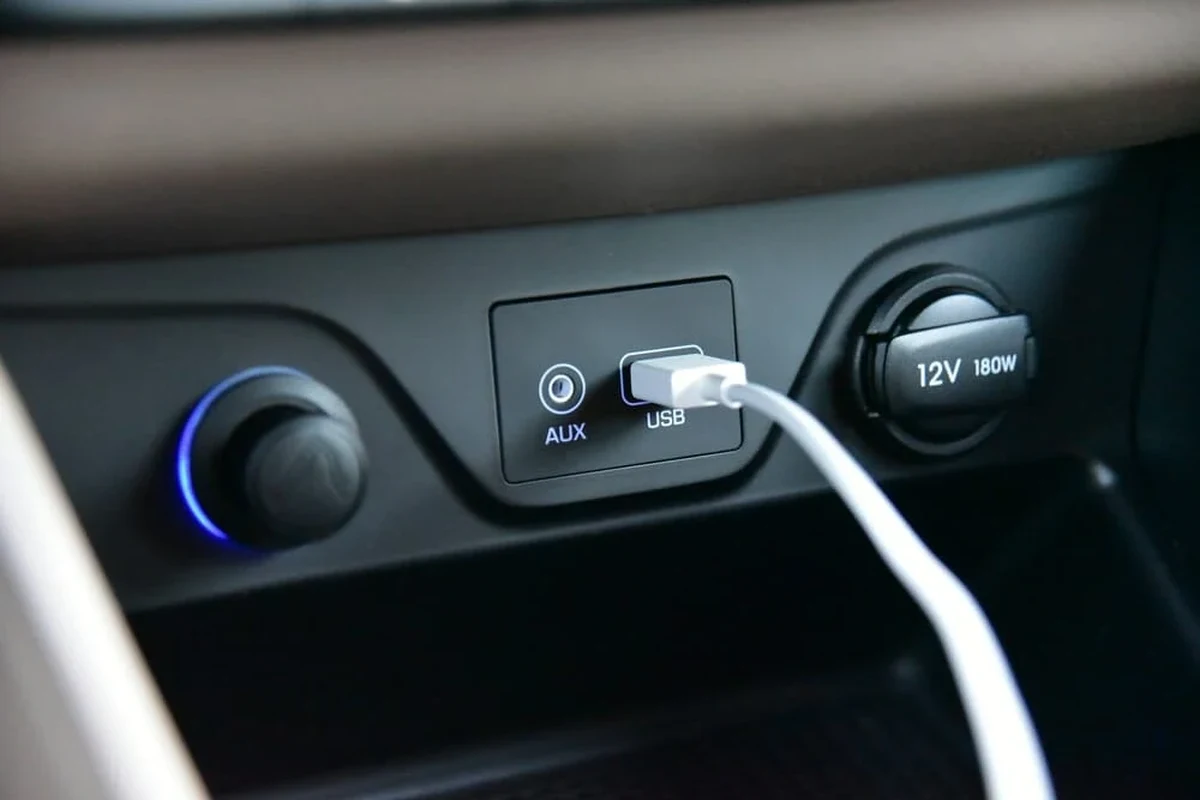
If you notice any physical damage to the USB port or surrounding area, consult a technician before further use.
Common Causes of Your Volvo USB Port Not Working
Identifying the reason behind a malfunctioning USB port can save you time and money. Here are common causes and symptoms associated with USB port failures. For official guidance on this, see Volvo Cars official website.
Symptoms of a Malfunctioning USB Port
Signs that your USB port may not be functioning properly include:
- Devices not charging when plugged in.
- No data transfer between devices and the vehicle.
- Inconsistent recognition of devices by the infotainment system.
- Physical damage or debris in the port.
Typical Reasons for USB Failure
Several factors can lead to USB port issues in your Volvo:
Blown Fuse: A blown fuse can interrupt power to the USB port. Faulty Wiring: Damaged or frayed wiring can prevent proper connectivity. Software Glitches: Sometimes, the infotainment system may need updates or resets to allow proper USB functionality. Physical Damage: Damage from foreign objects or wear and tear can impair the port’s functionality. You can also use apple carplay not working volvo xc40 as the next practical guide.
Safe Checks to Try Before Seeking Help
Before heading to a technician, you can perform some basic checks to identify the issue with your USB port. For related context, read apple car play not working volvo xc40.
Initial Troubleshooting Steps
Here are some simple checks you can perform:
- Test Different Devices: Plug in a different device to see if the issue persists.
- Inspect the Cable: Use a different USB cable to rule out cable-related issues.
- Check for Updates: Ensure your vehicle’s software is up to date.
- Reset the Infotainment System: A system reset can sometimes resolve connectivity issues.
Inspecting Physical Connections and Ports
Physical inspection can reveal a lot about the condition of your USB port:
- Look for debris or foreign objects inside the port.
- Check if the port is loose or wobbly, which may indicate a hardware issue.
- Examine the surrounding area for signs of damage or corrosion.
Document your vehicle’s service history and check warranty status before proceeding with repairs to understand potential costs.
When to Consult a Technician
If initial troubleshooting doesn’t resolve the issue, it might be time to seek professional help. For official guidance on this, see NHTSA recall lookup by VIN.
Signs Your Volvo Needs Professional Attention
Consider consulting a technician if you experience:
Persistent charging or data transfer problems after troubleshooting. Warning lights or messages on the dashboard related to electrical issues. Unusual burning smells or signs of electrical shorting. You can also use volvo xc40 screen not working as the next practical guide.
Potential Costs for Repairing USB Ports
Repair costs can vary widely based on the underlying issue:
- Fuse Replacement: Typically inexpensive, often under $100.
- Wiring Repairs: Can range from $100 to $300 depending on the extent of damage.
- Infotainment System Reset/Update: Usually covered under warranty or may incur a minimal service fee.
- Write down when the symptom appears: cold start, speed, load, or weather.
- Read the stored fault codes before replacing any part.
- Check for open recalls and software updates linked to the symptom.
Driving Safety with a Non-Functional USB Port
While a non-working USB port may seem minor, it’s crucial to consider safety implications. If your infotainment system is affected, you might lose access to navigation and hands-free calling features. For related risk checks, compare this with volvo xc40 speed limit display not working.
So it’s best to resolve USB issues promptly to maintain safe driving conditions.
Preventive Measures for Future USB Issues
To avoid future USB port problems, consider these proactive steps:
Use quality cables and avoid forcing them into the port. Regularly clean the USB ports to remove dust and debris. Keep software updated to prevent glitches. You can also use volvo v90 keyless entry not working as the next practical guide.
- Check the functionality of all USB ports during a test drive.
- Note if any device charging issues arise when using the ports.
- Observe if the infotainment system recognizes devices without glitches.
Volvo USB Port Not Working: Causes and Fixes
If your Volvo’s USB port isn’t functioning, common causes include blown fuses, faulty wiring, and software glitches. To troubleshoot effectively, start by testing different devices and cables, checking for debris in the port, and ensuring your vehicle’s software is up to date. For related context, read volvo xc40 volume not working.
Quick identification and prompt action can save time and prevent further issues.
- Test different devices to see if the issue persists.
- Inspect the USB cable for any damage.
- Check for software updates for your infotainment system.
This guide on volvo usb port not working causes and fixes is general information. Rules, fees, rents, salaries, service coverage, product details, and procedures can change, so confirm important points with the manufacturer, retailer, or official app documentation before acting.
💡 Evans Torres Tip: On every Volvo I have owned, I always keep a full digital service record from day one. When something goes wrong — and eventually something always does — having that history makes diagnosis faster and often saves money at the mechanic. Start your records today, even if the car is not new.
Frequently Asked Questions
Common symptoms include devices not charging when plugged in, no data transfer between devices and the vehicle, and inconsistent recognition of devices by the infotainment system. Also, you may notice physical damage or debris in the port itself.
A blown fuse interrupts the power supply to the USB port, causing it to malfunction. This is one of the simpler issues to diagnose and typically involves a replacement that is relatively inexpensive.
You can test different devices, inspect the USB cable for faults, check for software updates, and reset the infotainment system. Performing these checks can help identify if the issue is with the port or the connected devices.
If you continue to experience charging or data transfer problems after initial troubleshooting, or if you see warning lights related to electrical issues, it’s time to seek professional help. Unusual burning smells or signs of electrical problems also indicate that a technician should be consulted immediately.
Repair costs can vary, with fuse replacement typically under $100 and wiring repairs ranging from $100 to $300 depending on the damage. Infotainment system updates or resets may be covered under warranty or involve minimal service fees.
To prevent future problems, use quality cables and avoid forcing them into the port, as well as regularly cleaning the USB ports to remove dust and debris. Keeping the software updated can also help prevent glitches that affect USB functionality.
Final Words
Understanding the causes behind your volvo usb port not working can lead to effective troubleshooting and timely repairs. By following the steps outlined here, you can potentially resolve the issue or better inform your technician for a quicker fix.
