



To reset the Volvo XC40 screen, hold the power button for 10-15 seconds until the screen turns off and the Volvo logo appears. This simple step can resolve many common screen issues.
The Volvo XC40 is known for its advanced technology and infotainment system, but like any vehicle, it can experience occasional glitches. Resetting the screen can often resolve these issues quickly and effectively. In this guide, you’ll find step-by-step instructions along with helpful tips to ensure a smooth reset process.
- Resetting the screen can fix various infotainment issues.
- Hold the power button for 10-15 seconds for a reset.
- Model year variations may require different reset methods.
- Common mistakes include not holding the button long enough.
- Consult your manual for specific model instructions.
Prerequisites Before Resetting the Screen
Before proceeding with the reset, ensure that your Volvo XC40 is in a safe location, preferably parked. Make sure the vehicle is on, as this is necessary for the reset process. It’s also wise to check your vehicle’s manual for any specific instructions related to your model year.
You can also use Volvo XC60 maintenance overdue reset as a helpful next guide on the same ownership topic.
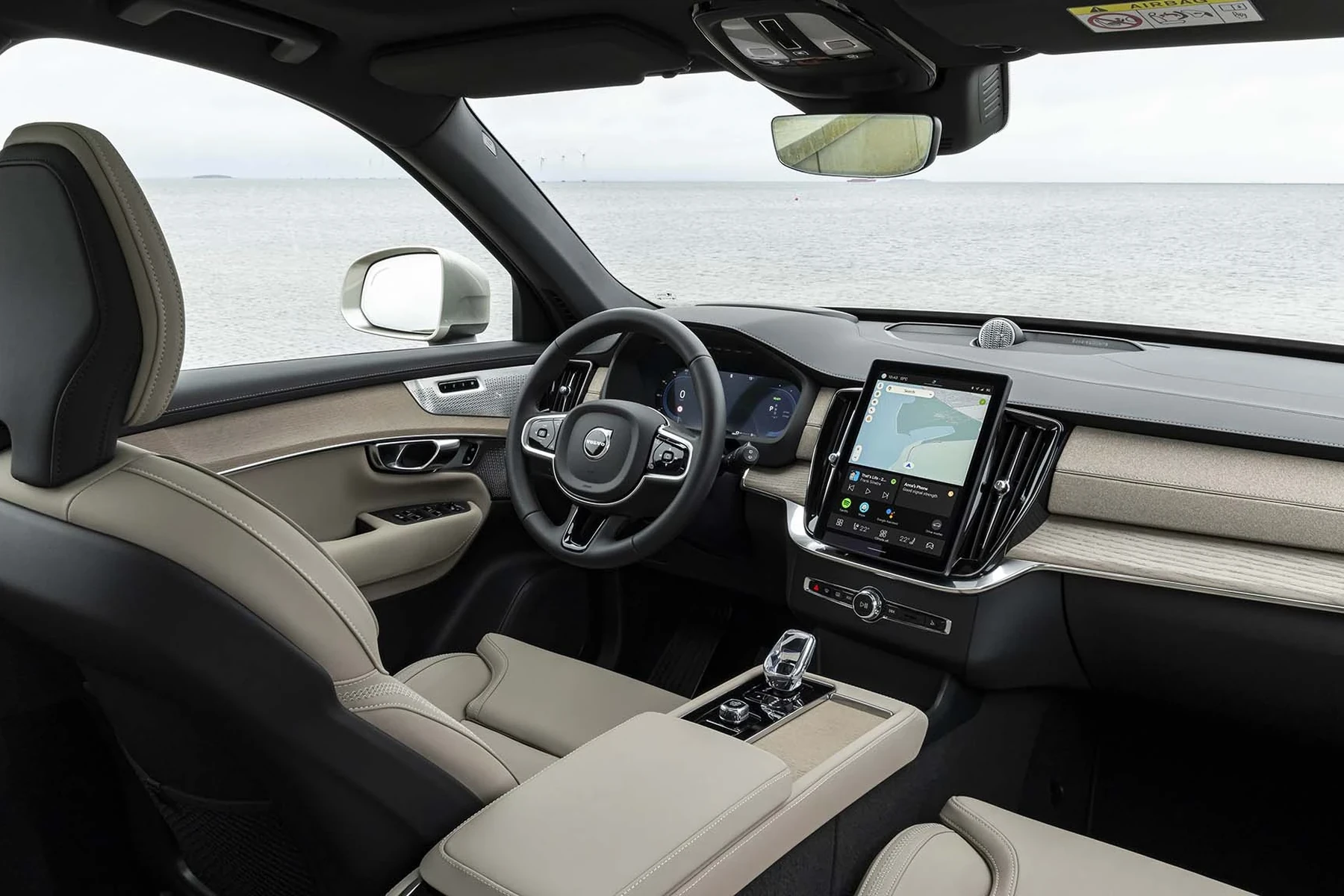
Step-by-Step Procedure to Reset the Volvo XC40 Screen
- Start Your Vehicle: Ensure the car is running or in the accessory position.
- Locate the Power Button: This is typically found on the center console or the screen itself.
- Press and Hold: Hold the power button down for 10-15 seconds. Wait until the screen goes black.
- Release the Button: Once the screen goes dark, release the power button.
- Wait for the Logo: Wait for the Volvo logo to reappear on the screen. This indicates that the reset is successful.
- Check Functionality: After the reset, check that all functions of the infotainment system are working correctly.
Expected Result After Reset
Upon successful completion of the reset, the Volvo XC40 screen should reboot and return to its normal operating state. This should fix any minor glitches, such as unresponsive touch controls or connectivity issues with Bluetooth and Apple CarPlay. If problems persist, further diagnostics may be necessary.
For related context, you may also want to read best glass screen protector Volvo XC40.

Common Mistakes to Avoid
Not Holding the Button Long Enough
One of the most common mistakes is releasing the power button too soon. Ensure you hold it for the full 10-15 seconds to trigger the reset.
Incorrect Model Year Procedures
Some model years may have different procedures for resetting the screen. Always refer to your owner’s manual for the specific steps related to your model year.
Model-Year Variations
The procedure above is generally applicable to most Volvo XC40 models from 2018 onwards. However, variations may exist based on software updates or changes in design. Always consult your owner’s manual or the manufacturer’s website for the most accurate information regarding your specific model year.
When Not to Continue with the Reset
If the screen remains unresponsive after following the reset procedure, it may indicate a more serious issue requiring professional attention. Avoid continuing attempts to reset if you notice physical damage to the screen or if other electronic systems in the vehicle are malfunctioning.
This connects closely with Volvo XC60 oil reset if you want to compare the topic in more detail.
💡 Evans Torres Tip: Regularly check for software updates for your Volvo XC40’s infotainment system. Keeping it updated can prevent many common issues and improve performance.
Frequently Asked Questions
Can I Reset the Screen Without Turning on the Vehicle?
No, the vehicle must be in the accessory position or running to perform the reset on the XC40 screen.
Will Resetting the Screen Delete My Saved Settings?
No, resetting the screen typically does not erase saved settings or preferences in the system.
What Should I Do If the Reset Doesn’t Work?
If the reset does not resolve the issue, consider visiting a certified Volvo service center for further diagnostics.
Is There a Risk of Damaging the Screen During the Reset?
No, if done correctly, there is no risk of damaging the screen during the reset process.
How Often Should I Reset My Volvo XC40 Screen?
Reset the screen only when you experience issues. Frequent resets are not necessary and may not resolve underlying problems.
What to Do Next
Now that you understand how to reset the Volvo XC40 screen, you’re equipped to handle minor issues with ease. If problems persist, consider reaching out to your local Volvo dealer for professional assistance. Keeping your vehicle’s software up to date can help prevent future issues, enhancing your driving experience.
Author

Author

Evans Torres
I’m Evans Torres, an automotive engineer who loves Volvo cars. I graduated in Automotive Engineering from USC. I have worked in the car industry for years and now share my knowledge on The Volvo Life. I started this blog to connect with other Volvo fans. I offer tips, news, and advice to help you care for your car. My goal is to help you keep your Volvo in great shape and find all the best things about it. Join me as we discover everything Volvo has to offer!