


Programming your garage door opener can enhance your driving experience by providing easy access to your home. Most modern Volvo models come equipped with a built-in system that simplifies this task.
Learning how to program a Volvo garage door opener can greatly enhance your convenience and efficiency when arriving home.
With modern Volvo models featuring integrated systems, you can easily connect your garage door opener for smooth access, making your daily routine smoother and more enjoyable.
- How to Program a Volvo: Programming your garage door opener can enhance your driving experience by providing easy access.
- Steps to Program a Garage: Follow these detailed steps to successfully program your garage door opener.
- Compatible Garage Door Opener Brands: Volvo vehicles typically support a variety of garage door opener brands..
- Troubleshooting Common Programming Issues: While programming your garage door opener, you may encounter some common issues..
- Safety Considerations When Programming Your: It’s crucial to prioritize safety while programming your garage door opener..
How to Program a Volvo Garage Door Opener
Programming your garage door opener can enhance your driving experience by providing easy access to your home. Most modern Volvo models come equipped with a built-in system that simplifies this task. Below, you’ll find a step-by-step guide tailored for various Volvo models. For related context, read volvo xc90 blend door actuator replacement.
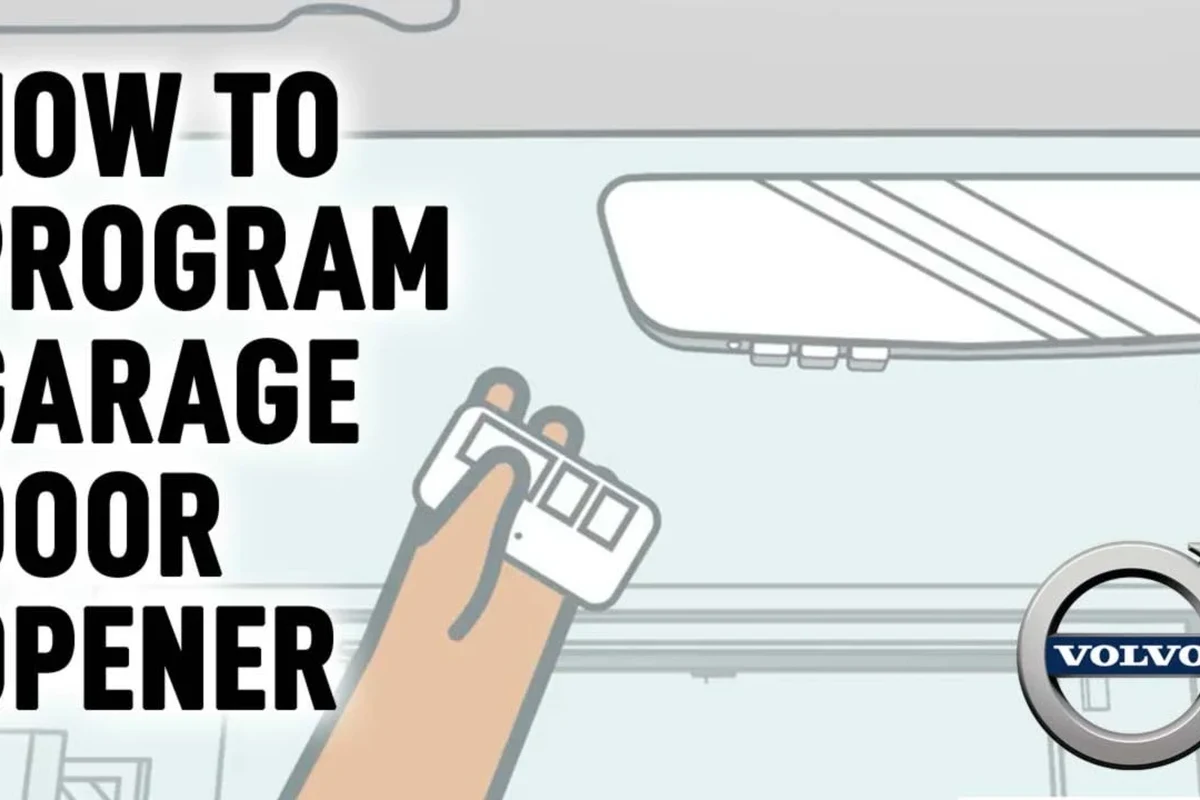
Steps to Program a Garage Door Opener in Your Volvo
Follow these detailed steps to successfully program your garage door opener:
- Ensure your vehicle is parked and turned off.
- Locate the garage door opener buttons, usually found on the overhead console.
- If programming a new opener, clear previous settings by pressing and holding the desired button until the indicator light blinks rapidly.
- Press the button you want to program and hold it while activating the garage door opener remote until the garage door responds (usually indicated by a flicker of the garage door opener’s light).
- Test the programmed button to ensure it operates the garage door correctly.
Keep service records and written quotes together, since they make every later decision about the car easier and cheaper.
Compatible Garage Door Opener Brands for Your Volvo
Volvo vehicles typically support a variety of garage door opener brands. Popular options include: For official guidance on this, see Volvo Cars official website.
- LiftMaster: Known for reliability and advanced features.
- Chamberlain: Offers a wide range of models with smart technology.
- Genie: Features strong compatibility with many vehicles.
- Wayne Dalton: Provides innovative designs and functionality.
- Keep the owner’s manual PDF on your phone.
- Note your exact model year, engine, and VIN in one place.
- Use official Volvo support pages to confirm anything that can change.
Troubleshooting Common Programming Issues
While programming your garage door opener, you may encounter some common issues. Here are effective solutions:
Door Doesn’t Move: Ensure the remote is functioning and the battery is charged. Indicator Light Doesn’t Blink: Check if you’re holding the button long enough to clear previous settings. Incorrect Frequency: Make sure your remote and vehicle are compatible. You can also use how to use a professional car scanner for volvo vehicles as the next practical guide.
Need help troubleshooting? Check out our guide on common Volvo issues to find solutions!
Safety Considerations When Programming Your Garage Door Opener
It’s crucial to prioritize safety while programming your garage door opener. Here are some tips: For related risk checks, compare this with how to drive a volvo xc40 automatic.
- Ensure the vehicle is in park and turned off to prevent any accidental movement.
- Be mindful of your surroundings when testing the garage door to avoid injury.
- Keep children and pets away from the garage door area during programming.
Use this guide on how to program a volvo garage door opener as a starting point, then adapt it to your Volvo’s model year, engine, market, and service history.
Next Steps After Programming Your Garage Door Opener
If programming is successful, consider these next steps to maintain your system:
Regularly test the garage door opener to ensure functionality. Keep the remote battery charged or replaced as needed. Familiarize yourself with any additional features your garage door opener may offer. You can also use how to drive a volvo xc40 as the next practical guide.
Ready to enhance your home automation? Explore more about integrating technology with your Volvo!
Be cautious of advice that ignores your model year and market; the same Volvo model can differ widely across both.
Additional Resources and Support
For more detailed assistance, consult the following resources:
- Volvo XC60 Garage Door Opener Programming
- Programming Without a Remote
- Check your vehicle’s user manual for specific instructions related to your model.
For more detailed instructions, visit the official Volvo website or contact customer support.
How to Program a Volvo Garage Door Opener
Programming your Volvo garage door opener enhances your driving experience by providing easy access to your home. For official guidance on this, see EPA fuel economy guide.
To successfully program your opener, ensure your vehicle is parked and turned off, locate the garage door opener buttons, and follow the specific steps to clear previous settings and link your remote.
This integration simplifies your daily routine and adds convenience to your life.
Park your vehicle and turn off the ignition to prevent accidental movement. Hold the desired button until the indicator light blinks rapidly to clear previous settings. Test the programmed button to ensure it operates the garage door correctly. For related context, read how to fix safety mode on a volvo stationwagon.
This guide on how to program a volvo garage door opener is general information. Rules, fees, rents, salaries, service coverage, product details, and procedures can change, so confirm important points with the manufacturer, retailer, or official app documentation before acting.
Questions Worth Asking
To clear previous settings, press and hold the desired button on the overhead console until the indicator light blinks rapidly. This ensures that you can program a new garage door opener without interference from old settings.
If the garage door doesn’t move, check that the remote is functioning properly and that the battery is charged. This is a common issue that can prevent successful programming.
You can confirm successful programming by testing the programmed button; the garage door should respond, typically indicated by a flicker of the garage door opener’s light. If it works correctly, your programming was successful.
Always ensure your vehicle is parked and turned off to prevent any accidental movement during programming. Also, keep children and pets away from the garage door area to avoid injury.
Volvo vehicles typically support brands like LiftMaster, Chamberlain, Genie, and Wayne Dalton. These brands are known for their reliability and compatibility with modern Volvo models.
After programming, regularly test the garage door opener to ensure it remains functional. Also, keep the remote’s battery charged or replaced as needed to maintain optimal performance.
Wrapping Up
Being able to program your garage door opener enhances convenience for Volvo owners. Following the outlined steps ensures a smooth integration of your vehicle with your home automation system, making daily routines easier. You can also use how to fix safety mode on a volvo station wagon as the next practical guide.
Author

💡 Evans Torres Tip: On every Volvo I have owned, I always keep a full digital service record from day one. When something goes wrong — and eventually something always does — having that history makes diagnosis faster and often saves money at the mechanic. Start your records today, even if the car is not new.