



are scanner for volvo safe to use — yes, when you use a reputable Volvo-capable scanner (iCarsoft, Autel, Foxwell) and stick to reading data and clearing codes after repairs. The real risk comes from clone tools and running advanced write/coding functions without knowing what they do. Verify model-year compatibility (especially 2015+ SPA and EX/EC electric models), keep the car battery above 12.4V, and avoid clearing SRS (airbag) faults until the physical issue is resolved.
Plugging an OBD2 tool into a Volvo shouldn’t feel like a gamble. Owners often worry about bricking modules, voiding warranties, or triggering new fault lights. In practice, safe use comes down to two things: picking a scanner that actually speaks Volvo’s module protocols and using it for the right tasks. Reading codes and live data is low-risk; writing or coding features is where mistakes and clone tools get people into trouble. Below, you’ll find which brands earn trust, the realistic limits of consumer scanners, and a step-by-step process to use one safely on modern Volvos, including SPA-platform cars (2015+) and newer EX/EC electric models. For related context, you may also want to read how to use a Volvo car jack for safe.
- Main point: Quality Volvo-capable scanners are safe to use for reading/clearing codes and basic resets; risk rises with clone tools and advanced write functions.
- Best first step: Confirm your model-year coverage (pre-2004, 2004–2014, 2015+ SPA, EX/EC) and update the scanner’s software before connecting.
- Cost or value: $120–$300 scanners often match dealer-level reading of key modules, saving $150–$300 per diagnostic visit.
- Who it suits: DIY owners, used-car buyers, and anyone wanting to verify faults before booking a shop.
- When to get help: Programming new keys, module coding, software updates, or persistent SRS/ABS faults after a verified repair.
You want a safe, reliable tool to read all the important Volvo modules without risking damage.
You tried a generic ELM327 and it missed ABS/SRS faults — you need a Volvo-aware upgrade.
You plan to monitor live data, confirm repairs, and reset service reminders at home.
The Real Question With Scanner Safety: Volvo-Specific vs Generic
Most “unsafe” or “won’t work” complaints trace to the wrong tool for the job. Generic OBD2 readers only see the engine (ECM) for emissions-related codes. Volvos hide a lot of critical faults in other modules — SRS (airbag), ABS, TCM (transmission), CEM (central electronics), BCM, SAS, TPMS, and climate. A Volvo-capable scanner speaks the manufacturer protocols needed to access these. Using a generic tool won’t usually harm anything; it just misses the data you actually need, leading to bad decisions. This connects closely with are scanner for Volvo worth it 2 if you want to compare the topic in more detail.
Model-year matters too. Pre-2004 Volvos, the 2004–2014 P1/P2/P3 era, 2015+ SPA/CMA cars, and EX/EC electric models don’t all talk exactly the same way. A safe scanner session starts by verifying your car is on the tool’s supported list and updating the scanner software first. You can also use scanner for Volvo XC60 as a helpful next guide on the same ownership topic.
A $30 ELM327 can read most check-engine codes but typically can’t see or clear Volvo SRS or ABS faults. Owners then assume the car “has no codes,” which leads to wasted parts and guesswork.
Want an overview of tool types and what they can read on Volvos? See our detailed guide on the OBD2 scanner for Volvo vehicles.
Before connecting, update the scanner’s Volvo software database and confirm support for your exact model and year (especially 2015+ SPA or EX/EC). An outdated tool may fail to communicate, producing “no response” errors that look like a car fault.
Which Scanner Brands Are Trustworthy for Volvo Owners
Several brands repeatedly earn positive feedback from Volvo owners and independent specialists. Reliability here means stable connections to Volvo modules, useful live data, and consistent software updates. Price correlates with coverage and speed, but mid-tier options often deliver the best value for DIY use. Beware of listings priced far below market; counterfeits are rampant and are the number one cause of connection failures, bricked updates, and missing Volvo functions.
| Brand | Reputation | Volvo coverage | Update policy | Warranty | Verdict |
|---|---|---|---|---|---|
| iCarsoft (VOL II/Pro) | DIY favorite | Strong on Volvo/Saab; reads most modules | PC-based; paid updates after period | Typically 1 year | Best value for all-module reading |
| Autel (MX808/MK808/BT) | Pro-grade | Broad Volvo coverage; fast live data | Annual subscription for updates | Varies by model | Excellent depth; pricier |
| Foxwell (NT530/NT710) | Solid mid-tier | Good module access, service resets | Model-based add-ons; periodic updates | Typically 1 year | Strong pick for cost vs features |
| Ancel (VOD/BD series) | Budget | Limited Volvo modules; ECM-centric | Occasional updates | Varies | OK for basic checks, not deep Volvo work |
| YOUCANIC | App-driven | Broad brand coverage; mixed Volvo depth | Subscription/app updates | Varies | Convenient, verify Volvo functions first |
For professional-level use cases and workshop procedures, compare features in our professional scanner how-to for Volvos. If your current tool needs a firmware refresh, follow the steps in updating scanner software by brand.
Clone/counterfeit scanners commonly fail to connect to Volvo modules or crash during updates. Red flags: price far below retail, mismatched packaging, vague seller location, and no verifiable warranty. Buy from the brand’s official store or an authorized seller only.
Real User Experiences: What Owners Praise and What Frustrates Them
Across Volvo forums and owner groups, patterns repeat. Positive stories highlight all-module scans that reveal the true cause of warnings, plus easy service resets and reliable live data for diagnosing misfires, wheel-speed sensors, or TPMS faults. The frustrations typically involve tools that won’t talk to SPA (2015+) cars, app crashes on iOS/Android, or a “Volvo-compatible” budget reader that only shows engine codes. Many negative reviews turn out to be counterfeits or outdated firmware, not a flaw in the genuine product.

Use these insights as a filter: prioritize proven brands, confirm model-year support, and update software before first use. That single prep step eliminates a surprising number of “it doesn’t work” complaints.
Here is a quick summary of common feedback trends and how to act on them. Apply the tip in the right column before assuming the car is at fault — it often isn’t.
Most issues below disappear by updating scanner software, verifying Volvo coverage, or avoiding clones. Start with those checks before replacing parts or returning a tool that may actually be fine.
| Theme | What owners report | Likely cause | Actionable tip |
|---|---|---|---|
| All-module access | Reads SRS/ABS/TCM/CEM successfully | Genuine Volvo-capable tool | Confirm model/year in compatibility list |
| “No communication” errors | Tool won’t talk to SPA/EX models | Outdated firmware or unsupported protocol | Update software; verify UDS/SPA support |
| App instability | Crashes or disconnects on phone | Old app version/Bluetooth conflicts | Update app/OS; try wired or different device |
| Can’t see SRS codes | Only check-engine codes appear | Generic ELM327-type reader | Upgrade to iCarsoft/Foxwell/Autel tier |
| Cleared light returns | Warning reappears after drive | Underlying fault not repaired | Fix the cause first, then clear codes |
| Counterfeit failures | Updates brick or modules missing | Clone hardware/firmware | Buy from authorized sellers only |
Is It Actually Safe To Use a Scanner on My Volvo?
Yes. Reading fault codes and live data is inherently safe — the scanner is observing, not changing. Clearing codes after you’ve repaired the cause is also safe. The risk rises only when running active tests (e.g., ABS pump actuations), adaptations, or coding/writing values you don’t understand. Airbag systems deserve special caution: never clear SRS faults to “make the light go away” unless the physical issue (e.g., seat connector, clock spring) is verified fixed.
Two more guardrails further reduce risk: keep system voltage healthy (12.4–12.8V engine off; 13.8–14.5V running) and avoid mid-scan battery disconnections. Low voltage can cause modules to drop offline during communication.
Do not perform active brake/ABS tests while driving, and never clear SRS (airbag) codes without confirming the repair. Scanners won’t void a warranty on their own, but improper coding or unsupported modifications can create issues a dealer will flag.
What to Expect Realistically from a Good Volvo Scanner
A capable consumer tool reads and clears codes in 8–12+ modules, shows live sensor data, performs service resets (oil/service, brake pad, SAS/TPMS on some models), and helps you verify repairs. It will not replace factory software for ECU programming, key coding, or deep guided diagnostics. Expect some coverage differences across trim years, especially with 2015+ SPA/CMA and the EX/EC electric lineup — confirm UDS support where relevant.
If you’re deciding whether to buy at all, our candid take on value is here: Are scanners for Volvo worth it?
- Check compatibility first: year, platform (SPA/CMA), and EV coverage (UDS on EX/EC models).
- Update the scanner firmware/database before connecting to the car.
- Stabilize voltage: charge the battery or connect a maintainer for long sessions.
- Save scan reports and freeze-frame data before clearing any codes.
How To Use a Volvo Scanner Safely
A safe, successful scan follows a simple flow: verify the tool supports your Volvo, update it, stabilize battery voltage, scan all modules, save results, then decide whether to clear codes after a repair. Rushing into “clear all” can hide real problems or reset valuable freeze-frame data. For deeper, pro-style workflows, pair this with our fundamentals on using a professional car scanner for Volvo vehicles.
- Confirm coverage: Identify your model/year and ensure the scanner lists it, including SPA/UDS or EX/EC support if applicable.
- Update first: Install the latest Volvo software/database for the scanner and, if app-based, update the mobile app/OS.
- Stabilize voltage: Aim for 12.4–12.8V engine-off; use a maintainer for long sessions to prevent dropouts.
- Run a full scan: Scan all modules, save the report, and note freeze-frame data before changing anything.
- Act wisely: Repair the cause, then clear codes. Avoid SRS clears and advanced coding unless you fully understand the function.
A scanner doesn’t check for recalls. After diagnosing a fault, always run your VIN through the NHTSA recall lookup. Some issues are fixed free by dealers under safety campaigns.
For general owner references and manuals, Volvo’s official support portal is here: Volvo Cars Support.
Before we jump into common questions, here’s a quick personal note.
💡 Evans Torres Tip: I keep an iCarsoft VOL II in my garage and an Autel tablet at the shop. The iCarsoft handles most owner jobs — reading SRS/ABS and service resets — while the Autel is my go‑to for faster live data on SPA cars. The biggest time-saver? Saving a full scan before clearing anything. I’ve caught intermittent CEM faults that would have vanished if I’d erased codes too soon.
Frequently Asked Questions
This section answers the most common safety and reliability questions about using scanners on Volvos — from whether they’re safe on new SPA/CMA cars and EVs, to SRS/airbag precautions, Bluetooth vs handheld reliability, warranty concerns, and how to avoid counterfeit tools. If you’re on the fence about buying, or worried about damaging a module, the concise answers below will help you choose and use a scanner with confidence.
Are scanners safe to use on 2015+ SPA/CMA Volvos like XC60, XC90, and S60?
Yes, as long as the scanner supports Volvo’s protocols for those platforms and is updated. Reading data and clearing codes after repairs is safe. Problems arise mainly with clone tools, low battery voltage during scans, or attempting coding/adaptations you don’t fully understand. Always verify SPA/CMA support on the product page before buying.
Can a scanner damage my Volvo’s SRS (airbag) system?
Reading SRS codes is safe. The risk comes from clearing SRS faults without fixing the physical cause (e.g., seat connector, clockspring). That can hide an active safety issue. Also avoid running active tests on restraint systems unless a repair manual instructs it. Treat SRS with extra caution and confirm repairs before pressing “clear.”
Will using a scanner void my Volvo warranty?
No. Simply reading/clearing codes does not void a warranty. However, unsupported coding, programming, or modifications can cause issues a dealer may flag. If your car is under warranty, leave module programming and key coding to a Volvo dealer or qualified specialist with factory tools.
Which brand is most reliable for all-module Volvo scans at home?
For DIY, iCarsoft VOL II/Pro and Foxwell NT530/NT710 offer strong value and solid Volvo coverage. For faster live data and broader functions, Autel MX808/MK808 tiers are excellent. Avoid generic ELM327-only readers if you need SRS/ABS/TCM/CEM access — they typically won’t see those modules.
How do I spot a counterfeit scanner listing?
Look for prices that are far below retail, poor or mismatched packaging photos, no clear brand warranty, and vague third-party sellers. Check the brand’s “authorized sellers” page if available. When in doubt, buy directly from the manufacturer or a known retailer to avoid firmware issues and missing Volvo features.
Do Volvo EVs (EX30, EX40/EC40, EX90) work with consumer scanners?
Many scanners can read basic OBD data, but full module access on EVs often requires UDS support and the latest software. Coverage varies widely by brand and release date. Verify EV/UDS support specifically for your model and be prepared for evolving coverage as manufacturers update their tools.
Is Bluetooth app-based scanning as reliable as a handheld unit?
It can be, but stability depends on the adapter quality, the app, and your phone OS. Handheld units remove the phone/app variable and are often more consistent. If you prefer Bluetooth, choose a well-reviewed adapter and keep both app and firmware updated for the best results.
Final Verdict
Reliable, Volvo-capable scanners are safe tools when used thoughtfully. Reading codes and live data won’t harm your car; in fact, they help you pinpoint faults and avoid unnecessary parts. The real dangers are clone hardware, outdated software, low battery voltage during scans, and clicking advanced coding you don’t understand. Choose a trusted brand, confirm your model-year support, and update the tool before you begin. Save a full report prior to clearing anything, fix the cause, then clear codes. For programming, keys, or persistent SRS issues, book a Volvo-experienced specialist. Do that, and the scanner becomes a money-saving ally rather than a risk.
My Top Picks at a Glance
Here are the three are scanner to use options I would check first if you want a faster buying decision.
These picks highlight the strongest overall choice, the best value option, and the premium-style pick for practical Volvo ownership.
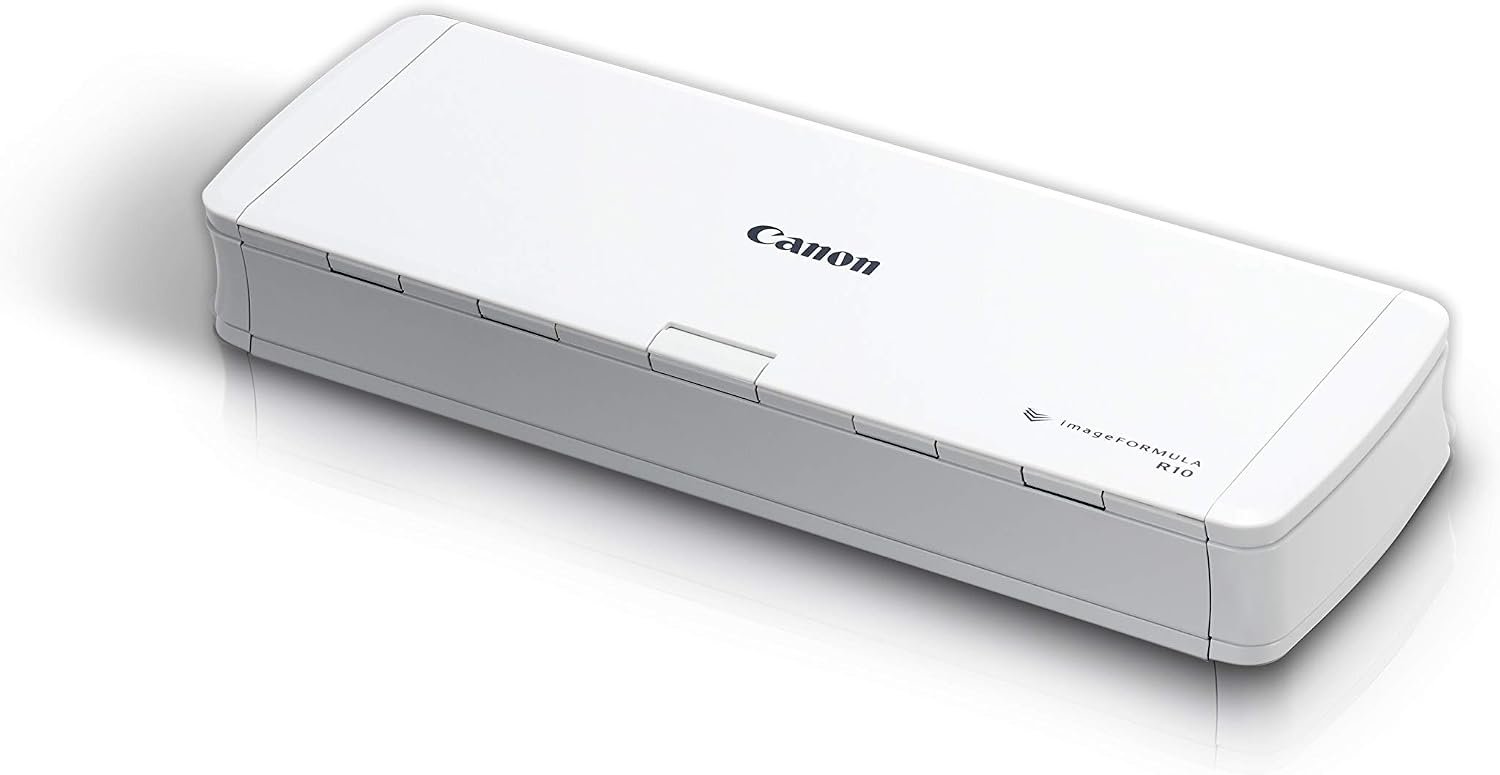 Best Overall
Canon imageFORMULA R10 portable document scanner with USB power, duplex scanning, feeder, easy mobile setup
It offers the strongest all-around mix of fit, value, and practical daily use for Volvo owners.
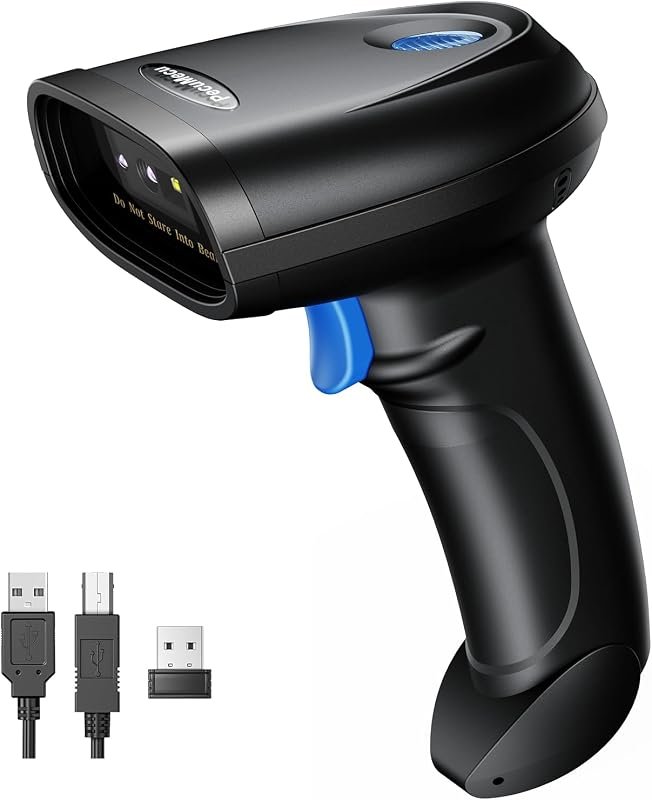 Best Value
TM-10B 1D/2D barcode scanner, Bluetooth, 2.4G wireless or USB, compatible with Windows, Android, iOS
It makes sense for owners who want a useful upgrade without paying more than necessary.
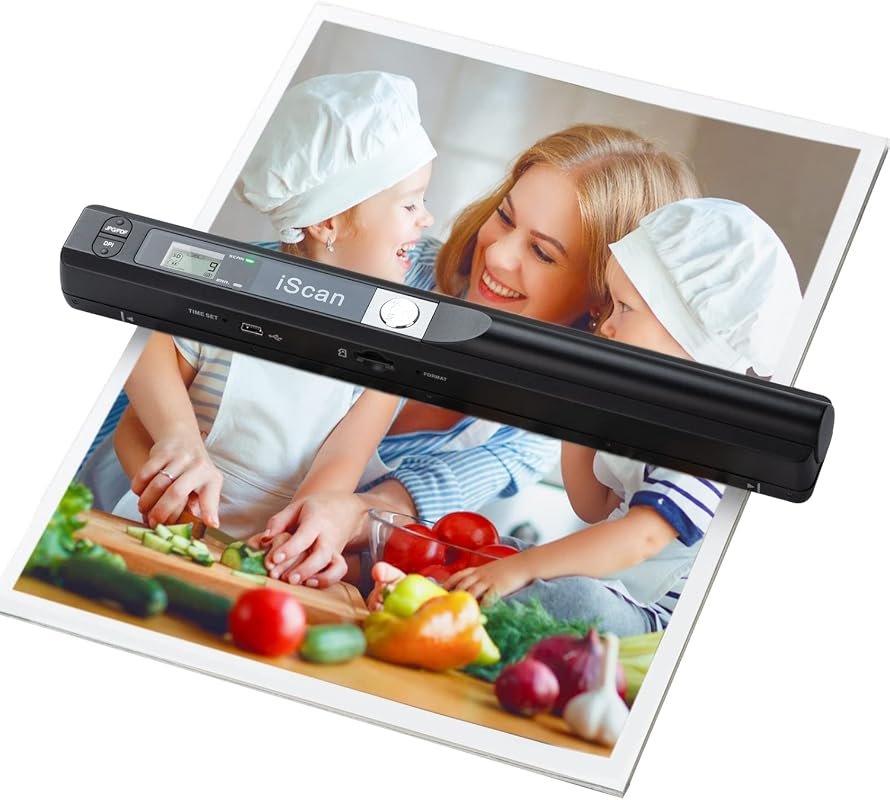 Best Premium Option
Portable A4 handheld photo document scanner, up to 900 DPI, JPG/PDF, includes 16GB SD card
It is the pick I would compare first if build quality, features, and long-term ownership value matter most.
Author

Author

Evans Torres
I’m Evans Torres, an automotive engineer who loves Volvo cars. I graduated in Automotive Engineering from USC. I have worked in the car industry for years and now share my knowledge on The Volvo Life. I started this blog to connect with other Volvo fans. I offer tips, news, and advice to help you care for your car. My goal is to help you keep your Volvo in great shape and find all the best things about it. Join me as we discover everything Volvo has to offer!