


Apple CarPlay makes a real difference for Volvo owners, enhancing connectivity and safety. This integration allows smooth access to apps and navigation while driving. In this article, we explore what’s the big deal about Apple CarPlay and how it transforms your driving experience.
- Understanding Apple CarPlay and Its: Apple CarPlay is a smart and intuitive system designed for drivers who want to.
- What’s the Big Deal About: Apple CarPlay enhances the driving experience by prioritizing safety and convenience..
- Supported Volvo Models and Their: Apple CarPlay is available in many modern Volvo models, enhancing connectivity across the lineup..
- Limitations of Apple CarPlay: What: While Apple CarPlay offers many advantages, it’s essential to be aware of its limitations.
- Keeping Your Apple CarPlay Updated: Regular updates are crucial to ensure optimal performance and access to new features in.
Understanding Apple CarPlay and Its Role in Modern Vehicles
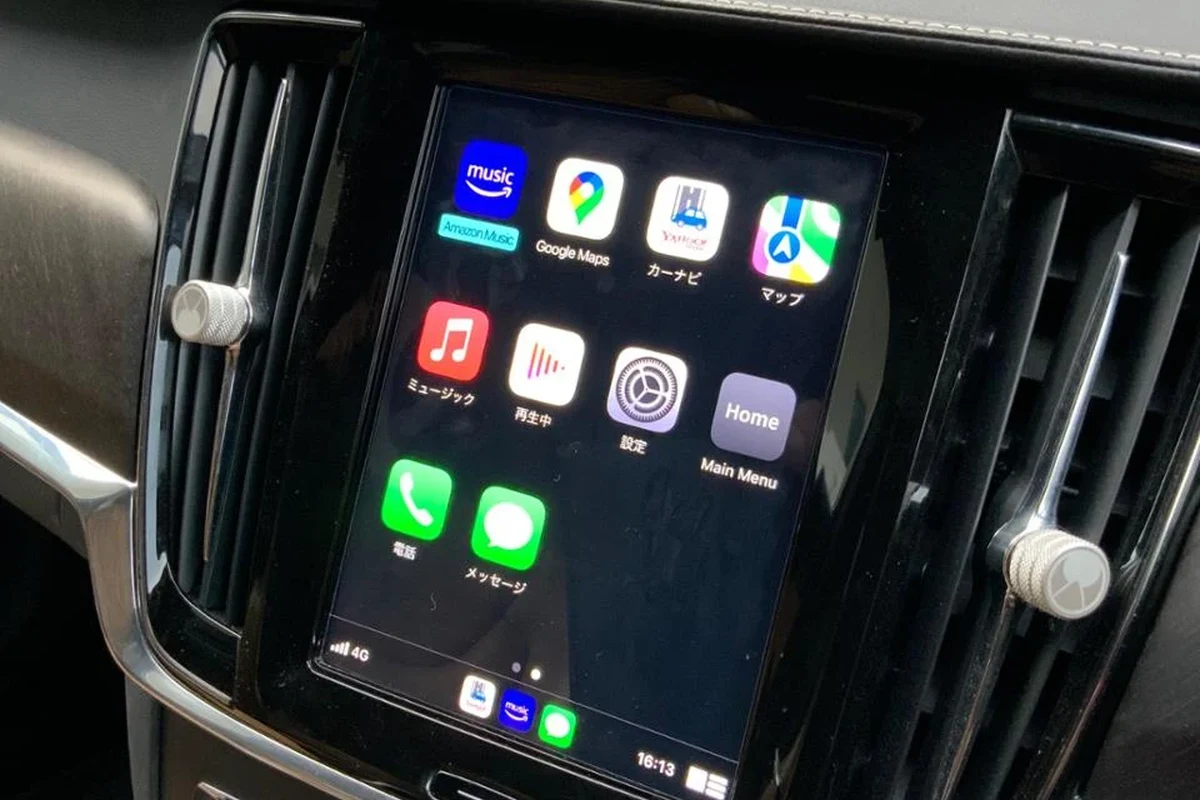
Apple CarPlay is a smart and intuitive system designed for drivers who want to stay connected while on the road. It allows iPhone users to connect their devices to their vehicles, providing easy access to apps, navigation, music, and messaging.
As technology evolves, the demand for safer and more efficient driving experiences increases, making systems like Apple CarPlay essential in modern vehicles. For related context, read how to connect apple carplay to volvo xc60.
Drivers looking for enhanced connectivity and safety.
Volvo models equipped with Apple CarPlay, typically from 2016 onwards.
You prefer a non-digital driving experience or have an Android device.
What’s the Big Deal About Apple CarPlay in Your Volvo?
Apple CarPlay enhances the driving experience by prioritizing safety and convenience. With its user-friendly interface, drivers can focus more on the road and less on their devices. This technology streamlines various functions, allowing for easier access to essential features without distraction. You can also use apple carplay not working volvo xc40 as the next practical guide.
Key Features of Apple CarPlay That Enhance Driver Safety
Apple CarPlay includes several features aimed at improving driver safety:
- Voice Control: Users can make calls, send messages, and use navigation via voice commands, reducing the need to physically interact with the device.
- Navigation Integration: Map apps like Apple Maps, Google Maps, and Waze provide real-time directions and traffic updates, which help drivers stay informed.
- Music and Podcasts: Access to music and podcast applications ensures that drivers can enjoy entertainment without extensive interaction with their devices.
- Do Not Disturb Mode: This feature minimizes distractions by silencing notifications while driving, helping drivers maintain focus.
Verify your model year and trim against the official Volvo database to confirm compatibility with Apple CarPlay.
Supported Volvo Models and Their Compatibility with Apple CarPlay
Apple CarPlay is available in many modern Volvo models, enhancing connectivity across the lineup. These typically include: For official guidance on this, see Volvo Cars official website.
Volvo XC90: Models from 2016 onwards. Volvo XC60: Models from 2017 and later. Volvo S90: All models starting from 2017. Volvo V60: 2019 models and newer. Volvo S60: From 2019 onwards. Volvo EX30: Latest models featuring wireless CarPlay.
How to Verify Your Volvo’s Compatibility Using VIN
To confirm whether your specific Volvo model supports Apple CarPlay, you can use the Vehicle Identification Number (VIN). Follow these simple steps: For related context, read volvo xc60 apple carplay not working.
- Locate Your VIN: This is usually found on the dashboard near the windshield or on the driver’s side door frame.
- Visit the Volvo Official Website: Navigate to the support section.
- Enter Your VIN: Use the VIN lookup tool to check compatibility and see all available features.
Limitations of Apple CarPlay: What You Need to Know
While Apple CarPlay offers many advantages, it’s essential to be aware of its limitations: You can also use volvo xc90 apple carplay not working as the next practical guide.
- App Restrictions: Only select apps are compatible with CarPlay, which may limit your options.
- Connection Issues: Some users report connectivity problems, especially if the cable or Bluetooth connection is faulty.
- Limited Functionality: CarPlay may not support all features of certain apps, which can limit user experience.
- Distraction Potential: Although designed for safety, the interface can still be distracting if not used responsibly.
Be cautious of using unsupported apps while driving, as this may lead to distractions and safety risks.
Keeping Your Apple CarPlay Updated
Regular updates are crucial to ensure optimal performance and access to new features in Apple CarPlay. Here’s how to keep your system up to date: For official guidance on this, see NHTSA recall lookup by VIN.
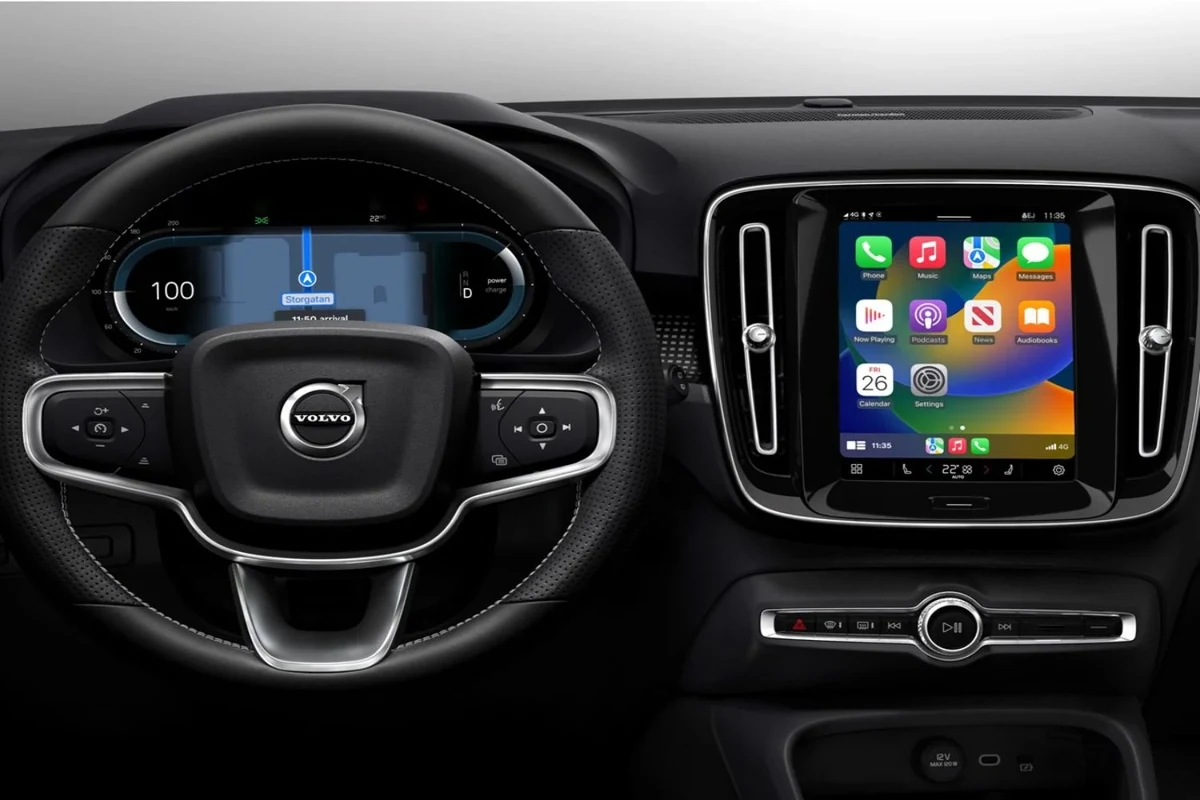
Software Updates: Connect your iPhone to a Wi-Fi network and allow it to update the CarPlay software automatically. Volvo Software Updates: Check the Volvo owner’s manual or the official website for any vehicle-specific updates. For related context, read how big is the volvo xc60.
How to Check for Software Updates in Your Volvo
To check for updates in your Volvo:
- Access the Infotainment System: Start your vehicle and navigate to the settings menu.
- Select Software Updates: Look for the software update option in the settings.
- Follow the Prompts: If an update is available, follow the on-screen instructions to install it.
Always ensure your software is up-to-date to improve functionality and safety features.
Troubleshooting Common Apple CarPlay Issues
If you encounter problems with Apple CarPlay, there are several common issues and solutions to consider: You can also use carplay not working volvo xc40 as the next practical guide.
- No Connection: Ensure your iPhone is unlocked and that you are using a certified cable.
- Audio Issues: Check the volume settings on both your iPhone and the vehicle.
- App Not Responding: Close the app on your iPhone and restart the CarPlay system.
Steps to Take if Apple CarPlay is Not Working
If Apple CarPlay fails to operate correctly, follow these steps:
- Restart Your iPhone: A simple restart can often resolve connectivity issues.
- Reconnect the Cable: Unplug and reinsert the cable to ensure a secure connection.
- Reset the Infotainment System: If problems persist, resetting the vehicle’s infotainment system might help.
- Check if Apple CarPlay connects smoothly when starting the vehicle.
- Test voice commands for navigation and calls.
- Ensure audio quality is clear during music playback.
What’s the Big Deal About Apple CarPlay
Apple CarPlay transforms the driving experience for Volvo owners by prioritizing safety and convenience. It allows smooth access to navigation, music, and messaging through voice commands, helping drivers stay focused on the road.
With features like Do Not Disturb mode, it minimizes distractions, making it an essential tool for modern driving.
Use voice control for hands-free calls and navigation. Check your Volvo’s compatibility with Apple CarPlay using the VIN. Regularly update your CarPlay software for optimal performance. For related context, read apple car play not working volvo xc40.
This guide on whats the big deal about apple carplay is general information. Rules, fees, rents, salaries, service coverage, product details, and procedures can change, so confirm important points with the manufacturer, retailer, or official app documentation before acting.
💡 Evans Torres Tip: On every Volvo I have owned, I always keep a full digital service record from day one. When something goes wrong — and eventually something always does — having that history makes diagnosis faster and often saves money at the mechanic. Start your records today, even if the car is not new.
Frequently Asked Questions
Apple CarPlay includes voice control for calls and messages, navigation integration with real-time updates, music and podcast access, and a Do Not Disturb mode to minimize distractions. These features allow drivers to stay focused on the road while still enjoying connectivity and entertainment.
To check compatibility, locate your Vehicle Identification Number (VIN) and visit the Volvo official website to use the VIN lookup tool. This will confirm whether your model supports Apple CarPlay and provide details on available features.
If Apple CarPlay fails to operate, first restart your iPhone and ensure the cable connection is secure. If those steps do not resolve the issue, consider resetting the vehicle’s infotainment system for a fresh start.
Apple CarPlay is available in several Volvo models, including the XC90 (2016 onwards), XC60 (2017 and later), S90 (2017 onwards), V60 (2019 and newer), and S60 (2019 onwards). The latest EX30 model also features wireless CarPlay integration.
While Apple CarPlay enhances connectivity, it has limitations such as app restrictions, potential connection issues, and limited functionality for certain apps. Users should also be cautious, as the interface can still be distracting if not used responsibly.
To ensure your Apple CarPlay system is updated, connect your iPhone to Wi-Fi for automatic software updates and check the Volvo owner’s manual for vehicle-specific updates. Regular updates improve functionality and access to new features, enhancing the overall driving experience.
Putting It All Together
Apple CarPlay significantly enhances the driving experience for Volvo owners by providing an integrated, safe, and user-friendly interface. By understanding its features, compatibility, and troubleshooting methods, you can maximize the benefits of this technology for a smarter driving experience. You can also use volvo ex30 wireless carplay as the next practical guide.
