



Spotify not working in your Volvo XC40 can stem from connectivity issues, app setup errors, or permissions. To resolve this, ensure your software is up to date, check your connection, and verify app permissions.
Many Volvo XC40 owners enjoy the convenience of streaming their favorite playlists via Spotify. However, issues can arise that prevent the app from functioning correctly. This article will guide you through the compatibility requirements, setup steps, common problems, and effective fixes to get Spotify working seamlessly in your vehicle.
- Spotify requires a stable internet connection to function in the XC40.
- Ensure your vehicle’s software is updated for optimal performance.
- Check app permissions and settings to resolve connectivity issues.
- Common problems often stem from Bluetooth or Wi-Fi connectivity.
- Resetting the system can often fix persistent Spotify issues.
Compatibility of Spotify with Volvo XC40
Spotify is compatible with various Volvo models, including the XC40. You’ll need a vehicle equipped with the Android Automotive OS, which allows for native app support. Most 2020 and newer XC40 models have this feature.
For related context, you may also want to read Volvo XC40 apple carplay not working.
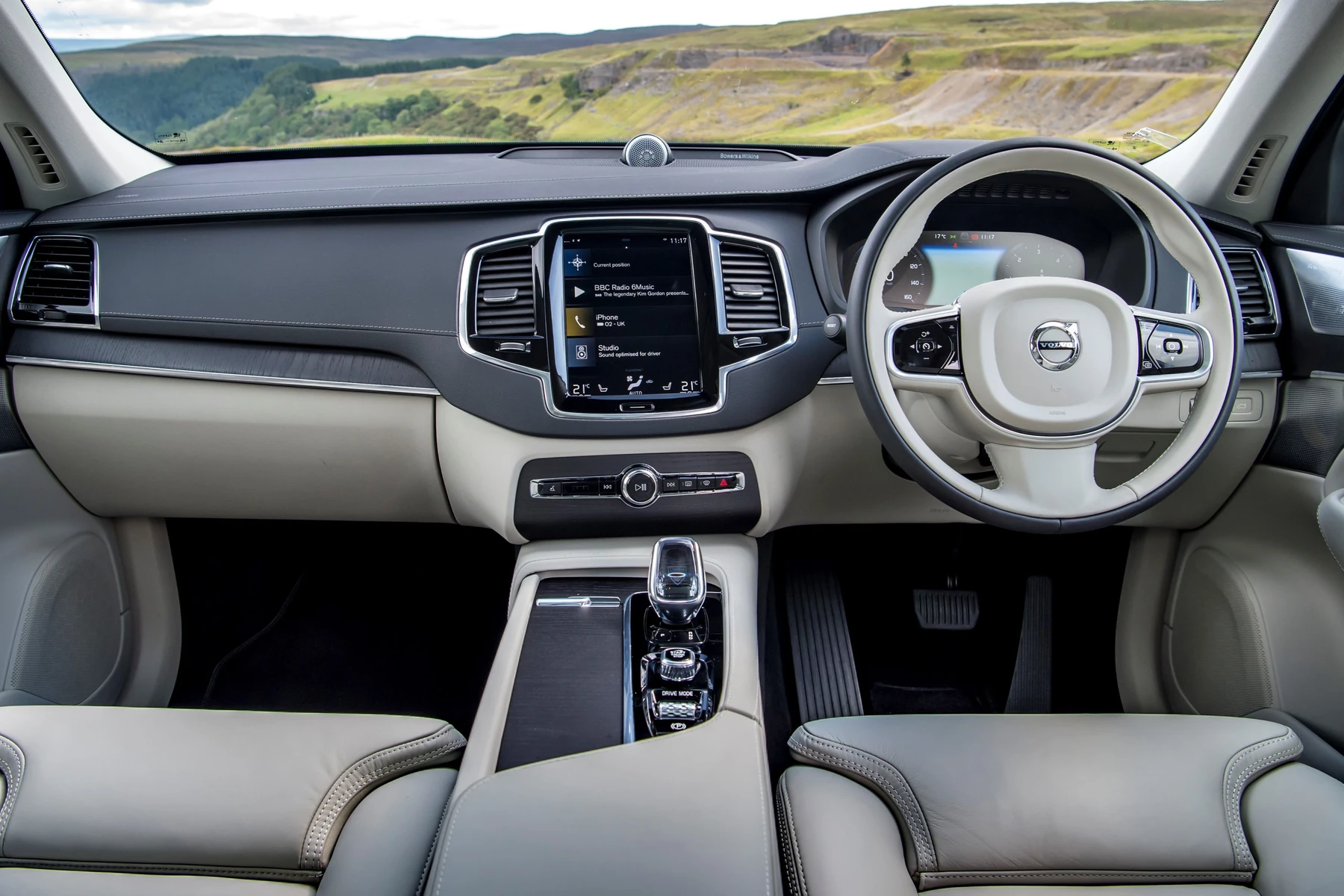
Ensure your vehicle’s software is updated to the latest version for the best experience.
Setting Up Spotify in Your Volvo XC40
To set up Spotify in your XC40, follow these steps:
- Ensure your vehicle is in park and turned on.
- Connect your phone to the XC40 via Bluetooth or Wi-Fi. This can be done through the vehicle’s settings menu.
- Open the Spotify app on your phone and log in to your account.
- On the XC40’s infotainment screen, navigate to the apps section and select Spotify.
- Once selected, follow the on-screen prompts to complete the setup.
- Ensure your vehicle is in park and turned on.
- Connect your phone via Bluetooth or Wi-Fi.
- Open the Spotify app and log in.
- Navigate to the apps section on the XC40’s screen.
- Select Spotify and follow on-screen prompts.
Common Issues Preventing Spotify from Working
Spotify may not work in your Volvo XC40 due to several common issues. Below are some frequent culprits:

Connectivity Problems
Spotify requires a reliable internet connection. If you experience interruptions or slow loading times, check your Bluetooth or Wi-Fi connection. Make sure your phone is connected properly and that Bluetooth is enabled in the XC40’s settings.
This connects closely with Volvo XC60 volume not working if you want to compare the topic in more detail.
App Permissions
Permissions can sometimes hinder Spotify’s functionality. Ensure that the app has the necessary permissions to access your device’s network and Bluetooth. You can check this in your phone’s settings under the app permissions section.
Software Updates
Outdated software can lead to compatibility issues. Regularly check for updates for both your vehicle’s infotainment system and the Spotify app. This ensures you have the latest features and bug fixes.
Steps to Troubleshoot Spotify Issues
If Spotify is still not working after setup, try the following troubleshooting steps:
- Restart your phone and the XC40’s infotainment system.
- Disconnect and reconnect Bluetooth or Wi-Fi.
- Check the Spotify app for any updates and install them.
- Reset the XC40’s infotainment system to factory settings if problems persist.
- If all else fails, uninstall and reinstall the Spotify app on your phone.
Resetting and Updating Your XC40 System
Sometimes, a reset is necessary to fix persistent issues with Spotify. Here’s how to reset your XC40’s infotainment system:
- Press and hold the home button on the infotainment screen until the system prompts a reset.
- Select ‘Reset’ and confirm your choice.
- Wait for the system to restart, then reconnect to Spotify.
To check for software updates, navigate to the settings menu on the XC40’s infotainment system and select ‘Software Updates.’ Follow the prompts to install any available updates.
💡 Evans Torres Tip: Regularly check for updates for both your vehicle’s software and the Spotify app to maintain compatibility and performance.
Frequently Asked Questions
What Should I Do If Spotify Is Still Not Working After Troubleshooting?
If Spotify continues to malfunction, consider reaching out to your local Volvo dealer for assistance. There may be a deeper issue with the infotainment system that requires professional attention.
Can I Use Spotify Without My Phone Connected?
Yes, if your XC40 supports a direct app installation, you can use Spotify without needing your phone connected, as long as you have an internet connection.
Is There a Limit to the Number of Devices I Can Connect to Spotify in My XC40?
Spotify allows you to connect multiple devices to one account; however, only one device can stream music at a time.
Does the Volvo XC40 Support Offline Playback for Spotify?
Offline playback is available on the Spotify app, but you’ll need to download music to your device beforehand. Ensure you have a premium subscription for this feature.
What to Do Next
If you encounter issues with Spotify not working in your Volvo XC40, follow the outlined steps to troubleshoot and resolve the problem. Regularly updating both your app and the vehicle’s software will help maintain a seamless streaming experience. For further assistance, consult your local Volvo dealer.
Author

Author

Evans Torres
I’m Evans Torres, an automotive engineer who loves Volvo cars. I graduated in Automotive Engineering from USC. I have worked in the car industry for years and now share my knowledge on The Volvo Life. I started this blog to connect with other Volvo fans. I offer tips, news, and advice to help you care for your car. My goal is to help you keep your Volvo in great shape and find all the best things about it. Join me as we discover everything Volvo has to offer!