



To get AM radio on your Volvo XC60 2022, access the infotainment system settings and select the AM band. Ensure your radio is updated and tuned correctly.
The Volvo XC60 2022 is equipped with advanced infotainment features, but accessing AM radio can sometimes be overlooked. This guide will walk you through the necessary steps to enable AM radio on your vehicle, ensuring you can enjoy your favorite stations while on the road.
For related context, you may also want to read how to use headlight washers on 2024 Volvo XC60.
Follow along for a straightforward process that anyone can complete.
- Access AM radio via the infotainment system settings.
- Ensure your radio is updated to the latest software version.
- Follow the step-by-step process for a successful setup.
- Be aware of common mistakes that may hinder access.
- Know the differences in AM radio functionality across model years.
Prerequisites for Accessing AM Radio on Your Volvo XC60 2022
Before diving into the setup, make sure you have the following:
- Your Volvo XC60 2022 is turned on, and the infotainment system is fully operational.
- The vehicle’s software is updated to the latest version to avoid any glitches.
- You are familiar with the infotainment touchscreen interface.
Step-by-Step Procedure to Get AM Radio on Your Volvo XC60 2022
- Turn on your vehicle: Start your Volvo XC60 2022 and let the infotainment system boot up.
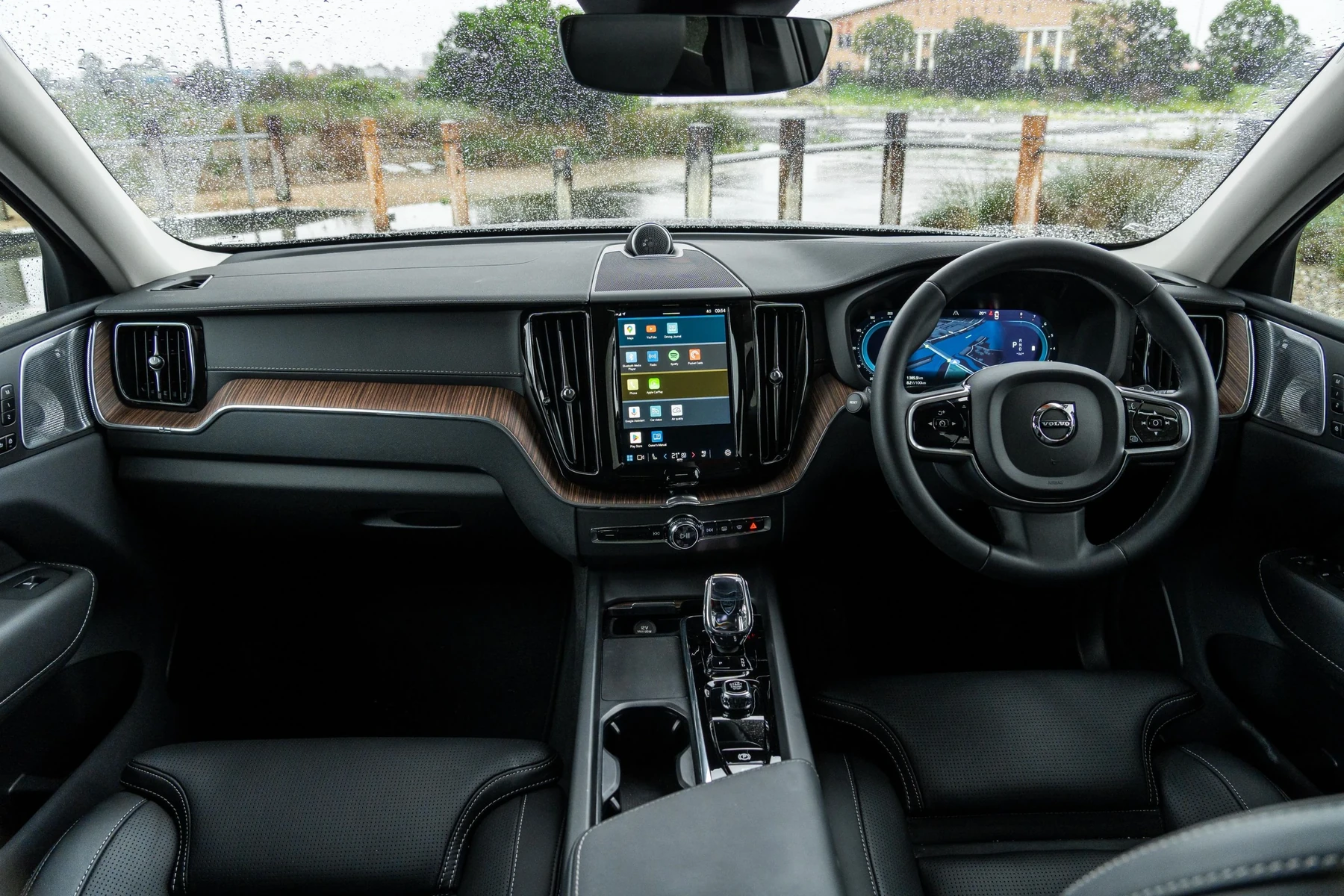
- Access the infotainment system: Tap on the central touchscreen display.
- Select the media option: From the main menu, choose the “Media” option to access radio settings.
- Choose the AM band: Look for a button or option labeled “AM” and tap it. The system should switch to the AM radio band.
- Tune in to your favorite station: Use the tuning knob or touchscreen to navigate through available AM stations.
- Save your presets: Once you find your desired station, save it to your presets for quick access later.
- Adjust volume and settings: Ensure the volume is set to your preferred level and adjust any other audio settings as needed.
Expected Result
After following these steps, you should be able to enjoy AM radio on your Volvo XC60 2022 without any issues. If you encounter problems, double-check your infotainment settings and ensure your vehicle’s software is up to date.
You can also use how to turn off start stop on Volvo XC60 as a helpful next guide on the same ownership topic.
Common Mistakes to Avoid
Not Updating Software
One common mistake is neglecting software updates. An outdated system may not support certain features, including AM radio. Regularly check for updates to ensure optimal functionality.
Ignoring Station Tuning
Another error is not properly tuning to the desired station. Make sure you’re using the correct tuning method, whether it’s manual tuning or using presets.
Overlooking Volume Settings
Sometimes, the volume might be too low or muted, making it seem like AM radio isn’t working. Always check the volume settings first.
Model-Year Variations for AM Radio Access
The process for accessing AM radio may slightly vary in different model years. For instance, while the 2022 XC60 has a straightforward touch interface, earlier models might have physical buttons or knobs. Check your owner’s manual for specifics related to your vehicle’s model year.
This connects closely with how to reset scheduled maintenance on a 2013 Volvo XC60 if you want to compare the topic in more detail.
When Not to Continue Troubleshooting
If you’ve followed all the steps and are still unable to access AM radio, it might be a sign of a more significant issue. If the infotainment system is unresponsive or if you encounter error messages, it’s best to consult a professional.
Continuing to troubleshoot without proper knowledge may lead to further complications.
💡 Evans Torres Tip: Regularly check for updates in your Volvo’s infotainment system to ensure all features, including AM radio, function smoothly.
Frequently Asked Questions
Can I Listen to AM Radio While Using Navigation?
Yes, you can listen to AM radio while using navigation. However, make sure the volume levels are adjusted so you can hear both the radio and navigation prompts clearly.
What Should I Do If AM Radio Is Not Available?
If AM radio is not available, check your vehicle’s settings and ensure it is not in the “FM” mode. Also, verify that the infotainment system is functioning properly.
How Do I Reset the Infotainment System If It Malfunctions?
To reset the infotainment system, press and hold the volume knob for several seconds until the system reboots. This can often resolve minor glitches.
What to Do Next
Now that you know how to get AM radio on your Volvo XC60 2022, enjoy your favorite stations while driving. If you encounter issues or have further questions, refer to your owner’s manual or consult a Volvo technician for assistance. Stay tuned and drive safely!
Author

Author

Evans Torres
I’m Evans Torres, an automotive engineer who loves Volvo cars. I graduated in Automotive Engineering from USC. I have worked in the car industry for years and now share my knowledge on The Volvo Life. I started this blog to connect with other Volvo fans. I offer tips, news, and advice to help you care for your car. My goal is to help you keep your Volvo in great shape and find all the best things about it. Join me as we discover everything Volvo has to offer!