



To change miles to km on a Volvo XC60, access the settings menu on your dashboard. Navigate to ‘Units’, then select ‘Kilometers’.
Many Volvo XC60 drivers often need to switch between miles and kilometers, especially when traveling or relocating to different countries. Luckily, this process is straightforward. This guide will provide you with step-by-step instructions on how to change miles to kilometers on your Volvo XC60.
Following these instructions will ensure that your dashboard displays the distance in your preferred unit.
- Changing miles to kilometers is simple and can be done through the dashboard settings.
- Ensure your vehicle is in accessory mode to access the settings.
- Different model years may have slight variations in the process.
- Familiarize yourself with your owner’s manual for specific details related to your model.
Prerequisites for Changing Miles to Km on Volvo XC60
Before you start the process, make sure your Volvo XC60 is in accessory mode. This allows the dashboard to function without starting the engine. Here’s how to get ready: For related context, you may also want to read how to use headlight washers on 2024 Volvo XC60.
- Ensure the vehicle is parked safely.
- Press the start button without pressing the brake pedal to enter accessory mode.
- Keep your owner’s manual handy for reference.
Step-by-Step Procedure to Change Miles to Km
Follow these steps to successfully change the distance unit on your Volvo XC60:
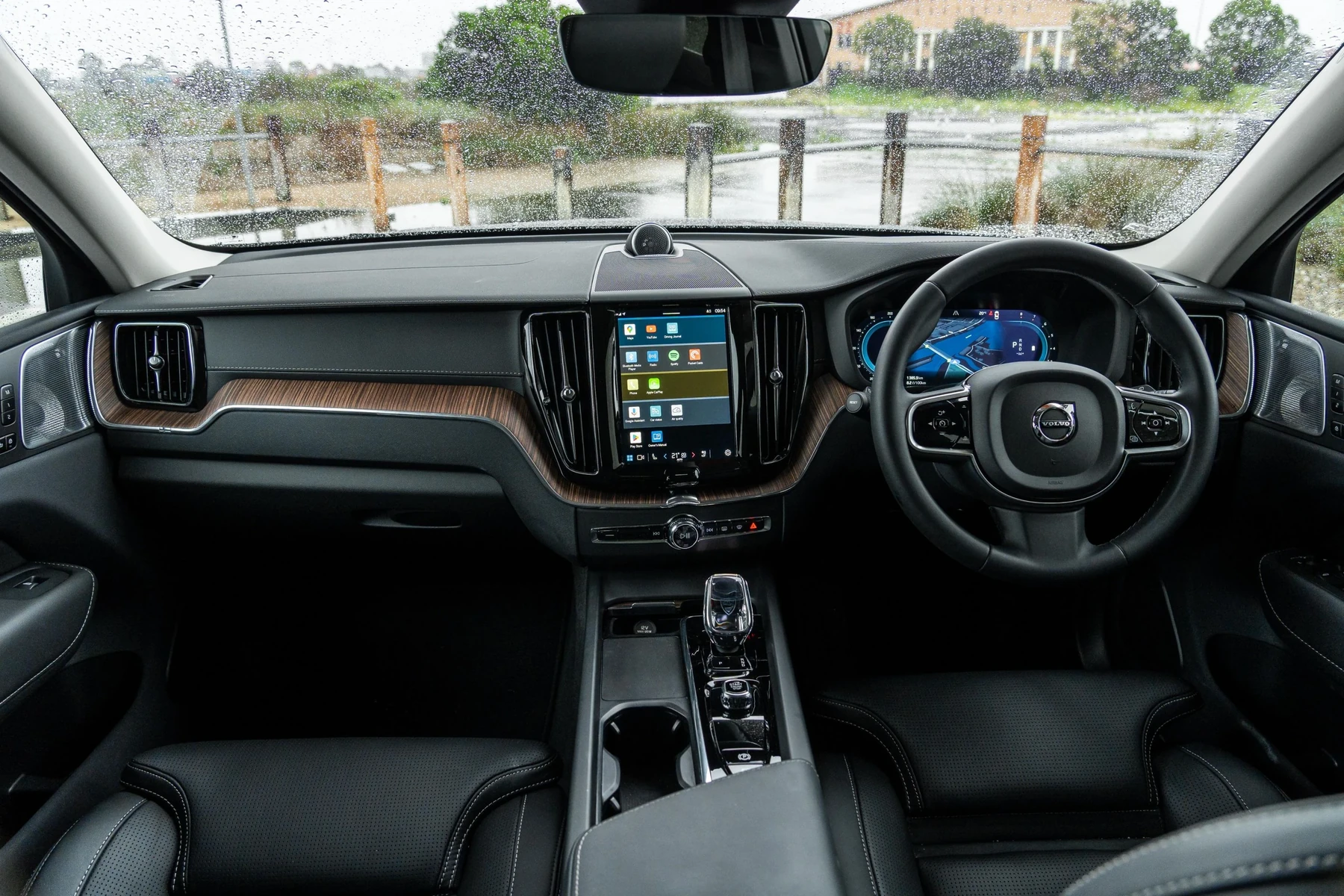
- Access the dashboard display by pressing the ‘Home’ button.
- Use the control knob or touchscreen to navigate to ‘Settings’.
- Select ‘Units’ or ‘Display Settings’, depending on your model year.
- Look for the option labeled ‘Distance’ or ‘Units of Measurement’.
- Select ‘Kilometers’ from the available options.
- Confirm your selection to apply the changes.
- Exit the settings menu and check if the dashboard now displays the distance in kilometers.
Expected Result After Changing Units
Once you follow the above steps, your Volvo XC60 should display distance measurements in kilometers instead of miles. This change will apply to your trip meter, odometer, and any navigation systems integrated into your vehicle.
Common Mistakes to Avoid
While changing the distance unit is generally straightforward, there are a few common mistakes to be aware of:
- Not being in accessory mode can prevent you from accessing the settings.
- Forgetting to confirm changes may result in the unit reverting back.
- Navigating to the wrong menu can lead to confusion—always look for ‘Units’ or ‘Display Settings’.
Model-Year Variations in Changing Distance Units
While the core process remains consistent across Volvo XC60 models, there are slight variations depending on the model year: This connects closely with how to reset scheduled maintenance on a 2013 Volvo XC60 if you want to compare the topic in more detail.
2018-2021 Volvo XC60
For these model years, the interface may be slightly different, with more focus on touchscreen navigation.
2022 and Later Volvo XC60
Newer models may have updated software, changing how settings are accessed. Always refer to the user manual for specific instructions.
When Not to Continue with the Change
If your Volvo XC60 is experiencing electrical issues or if the dashboard display is malfunctioning, it’s best to refrain from making changes. These issues might require professional diagnostics. Don’t attempt to change settings if the car shows warning lights or if the display is unresponsive.
You can also use how to turn off start stop on Volvo XC60 as a helpful next guide on the same ownership topic.
💡 Evans Torres Tip: Always check other settings in your Volvo XC60 while you’re in the menu. You might want to adjust other preferences like temperature units or language settings.
Frequently Asked Questions
Can I Change the Units Back to Miles After Switching to Kilometers?
Yes, you can follow the same steps to change back to miles if needed.
What If I Can’t Find the Settings Menu on My Dashboard?
If you’re having trouble finding the settings menu, consult your owner’s manual for guidance specific to your model.
Will Changing Units Affect My Vehicle’s Performance?
No, changing the display units does not affect your vehicle’s performance. It only changes how distance is displayed.
Can I Do This While Driving?
It’s advisable to perform this change only when the vehicle is stationary to ensure your safety.
Is There a Risk to My Vehicle’s System When Changing These Settings?
There is no risk to your vehicle’s system when changing the distance units. It’s a simple software adjustment.
What to Do Next
Now that you know how to change miles to kilometers on your Volvo XC60, you can easily switch between units based on your needs. Enjoy your drive with the comfort of knowing your vehicle’s settings are customized to your preference!
Author

Author

Evans Torres
I’m Evans Torres, an automotive engineer who loves Volvo cars. I graduated in Automotive Engineering from USC. I have worked in the car industry for years and now share my knowledge on The Volvo Life. I started this blog to connect with other Volvo fans. I offer tips, news, and advice to help you care for your car. My goal is to help you keep your Volvo in great shape and find all the best things about it. Join me as we discover everything Volvo has to offer!